Yes, you can add AI tools to your resume, and hiring managers do read them. The catch is how you write them. A line that says “proficient in ChatGPT” tells the reader nothing. A line that names the tool, the task and the result tells them you can do the work. This guide shows how to add AI tools in resume sections the way recruiters want to see them: where each one goes, what to write, and what to leave out.
We have rewritten resumes for ourselves and for colleagues in marketing, operations, sales and support, and the pattern is always the same. People already use AI tools every week, but they bury that work behind vague words like “AI skills” or “tech savvy.” Once the tool and the result are on the page, the same resume reads like a different person wrote it.
You do not need to be an engineer for any of this. If you can describe a task you finished faster or better with an AI tool, you have enough to start. Read the sections in order the first time, then come back to the parts you need.
Key Takeaways
- Name the tool, the task and the result in every AI line.
- Put the proof in work experience and a short backup line in skills.
- Use the same tool names as the job post, where they are true.
- List only what you can explain in an interview.
- Show judgment, not only speed: say that you checked the output.
How to Add AI Tools to Your Resume in Five Steps
Start here if you want the short version. Each step is explained in the sections below, with examples you can copy and adapt to your own work.
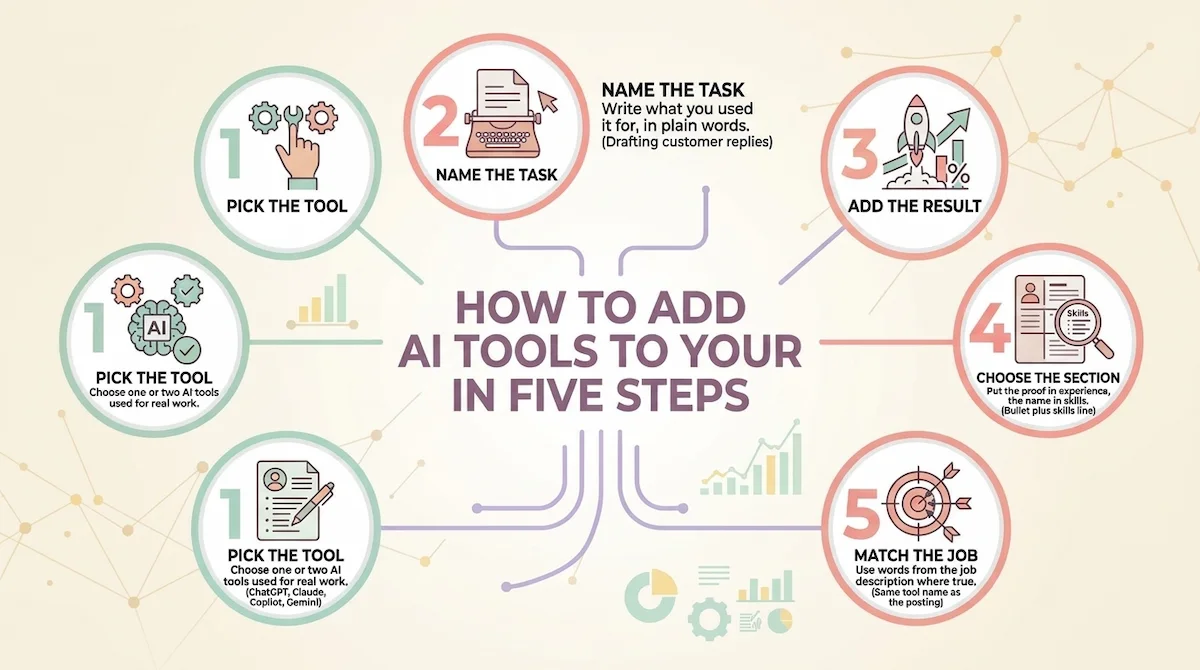
| Step | What to do | Example |
|---|---|---|
| 1. Pick the tool | Choose one or two AI tools you have used for real work | ChatGPT, Claude, Copilot, Gemini |
| 2. Name the task | Write what you used it for, in plain words | Drafting customer replies |
| 3. Add the result | Give a number, a time saved, or a clear outcome | Cut reply time by half |
| 4. Choose the section | Put the proof in experience, the name in skills | Bullet plus skills line |
| 5. Match the job | Use the words from the job description where true | Same tool name as the posting |
The order matters. People who start with step four, the section, usually end up with a list of tool names and no proof. Start with the result, and the placement becomes easy.
Should You Put AI Tools on Your Resume?
In most cases yes. AI tools on your resume show that you work with current technology, and many job posts now mention them by name. The test we use is simple: can you explain this line in an interview, with a real example and a real result? If you can, keep it. If you cannot, cut it.
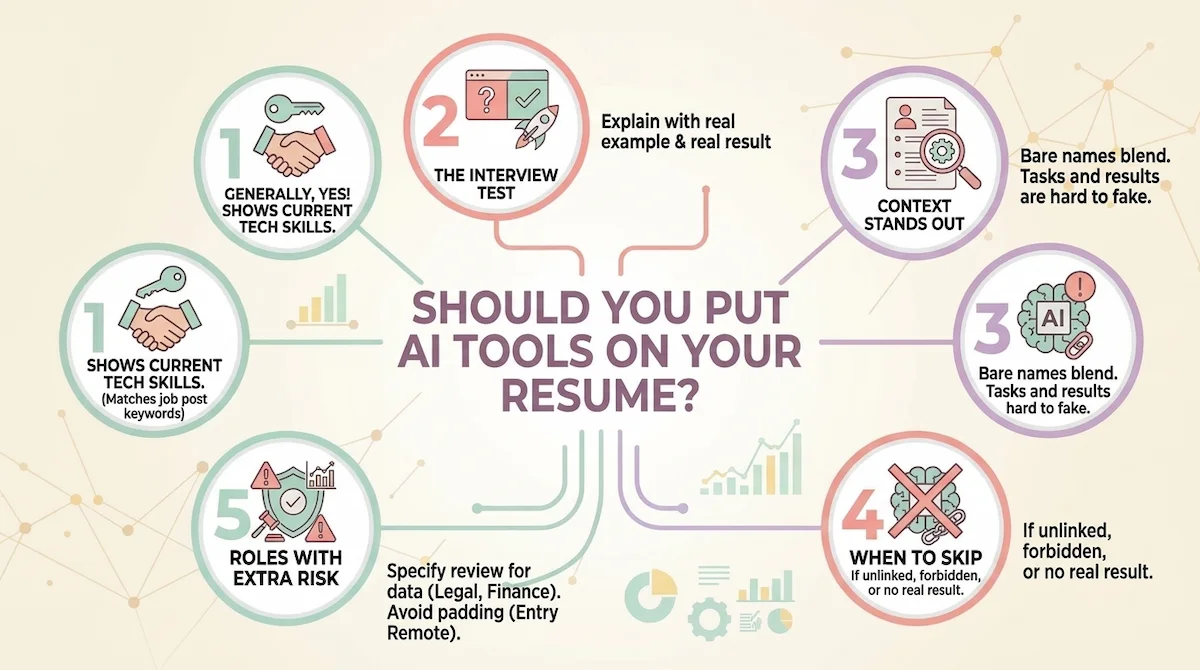
The reason a bare mention fails is that every candidate can type “AI” into a skills section. Recruiters read dozens of resumes in a row, and a list of tool names without context blends into the pile. A short line with a task and a result stands out because it is hard to fake.
When to skip AI tools on your resume
There are cases where we leave them off. If the job post does not mention AI and the role has no link to it, a forced line looks odd. If the employer has said it does not want AI use in applications, naming tools could work against you. And if you tried a tool once and have no real result, keep it for the interview conversation, not the page.
Roles where naming AI tools can backfire
Some roles carry extra risk. In legal, compliance and finance, employers worry about private data and unchecked output, so a line about AI needs a clear note on review and data handling. In junior analyst roles, a tool name can read as a shortcut if there is no proof that you understand the work underneath. In entry-level remote jobs, a long list of tools can look like keyword padding. In these cases we keep AI to one honest line and put the weight on the skill the employer asked for.
AI Tools vs AI Skills: What Counts and What Does Not
Many guides mix these terms, and the mix causes most of the weak resume lines we see. An AI tool is a product, such as ChatGPT or Copilot. An AI skill is what you can do with it, such as writing a good prompt, checking an answer for mistakes, or building an automated workflow. An outcome is the result you got. A strong resume line contains all three. If you are new to the vocabulary, our AI terms glossary explains the words you will see in job posts.
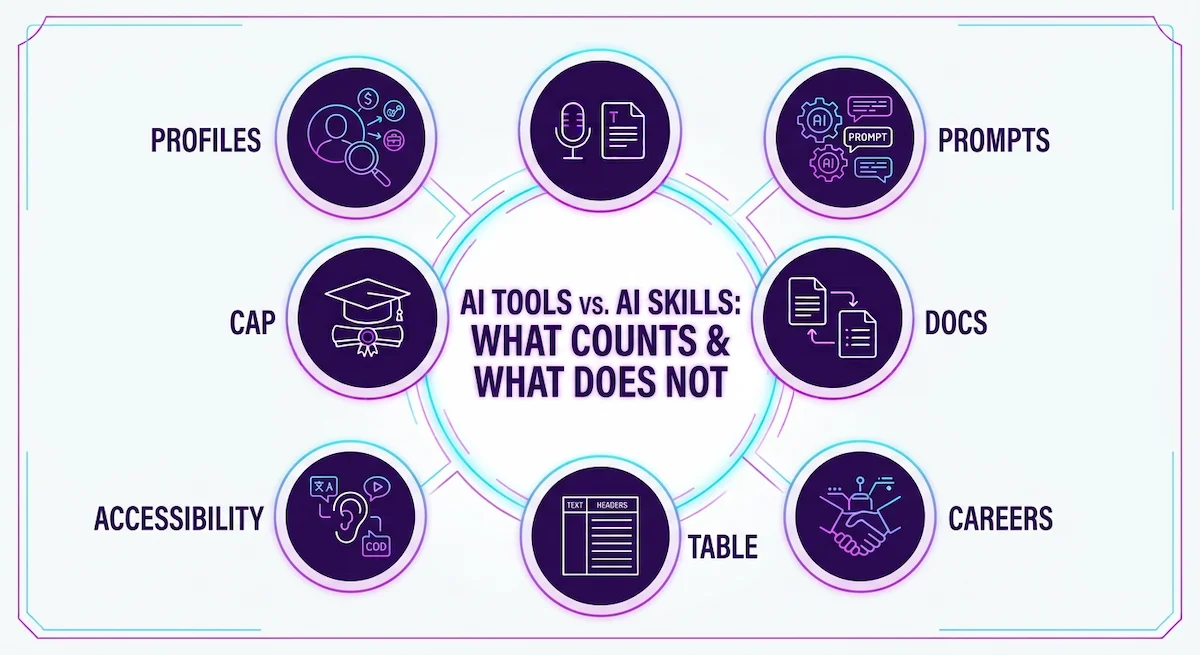
What counts as an AI skill worth listing is practical and specific. Good AI skills are visible in the work. Writing prompts that give reliable output, reviewing results for errors, protecting private data, and fitting a tool into a daily process all count. Buzzwords with no example behind them do not.
Three levels: AI user, AI builder, AI engineer
It helps to know which level you are at before you write anything. An AI user works with existing tools to do their job faster or better. An AI builder connects tools, makes automations, or sets up custom assistants. An AI engineer trains and deploys models. Most resumes need the first level, a few need the second, and only technical roles need the third. Claiming a higher level than you have is the fastest way to lose credibility in an interview.
Hard AI Skills and Soft AI Skills for a Resume
When we say AI skills, we mean two groups, and a good resume shows both. Hard AI skills are the technical or tool based things you can do. Soft AI skills are the habits that make the output safe to use. Employers often care about the second group more than candidates expect.
| Hard AI skills | Soft AI skills |
|---|---|
| Writing and improving prompts | Critical thinking about output |
| Using chat assistants for drafting and research | Checking facts before you use them |
| Summarizing documents and meeting notes | Judgment about what to give to AI |
| Building simple automations and workflows | Adaptability when tools change |
| Data analysis with AI assistants | Care with private and client data |
| Image and content generation | Clear communication about AI use with the team |
Technical roles add skills such as Python, machine learning libraries, model evaluation and cloud AI services. If you apply for one of those jobs, list them in a separate technical line and keep the everyday tools in a line of their own. Mixing the two groups makes both harder to read.
The Formula: AI Tool + Task + Result
This is the center of the whole guide. Every line about AI on your resume should answer three questions: which tool, which task, what changed. We use this formula for every bullet, and it works for any job.
Here is the difference in practice. These examples are illustrations, so replace the numbers with your own true ones.
- Weak: Used AI to improve marketing content.
- Better: Used ChatGPT to draft email campaigns, cutting first draft time from two hours to forty minutes.
- Weak: Familiar with Copilot.
- Better: Used Copilot in Excel to build monthly sales summaries, saving about four hours each month.
The better lines are not longer than the weak ones by much. They are just specific.
Pick a strong verb and a number
Start the line with an action verb: drafted, built, reviewed, automated, summarized, tested. Avoid “utilized” and “leveraged,” which add length and no meaning. Then attach a number if you have one: hours saved, items processed, emails sent, errors caught, customers served. Even a rough number, stated honestly, beats none.
What if you cannot measure the result
Not every task has a clean number. In that case describe the scope and the quality: how many documents, how often, and what improved. For example, “used Claude to summarize weekly customer feedback for a team of eight, which shortened our Monday review.” That tells a reader how often, for whom, and why it mattered, without an invented figure.
Where to Put AI Tools on Your Resume
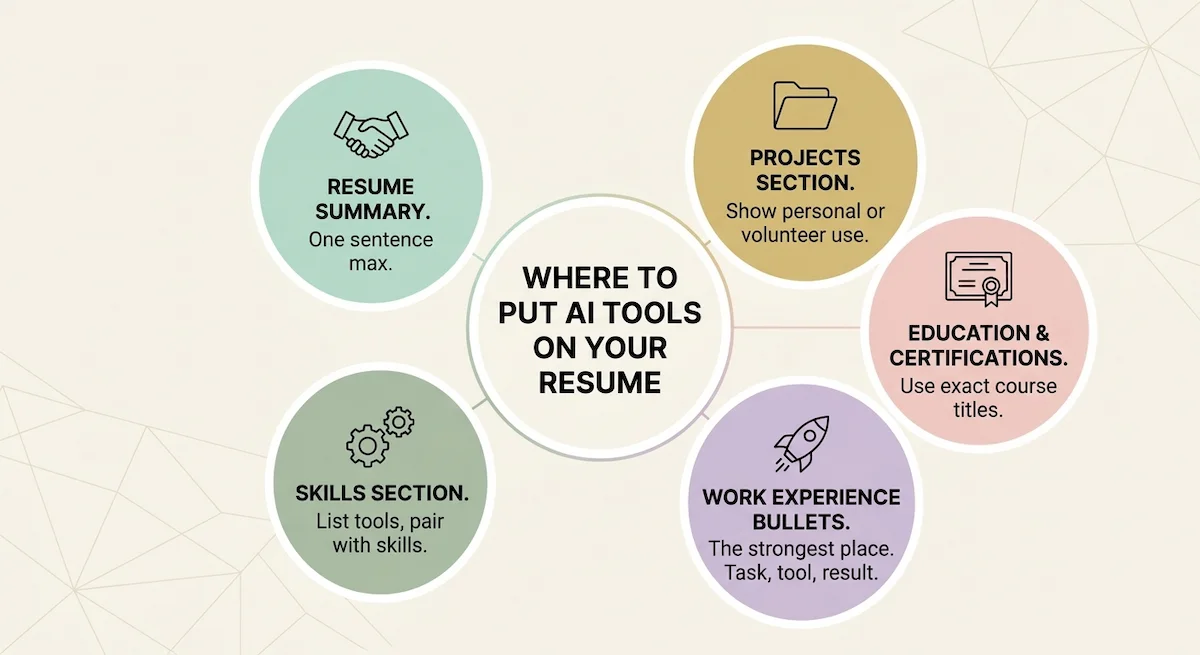
The same tool can appear in more than one place, and that is fine. Each section does a different job. Use the experience section for proof, the skills section for quick scanning, and the summary for a short signal at the top. If you want a second view on layout, the Coursera guide to writing an AI resume walks through a full template.
In the resume summary
Use one short sentence at the most. Name your role, the type of AI work you do, and one result. For example, “Operations coordinator who uses ChatGPT and Copilot to automate weekly reporting.” Keep it factual. A summary that reads like a slogan loses the reader before the first bullet.
In the skills section
List the tool names that match the job post, such as ChatGPT, Claude, Copilot or Gemini. Group them in a line like “AI tools: ChatGPT, Claude, Copilot.” Pair that line with actual AI skills, such as prompt writing or output review. Do not rely on this section alone. A name in a list proves nothing, but it helps a keyword scan find you.
In work experience bullets
This is the strongest place. Put the formula inside the bullet where you actually did the work. Recruiters read experience first, and a bullet with a tool and a result carries more weight than a whole skills section. If the AI work was a small part of a bigger project, add it as a clause inside the main bullet instead of a separate line.
In a projects section
If your job did not involve AI, a short projects section gives you a place to show it. Describe the project in two lines: what you built or tested, which tool you used, and what came out of it. A personal workflow, a side project, or a volunteer task all count, as long as you can explain them.
In education and certifications
Course titles work as keywords. If you took a relevant AI course, list its exact title under education or certifications, because applicant tracking systems read those words. Only add courses you finished, and only ones that connect to the job. A long list of random certificates looks like padding.
In your cover letter
A cover letter gives you room to tell one short story about using AI at work. Two sentences are enough: the task, the tool, the result. Do not repeat the resume line. Use the letter to show your judgment, such as how you checked the output before using it. When you need help finding roles that match this kind of experience, see our list of the best AI tools to apply for jobs.
How to List ChatGPT, Claude, Copilot and Gemini on a Resume
Naming the exact tool helps more than writing “AI” or “chatbot.” A reader who sees ChatGPT, Claude or Copilot knows what you worked with, and a keyword scan matches the name against the job post. Write the product name correctly, with the usual capital letters, and add the version only when the post asks for it.
The mistake we see most often is listing ChatGPT on its own in the skills section. That line says the tool exists, not that you can use it. Put the name in a bullet with a task and a result, and keep the skills line as a short backup. If you list ChatGPT on resume lines this way, you answer the question every recruiter has: what did you actually do with it?
Should you list every AI tool you have tried
No. A list of ten tools suggests you tried them and moved on. Pick the two or three you use in real work, and write what you did with each. If the job post names a tool you only know a little, say so in the interview, not on the page. Quality beats length here, and a short list is easier to defend.
Is a free version fine to list
Yes. What matters is the result, not the plan you pay for. If you used a free version and finished a real task, the tool belongs on your resume. Just do not claim features of a paid plan that you have never used.
AI Tools on a Resume by Role
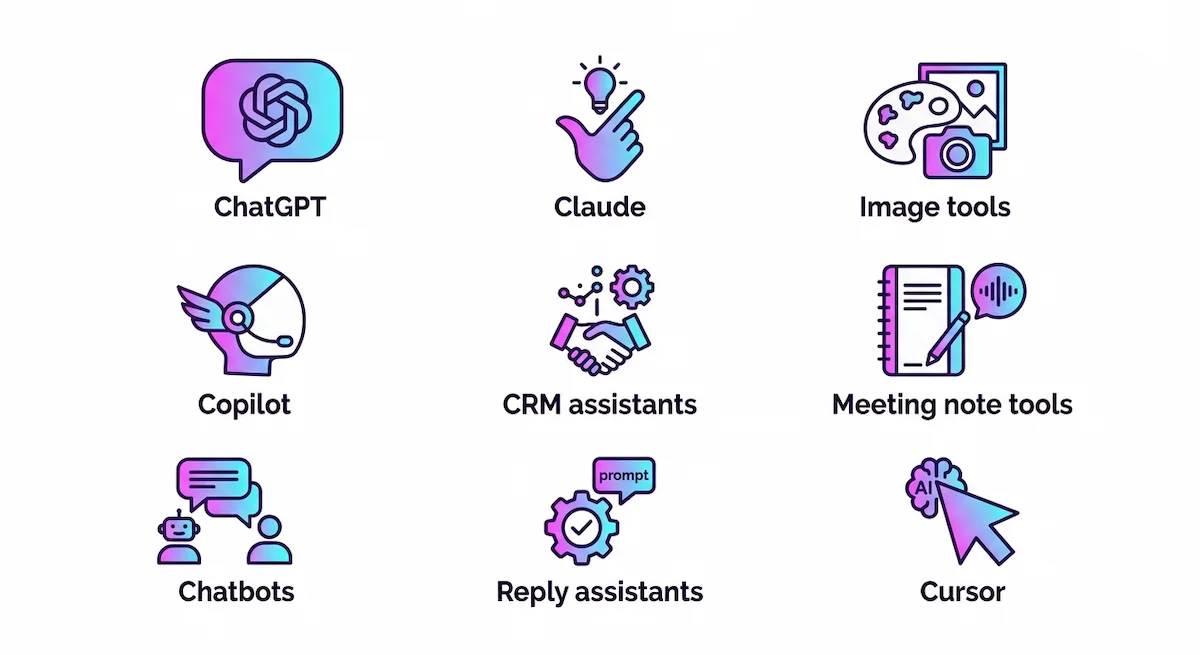
The right tools and the right lines depend on your job. This table gives a quick view, and the sections after it explain each one. Use the examples as a pattern, not as text to copy.
| Role | Common AI tools | Example line |
|---|---|---|
| Marketing | ChatGPT, Claude, image tools | Drafted email campaigns with ChatGPT, cutting draft time by half |
| HR and recruiting | ChatGPT, Copilot | Wrote job descriptions with Claude, reducing revisions |
| Sales | ChatGPT, CRM assistants | Prepared account research with AI before each call |
| Project management | Copilot, meeting note tools | Turned meeting notes into action lists with Copilot |
| Customer support | Chatbots, reply assistants | Drafted reply templates, shortening response time |
| Developers | Copilot, Cursor | Used Copilot for tests and refactoring, reviewing all output |
Marketing and communications
Marketing roles use AI for drafts, ideas, edits and simple graphics. Name the type of content and the result, such as campaign emails, blog outlines or ad variations. If you want ideas for tasks to write about, our guide on how to write marketing emails with AI shows common workflows.
HR and recruiting
Recruiters use AI for job descriptions, interview question sets and summaries of candidate notes. Mention the task and the effect, for example fewer revisions or faster posting. Be careful with anything that touches candidate data, and say that you checked output before using it.
Sales and business development
Sales roles use AI to research accounts, prepare call notes and draft follow-ups. A good line names the task and the effect on the pipeline or the prep time. Keep claims modest. Hiring managers know that tools do not close deals by themselves.
Project management and operations
Project and operations roles use AI for meeting notes, status reports, plans and spreadsheets. These tasks repeat every week, which makes them easy to measure. Count the hours saved or the number of reports produced, and name the tool inside the bullet.
Customer support and finance
Support teams use AI for reply drafts and summaries of customer feedback. Finance teams use it for summaries of numbers and first drafts of narrative reports. In both cases, say that a person reviewed the output. Reviewing is the AI skill employers care about most.
Developers: Copilot, Cursor and AI-assisted development
For developers, the tools are different but the rule is the same: name the tool, the task and the result. Write “AI-assisted development” as a workflow, not as a crutch, and pair it with proof that you can work without it. A line such as “used Copilot for test generation and code review, with all output checked before merge” shows judgment. Our list of AI tools for coding covers the main options if you need to choose which ones to learn.
Developers should also be ready for a live test. Many teams ask candidates to solve a small problem with AI tools open, then explain which suggestions they accepted and which they rejected. Keep one example of AI skills you can show on screen, such as a bug the assistant got wrong that you caught and fixed. That example proves more than any AI tool name on a resume, and it gives the interviewer a reason to trust the line you wrote.
Students and entry level
If you have little work experience, class projects, internships and personal work count. Describe what you built, which tool you used, and what you learned or improved. Our list of AI tools for students gives you tools to practice with before you write the line.
AI Tools on a Resume at Every Career Stage
Your stage changes what a good line looks like. A student shows initiative, a manager shows results and decisions. Here is how we would frame each stage.
| Stage | What to show |
|---|---|
| Student | A class or personal project with a clear tool and outcome |
| Intern | One task where AI saved time or improved quality |
| Junior | Repeated use of an AI tool inside a weekly process |
| Mid-level | A workflow you built or improved for a team |
| Manager or executive | Adoption, policy and results across a team |
Senior roles also benefit from a line about judgment: which tasks you gave to AI, which you kept, and why. Our guide to AI in the workplace explains how teams usually set those rules, which helps you describe your decisions in a credible way.
How to Get AI Tools Past the ATS
An applicant tracking system, or ATS, reads your resume into fields and lets recruiters search by keyword. It does not reject you because you mention AI. It reacts to words it cannot find and to layouts it cannot read. So the method is simple: use the same tool names and phrases that appear in the job description, wherever they are true.
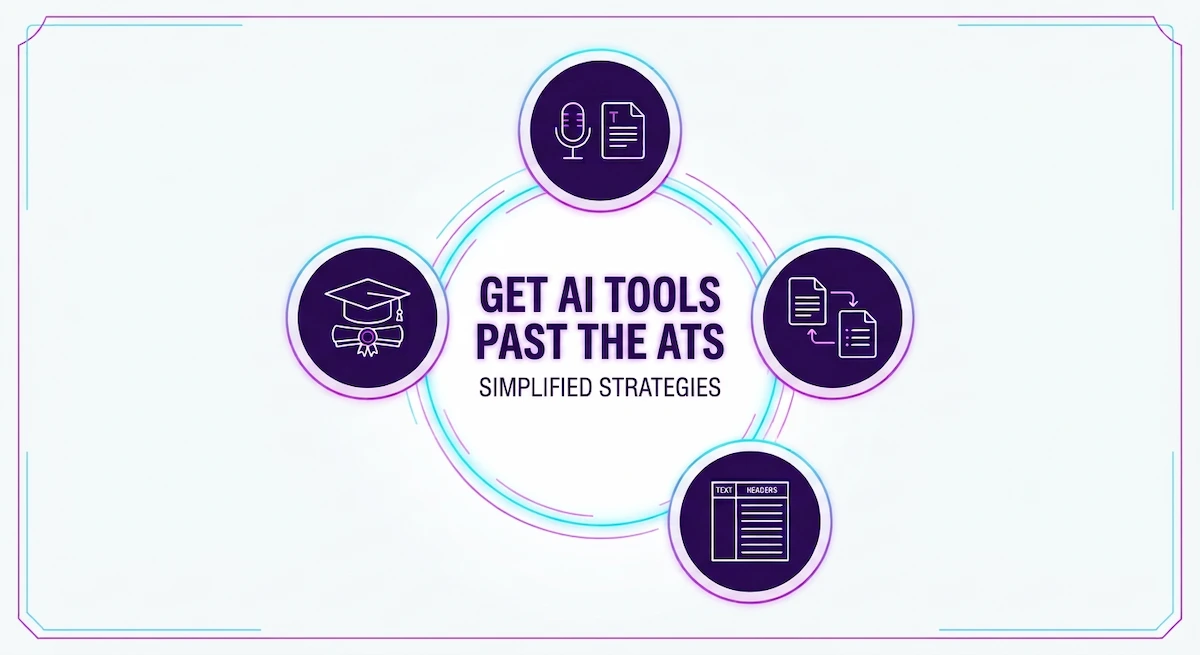
- Mirror the job post. If it says “Microsoft Copilot,” write that, not “AI assistant.”
- List your best AI tool twice. Once in skills for scanning, once in a bullet for proof.
- Use plain formatting. One column, standard section names, no text boxes or icons.
- Add keywords once or twice. Repeating the same word in every line reads badly to a person.
- Use course titles. Exact titles under education or certifications act as keywords.
Do not stuff keywords from the job post that you cannot back up. A resume that matches every word but cannot be explained in an interview creates a worse situation than a plain one. If you plan to learn tools before you apply, our overview of AI tools to learn shows which ones come up most.
No AI Experience Yet? Build One Listable Thing in a Week
You do not need a job title with AI in it. You need one real task done with an AI tool and a result you can describe. In our experience, a single week is enough to create something worth writing about.
- Pick a task you already do, such as a weekly report, a customer reply set, or a research summary.
- Do it once the usual way and note how long it took.
- Do it again with an AI tool, write down the prompts you used, and check every line of the output.
- Compare time and quality, and note what you had to fix.
- Write the result as one bullet with the tool, the task and the change.
If you have no job to attach it to, other places count too. Volunteer work, a student club, a university course and a personal project can all hold a real AI example, and we have seen each of them work in a resume. If you are changing careers, lead with the transferable skills from your old field, such as analysis, writing or customer work, and show how an AI tool helped you do that work in a new way. The tool is the new part, and your experience is the proof.
That bullet is honest, it is yours, and you can talk about it for five minutes in an interview. If you are changing careers, add one small project in the same format and link to it if it is public. A short, true example beats a long list of tools you have only read about.
Show Judgment and Keep the Human in the Work
The biggest worry employers have is not that you use AI. It is that you use it without thinking. A resume that says only “saved time with AI” can sound like you let the tool do the work. The fix is one short clause that shows you stayed in charge.
- Say that you reviewed the output, for example “edited every draft for tone and accuracy.”
- Say what you kept for yourself, such as strategy, client calls or final decisions.
- Say how you handled private data, for example “used only anonymized figures.”
- Tie the result to a business outcome, not to speed alone.
Compare two lines. The first says “used ChatGPT to write reports.” The second says “used ChatGPT to draft weekly reports, then checked every number against the source before sending to the director.” The second line tells the reader you are the kind of person they can trust with the tool.
Common Mistakes and What to Leave Off
Most weak AI lines on resumes come from the same few habits. Here is what we cut when we edit.
- Only “ChatGPT” in the skills section. It names the tool and proves nothing.
- “Prompt engineering” with no example. If you cannot show a prompt you improved and the result, leave it out.
- Made-up numbers. A percentage you cannot explain falls apart in the first follow-up question.
- Random certificates. Courses from unknown sellers add no weight and can hurt.
- Buzzwords. “AI-driven,” “cutting-edge” and “AI enthusiast” say nothing.
- Every tool you ever tried. Keep the ones you use.
- Claiming a higher level than you have. If you used a tool, say you used it. Do not write that you built it.
There is also an honest line to hold. Describing your real work in strong words is fine. Claiming work you did not do is a lie, and interviews expose it quickly.
AI Certifications and Courses: Do They Belong on a Resume?
Sometimes. A course helps when it matches the job and you finished it. It helps most when you pair it with a real example, so the reader sees both the training and the use. List the exact title, the provider and the year under certifications or education.
A certificate alone rarely decides anything. Employers who care about AI usually want proof that you used the skill, and the bullet gives that proof. Take courses to learn, then write about what you did with the knowledge.
Be Ready for AI Questions in the Interview
Once AI is on your resume, expect questions about it. Interviewers want to hear that you use AI with care and know its limits. Robert Half lists the kind of questions that come up, and we have heard the same ones in real interviews.
- How have you used AI tools in your current or previous role?
- Tell me about a time an AI tool got something wrong. What did you do?
- How do you decide which tasks to give to AI and which to keep?
Prepare one story for each. Use a real task, say what the tool produced, what was wrong or weak, how you checked it, and what you changed. The middle part is the most important, because it shows judgment. If a question touches a tool you know less well, say so plainly and explain how you would learn it. For practice, our list of AI tools for interviews helps you rehearse these answers.
Before and After: Rewriting Resume Bullets with AI Tools
Here is the rewrite method we use. Take an existing bullet and change it in four steps: replace the verb, add the tool, add a number, cut the buzzwords. These are illustrations of the pattern, not claims about real people.
| Before | After |
|---|---|
| Created marketing content using AI | Drafted weekly email campaigns with ChatGPT, cutting first draft time from two hours to forty minutes |
| Responsible for reports and used AI tools | Built monthly sales reports with Copilot in Excel, saving about four hours each month |
| Helped customers with AI chatbot | Drafted reply templates with Claude for common support questions, shortening average response time |
| Proficient in AI for recruiting | Wrote job descriptions with ChatGPT and edited each one for tone, reducing revision rounds with hiring managers |
Notice what changed. Each “after” line names the tool, describes a task, and contains something a person can verify. None of them is long. If a number feels too neat, replace it with a range or a plain description, because a believable line beats an impressive one.
Sample Resume Section With AI Tools
Here is how the pieces fit together on one page. The example is made up to show structure, so use your own jobs, tools and numbers.
Summary: Operations coordinator with five years of experience who uses ChatGPT and Copilot to automate weekly reporting and meeting follow-ups.
Experience, Operations Coordinator:
- Built monthly sales reports with Copilot in Excel, saving about four hours each month, and checked every figure against the source data.
- Used ChatGPT to turn meeting notes into action lists for a team of eight, which shortened our Monday review.
- Wrote a reusable prompt set for supplier emails, reducing revision rounds with the team lead.
Skills: AI tools: ChatGPT, Copilot, Claude. AI skills: prompt writing, output review, workflow automation.
Certifications: Generative AI for Everyone, 2026.
The tool names appear in the bullets as proof and again in the skills line for scanning. The summary gives one clear signal. Nothing is repeated word for word, and every line can be explained in an interview.
Can You Use AI to Write Your Resume Itself?
Yes, but with care. Using an AI tool to tidy wording, shorten bullets or check grammar is common. The risk is a resume that sounds generic, with the same smooth phrases every other applicant used. Some employers also run checks for machine written text, and many recruiters simply notice when a document has no real detail in it.
Our rule is to let AI help with structure and editing and to supply the facts yourself. Give it your real tasks, tools and numbers, then read every line and change what does not sound like you. Concrete detail is the best protection, because a line with a real task and a real result does not read as machine written. Also keep the same level of AI mention in your cover letter, one or two sentences at most.
AI Tools on LinkedIn
Your LinkedIn profile is read alongside your resume, so the two should match. Put the same tools and examples in the experience entries, and add AI skills to the skills list so recruiters can search for them. Use the headline or the about section for one short line, such as “Marketing manager using ChatGPT and Claude for campaign planning.” If you complete a course, add it to the licenses and certifications section. Keep the wording close to the resume so nothing looks inconsistent at the interview stage.
Keep Your AI Skills Up to Date
Tools change fast, and a resume line that was strong last year can look dated now. Review the AI lines every few months. Remove tools you no longer use, add new ones you have tested on real work, and update numbers when results improve. Keep a short note file with dates, tasks and results as you go, so you never have to rebuild the story from memory when a good job appears.
Resume Checklist Before You Submit
Run through this list before every application. It takes two minutes and catches most problems.
- Does each AI line have a tool, a task and a result, and do your AI skills show in the bullets?
- Does the tool name match the job post where it is true?
- Can you explain every line in an interview with a real example?
- Are all numbers honest and easy to defend?
- Is there a short skills line that supports the bullets?
- Did you remove buzzwords and tools you do not use?
- Did you check spelling and grammar, including tool names?
One more habit that helps: measure the time AI saves you each week while you still work in the job. Our guide on how to use AI for productivity shows simple ways to track it, and those numbers become your next resume bullets.
Conclusion
Now you know how to add AI tools in resume sections, and it is not complicated. Pick the tools you really use, write the task, add the result, and put the proof where recruiters read first. Keep the skills line short and honest, match the job post, and prepare to talk about every line.
Start today with one bullet. Take a task you did last month with an AI tool, write it with the tool, the task and the result, and place it under the right job. When you are ready to explain your prompts in an interview, our guide to prompt engineering for business helps you describe how you wrote them.
FAQ
Should I put ChatGPT on my resume?
Yes, if you used it for real work and can explain the result. Do not list it alone in the skills section. Put it inside a bullet with a task and an outcome, such as drafting emails or summarizing reports, and add it to the skills line as a short backup. A name with no proof does little for you.
Should AI tools go in the skills section or in work experience?
Both, for different reasons. Experience bullets show proof, and the skills section helps keyword scans find you. If you can only do one, choose the bullet. A short skills line is useful, but the bullet is what makes the reader believe it.
Is prompt engineering worth listing on a resume?
Only with an example behind it. Alone it sounds basic, because many people can write a prompt. Describe what you built with prompts and what result you got, such as a reusable prompt set that cut report time. If you have no example yet, leave the term off and focus on the task.
Do applicant tracking systems read AI tools and skills?
Yes, they read any text on a plain resume. An ATS does not reject you for mentioning AI. It looks for words that match the job post, so use the same tool names the posting uses, in a simple one column format.
What if I have no AI experience?
Create one real example in a week. Pick a task you already do, repeat it with an AI tool, check the output, and compare time and quality. Write that as one honest bullet or a short project entry. A small true example is stronger than a long list of tools you only know by name.