So, what is the best AI tool for coding? There is no single winner, because the answer depends on where you write code and how much work you want to hand over. In our view, Cursor is the best pick for developers who live in an editor, Claude Code is the best pick for large projects and terminal work, GitHub Copilot is the safest choice for teams, and Replit is the easiest start for beginners.
This guide compares the best AI tools for coding by job, price and free plan. We also cover the changes of 2026 that many older lists miss. Windsurf is now Devin Desktop, the free Gemini Code Assist tier is gone, Amazon Q Developer is on its way out and Cursor is now part of a bundle from xAI.
Prices below were checked in October 2026. Plans change often, so open the vendor page before you pay.
Best AI Tools for Coding at a Glance
Use this table if you want the short answer on the best AI coding tools. The sections after it explain each pick and who should skip it.
| Tool | Best for | Type | Starting price |
|---|---|---|---|
| Cursor | Editor-first work and multi-file edits | AI editor | Free, Pro 20 dollars a month |
| Claude Code | Large codebases and terminal work | Agent | Pro 20 dollars a month, no free plan |
| GitHub Copilot | Teams and mixed editors | Editor extension | Free, Pro 10 dollars a month |
| OpenAI Codex | Cloud tasks for ChatGPT users | Agent | Included in ChatGPT plans |
| Replit | Beginners and quick prototypes | Browser workspace | Free, paid plans from about 20 dollars |
| Devin Desktop | Local agent that keeps project context | AI editor | Free, Pro 20 dollars a month |
| Cline and Aider | Free open source use with your own API key | Extension and terminal tool | Free, API costs extra |
| Tabnine | Privacy and regulated teams | Editor extension | 39 dollars per user a month |
| JetBrains AI and Junie | JetBrains IDE users | IDE assistant and agent | Free, AI Pro about 10 dollars a month |
| Lovable, Bolt.new and v0 | Prototypes and interfaces | App builders | Free plans, paid from about 20 to 25 dollars |
What Are AI Coding Tools?
AI coding tools help you write, explain, fix and test code from a plain-language prompt. Some finish the line you are typing. Others take a whole task, change several files and run the tests. The range is wide, which is why one list of ten AI coding tools rarely helps. A founder with no coding background and a senior engineer on a huge codebase need different things.

AI Coding Assistant vs AI Coding Agent
An AI coding assistant sits next to you and suggests the next line, answers a question or explains a function. An AI coding agent works on a goal. It reads the project, edits several files, runs commands, checks the result and keeps going until the task is done or it needs your approval. The first one speeds up typing. The second one takes over steps of the job. Our guide to AI agents for business covers the same idea outside coding.

Most AI coding tools in this guide now offer both. Copilot started as an assistant and added agent mode. Claude Code started as an agent and added editor extensions. The difference that still matters is what the tool is built around: the editor, the terminal or the cloud.
Four Types of AI Coding Tools
- Editor-based AI coding assistants such as Cursor, Copilot, Devin Desktop and Tabnine, which put AI around the code you are writing
- Terminal and cloud AI coding agents such as Claude Code, Codex, Aider and Cline, which take a task and return changes
- App builders such as Replit, Lovable, Bolt.new and v0, which create a working app from a prompt
- Review tools such as Qodo, which check a pull request before it is merged
An AI coding tool from one group rarely replaces one from another. Teams that get good results usually pick one for each job.
How We Compared These AI Coding Tools
We compared the AI coding tools using the official pricing pages, product documentation and release notes, and we rechecked every plan in October 2026. We did not run a lab benchmark, and we do not quote speed or accuracy numbers, because those change with every model update. Our picks reflect fit: where the tool works, how much it can do on its own, how much control you keep and what the entry price really buys.
Four questions decided each recommendation:
- Does it work in the place you already write code?
- Can it handle a task across many files, or only the file you have open?
- Do you approve changes before they land?
- Does the plan hold up after the first week of real use?
What to Look for in an AI Coding Tool
Feature lists of AI coding tools look alike, so we compare them on the few points that change your day. Check these before you pick a plan.
- Where it works. An editor, a terminal, the browser or the cloud. Pick the place where you already spend your day.
- How much of the project it can read. Tools that load the whole repository handle refactors better than tools that see only the open file. The context window sets the limit.
- Model choice. Some tools lock you to one vendor, others let you switch per task.
- How usage is billed. Flat seat, credits, tokens or quotas. This decides your real monthly cost.
- Privacy and data terms. Whether code is stored, used for training or sent to a third party.
- Code quality controls. Test runs, diffs you can review and the option to undo a change in one step.
- Approvals and permissions. A good agent asks before it deletes a file or runs a risky command.
Price comes last on the list on purpose. A cheaper AI coding tool that does not fit your workflow costs more in the end.
Cursor vs Claude Code vs GitHub Copilot: The Core Difference
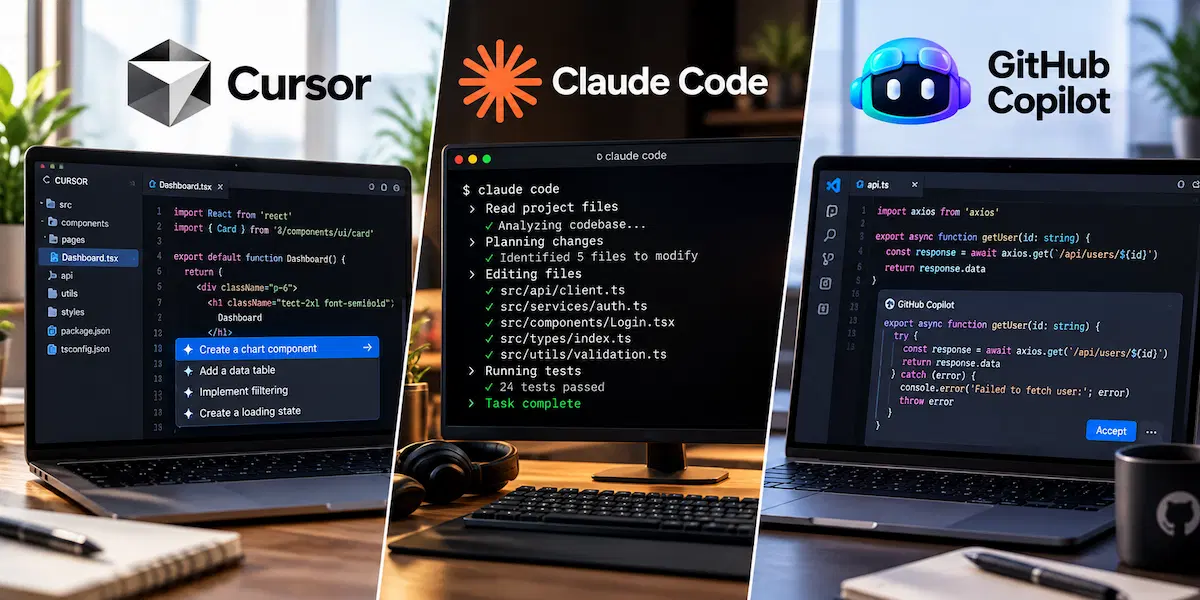
These three AI coding tools get compared most, and the difference is not quality. It is where the tool lives and how much it does without you. Cursor is an editor, so the AI sits inside the place where you write code. Claude Code is an agent, so you give it a goal and review the result. GitHub Copilot is an extension, so it adds AI to the editor you already have.
| Tool | Built around | Best when | Weak spot |
|---|---|---|---|
| Cursor | The editor | You want completions, chat and agents in one workspace | You must switch editors and usage can run out |
| Claude Code | The terminal agent | The task spans many files or an unfamiliar codebase | Usage limits and a steeper start |
| GitHub Copilot | Extensions in many editors | You want the lowest price or one tool for a team | Less depth on large multi-file jobs |
Our rule is short. If you want to stay in control line by line, choose Cursor or Copilot. If you want to hand over a whole task and check the outcome, choose Claude Code. If you cannot decide, start with Copilot Pro for 10 dollars and add an agent later. The cost of trying is small, and the first month tells you which style fits. If you buy for a company, see how to build an AI tool stack for business.
Best AI Tools for Coding in 2026
Each of the best AI tools for coding below comes with the job it does best, the plan prices and the weak points. Where a tool has a downside, we say so plainly.
Cursor: Best for Editor-First Work
Cursor is an editor built on the VS Code base, so your keybindings and extensions carry over. It combines Tab completions, chat and an agent that edits several files at once, runs commands and returns the result for review. Cloud agents can work on a separate task while you keep editing locally. We like it for the mix of quick help and bigger jobs in one place.

The plans are Hobby, which is free with limited agent requests and Tab completions, Pro at 20 dollars a month, Pro+ at 60 dollars with about three times the usage, and Ultra at 200 dollars with about twenty times. Teams cost 40 dollars per user. Yearly billing takes about 20 percent off. The weak points are simple. You have to move into the Cursor editor, and heavy agent use can burn through the included usage fast. If Pro runs out in the first two weeks, that is the signal to move to Pro+ or to a different tool instead of paying overage every month.
Claude Code: Best for Large Codebases and Terminal Work
Claude Code is an agent you give a task to, not a tool that finishes your next line. It reads the project, edits files, runs commands and tests, and commits through Git. It runs in the terminal, in VS Code and JetBrains extensions, in a desktop app and in the browser, so you can keep the editor you like. The very large context window makes it our pick for big or unfamiliar codebases.
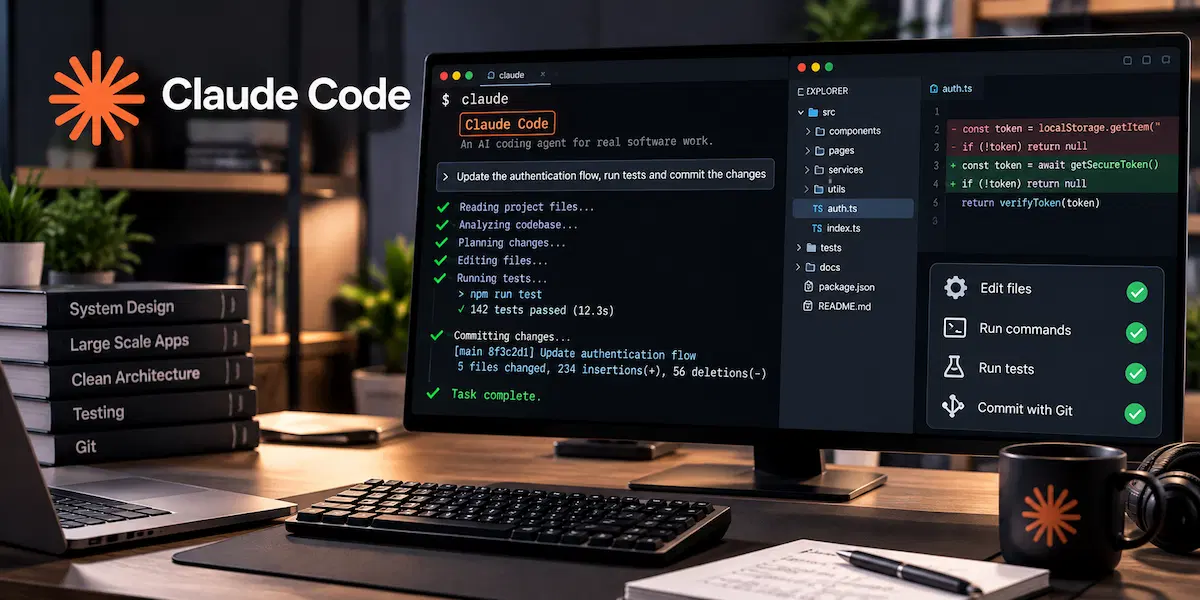
The Free Claude plan does not include it. You need Pro at 20 dollars a month (17 on yearly billing), Max 5x at 100 dollars or Max 20x at 200 dollars. Usage is counted per five-hour window plus a weekly limit, so long agent runs hit the cap sooner than light chat. Add the learning curve for people who have never used a terminal and you get the two real downsides: cost for heavy use and setup for beginners.
GitHub Copilot: Best for Teams and Mixed Editors
GitHub Copilot does not ask you to change your editor. It installs as an extension in VS Code, Visual Studio, JetBrains IDEs, Xcode, Neovim and Eclipse, and it also works in the command line and on GitHub. You get inline suggestions, chat, agent mode, pull request review and cloud agents.
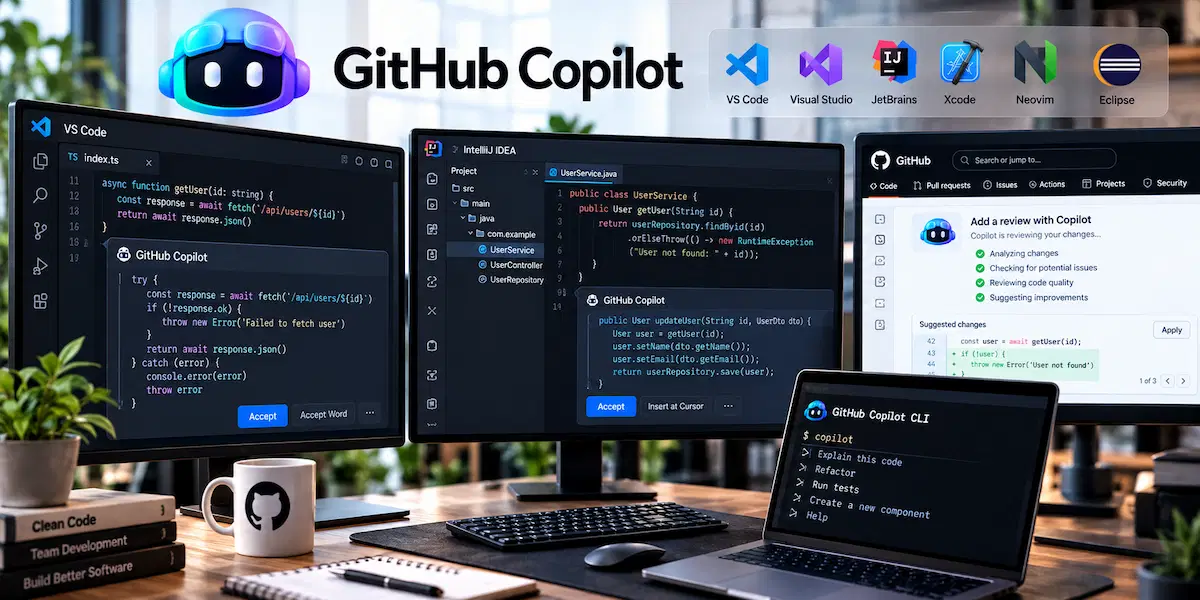
Free gives 2,000 completions a month with limited chat and agent use. Pro is 10 dollars a month, Pro+ is 39, Max is 100, Business is 19 per user and Enterprise is 39 per user. Since June 1, 2026 chat, agent mode and code review use GitHub AI Credits, worth one cent each, while completions stay unlimited on paid plans. Pro includes 1,500 credits, Pro+ includes 7,000 and Max includes 20,000. We pick it for mixed teams and for anyone who wants solid help at the lowest price. It goes less deep than Cursor or Claude Code on large multi-file jobs.
OpenAI Codex: Best for Delegating Tasks in the Cloud
OpenAI Codex is an agent you can run from ChatGPT, from a command line tool or inside editor extensions. You describe a task, it works in its own environment, runs tests and hands back changes for review. Parallel cloud tasks and scheduled jobs are its strength. This is agentic coding in its simplest form: you write the goal and review the result.
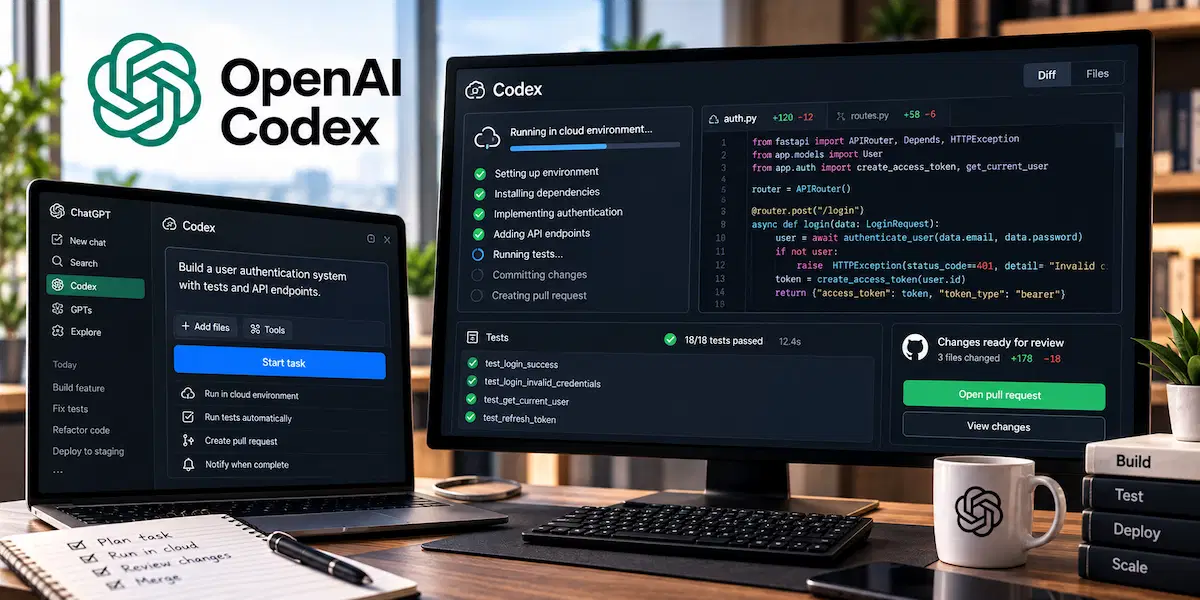
It comes with ChatGPT plans, so you pay through your ChatGPT account, and heavy use can push you to a higher plan or to API billing. We recommend it when you already pay for ChatGPT and want cloud delegation without adding another vendor. Its limit is that it works with OpenAI models only.
Replit: Best for Beginners
Replit runs in the browser, so there is nothing to install and no terminal to configure. You describe the app, answer a few questions from the agent and get a project with a database, hosting and one-click publishing. That is the lowest-friction start we know for someone who has never set up a development environment.
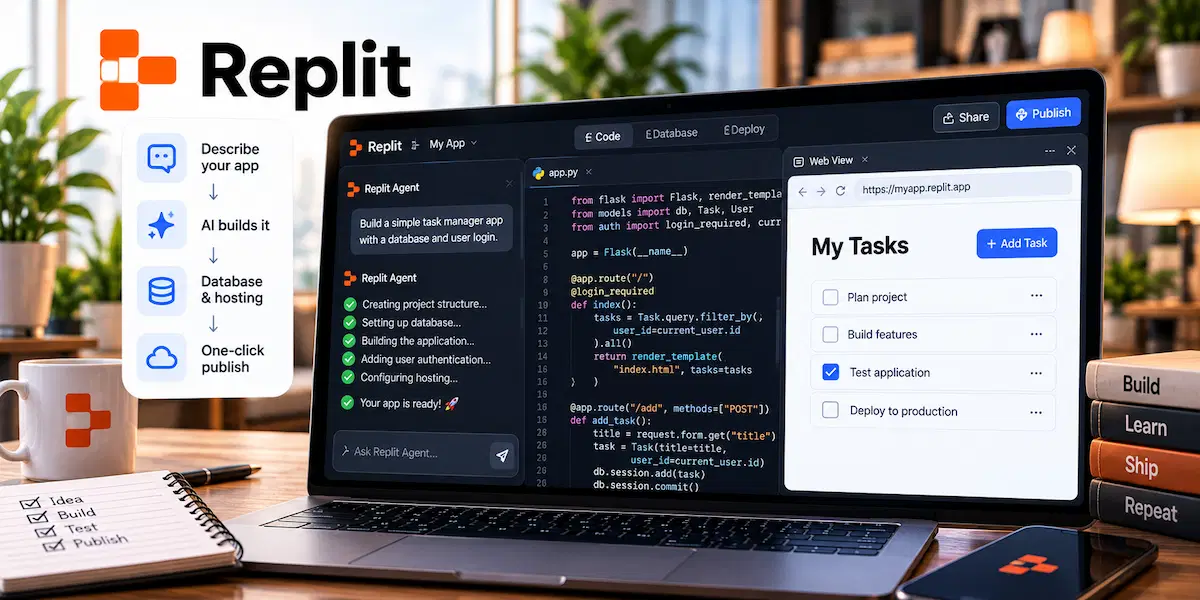
The Starter plan is free with limited agent access, and paid plans start at about 20 dollars a month. Pricing follows the effort of the agent, so a simple task costs less than a complex one, and the bill can surprise you if the agent loops on a hard problem. It also makes many choices for you, such as stack and dependencies, which feels limiting once you have opinions. Many people build a first version here and move the project to Cursor later.
Devin Desktop (Formerly Windsurf): Best for a Local Agent With Saved Context
Cognition renamed the Windsurf editor to Devin Desktop on June 2, 2026. It is the same editor with the same plans, now opening on a panel that manages local and cloud agents. Devin Local keeps the project context between chats, so you spend less time explaining the codebase again. Tab completions look at the whole workspace, not only the open file.
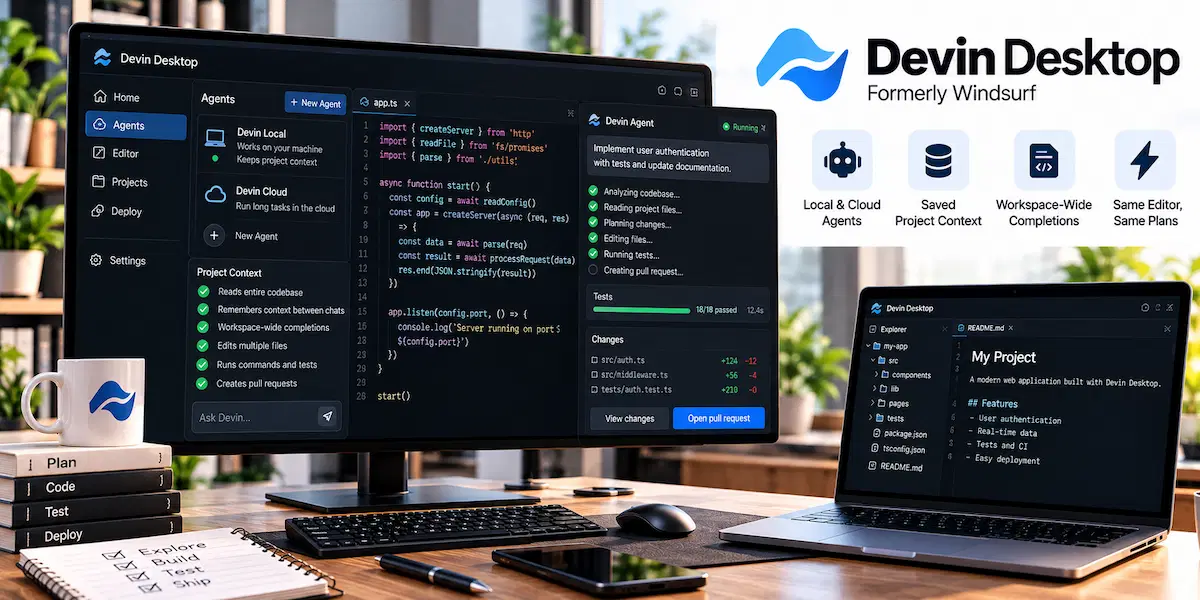
The plans are Free, Pro at 20 dollars a month, Max at 200 dollars and Teams from 80 dollars a month with 40 dollars per full seat. Usage runs on daily and weekly quotas and then on prepaid credits at API prices. We see it as a close rival to Cursor. It is worth a week of testing if the Cursor limits annoy you, but the community is smaller and so are the learning resources.
Cline and Aider: Best Free Open Source Options
Cline is an open source agent for VS Code with a plan mode and an act mode. You read the plan first and approve it before any file changes. Aider is a terminal tool that makes a Git commit for every change, which keeps the history clean and easy to undo. Both are free to install and work with the model you choose.

The catch is the setup. You bring your own API key, you pick the model and you pay for tokens, so cost control is your job. Both suit developers who want control and do not mind some configuration. They are a poor fit for anyone who wants a single price and a button that works.
JetBrains AI Assistant and Junie: Best for JetBrains IDE Users
JetBrains AI Assistant and the Junie agent work inside IntelliJ IDEA, PyCharm, WebStorm and the other JetBrains IDEs, and they use the code analysis those editors already have. If you write Java, Kotlin or Python in a JetBrains editor, this is the most natural choice, because nothing changes in your setup.
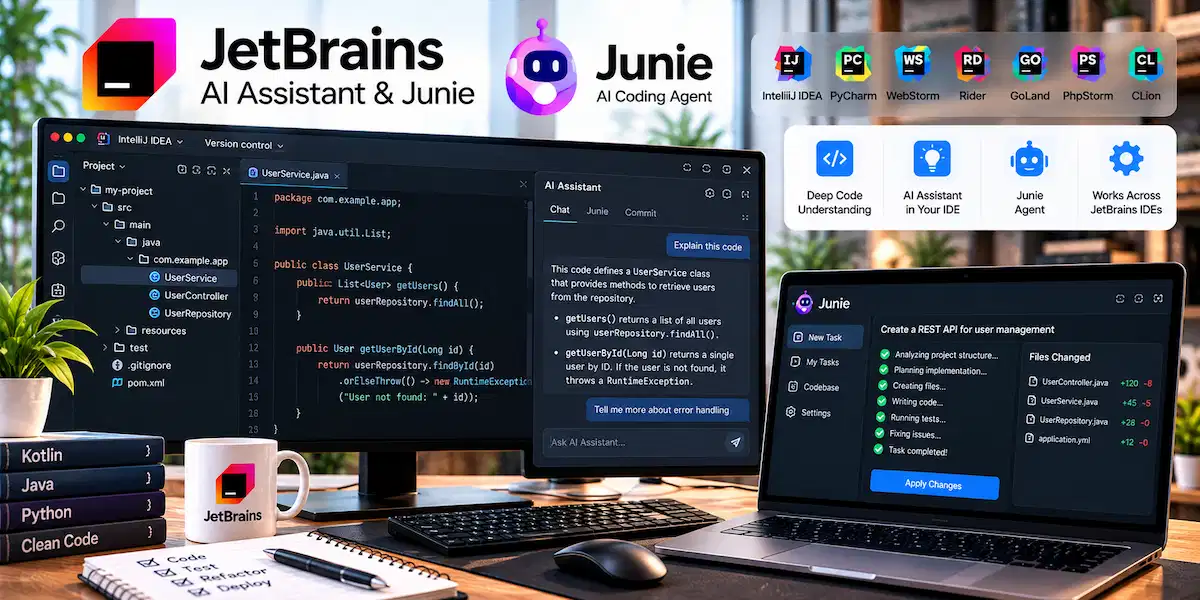
The plans are AI Free, AI Pro at about 10 dollars a month and AI Ultimate at about 30 dollars, and heavier agent use draws on a credit allowance. Plans and product names have changed more than once, so check the current page before you subscribe.
ChatGPT, Claude and Gemini in the Browser: Best for Quick Questions
You do not need a dedicated AI coding tool for every task. A chat app is enough to explain an error message, write a small script, convert code between languages or sketch a design. Paste the code, describe the problem and read the answer. The limit is context.
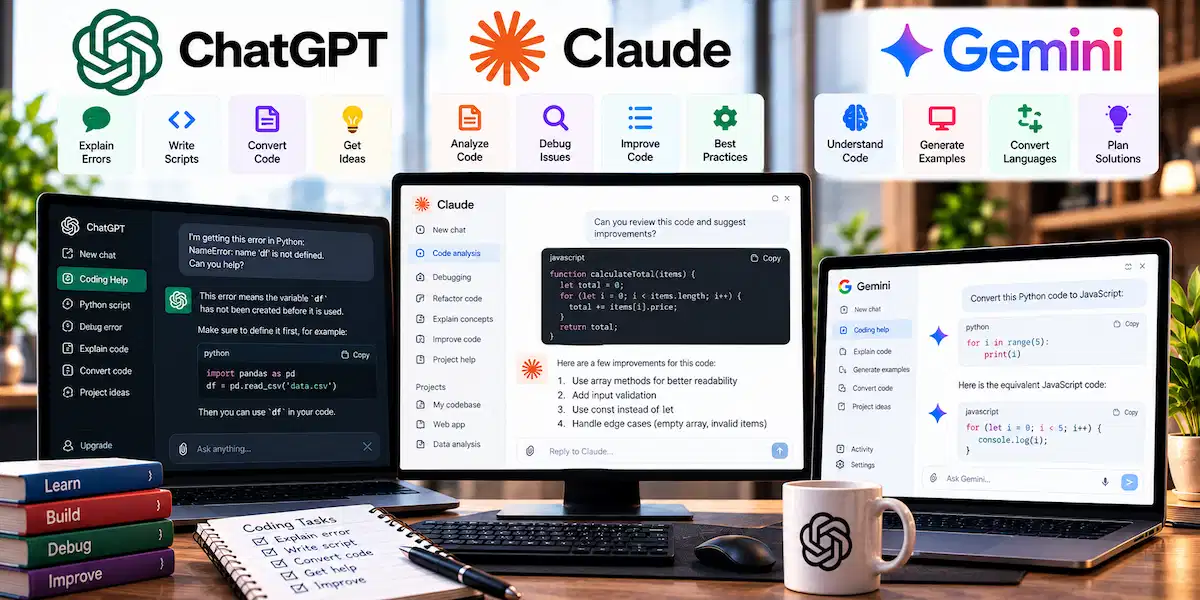
A chat window cannot see your whole project, cannot run your tests and leaves the copy and paste to you. We treat it as a first stop for questions and move to a coding tool when the work touches many files.
Gemini Code Assist and Antigravity: Best for Google Cloud Teams
Google replaced Gemini CLI with Antigravity CLI and, on June 18, 2026, stopped serving the free individual tier of Gemini Code Assist and the Google AI Pro and Ultra accounts.
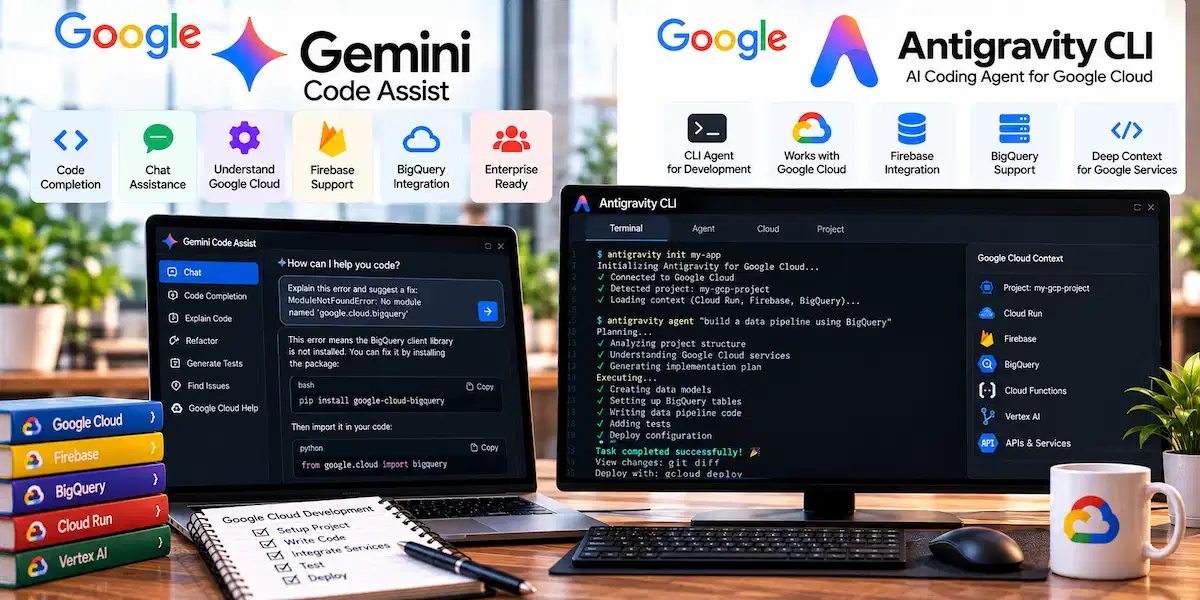
Companies with Gemini Code Assist Standard or Enterprise licenses keep access. If you build on Google Cloud, Firebase or BigQuery, Antigravity and the paid Gemini Code Assist plans understand those services well. Outside that setup we see little reason to choose them over Copilot or Cursor.
Amazon Q Developer and Kiro: Best for AWS Teams
Amazon Q Developer IDE plugins lose support on April 30, 2027, and AWS points users to Kiro. Kiro is an editor and command line tool that starts from a written spec, then breaks the work into tasks and runs hooks, for example a test run when you save a file.
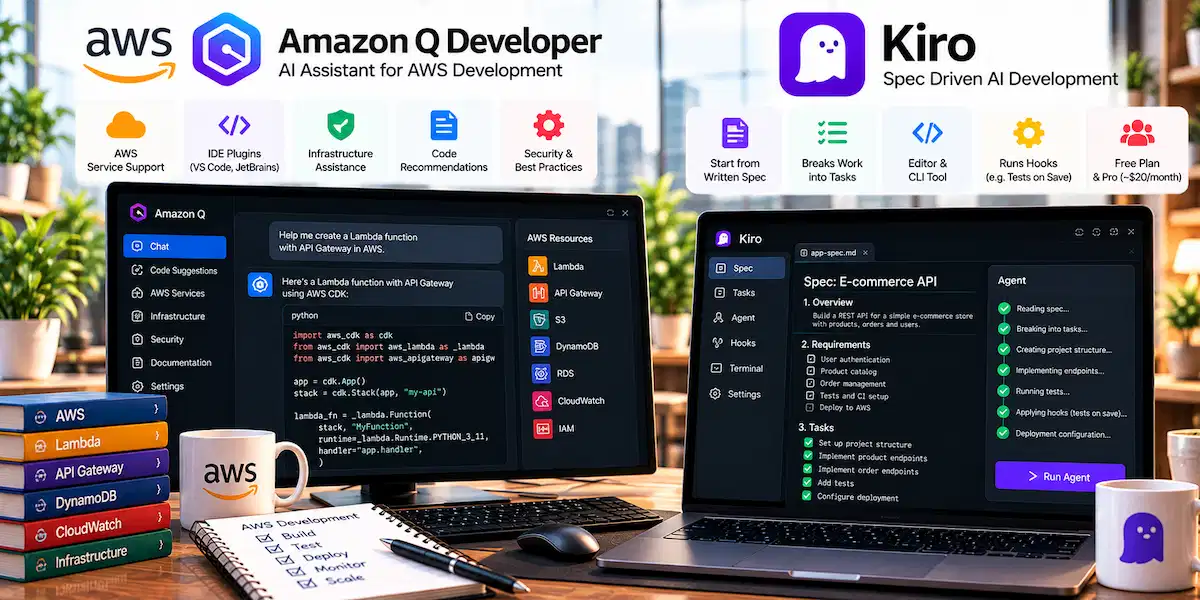
It has a free plan and a Pro plan at about 20 dollars a month. We would not start a new project on Amazon Q Developer now. Teams on AWS should plan the move to Kiro or another agent before the deadline.
Tabnine: Best for Privacy and Regulated Teams
Tabnine is built for companies that cannot send code to a shared cloud. It runs as SaaS, in your own cloud, on your servers or fully air-gapped, and it keeps no copy of your code.

The Code Assistant plan costs 39 dollars per user a month on yearly billing, and the agent plan costs 59 dollars. It is narrower than Cursor or Claude Code on complex multi-file work, and the price is high for small teams. For banks, health companies and public bodies, the control is the reason to pay.
Lovable, Bolt.new and v0: Best for Prototypes and Interfaces
Lovable and Bolt.new build a full web app from a prompt, with live preview and publishing in the same place. Lovable adds a ready database and login through Supabase. v0 from Vercel focuses on the interface and produces React components with Tailwind styling, and it shows you the plan before it writes code. Free plans exist for all three, and paid plans run from about 20 to 25 dollars a month.
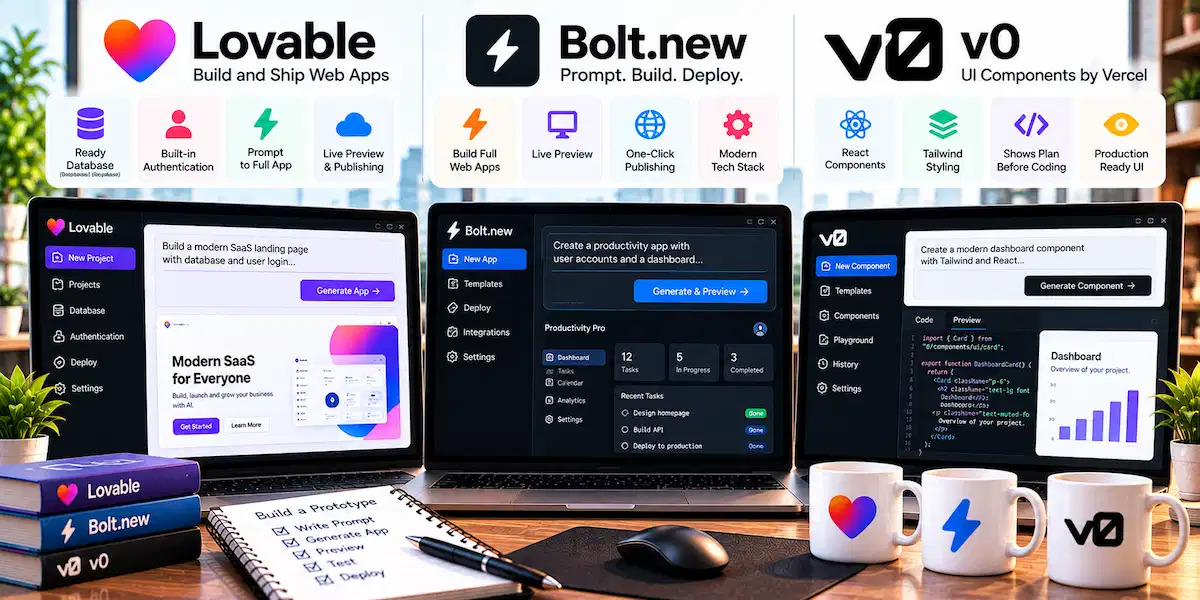
These tools are the fastest way from idea to a clickable demo, and they are a form of vibe coding, a term explained in the AI terms glossary. We do not recommend them for a long-lived product with complex logic, because the generated structure becomes hard to maintain once the app grows.
Qodo: Best for Pull Request Review
Qodo does not write your code. It reads pull requests, flags bugs and security problems, points out missing tests and enforces team rules before anything is merged. It works with GitHub, GitLab, Bitbucket and Azure DevOps.
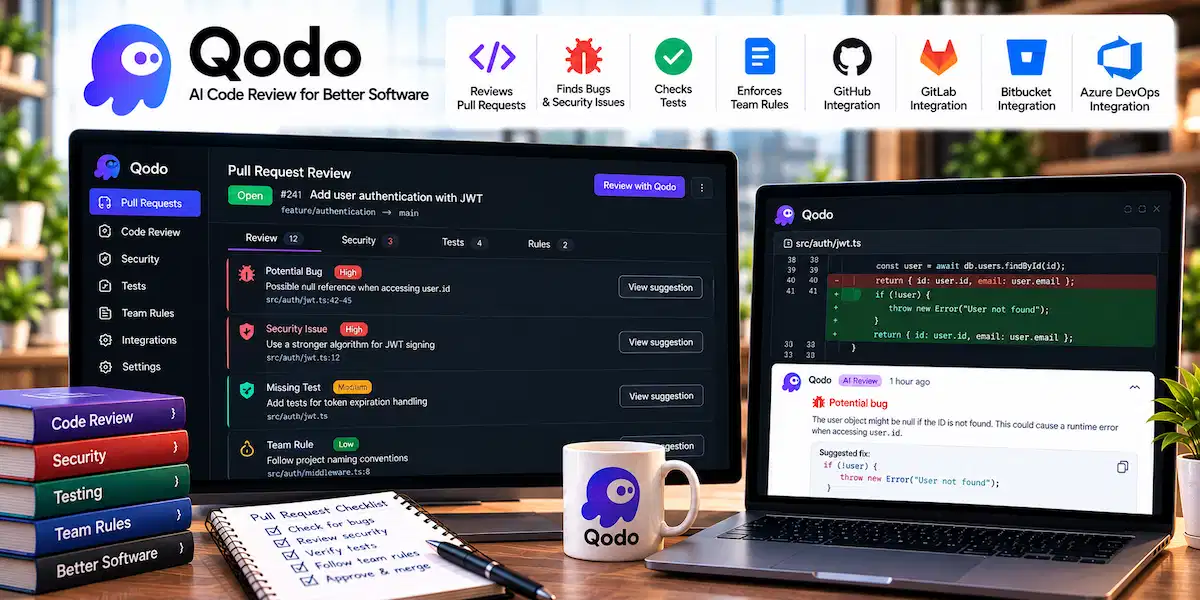
The tool needs some setup, since your rules do not configure themselves, and paid team plans start at about 30 dollars a month. If your team already generates a lot of code with AI, a review layer like this is worth a look.
Other AI Coding Tools Worth Watching
Kilo Code and Roo Code are open source agents for VS Code in the same family as Cline, and Augment Code focuses on large codebases and team context. They are worth a test if the main tools do not fit, but we would not build a team workflow on them yet.
Best AI Tool for Coding by Use Case
The best AI for coding depends on the job. This table gives our first and second choice for each case.
| Use case | Our pick | Second choice | Why |
|---|---|---|---|
| Beginners | Replit | GitHub Copilot Free | No setup, or help inside an editor you already know |
| Daily work in an editor | Cursor | Devin Desktop | Completions and agents in one workspace |
| Large codebases | Claude Code | Cursor | Reads the project, runs tests, edits many files |
| Teams on GitHub | GitHub Copilot | Cursor Teams | Works in many editors, policies and low seat price |
| Privacy and regulated teams | Tabnine | Cline with a local model | Air-gapped and self-hosted options |
| AWS projects | Kiro | GitHub Copilot | Amazon Q Developer plugins are ending |
| Quick prototypes | Lovable | Replit | Working app from one prompt |
| Pull request review | Qodo | Copilot code review | Checks changes before they merge |
| Zero budget | GitHub Copilot Free | Cline or Aider with your own key | No card needed |
Best AI Coding Tools for Beginners
Beginners have two good paths for AI coding. If you want to build something today without installing anything, start with Replit. If you are learning in VS Code, add GitHub Copilot Free and keep your editor. Both explain code and fix errors in plain language. Avoid terminal agents and open source setups until you are comfortable with Git.
Best AI for Coding Python, JavaScript and TypeScript
Every tool in this guide handles Python, JavaScript and TypeScript well, because these languages dominate the training data. Language rarely decides the winner. Choose by workflow. Cursor and Claude Code are the strongest for TypeScript projects with many connected files, and Copilot is the easiest to add to a Python project in PyCharm or VS Code.
Best AI for Large Codebases
For big projects we pick Claude Code first and Cursor second. File-by-file tools break down when a change touches many parts of the project. A tool that reads the whole repository, finds the related files and runs the tests after each step saves hours on refactors and on onboarding to code you did not write.
Best AI Coding Tools for Teams and Enterprises
Teams that buy AI coding tools need policies, billing in one place and a clear answer on data. GitHub Copilot Business and Enterprise fit companies that already work on GitHub. Cursor Teams adds shared rules, analytics and single sign-on. Tabnine wins when code must stay inside your own network. A pilot with two or three developers for one month tells you more than any feature list.
Best AI Coding Tools for Non-Developers
If you do not write code, an app builder is the right tool. Lovable, Replit and Bolt.new let you describe an internal tool, a booking page or a simple dashboard and get a working version. If your goal is a customer-facing bot, the how-to on building a chatbot without coding may be a faster route. Always ask a developer to review anything that handles payments, logins or personal data.
Best AI for Debugging, Testing and Code Review
For debugging, an agent that can run the code and read the error beats a chat window, so we pick Claude Code or Cursor. Paste the error, point to the failing test and ask for the cause before you ask for the fix. For test writing, Copilot and Cursor both generate unit tests from the open file, and you should still read every assertion. For code review, Qodo and Copilot code review catch missing tests and risky changes before a pull request merges. Treat any AI review as a second pair of eyes, not the final word.
Best AI for Web, Mobile and Data Projects
For web development, Cursor and Copilot handle React, Next.js and backend frameworks well, and v0 helps with interface work. For mobile apps, Cursor and Claude Code work with Swift, Kotlin and Flutter, while Xcode users get the smoothest start with the Copilot extension. For data science, Copilot in VS Code or PyCharm plus a chat assistant for explaining results cover most needs, and SQL work benefits from tools that can see your schema. For game development, treat AI as a helper for scripts and tools, not for the engine core.
Best AI Tools for Vibe Coding
Vibe coding means describing what you want in plain language, letting the AI write the code and steering by results instead of reading every line. It lowers the barrier for people who do not code, and it speeds up prototypes for people who do. Our picks are Lovable for a polished first version with login and database, Replit for a browser workspace with hosting, Bolt.new for fast front-end experiments and v0 for interface design.
What Can You Build With Vibe Coding Tools?
Good fits are a landing page, a booking form, an internal dashboard, a simple store, a quiz or a small tool that saves data. Poor fits are payment systems, software with strict legal or security rules and products with heavy custom logic. The first version arrives fast, and the trouble starts when you keep adding features. Plan to rebuild or hand the project to a developer once real users depend on it.
Best Free AI Tools for Coding
Free plans of AI coding tools are useful for light work and for testing. They also hide limits that you only notice on a busy week, so treat them as a trial and not as a permanent setup.
Free Plans Compared
| Tool | What you get free | Main limit |
|---|---|---|
| GitHub Copilot Free | 2,000 completions a month, limited chat and agent use | Small monthly allowance |
| Cursor Hobby | Limited agent requests and Tab completions | Runs out quickly with agents |
| Devin Desktop Free | Light agent quota, unlimited Tab completions | Daily quota |
| Replit Starter | Browser workspace and limited agent access | Metered agent use |
| Kiro Free | A monthly allowance of agent credits | Small allowance |
| Codex | Limited access through a free ChatGPT account | Low limits |
| Claude Code | None | Needs a paid Claude plan |
If we had to choose one free AI coding tool, it would be GitHub Copilot Free. It works inside the editor you already use and the limits are easy to understand.
Open Source and Self-Hosted Options
Cline, Aider, Continue, Tabby and OpenCode are open source AI coding tools that cost nothing to install. You pay only for the model, and that can be close to zero if you run a local model or use a cheap API. Ollama and similar tools run open models on your own machine, which is the right setup for offline work. They suit developers who want control over models and data, and they give the best privacy of any option here when you run everything on your own machine. The tradeoff is time spent on setup and on watching token costs.
AI Coding Tools Pricing Compared
AI coding tools pricing looks simple until you read what each plan includes. The table shows the individual plans that matter most. For a broader view of subscription costs, see our guide on how much AI tools cost.
| Tool | Entry plan | Next plan | Top individual plan | Team price |
|---|---|---|---|---|
| Cursor | Free, then Pro 20 dollars | Pro+ 60 dollars | Ultra 200 dollars | 40 dollars per user |
| Claude Code | Pro 20 dollars | Max 5x 100 dollars | Max 20x 200 dollars | Team seats, quoted on the Claude page |
| GitHub Copilot | Free, then Pro 10 dollars | Pro+ 39 dollars | Max 100 dollars | Business 19, Enterprise 39 per user |
| Devin Desktop | Free, then Pro 20 dollars | None | Max 200 dollars | From 80 dollars a month |
| Tabnine | Code Assistant 39 dollars per user | Agent plan 59 dollars per user | Enterprise by quote | Same per-user plans |
Why the Entry Price Is Not the Real Cost
The monthly price of an AI coding assistant is only the floor. Almost every plan now meters AI usage with credits, tokens or quotas. Cursor includes a pool of usage and bills overage after it. Copilot sells AI Credits at one cent each. Claude Code counts usage in five-hour windows and a weekly limit. Devin Desktop uses daily and weekly quotas. A light user stays inside the included amount. A developer who runs agents all day can pass it in the first week.
The jump between tiers is large. Cursor goes from 20 to 60 to 200 dollars, and Claude Code goes from 20 to 100 to 200. Each step buys more usage, not new features, so you are paying for capacity. Pick the cheapest tier that does not interrupt you, and move up only when you hit the limit for several weeks in a row.
How to Keep AI Coding Costs Under Control
- Start on the cheapest paid plan and watch one full billing month before you upgrade
- Use a cheaper model for simple edits and keep the strongest model for hard problems
- Keep tasks small and specific, because a vague request makes an agent loop and waste tokens
- Check the overage and auto-recharge settings so a long run does not create a surprise bill
- Avoid paying for two tools that do the same job
Teams that want to measure the return should compare hours saved with the full cost per developer. The how-to on AI ROI for business shows a simple way to do it.
Best AI Model for Coding
A tool and a model are different things. Cursor, Copilot, Cline, Aider and most others let you choose the model underneath, and the same model can behave differently inside different tools, because each tool decides how much of the project to load and when to stop. Choosing the best AI model for coding, and the best AI for coding in general, matters less than choosing the right tool and setting it up well.
As a rule of thumb, Claude Sonnet models are a strong default for everyday coding, and the larger Opus models are the step up for hard debugging and design questions. GPT models from OpenAI are a good fit inside Codex and for large rewrites. Gemini models are useful when you need a very large context window. Open models such as DeepSeek and Qwen cost far less and handle routine edits, which makes them a good match for Cline and Aider. Model names and versions change every few months, so check the current list inside your tool before you decide.
Cursor, Copilot and Claude Code Alternatives
Cursor Alternatives
If the Cursor limits or the move to a new editor bother you, look at Devin Desktop for a similar editor with quota-based plans, GitHub Copilot for AI inside your current editor and Cline for a free open source agent in VS Code.
GitHub Copilot Alternatives
Cursor goes deeper on agent work, JetBrains AI fits JetBrains users and Tabnine fits teams that need strict privacy. Copilot stays the best value among them, so switch only if you hit a specific limit.
Claude Code Alternatives
Codex is the closest match for cloud tasks, Aider is a free terminal tool that commits every change and Antigravity CLI is the path for Google users. Cursor and Devin Desktop cover the same jobs inside an editor.
What Changed for AI Coding Tools in 2026
Many guides to AI coding tools still describe the market of last year. These are the changes we would check first.
- Windsurf became Devin Desktop on June 2, 2026. The windsurf.com pricing page now redirects to the Devin site, and plans and prices carried over.
- Copilot moved to AI Credits on June 1, 2026, and added a Max plan at 100 dollars.
- Gemini Code Assist for individuals ended on June 18, 2026, and Antigravity CLI replaced Gemini CLI.
- Amazon Q Developer is being retired. AWS announced the end of IDE plugin support for April 30, 2027 in its official documentation.
- Cursor joined The X Subscription in October 2026.
The last change deserves a closer look. In October 2026 xAI launched The X Subscription, a set of plans that bundle Grok, Cursor and X Premium with one shared usage pool. The tiers are Free, Plus at 8 dollars, Premium at 30 dollars, Super at 100 dollars and Ultra at 200 dollars. Existing Cursor plans continue, and moving to the new plans is optional. Claude and GPT models stay available in Cursor on Premium and above, but their usage is billed extra at API rates. If you pay for Cursor today, check which plan you are on before you renew.
Privacy, Security and Code Quality
The fastest way to lose trust in an AI coding assistant is to find out later where your code went or what it broke. Take these two questions seriously before you roll an AI coding tool out to a team.
Where Does Your Code Go?
Most AI coding tools send code to a cloud model. Vendors differ on whether they store it, whether they train on it and whether you can switch that off. Tabnine and the self-hosted open source tools exist for teams that need an answer of no. For company code, read the data terms, turn on privacy mode where it exists and check what the plan covers. Our guide on AI data privacy for business lists the questions to ask a vendor.
How to Review AI-Generated Code
An agent can produce a large change in minutes, and it can be wrong in quiet ways. Read every diff, run the test suite and look closely at logins, permissions, payments and anything that touches personal data. Keep changes small, so a reviewer can follow them. Ask for tests with the change. A pull request review tool adds a second check, but it does not replace a person who understands the code.
What Teams Should Check Before Adopting AI Coding Tools
A rollout of AI coding tools fails when everyone gets a license and nobody changes the process. Before you buy seats for the whole team, work through this list.
- Run a pilot. Two or three developers, one month, real tickets.
- Set data rules. Decide which repositories the tool may read and what must stay out.
- Define review rules. AI-written code gets the same review as any other code, often a stricter one.
- Measure results. Track time to merge, review time and bugs after release, not only lines of code.
- Control cost. Set usage alerts and spending caps per seat.
- Train people. Show developers how to write tasks and how to read diffs.
Our guide on AI in the workplace covers the people side of this change.
Pros and Cons of AI Coding Tools
AI coding tools bring real gains and real risks. This is the balance we see.
Pros
- Faster boilerplate, tests and documentation
- Quicker debugging, because the tool reads the error and the code together
- Help with unfamiliar languages and old codebases
- Less switching between the editor and a search engine
- A patient tutor for beginners
Cons
- Code that looks right and is wrong
- Security gaps if nobody reviews the output
- Usage costs that rise with agent work
- Privacy questions about where code goes
- Beginners who skip the learning and cannot fix what the tool breaks
How to Choose the Best AI Coding Tool
To choose the best AI coding tool, start with how you work, then look at price, and only then at features.
Editor or Terminal?
If you think in files and a visual editor, choose Cursor, Copilot or Devin Desktop. If you think in tasks, commits and commands, choose Claude Code, Codex or Aider. Neither group is better. The wrong match is the common reason developers abandon a tool in the first week.
Budget and Team Size
A solo developer on a tight budget should start with Copilot Free or Pro. A heavy daily user should compare Cursor Pro+ with Claude Code Max, since both sit at similar prices. A team should run a one-month pilot and count the real usage before it buys seats. The how-to on choosing AI tools for business gives a checklist for that decision.
Can You Use More Than One AI Coding Tool?
Yes, and many experienced developers use more than one AI coding tool. A common pair is an editor tool for daily work, such as Cursor or Copilot, and a terminal agent for deep jobs, such as Claude Code or Aider. That setup is often faster than forcing one tool to do everything. Keep the stack small, because three overlapping subscriptions cost more and slow you down.
How to Get the Most From AI Coding Tools
- State the goal and the limits. Name the files, the language, the style and what must not change.
- Add project rules. Most tools read a rules file, so write down your conventions once.
- Work in small steps. Ask for one change at a time and check it before the next.
- Ask for tests first. A failing test gives the agent a clear target.
- Read every diff. You are the reviewer, even when the tool wrote the code.
- Commit often. Small commits make it easy to undo a bad change.
- Keep the prompts that worked. Reuse them.
Common Mistakes When Using AI Coding Tools
- Accepting code without reading it. A suggestion can look right and hide a logic or security bug.
- Choosing by price only. The cheapest plan costs more if you waste hours on a weak fit.
- Burning credits on vague tasks. A clear task with named files and a goal costs fewer tokens and gives a better result. Our guide on prompt engineering for business shows how to write one.
- Giving an agent too much access. Limit permissions, work on a branch and keep version control on.
- Changing tools every week. Give one tool a full month before you judge it.
- Trusting an old article for prices. Plans changed in 2026, so check the live page.
Final Verdict: Which AI Tool for Coding Should You Pick?
The best AI tools for coding in 2026 are not interchangeable, so the best AI for coding depends on who you are. If you are asking what is the best AI tool for coding for a typical developer, our answer is Cursor. It combines fast help, agents and review in one editor.
- Choose Cursor if you work in an editor and want completions and agents together
- Choose Claude Code if you work in the terminal or on a large codebase
- Choose GitHub Copilot if you want the lowest price or need one tool for many editors and a team
- Choose Codex if you already pay for ChatGPT and want cloud tasks
- Choose Replit or Lovable if you are not a developer
- Choose Tabnine if your code must stay inside your own network
- Choose JetBrains AI if you live in IntelliJ or PyCharm
Pick one tool, give it a full month and watch the usage. If it fits, stay. If it keeps hitting limits, move one tier up or try the second choice from the use case table.
AI Coding Tools FAQ
What Is the Best AI Tool for Coding?
For most developers it is Cursor, because it puts completions, agents and review in one editor. Claude Code is better for terminal work and large codebases, and GitHub Copilot is the best value and the easiest to roll out across a team.
What Is the Best Free AI for Coding?
GitHub Copilot Free is the easiest free start, with 2,000 completions a month and limited chat and agent use. Cline and Aider are free to install and cost only what your model costs.
Is Cursor Better Than GitHub Copilot?
Cursor is better if you want an AI-first editor and plan to hand big tasks to agents. Copilot is better if you want to keep your editor, work across several environments or manage AI through GitHub. Copilot Pro is 10 dollars a month and Cursor Pro is 20.
Is Claude Code Better Than Cursor?
Claude Code is better for developers who work in the terminal and want an agent to finish repository-wide tasks. Cursor is better if you also want inline completions and a visual editor. Many developers use both.
Which AI Is Best for Coding for Beginners?
Replit is the easiest start because it needs no setup. GitHub Copilot Free is a good second choice if you already use VS Code and want help inside it.
What Is Agentic Coding?
Agentic coding means an AI works toward a goal on its own. It reads files, changes several of them, runs commands and tests, and keeps going until the task is done or it needs your approval. It differs from autocomplete, which only predicts the next lines.
Can AI Replace Developers?
No. AI tools reduce the time spent on writing, searching and testing code. People still set requirements, choose the design, review security and answer for what ships.
Which AI Model Is Best for Coding?
Claude Sonnet models are a strong everyday default, and larger Opus models help with hard problems. GPT models fit well in Codex, Gemini helps with very large context and open models such as DeepSeek keep the cost low.
Is GitHub Copilot Free?
Yes, there is a free plan with 2,000 completions a month and limited chat and agent use. Paid plans start at 10 dollars a month for Pro.
What Happened to Windsurf?
Cognition renamed Windsurf to Devin Desktop on June 2, 2026. It is the same editor with the same plans. The old windsurf.com pricing page now redirects to the Devin site.
What Is Vibe Coding?
Vibe coding is building software by describing what you want in plain language and letting an AI write the code. You steer by testing the result instead of reading every line. It works well for prototypes and small tools, and it needs a developer review before real users or payments are involved.
What Is the Best AI for Debugging Code?
An agent that can run your code and read the error works best. Claude Code and Cursor are our picks, and a chat assistant is enough for a single error message. Always describe the failing test or the exact error before you ask for a fix.
What Are the Best Cursor Alternatives?
Devin Desktop is the closest editor, GitHub Copilot is the cheapest way to add AI to your current editor and Cline is a free open source agent for VS Code. Claude Code is the best alternative if you prefer a terminal agent.
Can I Run an AI Coding Tool Offline?
Yes, with open source tools. Cline and Aider can use a model running on your own machine through a tool such as Ollama. The result depends on the model and your hardware, and it is usually weaker than the cloud models.










