You cannot keep up with every new AI tool, and nobody else can either. The good news is that you do not need to. The goal is to stay current on the few launches that matter for your work, and a filter does that by letting the rest pass by. This guide explains how to keep up with new AI tools without burning out. It covers a routine that fits into 20 minutes a week, the places where we find new tools, a simple way to test them, and rules for when to switch and when to stay. We also look at AI fatigue, tool sprawl and the mistakes that waste the most time. If you feel behind right now, keep reading, because most of that feeling comes from the format of the news and not from your skills.
Key Takeaways
- Nobody can follow every launch, so build a filter and stop trying to read everything.
- A routine of 5 to 10 minutes a day, one longer weekly slot and a short monthly review is enough for most people.
- Pick two or three trusted sources and drop the rest.
- Test a new AI tool on one real task before you pay, and check price, data policy and lock-in first.
- Add a new tool only when it replaces something or solves a problem you will still have in a year.
- Review your own AI tool stack every quarter and cancel what you do not use.
Why It Feels Impossible to Keep Up With New AI Tools
The pace is real. New AI tools launch every week, existing AI tools change their features without warning, and every launch comes with a post that calls it a must-have. When we look at how people describe the problem, the same words come back again and again: firehose, noise, overload and fatigue. It helps to understand where that feeling comes from before you try to fix it.

Launches Arrive Faster Than You Can Test Them
A tool that looked new on Monday has three rivals by Friday. Headlines promise big changes, but most launches are small updates, a new interface or a renamed plan. Testing each one would be a full-time job, so the only sustainable answer is to decide in advance what you are willing to test.
Tool Fatigue and AI FOMO
Tool fatigue is the tired feeling that comes from choosing between too many options. Each small decision about which app, which model or which plan takes some mental energy, and those micro-decisions add up over a day. AI FOMO makes it worse, since every thread and video suggests that you are missing something. Some people also describe brain fry, a mental fog from switching between tools and tabs all day, and a productivity paradox, where the pressure to produce more ends in a plateau. A related problem is tool sprawl, which means you pay for or open too many apps that do almost the same job. If some of these terms are new to you, our AI terms glossary explains them in plain language.
You Are Not Behind
Most people who feel behind are comparing themselves with those who follow AI full time, such as researchers or creators who post about it for a living. Your job is different. You only need to know the tools that help with your own work, and that is a much smaller list than the news suggests.
What Actually Changes in AI Tools
Not every update deserves your time. Most changes fall into four groups, and each one needs a different reaction.
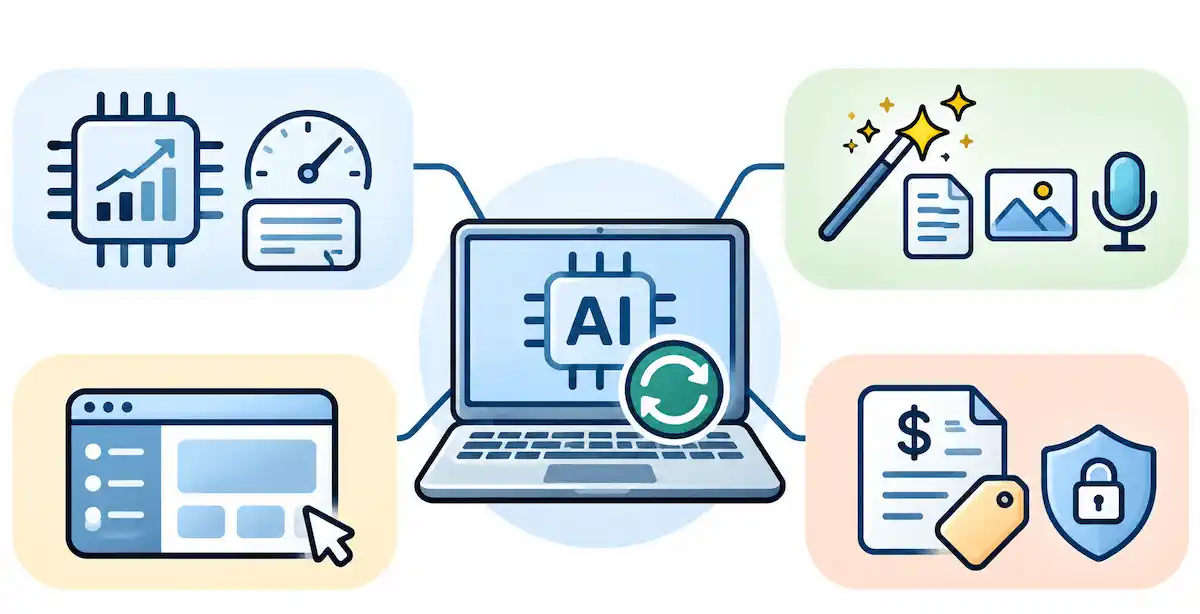
- Model improvements: better answers, longer memory or faster replies. These usually arrive in your tool without any action from you.
- New capabilities: features that were not possible before, such as a new way to work with files, voice or images. Check whether they match one of your tasks.
- Interface changes: a new layout or menu. Annoying, but rarely important.
- Policy changes: new prices, usage limits, terms of use or data rules. These deserve attention first, because they affect your budget and your data.
Once you sort updates this way, most of the news loses its urgency. Policy and price changes need a response this week, new capabilities can wait for your weekly slot, and the rest can wait for the monthly review.
Set Your Goal First: Signal, Not Everything
The idea that works best is simple: aim for signal, not everything. Signal is the small share of news that changes what you do. Noise is everything else, and it is the larger part.
To keep up with AI tools you do not need to read more. You need to read less, and read it on purpose. People who stay current without stress usually have a short written list of tasks, two or three sources and a fixed slot in the calendar. Everyone else tends to stay updated by accident, which means they react to whatever the feed shows them first.
Decide What You Actually Need to Know
Write down the three or four tasks where better tools would save you the most time, such as drafting, research, design or reporting. These tasks are your filter. If a launch does not touch one of them, you can skip it with a clear conscience. An information diet of this kind sounds strict, but it makes every other step easier.
The Good Enough Standard
You do not need expert-level knowledge about every tool. A good enough level means you know what a tool does, who it is for and whether it matches one of your tasks. You can go deeper later, on demand, when a real need appears.
Anchor on Durable Concepts
Tools change every month, but the ideas underneath change slowly. How to write a clear request, how to check an answer, how to protect private data and how to measure time saved are skills that carry over from one tool to the next. When you build these basics first, every new launch looks like a small variation on something you already understand, and learning it takes less effort.
A Simple Routine to Stay Current With AI Tools
A routine beats a burst of effort, and it is the core of how to keep up with new AI tools over the long run. Short, regular slots keep you informed and protect your time. The table shows the three layers we recommend, and the sections after it explain each one. If you are building this for work, start by reading how to choose AI tools for business, so your filter matches your goals.

| Layer | Time | What you do |
|---|---|---|
| Daily | 5 to 10 minutes | Scan one summary and flag anything that touches your tasks |
| Weekly | 30 to 60 minutes | Read the flagged items and test one tool on a real task |
| Monthly | 20 minutes | Review the tools you use and decide what to add or drop |
Daily: 5 to 10 Minutes
Read one short roundup or newsletter, and nothing else. The only job is awareness. If something looks relevant, save it to a maybe-later list instead of opening ten tabs. Keep the daily slot short and fixed, for example with your morning coffee, so it never grows into scrolling.
Weekly: 30 to 60 Minutes
Once a week, open the maybe-later list and pick the single item that fits your tasks best. Read about it properly, then try it on one real piece of work. Separate scan mode from deep-read mode, because scanning is for deciding what deserves attention and deep reading is for the few items that earn it.
Rank Updates by Impact on Your Workflow
When you open the maybe-later list, rank each item with three quick questions. Does it touch a task on my list? Would it save more time than it costs to learn? Is the price reasonable for my usage? Items that score a clear yes go to the top, and the rest stay on the list. Ranking by impact stops you from picking tools only because they are the loudest.
Monthly: 20 Minutes
Once a month, look at what you tried. Decide for each tool whether it moves to adopt, stays on the watch list or gets dropped. We cover this decision in detail in the section on evaluating a new tool.
Why a Daily Habit Beats a Weekend Binge
Many people try to catch up in one long session on the weekend, and it rarely works. A big binge leaves you tired, and most of what you read is forgotten by Wednesday. Five calm minutes a day keep the picture fresh, so a launch on Tuesday does not feel like news from another planet. Small and regular wins, because it is easy to repeat when you are busy.
How to Set Up Your Sources in 15 Minutes
You can build the whole system in one short session. Create one folder or label for newsletters, so they never mix with work mail. Pick one daily summary and one weekly roundup, and unsubscribe from the others. Start a note or a board called maybe-later, where every interesting link goes. Pin the two communities you trust and mute the rest. Finally, put the daily and weekly slots in your calendar as repeating events, because a habit without a time slot rarely survives a busy week. These small steps help you stay up to date without checking your phone every hour.
A Weekly Schedule You Can Copy
| Day | Slot | Task |
|---|---|---|
| Monday | 10 minutes | Scan the weekly roundup and flag items |
| Tuesday to Thursday | 5 minutes | Skim one daily summary |
| Thursday | 30 minutes | Test one flagged tool on a real task |
| Friday | 10 minutes | Write a two-line verdict and update the list |
Where to Find New AI Tools
Finding AI tools and following news are two different jobs. News tells you what happened this week, while discovery sources show you what exists. We use both, but we keep them separate. For a quick view of which names keep appearing, see our list of the most popular AI tools.
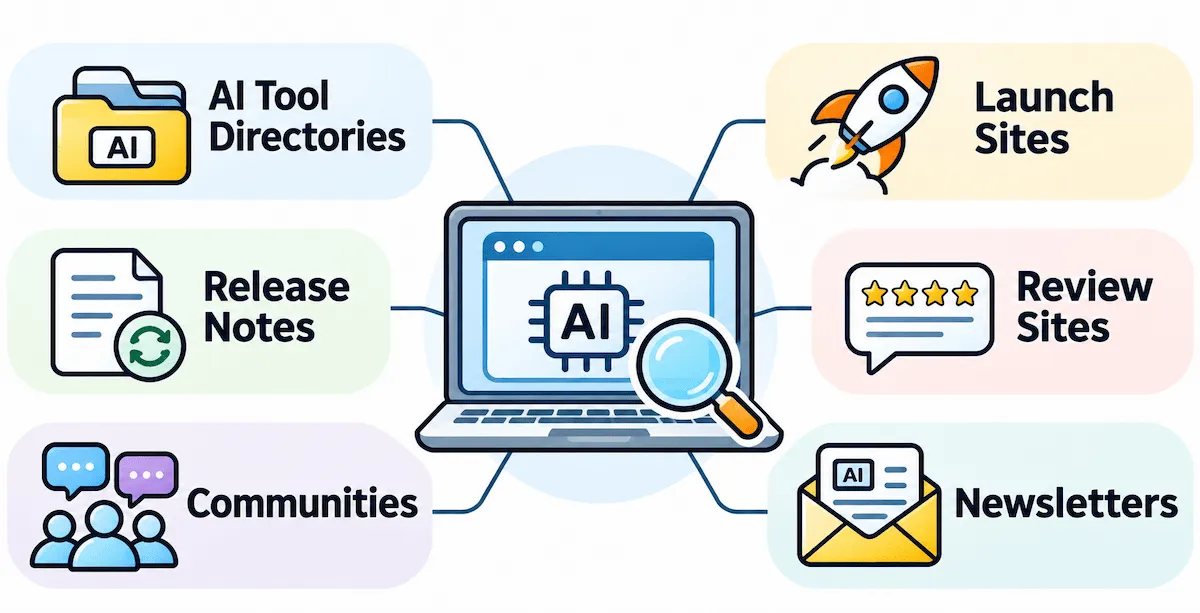
| Source type | Best for | Examples |
|---|---|---|
| AI tool directories | Browsing by category and use case | There is an AI for That, Future Tools |
| Launch sites | Seeing what just came out | Product Hunt |
| Release notes and changelogs | Updates to tools you already use | The blog or help page of each vendor |
| Review sites | Checking real user feedback on business tools | G2, Capterra |
| Communities | Honest reactions and workarounds | Reddit, Discord servers, X |
| Newsletters | A weekly filter for the news | See the next section |
AI Tool Directories and Launch Sites
Directories sort AI tools by category, which is useful when you already know what task you want to improve. Launch sites show new products on the day they appear. Both are good for discovery and weak for judgement, since listings are written by the makers. Treat them as a shortlist generator, and never as proof that a tool works.
Official Release Notes and Changelogs
This is the most reliable source for AI tools you already pay for. Vendors publish what changed, and that tells you more than any headline. Check the release notes once a month for your three or four main tools. It takes minutes, and it often shows features you did not know you had.
Review Sites for Business Tools
If a tool will touch company work, read recent user reviews before you test it. Look for patterns, such as repeated complaints about support, billing or accuracy, and ignore single angry or glowing posts. Reviews that mention a similar team size and use case are the most useful.
Best AI Newsletters and Communities to Follow
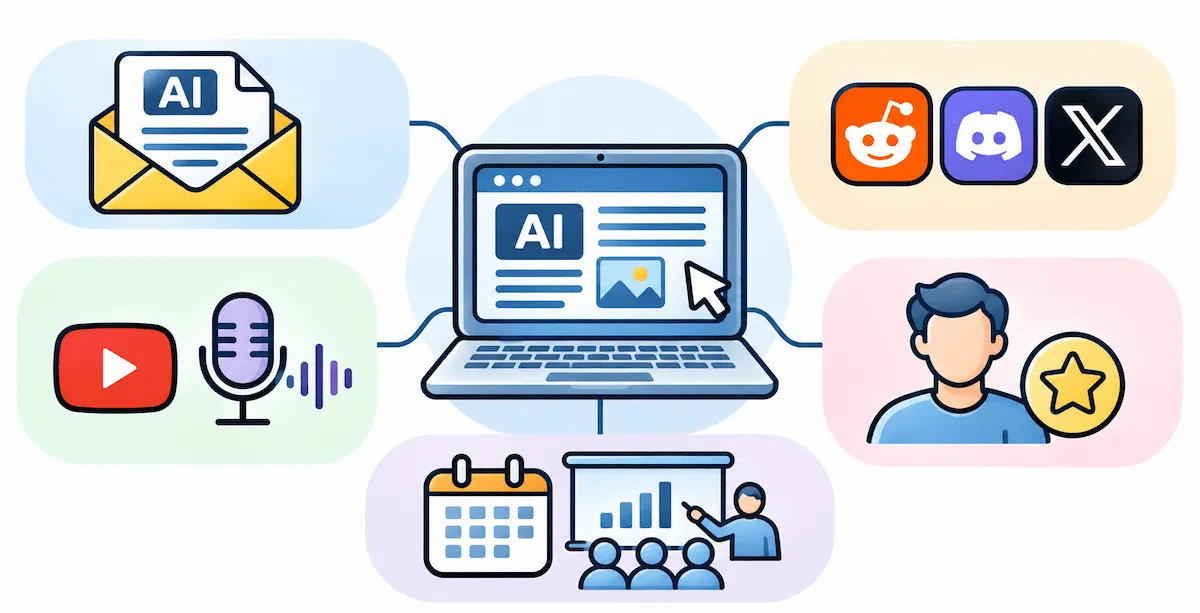
A good AI newsletter does the filtering for you, and it is the easiest way to stay updated without effort. The rule we suggest is to follow two or three and unsubscribe from the rest. More sources do not make you better informed, they only make the daily slot longer.
Newsletters
Newsletters differ by purpose, so pick the one that matches your goal. The table groups some well-known names by what they are used for. Check each one before subscribing, since formats and publishing schedules change.
| Goal | Newsletters people commonly follow |
|---|---|
| Quick daily news | TLDR AI, Superhuman, The Rundown AI |
| Approachable explanations | The Neuron |
| Builders and makers | Ben’s Bites |
| Technical and research context | The Batch, Import AI, AlphaSignal |
| Practical use at work | One Useful Thing |
Reddit, Discord and X
Communities give you something newsletters cannot: honest reactions from people who used a tool for a week. Join one or two groups for the tools you actually use, and read them when you have a specific question. Do not open them for entertainment, because they are the fastest way to lose an hour.
YouTube and Podcasts
Video is good for seeing a tool in use, and podcasts fit into a walk or a commute. Choose creators who show real work, including mistakes, and skip those who only list features. Watching someone use a tool on a real task teaches more than a feature tour.
People Worth Following
Practitioners who show their real work are worth more than commentators who only react to launches. Pick a handful who test tools on tasks similar to yours, and mute accounts that post only predictions. Engage selectively: read, learn and move on, instead of joining every debate.
Meetups and Events
Local meetups, online demo days and company webinars give you something no feed does, which is a chance to ask questions and see tools used live. One event a quarter is plenty. It also helps to have a person to talk to about tools, since a short chat can save hours of reading.
How to Evaluate a New AI Tool
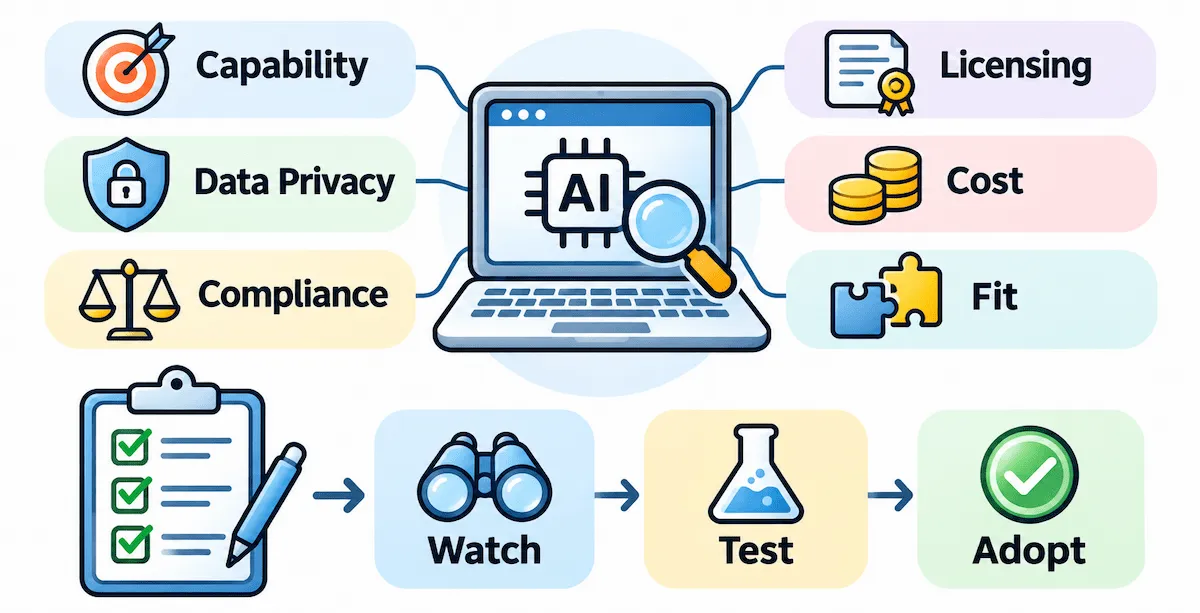
Most time is lost not on finding AI tools but on testing the wrong ones. A short, fixed method saves it. It follows six questions, and you can apply it in an hour. A university training course on evaluating AI tools uses a similar set of dimensions: capability, data privacy, compliance, licensing, cost and fit, which you can see in this evaluation framework course description.
Start With the Problem, Not the Tool
Write one sentence that describes the task you want to improve, for example, I spend three hours a week writing meeting summaries. Then ask whether the tool solves that sentence. If you cannot write the sentence, you are testing a tool because it is new, and that is how the maybe-later list becomes a time sink.
The Watch, Test or Adopt Rule
Sort every AI tool into one of three groups. Watch means it looks interesting, but you do nothing yet. Test means it matches a real task and gets a one-hour trial. Adopt means it passed the trial and replaces something. Most tools should stay in watch for a few weeks, because early versions change fast and independent reviews appear later.
The Free Trial Test
A trial is only useful if you run it on real work. Follow these steps:
- Pick one workflow you already do and measure how long it takes today.
- Run the same task with the tool and note the time and the quality.
- Push the edges with a hard example, not only a simple one.
- Check the output for errors, since a polished answer can still be wrong.
- Ask the support team one real question and see how fast and how well they reply.
Demos are built to impress, so treat them with caution. The numbers from your own task matter more than any sales page.
The Would I Miss This Test
After two weeks of regular use, stop using the tool for three to five days. If you notice the gap and reach for it again, it earns a place. If you do not notice, cancel it. This test is simple, and it catches tools that felt exciting at first but never became a habit.
Questions to Ask During a Demo
- What happens to my data, and where is it stored?
- Can I export everything and delete my account if I leave?
- How does the price change when my team or my usage grows?
- How long is the contract, and how do I cancel?
- What does the tool do when it makes a mistake, and how do I report it?
A vendor that answers these clearly is usually a safer bet than one that changes the subject. Write the answers down, because you will want to compare them later.
Run a Small Pilot Before You Roll Out
If a tool will be used by a team, a pilot is better than a quick yes. Choose two or three people, define success in numbers such as time saved or errors avoided, and run it for two to four weeks. Keep notes on what worked and what broke. At the end, hold a short review and decide whether to adopt, extend the test or drop the tool. A clear exit plan helps here, since it is easier to stop a pilot than to cancel a full rollout.
An AI Tool Scorecard
A scorecard keeps your decision fair when three AI tools look equally good. Give each tool a score from 1 to 5 on each criterion and compare the totals. When you reach the cost line, work out the payback period, meaning how long the time saved takes to cover the price. Our guide on AI ROI for business shows how to calculate it.
| Criterion | Question to ask |
|---|---|
| Problem fit | Does it solve the exact task I wrote down? |
| Output quality | Are the results correct and usable without heavy edits? |
| Data privacy | Where does my data go and is it used to train models? |
| Integration | Does it work with the two or three apps I already use? |
| Cost | What is the real monthly price at my usage and team size? |
| Support | Did I get a useful answer to a real question? |
Integration Matters More Than Features
A long feature list means little if the tool does not connect to the apps you already use. Check how it works with your two or three main systems, whether it can import and export your files, and what happens when the connection breaks. A simpler tool that fits your workflow beats a powerful one that sits on its own.
Check the Company Behind the Tool
New tools come and go quickly, so look at who is behind the product. How long has the company existed? Are there recent updates and a visible support team? Do real users talk about it in reviews and communities? A tool without a track record is not always a bad choice, but it is a reason to avoid long contracts and to keep a copy of your data.
Pricing and Lock-In Red Flags
Prices are where many tools hide their problems. Watch for per-seat pricing that grows fast as your team grows, usage caps that push you to a higher plan, annual contracts for a tool you have not proven, and vague pricing that says contact sales. Start with monthly billing whenever you can. Always compare the price at your real usage, not the headline price on the plans page.
Data Privacy Check Before You Sign Up
Before you paste anything sensitive into a new tool, find the answers to a few questions. Where is the data stored? Is it used to train the model? Can you export it and delete it if you leave? Many tools answer these in their terms of use or a trust page, and if they dodge the question, that is a red flag. For a business setting, our guide on AI data privacy for business goes through the risks in more detail.
Check Compliance and Company Rules
If you use a tool at work, your employer may have rules about which tools are allowed and what data they can touch. Ask whether there is an approved list before you test. Using an unapproved tool with company data can cause real trouble, even if the tool itself is fine.
How to Spot Hype
Hype has a few repeating signs. The launch post shows a perfect demo and no failures. There are plenty of lists titled something like ten tools you need, but very few reviews from people who used it for a month. The claims are huge and the pricing page is vague. When you see these signs, move the tool to watch and wait for independent feedback.
When to Switch Tools and When to Stay
Switching has a cost: you lose time, you lose settings and templates, and your team has to learn something again. A new tool must clear that cost to be worth it. Two rules help. The first is a one new tool per month limit, so your attention stays on a few tests. The second is to ask whether the new tool solves a problem you will still have in a year, because if it solves a short-term annoyance, a workaround is cheaper.
Also check the price of the change itself. A better tool that costs twice as much may not pay for itself, and our overview of AI tool pricing can help you compare plans. If the answer is not clear, keep the tool you use and put the new one on the watch list. You can always come back.
Signs It Is Time to Try Something New
- You repeat the same painful task every week and your current tool does not fix it.
- Your tool raised its price, cut a feature or changed its data terms.
- The quality of the answers has dropped on tasks you care about.
- Colleagues or clients use a tool that clearly saves them time.
- A new feature matches a task on your list, not just a general interest.
Build a Watch List and a Maybe-Later List
Two simple lists keep the routine light. The maybe-later list collects every link that looked interesting, and you only open it during the weekly slot. The watch list holds the few tools that passed a first look but are not ready for a trial. For each tool, write one line: the name, the task it could help with, the date and the reason you are waiting. Review both lists once a month. Anything older than 90 days with no new reason to try it drops off the list, and that is a healthy habit, because lists should reduce pressure, not add to it.
How to Audit Your Own AI Tool Stack
Keeping up with new AI tools also means cleaning out old ones. Once a quarter, list every AI tool you pay for or use and sort it into one of three groups.
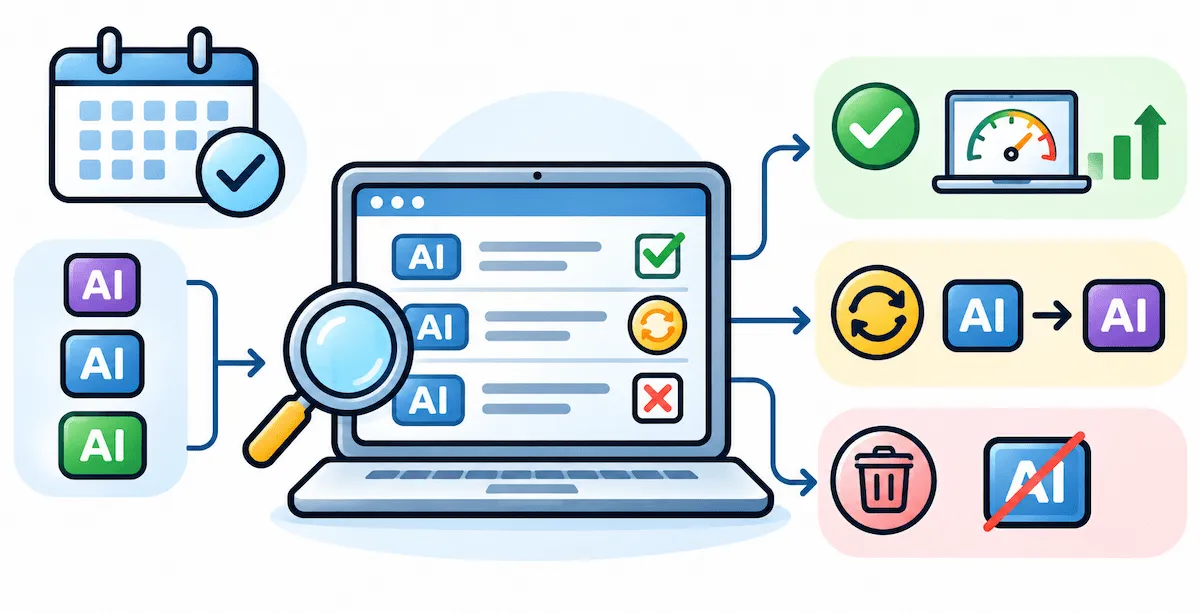
| Decision | When it applies |
|---|---|
| Keep | You used it in the last month and it saves real time |
| Replace | A cheaper or better option does the same job |
| Drop | You have not used it in two months or another tool covers it |
Look for duplicates first, since two or three apps often do the same job. Then check for forgotten subscriptions. If you are building or reviewing a whole set of tools, our guide to the AI tool stack for business shows how the pieces fit together.
Build a Minimum Viable Toolkit
Instead of chasing every launch, build a small toolkit that covers your main tasks and grow it slowly. One general assistant, one tool for each of your top two or three tasks, and one place to save your best prompts and notes is a good start. Saved prompts and text snippets save time every day, and they make it easy to test a new tool with the same task. The smaller the toolkit, the easier it is to compare a newcomer against what you already use.
Use AI to Keep Up With AI
Good tools can do part of the filtering for you. You can ask an assistant to summarize a long article, turn a week of newsletters into a short brief, or listen to an audio overview of a few sources on a walk. Research assistants and note tools make this easy, and a scheduled prompt can send you a personal digest each morning. The risk is that summaries can be wrong or flat, so read the original whenever a decision depends on a detail. This is the kind of small habit that grows from our guide on how to use AI for productivity.
Free and Paid Ways to Stay Updated
You can stay updated on AI for free, and most people never need more. Paid options save time or add depth, but they are not required.
| Type | Free options | Paid options |
|---|---|---|
| News | Most newsletters, release notes, public roundups | Premium newsletters and research briefs |
| Discovery | Directories, launch sites, communities | Curated databases and market reports |
| Learning | Video tutorials, vendor guides, small experiments | Courses and paid communities |
| Testing | Free tiers and trials | Monthly plans for tools that passed your test |
Start with the free column for a month. Pay only when a specific source or tool clearly saves you more time than it costs.
Learn by Doing, Not by Collecting
Saved threads and bookmarks feel like progress, but they are storage, not knowledge. The people who stay calm about new AI tools usually learn through one real task a week. Pick a small job from your own work, try the tool on it, and write down what worked and what did not. Fewer bookmarks and more finished tasks teach you faster than any list. Sharing what you learn with a colleague or in a short post also helps you remember it.
Verify with real output. If a tool claims to have fixed a problem, check the actual file or result instead of trusting the claim. The people who learn fastest look at what was built, not who recommended it.
How to Remember What You Read
Reading without notes fades fast. Write two lines for anything worth keeping: what the tool does and what task it could help with. Review the notes once a week, and explain one idea to a colleague each month. Teaching, even in a short message, fixes it in memory far better than rereading.
A simple weekly experiment note keeps the habit honest. Write down five things: the task, the tool, the time before, the time after and your verdict. If the verdict is unclear after two tries, the tool goes back on the watch list.
What to Ignore
- Launch noise: loud announcements from tools that are not yet proven.
- Top ten lists that repeat the same names without testing anything.
- Repeated news: the same story told five times by five sources.
- Hot takes that predict the end of a job or a whole industry.
- AI tools outside your tasks, no matter how impressive the demo looks.
How to Keep Up With AI Tools by Role
The right routine depends on your job. The table shows a starting focus for common roles, and you can adjust it to your own work. Owners of small firms often have the least time, so they need the shortest routine. Our guide on AI for small business is a good base for that group.
| Role | Focus | Where to look |
|---|---|---|
| Small business owner | Time-saving tools for admin, sales and support | One newsletter and the release notes of your main tools |
| Marketer | Writing, design, analytics and automation tools | Review sites, one daily summary, community threads |
| Developer | Coding assistants and model updates | Release notes, developer communities, one technical newsletter |
| Creator | Video, audio and image tools | Demos on video and creator communities |
| Student or freelancer | Research, writing and study tools | One roundup, free tiers, and short experiments |
How Teams Can Keep Up Together
Teams can share the work. One person scans the news for a week, writes a short note with the two or three items that matter and passes the job on to the next person. That way everyone can stay current without everyone reading everything, and the whole team ends up with the same short list of tools.
A few rules help. Set clear goals for the next one to three months, so people do not change tools every week. Hold a short, regular training on the tools you adopted. Protect blocks of focus time without meetings. Agree on rules for company data, and decide in advance when a pilot gets shut down. Our overview of AI in the workplace goes deeper on how teams adopt new tools.
How to Protect Your Energy
Staying current should not cost you your focus. Set time limits for each slot and stick to them. Keep your sources to three to five at most. Accept that you will miss some launches, a habit sometimes called the joy of missing out, and note that missing them almost never hurts. A 2026 conference talk on AI fatigue lists similar tactics, such as timeboxing, small experiments and a short list of trusted sources, and you can read the summary in this talk description on AI fatigue. If your head feels foggy after a long day of switching tools, stop and take a break away from screens.
It Is Okay to Lag
You do not need to adopt a tool in its first week. Most tools are better and cheaper a few months later, and waiting lets others find the problems. Focus on what you use, learn new features when you need them, and review your stack every quarter. Selective ignorance is a skill, not a failure.
Common Mistakes
- Following too many sources, which makes the daily slot grow every month.
- Testing without a task, so there is nothing to measure.
- Paying yearly for a tool you have not proven.
- Pasting sensitive data into a tool before reading its policy.
- Never cleaning your tool stack, so old subscriptions keep billing you.
- Chasing every launch instead of getting more from a few AI tools in your key workflows.
What Changes After 30, 60 and 90 Days
After 30 days, the routine feels normal and the daily slot takes less thought. After 60 days, you have a short list of trusted sources and a few tools that you know well. After 90 days, you can judge a new launch in a few minutes, because you have a method and a clear idea of what matters to your work.
Final Thoughts
Knowing how to keep up with new AI tools comes down to following fewer sources and testing with more care. Set a short routine, choose two or three trusted sources, test every tool on a real task, and clean out your stack each quarter. You will still miss launches, and that is fine, because the ones that matter keep coming back until you see them. A calm, steady habit beats a sprint every time.
FAQs About Keeping Up With New AI Tools
How Do I Keep Up With New AI Tools Without Burning Out?
Use a fixed routine of 5 to 10 minutes a day and one longer slot a week. Follow two or three trusted sources, test only the tools that match your own tasks, and accept that you will miss some launches.
How Much Time Does It Take to Keep Up With AI?
About 20 minutes a week is enough for most people if the time is spent well. Add the daily scan and a monthly review if you use AI heavily at work.
What Is the Best Way to Find New AI Tools?
Use a mix of directories, launch sites and review sites to find new AI tools, and release notes to follow the AI tools you already pay for. A newsletter or two helps with the weekly filter.
How Do I Test a New AI Tool Before Paying?
Pick one real task, measure how long it takes now, run it with the tool and compare the time and quality. Also check the data policy and the real price at your usage before you add a card.
How Do I Know If a New AI Tool Is Worth Switching To?
Ask whether it solves a problem you will still have in a year and whether it replaces something you pay for. If the gain is small or the switch is costly, keep what you have.
Is It Safe to Put Company Data Into a New AI Tool?
Not until you read where the data is stored, whether it is used to train models and whether you can delete it. If a vendor cannot answer these questions, do not paste sensitive information into the tool.
How Many AI Tools Do I Actually Need?
Fewer than you think. Many people do well with one general assistant plus a few tools for their main tasks, such as writing, design or research. Add a tool only when it replaces another one.
How Often Should I Check AI News?
A short daily scan and a longer weekly session are enough. Checking more often rarely adds value and often adds stress.
How Do I Avoid AI Tool Paralysis?
Limit the number of tools you test at one time, and write down the task before you start. A one-new-tool-per-month rule also helps, since it removes the pressure to try everything.
Do I Need to Pay to Stay Updated on AI?
No. Most newsletters, communities, release notes and directories are free. Paid options may save time, but a free routine is enough for most people.
How Do I Tell Hype From a Real Improvement?
Look for independent reviews from people who used the tool for weeks, not only demos from the maker. Test it on your own task, and wait a few weeks before you commit.
Should I Switch Tools When a Better One Comes Out?
Only if the new tool clearly beats what you use on a task that matters, and the gain is bigger than the cost of switching. Otherwise, put it on the watch list and check again in a month.
What Should a Beginner Follow to Stay Updated on AI?
Start with one daily summary and one weekly roundup, plus the release notes of the one or two tools you already use. Add a community only when you have a specific question.
Is It Worth Reading AI News Every Day?
Only in a very short form. A five to ten minute daily scan keeps you aware, but reading long articles every day usually costs more time than it returns. Save the deep reading for your weekly slot.
Will My Skills Become Obsolete If I Do Not Follow Every Update?
No. The basics, such as writing a clear request, checking answers and protecting data, stay useful across tools. You can learn new features on demand when a real task needs them.
How Do I Remember What I Read About AI?
Write two lines for each item worth keeping, review the notes once a week and explain one idea to someone else each month. Trying the idea on a real task also helps it stick.
Do I Need to Learn to Code or Understand How AI Works?
Not to keep up with tools for everyday work. A basic idea of what the tool does and where it can be wrong is enough. Coding helps if you work as a developer, but it is not required for most roles.
Where Can I Find a Good AI News Roundup?
Look for a weekly newsletter that summarizes the main stories and links to the sources. Check a few issues before you subscribe, and keep only the one that you actually read.
Can AI Tools Help Curate a Personalized News Feed?
Yes. Assistants can summarize articles and build a short brief from sources you choose. Treat the summaries as a starting point and open the original for anything that affects a decision.
Which AI Newsletters Should I Follow?
Pick based on your goal: a short daily summary for quick news, an approachable one for explanations, or a technical one for research. Follow two or three and drop any that you do not read.










