Most companies already use AI somewhere, so the hard part is no longer access, it is choice. According to McKinsey, about 88% of organizations use AI in at least one business function, and the market now holds thousands of products that all promise saved hours. Picking AI tools for business by hype or by the loudest ad is how teams end up with five overlapping subscriptions and no measurable result.
This guide shows you how to choose AI tools for business in seven steps, from a one sentence problem statement to a pilot and a final decision. It also covers evaluation criteria, a weighted scorecard with a worked example, questions for vendors, cost and ROI formulas, privacy rules, and the mistakes that waste budget. Use it to choose the right AI tools for your business without paying for features nobody will open.
The short answer to how to choose AI tools for business is simple: start with a problem you can measure, test two or three tools on real work, and keep only the one that proves its value.
What Are AI Tools for Business?
AI tools for business are software products that use machine learning or large language models to handle work that used to take human time: writing, summarizing, answering customers, sorting data, scheduling, and routing tasks. Some run as a standalone app, others sit inside software you already use, such as a CRM or an office suite.
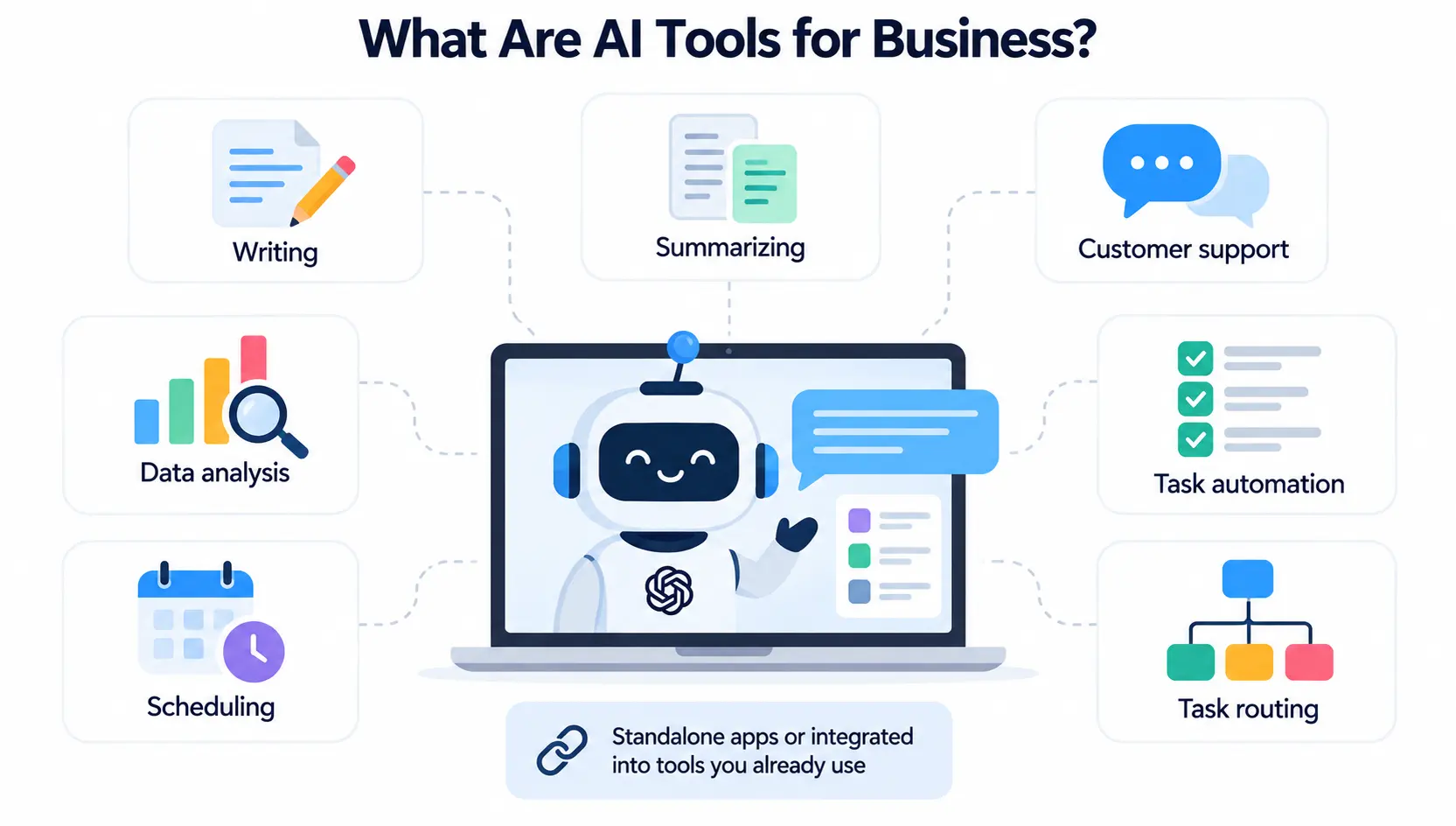
For a wider view of how these systems fit into companies, read the guide to generative AI for business.
What AI Tools Can Do for a Business
Used on the right tasks, AI tools for business deliver gains in six areas:
- Time. Drafts, summaries, and reports that took an hour arrive in minutes.
- Consistency. Replies, product descriptions, and reports follow the same format and tone.
- Scale. A small team handles more requests, languages, and channels without new hires.
- Coverage. Chat and ticket tools answer common questions outside office hours.
- Insight. Analytics tools answer questions about your data in plain language.
- Cost. Repetitive manual work shrinks, which frees paid hours for harder tasks.
These gains depend on the match between tool and task, which is why the rest of this guide spends more time on selection than on features.
Types of AI Tools for Business
Most AI tools for business fall into a handful of groups. Knowing which group your problem belongs to cuts a list of thousands down to a few dozen.
| Type | What it does | Examples |
|---|---|---|
| Writing and marketing | Drafts copy, edits text, repurposes content | Jasper, Grammarly, Copy.ai, Canva |
| Automation | Connects apps and runs repeat tasks | Zapier, Make, n8n |
| Productivity and meetings | Notes, summaries, internal search | Notion AI, Fireflies, Otter |
| Sales and CRM | Lead scoring, outreach, forecasting | HubSpot, Apollo.io |
| Customer support | Chat answers, ticket sorting, reply drafts | Intercom Fin, Zendesk AI, Tidio |
| Data and analytics | Dashboards and questions in plain language | Tableau, Power BI, ThoughtSpot |
| General assistants | Drafting, research, analysis | ChatGPT, Claude, Gemini, Microsoft Copilot |
AI Model vs AI Tool vs AI Platform
An AI model is the engine, such as GPT, Claude, or Gemini. An AI tool wraps a model in an interface built for one job, and an AI platform bundles several tools, data connections, and admin controls in one place. The difference matters when you buy. Tools built on top of a model are quick to start with, but a thin wrapper often covers 80% of a task and misses the last 20% you actually need, and it may lag behind newer models. If a term in this guide is unfamiliar, the AI terms glossary explains it in plain language.
AI Technologies Behind the Tools
Four technologies sit behind most products. Machine learning finds patterns in data, for example to score leads or predict demand. Natural language processing and large language models read and write text, which powers chat, drafting, and summaries. Computer vision reads images, such as scanned invoices or product photos. Robotic process automation follows fixed steps across software, and many vendors now combine it with AI. Knowing which technology a tool uses tells you what kind of data it needs and where it can go wrong.
Why Businesses Choose the Wrong AI Tools
Knowing how to choose AI tools for business starts with knowing why so many purchases fail. Most of the causes are decisions made before any tool is opened. Teams buy because a competitor did, because a demo looked impressive, or because a subscription seemed cheap. A McKinsey report on AI in the workplace found that almost every company invests in AI, yet only about 1% of leaders call their company mature in its use. Buyers who skip the problem statement, ignore adoption, and run no pilot repeat the same pattern, and the seven steps below are built to prevent it.
How to Choose AI Tools for Business: A 7 Step Process
This process works for a solo founder and for a team of fifty. Each step ends with one output you can write down, which keeps the decision tied to evidence instead of demos. The steps are: define the problem, check what you already pay for, decide whether you need AI or plain automation, shortlist by use case, score the options, run a pilot, and decide. The order matters, problem first and tool last. When you follow how to choose AI tools for business in this order, vendor presentations stop steering the decision.
1. Define the Problem and Record a Baseline
Start with a pain point, not a product category. Look for tasks that repeat often, take hours, and have a clear result: answering the same support questions, building weekly reports, writing product descriptions, qualifying leads. Write one sentence in this form: “We spend X hours a week on Y, and the result should be Z.”
Then record a baseline: current hours, cost per task, error rate, and response time. Without a baseline, a pilot can only produce opinions. A rough note from a one week time log is enough.
A good first use case has six traits: it repeats often, it takes real time, the result is easy to measure, the inputs and outputs are clear, the risk of a mistake is low, and a person can check the result quickly. Support replies, meeting notes, and product descriptions meet these tests. Legal advice, medical decisions, and anything that moves money without review do not.
2. Check the AI You Already Pay For
Many teams already own AI features they do not use. Microsoft 365, Google Workspace, your CRM, your help desk, and your design tool may include AI at no extra charge or for a small add-on. List what you pay for today before you shortlist anything new. Adding a tool that overlaps with your current tech stack is one of the most common ways a budget leaks. For a planning method, see the how-to on building an AI tool stack for business.
3. Decide Whether You Need AI or Plain Automation
Some jobs do not need AI. If a task follows fixed rules, such as copying a form entry into a spreadsheet and sending a confirmation email, a rule based tool like Zapier or Make is cheaper and more predictable. AI earns its price when the input varies: free text, images, long documents, or questions that need judgment. Fix a broken process before you speed it up, because automating a messy workflow only produces mess faster.
4. Shortlist Three or Four Tools by Use Case
Anyone asking how to choose AI tools for business at this point should keep the list short. Three or four candidates is enough, while ten creates analysis paralysis. Take them from peer recommendations, reviews, and the best AI tools for business listed later in this guide, then check which of the AI tools for your business offer a free trial, so you can test without a contract. Ask each vendor for two customers who use the product for the same job, because a short call with a reference tells you more than a feature list.
5. Score the Tools With a Weighted Scorecard
Give each criterion a weight that reflects your priorities, score every tool from 1 to 5, and multiply. Weighted scoring forces a conversation about what matters before a polished demo changes your mind. A full example sits in the scorecard section below.
6. Run a Pilot With Real Work
A pilot is a short, controlled test on real tasks, not on sample data from the vendor. Run it for two to four weeks with a small group, a fixed set of tasks, and success metrics decided in advance: time saved per task, error rate, user satisfaction, and cost per output. For tasks with real consequences, start in shadow mode, where the tool produces results that your team checks but customers never see.
Use the same inputs for every candidate so results are comparable, and ask pilot users what slowed them down. A tool that scores well on paper but irritates the team will not survive month two.
7. Decide: Scale, Adjust, or Stop
At the end of the pilot, compare the numbers with your baseline. If the tool met the target, roll it out to more users. If it came close, change the prompts, the settings, or the process and test again. If it missed by a wide margin, stop and write down why, because that note will save the next evaluation. Many AI tools for business pass a demo and fail a pilot, which is why this step exists. Stopping is a valid outcome, and it costs far less after a pilot than after an annual contract.
Quick Decision Tree for Your First Tool
- Does the task follow fixed rules? Use an automation tool such as Zapier or Make.
- Does the input vary, such as free text, documents, or images? Use an AI tool built for that job.
- Does the job span several apps and steps? Test a workflow with a person approving each result, and look at agents only after that works.
- Does the task touch customer, financial, or legal data? Add security checks and human review before the pilot, not after.
- Is the task rare or one off? A free general assistant is enough, and no new purchase is needed.
Criteria for Evaluating AI Tools
These eight criteria cover most of what separates a good purchase from a regret. Use them as rows in your scorecard. Needs differ for AI tools for business of every size, so drop any criterion that does not apply and add the ones that do, then confirm that the result fits the AI tools for your business you already run.
Ease of Use and Team Adoption
A tool nobody opens has zero return. Check how long a new user needs to get a first useful result, whether the interface matches how your team already works, and whether training material exists. Ask two people who are not excited about technology to try it during the pilot, because their reaction predicts adoption better than any feature list.
Integration With Existing Systems
Look for native integrations with your CRM, help desk, email, calendar, and storage. Where a native connector is missing, check for an open API or support for Zapier or Make. Manual copying between tools erases the time you wanted to save, so test the integration with real data during the pilot.
Output Quality and Accuracy
Run the same ten real tasks through each candidate and have a person who knows the subject grade the results. Watch for hallucination, meaning confident but wrong statements, and for generic text that needs heavy editing. Check whether the tool can work from your own documents and point to them, since answers tied to a source are easier to verify.
Scalability and Flexibility
Ask what happens when you add seats, brands, languages, or higher usage. Some plans cap monthly outputs or raise the price sharply past a threshold. Prefer tools that let you change models or settings as your needs shift, so you are not stuck when a better engine appears.
Data Security and Compliance
Ask where data is stored, how long it is kept, whether your inputs are used to train models, and which certifications the company holds, such as SOC 2 or ISO 27001. Confirm GDPR terms if you serve European customers. The privacy section below and the guide on AI data privacy for business cover the details.
Vendor Stability and Support
Check how long the company has existed, how it is funded, how often the product ships updates, and what support looks like when something breaks. Ask for a service level agreement for anything a customer or a deadline depends on. A young vendor can be a good bet, but you should know the risk before you build a workflow around it. Check as well whether training material, a help center, and an active user community exist, because they shorten the learning curve for new users.
Total Cost of Ownership
The subscription is only part of the price. Add setup time, training, integration work, per seat or per usage fees, premium add-ons, and the hours spent reviewing output. The cost section below gives a formula and an example.
Exit Risk and Data Portability
Before you sign, ask how to export your data, prompts, templates, and settings, and what happens to them if you cancel. Tools that hold your content hostage create vendor lock-in. Favor products with open formats and short cancellation terms until the pilot proves the value.
AI Tool Scorecard: A Worked Example
Here is the method from step 5 applied to two imaginary tools. The weights and scores are illustrative, not test results, so change them to match your own priorities. Anyone who wants to know how to choose AI tools for business with fewer arguments should settle the weights before watching a single demo.
| Criterion | Weight | Tool A (1 to 5) | Tool B (1 to 5) |
|---|---|---|---|
| Business fit | 25 | 4 | 5 |
| Ease of use | 15 | 5 | 3 |
| Integration | 15 | 3 | 4 |
| Output quality | 15 | 4 | 3 |
| Security and compliance | 15 | 4 | 3 |
| Total cost | 10 | 3 | 4 |
| Vendor support | 5 | 4 | 3 |
| Weighted score (out of 100) | 78 | 75 |
To get the final score, multiply each score by its weight, add the results, and divide by 5. In this example Tool A leads by only three points, which is too close to call, so let the pilot decide. Add one hard rule as well: any tool that scores 1 or 2 on security is dropped, whatever its total.
Questions to Ask AI Vendors Before You Buy
Send these questions in writing and compare the answers. A vague reply is information too.
- Data and privacy. What data does the tool access? Who owns inputs and outputs? Are my inputs used to train your models? How long is data kept, and can I delete it?
- Security and admin. Which certifications do you hold? Do you offer single sign on, role based access, and an audit log?
- Business continuity. What happens to my data if I cancel or you shut down? Can I export everything? What does your uptime guarantee say?
- Cost control. What is included in the price and what costs extra? What are the usage limits, and what happens when I pass them? How much can the price rise at renewal?
- Proof. Can you connect me with two customers who use the product for the same job?
A 30 Day Pilot Plan
A pilot needs a calendar, or it drifts. This plan fits one tool and a group of three to five users.
| Week | What to do | Output |
|---|---|---|
| Week 1 | Set the goal, record the baseline, create accounts, connect data, and brief the group | Written success metrics and baseline numbers |
| Week 2 | Run real tasks with the tool, keep a shared log of problems, and compare with manual work | First comparison of time, quality, and errors |
| Week 3 | Adjust prompts and settings, add edge cases, and collect feedback from users | Improved setup and a list of limits |
| Week 4 | Measure results against the baseline, calculate cost and payback, and review security answers | Decision: scale, adjust, or stop |
Keep the same group and the same task types for all four weeks, so the numbers stay comparable. If you test two tools, split the group and use identical inputs.
AI Tool Selection Checklist
Print this list and use it as the last gate in how to choose AI tools for business. A tool should pass every item before you sign a longer contract.
- The problem is written in one sentence and a baseline exists.
- A person on the team owns the result.
- No tool you already pay for covers the job.
- The tool was tested on your own tasks, not on sample data.
- Output quality was graded by someone who knows the subject.
- It connects to the apps your team uses every day.
- Security answers are in writing, including data ownership and training use.
- Total cost of ownership is calculated for a full year.
- You can export your data and cancel without a penalty.
- The team has training and a named champion.
- Success metrics and a review date are set.
Best AI Tools for Business by Use Case
This list is a starting point for step 4, not a final ranking.
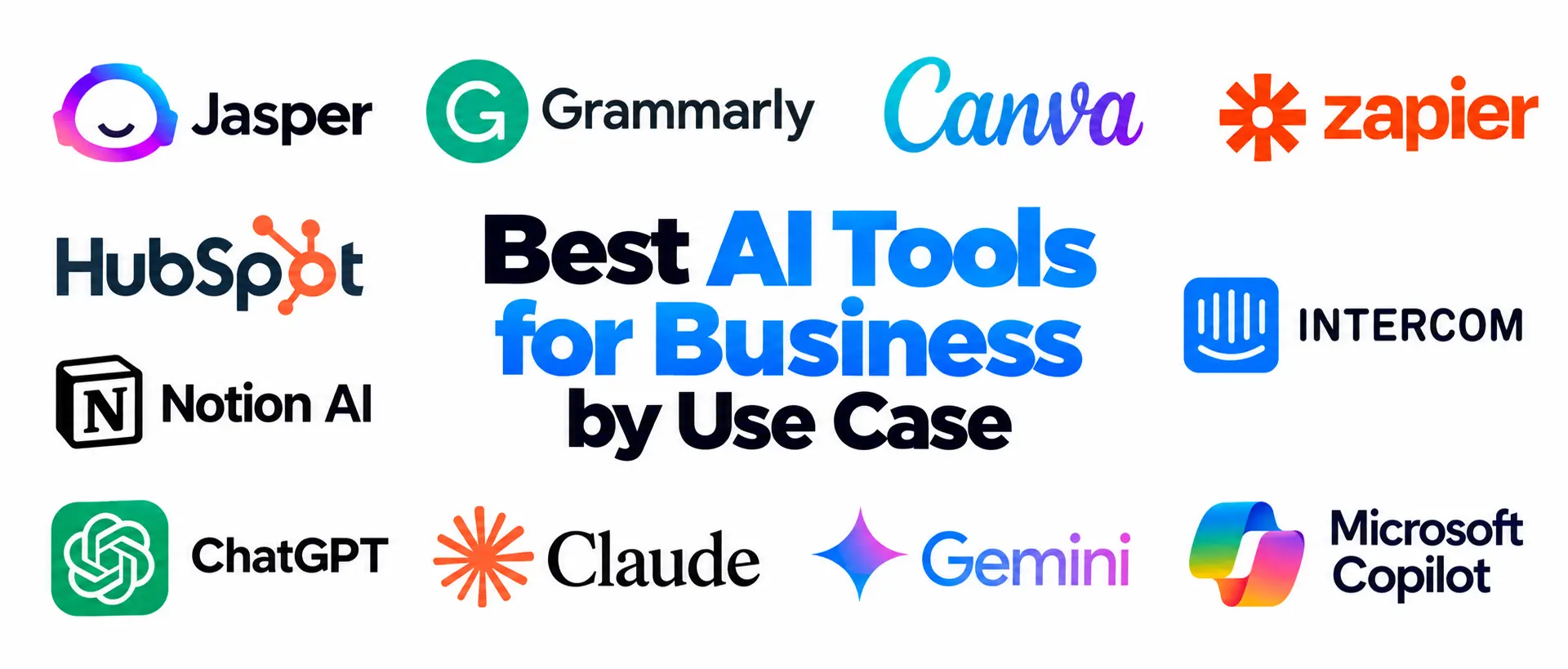
If you came to learn how to choose AI tools for business, treat these as candidates to test, and confirm prices on each vendor page, since plans change often.
| Tool | Best for | Free plan | Starting price |
|---|---|---|---|
| Jasper | Brand voice content for teams | Free trial | About $39 a month |
| Grammarly | Editing and clear writing | Yes | About $12 a month |
| Canva | Graphics and presentations | Yes | Pro about $15 a month |
| Zapier | Automation between apps | Yes | Paid plans from about $20 a month |
| HubSpot | CRM and sales with AI features | Yes, free tools | Paid plans vary by seat |
| Notion AI | Notes, documents, internal search | Limited trial | Included in paid plans |
| Intercom Fin | Customer support answers | No | Usage based, about $1 per resolved conversation |
| ChatGPT | Drafting and analysis | Yes | Plus $20 a month |
| Claude | Long documents and research | Yes | Pro about $17 to $20 a month |
| Gemini | Teams on Google Workspace | Yes | About $20 a month |
| Microsoft Copilot | Teams on Microsoft 365 | Yes | About $20 a month |
The best AI tools for business are the ones your team actually opens, so test any of them on your own tasks before you pay.
Content and Marketing
Jasper keeps brand voice consistent across several writers, and Grammarly polishes drafts and flags tone problems. Copy.ai suits sales and outreach copy, and Canva turns an idea into an on-brand graphic with its AI features.

For a closer look at this category, read the guide to AI content creation.
Automation and Workflows
Zapier and Make connect apps and run repeat tasks without code, and n8n offers a self hosted option for teams that want more control.
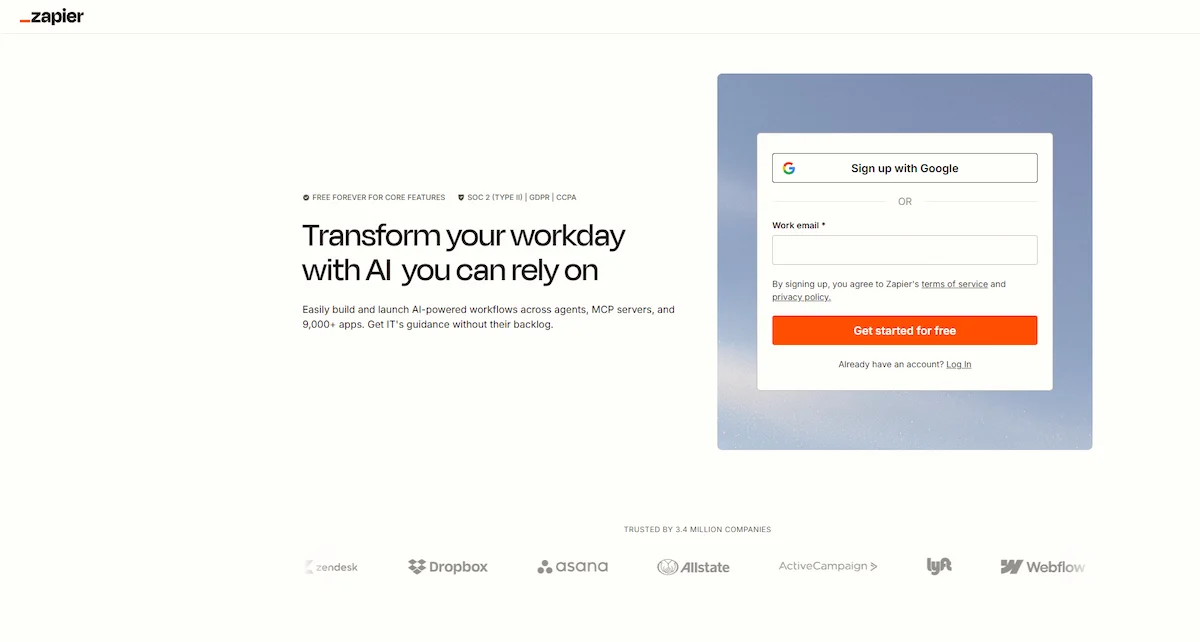
Start with one workflow that costs you several hours a week, prove that it works, and only then add the next one.
Sales and CRM
HubSpot adds AI to its CRM for lead scoring, email drafts, and meeting summaries, and Apollo.io helps find and contact prospects.

Check how each tool treats contact data before you import a customer list, and keep unsubscribe rules in mind for outreach.
Customer Support
Intercom Fin, Zendesk AI, and Tidio answer common questions, sort tickets, and hand complex cases to a person. Pricing is often per resolved conversation, so estimate your monthly volume before you compare plans.
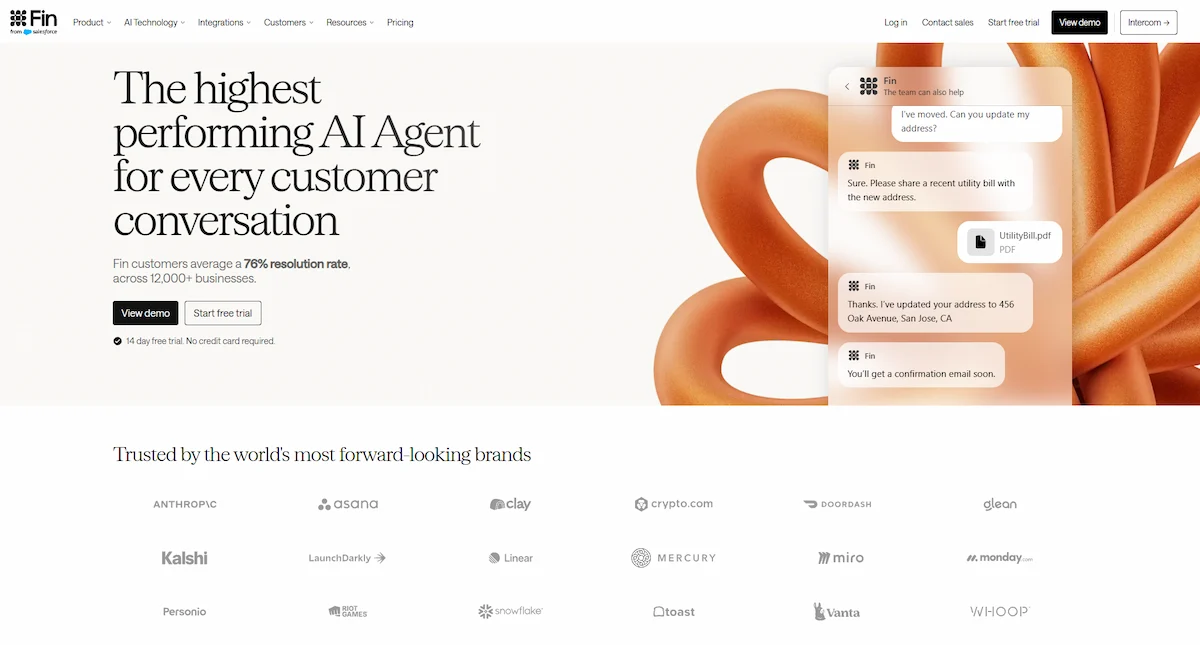
The guide to AI customer service covers setup and limits.
Finance and Accounting
QuickBooks with its AI assistant helps categorize expenses, draft invoices, and summarize cash flow, and Brex adds AI to spend control and expense reports.

Keep a person approving every figure that reaches a tax filing, a client invoice, or a payment.
Data and Analytics
Power BI with Copilot, Tableau, and ThoughtSpot let non technical users ask questions about their data in plain language and get charts back.

Check data quality first, because a clean dashboard built on poor data only hides the problem.
Productivity and Meetings
Notion AI searches and summarizes your notes and documents, while Fireflies and Otter record meetings and produce notes and action items.

Tell participants when a recording is running, and check local rules on consent.
General AI Assistants
ChatGPT, Claude, Gemini, and Microsoft Copilot handle drafting, research, summaries, and analysis. ChatGPT is a common all round choice, Claude handles long documents well, Gemini fits teams on Google Workspace, and Copilot fits teams on Microsoft 365.

The best fit is often the assistant that sits inside the software your team already uses, so test them on your own tasks.
One Tool or Several? AI Tool vs AI Platform
One tool is enough when you have a single clear use case and a small team. Several tools make sense when jobs differ, because writing, support, and automation rarely live well in one product. A platform that bundles many functions reduces logins and billing, but it often does each job less well than a specialist. A third option is a multi model platform, which gives access to several AI models in one workspace, so you can compare answers and switch models without new subscriptions. Most small teams do best with three to five tools, chosen by the problem that costs the most time. Review your AI tools for business every quarter and cut whatever nobody uses. Smaller teams will find examples in the guide to AI for small business.
AI Tools by Business Size and Department
The right choice also depends on who will use the tool.
- Solo founders. Start with one general assistant, one design tool, and one automation tool. Free plans cover most needs, so keep the monthly cost low.
- Small teams, 2 to 10 people. Add a shared tool for writing or support with admin controls and shared templates. Pick tools your people can set up without IT.
- Larger teams, 10 and more. Add rules: an approved tool list, single sign on, usage guidelines, training, and a review owner. Run pilots by department.
By department, marketing gains most from content and campaign tools, sales from CRM and outreach tools, support from chat and ticket tools, operations from automation and document tools, and finance and HR from summary and screening tools that keep a person responsible for the final decision. Match the AI tools for your business to the department that feels the most pain first. Good AI tools for small business budgets are usually free plans plus one paid assistant.
Choosing AI Tools for Your Industry
General criteria apply everywhere, but industry rules change the weights in your scorecard. The AI tools for business that suit a clinic are not the same as those that suit a shop, so ask each vendor for references in your field.
- Retail and ecommerce. Product descriptions, image tools, support chat, and review summaries. Weight integration with your store platform and accuracy of product data.
- Professional services. Meeting notes, proposals, research, and document drafting. Weight client confidentiality and audit logs.
- Healthcare. Scheduling, notes, and patient messages. Weight privacy rules such as HIPAA in the US, and require human review of anything clinical.
- Finance and accounting. Bookkeeping, reporting, and fraud checks. Weight data security, traceability, and approval flows.
- Manufacturing and logistics. Maintenance alerts, quality checks, and demand forecasts. Weight integration with sensors and ERP systems.
- Hospitality. Booking replies, review responses, and menu or itinerary content. Weight multilingual support and response speed.
Three Examples of Choosing an AI Tool
These scenarios illustrate the method. They are not case studies or test results.
- Online bakery, 4 people. Problem: repeated customer questions and slow product descriptions. Shortlist: a free assistant plus a chat tool with a free plan. Deciding factor: ease of use and a free trial. Pilot target: cut reply time in half within a month.
- Accounting firm, 12 people. Problem: long client emails and meeting notes. Shortlist: two assistants with business plans. Deciding factor: confidentiality terms and no training on client data. Pilot target: one hour saved per person each week.
- Marketing agency, 30 people. Problem: inconsistent brand voice across writers. Shortlist: three writing platforms. Deciding factor: brand voice controls and approval flows. Pilot target: fewer editing rounds per article.
In each case the tool was the last decision, and the problem, the data rules, and the target came first.
Total Cost and ROI of AI Tools
Price and value are two different numbers. Work out both before you sign anything longer than a monthly plan.
How to Calculate Total Cost of Ownership
Total cost of ownership is the full cost of a tool over one year, not the number on the pricing page. Add subscription fees, setup, training time, integration work, premium add-ons, and review time. Here is an example: 10 seats at $30 a month come to $3,600 a year. Add $800 for training, $500 for integration, and 5 hours of monthly review at $40 an hour, which is $2,400, and year one costs about $7,300. Watch for hidden costs such as usage overages and price rises at renewal. Typical price ranges for common plans are in the guide to how much AI tools cost.
How to Measure ROI
ROI compares the value you gain with the total cost. Hard ROI covers numbers you can count, such as hours saved, fewer errors, and extra revenue. Soft ROI covers faster response and happier staff, which matter but are harder to price. In the example above, say each of the 10 users saves one hour a week for 46 weeks and an hour is worth $30. The gain is $13,800. Subtract the $7,300 cost and the net is $6,500, an ROI of about 89%. Divide the cost by the monthly gain of $1,150 and the payback period is a little over six months. Track the same numbers every month after rollout. For a fuller method, follow the how-to on AI ROI for business.
Data Privacy, Security, and Compliance
Privacy problems usually start with ordinary behavior, such as staff pasting customer data, contracts, or financial figures into a public chatbot. Shadow AI, meaning tools used at work without approval, is common, so publish a short approved list and a plain rule on which data may go into which tool. When you pick AI tools for business, treat privacy as a criterion with a veto, not as a bonus. Business plans from most vendors keep your inputs out of model training, but check the contract instead of assuming.
- GDPR. If you handle data of people in the EU, you need a lawful basis, a data processing agreement with the vendor, and a way to delete data on request. Fines can reach 4% of annual global turnover or 20 million euros, whichever is higher.
- EU AI Act. The rules apply in stages and depend on the risk level of the use, so check which duties apply to your use case and your market.
- Certifications. Look for current SOC 2 or ISO 27001 reports.
- Access controls. Single sign on, role based access, and audit logs let you see who did what.
The NIST AI Risk Management Framework offers a free structure for assessing AI risk if you want a formal checklist.
When to Involve IT and Security
Bring IT in before the pilot, not after the contract. A short review of data access, sign in, and integrations takes about a day and can stop a bad choice early. A small business without an IT team can use the security documentation from the vendor and, for larger purchases, an outside advisor.
Where AI Tools Still Need a Human
AI tools make mistakes, carry bias from their training data, and lack context about your customers. Keep a person responsible for anything with legal, financial, medical, or hiring consequences, for claims you publish, and for messages that affect a customer relationship. A simple rule helps: if an error would cost real money or trust, a human reviews the result before it goes out.
Common Mistakes When Choosing AI Tools
Most failed purchases of AI tools for business repeat the same few errors:
- Buying because a competitor uses it. A tool that fits their process may not fit yours.
- Starting with features instead of a problem. A long feature list says nothing about your task.
- Automating a broken process. Fix the steps first, then speed them up.
- Skipping the pilot. An annual contract signed after a demo is a gamble.
- Ignoring data quality. Poor inputs produce poor outputs, whatever the tool.
- Underestimating change management. Without training, a new tool becomes an unused login.
- Measuring activity instead of outcomes. The number of prompts sent is not value.
Gartner expects more than 40% of agentic AI projects to be canceled by the end of 2027 because of cost, unclear value, or weak risk controls. Costly mistakes in choosing AI tools for business usually trace back to the first two items on this list.
Red Flags and When to Walk Away
Some warning signs show up before you buy AI tools for business, and others only after rollout.
- Before buying: no security documentation, no clear answer on who owns your data, no API or integrations, no references from similar companies, or pressure to sign an annual contract before a pilot.
- After rollout: low adoption after training, no measurable gain against the baseline, constant technical problems, a cheaper or better option appearing, or signs that the vendor is unstable.
When two or more signs appear, stop and review. Money already spent is not a reason to keep paying.
How to Roll Out an AI Tool Without Team Pushback
People resist tools that look like a threat to their job or an extra task. Explain what the tool is for, which tasks it takes over, and that a person stays responsible for the result. Choose one or two enthusiastic users as champions, let them share examples, and hold a short training session built around real tasks instead of a feature tour.
Set review points at 30, 60, and 90 days: usage, time saved, problems, and requests. Rolling out AI tools for business goes better when feedback leads to visible changes, because people stop using tools they cannot influence.
How to Future-Proof Your AI Tool Choices
Models and prices change every few months, so build a setup that can change with them. Prefer tools that support several models or an open API, keep your prompts and templates in your own documents, favor monthly or short contracts until a tool proves itself, and keep the stack modular so one tool can be replaced without breaking the rest. Review plans and prices every quarter, because vendors change limits and packages often. These habits turn choosing AI tools for business into a process you repeat instead of a one time purchase.
Do You Need an AI Agent?
An AI agent plans and carries out a multi step job on its own, such as researching a lead, writing an email, and logging the result in the CRM, while a regular tool completes a single task when asked. Agents are promising but harder to control. Start with a normal tool, give an agent one narrow job, keep a person approving the output, and set clear limits on what it can access. Most small businesses should wait until a simple workflow runs well before they add autonomy. The guide to AI agents for business explains when they pay off.
Final Thoughts on Choosing AI Tools
The question of how to choose AI tools for business comes down to a repeatable habit: define one measurable problem, check what you already own, score a short list, test on real work, and keep only what beats the baseline. A short list of AI tools for business that earn their cost is worth more than a long list nobody opens. Follow the steps and you can choose the right AI tools for your business without chasing every launch. Stopping a tool that does not deliver is part of the process, and the next review is only a quarter away.
Frequently Asked Questions
How do I choose AI tools for my business?
Start with one measurable problem and record a baseline. Then check the AI you already pay for, shortlist three or four tools built for that use case, score them on a weighted scorecard, and run a two to four week pilot on real work. Keep the tool only if it beats the baseline. That is how to choose AI tools for business without guessing.
Should I use one AI tool or several?
Use one tool if you have a single use case and a small team. Use several if the jobs differ, such as writing, support, and automation. Most small teams end up with three to five tools. Review the list every quarter and remove overlap.
Do I need to pay for AI tools or are free versions enough?
Free plans of many AI tools for business are enough to test an idea and cover light use. Paid plans add higher limits, team features, admin controls, and stronger privacy terms, which matter once several people share work or you handle customer data.
How much do AI tools for business cost?
Many tools offer free plans, and individual paid plans usually cost about $12 to $25 a month. Team plans and specialist platforms cost more, from tens to hundreds of dollars a month depending on seats and usage. Add setup, training, and review time to get the full cost, as shown in the cost section.
What is the difference between an AI tool and an AI platform?
A tool does one job, such as writing or answering support tickets. A platform bundles several tools, data connections, and admin controls. A platform reduces logins and billing, while a specialist tool is often better at its single job.
Can AI tools integrate with my existing software?
Most business tools offer native integrations with common apps such as CRMs, help desks, email, and calendars, and many support Zapier or Make for the rest. Check the integration list and test it with real data during the pilot before you commit.
How do I know if an AI tool is worth the investment?
Compare the pilot result with your baseline. Calculate the total cost of ownership, the monthly gain, and the payback period. If the gain covers the cost within a period you accept, usually under 12 months, the tool is worth keeping.
How long should an AI tool pilot run?
Two to four weeks is enough for most tools. Use real tasks, a small group, and success metrics set before the test. Longer pilots help only when the work is seasonal or the tool needs time to learn your content.
How do I keep company data safe when using AI tools?
Pick business plans that keep inputs out of model training, require single sign on and role based access, and provide SOC 2 or ISO 27001 reports. Write a short rule on which data may go into which tool, and keep an approved list to limit shadow AI.
When should I involve IT in choosing an AI tool?
Before the pilot. IT or a security advisor should check data access, sign in, and integrations, so problems show up early. Small businesses without IT can use the security documentation from the vendor and an outside advisor.
What AI tools should a small business start with?
Good AI tools for small business use start with a general assistant such as ChatGPT, Claude, Gemini, or Microsoft Copilot, a design tool such as Canva, and an automation tool such as Zapier. Add a specialist tool only when one task costs several hours a week.
What should I do if my team resists a new AI tool?
Explain which tasks the tool takes over and that people stay responsible for results. Name a champion, run training on real tasks, and collect feedback at 30, 60, and 90 days. Fix what people report before you add more users.
When should I stop using an AI tool?
Stop when adoption stays low after training, results do not beat the baseline, technical problems keep returning, or a better option appears. Check your contract for cancellation terms and export your data first.
What if I choose the wrong AI tool?
Stop early and keep the lessons. Export your data, cancel according to the contract, and write down what failed: fit, quality, cost, or adoption. A pilot and short contracts keep the cost of a wrong choice small.
Do I need technical skills to use AI tools?
Not for most business tools. Writing, design, meeting, and support tools work through plain language and simple settings. Technical help matters mainly for integrations, custom workflows, and agents.
What is the difference between ChatGPT, Claude, Gemini, and Copilot?
All four are general assistants for drafting, research, and analysis. ChatGPT is a common all round pick, Claude is strong with long documents, Gemini fits Google Workspace, and Copilot fits Microsoft 365. Test them on your own tasks, because results differ by task.










