Generative AI for business means using AI models to write, summarize, design, code, and analyze data from a short instruction. Teams already use it to draft emails, answer customer questions, prepare reports, and write software. The results are faster work, lower costs, and more output from the same team.
The technology also brings risks, from wrong answers to leaked data, so a clear plan matters more than the tool you pick. This guide explains what it is, the main benefits, use cases by department and industry, company examples, tools, risks, and a step-by-step plan to start. It also covers how small businesses can begin without a large budget.
What Is Generative AI for Business?
Generative AI for business is the use of AI models that create new content, such as text, code, images, audio, and structured data, to support daily work. A person writes an instruction, called a prompt, and the model returns a draft, a summary, an answer, or a design. The person then reviews and edits the result before using it.
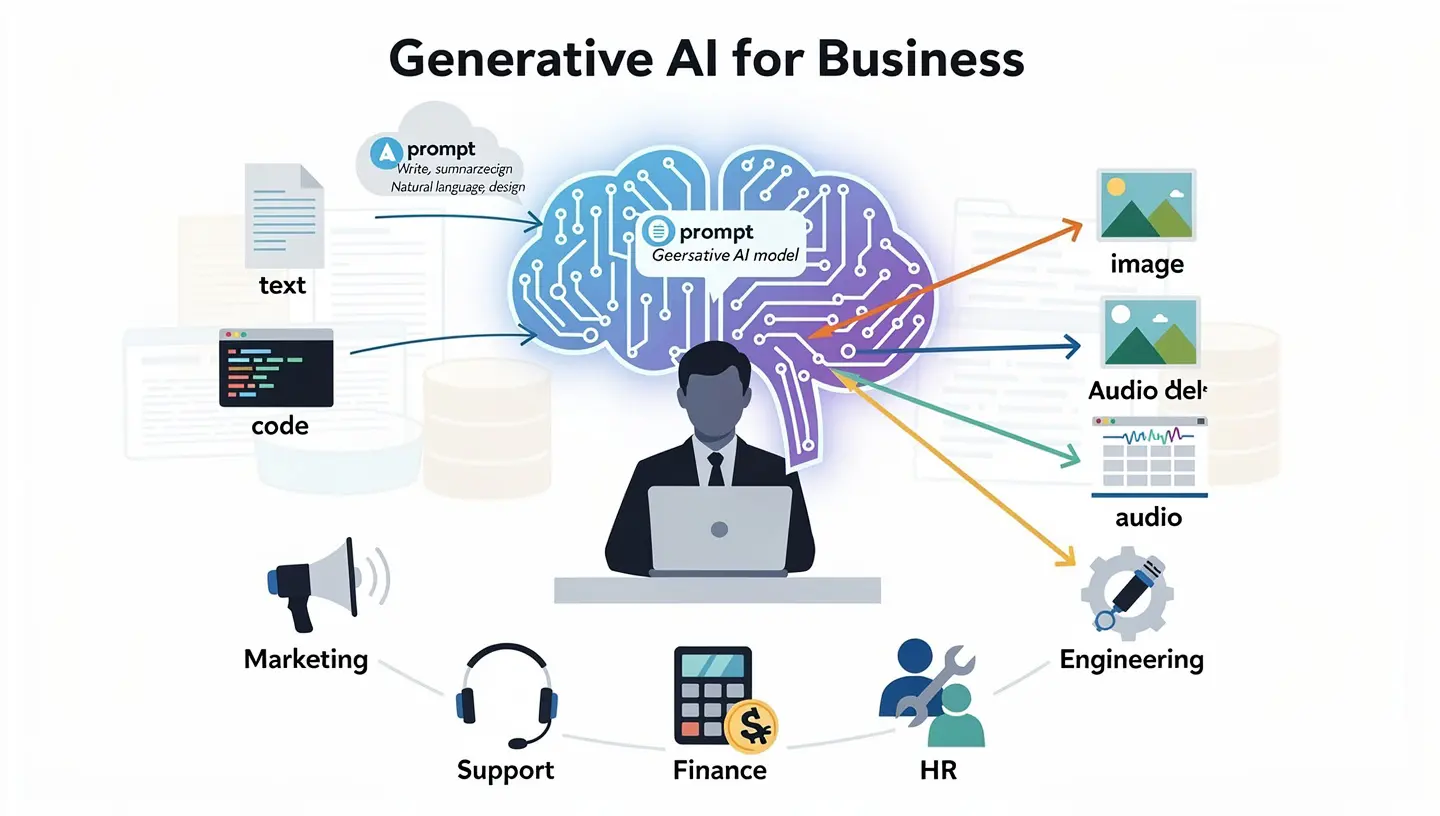
Older AI tools were built for one narrow job, such as spotting spam or forecasting sales. Generative AI handles many tasks with the same model. It reads plain language, follows instructions, and works with text, images, and code. That flexibility explains why marketing, support, finance, HR, and engineering teams all started using it at the same time, and why generative AI in business grew so quickly.
Most of the tools people know, including ChatGPT, Google Gemini, Claude, and Microsoft Copilot, run on large language models. Companies then connect these models to their own documents and systems, so the answers match the products, rules, and customers of the business.
Generative AI vs Traditional AI vs AI Agents
These three terms are often mixed up. The table shows the main differences.
| Type | Main Job | Output | Example |
|---|---|---|---|
| Traditional (predictive) AI | Analyze, predict, and classify data | Scores, forecasts, labels | Fraud detection, sales forecasting, credit scoring |
| Generative AI | Create new content from a prompt | Text, images, code, audio | Writing emails, summarizing reports, drafting code |
| AI agents | Plan and finish multi-step tasks | Completed tasks or workflows | Collecting data, building a report, and sending it by email |
The main split is creating versus predicting. Traditional AI tells you which customer is likely to leave. Generative AI writes the message that tries to keep that customer. An AI agent goes one step further and sends the message, tracks the reply, and updates the record.
How Generative AI Works: LLMs, Foundation Models, and RAG
A foundation model is a large model trained on huge amounts of text, images, code, or audio. A large language model, or LLM, is a foundation model built for language. GPT, Gemini, Claude, and Llama are common examples. These models learn patterns from data and use them to produce new output from a prompt. If a term is unclear, the AI terms glossary explains it in simple words.
Companies rarely use a model as it comes. Two methods adapt it to the business. Retrieval-augmented generation (RAG) pulls the right company documents at the moment of the question and gives them to the model as context. Fine-tuning trains the model further on a selected data set. RAG is usually cheaper, easier to update, and lets users check the source, so it is the common first choice.
Types of Generative AI Models
Not every task needs the same model. Large language models handle text and code. Multimodal models work with text, images, audio, and video in one tool, for example by reading a photo of an invoice and writing a summary. Domain-specific models are trained or tuned for one field such as law, medicine, or finance, and they often give more accurate answers in that field at a lower cost.
What a Business Setup Looks Like
A typical company setup has five parts. The table shows what each one does.
| Component | Purpose |
|---|---|
| Data sources | Documents, CRM records, tickets, and databases the model can use |
| Retrieval layer | Finds the right content for each question, often with RAG and a vector database |
| Model | Creates the answer, draft, or summary |
| Application | The chat window, plug-in, or workflow where staff use the output |
| Governance and monitoring | Access rules, logs, quality checks, and review |
Why Generative AI Matters for Business Right Now
Adoption moved fast. McKinsey reports that 88% of organizations now use AI in at least one business function, based on its State of AI survey. Grand View Research expects the generative AI market to reach 324.68 billion dollars by 2033, with growth of about 40.8% a year. Budgets move before results do, which shows where companies expect to be in a few years. McKinsey also estimates that about 75% of the value of generative AI use cases comes from four areas: customer operations, marketing and sales, software engineering, and research and development.
Generative AI for business is no longer a test project. Earlier AI waves were pushed by IT teams. This one spread because marketing, sales, support, and HR teams asked for the tools themselves, since they work with plain language and need no coding skills.
The time savings are measurable. A Workday survey found that 77% of employees feel more productive with AI, and 85% save between 1 and 7 hours a week. The same research shows that nearly 40% of the saved time is lost again to rework, because outputs need editing, fact-checking, or alignment with the goal. Training, review, and clear rules matter as much as the tool, which is why generative AI in business works best with a plan.
Benefits of Generative AI for Business
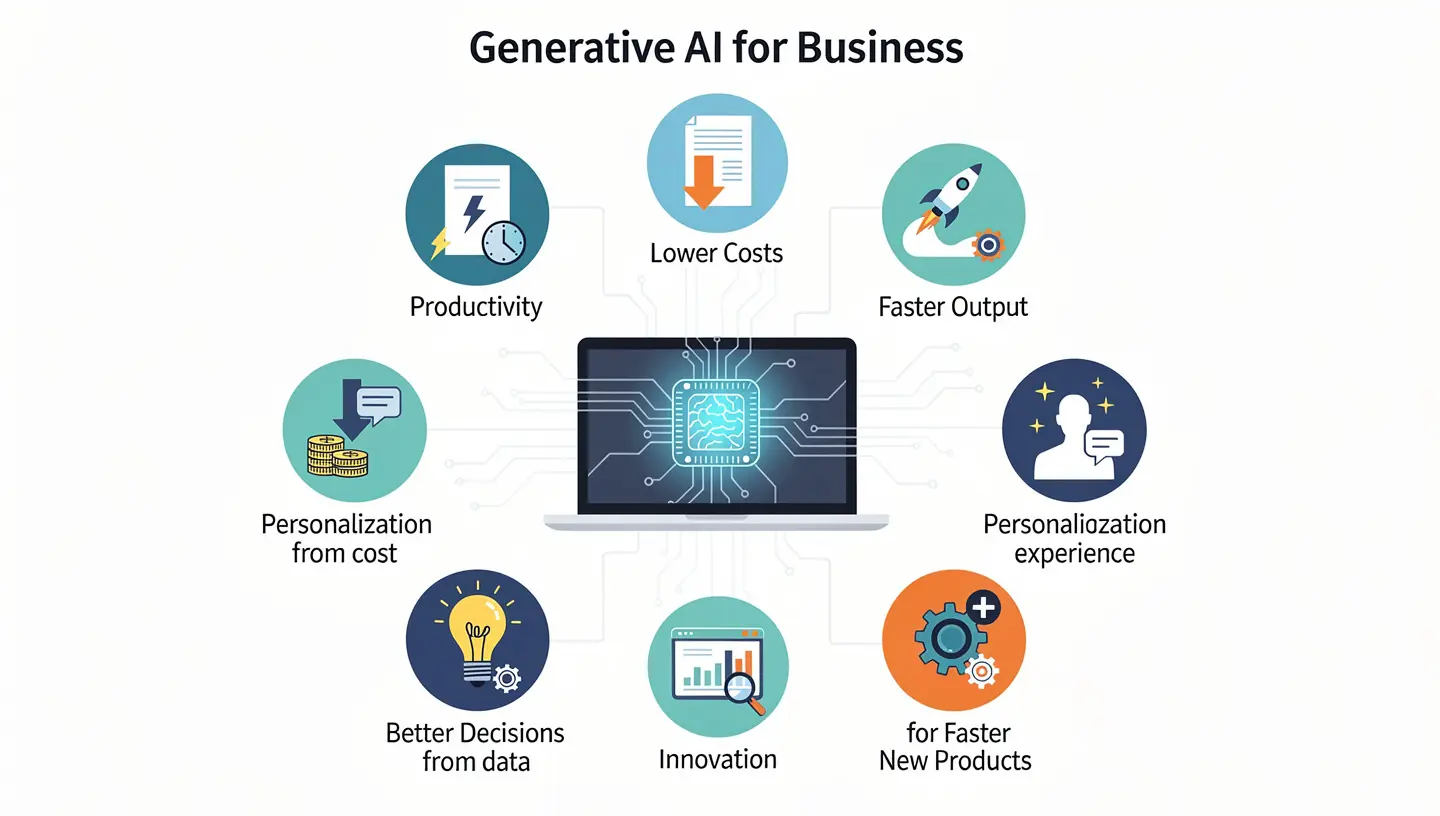
The benefits of generative AI for business show up first in everyday tasks such as drafting, summarizing, searching, and analysis. The gains grow when the same pattern is reused across teams.
Higher Productivity
With generative AI, employees draft content, summarize documents, write code, and analyze data in minutes instead of hours. Time freed from routine work goes to customers, planning, and problem solving.
Lower Costs
Generative AI cuts operating costs by automating repetitive work in support, document processing, and testing. Teams handle more work without hiring at the same pace.
Faster Output
Marketing builds campaign assets sooner, product teams write requirements faster, and developers ship features in less time. Launch cycles get shorter, and new ideas reach customers earlier.
Personalized Customer Experience
AI can adapt emails, offers, product recommendations, and support replies to each customer based on role, history, or account data. Personalizing for thousands of people by hand is not realistic, so this part scales well.
Better Decisions From Data
Managers ask questions in plain language and receive summaries, trends, and outliers from sales, finance, or operations data. Decisions are made with context instead of guesswork.
Faster Innovation
Teams test ideas, build prototypes, and compare designs in a fraction of the usual time. This makes it cheaper to try new products and services before committing a full budget.
New Products and Business Models
Generative AI lets a small team test services that once needed a large staff, such as personalized learning content, custom product designs, or always-on advice tools. Some of these ideas turn into new revenue lines.
Generative AI Use Cases in Business by Department
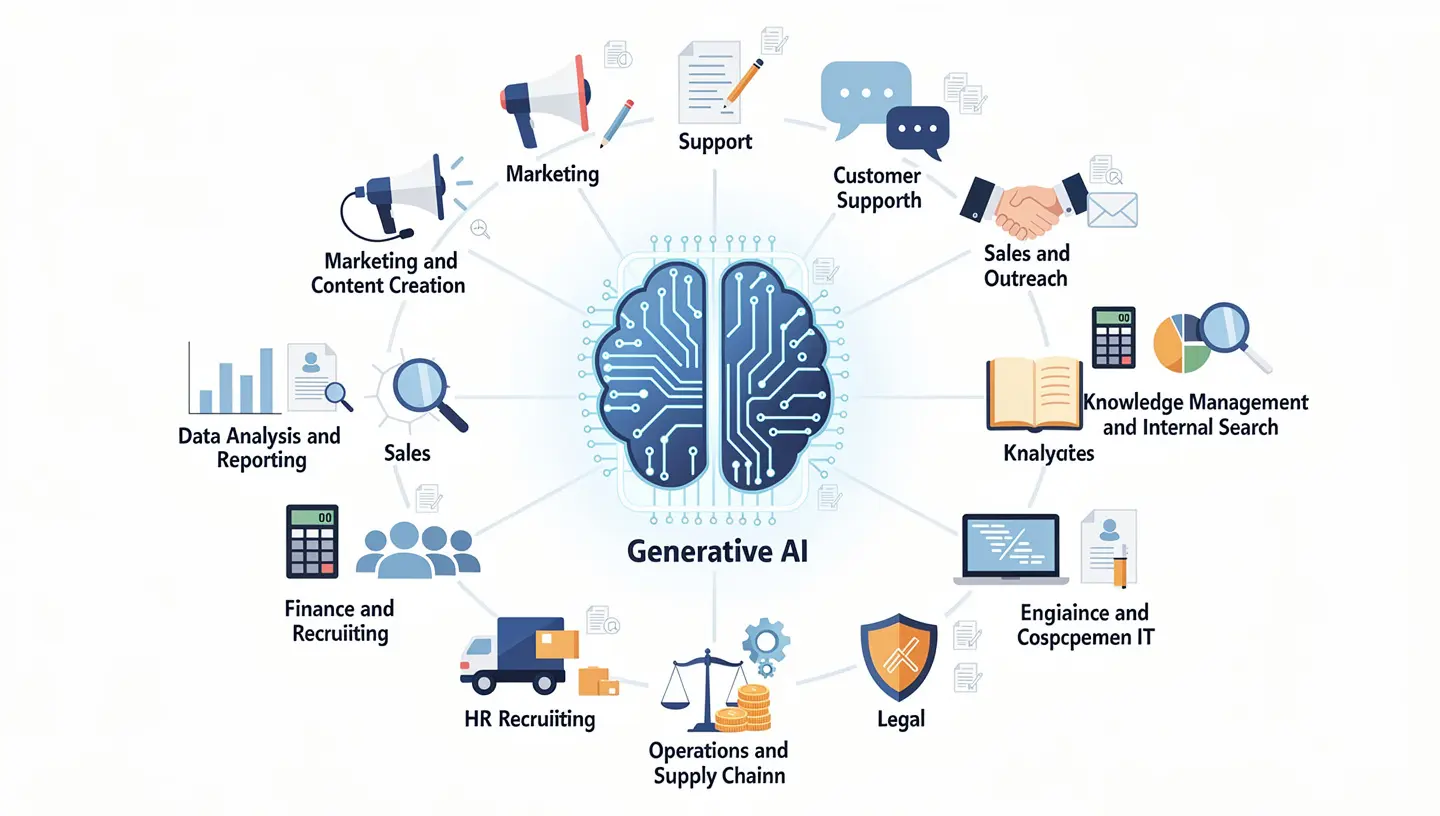
Generative AI use cases work best in frequent, well-defined tasks that rely on trusted data and have a clear owner. Generative AI for business pays off most where people spend hours writing, searching, or summarizing.
Marketing and Content Creation
Marketing is where most companies start, and AI marketing automation shows how the steps connect. Generative AI drafts blog posts, social captions, email campaigns, product descriptions, and ad copy, and it creates several versions for testing. Brand voice guides and past campaigns help the output sound like the company. A person still edits every piece before it goes out.
Customer Support
Support teams use generative AI to draft replies, summarize earlier conversations, suggest fixes based on similar tickets, and turn solved cases into help center articles. Vendors claim AI can resolve 70 to 90% of routine questions on its own, though most teams today report 30 to 60%. A human agent handles complex or sensitive cases. A closer look at tools and setup is in this guide on AI customer service.
Sales and Outreach
Sales reps use generative AI to prepare for calls, write proposals, personalize outreach, and summarize deal notes. Call transcripts can be turned into feedback and next steps. This saves preparation time, so reps spend more of the day talking to buyers.
Data Analysis and Reporting
Users upload a spreadsheet or connect a database and ask questions in plain English, such as which product category grew fastest last quarter. The tool answers with a summary, a chart, or an explanation of a trend or an odd number. The model often works next to a database that handles the actual calculations.
Knowledge Management and Internal Search
Employees lose hours looking for policies, past proposals, and technical answers. A generative AI assistant connected to company documents answers questions in plain language and shows the source. New hires get up to speed faster, and experts get fewer repeated questions.
Finance and Accounting
Finance teams use generative AI to draft reports, explain variances, summarize contracts, and compare scenarios. According to the IBM Institute for Business Value, organizations with strong AI deployments cut total annual finance costs by a median of 8%, and by up to 18% when AI sits inside full processes such as procure-to-pay and order-to-cash.
HR and Recruiting
HR teams use generative AI to write job descriptions, draft internal messages, answer policy questions, summarize feedback, and create onboarding and training material. Hiring needs extra care, since models can repeat bias from their training data. A person should own every final decision about a candidate or an employee.
Software Development and IT
Developers use generative AI coding assistants to write and explain code, find bugs, generate tests, and produce documentation. These tools cut cycle time when they are paired with code review and security testing. They also help new team members understand old systems faster.
Operations and Supply Chain
Operations teams use generative AI to build demand and inventory scenarios, explain forecast changes, and summarize maintenance logs and sensor data. Combined with predictive tools, it helps teams react faster to delays and supply problems.
Legal and Compliance
Legal and compliance teams use generative AI to summarize contracts, compare versions, check documents against policies, and draft routine paperwork. Because mistakes can create legal duties, the tool should use approved data and every output should go through expert review.
Product Development and Design
Product teams use generative AI to generate feature ideas, draft requirement documents, create design variations, and group user feedback into clear themes. First outputs are starting points, not finished answers, and the team still decides what gets built.
Generative AI in Business by Industry
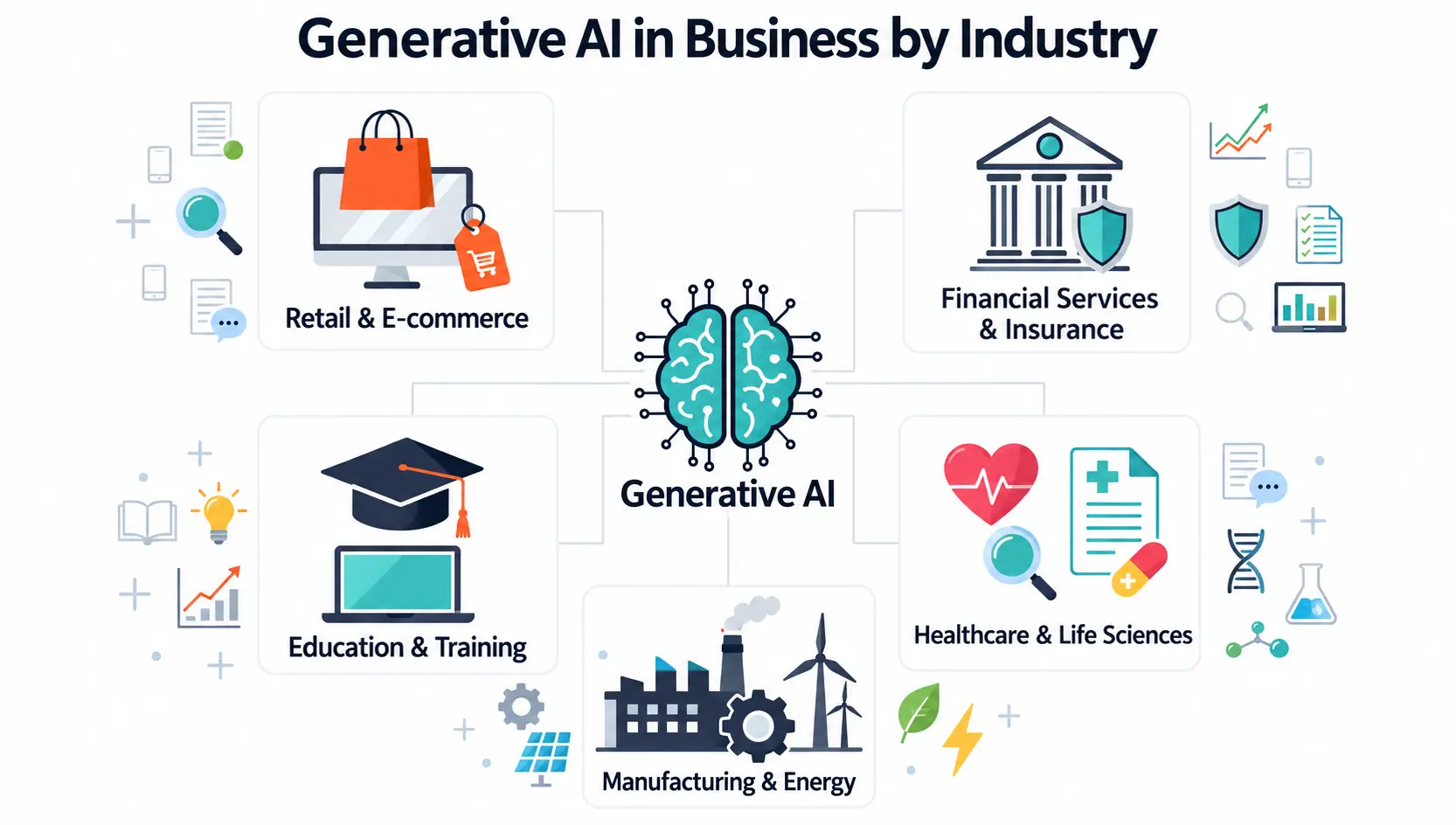
Every industry applies the same tools to its own data and rules, so the business use cases for generative AI look different from one sector to the next. These are the most common patterns.
Retail and Ecommerce
Retailers use generative AI to write product descriptions at scale, personalize marketing, power virtual shopping assistants, and turn sales data into short demand notes. Product pages that once took weeks to fill can be drafted in a day and checked by staff.
Financial Services and Insurance
Banks and insurers use generative AI for research, compliance reviews, claims handling, and customer questions. Accuracy and audit trails matter more than speed here, so human review is standard before any output reaches a customer or a regulator. Fraud and risk teams also use it to write case summaries from alerts.
Healthcare and Life Sciences
Healthcare staff use generative AI to summarize patient records, draft notes, and handle claims and billing paperwork. Clinical decisions stay with qualified professionals. In drug research, models help test molecule ideas faster and cut time in the early phase.
Manufacturing and Energy
Manufacturers search decades of manuals, drawings, and maintenance records in plain language and use the answers to find the cause of equipment problems. Energy companies connect sensor and operational data so staff can question it without technical skills.
Education and Training
Schools and corporate training teams use generative AI to build lesson plans, quizzes, and practice scenarios, and to give learners feedback at any hour. Teachers and trainers review the material before it reaches students.
Examples of Generative AI in Business
These company cases show how generative AI in business pays off, and what the numbers look like.
IBM AskHR
IBM runs an internal tool called AskHR, built on generative AI, that handles more than 2.1 million employee conversations a year. Staff get answers about HR topics without waiting for a person, and the HR team keeps its time for harder cases.
Telecom Call Summaries
A telecom company worked with IBM Consulting to summarize calls automatically and send the insights into its CRM. The result was a 30% cut in pre-call and post-call work and an estimated 5 million dollars saved each year.
Zalando Marketing Content
European retailer Zalando used generative AI to produce campaign images and assets. Production time dropped from weeks to days, and the cost of routine content fell, as reported by Reuters. Creative staff moved their focus to strategy.
Automotive Code Conversion
An automotive company used generative AI on its engineering team and cut the manual effort of code conversion by 80%. The tool also wrote documentation for new codebases, which saved more hours.
Generative AI for Small Business
Small teams gain a lot, since generative AI replaces tasks that once needed an agency or a specialist. The guide on AI for small business explains a beginner path. Semrush data cited by Capsule CRM shows that 67% of small businesses used generative AI for content and SEO in 2024. Generative AI for small business does not need a large budget or a team of engineers, and generative AI in business is not only for large companies. Good generative AI use cases for a small team include emails, social posts, product pages, support replies, and meeting notes.
Free and Low-Cost Generative AI Tools to Start With
ChatGPT, Google Gemini, and Claude all offer free plans that are good enough for daily work. Test them for two to four weeks on one task before paying for anything. Canva covers design, and Zapier or Make can connect AI to the apps you already use.
Simple Workflows and Sample Prompts
Build one repeatable workflow, then save the prompt as a template. A good prompt states the role, the task, the audience, and the format. The basics are covered in this guide on prompt engineering for business. These samples are a good start:
- Support reply: Act as a customer support agent. Draft a polite reply to the email below and keep it under 120 words.
- Meeting notes: Summarize the meeting notes below into five bullet points with owners and due dates.
- Product copy: Write three product descriptions for the item below, each 60 words, for first-time buyers.
- Sales data: Review the sales table below and list the three products with the fastest growth and one possible reason for each.
When Not to Use Generative AI
Do not use it for decisions that affect people without human review, for facts you cannot check, or for work that needs private customer data in a public tool. Skip it for tasks that are rare, high-stakes, or already quick by hand.
Generative AI for Startups
Startups use generative AI to build a first website, write investor updates, test messages with customers, and prototype products with a very small team. This keeps early costs low, especially in markets where hiring is expensive. Treat the output as a first draft and keep the founders in charge of decisions.
Best Generative AI Tools for Business
The right generative AI for business tools depend on the task, not on the brand. The best generative AI tools match your apps and your data rules.
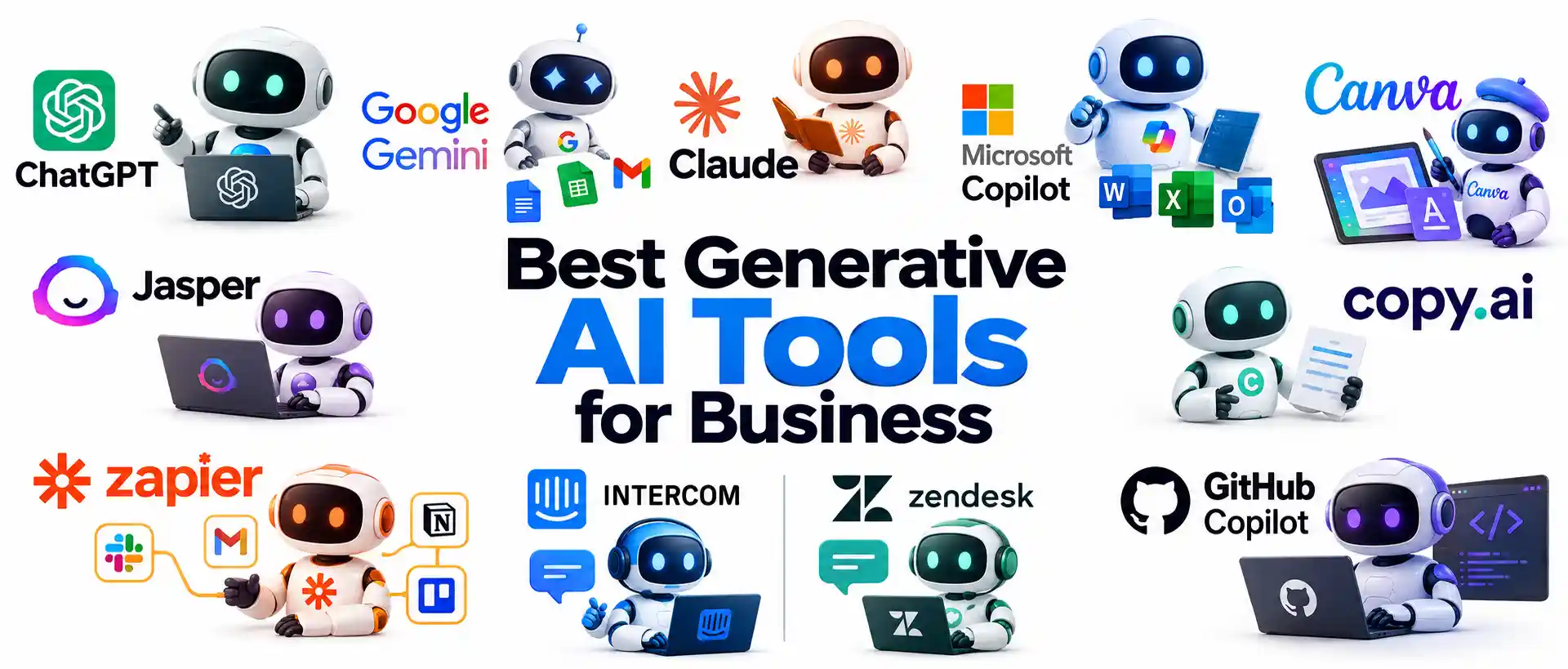
Start from the work you want to speed up, then pick a tool that fits your apps and your data rules. A full checklist is in this guide on how to choose AI tools for business.
| Tool | Best For |
|---|---|
| ChatGPT | Drafting, analysis, and questions about uploaded files |
| Google Gemini | Work inside Google Docs, Gmail, and Sheets |
| Claude | Long documents, writing, and analysis |
| Microsoft Copilot | Microsoft 365 apps such as Word, Excel, and Outlook |
| Canva | Design, social graphics, and presentations |
| Jasper | Marketing copy and brand voice |
| Copy.ai | Sales and marketing copy |
| Zapier | Connecting apps and automating workflows |
| Intercom and Zendesk | Customer support chat and help desks |
| GitHub Copilot | Code suggestions and documentation |
Risks and Challenges of Generative AI for Business
Every tool in this guide carries risk. Using generative AI in business brings problems that come from how a company applies the technology, not from the technology itself. A clear policy, steady AI governance, and responsible AI habits keep the risks visible and under control.
Hallucinations and Wrong Answers
Generative AI models can produce answers that sound confident and are wrong, which people call hallucinations. Check every fact in customer-facing content and business decisions. RAG reduces the problem by tying answers to company documents, and a human in the loop catches what remains. Teams that skip this check publish the hallucinations to customers.
Data Privacy and Security
Information typed into public tools may be stored or used for training. Never paste customer records, financial data, or trade secrets into public generative AI tools. Use business plans with clear data terms, set access rules, and write a short usage policy. More detail is in this guide on AI data privacy for business. A data privacy slip can lead to fines and lost trust.
Bias and Fairness
Models repeat patterns from their training data, including unfair ones. Test outputs used in hiring, lending, and customer decisions, and never use AI as the only basis for a decision about a person.
Copyright and Ownership
AI output can look close to existing work, and ownership of generated content is still unclear in many places. Have legal review anything used in products or ads, and write down who owns what.
Poor Quality and Rework
As the Workday numbers showed, about 40% of saved time returns as rework. Clear prompts, review steps, and brand guides cut that loss.
Skills and Employee Adoption
Staff need to know when and how to use the tools. Without training, adoption stays low and use becomes inconsistent. Some employees also worry about their jobs, so explain that the goal is to remove routine work, not roles.
Integration With Existing Systems
Old software, scattered files, and missing access rights slow most projects. Plan the connections to your CRM, help desk, and document storage early, and test them before the pilot starts.
Cost and Skills Gaps
Usage fees, setup, and training add up, and people who understand both the tools and the business are hard to find. Start with ready tools, train current staff, and bring in outside help only for the parts you cannot cover.
How to Implement Generative AI in Your Business
A good plan for generative AI for business starts small and measures everything. Adopting generative AI in business follows the same path in most companies. A commonly cited 10-20-70 rule says about 10% of the effort goes to the model, 20% to data and technology, and 70% to people and process. Every step below supports a sound generative AI strategy.
Step 1: Pick One Time-Consuming Task
List the tasks that eat the most hours compared with their value, such as routine emails, first drafts, meeting notes, and repeated customer questions. Choose one with a clear owner, available data, and low risk if the output is wrong. The best generative AI use cases are frequent, well-defined, and backed by trusted data.
Step 2: Set KPIs Before You Start
Decide how you will measure success. Good KPIs include hours saved per week, response time, cost per task, output volume, and customer satisfaction. Record the baseline before the pilot so the comparison is fair, and you can prove ROI later.
Step 3: Check Your Data and Readiness
Generative AI answers depend on the data the tool can read. Review documents, CRM records, and knowledge bases for accuracy, access rules, and gaps. Cleaning data is often the longest part of a project. Ask four questions before you move on:
- Is the data accurate, current, and stored in one place?
- Who has access, and who should not?
- Do the tools connect to your current systems?
- Does the team have the skills, or is training needed?
Step 4: Choose Buy, Build, or Hybrid
Buying a ready tool is the fastest route. Building on a model gives more control and fits companies with technical staff. A hybrid mix suits teams that want ready tools connected to company data. Look at ready generative AI tools first, then compare RAG and fine-tuning at this stage, and check security, cost, and integration needs before you commit.
Step 5: Run a 90-Day Pilot
Test the tool with a small group on daily work. Write down the goal, the KPIs, and the exit rules before day one. Many teams see first results within 6 to 12 weeks on a focused use case. A proof of concept can come before the pilot if the technical side is unclear. At the 90-day review, compare the ROI with the baseline and decide whether to scale, adjust, or stop.
Step 6: Set Rules and Train the Team
Write an AI usage policy that covers allowed data, review steps, and ownership. Train each role on the tools it will use. Add a feedback channel so employees can report errors and hallucinations, keep a human in the loop for important outputs, and keep AI governance simple enough that people follow it.
Step 7: Scale What Works
Expand the tools that passed the pilot to other teams, reuse prompts and workflows across similar generative AI use cases, and keep one owner for each deployment. Many companies create a small AI center of excellence to share standards and lessons. Scale one team at a time and review the results each month.
Why Pilots Stall Before They Scale
Many pilots work in a demo and then stop. The usual causes are no clear owner, no baseline KPIs, poor data, missing links to daily tools, and no training for the people who use the output. Fix these before the pilot, not after. Choose a task that already matters to a team leader, and agree in advance what happens when the pilot succeeds.
Who Owns Generative AI in Your Company?
Even a small project needs clear roles:
- Executive sponsor: sets the goal and removes blockers.
- Process owner: knows the task and judges the quality of the output.
- IT and security: approves tools, access, and data rules.
- Champion: trains colleagues and collects feedback.
In a very small company, one person may hold several of these roles.
How to Measure ROI From Generative AI
ROI compares the value gained with the money and time spent. Start with hours saved multiplied by the hourly cost of the people involved, then subtract tool, setup, and training costs. Add revenue gains where they can be tracked, and measure the same KPIs every month. The full method is in this guide on AI ROI for business.
| Department | KPIs to Track |
|---|---|
| Customer support | Resolution time, containment rate, cost per ticket, customer satisfaction |
| Marketing | Content output, cost per asset, engagement rate |
| Sales | Preparation time, response rate, pipeline coverage |
| Software development | Cycle time, defect rate, pull requests per sprint |
| Finance | Cost per invoice, close time, forecast accuracy |
| HR | Time to hire, onboarding time, employee questions answered |
Generative AI vs AI Agents: What Comes Next
Generative AI for business is moving from drafting to doing. A generative tool answers one prompt at a time and waits for a person. An AI agent can plan steps, use tools, and finish a task with little supervision, such as collecting data, building a report, and sending it by email. This shift is the next stage of generative AI for business transformation.
IBM reports that 55% of organizations are building or running an agentic AI model. Agents need stronger rules, limits on what they can access, and human review for high-impact actions. Learn how they work in this guide on AI agents for business. Smaller models tuned for one field, new large language models, and multimodal tools that handle text, images, audio, and video will grow as well. Private and on-premise setups are also growing among companies with strict data rules.
Final Thoughts
Generative AI for business works when it is tied to a specific task, trusted data, and a person who checks the result. Start with one of the best generative AI use cases, measure the change, and expand only what pays off. The tool itself will matter less over time, since the main advantage comes from how well a company uses its own data and knowledge for business growth.
FAQ
What is generative AI for business?
Generative AI for business is the use of AI models to create text, code, images, audio, and reports that support daily work. Teams use it for drafting, customer support, analysis, and software development.
How is generative AI different from traditional AI?
In short, generative AI vs traditional AI is creating versus predicting. Traditional AI analyzes data to classify or forecast, such as flagging fraud. Generative AI creates new content from a prompt, such as an email or a summary.
What are the most common generative AI use cases in business?
The most common are content creation, customer support, data analysis, software development, document summaries, HR tasks, and sales preparation. High-volume, repeatable tasks give the fastest results.
How do I choose the first generative AI use case?
Choose a task that is frequent, takes real time, uses trusted data, and carries low risk if the output has an error. Support replies, meeting notes, and first drafts of marketing copy are common starting points.
How can a small business start with generative AI?
Generative AI for small business starts with the one task that takes the most time. Test a free tool for two to four weeks, save the best prompts as templates, and measure hours saved. Add paid plans only after the results are clear.
How much does it cost to implement generative AI in a business?
Cost depends on size and complexity. Free plans and low monthly subscriptions cover many small teams, while custom builds with data integration cost much more. Budget for tools, setup, training, and review time. See this breakdown of how much AI tools cost.
Is generative AI safe to use with sensitive business data?
It can be, with the right setup and review for hallucinations. Use business plans with clear data terms, encryption, access controls, and a written usage policy. Keep customer records and trade secrets out of public consumer tools.
Do I need clean data before using generative AI?
Yes, to a point. Models give weak answers when documents are outdated, duplicated, or scattered. You do not need perfect data, but the files used by the tool should be accurate, current, and clearly owned.
Why do generative AI pilots fail?
Most stall because there is no clear owner, no baseline KPI, poor data, or no link to the daily tools people use. Training gaps also play a part. A narrow task, a named owner, and a 90-day review prevent most of these problems.
How long does it take to see ROI from generative AI?
A focused pilot often shows results in 6 to 12 weeks, and a 90-day review is a common checkpoint. Larger deployments take several months. Repetitive, document-heavy tasks return value the fastest.
What is the difference between generative AI and AI agents?
Generative AI creates content in response to a prompt. AI agents plan, use tools, and complete multi-step tasks with limited human input. Agents build on generative models and need stricter controls.










