Most marketing teams already run some automation: a welcome email here, an abandoned cart reminder there. The trouble starts when customers behave in ways nobody planned for. A rule written in spring keeps firing in autumn, long after the audience has moved on. AI marketing automation tackles that by letting the software read behavior, predict what a person is likely to do next and adjust the plan without waiting for someone to edit a workflow.
The gap between what marketers believe and what customers feel is wide. In its 2026 customer engagement research, Braze reports that 93% of marketing leaders say AI gives them better insight into customer behavior, while only 53% of consumers think brands guess correctly what they want. This guide explains how AI marketing automation works, which use cases pay off first, what it costs and how to launch a first workflow without burning budget.
What is AI marketing automation?
AI marketing automation is the use of machine learning and predictive models inside marketing software so that campaigns, audiences and send times adjust themselves based on customer data. Instead of a marketer defining every step, the system looks at clicks, purchases, page visits and replies, finds patterns and decides what to send, to whom and when.
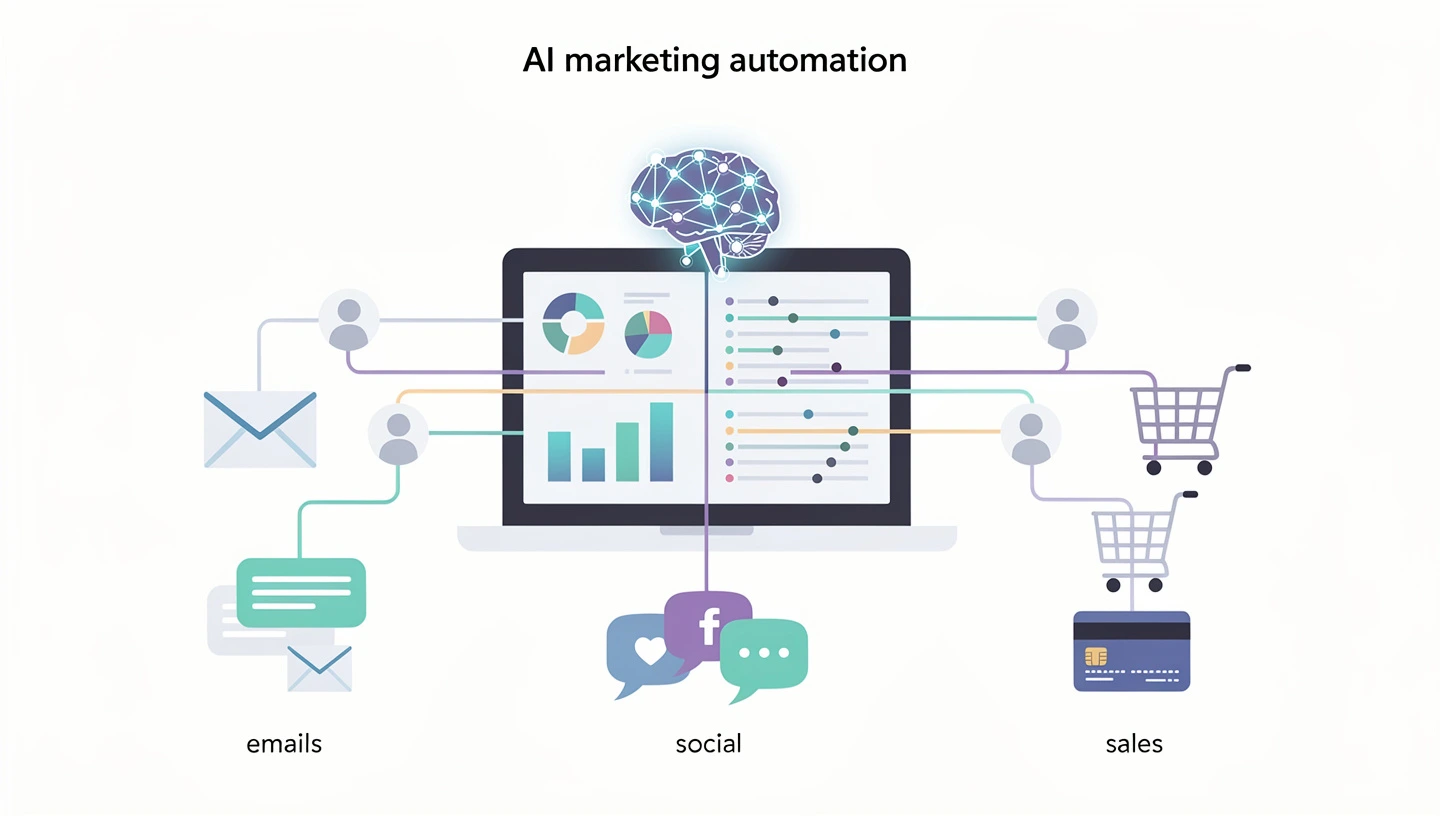
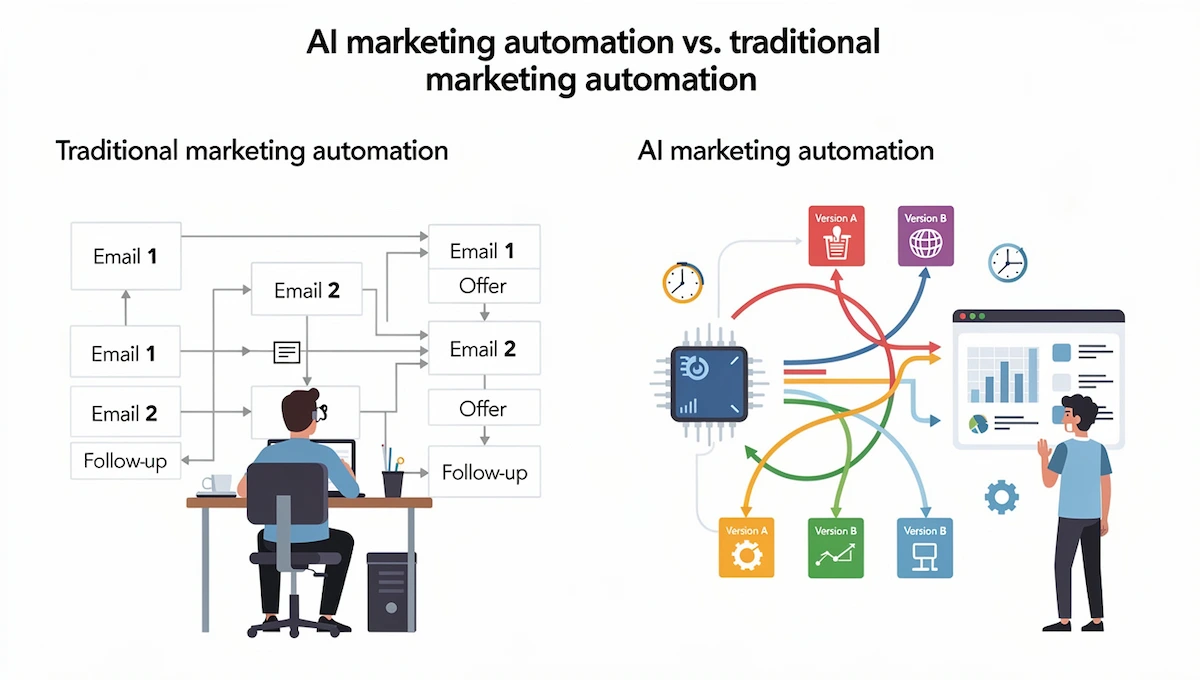
A classic setup works like a list of instructions: when someone signs up, send email one, wait three days, send email two. That holds until real people ignore the sequence. With AI-powered marketing automation, one contact might receive a pricing email early because they opened the pricing page twice, while another gets a customer story because they keep reading blog posts. The marketer sets the goal and the limits, and the software picks the path.
The idea is not new, but it has moved from big enterprise suites into everyday tools. Most email platforms, CRMs and social schedulers now ship some form of AI marketing automation, usually as send time prediction, lead scoring or content suggestions. Some vendors call it marketing automation using AI, others just call it smart features. The label matters less than what the system actually decides on its own.
AI marketing automation vs. traditional marketing automation
Both save time. The difference is who makes the decisions. In traditional marketing automation a person builds the logic once and the system repeats it exactly. With AI marketing automation the system keeps testing, compares results and shifts toward what works.
| Area | Traditional marketing automation | AI-driven approach |
|---|---|---|
| Triggers | Fixed rules and schedules | Predicted behavior and live signals |
| Segments | Built by hand, updated rarely | Groups that change as behavior changes |
| Personalization | Name tags and content swaps | Content, offer and timing picked per person |
| Testing | Manual A/B tests, one variable at a time | Constant testing across several variables |
| Lead scoring | Points for clicks and form fills | Scores based on patterns in past conversions |
| Workload | Someone maintains every workflow | Someone reviews results and sets limits |
Rule-based setups still have a place. An order confirmation or a password reset does not need prediction. Keep traditional marketing automation for steps where the outcome must be identical every time, and use AI where the best action differs from person to person.
How AI-powered marketing automation works
So how does it work in practice? It repeats the same four moves over and over, and knowing them helps you judge any tool you test.
The loop: collect, predict, act, learn
- Collect. The system pulls customer data from your website, email platform, CRM, ads and store: visits, opens, purchases, replies and support tickets.
- Predict. Models look for patterns in that data, such as which visitors tend to buy within two days or which subscribers are about to go quiet.
- Act. Based on the prediction, the platform picks the message, channel and time, then sends it or hands the lead to sales.
- Learn. It checks what happened after the action and updates its model, so the next decision starts from better information.
Each pass feeds the next one, which is why results usually improve over weeks instead of staying flat. It also explains why bad data hurts: the loop learns from whatever you give it.
The technology behind it
Every tool of this kind relies on a small set of methods. If any term below is new, the AI terms glossary explains them in plain language.
- Machine learning finds patterns in past behavior and powers lead scoring, segments and product suggestions.
- Predictive analytics estimates what is likely to happen next, such as a purchase, a cancellation or an email open.
- Natural language processing (NLP) lets software read and write text, which is what chatbots and sentiment tracking depend on.
- Generative AI drafts subject lines, ad copy, product descriptions and social captions.
Data requirements for AI marketing automation
Models can only learn from what you record, so the type of data matters as much as the amount. Four kinds do most of the work.
- First-party behavioral data. Page visits, product views, email opens and clicks, app activity and purchases that you collect yourself.
- Event and interaction data. A timestamp for each action, such as a cart abandoned at 9 pm or a demo booked on Tuesday. Without it the system cannot learn timing.
- Fresh data. Events should reach the platform within minutes or hours, not once a week. A prediction built on last month’s behavior misses what the customer is doing now.
- Consent-based data. Record where each contact opted in and what they agreed to, so profiling stays within the rules.
Third-party data is getting harder to buy as browsers and privacy laws limit tracking, so the contacts and behavior you collect directly are the asset worth protecting.
Benefits of AI marketing automation
The case for AI marketing automation comes down to time, relevance and speed. These are the gains teams report most often.
- Time back. Salesforce research says marketers expect to win back about eight hours a week once AI agents take over routine tasks. ActiveCampaign puts the figure at around 10 hours a week for its users, though that number comes from the vendor.
- More relevant messages. McKinsey found that 71% of consumers expect personalized interactions and 76% feel frustrated when they don’t get them.
- Better segments. Groups update as behavior changes, so a contact who stops engaging moves out of the active list without anyone touching it.
- Faster reaction. Budget and message changes happen the day a signal appears, not at the next monthly review.
- Growth without extra hires. A small team can run more campaigns without adding people.
- Clearer decisions. Reports point to the email, segment or channel that is dragging results down.
All of these depend on clean records. A tool that reads duplicates and outdated contacts will make confident predictions that are simply wrong, so fix the data before you judge the results.
AI marketing automation examples: 9 use cases
The easiest way to judge AI marketing automation is to look at the jobs it already does well. These nine show up in almost every platform, ordered from the easiest to start with to the more advanced.
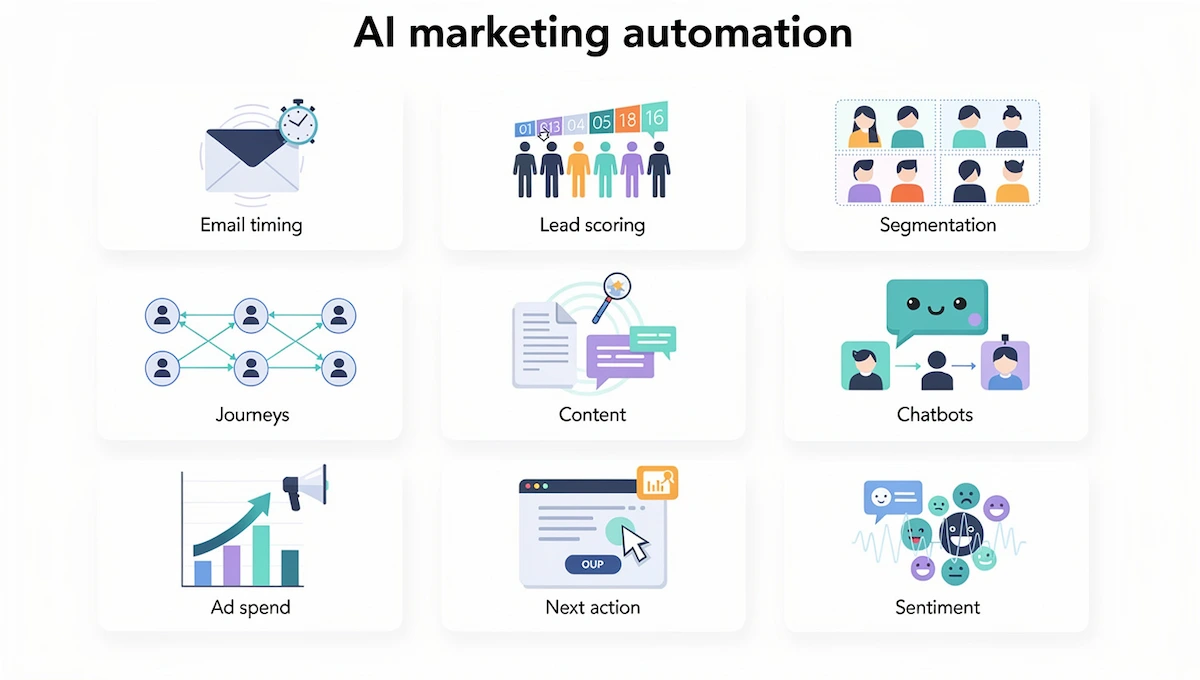
1. Email personalization and send time optimization
Predictive sending looks at when each contact usually opens email and delivers inside that window instead of using one time for the whole list. Subject lines and content blocks can change per recipient too. Teams usually see the quickest results here, because email data is clean and the effect is easy to measure. ActiveCampaign says contact-level timing lifts clicks by up to 17%, but treat vendor figures as a ceiling and test on your own list. If you write the emails yourself, this guide on how to write marketing emails with AI covers prompts and review steps.
2. Lead scoring and nurturing
Traditional scoring hands out points for opens and form fills. Predictive scoring studies the pattern of people who bought before and rates new leads against it. High scores go to sales, and the rest enter a nurture sequence that changes pace depending on how much they engage.
3. Audience segmentation
The system reads behavior across channels and suggests groups you would not build by hand. Examples are contacts who opened three emails but never clicked, or visitors who check the pricing page again and again without starting a trial. Each group then gets its own offer instead of one more version of the same message.
4. Customer journey automation
Instead of a fixed three-email drip, the tool picks the next step after every action. A click on a pricing link can trigger a text with a demo offer. A contact who ignores email but reacts to an ad can move to a social audience. A lead who books a demo can pause marketing messages and create a task for the sales rep.
5. Content creation and repurposing
Generative tools draft subject lines, product descriptions, ad variants and social captions, and they turn one long post into several short ones. A person still edits for facts and voice. This is where the speed gain is biggest, and also where careless use damages brand trust fastest.
6. Chatbots and customer support
Bots answer common questions around the clock, qualify leads, book meetings and pass complex cases to a human. They also feed intent and sentiment back into campaigns, so a customer with an open complaint stops getting promotions. Setup and handoff rules are covered in the AI customer service guide.
7. Ad optimization and budget shifts
The system tests creative and audience combinations and moves budget toward the ones with the lowest cost per acquisition. Set daily caps and a minimum conversion baseline first. Without them the tool may chase clicks that never turn into sales.
8. Reporting and next best action
Instead of a dashboard someone has to read, the tool flags what changed and suggests a fix, for example testing a new subject line when the second email in a sequence loses 40% of the engagement of the first. A useful AI marketing automation workflow ends with a recommendation, not just a chart.
9. Social listening and sentiment analysis
Language models read mentions, comments and reviews and group them by topic and tone. A spike in negative posts can pause a scheduled promotion, alert support or give the content team a topic to answer. Sprout Social and similar tools build this into their social inbox.
AI marketing automation across the customer lifecycle
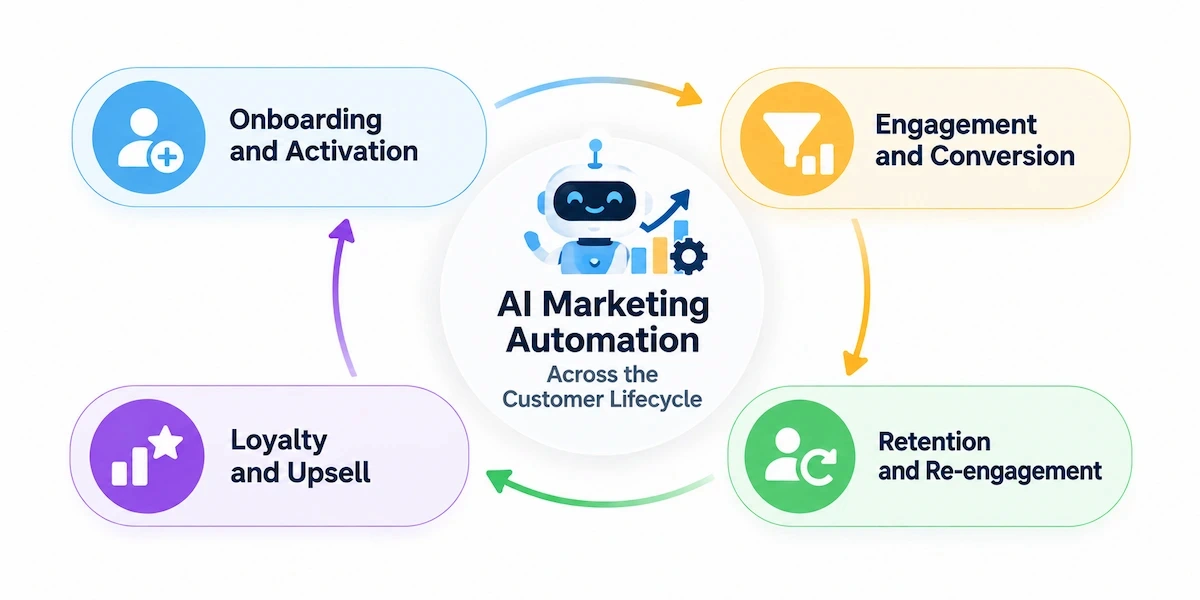
The same tools work at every stage, but the goal changes. Use this as a map for where to apply them.
- Onboarding and activation. Welcome series that adapt to what a new user clicks or skips, with a nudge when setup stalls.
- Engagement and conversion. Product suggestions, offers and send times chosen per person, and lead scores that tell sales who to call first.
- Retention and re-engagement. Churn prediction flags customers who are drifting away, and a win-back offer goes out before they cancel.
- Loyalty and upsell. Repeat buyers get replenishment reminders, early access or a related product based on what they already own.
Many teams find retention the cheapest place to start, since the customer already knows the product and the data about them already exists.
AI marketing automation for small business
Small teams feel the workload first. One or two people handle email, social, ads and reporting, and the budget rarely stretches past a single platform. AI marketing automation fits this setup when you apply it to one repeated task instead of the whole funnel. For a wider view of priorities and budgets, see the guide on AI for small business.
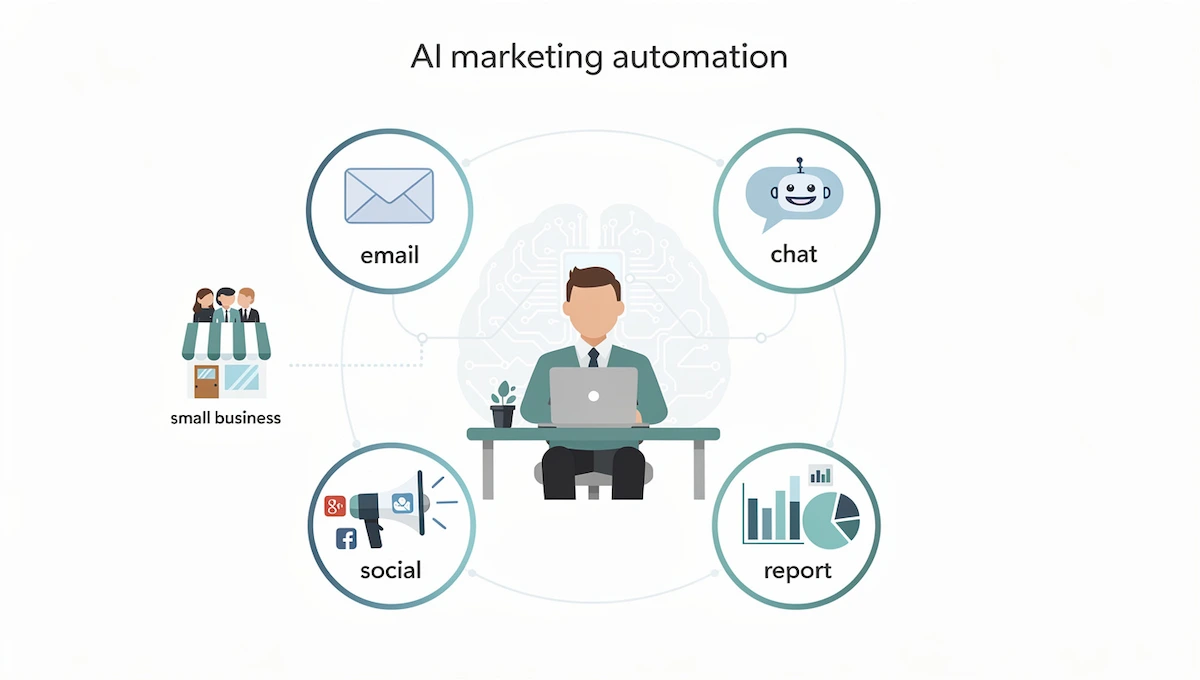
Good first picks for a small team:
- A welcome or abandoned cart email series with predicted send time.
- Automatic answers to common questions in chat or on WhatsApp.
- Lead scoring, once you get more leads than you can read one by one.
- A weekly performance summary instead of a report built by hand.
Small business marketing automation usually breaks because of messy contact data, not because of the tool. Clean the list, agree on tags and track purchases before you switch on any prediction.
Best AI marketing automation tools
There is no single winner. The right pick depends on team size, channels and how much data you already have. A good tool plugs into your CRM and shows why it made a decision. The guide to choosing AI tools for business gives you a way to score a shortlist.
These are the names that come up most, grouped by need.
| Tool | Best for | Watch out for |
|---|---|---|
| HubSpot | Startups and small teams that want CRM and marketing in one place | Price climbs as the contact list grows |
| ActiveCampaign | Mid-sized teams that need email, CRM and automation at a fair price | Some predictive features sit on higher plans |
| Mailchimp | Beginners and solo owners | Lighter automation than its rivals |
| Klaviyo | Online stores on Shopify or WooCommerce | Limited use outside ecommerce |
| Salesforce Marketing Cloud | Large companies with many teams and regions | Steep learning curve and admin time |
| Marketo | B2B companies with long sales cycles | Needs dedicated marketing ops |
| Sprout Social | Social teams that need inbox, listening and scheduling | Focused on social, not a full automation suite |
| Drift, Intercom, ManyChat | Chat flows and lead qualification | Not a full automation suite |
Before you pay, ask every vendor three things: which features use prediction and which are plain rules, what data they need, and whether you can see the reason behind a decision.
How to choose the right platform
The table shows what each tool does best. These four questions narrow the list further.
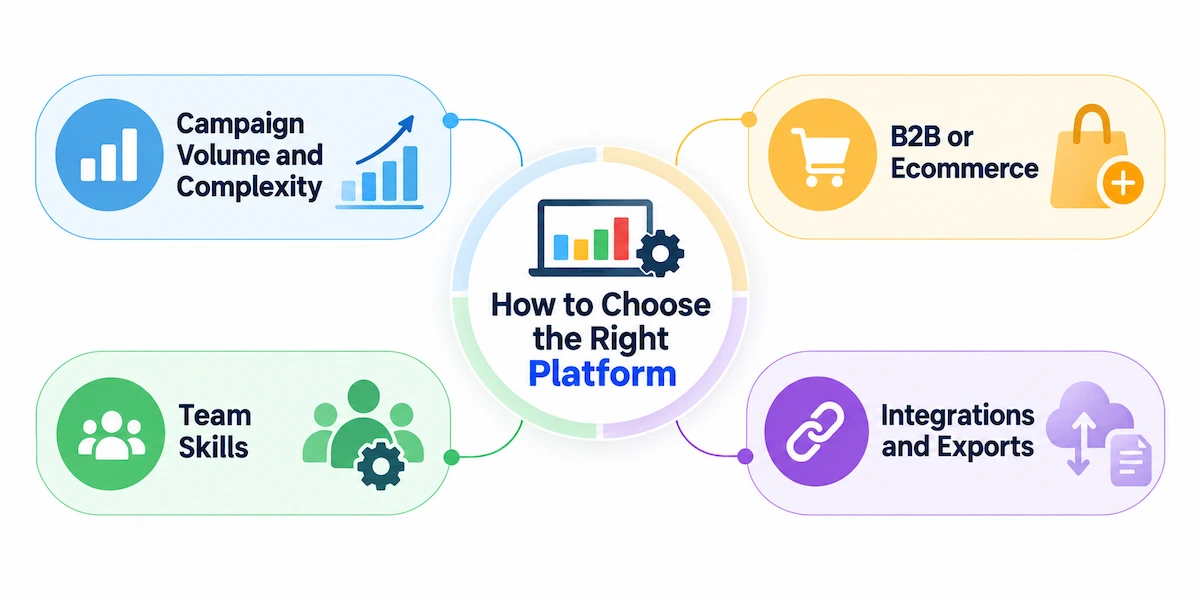
Campaign volume and complexity
If you send a few campaigns a week to one audience, an email platform with built-in prediction is enough. If you run many channels, regions and approval steps, you need a suite with roles, permissions and reporting.
B2B or ecommerce
Online stores need product feeds, purchase data and cart events, which is why Klaviyo and similar tools dominate there. B2B teams with long sales cycles need lead scoring, account views and a tight link to the CRM, which points to HubSpot, ActiveCampaign or Marketo.
Team skills
A tool that needs a marketing ops specialist will stall in a team of two. Match the product to the people who will build and check the workflows every week.
Integrations and exports
Confirm that it connects to your CRM, store, ad accounts and analytics, and that you can export your data if you leave. Ask for a trial with your own contacts, not a demo list.
What AI automation costs and where the hidden costs are
A realistic budget for AI marketing automation starts with the contact list, because that number drives the monthly bill on most platforms. Vendors charge by contacts, by user seats or by usage such as credits and tasks, and AI features are often locked to higher tiers. For cost ranges across other AI products, see how much AI tools cost.
Third-party price comparisons list these starting points. Prices change often, so confirm them on the vendor page before you decide.
- HubSpot Marketing Hub Starter: around $20 per seat per month.
- ActiveCampaign Starter: around $15 per month, with the CRM add-on at about $68 to $111 per month.
- Email automation tools in general: roughly $13 to $890 per month.
- Enterprise suites such as Marketo: from about $895 per month.
The subscription is rarely the full price. Watch for these extras:
- Setup and onboarding. HubSpot lists a required onboarding fee on its Pro tier, and enterprise suites can reach five figures for setup alone.
- Data cleanup. Merging duplicates and fixing fields takes hours or paid help.
- Training. A tool nobody understands produces nothing.
- Contact tier jumps. Crossing a threshold can raise the bill sharply.
- Unused features. Many teams pay for AI add-ons and use a small part of them.
Price the full setup, not only the subscription, and compare it with output such as cost per lead or pipeline created.
How to implement AI marketing automation in 6 steps
Teams that succeed with AI marketing automation usually keep the rollout boring: small scope, clear numbers and a review date.
Step 1: Audit your data
Predictions are only as good as the records behind them. Check these items before you buy anything:
- Contact fields: name, email, language, location and company for B2B.
- Tags for interests, product categories and lifecycle stage.
- Tracked events such as purchases, page visits, form fills and cart abandonment.
- Duplicates and inactive contacts removed.
- Consent records that meet GDPR, CAN-SPAM and CCPA.
Step 2: Pick one workflow
Choose a task that repeats often and is easy to measure, such as a welcome series, send time prediction or lead scoring. Build it by hand first, then switch on one AI feature at a time so you can see what actually changed.
Step 3: Set KPIs and a baseline
Write the numbers down before launch. A goal like raising conversion by 15% or cutting campaign build time by 30% gives you something to test against. Track sales impact, not only opens and clicks. The AI ROI for business guide shows how to calculate the return.
Step 4: Choose a tool
Check integrations with your CRM and store, the pricing model and whether the tool explains its decisions. A simpler product your team uses every week beats a bigger one nobody opens.
Step 5: Run a pilot for 30 to 60 days
Keep a control group on the old flow. Review results every week and note each moment a person had to step in. Those notes tell you where the tool needs tighter limits.
Step 6: Review and expand
If the pilot beats the baseline, add the next workflow. Keep human approval for final copy, discounts and compliance checks. Treat it like any other campaign and measure it against the numbers you set at the start.
How to measure AI marketing automation results
Compare each AI workflow with the manual version it replaced, using the baseline from step 3. Four groups of numbers give a fair picture.
- Revenue. Conversion rate, revenue per email or per contact, pipeline created and customer lifetime value.
- Engagement. Click rate, reply rate and unsubscribe rate. Open rates are less reliable since Apple Mail Privacy Protection, so lean on clicks and sales. Rising clicks with rising unsubscribes is a warning sign.
- Efficiency. Hours spent building and reporting on campaigns, and the number of campaigns shipped per month.
- Cost. Cost per lead, cost per acquisition and the total platform bill, including setup and training.
Review these every month and keep a holdout group, so you can tell the effect of the tool from a seasonal change.
Common mistakes and risks of AI-driven automation
AI marketing automation fails in predictable ways, and most of them trace back to setup rather than to the tool.
- Automating without a plan. Decide the goal and what a good result looks like before you turn anything on.
- Feeding it poor data. Duplicates, outdated records and missing consent make predictions unreliable.
- No baseline. If conversion tracking does not fire on real sales or sign-ups, the system can move budget toward clicks that never convert.
- Losing the brand voice. Unreviewed copy sounds generic and sometimes says something false. Keep a person as final editor.
- Ignoring privacy. GDPR and CCPA apply to profiling and automated decisions. Keep consent records and be clear about how data is used. The AI data privacy for business guide has a checklist.
One filter helps with every decision: ask what the worst case costs before a human checks the output. A subject line test is cheap. An ad budget shift left alone over a weekend is not. Keep people closer to the expensive tasks, and run these checks before you scale AI marketing automation to more channels.
Agentic AI and where marketing automation is heading
AI agents go one step beyond prediction. Give an agent a goal such as filling a webinar and it can notice that registrations are below target, write a new email, build a segment of high-intent leads and launch the campaign with little human input. Most AI marketing automation platforms now sell some version of this. IBM cites a Gartner forecast that about a third of enterprise software will include agentic AI by 2028, up from under 1% in 2024.
People still set goals, budgets and limits. Start agents on low-risk jobs such as reporting or draft creation, and widen their range only after the results hold up. The guide on AI agents for business explains how they differ from regular chatbots.
Generative AI will keep taking over first drafts, which moves the human job toward briefing, editing and judging results. Team structures are already shifting: fewer people build individual emails by hand, and more people design the rules, test plans and quality checks that the tools follow. Training the team on these skills matters as much as the software you buy.
Where to start
Pick one repeated task, write down today’s numbers and switch on one AI feature. For most teams that means send time prediction, a welcome series or lead scoring. Run it for a month, compare it with the old results and decide what comes next.
That small test tells you whether AI marketing automation will pay off for your team, and it costs far less than moving to a new platform. If the numbers move, add the next workflow. If they don’t, you learned it cheaply.
Frequently asked questions
What is the difference between marketing automation and AI marketing automation?
Standard marketing automation follows rules a person writes, such as sending an email three days after signup. AI marketing automation adds prediction, so the system chooses the message, channel and timing for each contact and adjusts as results come in.
Is AI marketing automation worth it for a small business?
Yes, when you start with one repeated task such as a welcome series, send time prediction or chat replies. Small teams gain the most because the tool replaces hours of manual work. Skip it if your list is tiny and basic email automation already does the job.
How much does AI marketing automation cost?
Entry plans from major platforms start around $15 to $20 a month, while enterprise suites can pass $895 a month plus setup fees. Contact count, seats and usage drive the bill, so ask for a quote based on your own list before comparing.
Which tasks can AI handle on its own?
Send time prediction, lead scoring, segment suggestions, subject line testing and first drafts of copy are safe starting points. Keep a person in charge of discounts, legal wording, sensitive customer cases and anything that spends budget without a cap.
Will AI replace marketers?
No. It takes over repeated execution and testing, while people keep strategy, creative direction, brand voice and final approval. Roles shift toward reviewing results, setting limits and managing the tools that run the daily work.
What data do I need before I start?
Clean contact records, consistent tags, tracked events such as purchases and form fills, and documented consent. The more complete your first-party data is, the better the predictions get. Duplicates and outdated entries cause the most trouble.
What is the difference between AI-assisted, AI-augmented and AI-native marketing?
AI-assisted means a person does the work and the tool suggests, for example a subject line draft. AI-augmented means the tool takes over parts of the process, such as send time and scoring, within limits a person sets. AI-native means the platform is built around models that make most execution decisions on their own.
Which platform fits ecommerce and which fits B2B?
Klaviyo is the usual pick for online stores because it reads purchase and cart data directly. B2B teams with longer sales cycles tend to choose HubSpot, ActiveCampaign or Marketo for lead scoring and CRM sync. Test with your own contacts before you commit.
How long does it take to see results?
A focused pilot of 30 to 60 days is enough to compare a workflow with your old numbers. Models improve as they collect more behavior, so expect gains to build over several months, not overnight.
Is it compliant with GDPR?
It can be, if you collect valid consent, tell people how their data is used, honor opt-outs and keep records. The tool does not make you compliant by itself. Review how it profiles contacts and who can access the data.










