Credits in AI tools are a balance of points that you spend every time the tool runs a task, such as writing text, making an image or rendering a video. Each action takes a set number of AI credits off your balance, and the plan you pay for decides how many you get.
We use several of these tools every week, and the first thing we noticed is how little the pricing pages explain. You see a number like 500 credits, but not what one image, one edit or one video costs. The balance drops and nobody tells you why.
In this guide we explain what AI credits are, how they get spent, how they differ from tokens and what happens when they run out. We also share the habits we use to make a monthly balance last.
Credits in AI tools in short
- What they are: a usage balance that you spend on AI tasks.
- Who sets the price: the company behind the tool, so one credit is not the same everywhere.
- What spends them: every action, with video and long tasks costing the most.
- What happens at the end of the month: most plan AI credits reset, and unused ones are lost.
- Where to look: the usage or billing page of your account.
What are credits in AI tools?
Credits in AI tools are a usage unit set by the company that sells the tool. You buy or receive a number of them with your plan, and the tool takes some off whenever it does work for you. When the balance reaches zero, the paid features stop until the plan renews or you add more.
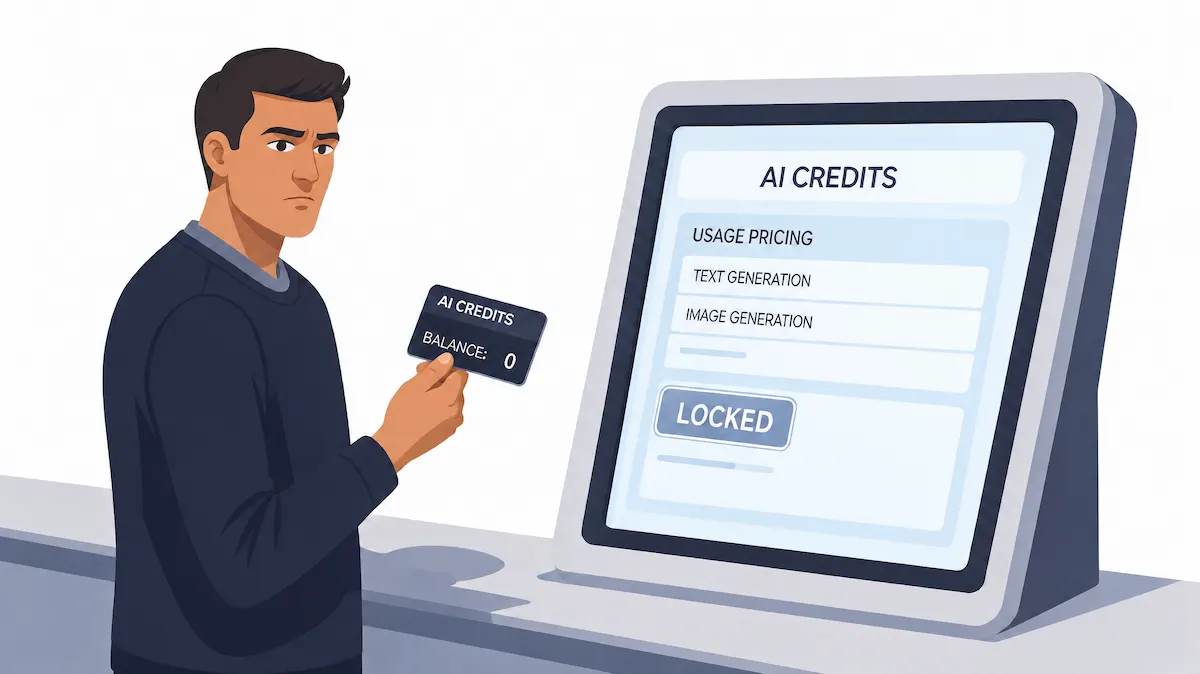
We think of AI credits like a prepaid card for one shop. The card works only there, and the shop decides what each item costs. That is why the topic confuses people, because no two shops use the same price list.
What is one AI credit worth?
There is no fixed answer. One AI credit is worth whatever the vendor says it is worth. In one tool an AI credit may pay for a short text answer, while in another it may cover only a small part of one image. Because of this, a plan with 1,000 credits in one tool can be smaller than a plan with 300 AI credits in another.
So we never compare plans by the headline number. We compare what one real task costs in each tool, and then we do the math for the month.
Are AI credits real money?
Not directly. Credits are not a currency that you can send, withdraw or move to another tool. You pay real money for the plan or for a top-up, and the tool turns it into credits. Many terms of use treat AI credits as a right to use the service, not as cash, so unused AI credits are usually lost when they expire.
Why do AI tools use credits instead of a flat price?
A flat price works when every customer costs about the same to serve. AI tools do not work like that. Each task runs on expensive computing power, and the cost depends on what you ask for. Credits let the vendor charge in proportion to usage without sending a separate bill for every click.
Every AI task costs a different amount to run
A short text answer takes little computing. A high-resolution image takes more. A ten-second video takes far more, and a long coding task with an agent can take the most. If all of them cost the same on the plan, light users would pay for heavy users. Credits spread the cost in a way that follows the work.
In our experience this is also why the same plan can feel generous one week and tight the next. The plan did not change. The mix of tasks did.
Credits vs seat-based pricing
Older software charged per seat, meaning per person with an account. That model assumes each person uses the product in a similar way. With AI, one person can run a hundred heavy generations while another runs five. This is why many vendors moved to credit-based pricing, or mix a seat price with a credit allowance. Our guide on how much AI tools cost shows how those plan types compare once you add everything up.
What credit-based pricing means for you
Under credit-based pricing you pay for a bundle of credits, and the bundle gets smaller with every task. That gives you control, since you decide what to spend AI credits on. It also asks for attention, because credit-based pricing is only fair when you can see the cost of each action. We look for a published rate card first, and we skip tools that hide it.
How do AI credits work?
The cycle is the same in almost every tool. Credits are given, spent, tracked and then renewed or lost.
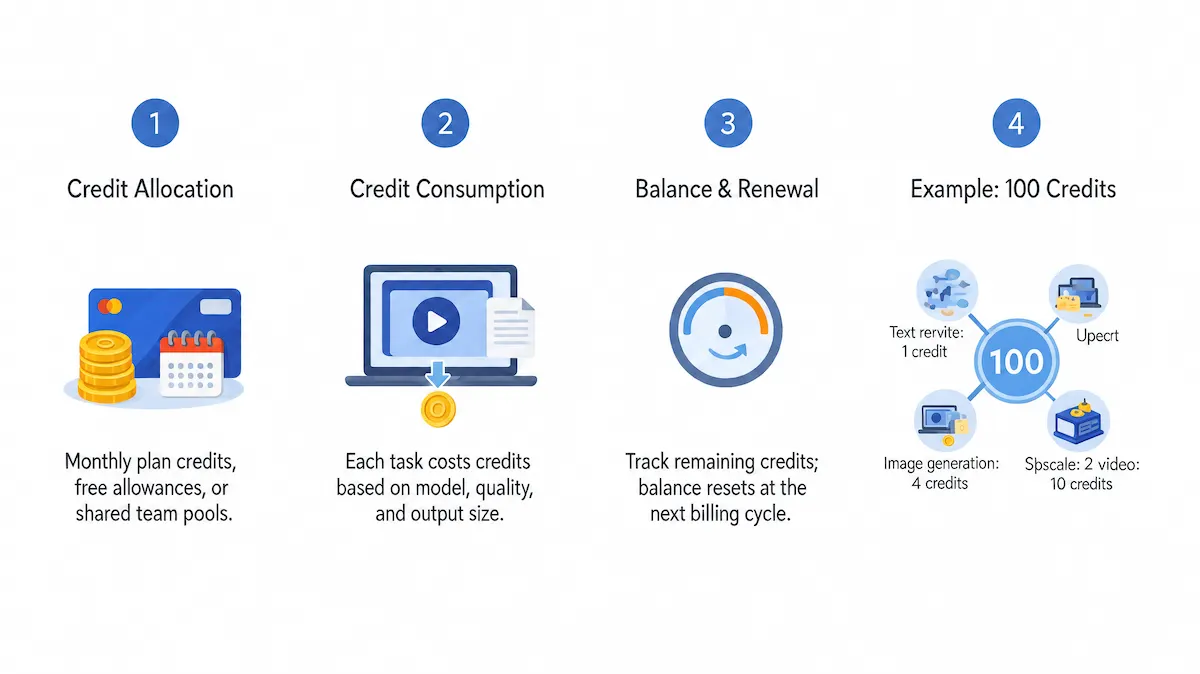
Once you see these four steps, any pricing page becomes easier to read.
Credit allocation
Your plan includes a set number of AI credits for each billing period, usually one month. Some tools also give a small free allowance, and some sell extra packs. On a team plan the AI credits may go to each seat or into one shared pool.
Credit consumption
Every action has a price in credits. The price depends on the tool, the model you pick, the quality and the size of the result. A short text task might use a single AI credit, while a long video may use dozens. Some tools show the cost before you press the button, which we find very useful. Others show it only after the work is done.
Credit balance and renewal
The balance is the number of credits you still have. Most tools show it in the account menu or on a usage page. When the next period starts, the plan renews and the balance resets. We cover what happens to leftovers in a later section.
A simple example with 100 credits
These numbers are only an example, because every tool sets its own prices. Say your plan gives 100 AI credits a month:
- A text rewrite costs 1 credit.
- One image costs 4 AI credits.
- An upscale costs 2 credits.
- A short video clip costs 25 AI credits.
If you make two video clips (50 credits), eight images (32 AI credits) and four upscales (8 AI credits), you have used 90 credits. Ten are left for text. One extra video would push you past the limit. This is the kind of quick math we do before we pick a plan.
What can you use AI credits for?
Credits in AI tools pay for the features that cost the vendor real computing power. Which features those are depends on the tool, but the same groups come up again and again:
- Writing and chat: long answers, rewrites and summaries on a premium model.
- Images: generation, editing, background removal and upscaling.
- Video and audio: clips, voiceovers, music and subtitles.
- Design and 3D: layouts, textures and models.
- Code and agents: long tasks that run in several steps.
- Automation: workflows that call a model each time they run.
What is not covered by AI credits?
Credits rarely pay for everything in the product. Storage, exports, stock libraries, extra seats and some basic features often sit outside the credit balance. In some tools a feature marked unlimited does not use AI credits at all, while the premium version of the same feature does. We check the list of included and excluded features before we count on a balance.
How many credits does each AI action cost?
The cost depends on the kind of work. The table shows how the price usually moves, not exact numbers, since every vendor sets its own.
| Type of task | Typical credit cost | What pushes the cost up |
|---|---|---|
| Text answer or rewrite | Low | Longer output, a larger model |
| Image generation | Low to medium | Higher resolution, more variations, a premium model |
| Image editing | Low to medium | Larger area, more steps |
| Upscaling | Low to medium | Larger output size |
| Video generation | High | Longer clip, higher quality, audio included |
| Audio and voice | Medium | Length, voice quality |
| 3D tools | Medium to high | Detail level, texture size |
| Coding or agent task | Varies a lot | Length of the task, number of steps |
Video is where balances disappear fastest. If clips are your main use, read our overview of AI video creation before you choose a plan, because the model you pick changes the cost more than the editor does.
Why the same prompt can cost more credits
People often tell us that the same prompt cost more the second time. This usually has a reason. You may have switched the model, raised the resolution, asked for more variations or added audio. In some tools a newer model costs more than the older one, and the default model can change after an update. Check the settings panel before you blame the tool.
Do failed generations cost credits?
It depends on the tool. Many refund the credits when a generation fails on their side, for example after a timeout or a server error. A result that simply looks bad is different, because the tool did run the task, so the AI credits are normally gone. We read the refund rule before a long batch, and we save the prompt so we can rerun it without guessing.
How many credits do you need each month?
Do not guess. Estimating your monthly need takes ten minutes, and it saves you from paying for a plan that is too big or too small.
- List your regular tasks. For example, ten images, two clips and a few rewrites a week.
- Find the cost of each task. Use the rate card, or run one task and read the usage page.
- Multiply by how often you repeat it. Count a month, not a week.
- Add a buffer. We add about a fifth for reruns, because the first result is rarely the final one.
- Compare the total with the plan. If you are far under or far over, look at the next plan up or down.
The buffer matters more than people expect. Reruns, test generations and failed prompts quietly eat a large share of any balance.
What types of AI credits exist?
Not all AI credits in one account behave the same way. Many tools keep several kinds side by side, each with its own expiry rule.
Plan credits, free daily credits and top-ups
- Plan credits come with your monthly or yearly subscription and usually reset at renewal.
- Free daily AI credits are a small allowance that refills each day and does not build up.
- Top-up AI credits are bought once, on top of the plan, and often last longer.
- Add-on credits are extra packs, and in some tools they are bought as a recurring add-on.
Which credits are used first?
Tools have a spending order, and it matters. Some spend free and expiring credits first, then plan AI credits, then top-ups. That order protects the AI credits you paid extra for. Look for this rule in the credit help page, because it tells you which balance to watch.
Free plans and free credits
Many tools offer a free plan with a small AI credit allowance. It is enough to test the tool, but rarely enough for steady work. Free credits often come with lower resolution, a watermark or fewer models. We use them to learn how much one task costs before we pay for anything.
Annual quota and promo credits
A few tools give a fixed yearly quota instead of a monthly one. You can spend it at your own pace, but when the year ends the rest is gone. Promo and trial credits work in a similar way, with a short expiry date. We spend those first, before they vanish.
AI credits vs tokens
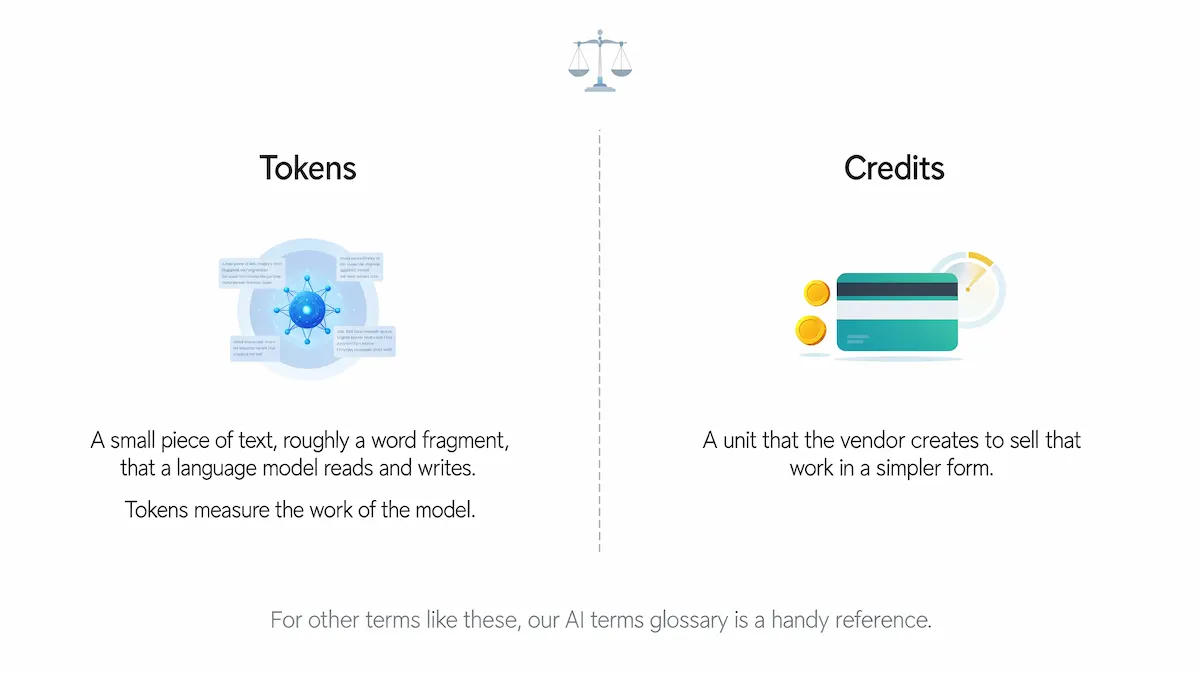
Tokens and credits are often mixed up. A token is a small piece of text, roughly a word fragment, that a language model reads and writes. Tokens measure the work of the model. AI credits are a unit that the vendor creates to sell that work in a simpler form.
For other terms like these, our AI terms glossary is a handy reference.
| Tokens | Credits | |
|---|---|---|
| What it measures | Model input and output | A price unit defined by the vendor |
| Who sets it | The model provider | The tool vendor |
| Where you see it | API bills and developer tools | Apps, plans and balances |
| Same everywhere | Close, but varies by model | No, differs by tool |
| Best for | Developers who pay per use | Users who want a simple balance |
How many tokens is one AI credit?
There is no standard answer. A vendor may set one AI credit to equal a certain amount of model usage, and then change it when costs change. If the tool publishes the conversion, use it. If it does not, treat the credit as a price list and measure by task, the way we did in the example above.
Credits vs per-message pricing and unlimited plans
Per-message pricing charges the same for every message, which gets awkward when a short question and a long task cost the same. Credits fix that, because heavy tasks use more. Unlimited plans sound better, but they often come with a fair use limit, and in some tools credits still go down on premium features even when basic generation is unlimited. We always read what unlimited actually covers.
Pricing models behind AI credits
Credits are only one way to charge for AI. Knowing the others helps you understand what a vendor is really selling.
| Model | How you pay | Good for |
|---|---|---|
| Per token or per unit | A small price for each unit of model use | Developers and API users |
| Prepaid credit wallet | You buy credits first and spend them down | Uneven or occasional use |
| Subscription with overage | A monthly fee, then extra charges past a limit | Steady use with a safety net |
| Hybrid | A subscription that includes credits, plus top-ups | Most creative and business tools |
| Outcome-based | You pay for a finished result, such as a solved ticket | Support and sales automation |
Are credits cheaper than tokens?
Not by default. Tokens are the raw price, and AI credits are a wrapped version of it, so the vendor adds its own margin and convenience. Credits can still be cheaper for you if you would otherwise pay for tools and setup yourself. Compare the cost of one finished task, not the unit price.
Do AI credits expire or roll over?
Most plan AI credits reset at the start of each billing period, and unused ones disappear. This is the rule we see most often, so we treat the month like a budget that ends on a date. Some tools let part of the balance roll over, often only for paid top-ups or for AI credits bought as an add-on. Free and promo credits usually expire first.
Before you buy a large pack for a discount, check three things: the expiry date, whether unused AI credits roll over and what happens to them if you cancel. If the plan ends and the credits vanish, a big bundle is not a bargain. Our view is simple. Buy what you can use in the period, and top up when you need more.
What happens when you run out of credits?
Usually the paid AI features stop, and the tool asks you to upgrade, buy a pack or wait for renewal. Your files and past results normally stay, but new generations are blocked. Some tools keep a reduced free mode running. Others slow you down instead of blocking you.
Low credit warnings and top-ups
Good tools warn you when the balance gets low. Turn that warning on. Then decide in advance how much extra you are willing to spend, so you are not choosing under deadline pressure. A top-up pack is often the quickest fix, but check the price per AI credit, since small packs can cost more per credit than the plan.
Auto top-up
Auto top-up buys a new pack when the balance reaches a limit you set. It keeps work from stopping, but it can also spend money without a pause. We turn it on only with a monthly cap, and we look at the usage page every week.
Team credits and shared pools
On a team plan the AI credits may sit with each person or in one shared pool. A shared pool is flexible, but one heavy user can empty it before the others start. Some tools give each workspace its own pool and keep the app and the API balances apart, as Photoroom does in its AI credits help page, so check which balance a task draws from. In a small team we suggest one person owns the balance and everyone else asks before a big batch. For wider advice on budgets in small companies, see AI for small business.
Credits in popular AI tools
The names change from tool to tool, but the logic stays the same. Here is how it looks in a few types of tools.
Creative and image tools
Image, video and design tools tend to be the heaviest users of credits. Many price every model and every output size separately and list the cost of each tool in a table. Magnific publishes such a page, with plan credits, extra AI credits and roll-over credits explained in its credit rules. Some tools also run daily free credits next to the monthly plan balance. If you make a lot of pictures, our list of AI tools to edit photos helps you compare options.
Design and coding tools
Design apps and coding assistants use AI credits mostly for heavy features, such as generating a full page or running a long coding task. Credits there are not the same as the number of prompts, because one long task can cost many times more than a quick question. An agent that works in several steps spends credits on every step. If you plan to use agents at work, read up on how AI agents run before you commit to a plan.
Some big software suites also sell generative AI credits as a monthly allowance next to the normal subscription. The same rules apply. Check the cost per action, the reset date and the refund rule.
How to check your AI credit balance
Open the account, billing or usage page. Most tools show the remaining balance, the renewal date and a list of what each action used. Check it before a large batch, not after. We also note the balance at the start of each month, so we can see where the AI credits went.
How to save AI credits
Small habits make a bigger difference than a plan change. These are the ones we use:
- Start small. Test a prompt in low resolution or a short length before the final run.
- Use a cheaper model for drafts. Switch to the premium model only for the final version.
- Write a clear prompt. Vague prompts lead to reruns. Our guide on prompt engineering for business covers how to be specific.
- Ask for fewer variations. In most tools four variations cost about four times as much as one.
- Read the cost before you press run. If the tool shows a price, use it.
- Batch similar work. Keep the same settings and reuse the prompts that worked.
- Do not upscale everything. Upscale only the results you keep.
Together these habits cut our waste more than any switch between plans.
How to keep a credit-based bill predictable
A credit-based bill can swing from one month to the next. These steps keep it steady:
- Set a monthly budget and a low-balance alert.
- Give one person the job of watching the usage page.
- Cap auto top-up so it cannot run past the budget.
- Keep a short list of the heaviest tasks and what they cost.
- Review the numbers once a month and adjust the plan.
What people get wrong about AI credits
The most common mistake is to compare plans by the number of credits. The second is to assume that an AI credit costs the same on every task, when a video can use many times more than an image. The third is to buy the biggest pack for the discount and then lose half of it at expiry. We also see teams that never read the refund and rollover rules until the balance is already empty.
Are AI credits worth it?
It depends on how steady your usage is. Credits suit people with uneven work, since you pay for what you use. They suit you less if you need a fixed bill every month, because one busy week can drain the balance. With credit-based pricing a quiet month costs you less, while a flat plan costs the same either way. To judge the value, divide the monthly price by the number of tasks you really finish, not by the number of credits. Our guide on AI ROI for business shows a simple way to do it.
Red flags in credit-based pricing
- The cost per action is not published.
- The vendor can change the cost per action without notice.
- Credits expire very quickly, or vanish when you cancel.
- Failed generations are not refunded and the rule is not stated.
- Unlimited is advertised, but AI credits still go down.
- Large packs have a deadline that you cannot see until you buy.
If you see two or more of these, we would test the tool on a free or small plan first and keep the first purchase small. Once you know what a normal month looks like, you can decide on a bigger plan with real numbers. Our guide on how to choose AI tools for business has a checklist for that.
Conclusion
Credits in AI tools are a balance that the vendor sets, spends and resets on its own rules. One AI credit has no fixed value, so the only fair comparison is what a real task costs in each tool. Read the cost per action, the expiry rule and the refund rule before you pay.
Start with a small plan, track the balance for a month and then decide. After that you will know how many credits your work really needs, and you will not pay for a bigger plan by guessing.
Frequently asked questions about credits in AI tools
What are credits in AI tools?
Credits in AI tools are points that the tool takes from your balance each time it runs a task. Your plan sets how many you get, and the vendor sets the price of each action. Because every vendor decides this alone, the same number of credits means different things in different tools.
What does AI credits mean?
AI credits are a prepaid usage balance for AI work. One AI credit has no fixed value, so it is worth what the vendor says it is. Think of it as a price tag on actions such as text, images and video.
How do AI credits work?
Your plan gives you AI credits, each action uses some, and the balance shows what is left. When the billing period ends, the plan renews and the balance usually resets. What happens to leftover AI credits depends on the tool and on the type of credit.
How are AI credits calculated?
The cost depends on the type of task, the model, the quality, the size or length of the result and the number of variations. Heavy work such as video costs more than text. Many tools publish a rate card, and checking it is the best way to predict a cost.
Are AI credits the same as tokens?
No. Tokens measure the input and output of a language model, and the model provider sets them. Credits are a unit that the tool vendor creates, and the conversion to tokens differs from tool to tool.
Do AI credits expire or roll over?
Plan credits usually reset at renewal, and unused ones are lost. Top-up and add-on AI credits sometimes last longer, and free or promo AI credits often expire first. Check the terms of your tool, since the rules vary.
What happens when I run out of AI credits?
The paid features usually stop until the plan renews or you buy more. Your earlier files normally stay in the account. Some tools slow you down or keep a limited free mode instead of blocking you.
Why did the same prompt cost more credits?
Something in the settings probably changed. A different model, a higher resolution, more variations, added audio or a new default model can all raise the cost. Compare the settings of both runs and the cost will usually make sense.
Are failed generations refunded?
Many tools refund AI credits when the failure happens on their side, such as a timeout or a server error. A result that you simply dislike is normally not refunded. Read the refund rule before you start a long batch.
Can I share credits with my team?
It depends on the plan. Some tools give credits to each seat, and others use a shared pool for the whole workspace. A shared pool is flexible, but it needs an owner who watches the balance.
How can I check how many credits I have left?
Open the usage, billing or account page of the tool. It normally shows the balance, the renewal date and what each action used. Check it before a large batch so the work does not stop halfway.
Are credit-based AI tools cheaper than a flat subscription?
It depends on how you work. Credits are cheaper when your usage is light or uneven, because you pay for what you use. A flat plan can be cheaper when your usage is high and steady, as long as the unlimited part covers the features you need.
Can a vendor change how many credits an action costs?
In many tools, yes. Terms of use often allow the vendor to change the cost per action or the size of a plan. That is why we check the rate card from time to time and why we do not stock up on a large pack.
Should I buy the biggest credit bundle for the discount?
Only if you will use it before it expires. A discount is not worth much if half of the pack disappears at renewal or when you cancel. Estimate your monthly need first, then buy the size that fits.
What happens to my credits if I cancel?
In many tools plan credits end with the subscription, and some paid add-on AI credits may stay for a limited time. The rule varies, so read it before you cancel and spend what you can use first.
Can I transfer credits to another user?
Usually not. Credits belong to the account or the workspace, and most tools do not allow a transfer between people. On a team plan you can often move work to a shared pool instead.
Do free plans include AI credits?
Many do, with a small allowance that is meant for testing. Free credits often expire quickly or refill daily, and they may limit the models and the quality. Use them to learn the cost of a task before you pay.










