A standalone AI tool is an app you open on its own, type into and get a result from, without touching the other software you use during the day. ChatGPT, Gemini and Midjourney are the usual examples. The other option is integrated AI, which sits inside a program you already work in, like an assistant in your email or your documents. We use both kinds every week, and the choice between them changes what you pay, how fast you work and how much of your data leaves your systems. This guide explains what standalone AI tools are, where they fit, where they fall short and how we pick between them and embedded AI.
Standalone AI tools in short
Standalone AI tools are independent apps built around AI as the main product. You log in, write a prompt or upload a file, and the tool gives you text, an image, a summary or an answer. They do not need another platform to run, which is why they get that name. They are quick to start, strong at one job and usually easy to try for free. The price of that freedom is that the tool does not know your calendar, your files or your customers unless you paste that information in yourself. For a one-off task, it is often the fastest route. For daily work inside one system, integrated AI usually wins.
What are standalone AI tools?
Think of a standalone tool as a separate window. It has its own login, its own pricing, its own history and its own limits. When you need help, you leave the app where the work lives, go to the tool, get the answer and carry it back by hand. That small trip is the core of the idea, and it is also the reason people argue about whether this model is worth keeping.
Most of the AI products people name first belong to this group. They started as chat boxes, image generators or writing helpers and grew into full products, but they still live outside the software where most of your work happens.
Standalone AI tools meaning in simple words
Here is the shortest way to say it. A standalone tool is an AI product you go to. An integrated tool is an AI feature that comes to you. If you have to open a new tab to use it, it is the first kind. If it appears as a button inside the program you are already working in, it is integrated.
A kitchen gives a fair comparison. A blender on the counter does one job well and works in any kitchen, but you carry the food to it. An oven with a built-in grill is already where the cooking happens, but it only grills what you put inside. Neither is better in every case. The right one depends on the job. If you want a plain list of AI terms to keep next to you while reading, our AI terms glossary covers the basics.
Examples of standalone AI tools
These are the tools we meet most often when someone asks for an example:
| Tool | Main job | Why it fits |
|---|---|---|
| ChatGPT | General chat, writing, analysis, code | Own app and own account, no host software needed |
| Gemini | General chat and search help | Works as its own app, though it also exists inside Google products |
| Claude | Writing, long documents, code | Own app, you paste or upload what it needs |
| Midjourney | Image generation | Single purpose product, no other platform required |
| Perplexity | Research and answers with sources | Search-style app you open directly |
For a longer list of what people actually use, see our page on the most popular AI tools. Keep in mind that a single brand can be both. Gemini is a separate app and also an assistant inside other products, so the label depends on how you use it, not on the name.
Is ChatGPT a standalone AI tool?
Yes, in the way most people use it. You open ChatGPT in a browser or app, write a prompt and copy the result somewhere else.
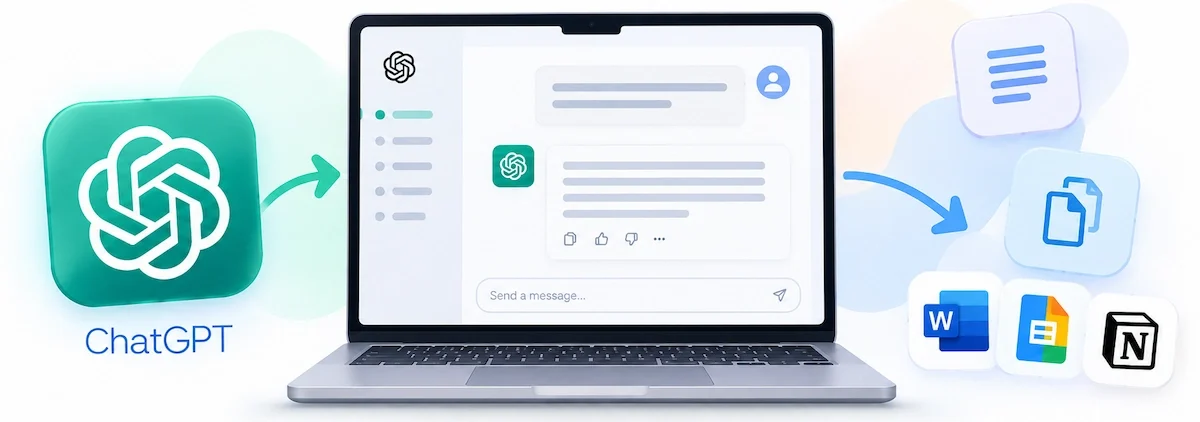
It is a standalone AI tool. It becomes closer to integrated when it is connected to your other apps through plugins or connectors, because then it can read and act on data where you already keep it. We treat it that way by default and as integrated only when we have set up those connections ourselves.
Standalone AI vs AI product vs AI feature
People also ask whether AI is a product or a feature, and the answer maps onto this topic. A standalone AI product is the thing you buy and use on its own. An AI feature is a function added to something that already existed, such as a summary button in a note app.

They are the product side. Embedded and integrated AI are the feature side. A company that wants the feature must already own the platform, while a company that sells the product can serve anyone with a browser.
Standalone vs integrated vs embedded AI tools
The three labels get mixed up, so we keep them separate. A standalone tool lives outside your software. An integrated tool connects to your software, often through an add-on or a plugin.
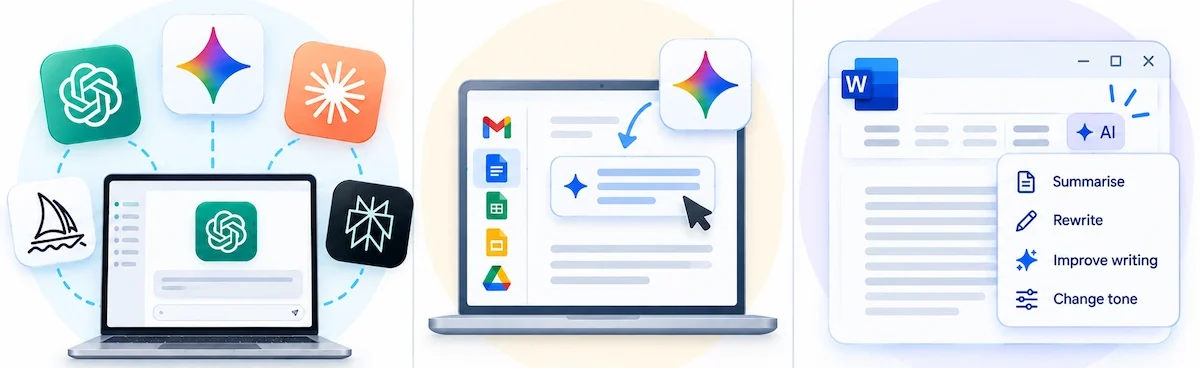
An embedded tool is part of the software itself and shares its data from the start. Integrated and embedded AI are close relatives, and many vendors use the words as if they meant the same thing.
What are integrated and embedded AI tools?
Embedded AI is built into a platform you already use. Examples are an assistant inside a help desk, an AI writer inside a document editor or a meeting summary inside a video call. Because it sits where the work happens, it can read the same data you do, so you stop copying text between tabs. Integrated AI does the same job through a connection. You keep the separate tool, but it reaches into your email, files or customer records. In both cases, the AI is part of the workflow rather than an extra stop on the way.
Embedded, integrated and native AI: what is the difference?
Some vendors add a third word, native AI. In plain terms, native means the product was designed around AI from the first day, not patched in later. Embedded means AI lives inside the product. Integrated means AI is linked to it from outside. The difference matters when you buy, because a bolted-on feature often feels thin, while a tool built around AI usually has deeper access to your data. Always ask the vendor which of the three they mean.
Standalone vs integrated AI tools: comparison table
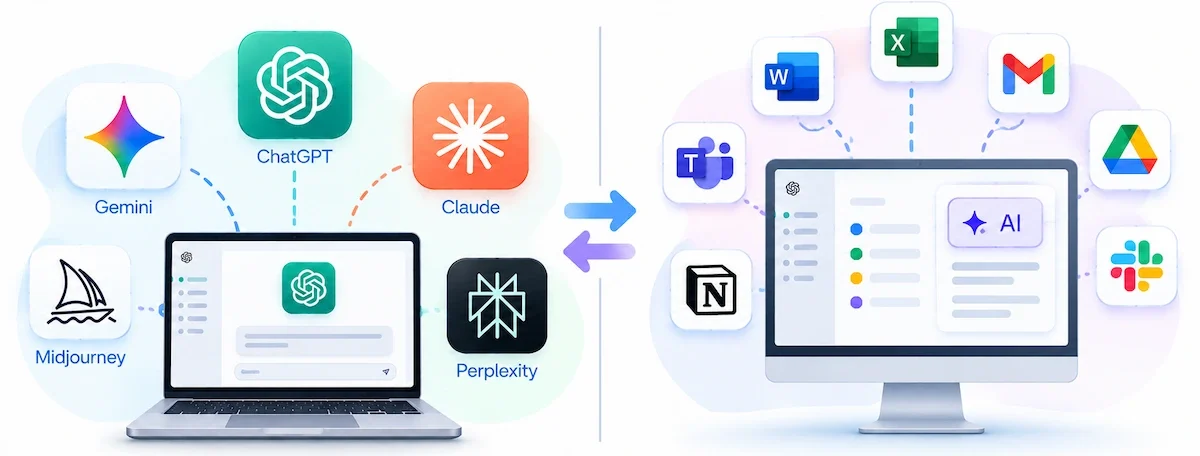
| Point | Standalone AI tools | Integrated or embedded AI |
|---|---|---|
| Where you use it | In its own app or tab | Inside the software you already use |
| Context | Only what you paste or upload | Reads your emails, files or records directly |
| Setup | Sign up and start | Needs admin rights, permissions or a plan upgrade |
| Cost | Separate subscription | Often an add-on or bundled in a higher plan |
| Flexibility | You can switch tools quickly | Tied to the host platform |
| Best for | One-off tasks and specialist jobs | Daily repeated work in one system |
Standalone AI tools vs custom AI solutions
A third group sits next to the two we have covered. Custom AI solutions are built or configured for one business problem, such as a model trained on your support tickets or a tool tuned for your product catalog.
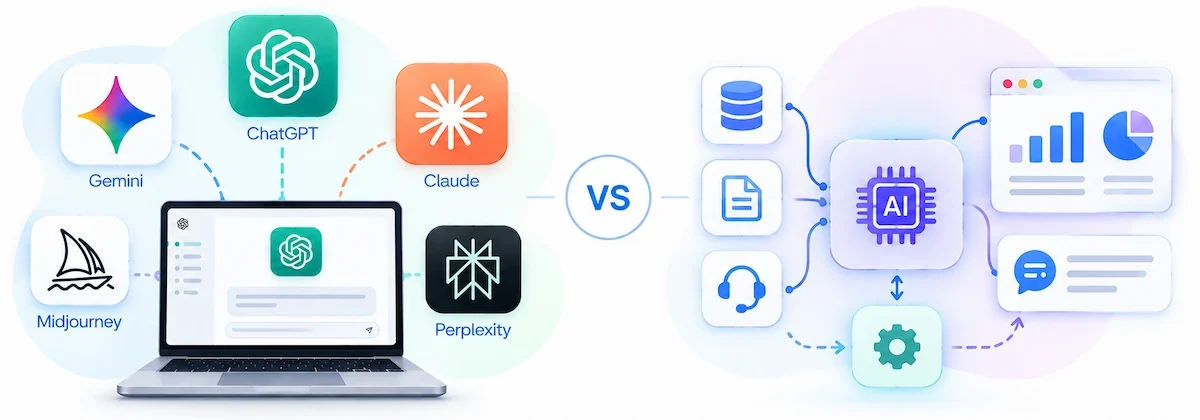
They need more money, more people and more time than a ready-made app, so they only make sense when no off-the-shelf tool fits. Low-code platforms have made this easier for companies without a development team. Our rule is to try a standalone or embedded tool first and think about custom work only when the same gap keeps coming back.
Standalone AI tools vs AI platforms
Some people compare AI tools with AI platforms, and the idea is close to ours. A tool does one job. A platform bundles many jobs in one place, with shared data, permissions and admin controls. Tools give you more freedom and a quicker start.
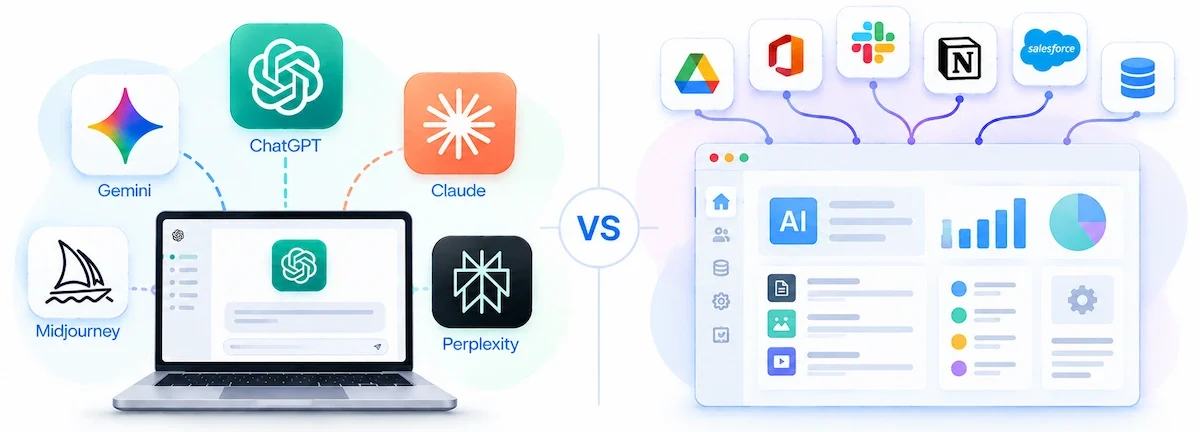
Platforms give you scale, shared data connections and steady rules, at the price of more setup and a longer road to the first result. For a small team we would start with tools. When many departments need the same data and the same rules, a platform starts to pay off.
Standalone AI tools vs AI agents and chatbots
A chatbot answers questions. An AI agent takes actions, like issuing a refund, updating a record or booking a meeting. Many chat tools work as chatbots in this sense: they write the reply and a person carries out the action. Agents need access to your systems and clear approval steps, so they usually arrive as integrated or embedded features. Keep this difference in mind when a vendor says agent, because it decides how much setup and oversight you need. Our guide to AI agents for business goes deeper.
Types of standalone AI tools
Standalone AI tools split into a few groups by the job they do. Knowing the group helps you decide whether you even need one, because some jobs are better handled inside the software you already own.
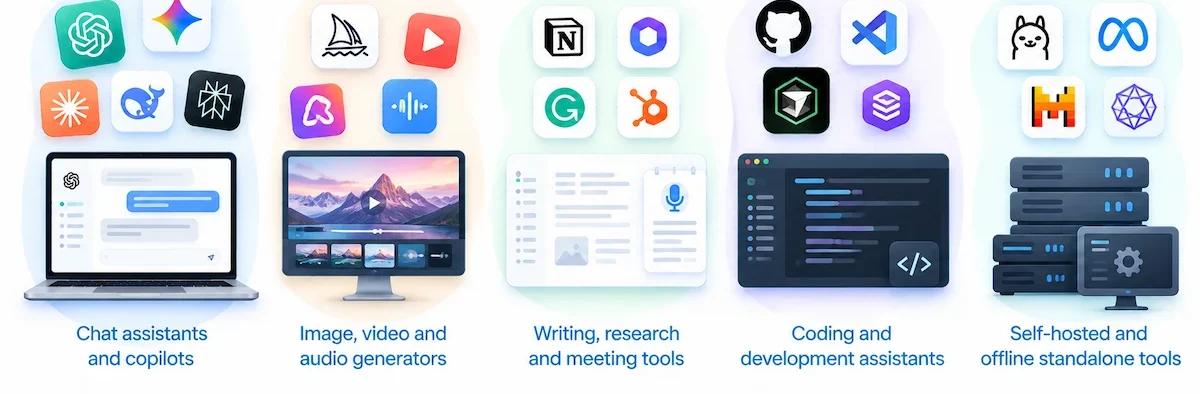
Chat assistants and copilots
These are the best known. You write a question, get an answer and keep a conversation going. We use them for drafts, outlines, questions and quick analysis. The limit is context. A copilot like this only knows what you tell it in the chat, so it cannot see your calendar, your reports or your team documents.
Image, video and audio generators
Text-to-image and text-to-video tools are almost always separate apps, because the output is a file you take elsewhere. Midjourney is the usual example for images. Here this model makes sense, since you are creating a new asset, not editing something inside another program.
Writing, research and meeting tools
Separate writers, research apps and AI meeting notetakers are common. The meeting group shows the tension best. A separate notetaker joins your call and sends notes to a separate app, which means someone has to move them into your project tool. An embedded notetaker puts the notes straight into the place you already track work.
Coding and development assistants
Chat-based coding assistants write, explain and review code in a chat window. They work well for small scripts, code review and explaining an unfamiliar function. As the request grows, they struggle, because they cannot run or test the code inside your project. At that point most developers move to an assistant built into their code editor.
Self-hosted and offline standalone AI tools
There is a second meaning of the word that deserves a short note. Some people searching for standalone AI tools mean software that runs on their own machine or server, without sending data to a cloud service. This is called a self-hosted AI tool. You install it, run a model locally and keep the data inside your own network. It takes more setup and hardware, but it gives you control over where information goes. We cover the cloud-based meaning in this guide, and we point readers to self-hosted options when privacy is the main concern.
Advantages of standalone AI tools
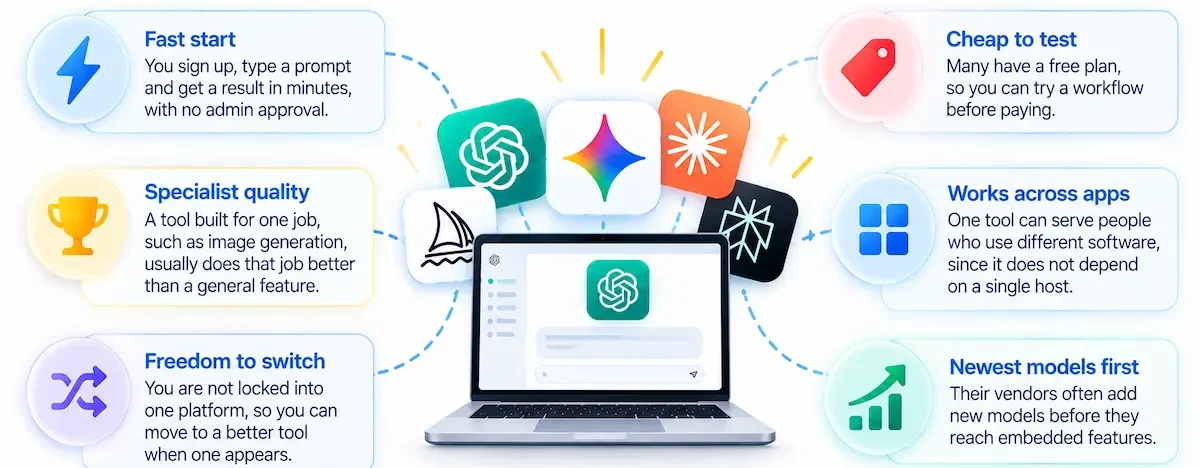
These tools stay popular for good reasons. This is where they earn their place:
- Fast start. You sign up, type a prompt and get a result in minutes, with no admin approval.
- Specialist quality. A tool built for one job, such as image generation, usually does that job better than a general feature added to another product.
- Freedom to switch. You are not locked into one platform, so you can move to a better tool when one appears.
- Cheap to test. Many have a free plan, so you can try a workflow before paying.
- Works across apps. One tool can serve people who use different software, since it does not depend on a single host.
- Newest models first. Their vendors often add new models before they reach embedded features.
For simple jobs, that speed is real. If you only need a few drafts a week, an extra app does not cost you much. Our guide on how to use AI for productivity shows where this kind of tool saves time without a big setup.
Disadvantages of standalone AI tools
The same independence creates the problems we hear about most:
- Context switching. You leave your work, open another tab, paste, wait and copy back. Done twenty times a day, that adds up to a real productivity tax.
- Islands of intelligence. The tool does not know your files, customers or history, so the answers stay generic until you feed it context every time.
- Copy and paste risk. Moving text by hand is slow and invites mistakes, like pasting the wrong version or forgetting a change.
- Tool sprawl. Each team picks its own app, and soon the company pays for five similar subscriptions nobody tracks.
- Data exposure. Employees paste customer or company information into a tool IT has never reviewed. This is the shadow IT problem.
- No shared memory. The tool does not carry your instructions or brand rules across the team, so each person gets different results.
In our experience, the tool that needs the most copy and paste is the one people stop using after a few weeks. A good answer is not enough if getting it into the right place takes longer than writing the text yourself.
Accuracy and review: where AI tools go wrong
Output quality is the part people skip. A chat tool writes fluent text that can still be wrong, and because it does not see your own data, it fills gaps with guesses. We treat every answer as a first draft. Names, numbers, dates and quotes get checked by a person before they leave the building.
- Check facts against a source. Confident wording is not proof.
- Test code before you use it. Code from a chat window often works in a demo and breaks inside your project.
- Keep a person responsible. The tool drafts, a named colleague approves.
- Save good prompts. Shared prompts keep the output consistent across the team.
- Take extra care with sensitive topics. Legal, medical and financial claims need an expert, not a chat tool.
Why integrated AI is gaining ground
The pattern we notice is simple. People like the answer from a separate tool and dislike the trip. Integrated and embedded AI removes the trip. The assistant sits in the inbox, the document or the help desk, so the output lands where the work already is. That is why vendors keep adding AI buttons to existing products.
There is also a budget side. Companies that tried many separate apps often end up with overlap and unused seats, so finance teams push for consolidation. A tool that lives inside software you already pay for is easier to justify than a new subscription. This does not mean they disappear. It means the ones that survive do one job clearly better than the built-in option. We expect the gap between a good separate tool and a good embedded feature to keep shrinking, so test again every few months instead of settling once.
What integrated AI looks like day to day
The easiest way to see the gap is to follow an ordinary workday:
- Email: drafts and sorts replies inside your inbox, with the whole thread already in view.
- Meetings: notes and action items land in the calendar event or the project tool without a handoff.
- Scheduling: finds a time by reading the calendars it has access to.
- Research: pulls answers from your own documents, not only from the open web.
- Reporting: builds a summary from the numbers already sitting in your dashboard.
A separate tool can do each of these jobs too, but only after you export or paste the data first. That extra step is where most of the lost time hides.
Where standalone and embedded AI tools are heading
We expect three changes over the next year or two. First, more tools will act, not only answer, so agent features will spread in both kinds of product. Second, smaller and faster models will run on your own device, which helps with privacy and cost. Third, companies will write stricter rules about which tools staff may use and what data they may enter. None of this makes one model the winner. It means you should review your setup regularly instead of choosing once and forgetting it.
When to use standalone AI tools
Use a standalone AI tool when the job is separate from your main software, when you need specialist quality or when you want to test an idea before committing. Typical cases are brainstorming, image creation, one-off research, a quick translation and learning a new topic. In these jobs, the output is a draft or a file, so there is little to connect.
Best fit by team type
- Agencies and consultants: mixed client tools and varied tasks make a separate assistant easier, since nothing has to match a single platform. Pick one default and allow exceptions.
- Support-heavy small businesses: lean on AI inside the help desk, because answers need ticket and customer data. A chat tool is a side helper here, not the main system.
- Product and software teams: use embedded assistants in the editor and the tracker, and keep one chat tool for research and drafts.
- Solo owners: one or two tools are usually enough.
How to choose between standalone and integrated AI tools
We do not start with a product. We start with the job, then check how much context it needs and how often it repeats. Repeated work that depends on your own data points to integrated AI. Occasional work that stands alone points to a separate tool. Below is the checklist we use to decide.
A 7-point checklist
- Data access and permissions. Does the tool need your files, customer records or inbox? If yes, an integrated option with proper permissions is safer than pasting data by hand.
- Workflow fit. Count how many steps happen outside the tool. If the result has to be moved by hand every time, the workflow has friction.
- Cost and predictability. Compare a separate subscription with an add-on to software you already pay for. Check usage limits, since heavy use can change the bill.
- Reliability and audit trail. Can you see what the tool did and who used it? Business work often needs a record.
- Customization. Check whether you can save instructions, templates and brand rules so the whole team gets consistent output.
- Vendor lock-in. A tool tied to one platform is hard to leave. A separate tool is easy to drop, but you may lose your history.
- Adoption and training. The best tool is the one people use. An assistant inside the app they already open gets used far more than a separate website.
If you want a longer process for picking software, read how to choose AI tools for business. As a rule of thumb, pick one default tool for each team and add a second only when the first cannot do the job.
Platform dependency and vendor lock-in
Embedded AI comes with a quiet risk. It depends on the host platform, so if the vendor changes the price, limits the feature or retires it, you have few options. A separate tool is easier to replace, but you may lose your history and saved prompts when you leave. A large platform can also copy a popular feature of a small tool and make it less needed. Our habit is to keep exports of important work, avoid building a whole process on one feature and note when each subscription renews.
Task-to-tool matrix
| Task | Better choice | Reason |
|---|---|---|
| Brainstorming and first drafts | Standalone | No company data needed |
| Image or video creation | Separate app | Output is a new file, specialist quality matters |
| Email replies and scheduling | Integrated or embedded | Needs your inbox and calendar |
| Customer support answers | Embedded in the help desk | Needs ticket and customer data |
| Meeting notes | Embedded or integrated | Notes should land in your project tool |
| One-off research | Separate app | Quick, no setup, easy to switch |
| Reports from company data | Embedded | Needs permissioned access to your records |
If your team asks which AI tool to use for meetings, our guide on how to take meeting notes with AI compares the options.
How to test a tool in 30 minutes
- Pick one task you repeat every week.
- Do it once the usual way and time it.
- Do it again with the tool and time that too.
- Ask a colleague to review both results without telling them which is which.
- Check where your data goes and what the free or paid plan says about training.
- Write down the price per person and the steps needed to move the result into your main software.
- Decide: keep, drop or test one more week.
Can you use both? Three ways to bridge AI tools
Most teams end up using both kinds, and that is fine as long as the gap between them is handled on purpose. We see three ways to do it.
- Integration hub. Use an automation platform to move results from a separate tool into your main software automatically. It removes the copy and paste but needs setup and upkeep.
- Human bridge. A named person owns the handoff. They take the output, check it and place it in the right system. It is slow, but it keeps quality high and costs nothing to start.
- Enhanced platform. Choose a platform that already includes AI and extend it, so fewer jobs leave the system at all.
Start with the human bridge, because it shows you which handoffs happen most often. Then automate those. Our guide on how to create an AI automation workflow walks through the second step.
What to standardize and what to keep optional
Without some rules, every person ends up with a different tool and different habits. We standardize four things: one default assistant per team, a list of approved tools, a short rule on what data may be entered and a shared library of prompts. We keep these optional: specialist tools for images, video or research, and personal helpers that touch no company data. This gives teams room to try new tools without losing control of the basics.
Standalone AI tools and data privacy
Privacy is where these tools need the most care. Anything you paste into a separate app leaves your own systems, so you should know whether the vendor stores it, uses it to train models or shares it. Read the data terms before the whole team signs up, and prefer plans that state clearly that your content is not used for training.
We set one simple rule: never paste customer names, contracts, passwords or financial records into a tool that has not been approved. For European customers, the GDPR text sets the legal baseline for personal data. For a risk checklist that suits any size of company, the NIST AI Risk Management Framework is a useful reference. Our own guide on AI data privacy for business covers the practical steps, including what to ask a vendor before you pay.
Cost and pricing: what to budget
Pricing is a big reason teams choose one model over the other. Separate tools usually charge per user per month, and many offer a free plan. Embedded AI is often an add-on to a software plan you already pay for, or it comes bundled in a higher tier.
Before you add a new subscription, check what you already own. A tool inside your current software may cover most of the job at no extra cost. This is our rule: buy what you already pay for first, and add a new tool only for a gap that remains. Also watch for tool sprawl, where several people pay for the same service without knowing. For a view of typical price ranges, see our guide on how much AI tools cost.
A word on free plans
Free plans are the best way to test a tool, and we use them for the first week of almost everything. Read the limits before you rely on one. Free plans often cap usage, hide some features and sometimes have different data terms from paid plans. Do not put company data into a free account unless the terms say clearly how it is handled.
How to measure return
Measure results, not impressions. Pick a few numbers before you start and compare them after a month: time saved on one task, how many people open the tool each week, cost per person and how often the output needs fixing. If time saved is small and few people use it, the tool is not worth its price. If one team uses it daily, consider a plan that fits that team better.
Mistakes to avoid when picking AI tools
- Buying for the demo. A tool that looks great in a demo may not fit your daily workflow. Test it on your own tasks.
- Counting subscriptions, not usage. Check who actually opens the tool. Seats nobody uses are wasted money.
- Letting every team choose alone. Without a default tool, you get overlap and mixed output quality.
- Ignoring data rules. Decide what may and may not be pasted before people start.
- Skipping training. Even a simple tool works better when people share prompts and examples.
- Never reviewing. Tools change quickly, so revisit your setup every few months.
One habit helps more than any other. Measure real usage and time saved, not how people feel about the tool. If nobody can point to a task that became faster, the tool is not paying for itself. When you are ready to put the pieces together, our page on the AI tool stack for business shows how to combine them.
Key takeaways
- A standalone AI tool is an app you use on its own, like ChatGPT or Midjourney.
- Integrated and embedded AI work inside the software you already use and read its data directly.
- These tools are fast to start and strong at single jobs, but they cost you copy and paste and context.
- Use them for one-off, specialist and exploratory work, and integrated AI for repeated work on your own data.
- Most teams need both, with one default tool and clear rules for data.
Final verdict: are standalone AI tools worth it?
Yes, for the right jobs. A standalone AI tool is the best way to try an idea, make an image, run a quick research task or handle work that has nothing to do with your main software. It is a poor fit for repeated tasks that depend on your files, customers and calendar, because the trip between tools eats the time you saved.
Our advice is to use one tool of this kind as a flexible helper, rely on embedded AI where your daily work lives and write down which data stays out of either. Review the setup every few months, because both kinds of tool change fast. A mixed setup used on purpose beats a pile of subscriptions nobody planned.
FAQ: standalone AI tools
What are standalone AI tools?
Standalone AI tools are independent apps where AI is the main product, such as ChatGPT, Gemini, Claude, Midjourney and Perplexity. You open them on their own, give them a prompt or file and take the result somewhere else. They do not depend on another platform to run.
What is the difference between integrated and standalone AI tools?
A standalone tool runs in its own app and only knows what you give it. An integrated or embedded tool works inside software you already use and can read your data there. They are quicker to start, while integrated tools save time on repeated work.
Is ChatGPT a standalone AI tool?
Yes, ChatGPT is a standalone AI tool when you use it in its own app or browser tab. It behaves more like an integrated tool only when you connect it to your other apps, so it can read and act on your data.
Can standalone AI tools become integrated?
Yes. Many of them add connectors, plugins or automation links, which lets them reach your email, files or business apps. The tool stays separate, but it stops being an island once the connection is in place.
Are standalone AI tools better than embedded AI?
Neither is better in every case. Separate tools are better for specialist or one-off jobs and for quick testing. Embedded AI is better for repeated work that needs your own data. Most teams use one of each.
Can using more AI tools help with productivity?
Not by itself. Each extra tool adds a login, a cost and another place to copy and paste. Productivity improves when a tool matches a repeated task and the output lands where you already work, so add tools only for a clear gap.
Do I need to replace my current software to use a standalone AI tool?
No. A standalone tool works next to your current software, which is its main advantage. You only need to decide how results move from one to the other, either by hand or through an automation link.
Are standalone AI tools safe for company data?
They can be, if you choose carefully. Read the vendor data terms, pick plans that do not train on your content, and set a rule for what staff may paste. Never enter customer records, passwords or contracts into a tool your company has not approved.
How do I know if my AI tools are actually saving me time?
Pick one repeated task, time it with and without the tool for a week, and count how often the tool is opened. If the time does not drop or nobody uses it, cancel the subscription. Real usage tells you more than opinions.
What is the difference between AI tools and AI platforms?
An AI tool does one job, like writing or image creation. An AI platform bundles many jobs with shared data, permissions and admin controls. Tools are quicker to start, while platforms suit larger teams that need the same data and rules across departments.
Are standalone AI tools the same as AI agents?
No. Many standalone tools work as chatbots that answer questions and leave the action to you. An AI agent takes actions in your systems, such as updating a record, so it needs access and approval steps and usually arrives as an integrated feature.
How long does it take to set up a standalone AI tool?
Signing up takes minutes. Setting rules for data, choosing a default tool and deciding how results reach your main software takes longer, often a few days of testing. Embedded tools can need admin time, permissions and a plan upgrade before anyone can use them.










