AI tools to help with interviews cover three jobs: practice before the call, support during it, and follow-up after it. Candidates use mock interview platforms, speech coaches, and general assistants such as ChatGPT to rehearse answers, while employers use their own software to schedule, transcribe, and score conversations. Interview anxiety is common, and a JDP survey reports that 93% of candidates feel nervous before an interview, which explains why practice apps grew so fast. Most AI interview tools fall into two groups, prep tools and live copilots, and they solve very different problems.
This guide sorts the best AI interview tools by stage: prep tools, free options, prompts you can copy, a 7 day plan, company research, what live copilots do and why they are risky, follow-up tools, and software used by recruiters. It also covers pricing traps, a short checklist for choosing, common mistakes, and 15 FAQs.
Quick Answer: Where to Start
If you have little time, the short version of AI tools to help with interviews is this:
- Free start: paste the job description into ChatGPT, Claude, or Gemini Live and ask for a strict mock interview with follow-up questions.
- Delivery: use Yoodli or Huru to check pace and filler words.
- Full mock sessions: try Final Round AI, Career.io Interview Simulator, or Big Interview on a free trial.
- Technical roles: practice by voice with Exponent, Pramp, or interviewing.io.
- During the call: check the rules first, because many employers ban live copilots.
What Are AI Tools to Help With Interviews?
These are apps that use speech recognition and large language models to ask practice questions, score answers, give feedback on delivery, and in some cases listen to a live call and suggest replies. Most AI interview tools work from two inputs, a job description and your resume, so the questions match the role. A smaller group is built for recruiters, with scheduling, transcripts, and scoring included. Knowing which type of AI interview tools you need saves money, because a prep tool and a live copilot do different work. The wider technology behind them is covered in the guide to generative AI for business.
Four Kinds of AI Interview Tools
Four kinds of AI interview tools exist, and the table shows when each one is used and where the main risk sits.
| Type | When you use it | Examples | Main risk |
|---|---|---|---|
| Prep and practice tools | Before the interview | Final Round AI, Yoodli, Big Interview, ChatGPT | Generic feedback, wrong facts about the company |
| Live copilots | During the interview | LockedIn AI, Final Round Interview Copilot, Sensei AI | Employer rules, detection, privacy, a lost offer |
| Employer software | Run by the hiring side | HireVue, Metaview, BrightHire, Interviewer.AI | Bias, lack of transparency, consent |
| Follow-up and notes tools | After the interview | ChatGPT, Teal, Otter, Fireflies | Recording without consent, sharing private details |
How AI Interview Tools Work
Speech to text turns your spoken answer into a transcript. A language model then compares that transcript with the job description, checks structure such as the STAR method, and returns a score with suggested changes. Voice tools add a synthetic interviewer who asks the questions out loud, and video tools estimate eye contact, pace, and filler words. The quality of feedback depends on how specific your input is, so a pasted job description beats a bare job title. If a term in this guide is unfamiliar, the AI terms glossary explains it in plain language.
AI Interview Tools at a Glance
The table lists the AI tools to help with interviews that appear most often in 2026 reviews, with prep tools first and general assistants last. Prices are public starting prices at the time of writing and change often, so confirm them on each vendor page. The list covers practice and prep tools only, and it leaves out live copilots on purpose.

| Tool | Best for | Free option | Starting price |
|---|---|---|---|
| Final Round AI | Mock interviews tied to a job description | Free trial | Paid plans, cheaper on annual billing |
| Yoodli | Speech, pace, and filler words | Yes, limited sessions | Pro about $8 a month on annual billing |
| Career.io Interview Simulator | Question practice with written feedback | Paid trial | Trial from about $5, longer plans cost less per month |
| Teal | Interview practice plus application tracking | Yes, tracker | Paid plans from about $9 a week |
| Interview Coach by Richard McMunn | Job specific questions and scoring | No | About $10 a month |
| Exponent | Technical, product, and system design interviews | Free lessons | About $79 a month, cheaper annually |
| Big Interview | Structured training with video practice | Free trial | From about $39 |
| Huru | Video answers and delivery feedback | Limited free use | From about $25 a month |
| Himalayas AI Interview Practice | Quick free mock for a listed job | Yes | Plus plan about $9 a month |
| ChatGPT | Custom role play and answer rewriting | Yes | Plus $20 a month |
| Claude and Gemini Live | Long answer critique and spoken mock interviews | Yes | About $20 a month |
How These Tools Were Picked
The list is based on public vendor pages and 2026 reviews, not on hands-on tests of every product. A tool made the table if it appears in several independent reviews, offers a free plan or trial, works for candidates, and publishes its pricing. Live copilots sold as hidden helpers were left out on purpose. Treat every claim about accuracy or success rates as the vendor view, and test two or three AI interview tools yourself before you pay.
AI Interview Prep Tools: Practice Before the Interview
Among AI tools for job interviews, prep tools carry the least risk, and practice is where AI interview tools pay off the most, because you can repeat a hard question ten times without tiring a human partner. Pick the group that matches your weak spot: content, delivery, technical depth, or video.
Mock Interview Platforms
An AI mock interview works best when it is built from your real job description, so start with platforms that accept one. Final Round AI builds mock interviews from a pasted job description and your resume, scores the answers, and reviews both content and delivery. The company also sells a live copilot, which is the part reviewers argue about, so use the practice side only. Career.io Interview Simulator asks role specific questions and returns feedback on each answer, and it sits inside a larger suite with a resume builder. Teal adds interview practice to its job tracker, which keeps notes and applications in one place.

Interview Coach by Richard McMunn grew out of a career trainer course library and covers many job fields, with scoring and suggested wording for each answer. Big Interview is an older training platform with a question library, video lessons, and recorded practice with AI feedback, popular with university career centers. Himalayas and Interviews by AI offer quick, low cost mocks for a specific posting. Whichever you pick, run the first AI mock interview with a real job description, not a sample one.
Speech and Delivery Coaches
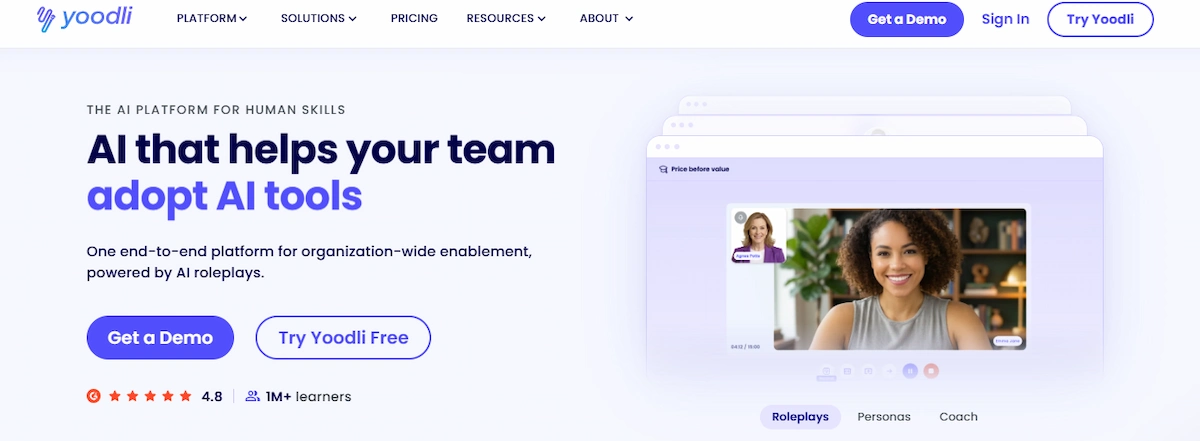
Yoodli listens to you speak and reports filler words, pace, and hedging phrases, and it works for interviews and presentations.
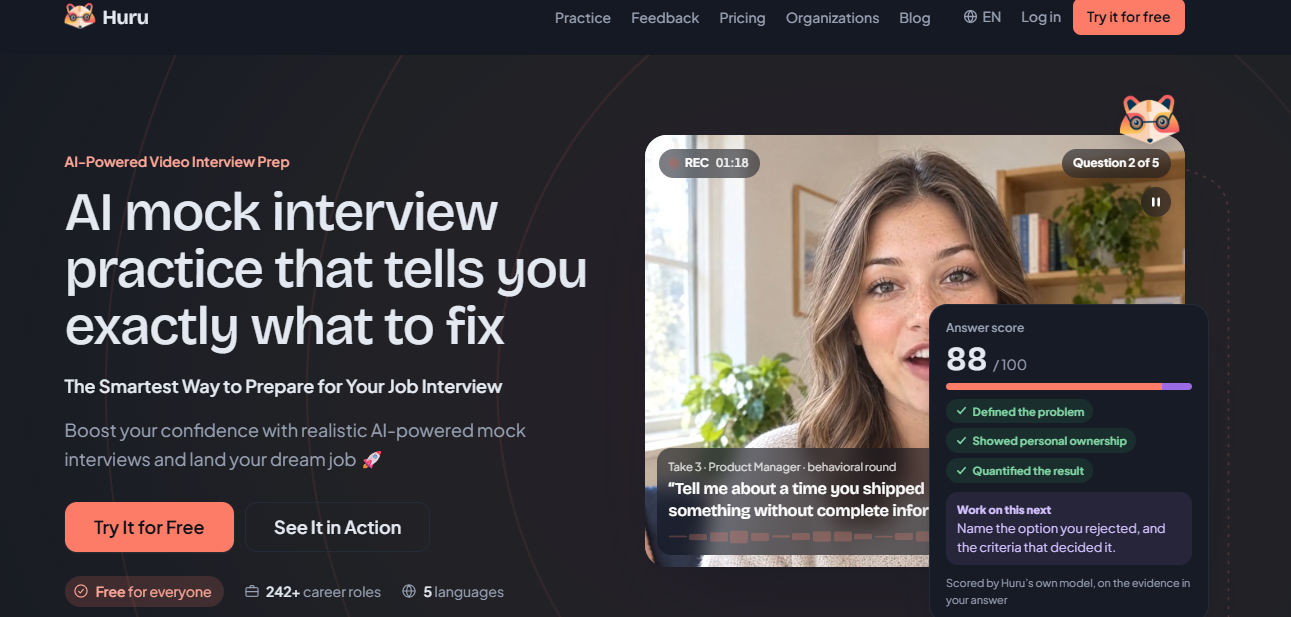
Huru records video answers and comments on eye contact, tone, and structure, with AI feedback on the content as well.
Use a delivery coach after your answers are written, because polishing the delivery of a weak answer does not fix the answer. Delivery feedback is the weak spot of most free AI interview tools, so this is the category where a paid plan helps most.
Technical and Coding Interview Practice
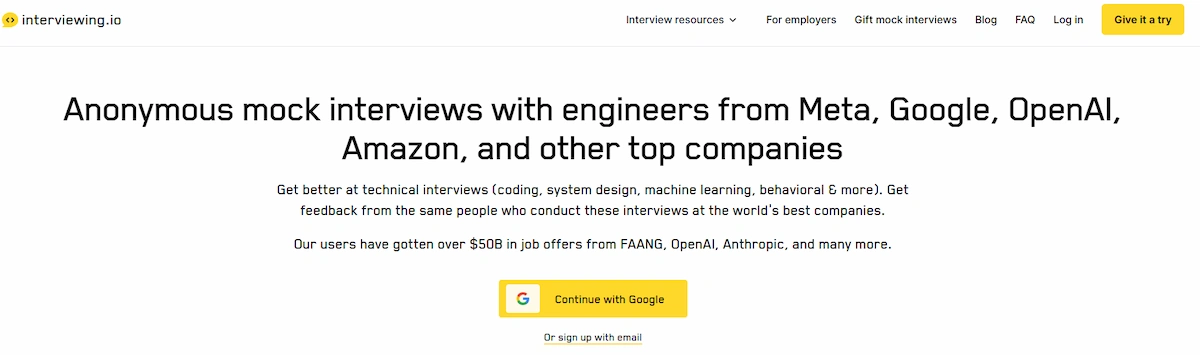
Exponent covers system design, product, and coding interviews with courses and AI practice. Pramp pairs you with another candidate for free peer mock interviews, and interviewing.io connects you with working engineers for anonymous mocks, at a higher price.
DevInterview.AI generates technical questions by stack. For coding rounds, the biggest gain comes from explaining your thinking out loud, so choose a tool that works by voice instead of text only.
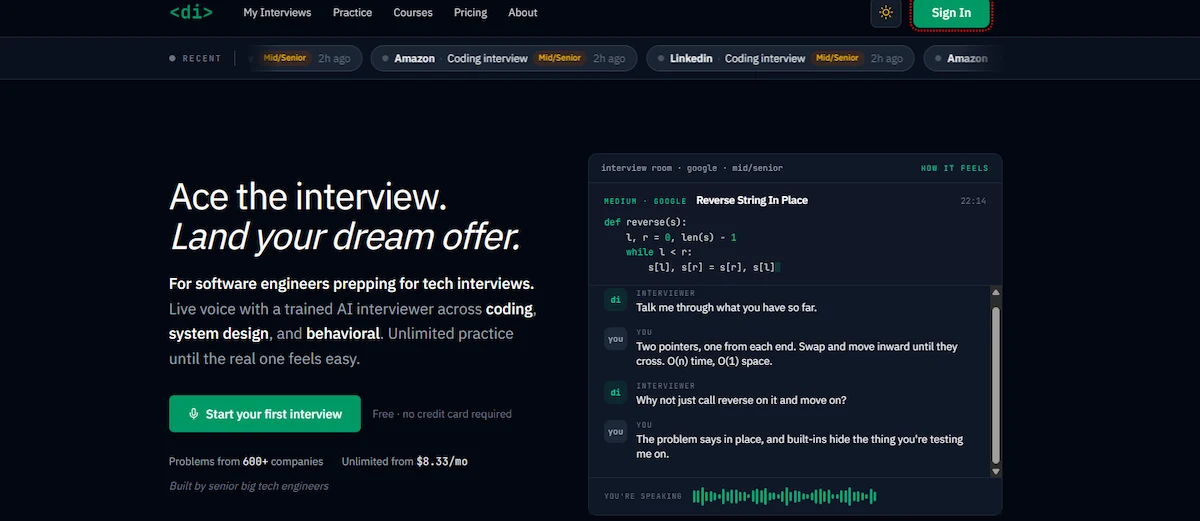
Few AI interview tools for engineers score the explanation itself, so ask a friend to listen as well.
One-Way Video Interview Practice
In a one-way video interview you answer recorded questions with a countdown timer and nobody replies. Practice with a phone or webcam, a fixed time limit of 60 to 90 seconds per answer, and a tool that records video, such as Big Interview or Huru. Look at the lens, not the screen, and watch the replay with the sound off to check posture and expression. Test your setup the day before: check the camera angle, light from the front, a quiet room, microphone level, and a stable connection.
General AI Assistants for Mock Interviews
ChatGPT, Claude, and Gemini Live can play a hiring manager if you give them the job description and clear rules. Their weak points are friendly scoring, invented facts about a company, and little feedback on delivery unless you use voice mode.

Tell the assistant to be strict, to ask follow-up questions, and to point out vague answers, then check any company detail on the official site. Used this way, a general chatbot works as a free AI interview assistant for practice.
Match the Tool to the Interview Type
Interviews differ, and so does the best AI mock interview. The table matches AI tools for interviews to the format you face.
| Interview type | What to practice | Tool type |
|---|---|---|
| Phone screen | A 60 second pitch, salary range, availability | General assistant in voice mode |
| Video call | Camera setup, pace, eye contact | Delivery coach or mock platform |
| One-way recorded | Timed answers with no reaction from anyone | Video practice tool |
| Behavioral | Stories in STAR form with real results | AI mock interview plus assistant |
| Technical or coding | Explaining your reasoning, system design | Exponent, Pramp, interviewing.io |
| Panel | Several interviewers and quick topic changes | Human mock plus AI follow-up questions |
| Case or product | Structured thinking under time pressure | Exponent or an assistant with a case prompt |
How AI Practice Helps With Interview Anxiety
Repetition lowers fear. In AI interview practice you can fail in private, replay the answer, and try again, which makes the real call feel familiar. Start with easy questions, move to hard follow-ups, and compare your first recording with your fifth to see progress. Use AI interview prep for the repetition, then add one session with a friend or a career coach, because a human reaction cannot be copied by an app. If nerves still block you, a delivery coach that tracks pace gives you a number to improve, which feels more manageable than a vague feeling.
Benefits and Limits of AI Interview Prep
AI practice is cheap, available at any hour, and tied to your own job description. It gives instant feedback, lets you repeat a weak answer as often as you like, and shows progress over several sessions. Those gains explain why AI interview tools are now a standard part of job search prep.
The limits are just as clear. Feedback can be generic or too friendly, scores differ from one tool to another and are not proof of how a real interviewer will rate you, and models can invent facts about a company. An app also cannot copy the pressure of a real person watching you. Treat the score as a hint and the written advice as a draft.
When a Human Mock Interview Beats AI
Ask a friend, a mentor, or a university career center to run one mock before the real call, especially for panel interviews, senior roles, and interviews in your second language. A person reacts to tone, notices when you ramble, and can ask a follow-up that comes from real experience. Use AI for volume and a person for the final polish. Paid human mocks, such as those on interviewing.io, cost more but give feedback that an app cannot fully copy.
Free AI Interview Tools

Most AI tools for interviews have a free tier, which is enough to test your weak spots. Free AI interview tools usually limit sessions, hide detailed reports, or add credits. Good starting points:
- ChatGPT, Claude, and Gemini Live for role play, answer critique, and spoken practice.
- Pramp for free peer mock interviews with another candidate.
- Yoodli free plan for speech feedback in a limited number of sessions.
- Himalayas AI Interview Practice for a quick mock tied to a posting.
- Interviews by AI and FreeMockInterview for short practice rounds without payment.
One caution on Google Interview Warmup: several 2026 reviews report that Google retired it, while others still list it. Check the official Google page before you plan around it, and use Gemini Live for the same kind of spoken practice.
Prompts to Practice Interviews With ChatGPT, Claude, and Gemini
These prompts turn any assistant into a practice partner. Replace the brackets with your details, and leave out confidential company information.
- Role setup: Act as a hiring manager for [job title]. Here is the job description: [paste]. Ask me one question at a time, wait for my answer, then give a score from 1 to 5 and one change that would improve it.
- Behavioral round: Give me five behavioral questions for this role. After each answer, check whether I covered situation, task, action, and result, and show what is missing.
- Follow-ups: After each answer, ask one hard follow-up question that a skeptical interviewer would ask.
- Resume check: Here is my resume: [paste]. List the three weakest points and the questions an interviewer would ask about them.
- Tell me about yourself: Draft a 60 second answer using only facts from my resume, and mark every claim I need to support with an example.
- Answer critique: Rate this answer for relevance, specificity, ownership, structure, and length. Rewrite it in my voice without adding facts I did not give you.
The last prompt matters most, because a tool that adds achievements you never had will not survive the first follow-up. The guide to prompt engineering for business explains how to write sharper instructions for any task.
A Weak Answer and Its Improved Version
This example is an illustration, not a real case. The question is “Tell me about a time you handled a conflict.”
- Weak answer: I am good with people, and we usually solve problems quickly.
- Improved answer: Last spring two teammates disagreed about a launch date. I spoke to each of them, wrote down what each one needed, and proposed a split release. The launch shipped on time, and both signed off on the plan.
To get this result from an assistant, paste the weak answer with the facts you remember and ask for a rewrite in the order of situation, task, action, and result, using only those facts. Then read the new version aloud. If a sentence does not sound like you, change it.
Common Interview Questions to Practice
Feed these to your assistant or mock platform, and answer each one out loud:
- Tell me about yourself.
- Why do you want this job, and why this company?
- Tell me about a time you failed and what you changed afterward.
- Describe a conflict with a coworker and how you handled it.
- What is your biggest weakness?
- Tell me about a project you are proud of and your exact role in it.
- How do you handle tight deadlines or competing priorities?
- Why should we hire you?
- Do you have questions for us?
Then add three to five questions taken from the job description, since those are the ones the interviewer is most likely to ask.
A 7 Day Plan to Prepare for an Interview With AI
A short AI interview prep plan keeps practice from turning into endless scrolling. Adjust the order if your interview is sooner.
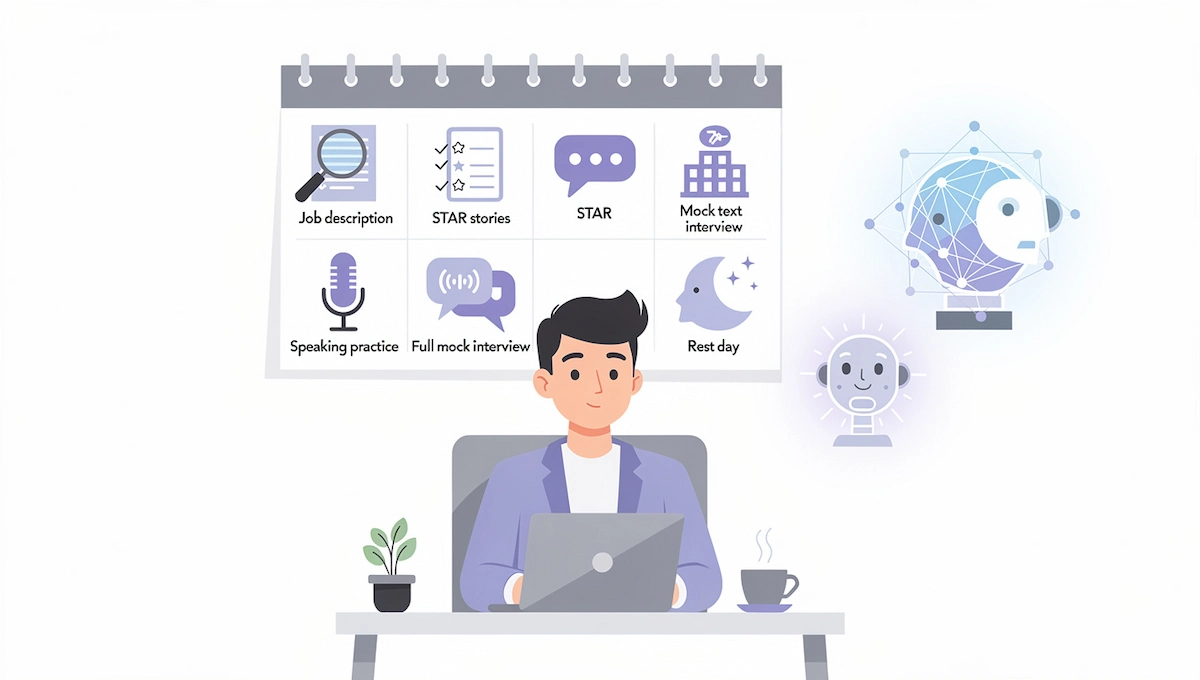
| Day | Task | Tool type |
|---|---|---|
| 1 | Read the job description, list six required skills, and record a first answer to “Tell me about yourself” | General assistant |
| 2 | Write five stories from your resume in STAR form and let the assistant tighten them | General assistant |
| 3 | Run a text mock with behavioral questions and use the scoring prompt | General assistant |
| 4 | Research the company and prepare questions for the interviewer | Search assistant |
| 5 | Speak your answers out loud and check filler words and pace | Delivery coach |
| 6 | Do a full 30 to 45 minute AI mock interview with follow-ups | Mock platform |
| 7 | Review your weakest answers, then stop practicing and rest | None |
How to Research a Company Before an Interview With AI
Search assistants such as Perplexity, ChatGPT, and Gemini can summarize a company in minutes: what it sells, who its competitors are, recent news, and how the role fits. Ask for sources and open them, because a model can mix up two firms with similar names. Then check the company site, recent press, and the profiles of the people you will meet. Turn the findings into three things: a one sentence reason you want this company, two points from recent news, and three questions for the interviewer. Pair this research with your AI interview tools: paste the findings into a mock session and ask for questions about the company itself.
Resume, Cover Letter, and Job Search Tools That Support Interviews
An interview starts with the documents that got you invited, so make sure they match what you will say. Teal and Career.io include resume builders that tailor a resume to a job description, Rezi focuses on resumes that pass applicant tracking systems, and ChatGPT or Claude can draft a cover letter from your notes. Tools such as aiApply send applications automatically, which saves time but can fill your pipeline with roles you could not defend in an interview. Whatever you use, read every line before sending, because the interviewer will ask about each claim on the page.
How to Use AI Feedback Without Losing Your Own Voice
Feedback tools make answers smoother, and smooth answers can sound like everyone else. Keep your own stories, your own numbers, and your own wording for the first and last sentence of every answer. Limit each practice round to the three most important changes, and ignore advice that adds buzzwords or claims you cannot support with an example. Read answers aloud: if you stumble on a phrase, you would stumble on it in the real interview too. Interviewers hear dozens of polished answers a week, and a specific detail from your own work is what they remember.
If an AI Interviews You: How to Prepare
Some employers now start with an interview run by AI, either a recorded one-way video or a voice AI agent that asks questions and listens. The format is not harder, but it feels different, because nobody reacts to you. Many of the AI interview tools used for practice can mimic this format, so run the same questions through a mock tool twice before the real session.
Test your camera, microphone, and connection, choose a quiet room, and speak a little slower than usual. Answer every part of each question, use the STAR method for behavioral questions, and give specific examples, since the system scores content and structure. Ask the employer how your recording is stored, who reviews it, and whether a human makes the final decision. If you need an accommodation or prefer a live interview, ask for it in writing.
AI Tools During the Interview: What Is Allowed?
Using AI while the call is live is the most contested use, and the answer depends on the employer. Read this section before you install anything. An AI interview assistant that works during the call raises different questions from a practice app.
What Live AI Interview Copilots Do
A live AI interview copilot listens to the call, transcribes each question, and shows suggested answers on screen, and some vendors sell it as an AI interview assistant. Products in this group include LockedIn AI, the Interview Copilot from Final Round AI, Sensei AI, Beyz, and Interviews.chat. Many advertise an overlay or a stealth mode that stays hidden during screen share. This guide lists them for awareness only and does not recommend them for the reasons below.
Is It Cheating to Use AI in an Interview?
It depends on the rules of the interview and on whether you hide it. Using AI to prepare, research a company, and polish your own stories is accepted almost everywhere. Using it to produce answers during a live call is a different matter. A 2026 Resume Genius survey of 1,000 US job seekers, reported by Newsweek, found that 22% had used AI in real time during an interview. Amazon told recruiters that candidates may be disqualified for using AI tools, and Google, Cisco, and McKinsey brought back in-person rounds to counter it. Some employers go the other way: Canva replaced a coding round with an AI assisted one, and Meta has tested AI enabled interviews. When in doubt, ask the recruiter in writing what is allowed.
Can Interviewers Detect AI Help?
Often they notice, even without software. Typical signs are a pause before every answer, eyes moving to one side of the screen, polished but generic wording, and answers that fall apart when the interviewer asks a follow-up. The vendor Fabric, which sells cheating detection, flagged 38.5% of 19,368 AI interviews for suspected AI assistance, with 48% in technical roles against 12% in sales. Treat those figures as a vendor claim, not a neutral measure. Claims that a tool is undetectable are marketing, and the risk of a rescinded offer stays with you.
Consent, Privacy, and Billing Risks
The guide on AI data privacy for business explains what to look for in a privacy policy. Live copilots record or transcribe the other side of the call, and recording laws differ by place. Several US states require all parties to agree, and EU rules apply if the interviewer lives there. Audio often goes to a cloud service, a breach affecting thousands of users of one popular tool was reported in 2025, and review sites contain many complaints about renewals and refunds. Before you install any recording tool, read how long data is kept and who can access it.
AI Tools After the Interview
Most AI interview tools stop when the call ends, yet the hours after it decide whether the interviewer remembers you. This is the least covered part of interview prep, and AI can help with three tasks: a thank-you message, a debrief, and a plan for the next round or the salary talk.
- Thank-you note. Give the assistant your notes and ask for a short message that mentions one specific topic from the conversation. Edit it so it sounds like you. The how-to on writing emails with AI shows how to keep a draft short and clear.
- Debrief. Write down the questions you were asked and how you answered within an hour. Note meeting apps such as Otter, Fireflies, or Hedy can produce a transcript, but record only when everyone agrees.
- Next round and salary. Ask the assistant to role play a salary conversation and test your wording, after you research pay ranges on salary sites. Track the status of each application in a tool such as Teal.
Salary Negotiation Practice With AI
Research the pay range for the role first, using salary sites and the posting itself. Then ask an assistant to play a recruiter who offers a lower number than you hoped, and practice a calm reply that names your value and a specific figure. Ask it to point out apologies and hedging words. The assistant does not know the real market, so treat its numbers as a rough guide.
AI Note Takers for Interview Calls
Meeting apps such as Otter, Fireflies, and Hedy join a call, record it, and produce a transcript and a summary. They are useful for debriefs and for recruiters who need clean notes, but they record other people, so ask for permission before every call. Many employers do not allow outside bots in interviews, so ask first. Where a bot is not allowed, take handwritten notes and write your own summary within an hour.
AI Tools for Recruiters and Hiring Teams
On the hiring side, AI interview software handles scheduling, transcription, note taking, and sometimes scoring. HireVue and Interviewer.AI run recorded video screens, VidCruiter combines video interviews with scheduling, Metaview and BrightHire record and summarize live interviews for hiring teams, and Humanly automates early screening conversations. Buyers should compare AI interview software on integration with their ATS, scoring transparency, and data handling.
Fairness is the main concern. Rules such as New York City Local Law 144 and the EU AI Act cover AI used in hiring, so ask vendors about bias audits, candidate notices, and how scores can be explained. Keep a person responsible for every hiring decision, and tell candidates when AI is part of the process. The guide to AI in the workplace covers team policies for AI tools more broadly.
Benefits and Limits for Hiring Teams
The benefits are saved time on scheduling, cleaner notes, more consistent questions, and faster screening of large applicant pools. The limits are bias in training data, scores that candidates and managers cannot explain, and candidates who dislike talking to a machine. Hiring teams that use AI interview tools should also know that a vendor report found many answers flagged as AI assisted still scored above the passing bar, so scores alone are not proof of skill. Keep a person in charge of every decision, and use follow-up questions that test real experience.
Questions to Ask AI Interview Software Vendors
- How is the score calculated, and can a hiring manager see the reasons?
- Has the system had an independent bias audit, and can we see the result?
- How are recordings and transcripts stored, and for how long?
- Does it integrate with our ATS and calendar?
- How are candidates told that AI is used, and can they ask for a human alternative?
- What is the price per user, per interview, or per year, and what happens at renewal?
How to Choose the Right AI Interview Tool
The right tool is the one that fixes your weakest point. To choose among AI tools to help with interviews, run each candidate through six checks during a free trial:
- Relevance. Do the questions match your job description, not a generic list?
- Follow-ups. Does it ask a second question when your answer is vague?
- Feedback quality. Does it name what to change, or just say good job?
- Delivery data. If you need it, does it measure pace, filler words, and eye contact?
- Privacy. How long does it keep recordings, and can you delete them?
- Price and exit. What does it cost after the trial, and how do you cancel?
Match AI tools for interviews to your goal, and start with the free tier of the best fit.
| Goal | Tool type | Examples |
|---|---|---|
| Nerves and delivery | Delivery coach | Yoodli, Huru |
| Behavioral stories | Mock platform or assistant | Final Round AI, Career.io, ChatGPT |
| Technical or coding | Technical platform | Exponent, Pramp, interviewing.io |
| Video screen | Video practice tool | Big Interview, Huru |
| English is a second language | Voice assistant with transcript | Gemini Live, ChatGPT voice mode |
| Tight budget | General assistant plus free tiers | ChatGPT, Claude, Gemini Live, Pramp |
A general assistant with a strong prompt covers most of the content work. The general method for picking any tool is in the guide on how to choose AI tools for business.
Pricing and Billing: What to Check Before You Pay
Prices of AI interview tools change often, and the same product can have three different plans. Interview tools often sell short plans, so billing details matter more than the headline price. Check whether the plan uses credits or minutes, whether the cheap price needs annual billing, whether a free trial asks for a card, and how renewal works. Set a calendar reminder for the day before the trial ends, and screenshot the cancellation page. Since you probably need a tool for a few weeks only, a monthly plan is usually safer than a discounted annual one. For typical price ranges across AI products, see the guide to how much AI tools cost.
Common Mistakes When Using AI for Interviews
Most problems with AI interview tools come from how people use them, not from the tools. These six errors show up most often.
- Memorizing an AI script. Answers read from memory sound stiff and break under follow-ups. Learn the story, not the sentences.
- Using vague prompts. A request like “give me interview questions” returns generic questions. Paste the job description and your resume.
- Practicing in text only. Interviews are spoken, so practice out loud at least twice.
- Trusting generous scores. Assistants tend to praise. Ask for strict scoring and a list of weaknesses.
- Believing invented company facts. Verify every detail about the employer on its own site.
- Breaking the rules of the interview. Using a hidden copilot where AI is banned can cost you the offer.
Final Thoughts on AI Tools to Help With Interviews
The best use of AI is practice before the call and follow-up after it. Give the tool a real job description, speak your answers out loud, ask for strict feedback, and keep your own stories at the center. Employers decide what is allowed during the interview, so ask when you are unsure, and keep the live part human.
Frequently Asked Questions
What are the best AI tools to help with interviews?
For practice, Final Round AI, Yoodli, Career.io Interview Simulator, Big Interview, and Exponent for technical roles are common picks, and ChatGPT, Claude, or Gemini work well with a strong prompt. The best AI interview tools are the ones that match your weak spot, so test two or three on a free plan.
Are there free AI tools for interview practice?
Yes. ChatGPT, Claude, Gemini Live, Pramp, Himalayas, and the free plans of Yoodli and Interviews by AI cover most practice needs. Free plans limit sessions or hide detailed reports, but they are enough to find your weak answers.
Is it cheating to use AI during a job interview?
Using AI to prepare is accepted almost everywhere. Using it to generate answers during a live call is often against the rules, and some employers disqualify candidates for it. Ask the recruiter what is allowed, and do not hide AI use where it is banned.
Can interviewers detect AI interview tools?
They often notice the behavior: long pauses, eyes off camera, generic answers, and weak follow-ups. Some employers also use detection software or in-person rounds. Claims that a copilot is undetectable are marketing, and the cost of being caught is a lost offer.
What is the difference between an AI mock interview tool and an interview copilot?
A mock interview tool is for practice before the call, with questions, scoring, and feedback. An interview copilot works during a live call, listens to the questions, and suggests answers. The first is widely accepted, and the second is often banned.
Can ChatGPT help me prepare for an interview?
Yes. Paste the job description and your resume, ask it to play a hiring manager, and request one question at a time with strict scoring and follow-ups. Check company facts yourself, and practice out loud, since the text mode gives no feedback on delivery.
Which AI tool is best for coding interviews?
Exponent, interviewing.io, Pramp, and DevInterview.AI are common choices for technical practice. Pick one that works by voice, because explaining your reasoning out loud is the skill that coding rounds test.
Are AI interview tools worth paying for?
Often a free plan and a strong prompt are enough. Paid plans help when you need detailed delivery reports, many sessions in a short time, or technical practice. Pay for one month at a time and cancel after the interview.
How accurate is AI interview feedback?
It is useful for structure, clarity, and delivery, and less reliable for judging how a real interviewer will rate you. Scores differ between tools, and models can be too generous. Use the written advice, repeat the answer, and add a human mock for important interviews.
How much do AI interview tools cost?
Many have free plans, and paid plans usually cost from about $8 to $40 a month, with technical platforms such as Exponent costing more. Check credits, annual billing, and renewal terms before you pay.
How many mock interviews should I do before the real one?
Three to five full mocks are enough for most people, spread over several days, with a review of your weakest answers after each one. More practice than that rarely helps, and rest the day before.
What is the best AI tool for last-minute interview prep?
Use a general assistant: paste the job description and your resume, run one strict mock with follow-ups, and fix your three weakest answers. Add a quick speech check with Yoodli if you have an hour. Skip new accounts and long courses the day before.
Are AI interview tools private?
It depends on the tool. Check how long recordings and transcripts are kept, whether they are used to train models, and whether you can delete them. Avoid pasting confidential employer data into any public tool.
Do AI interview tools work with Zoom, Google Meet, and Teams?
Practice tools run in a browser or an app, so they work independently of video platforms. Live copilots and note takers listen to a call, and support varies by tool and by what the employer allows. Check the platform list and the interview rules before you install anything.
Which AI tools do recruiters use for interviews?
Common ones include HireVue, VidCruiter, Metaview, BrightHire, Interviewer.AI, and Humanly. They handle scheduling, transcription, note taking, and sometimes scoring. Laws such as New York City Local Law 144 and the EU AI Act apply to AI used in hiring.
Is HireVue AI fair?
Critics have questioned bias and transparency in automated video scoring, and rules such as New York City Local Law 144 require audits and notices for automated hiring tools in some cases. As a candidate, ask how the score is used and whether a human reviews it.
Should I tell the employer I used AI to prepare?
You do not need to mention AI for preparation, just as you would not mention a practice partner. If the employer asks about AI use, or if you used AI during an assessment where rules apply, answer plainly.
What happened to Google Interview Warmup?
Several 2026 reviews report that Google retired the tool, while others still list it as free. Check the official Google page, and use Gemini Live or another assistant for spoken practice if it is gone.
How do I make AI interview answers sound like me?
Give the tool your own stories, ask it to edit instead of write, and tell it not to add facts. Cut generic phrases, read the answer aloud, and rewrite the first and last sentence in your own words.










