Most job searches slow down at the same point: the application itself. Every posting needs a resume adjusted to the job description, a cover letter, a form that asks for the same details again, and a record of where you applied and when. AI tools to apply for jobs take over the repetitive parts of that work. Some rewrite your resume for a specific posting, some write a first draft of a cover letter, and some fill in forms or even submit applications for you.
The tools differ a lot, and so do the results. A resume checker, an autofill extension and an auto-apply bot solve different problems, and picking the wrong one wastes time or hurts your chances. This guide explains the types of AI job application tools, compares the best options with their free plans and prices, shows how to apply for jobs with AI step by step, and covers prompts, auto-apply risks, how employers screen applications, common mistakes and honest use of AI.
What Are AI Tools to Apply for Jobs?
AI tools to apply for jobs are apps and browser extensions that use artificial intelligence to help with the steps of a job application: finding matching roles, tailoring a resume, writing a cover letter, filling in forms, submitting applications and tracking the results. Most of them run on large language models, the same type of generative AI behind ChatGPT, which is explained in the guide to generative AI for business.
They do not replace your decisions. You still choose the roles, check every claim and decide what gets sent. A general chatbot can draft a cover letter, but a dedicated AI job application tool adds things a chatbot does not have on its own: a score against a job description, a saved master resume, autofill for application forms and a tracker that records every submission.
How AI Tools Help You Apply for Jobs
The main gain is time, but speed alone does not get interviews. The real value of AI tools for applying to jobs is that they make it practical to tailor each application without starting from zero.
- Tailoring. The tool compares your resume with a job description and shows missing keywords, so you can adjust wording for each posting.
- ATS readiness. Resume checkers flag formatting that an applicant tracking system may read badly. The term is explained in the AI terms glossary.
- First drafts. Cover letters, resume bullets and follow-up emails start from a draft instead of a blank page.
- Job matching. Some tools scan many job boards and rank roles against your profile.
- Form filling. Autofill extensions copy your details into repeated questions on application forms.
- Tracking. A job tracker keeps the link, date, resume version and contact for every application.
- Interview prep. Mock interviews and question generators let you practice before the call.
Types of AI Job Application Tools
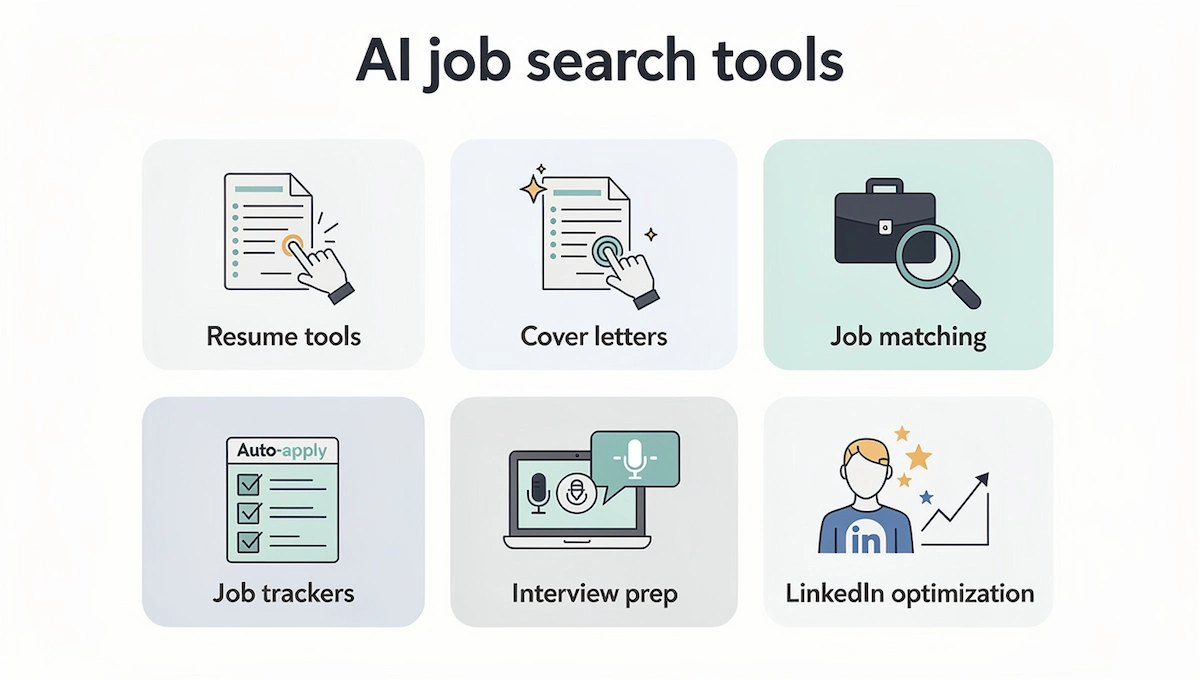
Most products cover one or two of the categories below. Knowing the category first saves you from paying for features you will not use.
Resume builders and tailoring tools
An AI resume builder writes or rewrites bullets and sets the layout. Tailoring tools go one step further and compare the resume with a specific posting. An ATS resume checker scores the result and lists missing keywords. Teal, Jobscan, Kickresume and Rezi belong here.
Cover letter generators
An AI cover letter generator takes your resume and a job description and returns a draft letter. The draft is usually general, so it works best as a starting point that you shorten and rewrite in your own voice.
Job matching and discovery tools
These tools read your profile and show roles that fit, often from many job boards at once. Job matching saves search time, and LinkedIn Job Match and Simplify are examples. The quality of the matches depends on how complete your profile is.
Auto-apply tools
AI auto-apply tools search for jobs, fill in the forms and submit applications on your behalf, sometimes dozens in a day. They save the most time and carry the most risk, which is why a full section later in this guide covers when they make sense. The wider idea of software that acts on its own is explained in the guide to AI agents for business.
Job trackers
A job tracker records each application with its status, dates, contacts and next steps. Teal and Simplify include one, and a spreadsheet does the same job if you prefer to keep it simple.
Interview prep tools
Mock interview tools ask role-specific questions, listen to your answers and give feedback. Rezi, AIApply and LoopCV include a version of this, and there are dedicated apps as well.
LinkedIn optimization tools
Some tools rewrite your LinkedIn headline, summary and experience so that recruiters searching by skill can find you. Because many recruiters look at LinkedIn before they open your resume, the profile and the resume should say the same thing.
How We Chose These Tools
The descriptions below come from the official pricing and product pages of each tool, checked in October 2026, together with published reviews. We did not run controlled tests with real applications, so this guide does not rank tools by interview rate. Prices and limits change often, and some pages do not show every number, so confirm the current plan on the official site before you pay.
Best AI Tools to Apply for Jobs in 2026
The best AI tools to apply for jobs depend on what slows you down.

There is no single winner, and a mix of two or three tools covers most searches. If you need help picking, the guide on how to choose AI tools for business lists the questions to ask before you commit to a paid plan. The table gives a quick comparison, and each tool is described below it.
| Tool | Best for | Free plan | Paid plan |
|---|---|---|---|
| Teal | Tracking and tailoring | Yes, with limited AI credits | $13 per week, $29 per 30 days, $79 per 90 days |
| Jobscan | ATS checks | Yes, reported 5 scans per month | Reported $49.95 per month, check the site |
| Kickresume | Resumes and cover letters | Yes, AI writer not included | $24 per month, $18 per month quarterly, $8 per month yearly |
| Rezi | ATS-friendly resumes | Yes, 1 resume and 3 PDF downloads | $29 per month or $149 lifetime |
| Simplify | Autofill and tracking | Yes, matches, autofill and tracker | Simplify+, price not shown |
| LoopCV | Automated search and applying | Yes, limited applications | From €9.99 per month |
| JobCopilot | Auto-apply with review | Not shown | From about $0.93 per day |
| AIApply | All-in-one suite | Limited free tier | Premium plus auto-apply credit packs, prices not shown |
| ChatGPT and Claude | Flexible drafting | Yes | Depends on the plan |
| LinkedIn Job Match | Matching on LinkedIn | Match summary for job seekers | Extra features with Premium |
Teal: Best for Tracking and Tailoring
Teal combines a resume builder, a job tracker and a keyword match against the job description. The free plan includes unlimited resumes, unlimited job tracking and the top 5 keywords from a job description, plus a few AI credits: 10 for resume bullets, 2 for a professional summary and 2 for a cover letter.
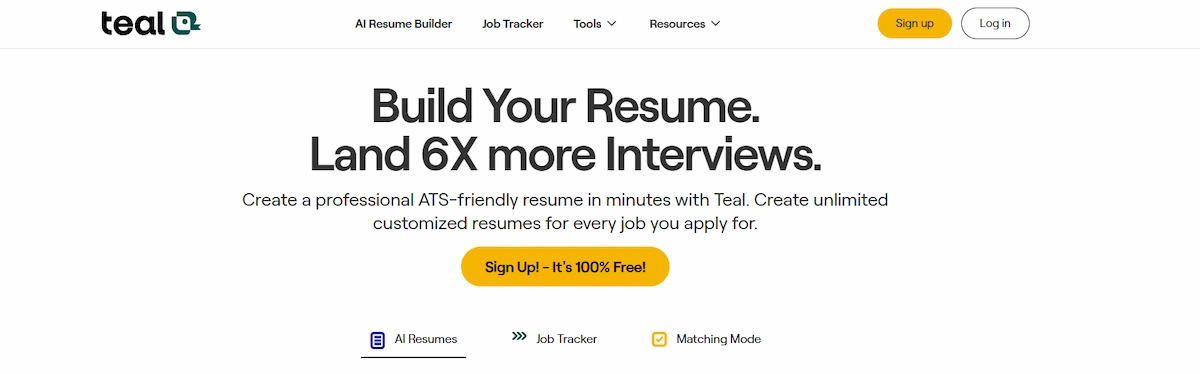
Teal+ removes those limits and is sold as $13 per week, $29 per 30 days or $79 per 90 days. It suits anyone who wants the resume and the tracker in one place. The free credits run out quickly if you tailor a resume for every posting.
Jobscan: Best for ATS Checks
Jobscan compares your resume with a job description and shows a match rate, missing keywords and formatting problems, which makes it the most direct ATS check in this list.
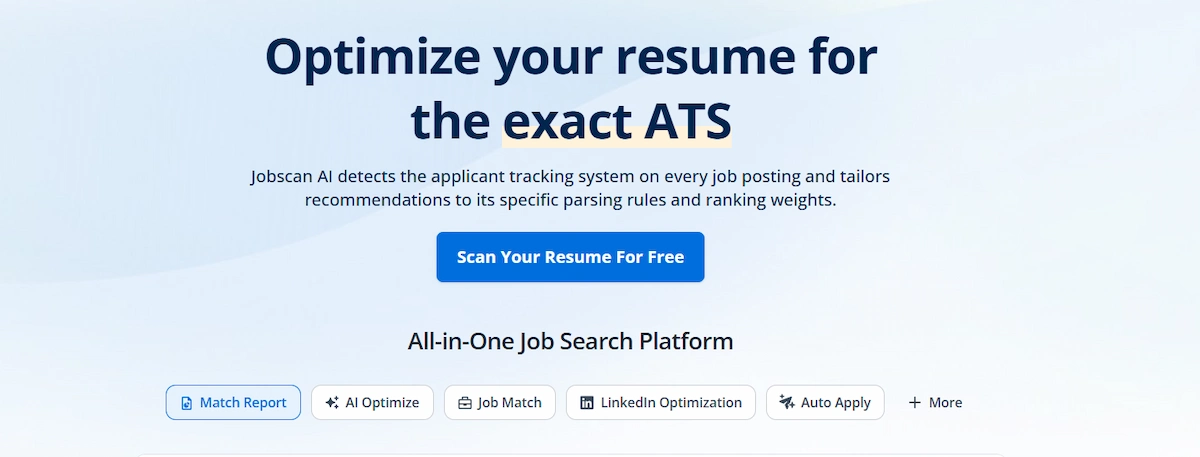
Reviews published in 2026 report 5 free resume scans per month and paid plans from about $49.95 per month, so check the official page for the current price. It works best as a final check on one resume for one posting. A high match rate shows keyword overlap, not that you are the right candidate.
Kickresume: Best for Resumes and Cover Letters
Kickresume offers resume and cover letter templates with unlimited resumes and downloads on the free plan. The AI resume and cover letter writer and the ATS resume checker are Premium features, priced at $24 per month, $18 per month on a quarterly plan or $8 per month on a yearly plan billed at $96.
Students can get Premium free after verification, and paid plans have a 14-day money-back guarantee. It is a good fit when design and a matching cover letter matter. The free plan limits you to 4 basic templates.
Rezi: Best for ATS-Friendly Resumes
Rezi builds resumes in a plain layout and gives them a Rezi Score based on 23 metrics, with AI keyword targeting and an AI cover letter writer. The free plan allows 1 resume, 1 AI interview and 3 PDF downloads, with a limited score and limited keyword targeting.
Pro costs $29 per month, a lifetime plan costs $149, and both carry a 30-day money-back guarantee. It fits people who want a clean format that a parser reads easily. The free plan stops quickly if you need several resume versions.
Simplify: Best for Autofill
Simplify offers job matching from postings indexed from more than 50 job boards and company career pages, a Chrome extension called Copilot that fills in repeated application questions, AI rewriting of bullets for each job description, a resume score and a tracker that logs applications automatically.
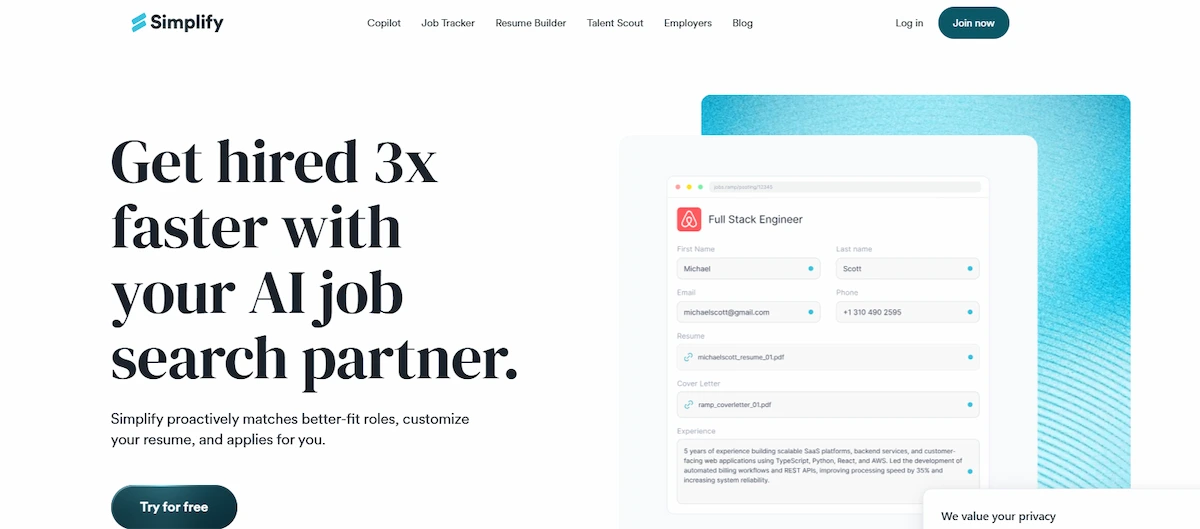
The site says it is free for job seekers, with matches, autofill and the tracker included, and sells Simplify+ as a paid upgrade without listing which features it includes or the price. It suits people who apply to many jobs and are tired of typing the same answers. Check what Simplify+ adds before you pay.
LoopCV: Best for Automated Search
LoopCV searches job boards, matches roles against your CV and sends applications automatically, and it includes a tracker, follow-up emails, an AI CV checker and a mock interview tool. The free plan is described as free forever but limits the number of applications, and the page does not give a number.
Paid plans start from €9.99 per month, and premium users can send applications to hundreds of matching roles per week across more than 30 job boards. Refunds are available within 7 days if you have used no more than 10% of the plan quota. Volume is the risk, so set filters and exclude companies you do not want.
JobCopilot: Best for Auto-Apply With Review
JobCopilot works through a copilot that finds matching jobs and applies for you. Premium includes 1 copilot, up to 20 job matches per day, a tracker and the option to save applications for review before they are sent. Elite adds 3 copilots, up to 50 matches per day and resume tailoring for each application.
The site lists prices from about $0.93 and $1.05 per day, and does not show monthly prices. The review option is the feature to use, because it keeps a person between the match and the submission.
AIApply: Best for an All-in-One Suite
AIApply bundles a resume builder, a cover letter generator, interview prep called Interview Buddy, a job board and auto-apply. There is a limited free tier that lets you try the core tools, and Premium gives unlimited resumes, cover letters and interview prep.
Auto-apply needs paid credits sold in packs, with 100 or 250 given as examples, and the pricing page does not show amounts. It suits people who want one login for everything. Because prices are not shown, read the checkout page carefully.
ChatGPT and Claude: Best for Flexible Drafting
A general chatbot has no job tracker and no ATS score, but it handles almost any writing task if you give it your master resume and the job description. It can summarize a posting, suggest bullet rewrites, draft a cover letter, write a follow-up email and run a mock interview.

Free plans exist, and paid plans differ by provider. The weak point is accuracy, because a chatbot may add skills or results you never mentioned, so every output needs a line-by-line check against your real experience.
LinkedIn Job Match: Best for Matching on LinkedIn
Job Match appears when you view a job in LinkedIn and shows how the skills in your profile compare with the requirements, with suggestions for improving your chances.
Premium subscribers get a high, medium or low match rating, a Top Applicant signal and AI help with resumes and cover letters. LinkedIn announced the feature in January 2025, so confirm what your account includes. It only works for jobs posted on LinkedIn and only as well as your profile is filled in.
Which AI Tool Fits Each Stage of Your Job Search?
A tool that is useful at one stage can be useless at the next. Match the tool to the stage where you lose the most time, and skip the rest. The guide to AI tools for interviews goes deeper on the last row.
| Stage | What you need | Tools to try |
|---|---|---|
| Find roles | Job matching across several boards | Simplify, JobCopilot, LinkedIn Job Match |
| Resume | Tailoring and keyword match | Teal, Jobscan, Rezi, Kickresume |
| Cover letter | A first draft in your voice | Kickresume, Teal, ChatGPT, Claude |
| Apply | Autofill or automated submission | Simplify, LoopCV, JobCopilot, AIApply |
| Track | Status, dates, contacts and resume versions | Teal, Simplify, a spreadsheet |
| Interview | Practice questions and feedback | Rezi, AIApply, LoopCV, ChatGPT, Claude |
How to Apply for Jobs With AI Step by Step
The process below works with any combination of the tools above, including a free chatbot and a spreadsheet. Follow the order for your first few applications, then shorten the steps you no longer need. The goal is to apply for jobs with AI faster while every sentence you send is still true and still sounds like you.
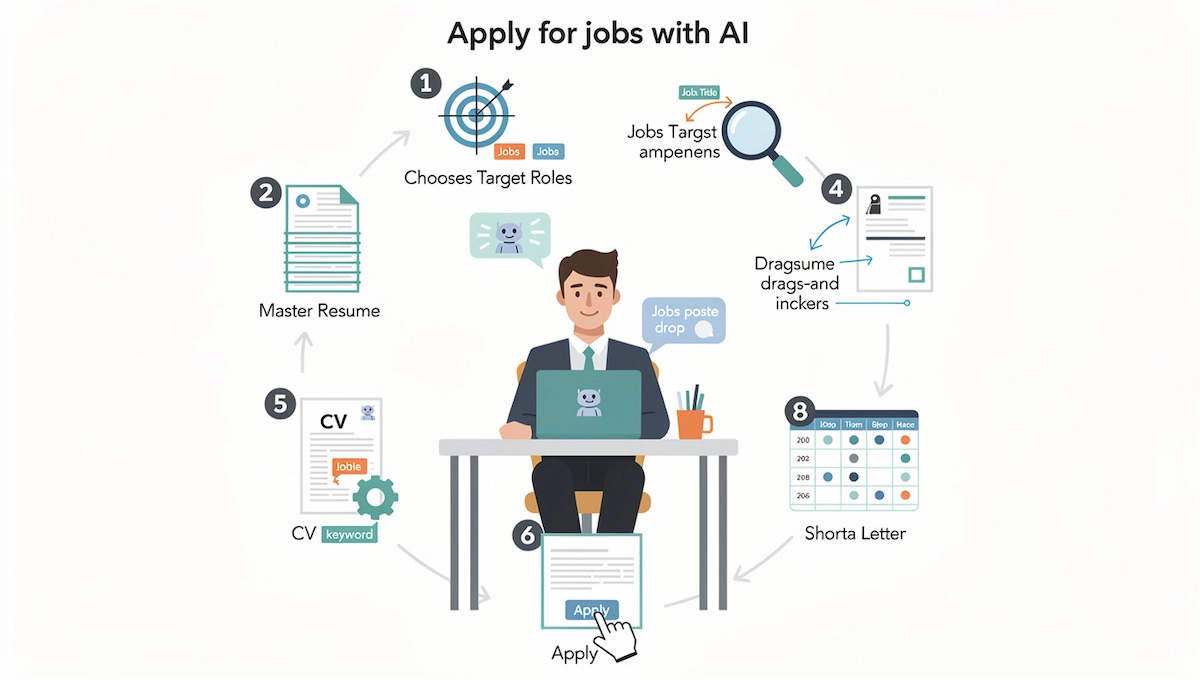
1. Choose target roles
Decide on two or three job titles, a location or remote preference, and a short list of must-haves such as seniority, industry or salary range. A narrow target makes every later step easier, because the resume, the keywords and the matching tools all work from the same list. If you are unsure which titles fit, paste your experience into a chatbot and ask for adjacent job titles that use the same skills, then check a few real postings for each title before you commit.
2. Build a master resume
A master resume is one long document with every job, project, tool, result and number from your career, written accurately and without length limits. You never send it. You copy from it. Because every tailored version starts from true material, the master file is also your protection against an AI tool adding experience you do not have. Ask AI to rewrite weak bullets into clear action and result statements, then confirm each number yourself.
3. Analyze the job description
Paste the job description into your tool and ask for the required skills, the nice-to-have skills, the repeated keywords and the main responsibilities. Then run a gap analysis: place the list next to your master resume and mark what you match, what you partly match and what is missing. This tells you which experience to put first and which postings are not worth your time. Apply only where you meet most of the requirements, and skip roles where the gaps are large.
4. Tailor your resume without inventing anything
Use AI resume tailoring to reorder bullets, move the most relevant experience to the top and adopt the vocabulary of the posting where it is accurate. If the posting says stakeholder management and you coordinated work with department heads, use that phrase. If the posting asks for a tool you have never used, leave it out and mention related experience instead. A good tailoring prompt always includes a rule: use only facts from my master resume and tell me when something is missing.
5. Check ATS fit and keyword match
Run the tailored resume through Jobscan, Teal or Rezi and read the keyword match score as a guide, not a grade. Add missing terms only where they describe real experience. Then check the format: standard section headings, a simple single-column layout, no text inside images and a file type the employer asks for. Fixing a parsing problem is worth more than adding one more keyword.
6. Write a cover letter that sounds like you
Give the tool three facts: the company and role, one specific example from your work that matches the posting, and the reason you want this job. Ask for a short draft with no stock phrases. Then rewrite it in your own voice, cut every sentence that could appear in any letter and read it out loud. A cover letter that fits on one page and names one real result works better than a polished general one. If the application does not ask for a cover letter, a short note in the message box still helps.
7. Apply by hand or with automation
Choose the method for each job instead of using one method for all. Send roles you really want by hand, with a tailored resume and a short letter. Use an autofill extension for routine forms, and use auto-apply only for low-stakes roles where a simple form and a general resume are enough. Review the form answers before you submit, especially questions about work authorization, location and salary.
8. Track every application and follow up
Record the date, the link, the resume version, the contact and the status in a job tracker. This turns a messy search into data: after a few weeks you can see which resume version and which type of role get replies. Plan to follow up about a week after applying, or on the date the posting gives, with a short message that restates your interest and names one fact about the role. AI can draft the message, and you decide when to send it.
What to Do After You Apply: Networking, Interviews and Salary
Applications are only one part of a search, and the same tools help with the steps around them. Use them for drafts and practice, and keep the final words your own.
Update your LinkedIn profile
Recruiters often check LinkedIn before they open your resume, so the headline, summary and experience should match the resume and use the same job titles and skills. Ask AI to suggest a headline and a short summary from your master resume, then remove anything you cannot back up.
Reach out to people at the company
A short message to an employee or recruiter can get your application noticed. Ask AI for a two or three sentence draft that names the role, one relevant point from your background and one clear question. Send it to a real person, personalize it with a detail about the company and do not send the same text to dozens of contacts.
Prepare for the interview
Paste the job description and your resume into a chatbot and ask for the likely questions, then answer them out loud. Ask for feedback on clarity and length, and prepare one example from your work for each main requirement. Mock interview features in Rezi, AIApply and LoopCV do the same with a voice or a chat interface.
Send a thank-you note
After each interview, send a short thank-you email within a day. AI can draft it from your notes, and you add one specific topic from the conversation so the message does not look like a template.
Prepare for salary talks
Use AI to organize your research and to practice what you will say, but get the numbers from real salary data for your role and location, not from a chatbot guess. Write down your target range, your minimum and the points that support your request, then rehearse the conversation.
AI Prompts to Apply for Jobs
Good prompts are specific and include a limit on what the tool may invent. Copy the examples, replace the words in brackets and paste your master resume and the job description with them. The guide to prompt engineering for business explains how to structure instructions so the answer stays closer to what you asked for. These AI prompts work in ChatGPT, Claude and Gemini.
| Stage | Prompt example |
|---|---|
| Target roles | Here is my experience. List ten job titles that use these skills, and mark which ones are entry level, mid level or senior. |
| Job description | Summarize this job description: required skills, nice-to-have skills, repeated keywords and the three most important responsibilities. |
| Gap analysis | Compare my master resume with this job description. Use only facts from my resume. Show what I match, what I partly match and what is missing. |
| Resume tailoring | Rewrite my resume bullets for this job. Use the wording of the posting only where it is true for me. Do not add skills, tools, numbers or titles that are not in my resume. |
| Cover letter | Write a cover letter under 250 words for [role] at [company]. Use this example from my work: [example]. No stock phrases, plain words, first person. |
| Follow-up | Write a three-sentence follow-up email to the recruiter for [role], sent one week after applying. Polite, direct, one specific point about the role. |
| Networking | Write a three-sentence message to a [job title] at [company]. Mention [one point from my background], ask one question about the team and keep the tone friendly and direct. |
| Thank-you note | Write a short thank-you email after my interview for [role]. Use these notes from the conversation: [notes]. Two short paragraphs, no stock phrases. |
| Interview prep | Ask me one interview question at a time for [role]. After each answer, tell me what was unclear and how to make it shorter. |
AI Auto-Apply Tools: Are They Worth It?
AI auto-apply tools are the most discussed and the most risky category. They search job boards, match roles against your profile, fill in forms and submit, sometimes with a tailored resume for each posting. The promise is volume, and the cost is control.
They make sense in a narrow case: broad roles with simple forms, a solid master resume and a search where speed matters more than fit. They make less sense for senior, specialized or competitive roles, where a general application rarely gets read. The risks are real:
- Generic applications. A resume that is not tailored to the posting is easy to pass over.
- Wrong answers. A bot can answer a screening question about location or work authorization incorrectly, and a single wrong answer can end the application.
- Platform rules. LinkedIn publishes a help page on prohibited software and extensions. Read it before you connect any tool to your account, because automation on a platform can lead to restrictions.
- Duplicates and spam. Applying to the same company for many roles, or repeatedly for the same one, looks careless.
- Your data. You hand your resume and contact details to another service.
A hybrid approach lowers the risk. Use a tool that lets you review applications before they are sent, set filters for title, location and company, exclude employers you do not want, check the first batch by hand and keep the volume low enough that you can still follow up. Treat the first results as a test of your resume as much as of the tool.
How Employers Use AI to Screen Applications
Many applicants worry that an ATS throws away their resume before a person sees it. The picture is more mixed. An applicant tracking system is mostly a database that recruiters search and sort, and the automatic rejection that does happen usually comes from knockout questions on the form, such as work authorization or location. A 2026 article from Huntr on how applicant tracking systems work says that no major ATS auto-rejects a resume on content and that a person makes the final decision, although some platforms rank candidates with AI. Huntr sells job search software, and its conclusions rest on its own data and a small number of recruiter interviews, so treat them as informed opinion and not as proof.
For you, this changes the target. The aim is to be found when a recruiter searches for the skills of the role, and to be convincing when a person opens the file. That means clear job titles, the terms used in the posting where they are true, exact answers to knockout questions and a resume that a parser reads cleanly. Recruiters also see a growing number of applications written by the same tools, and general text stands out in a bad way. More background on how employers use these systems is in the guide to AI in the workplace.
What to Do and What to Avoid When Using AI to Apply for Jobs
The simplest way to use AI to apply for jobs is to treat it as a writing partner and a fast assistant, not as a ghostwriter that decides what is true.
| Do | Avoid |
|---|---|
| Start from a master resume with true facts | Asking a tool to write a resume from nothing |
| Tailor each application to the posting | Sending the same file everywhere |
| Edit every draft in your own voice | Submitting the first output unchanged |
| Check every claim, date and number | Trusting the tool to be accurate |
| Review before an auto-apply tool submits | Mass applying with no limits |
| Follow the rules of the employer and the platform | Using live AI help in an interview or test that forbids it |
Common Mistakes When You Use AI to Apply for Jobs
Most weak results come from skipped steps and not from the tool. If you use AI to apply for jobs, check this list before each batch.
- Sending the raw draft. Unedited output repeats itself and reads like every other letter.
- Letting the tool invent experience. A made-up skill is easy to expose in the first interview.
- Chasing a perfect match score. Stuffing keywords to raise a number makes the resume harder to read for a person.
- Applying to everything. Fit matters more than count, and a long list of weak applications teaches you nothing.
- Skipping the cover letter edit. Phrases such as passionate team player appear in thousands of drafts.
- Ignoring the format. Columns, graphics and fancy fonts can break parsing.
- Not tracking results. Without a record you cannot tell which version works.
- Paying before testing. Try the free plan on one real posting first.
How to Make an AI-Assisted Application Sound Human
Recruiters read many applications written with the same tools, and they notice the same patterns. Before you send anything, edit for these signs.
- Stock openings. Delete lines such as I am excited to apply and start with the role and one fact about your work.
- No numbers or names. Replace general claims with a result, a team size, a tool or a project name.
- Same sentence length. Mix short and long sentences, and cut paragraphs that repeat the resume.
- Empty adjectives. Remove words such as dynamic, passionate and results-driven unless a fact follows.
- Wrong company detail. Check the company name, the role title and any fact about the employer, because a pasted template can keep the old one.
- A voice that is not yours. Read the letter out loud, and rewrite any sentence you would not say to a hiring manager.
Privacy and Honesty: What Not to Paste or Claim
Resumes contain personal data, and many tools store what you upload. Before you paste anything, remove what the tool does not need: national ID numbers, date of birth, full home address, the contact details of references and any confidential material from a current or former employer. Read the privacy policy to see how the data is stored and if it is used to train models, and delete your account data when the search ends. The guide to AI data privacy for business lists what to check in a tool.
Honesty is the other limit. Do not let a tool fabricate job titles, dates, degrees, skills or results. Background checks and interviews expose invented details, and one false line can cancel an offer even after you are hired. If an employer or an assessment says that AI help is not allowed, follow that rule, and do not use a live AI assistant to feed you answers during an interview.
Free vs Paid AI Job Application Tools
Free AI tools for job seekers are enough for a small search. Free plans usually limit credits, scans, downloads or applications, and the limit decides how long they last. Teal gives 10 AI credits for resume bullets, Rezi allows 1 resume and 3 PDF downloads, Kickresume keeps its AI writer and ATS checker in Premium, and LoopCV limits automated applications. Simplify says it is free for job seekers, with matches, autofill and the tracker included.
Paid plans make sense when you hit a limit that blocks your search, such as tailoring many resumes or running a large automated search. Several tools sell short plans, such as weekly or daily pricing, which fits a search that lasts a few weeks. Before you pay, check the renewal date, the cancellation steps and the refund window. Among the tools above, Rezi and Kickresume list money-back guarantees of 30 and 14 days, and LoopCV offers refunds within 7 days if you used no more than 10% of the plan. For a broader view of subscription costs, read how much AI tools cost.
A practical free stack is a chatbot for drafting, Teal for the tracker and keyword match, Simplify for autofill and LinkedIn for matching. Upgrade one tool at a time, and only after the free version has shown what is missing.
How to Choose the Right AI Tool for Your Job Search
Use this checklist before you commit to any AI job application tools.
- Which stage costs you the most time: finding roles, tailoring, writing or filling in forms?
- Does the free plan let you test the tool on one real job posting?
- Can you review and edit everything before it is sent?
- Does the privacy policy say how your resume is stored and used?
- Is the price, renewal date and refund window clear on the pricing page?
- Can you export your resume and data if you leave?
If you plan to use several tools together, the guide to building an AI tool stack for business shows how to avoid paying for overlapping features.
Conclusion
The best AI tools to apply for jobs save time on the repetitive parts of a search: tailoring a resume, drafting a letter, filling in forms and tracking results. They do not decide which jobs fit you, and they cannot make a weak application convincing. Choose the tool for the stage that slows you down, keep a master resume, tailor each application with true facts, review everything before it is sent and track what works.
Start small: one tracker, one resume checker and one chatbot, all on free plans. After a few applications, the data in your tracker will show which tool is worth paying for.
FAQs About AI Tools to Apply for Jobs
What are the best AI tools to apply for jobs?
It depends on the stage. Teal and Simplify help with tracking and autofill, Jobscan and Rezi check resumes against a job description, Kickresume covers resumes and cover letters, and LoopCV, JobCopilot and AIApply offer auto-apply. A chatbot such as ChatGPT or Claude handles flexible drafting.
Is it OK to use AI to apply for jobs?
Yes, for drafting, editing, organizing and practice, as long as the content is true and you check it. Do not invent experience, and follow any rule from the employer or the platform that limits AI use.
Can employers tell if I used AI?
Not reliably. Detection tools give scores and not proof, but general wording, repeated phrases and the lack of a specific example are easy for a recruiter to notice. Edit every draft in your own voice and add a real example from your work.
Should I tell an employer that I used AI?
There is no universal rule. If the application asks about AI use, answer honestly. Otherwise, using a tool to edit and organize your writing is a personal choice, and you remain responsible for everything you send.
Can ChatGPT apply for jobs for me?
A chatbot on its own drafts resumes, letters and emails but does not submit applications. To submit, you need an autofill extension or an auto-apply tool, and you should still review the answers on each form.
Are AI auto-apply tools legit?
They are real products with real limits. Results vary, and no independent data shows that they raise your interview rate. Start with a tool that lets you review applications before sending, and read the terms and the refund policy first.
Will LinkedIn ban my account for using auto-apply?
No tool can promise that it is safe. LinkedIn has a help page on prohibited software and extensions, and automation on the platform can lead to restrictions. The safest approach on LinkedIn is to apply by hand and use tools for drafting and tracking.
Can AI help my resume pass an ATS?
It can help with keywords and format, which makes a resume easier to find and parse. Most systems do not reject a resume on content, so the real goal is to appear in recruiter searches and to read well when a person opens the file.
Are there free AI tools to apply for jobs?
Yes. Teal, Simplify, Kickresume, Rezi, LoopCV and AIApply all have free plans or free tiers with limits, and ChatGPT and Claude have free plans for drafting. Check the limits, because credits and downloads run out quickly.
How many jobs should I apply to per week?
There is no fixed number. Set a target you can meet while tailoring each application and following up. Five well-fitted applications usually teach you more than fifty general ones, and your tracker will show what works.
Which AI tool is best for someone with no work experience?
Start with a chatbot to turn projects, coursework, volunteering and part-time work into clear bullets, then use a resume builder for the layout. Kickresume offers free Premium to verified students, and Simplify and LinkedIn can help find entry-level roles.
Do AI job search tools actually get you interviews?
Most numbers come from the companies that sell the tools, so treat them with caution. Measure your own results: count applications, replies and interviews for each resume version and each method, and keep what works.