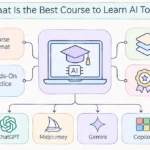
The honest answer is that no single course is the best for everyone, but the choice gets easy once you know what you want to do with AI tools. If you want a calm first step at no cost, start with Google AI Essentials or Elements of AI. If you want to use ChatGPT, Claude, Copilot and Gemini at work, pick an AI tools course built around those tools.
So what is the best course to learn AI tools in your case? Search results make this harder than it needs to be. Most lists of the best AI courses mix beginner classes with machine learning degrees, so you end up comparing a ten hour intro with a five month specialization. We sorted the options by goal, level and cost, and we explain how to check each one before you sign up. By the end you will know which AI course for beginners or advanced learners fits you, and whether you need one at all.
The Best Course to Learn AI Tools by Goal
Start here if you only want the short answer. Match your goal to a row in this list of the best AI courses, then read the full section for that course. Hours and prices change often, so confirm them on the provider page before you enroll.
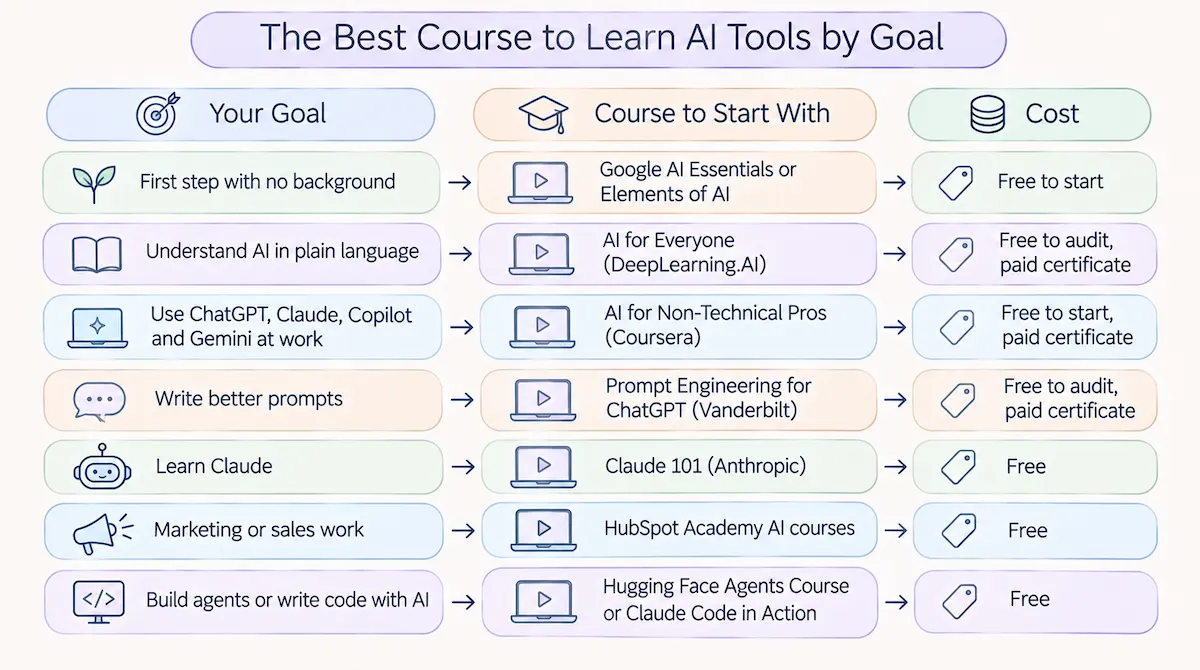
| Your goal | Course to start with | Cost |
|---|---|---|
| First step with no background | Google AI Essentials or Elements of AI | Free to start |
| Understand AI in plain language | AI for Everyone (DeepLearning.AI) | Free to audit, paid certificate |
| Use ChatGPT, Claude, Copilot and Gemini at work | AI for Non-Technical Pros (Coursera) | Free to start, paid certificate |
| Write better prompts | Prompt Engineering for ChatGPT (Vanderbilt) | Free to audit, paid certificate |
| Learn Claude | Claude 101 (Anthropic) | Free |
| Marketing or sales work | HubSpot Academy AI courses | Free |
| Build agents or write code with AI | Hugging Face Agents Course or Claude Code in Action | Free |
If you only have time for one AI course this month, take the one in the first two rows. These are also the best AI courses to finish quickly. A finished beginner AI course teaches you more than three advanced courses you never open again.
Learning AI Tools vs Learning AI: Which Course Type Do You Need?
Before you compare names, decide which kind of course you need. This is the mistake that costs people the most time. A course that teaches you to use AI tools is very different from a course that teaches you to build AI systems, and the course titles do not always make that clear.
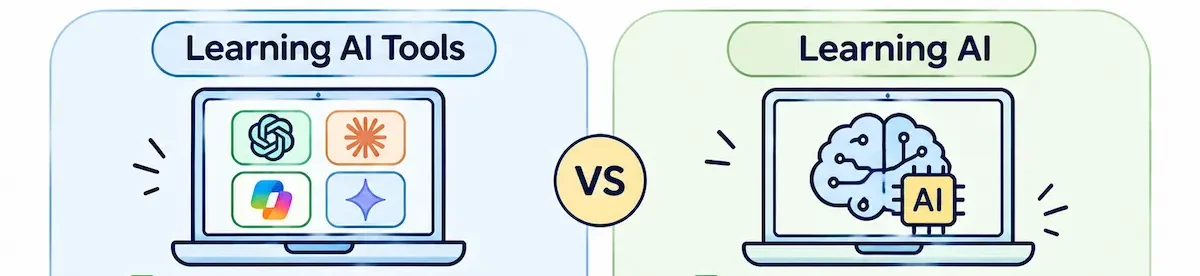
Courses for using AI tools
These AI tools courses teach you to work with tools that already exist: how to write a prompt, check an answer, protect private data, and fit an AI chatbot into your daily tasks. They need no coding and no math. If your goal is to learn AI tools for your job, a business, or school, this is your category. Our overview of AI tools to learn lists the tools worth practicing once you pick a course.
Courses for building AI
These classes teach Python, machine learning, and how language models work inside. They are the right choice if you want to become an engineer or build your own products. They are the wrong choice if you only want to use ChatGPT better. We have seen people spend weeks on a deep learning class when a ten hour tools course was what they needed.
Should you learn AI or machine learning first?
If you want to build things, start with AI basics and Python, then move to machine learning. Machine learning is one part of AI, and jumping straight into it without the basics makes the math feel pointless. If you only want to use tools, you can skip both and take a tools course.
A simple rule works well for judging any of the best AI courses. If the syllabus talks about prompts, workflows, writing, research and privacy, it is a course about tools. If it talks about Python, neural networks and math, it is a course about building.
How We Chose These AI Courses
We looked at what each AI course teaches, how long it takes, what it costs, and whether it stays useful once the tools change. We also checked the provider page for each one, because lists on other sites often repeat old prices and old claims about free access.
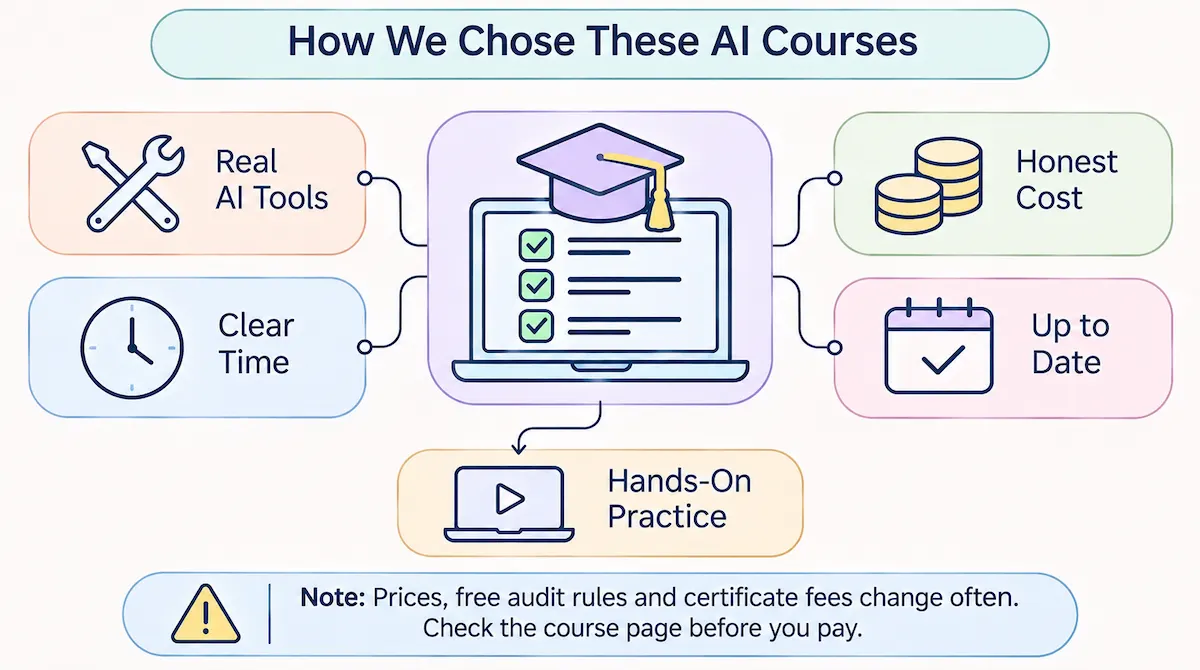
Our checklist was short:
- Is it about tools? The syllabus should cover real AI tools and real tasks.
- Is the time clear? A course with no stated hours is hard to plan around.
- Is the cost honest? We separate free to take, free to audit, and free certificate.
- Is it current? A course that names only old tools gets a warning.
- Does it have practice? Videos alone rarely change how you work.
One limit to state clearly: prices, free audit rules and certificate fees change often, and providers update their pages without notice. Treat every number here as a starting point, and check the course page before you pay.
What You Learn in an AI Tools Course
It helps to know what a good AI tools course teaches before you compare names. Strip away the branding, and nearly every solid beginner class covers the same core skills.
- How generative AI works in simple terms, and why it sometimes gives wrong answers with full confidence.
- Prompt writing: giving context, a clear task and a format, then improving the answer with follow-up messages.
- Checking output: spotting invented facts, weak sources and a flat tone before you use any text.
- Everyday tasks: writing, summarizing, research, planning, spreadsheets and presentations.
- Safe use: what not to paste into a chatbot, and how to handle private or company data.
- Choosing a tool: which assistant fits which job, since no single one wins every task.
If a syllabus covers most of this list, it teaches skills you will use. If it spends the whole time on history and definitions, you will finish it knowing words but not habits. Some providers call the full set of these skills AI fluency or AI literacy, and you will see both terms in course titles.
Best AI Courses for Beginners
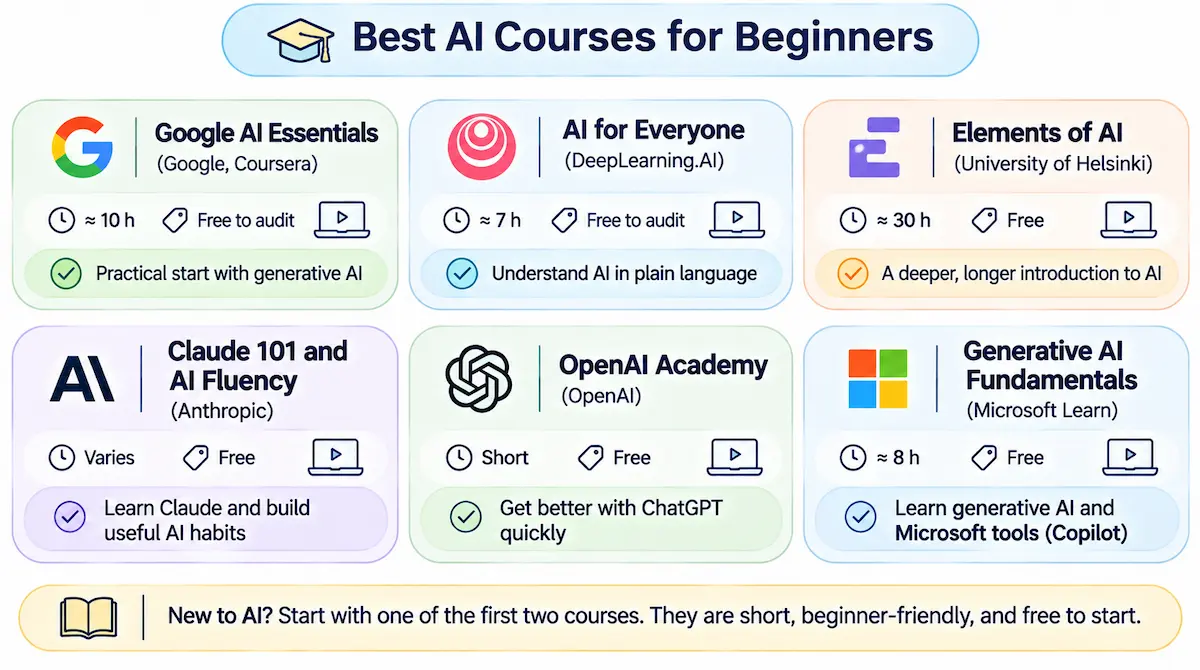
These are the best AI courses for beginners, and the best free AI courses to start with, because they assume nothing, take little time, and give you a clear base before you pick an AI tool. Most of them are free AI courses, or at least free to start. If you are brand new, our AI terms glossary helps with the vocabulary you will hear in the first lessons.
Google AI Essentials (Google, Coursera)
This is the course we point most beginners to first. It takes about ten hours and focuses on using generative AI in everyday work: writing prompts, getting useful output, and spotting mistakes. It is free to audit on Coursera, and the certificate costs extra. Choose it if you want a practical start without theory. It is a good AI course for beginners who dislike long lectures. Skip it if you already use AI daily and want depth.
AI for Everyone (DeepLearning.AI)
Taught by Andrew Ng, this course runs about seven hours across four weekly modules: what AI is, how projects are built, how a company can use AI, and how AI affects society. It has no coding, and it is available with subtitles in many languages. It explains the ideas better than most courses, but it does not train you on specific AI tools. Pair it with a hands-on class. The course page on Coursera shows the current price and certificate options.
Elements of AI (University of Helsinki)
A free course of about thirty hours that explains what AI can and cannot do, with light math and a strong section on ethics. The certificate is separate from the course itself. It is slower than Google AI Essentials, so pick it if you want to understand the ideas well and you do not mind a longer path.
Claude 101 and AI Fluency (Anthropic)
Anthropic offers free classes through its academy, including a beginner course on Claude and a framework course on working with AI. Both come with a certificate of completion. These are the right pick if Claude is your main tool, and the AI Fluency material is useful even if you use other chatbots, because it teaches habits instead of buttons.
OpenAI Academy
OpenAI runs free learning material for people who use ChatGPT, with short lessons on prompting and everyday use. It suits beginners who want to get better with one specific tool quickly. The material changes as the product changes, so check the date on any lesson you take.
Generative AI Fundamentals (Microsoft Learn)
A free course of roughly eight hours that explains how generative AI works and how Microsoft tools use it. It is another AI course for beginners, and it fits people who work in Microsoft 365 and want to understand Copilot. It is less useful if you never touch Microsoft software.
Best Courses to Learn ChatGPT, Claude and Other AI Tools
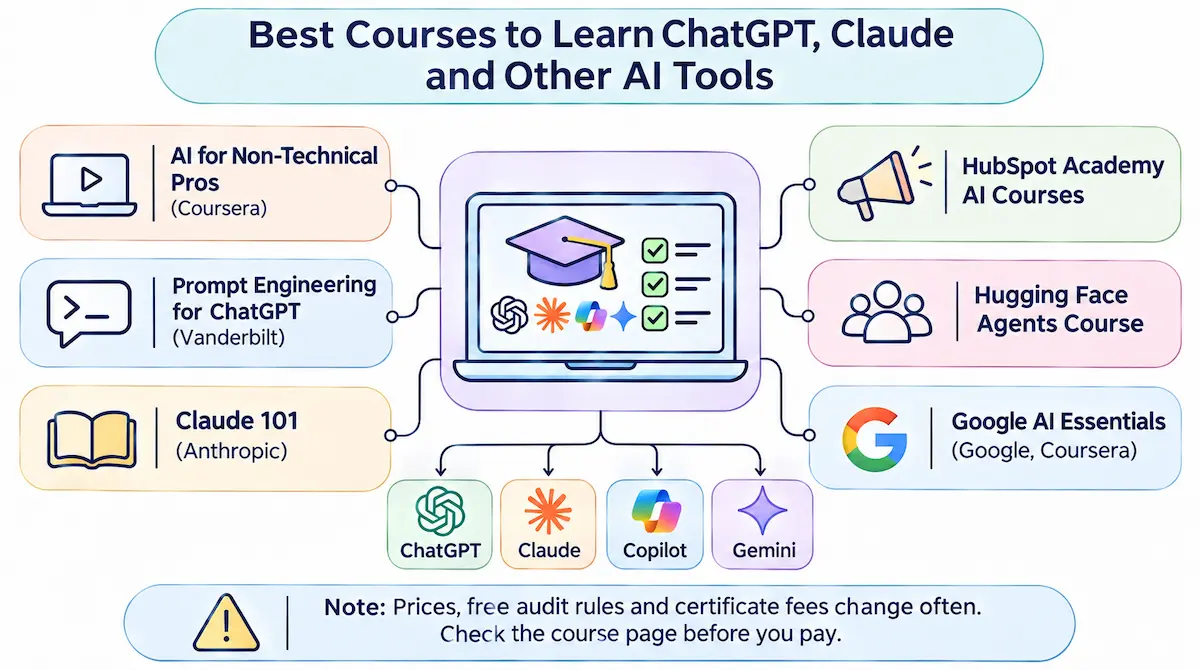
If you want to learn AI tools by using them, a hands-on AI tools course is a better choice than a general intro. These classes spend their time on prompts, real tasks and checking results. Here is how the main ones differ, and where our prompt engineering guide can fill the gaps they leave.
AI for Non-Technical Pros: ChatGPT, Copilot, Claude and Gemini (Coursera)
This is the closest match to what most readers of this page are looking for. It has five modules and 54 short videos, takes about ten hours, and is aimed at beginners with no coding. It starts with how generative AI works and why it makes mistakes, then moves to ChatGPT, Copilot, Claude, Gemini, NotebookLM and Perplexity. Later modules cover email and content, spreadsheets and reports, and risks such as private data, bias and wrong answers. You can start for free, and the certificate is paid.
Prompt Engineering for ChatGPT (Vanderbilt University)
A longer course, about eighteen hours, that goes deep on how to write prompts and design patterns for them. It is free to audit with a paid certificate. Choose it if prompting is the skill you most want to improve. It is more than most beginners need on day one.
Foundations of Prompt Engineering (AWS)
A free, short course from Amazon Web Services that covers the basics of writing prompts and the main techniques. It is a quick way to learn the vocabulary of prompting, though it leans toward cloud users.
ChatGPT Prompt Engineering for Developers (DeepLearning.AI)
About three hours and free, built with OpenAI. It uses code to show how prompts behave, so it assumes you can read basic Python. Take it if you write code. Skip it if you do not.
For a plain comparison: for most people, the Coursera tools course and one prompting course cover everything, and a second prompting course adds little.
Best AI Courses for Work and Business Roles
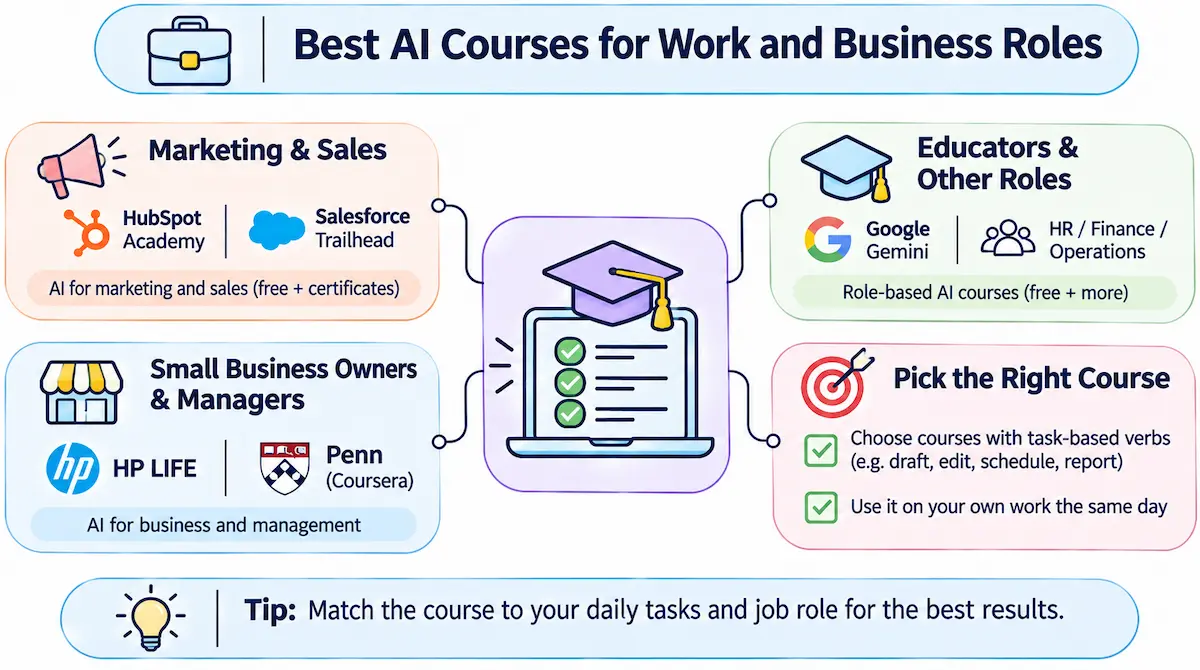
Your job changes which AI course is best. An AI course built around your daily tasks beats a general class, because you practice on work you already do. If you run your own company, start with how to use AI in business to see where tools save time before you pick a course.
Marketing and sales
HubSpot Academy offers free AI courses for marketers and sales teams, with certificates. Salesforce Trailhead has a free Generative AI Basics module that ends with a badge. These are short and practical, and they teach AI inside the tools that sales and marketing teams already use. We like them for one reason: you finish a lesson and can apply it on the same afternoon, which is the best sign that an AI course for work is well designed. Compare that with a general class where the examples come from industries you never touch.
Small business owners and managers
HP LIFE has a free AI for Business Professionals course, and the University of Pennsylvania teaches AI for Business on Coursera. If you run a small company, our guide to AI for small business shows which tasks give the quickest return, so you know what to look for in a syllabus.
Educators and other roles
Google offers a free Gemini course for educators. Many providers now publish role based classes for HR, finance and operations, and the Coursera tools course above includes modules for those teams. Pick the one that names your daily tasks in its outline.
Which role based AI course should you pick first
If you have to choose, look at the verbs in the syllabus. A marketing course that says draft, edit, schedule and report is built around tasks. A course that says explore and discover usually stays at the level of ideas. Choose the first kind, because you can test it on your own work the same day.
AI Tools You Will Practice With During a Course
Every good AI tools course asks you to open a real tool, so it helps to know which ones come up most. Set up free accounts before you start, and you will not lose time during the first lesson.
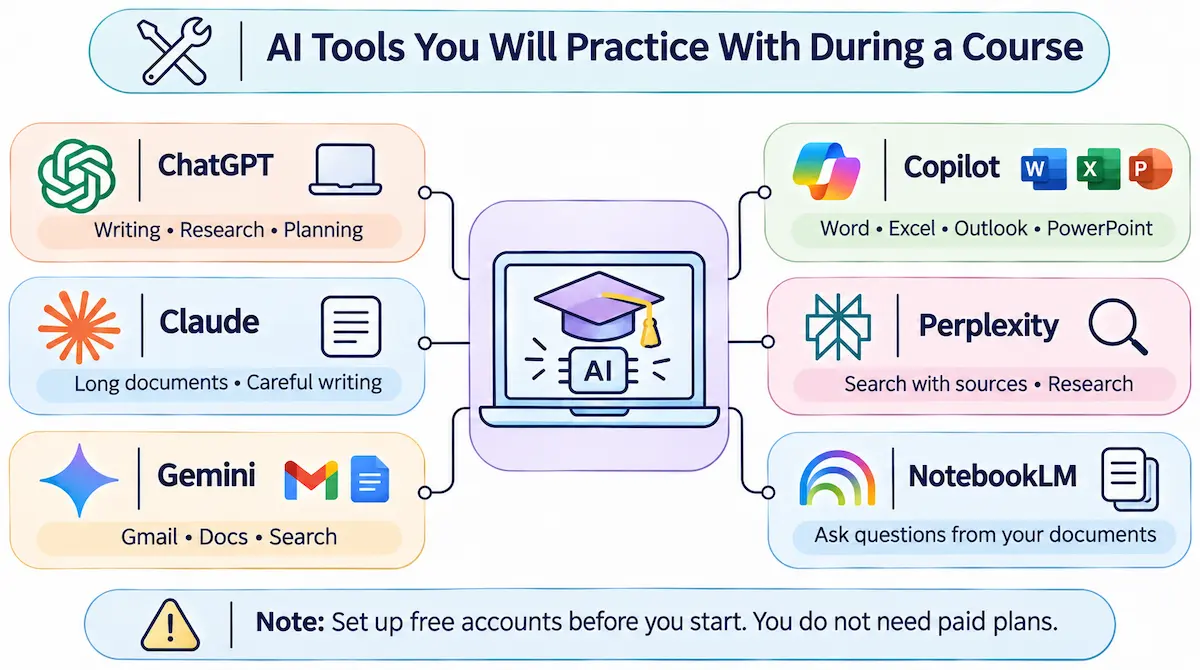
- ChatGPT: the most common chatbot in course examples, used for writing, research and planning.
- Claude: strong with long documents and careful writing, and the main tool in Anthropic courses.
- Gemini: Google chatbot, tied to Gmail, Docs and Search, and the focus of Google courses.
- Copilot: Microsoft assistant inside Word, Excel, Outlook and PowerPoint.
- Perplexity: a search style assistant that shows its sources, useful for research tasks.
- NotebookLM: a Google tool that answers questions from documents you upload.
You do not need paid plans for any of these while you study. The free tiers cover every beginner exercise we have seen, and you can compare them side by side to find the one that fits how you work.
Courses for Creative AI Tools, Spreadsheets and Data
Not every AI tool is a chatbot. If you want to make images, video or audio, or to analyze data, you will need different training, and fewer full courses exist for these than for chatbots. The reliable path is to combine the official tutorials of each tool with short project based videos.
- Image tools: start with the tutorials from the tool itself, then practice by recreating a poster or product image you already use.
- Video and audio tools: editing tools such as Descript and Pictory publish guided walkthroughs, and a first small project teaches you more than a long class.
- Spreadsheets and data: Copilot in Excel and Gemini in Sheets are covered inside the Microsoft and Google courses above, and a short course on AI data analysis helps if you work with numbers.
Treat these as a second step. Learn how to prompt and check answers with a chatbot first, since the same habits carry over to every other AI tool.
Best AI Courses for Going Deeper
Once you can use tools comfortably, you may want to build. These classes need more time and some code, and they are not the right start for most people.
- Hugging Face Agents Course: free, with a certificate that takes real work to earn. It teaches how agents are built.
- Claude Code in Action (Anthropic): teaches coding with an AI assistant in the terminal.
- Vibe Coding 101 (DeepLearning.AI and Replit): builds apps by describing them in plain language.
- CS50 Introduction to AI with Python (Harvard): free to audit, strong on search, learning and language models, and it needs Python.
- fast.ai Practical Deep Learning: free and code first, for people who already write Python.
If agents interest you, our overview of AI agents for business explains what they do before you commit to a build course.
What to take after a beginner course
After a beginner AI course, the next step depends on your goal. For work, pick a role based class and apply it to a real task. For prompting, take one deeper prompt engineering course. For building, learn Python, then try a project course on agents or coding with AI. Stop adding courses once you have a project you are working on, because that is where the next skills come from.
AI Courses Compared at a Glance
Here is the whole list of the best AI courses we covered, side by side.
| Course | Provider | Time | Cost | Level |
|---|---|---|---|---|
| Google AI Essentials | Google, Coursera | About 10 hours | Free to audit | Beginner |
| AI for Everyone | DeepLearning.AI | About 7 hours | Free to audit, paid certificate | Beginner |
| Elements of AI | University of Helsinki | About 30 hours | Free | Beginner |
| Claude 101 | Anthropic | Short | Free | Beginner |
| AI for Non-Technical Pros | Coursera | About 10 hours | Free to start, paid certificate | Beginner |
| Prompt Engineering for ChatGPT | Vanderbilt | About 18 hours | Free to audit, paid certificate | Beginner |
| Generative AI Fundamentals | Microsoft Learn | About 8 hours | Free | Beginner |
| Hugging Face Agents Course | Hugging Face | Self paced | Free | Intermediate |
| CS50 Introduction to AI with Python | Harvard | Self paced | Free to audit | Intermediate |
Sources disagree on hours and fees for some of these, so use the table to compare, not to budget. The provider page has the final numbers.
Free vs Paid AI Courses
You can learn AI tools well without paying. Free AI courses from Google, Microsoft, Anthropic, OpenAI and universities are good enough for most people. Paid options give you structure, deadlines, graded work and a certificate. Before you spend anything, look at what AI tools cost on their own, because the AI tool subscriptions you need for practice can add up faster than a course fee.
| Free AI courses | Paid AI courses |
|---|---|
| No risk if you stop | A fee pushes you to finish |
| Good for basics and AI tools | Better for graded projects and feedback |
| Certificate may cost extra or not exist | Certificate usually included |
| Content may age quickly | Often updated more often, but not always |
Our habit is simple: start with free AI courses, and pay only when a real limit slows you down, such as needing a graded project or a certificate your employer asked for.
What “free” really means
The word free hides three different things, and mixing them up is the most common surprise. A free course costs nothing to take. A free to audit course lets you watch lessons but locks graded work and the certificate. A free certificate means you get a proof of completion at no cost. Many lists blur these, so read the enroll page and not only the headline.
How to check a free AI course in five minutes
- Open the provider page, not a review, and find the price line.
- Look for the words audit, trial, and certificate, and note which ones are paid.
- Check the date of the last update and the tools named in the syllabus.
- Read the first lesson list to see if it matches your goal.
- Look for a time limit on access, since some free trials end after seven days.
Best Paid AI Courses and Platforms
When a free course is not enough, the paid options fall into a few groups. Prices change often, so use these as ranges and confirm on each site.
| Option | Typical cost | Good for |
|---|---|---|
| Udemy and similar video marketplaces | Low, often during sales | A cheap hands-on class in one tool |
| Coursera paid certificates and subscriptions | Monthly fee or per certificate | Graded work and a shareable certificate |
| LinkedIn Learning | Included with Premium or a monthly fee | Short business focused paths |
| DataCamp | Monthly or annual subscription | Hands-on exercises with data |
| University programs (business schools) | High | Managers who need strategy and a known name |
Our advice is to pay for structure and feedback, not for the name of a platform. A low cost course that you finish beats an expensive program that you leave at week two. If a program costs a lot, ask what it gives you that the free courses above do not.
Do AI Certificates Matter?
A certificate proves that you finished a course. It does not prove that you can do the work. Employers who care about AI skills usually want to see examples: a workflow you built, a report you wrote with AI help, a process you made faster. A certificate in the same folder helps, but it works as a small extra, not as the main proof.
That is why we suggest paying for an AI certificate only in three cases: your employer asks for one, a course ties it to graded projects that you can show, or you need a deadline to force yourself to finish. In every other case the free version of the same lessons does the job. Some certificates also expire or lose value as tools change, so look for a date on yours.
Vendor certifications from Microsoft, Google and AWS
Cloud vendors also run formal exams, such as Microsoft AI-900 for AI basics, Google certifications for machine learning engineers, and AWS certifications for machine learning. These are aimed at technical roles and cloud work, not at people who only want to use ChatGPT well. Before you plan for one, check whether the exam is still offered, what it costs, and whether your employer values it.
Can an AI course help you get a job?
A course can help you get a job when it leads to something you can show. Most employers who list AI skills want proof that you used tools on real work: a faster process, a cleaner report, a project with a result. Take the course, then build one small example from your own field and put it next to the certificate. That combination answers the question employers actually have, which is whether you can use AI safely at work.
How to Choose the Right AI Course for You
Answer four questions, and the best AI course for you becomes clear.
- What do I want to do? Use AI tools, build AI, or understand AI. Tools means a hands-on course. Build means code. Understand means a concept course.
- How much time do I have? Under ten hours points to Google AI Essentials or AI for Everyone. More time opens up Elements of AI or Vanderbilt.
- What is my budget? Zero is possible. Set a small limit for a certificate only if you need one.
- What is my role? Marketing, sales, operations and education each have an AI course made for them.
If you are unsure, begin with a free AI course for beginners and then a tools course, in that order. In our experience that pair covers more than most paid programs, and you can stop after the first one if it already answers your questions.
Do You Need a Course to Learn AI Tools?
Not always. The fastest way to learn AI tools is often to use them on real tasks, and a course adds structure on top of that practice. We learned most of what we know by trying an AI tool on one real job each day, reading the official help pages, and keeping notes about what worked.
A course helps when you want a clear path, when you tend to drop projects without a deadline, or when your employer wants proof. It is a poor use of money when you have no time to practice, because videos you cannot apply fade fast. If you are a student, our list of AI tools for students gives you free tools to practice with while you study.
Free communities and videos also teach a lot. Forums for ChatGPT and Claude users, and YouTube channels that review new tools, show real problems and fixes that a polished course leaves out. Use them as a supplement, since quality varies and some advice is out of date by the time you read it.
A 30-Day Plan to Learn AI Tools
This plan works with a free course and about thirty minutes a day. Coursera also publishes a free 30 day video series on generative AI if you prefer short daily lessons.
- Week 1, basics: take the first half of a beginner course. Learn what AI can and cannot do, and open a free AI chatbot account.
- Week 2, prompting: write ten prompts for tasks you already do. Rewrite each one until the answer improves, and save the best ones.
- Week 3, daily use: use AI for one personal task a day, such as planning a trip, summarizing an article, or drafting a message.
- Week 4, work: apply it to one work task, check every answer yourself, and note how much time it saved.
At the end of the month you will know which tool you prefer and what a paid course could add. Ours was an easy decision once we saw which weeks felt slow.
Is AI hard to learn, and do you need to code?
Using AI tools is not hard, and you do not need to code or know math. If you can write a clear email, you can learn to write a good prompt. Building AI is different, and it does require Python and a longer study path. Most people who ask this question only need the first one.
Who should skip a beginner AI course
Some readers do not need a beginner class. If you already use ChatGPT or Claude every day, if you can write a prompt that gives a useful first answer, and if you know why answers can be wrong, move on to a role based course or build something instead. A beginner course will feel slow, and you will lose the time you could spend practicing. In that case the 30 day plan above, with harder tasks each week, is a better use of the month.
How to Tell If an AI Course Is Still Current
AI tools change every few months, and a course that was great last year can teach old buttons today. Before you start, check three things. Look at the date the course was last updated. Look at which tools the syllabus names, and whether they are still the ones people use. Read the newest reviews, not the oldest. If a course teaches ideas and habits instead of button clicks, it ages better. To stay current after you finish, see how to keep up with AI tools without reading news all day.
Warning signs of an overpriced AI course
Some AI courses cost a lot and teach little. Be careful when you see promises of mastery in a few days, income claims, a sales page with no syllabus, no named instructor, no refund policy, or a certificate that nobody outside the seller recognizes. A real course shows what you will learn, how long it takes and what it costs, in plain words. If a free course from a major provider covers the same topics, ask why you would pay.
How much time to plan each week
Plan on three to five hours a week for a beginner course, split into short sessions. We found that thirty minutes on most days beats one long weekend session, because you remember more and you can apply a lesson on the day you learn it. A ten hour course then takes about three weeks, and a thirty hour course takes about two months.
Common Mistakes When Picking an AI Course
- Choosing a course that is too technical. A machine learning class is not a tools class.
- Paying for what is free. Many paid classes repeat free lessons from the big providers.
- Buying a certificate without a plan. Decide what you will do with it first.
- Taking five courses at once. Finish one, then decide what is missing.
- Watching without practicing. Open an AI tool during every lesson.
- Trusting old lists. Prices, free audit rules and course names change, so verify before you pay.
What to Do After the Course
The course only starts the learning. Pick one repeated task at work, such as a weekly report, and build a prompt for it that you can reuse. Keep a short note with the prompts that worked and why. Share the result with a colleague, because teaching someone else shows what you still do not know. When you want to turn this into a daily habit, read how to use AI for productivity, and repeat a short review every three months, since tools and best practice keep moving.
Conclusion
So, what is the best course to learn AI tools? For most people it is a free beginner course followed by one hands-on class in the tools they use. Google AI Essentials, AI for Everyone and the Coursera tools course cover that path for little or no money. Match the course to your goal, check the price on the provider page, and practice during every lesson.
Pick one course from the table today and finish the first module this week. That single step teaches you more than another hour of comparing lists.
FAQ
What is the best AI course for beginners?
For most beginners, Google AI Essentials is the best place to start. It takes about ten hours, covers everyday use of generative AI, and is free to audit. If you prefer understanding the ideas first, AI for Everyone or Elements of AI are good alternatives.
Can I learn AI tools for free?
Yes. Google, Microsoft, Anthropic, OpenAI and several universities offer free AI courses. The certificate or graded work may cost extra, so read the enroll page. Practicing with the free version of an AI chatbot also teaches a lot.
How long does it take to learn AI tools?
Basic skills take about ten to twenty hours of study plus a few weeks of daily practice. A month of thirty minutes a day is enough to use AI tools comfortably for common tasks. Mastery depends on how often you apply it at work.
Do I need coding or math to learn AI?
No, not to use AI tools. Beginner and tools courses require no code or math. You only need Python and some math if you want to build models or take courses such as CS50 AI or fast.ai.
Is a paid AI course worth it over a free one?
Sometimes. Pay when you need graded projects, feedback, a deadline, or a certificate your employer requires. For basic skills, the free courses from the major providers are enough, so start there and upgrade only if a real need appears.