AI tools like ChatGPT for image generation turn a short text prompt into a finished picture, and many of them also edit a photo you upload. Some work as a chat assistant, so you describe the change and refine it in follow-up messages, while others are dedicated studios with more control over style, text, vectors and resolution. The right pick depends on what you create, how often you create it and how much you want to pay.
This guide compares 11 alternatives to ChatGPT for image generation by use case, with prices, free plans and the main limit of each tool. It also covers how AI image generators work, how to write a prompt, how to choose a tool and what to check on copyright and privacy. Prices, free limits and model names change often, so check the current plan on each site before you pay.
AI Tools Like ChatGPT for Image Generation at a Glance
- Chat-style assistants: Google Gemini and Microsoft Copilot, best when you want to upload a picture and keep editing it in conversation.
- Best for text in images: Ideogram and Nano Banana Pro.
- Best for artistic results: Midjourney.
- Best for design and branding: Canva for quick graphics and Recraft for vectors and brand kits.
- Best for commercial safety: Adobe Firefly.
- Best for developers: FLUX.2 and Ideogram 4.0, both available as open-weight models.
- Best free options: Gemini, Bing Image Creator, Canva, Leonardo.Ai and Ideogram.
- Typical cost: A free plan for testing, then about $8 to $30 per month for most paid plans.
- Main limit: Hands, small text and style consistency can still go wrong, so check every image before you publish.
Quick Comparison of AI Tools Like ChatGPT for Image Generation
Use this table to compare the 11 picks before you read the full reviews. Prices are rounded and change often.
| Tool | Best for | Free plan | Paid from | Vectors | API or open weights |
|---|---|---|---|---|---|
| Canva | Branded graphics | Yes, limited | About $10 to $15 per month | No | No |
| Google Gemini | Chat-style editing | Yes, daily quota | About $5 to $20 per month | No | API |
| Copilot and Bing Image Creator | Free casual use | Yes, daily boosts | Not needed | No | No |
| Midjourney | Art and style | No | From $10 per month | No | No public API |
| Adobe Firefly | Commercial safety | Yes, limited credits | From about $9.99 per month | Recolor only | Partner models |
| Ideogram | Text in images | Yes, weekly credits | About $15 to $20 per month | No | API and open weights |
| Recraft | Vectors and brand style | Yes, daily credits | About $10 to $12 per month | Yes, SVG | API |
| Leonardo.Ai | Style consistency | Yes, daily tokens | Varies by plan | No | API |
| FLUX.2 | Developers | Credits on many platforms | Pay as you go | No | API and open weights |
| Reve | Prompts and 4K | Yes, daily allowance | $7.99 to $19.99 per month | No | API |
| Seedream 5.0 Pro | Object placement | Depends on the platform | Pay per image | No | API through partners |
What Are AI Tools Like ChatGPT for Image Generation?
AI tools like ChatGPT for image generation are apps and assistants that create or edit pictures from a text description. You type what you want to see, such as “a photo of a red bicycle leaning on a brick wall at sunset”, and the tool returns an image in seconds. Most also accept a photo as a starting point, so you can change a background, add an object or restyle the whole picture.
Most AI image generators are built on large generative models, the same family covered in the guide to generative AI for business. ChatGPT made the idea popular because image creation sits inside a normal chat, but it is only one option, and for some jobs it is not the best one.
The tools in this guide cover both ways of working: chat assistants for quick edits and dedicated studios for control over style, vectors and resolution. Each section below says which one fits which job.
Chat Assistants vs Dedicated Image Tools
Chat assistants such as Google Gemini, Microsoft Copilot and Grok work like ChatGPT. You attach an image, describe the change and continue refining it through follow-up messages, and the same app also answers questions, writes text and plans projects. This is the closest match when you search for apps like ChatGPT for images.
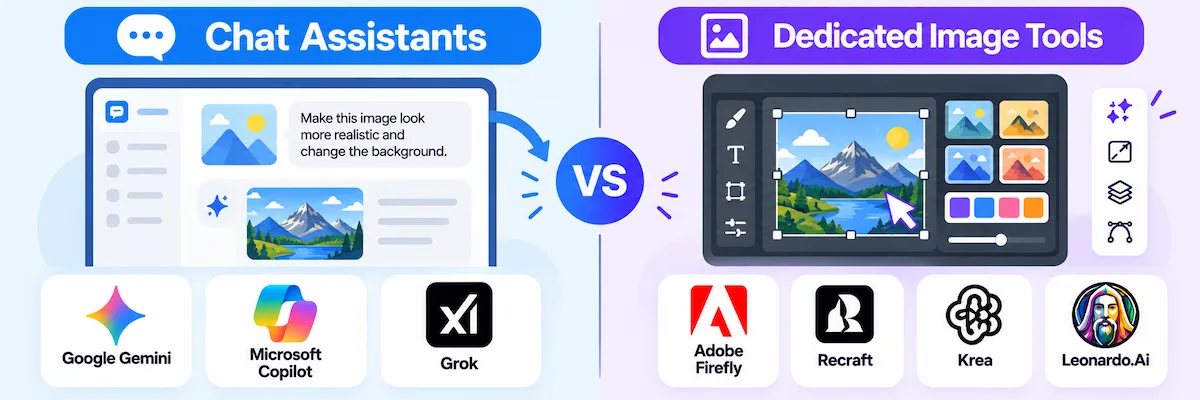
Dedicated tools such as Adobe Firefly, Recraft, Krea and Leonardo.Ai usually give more visual control, but they feel like creative studios and not like a chatbot. You get style references, brand kits, upscaling, vector export and batch tools, at the cost of a steeper learning curve. If you are still comparing assistants, the guide to free ChatGPT alternatives covers the wider group.
How AI Image Generators Work
Every AI image generator turns a text prompt into a picture, and the two main methods behind AI image generators work in different ways. Diffusion models start from random noise and clean it up step by step until it matches the description. Autoregression models build the image piece by piece, predicting the next part from what they already created. ChatGPT uses the second method, which is one reason it is slower than most diffusion tools and returns a single image at a time.
Newer models add a reasoning step before they draw, which helps with layouts, text and facts. Nano Banana Pro, for example, runs a Thinking pass first and can ground an image in Google Search results.
If a term in this section is new, the AI terms glossary explains the basics in plain language.
What ChatGPT Images Does Well
Before you switch, it helps to know what ChatGPT Images does well, because every one of the AI tools like ChatGPT for image generation is measured against it.
- Prompt adherence: it follows long instructions with several objects and details closely.
- Text in images: it renders text better than earlier versions.
- Editing: Images 2.5 can change only the part you name and hold the subject from a reference photo.
- Speed: Images 2.5 is faster than 2.0.
- One app for everything: the same chat plans, writes and creates images.
- Style transfer: it is good at restyling a photo, including the Ghibli look that went viral.
- Access: there is limited free use, with more on paid plans.
It is a very good all-round tool, and for many people it is enough. The alternatives win when the job needs something it does not do well: vectors, tight brand control, batch jobs, open weights or a specific look.
Why Look Beyond ChatGPT for Images?
ChatGPT Images is a strong model, and OpenAI keeps improving it, as its announcement of ChatGPT Images 2.0 shows. Images 2.5 followed in September 2026 with faster generation and more precise edits. Even so, AI tools like ChatGPT for image generation exist in large numbers because no single model wins every job. These are the reasons people look elsewhere:
- Text in images: ChatGPT renders text better than before, but Ideogram and Nano Banana Pro still do better with long headlines, small labels and several languages.
- No vector files: ChatGPT outputs raster images, so logos, icons and brand assets that need SVG come from tools like Recraft.
- Controls: aspect ratio, style consistency and batch generation are easier in dedicated tools.
- Speed and volume: ChatGPT creates one image at a time and is slower than most diffusion tools.
- API cost: paying per image adds up fast in a pipeline that makes thousands of images.
- Open weights: you cannot download the model, so teams with privacy rules or a plan to fine-tune need another option.
- Training data: some brands want a model trained on licensed data only.
Best AI Tools Like ChatGPT for Image Generation in 2026
The 11 AI tools like ChatGPT for image generation below are grouped by what they do best, starting with Canva and the chat-style assistants and ending with developer and placement tools. These ChatGPT image alternatives each get a short description, a quick spec table and the main pros and cons. Prices are rounded and come from public pricing pages and recent reviews, so confirm them before you buy.
How the Picks Were Chosen
The picks come from public product pages, pricing pages, official documentation and recent reviews, not from a single hands-on test. Each tool was compared on six points:
- Quality and prompt adherence: how closely the image matches the request.
- Text and editing: readable text, image upload and follow-up changes.
- Controls: style references, aspect ratio, vectors and batch tools.
- Price and free plan: the starting price and the limits of the free tier.
- Commercial use: license terms and training data.
- Access: chat, web app, API or open weights.
1. Canva: Best for Quick Branded Graphics
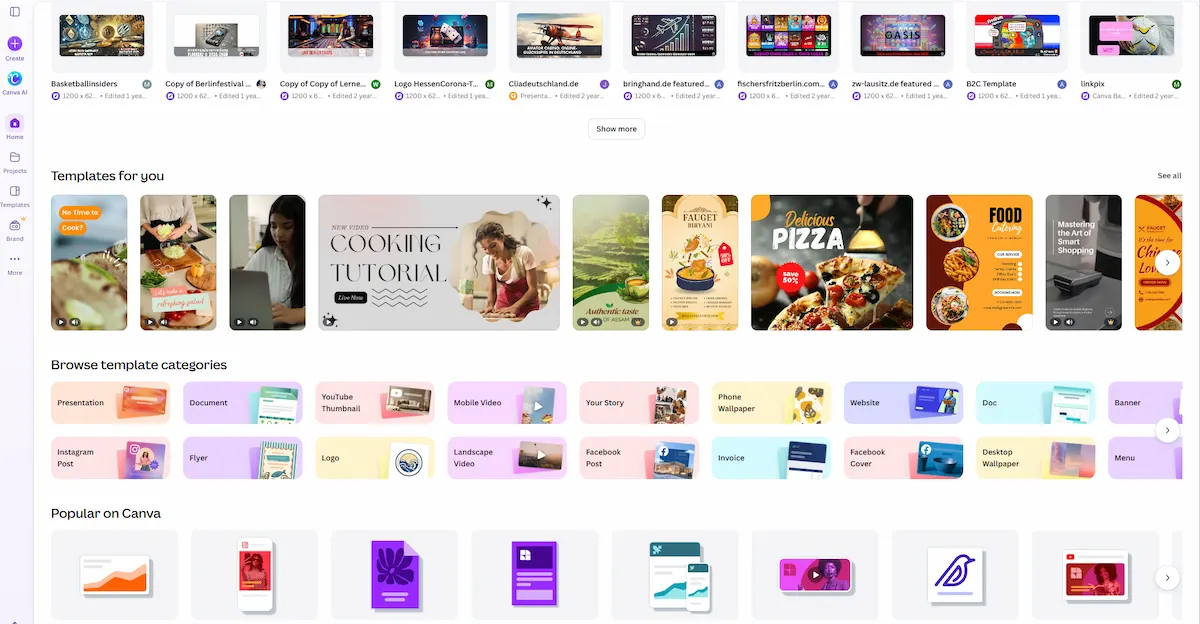
Canva adds AI image generation to a design editor you may already use. You type a prompt, get an image, then drop it into a template, resize it for each platform and publish. The brand kit, fonts and templates keep every graphic close to the same look. It is a good fit for social posts, presentations and simple marketing visuals, and a weaker fit when you need the control of a dedicated AI image generator. Canva also ranks near the top of the G2 list of ChatGPT image generator alternatives, with about 4.7 stars from more than 6,000 reviews.
| Detail | Info |
|---|---|
| Best for | Marketers and small teams making social and brand graphics |
| Access | Web app, desktop and mobile apps |
| Free option | Yes, with a limited number of AI generations |
| Paid plans from | About $10 to $15 per month depending on billing |
| Main limit | Less control than dedicated generators, and monthly AI quotas |
Pros:
- Images go straight into templates and the brand kit
- Easy to resize for each platform
- Free plan to test
Cons:
- Fewer style and prompt controls
- AI usage limits on lower plans
- Not built for photorealistic or vector work
2. Google Gemini (Nano Banana): Best Chat-Style Alternative
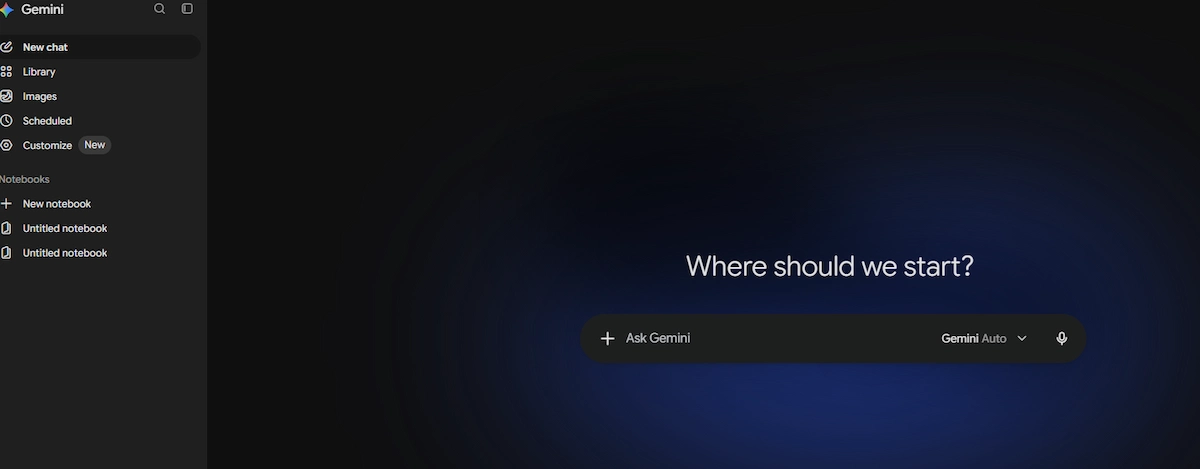
Google Gemini is the most direct answer to ChatGPT among AI image generators. The free tier accepts image uploads, analyzes them and generates new images without a credit card, and you keep refining the result through follow-up messages. The model behind it is called Nano Banana. The standard version (Gemini 3.1 Flash Image) is especially good at editing existing images, while Nano Banana Pro (Gemini 3 Pro Image) renders legible text across languages, grounds images in real facts through Google Search, blends up to 14 reference images and outputs up to 4K. Every image carries a watermark.
| Detail | Info |
|---|---|
| Best for | Everyday users, editing photos and images with text |
| Access | Gemini app, Google AI Studio and API |
| Free option | Yes, with a limited daily quota |
| Paid plans from | About $5 per month (Google AI Plus), about $20 for Google AI Pro |
| Main limit | Visible watermark, and prompt adherence can miss details |
Pros:
- Free tier with image upload and generation
- Strong at editing and at text in images
- Works with other Google apps
Cons:
- Watermark on every image
- Free quota drops to the standard model
- Complex edits can go wrong
3. Microsoft Copilot and Bing Image Creator: Best Free Chat-Style Option
Microsoft Copilot includes built-in image generation, and Bing Image Creator adds a simple page where you type a prompt and get a set of images. Microsoft Designer brings the same idea into Microsoft 365 apps. Everything is free to use with a Microsoft account, and a limited number of daily boosts makes generation faster, while images still generate at a slower speed after the boosts run out. It is the easiest way to try AI image creation without paying, although reviewers describe it as less creative and less flexible than dedicated tools.

| Detail | Info |
|---|---|
| Best for | Casual users and people already in Microsoft apps |
| Access | Copilot, Bing Image Creator and Microsoft Designer |
| Free option | Yes, with daily speed boosts |
| Paid plans from | Not needed for basic use |
| Main limit | Fewer controls and a less creative look |
Pros:
- Free image generation
- Chat-style editing in Copilot
- Connects to Microsoft 365
Cons:
- Limited style controls
- Slower generation after the daily boosts
- Less suited to professional work
4. Midjourney: Best for Artistic Results
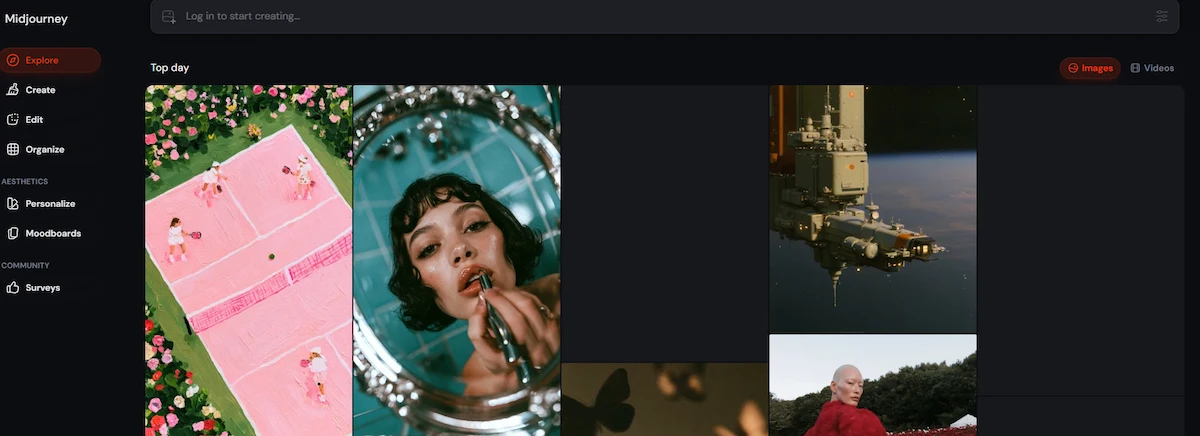
Midjourney is the AI image generator people reach for when the look of the image is the point. The current version is V8.2, released in July 2026, and an image-edit model added in August supports instruction edits, inpainting, outpainting and up to four reference images. It works through a web app and the original Discord bot. For hand-crafted hero art, concept images and mood boards, little beats its textures and colors. Two limits matter for business use: there is no public API, and images are public by default unless you pay for Stealth Mode on the Pro or Mega plan.
| Detail | Info |
|---|---|
| Best for | Artists, art directors and concept work |
| Access | Web app and Discord |
| Free option | No, free trials are suspended or limited |
| Paid plans from | $10 per month (Basic), then $30, $60 and $120 |
| Main limit | No public API, and public images by default |
Pros:
- Distinctive, high-quality look
- Edit model with reference images
- Active community for ideas
Cons:
- No free plan and no API
- Private mode only on higher plans
- Companies above $1 million in revenue need Pro or Mega for commercial use
5. Adobe Firefly: Best for Commercially Safe Images
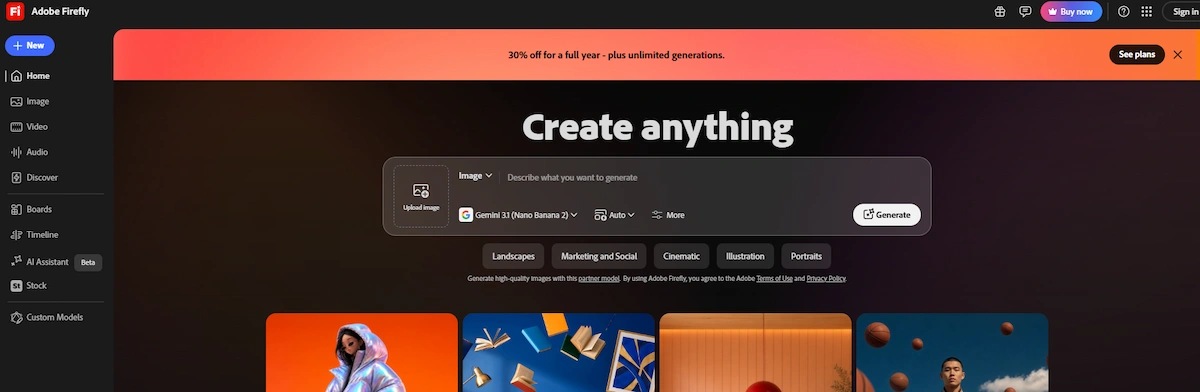
Adobe Firefly is built for teams that care about licensing. Its own models, now up to Firefly Image 5, are trained on licensed Adobe Stock and public domain content, and generations are marked as commercially safe in the app. The real strength is Photoshop: Generative Fill and Generative Expand replace or extend part of a photo and match the lighting and depth of field. Firefly also hosts partner models such as GPT Image, Nano Banana and FLUX.2 as credit-based options. As a pure text to image generator it is less consistent than the leaders, and faces and hands can still look wrong.
| Detail | Info |
|---|---|
| Best for | Brands, agencies and Photoshop users |
| Access | Web app, Photoshop, Express and Illustrator |
| Free option | Yes, with limited credits |
| Paid plans from | About $9.99 per month (Standard, 2,000 credits) |
| Main limit | Credit math, and less consistent pure text to image results |
Pros:
- Licensed training data and a commercial safety focus
- Generative Fill inside Photoshop
- Several partner models in one place
Cons:
- Credits reset monthly and do not roll over
- Partner models use extra credits
- Weaker than the leaders on faces and hands
6. Ideogram: Best for Text in Images
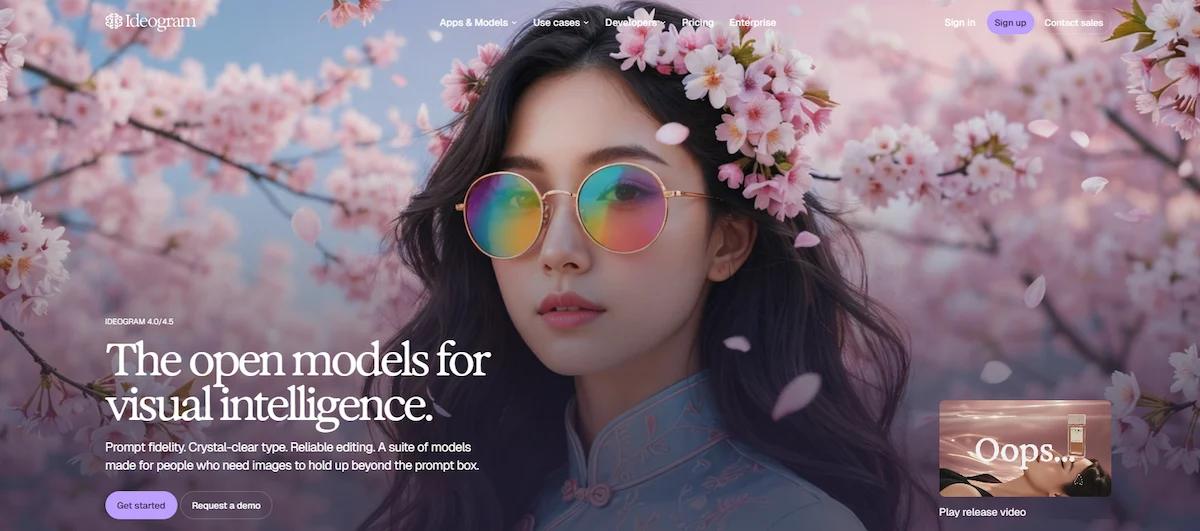
Ideogram has been the text rendering specialist since it launched. Ideogram 4.0 adds precise layout control and renders clean headlines, labels and logos far more reliably than most general models. The web app includes an editor, a remix tool that uses any image as the basis for a new one, a batch generator that accepts a spreadsheet of prompts, a canvas for complex designs and a character tool for putting the same person in many scenes. Ideogram also released 4.0 as an open-weight model under a commercial license, so teams can run it on their own hardware.
| Detail | Info |
|---|---|
| Best for | Posters, logos, packaging and any image where the words must be right |
| Access | Web app and API |
| Free option | Yes, about 10 credits per week with waiting time |
| Paid plans from | About $15 to $20 per month (Plus, 1,000 priority credits) |
| Main limit | Narrower than the all-round tools, and free images are public |
Pros:
- Among the most accurate text of any generator
- Batch, remix and canvas tools
- Open-weight release for self-hosting
Cons:
- Free images are public by default
- Free plan is slow and limited
- Less photorealistic than the top art tools
7. Recraft: Best for Vectors and Brand Graphics
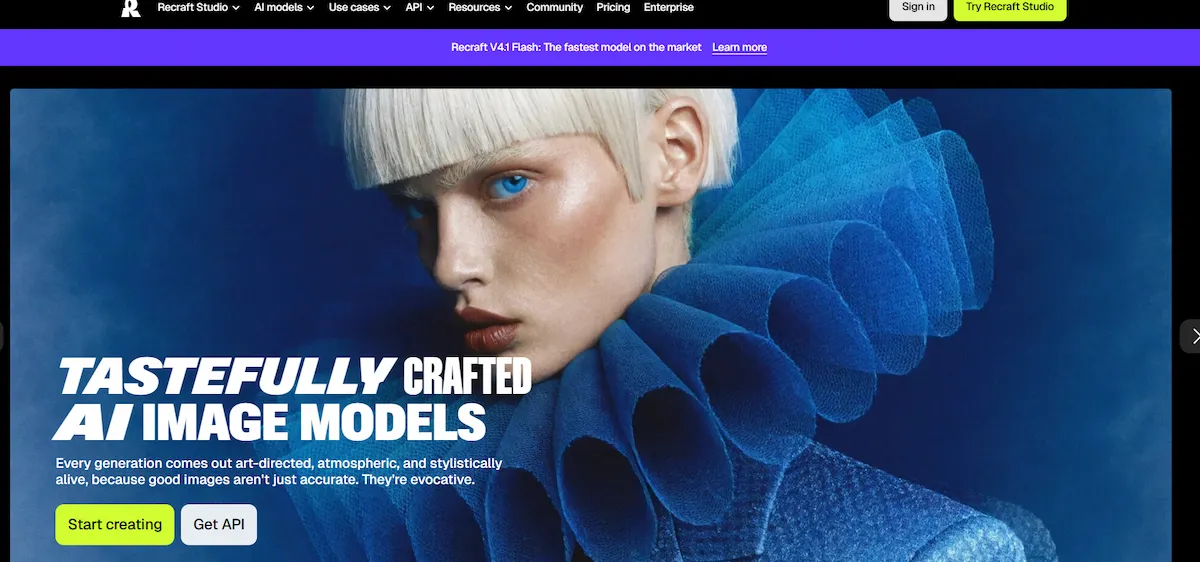
Recraft does what almost no general model does well: it generates real editable vector graphics and exports SVG files. It also lets you define and lock a brand style, so every asset in a set looks like part of the same identity, and it offers product mockups, background removal, inpainting and outpainting in one workspace. The current model is Recraft V4.1, and an earlier version took the top spot on the Artificial Analysis text to image leaderboard when it launched. It is more complicated to use than a chat assistant, which is the price of the extra tools.
| Detail | Info |
|---|---|
| Best for | Designers who need vectors, icons and a consistent brand style |
| Access | Web app and API |
| Free option | Yes, about 30 credits per day with limited features |
| Paid plans from | About $10 to $12 per month (Basic, 1,000 credits) |
| Main limit | A steeper learning curve than chat tools |
Pros:
- Real SVG export
- Locked brand styles for matching sets
- Low API price per image
Cons:
- More settings to learn
- Free plan has limited features
- Not a chat assistant
8. Leonardo.Ai: Best for Style and Character Consistency
Leonardo.Ai gives you control over how a style carries from one image to the next, which makes it a good pick for icon sets, game assets and product pack variants. It offers its own models, including Lucid Origin and Phoenix, as well as FLUX, plus fine-tuning, image prompts and a canvas with layers. The platform is aimed at businesses and creators and is now owned by Canva. The long list of settings can overwhelm casual users, so it works best for people who return to it often.
| Detail | Info |
|---|---|
| Best for | Creators and teams that need a consistent style across many images |
| Access | Web app and API |
| Free option | Yes, with a daily allowance of tokens |
| Paid plans from | Varies by plan, check the current pricing page |
| Main limit | Many settings for casual users |
Pros:
- Strong style and character consistency
- Fine-tuning and image prompts
- Free daily tokens
Cons:
- Many options to learn
- Puts more emphasis on other models
- Pricing differs by plan
9. FLUX.2: Best for Developers and Self-Hosting
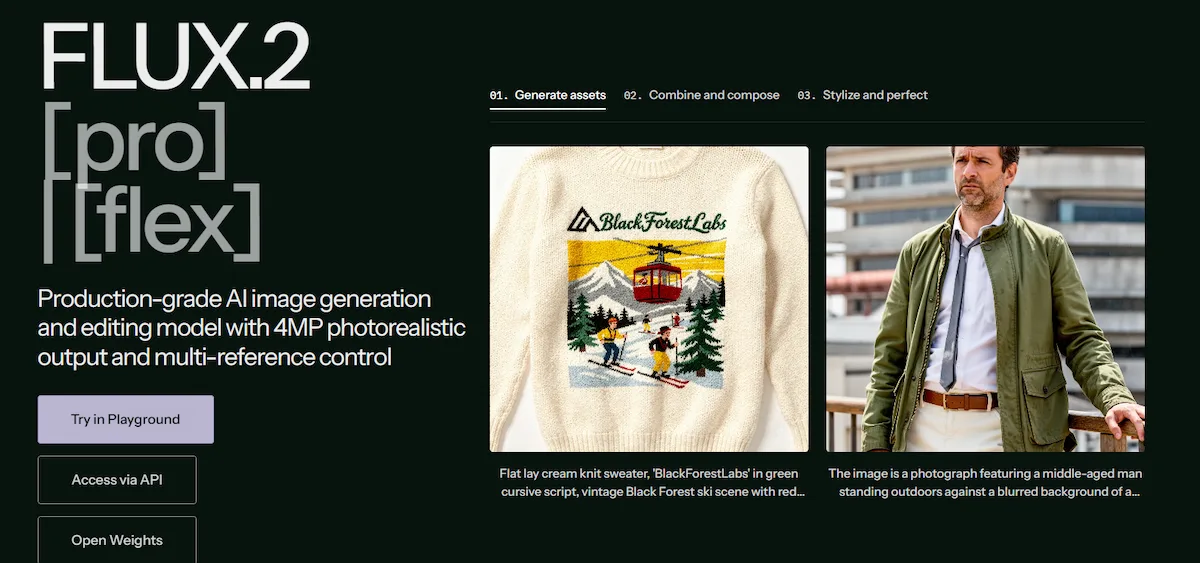
FLUX.2 comes from Black Forest Labs, the team that left Stability AI, and it is the leading open family of text to image models. It comes in Max, Pro, Flex and the open-weight Klein variants. You can call it through the Black Forest Labs API, through partners such as fal.ai and Replicate, through apps like NightCafe, or download the open weights and run it yourself. FLUX.2 is known for realistic hands, faces and complex text composition. It is a developer tool and not a polished app, so a non-technical user should start with a hosted playground.
| Detail | Info |
|---|---|
| Best for | Developers and teams that want to self-host or fine-tune |
| Access | API, partner apps and open weights |
| Free option | Free credits on many platforms |
| Paid plans from | Pay as you go, roughly $0.014 to $0.07 per megapixel depending on the variant |
| Main limit | No polished consumer app, and commercial self-hosting needs a license |
Pros:
- Open weights and flexible access
- Low cost per image
- Strong realism on people
Cons:
- Built for developers
- Licensing terms differ by variant
- Content on some partner sites may not be safe for work
10. Reve: Best for Prompt Adherence and 4K
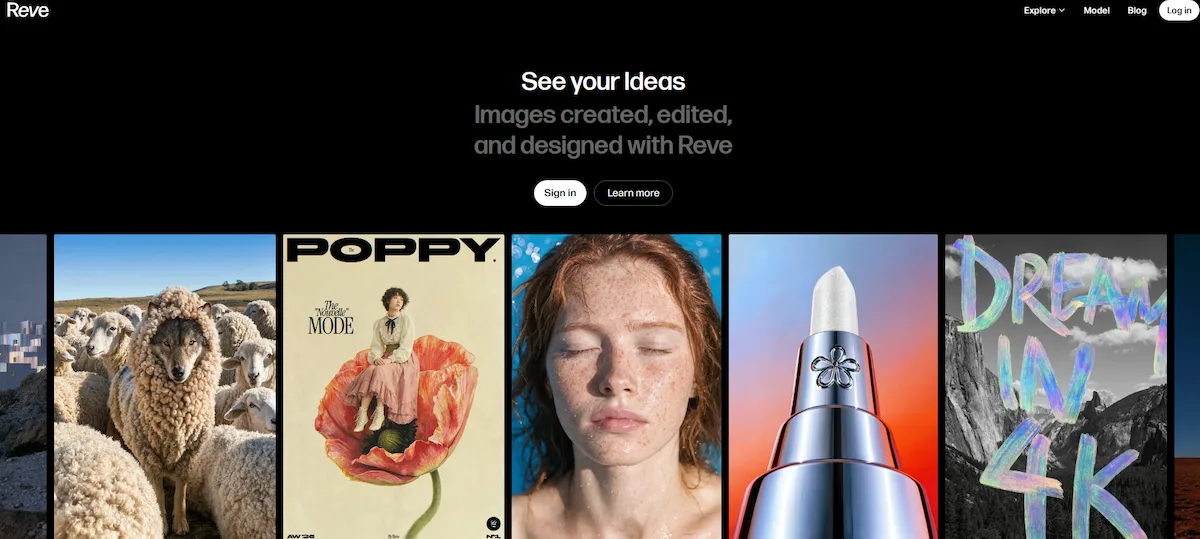
Reve is an AI image generator that appeared in March 2025 and went straight to the top of the Artificial Analysis leaderboard. Reve 2.1 sticks closely to long prompts, so a warrior with a sword and a wizard with a staff come out the right way around. It outputs native 4K images, handles text, styles and photorealism, and its editing keeps quality over several rounds of changes. You can place text notes on an area of the image and ask it to regenerate that part only.
| Detail | Info |
|---|---|
| Best for | Detailed prompts, heavy editing and native 4K output |
| Access | Web app and API |
| Free option | Yes, with a daily allowance |
| Paid plans from | $7.99 per month (Lite), $19.99 (Pro) |
| Main limit | No credit-based pricing, and a higher API price per image |
Pros:
- Strong prompt adherence
- Native 4K output
- Clean editing loop
Cons:
- Higher API cost, about $0.20 per image
- Usage tiers are less clear than credits
- Smaller community than Midjourney
11. Seedream 5.0 Pro: Best for Precise Placement
Seedream 5.0 Pro is the flagship image model from ByteDance, released in June 2026. Its strength is precise control over where objects go, plus the ability to blend 2 to 10 reference images into one output, which suits product placement and layout-sensitive work. The cost per image is low, roughly $0.04 to $0.08. The catch is access: the first-party API focuses on China, so most western developers reach the model through fal.ai or Replicate.
| Detail | Info |
|---|---|
| Best for | Product placement and layout-sensitive work at a low price |
| Access | ByteDance first-party API, fal.ai and Replicate |
| Free option | Depends on the platform |
| Paid plans from | Usage-based, about $0.04 to $0.08 per image |
| Main limit | Access outside China goes through third parties |
Pros:
- Precise object and element control
- Multi-reference blending
- Low price per image
Cons:
- No simple western signup
- Extra hop through aggregators
Other AI Image Tools Worth Testing
Several other tools deserve a look. Grok offers fast conversational image and video generation, although one major review leaves it out because of controversy around how it is used. Krea turns generation into a real-time visual workspace, Pixlr is a low-cost browser editor, Picsart suits mobile and social edits, and Magnific combines generation, upscaling and stock media. Playground, Craiyon and Stable Diffusion online tools offer simple free generation. Luma Photon, Generative AI by Getty, NightCafe, Hunyuan Image 3.0, Kling Image 3.0 and Qwen Image round out the list. Fireworks, Freepik, 1min.AI, Simplified and YouCam AI Pro add more options for hosted generation, stock-plus-AI workflows, all-in-one subscriptions and mobile edits.
Best Free AI Tools Like ChatGPT for Image Generation
Many AI tools like ChatGPT for image generation have a free plan, and the best free ChatGPT alternative with image upload is usually Gemini, but the limits are small and they differ a lot across all of them. Use the free tier to test prompts and compare results on your own pictures before you pay.
- Google Gemini: free image upload and generation with a daily quota, then the standard model.
- Microsoft Copilot and Bing Image Creator: free, with a limited number of daily speed boosts.
- Canva: free plan with a limited number of AI generations.
- Leonardo.Ai: free daily tokens.
- Ideogram: about 10 credits per week, with waiting time, and free images are public.
- Recraft: about 30 credits per day with limited features.
- Reve: free plan with a daily allowance.
- Adobe Firefly: limited free credits.
- ChatGPT: limited free access, with more use on paid plans.
- Playground and Craiyon: simple free generators with daily allowances.
Free plans work for testing and for occasional use. For daily work they run out fast, and free images can be public or carry a watermark, so check the terms before you use them for a client.
Best AI Image Generators by Task
Product Photos and E-Commerce
For product shots, pick a tool that keeps the item accurate from a reference photo, such as FLUX.2, Seedream 5.0 Pro, Nano Banana Pro or Adobe Firefly. Midjourney gives strong lifestyle scenes but less control over exact product details. The guide to creating product photos with AI shows the full workflow.

Text in Images
Ideogram is the usual pick for logos, posters, packaging and labels. Nano Banana Pro is strong for long text in several languages, and Reve and ChatGPT Images also handle text well. Always check spelling and spacing before you publish, since a single wrong letter ruins a poster, even in the best AI image generator.
Logos, Icons and Vectors
Recraft exports SVG and keeps a locked brand style across a set. Adobe Firefly can recolor vector artwork, and Ideogram works for quick logo drafts. ChatGPT and most other generators return raster files, so a logo that must scale needs a vector tool or a manual trace.
Photorealism and People
Midjourney, FLUX.2, Reve and Nano Banana Pro lead on realistic textures, faces and hands. Look closely at fingers, teeth, jewelry and background text, because small errors show up there first.
Editing Existing Photos
Adobe Firefly Generative Fill works as a layer in Photoshop, Gemini and ChatGPT edit through chat, Reve lets you mark an area and regenerate it, and the Midjourney edit model handles inpainting and outpainting. For a quick background swap, a chat assistant is usually enough.
Social Media and Marketing
Canva is the easiest way to turn an AI image into a finished post with a template, a brand kit and the right size for each platform. Gemini and ChatGPT work well for quick ideas and variations. The guide to creating social media graphics with AI covers sizes, formats and workflows.
Developers and Self-Hosting
FLUX.2 and Ideogram 4.0 are available as open-weight models, so teams can run them on their own hardware. Hosted API prices run from about $0.03 to $0.20 per image, with FLUX.2 Pro and Recraft at the low end and Reve at the high end.
Ghibli and Art Styles
ChatGPT went viral for turning an uploaded photo into Studio Ghibli style art and is good at following a style reference. Midjourney and Leonardo.Ai give more control over the look, and Midjourney still has the most distinctive aesthetic.
AI Tools Like ChatGPT That Let You Upload Pictures
If you search for AI software like ChatGPT to upload pictures, the main question is what the tool does with the photo. Some tools analyze and edit it in a chat, others use it as a reference for a new image. This is how the main picks handle an upload:
- Gemini, Copilot and Grok: upload a photo, ask questions about it or request a change in the same chat.
- Nano Banana Pro: blends up to 14 reference images into one result.
- Adobe Firefly: uses a reference image for style and Generative Fill for edits in Photoshop.
- Reve: edits the image and regenerates only the area you mark.
- Ideogram: the remix tool turns any image into the base for a new one.
- Leonardo.Ai: image prompts and fine-tuning keep a style close to your source.
- Midjourney: image prompts set the style, and the edit model accepts up to four references.
- Canva: upload a photo and edit it with AI inside a design.
Use a clear, well-lit photo, say what must stay unchanged, and check faces and hands in the result.
Best AI Image Generators for Editing Photos
Many people use an AI image generator mainly to edit, and the tools differ a lot in how precisely they change a picture.
- Adobe Firefly: Generative Fill and Generative Expand replace or extend part of a photo and match lighting and depth of field.
- Gemini and ChatGPT: edit through chat, which is fast for backgrounds, colors and small objects.
- Reve: mark an area and ask for a change, and the rest of the image stays untouched.
- Midjourney: the edit model handles inpainting and outpainting.
- Canva, Pixlr and Picsart: simple browser and mobile editors for quick fixes.
Ask for one change at a time, name the area to edit and tell the tool to keep faces unchanged. Zoom in on edges, shadows and small details, because that is where an edit usually breaks.
AI Image Generator Apps for Mobile
If you create images on a phone, start with apps that run in a chat or a simple editor. The Gemini, ChatGPT and Copilot apps create and edit images with the same prompts as on the web. Canva and Picsart are built for quick social posts on a phone, and Picsart is especially strong for mobile edits and filters.
YouCam AI Pro from Perfect Corp is a mobile app that focuses on Ghibli-style and portrait art. Ideogram and Midjourney work in a mobile browser, and Midjourney also runs in the Discord app.
How to Create Images With ChatGPT and Its Alternatives
The steps are almost the same in every tool. Follow these six steps to get good results from AI tools like ChatGPT for image generation.
Step 1: Pick the Right Tool
Match the tool to the job. Use a chat assistant for quick edits and ideas, a dedicated generator for style or text, and a vector tool for logos. Check the free plan limits, the watermark and the license before you start.
Step 2: Write a Clear Prompt
A good prompt names the subject, the setting, the style, the lighting and the format. The guide to prompt engineering for business shows how to write instructions that need fewer retries. Here are examples you can adapt:
- “A product photo of a ceramic mug on a wooden table, soft morning light, shallow depth of field.”
- “A flat vector icon of a shopping cart in blue and orange on a white background.”
- “A poster with the text OPEN DAILY in bold white letters on a red background.”
- “Change the background of this photo to a beach at sunset and keep the person unchanged.”
- “A watercolor illustration of a fox in a pine forest, soft colors, wide shot.”
- “A square social media graphic with a coffee cup, the headline Monday Reset and space for a logo.”
Step 3: Upload a Reference Image
Upload a photo, a sketch or a product shot when you need the result to match something real. Reference images keep colors, shapes and branding closer to your source, and most tools let you pick the aspect ratio before you generate.
Step 4: Edit With Follow-Up Prompts
Ask for one change at a time, such as a new background, a different color or a larger headline. Changing everything at once makes it hard to see what worked, and some tools regenerate the whole image when you ask for a small edit.
Step 5: Check Text, Hands and Details
Zoom in on text, hands, faces and small objects. Fix errors with an inpainting tool or a new prompt, and run the image through an upscaler if you need a larger file.
Step 6: Export and Check the License
Export in PNG or JPG, or SVG when the tool supports it. Save the prompt, the tool and the plan you used, and confirm that the plan allows commercial use and removes the watermark.
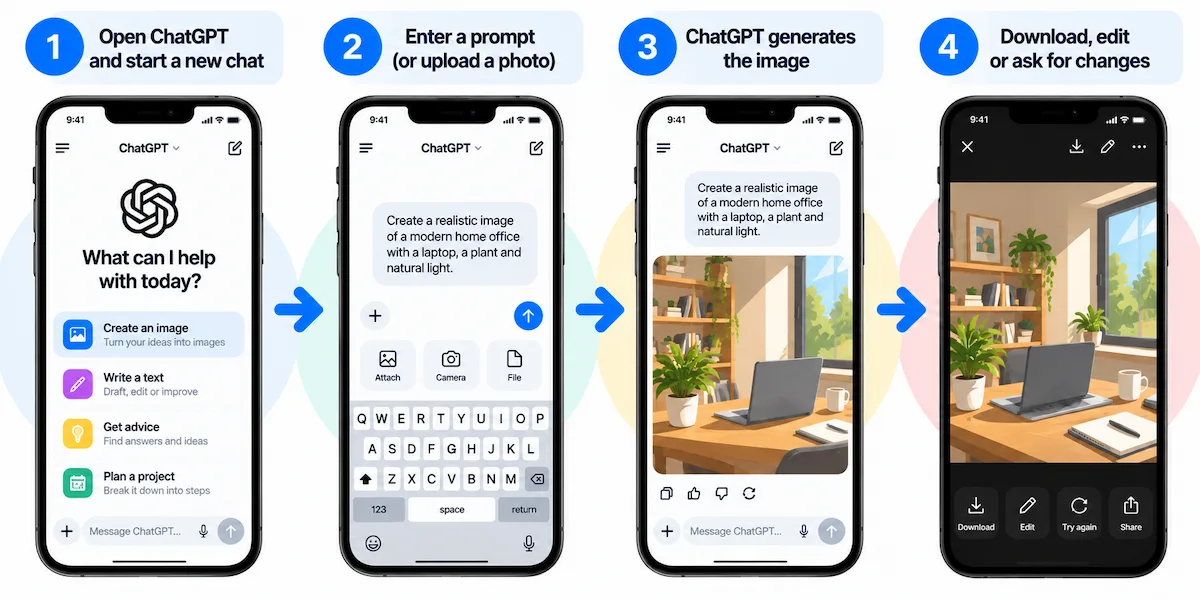
How to Generate Images in ChatGPT
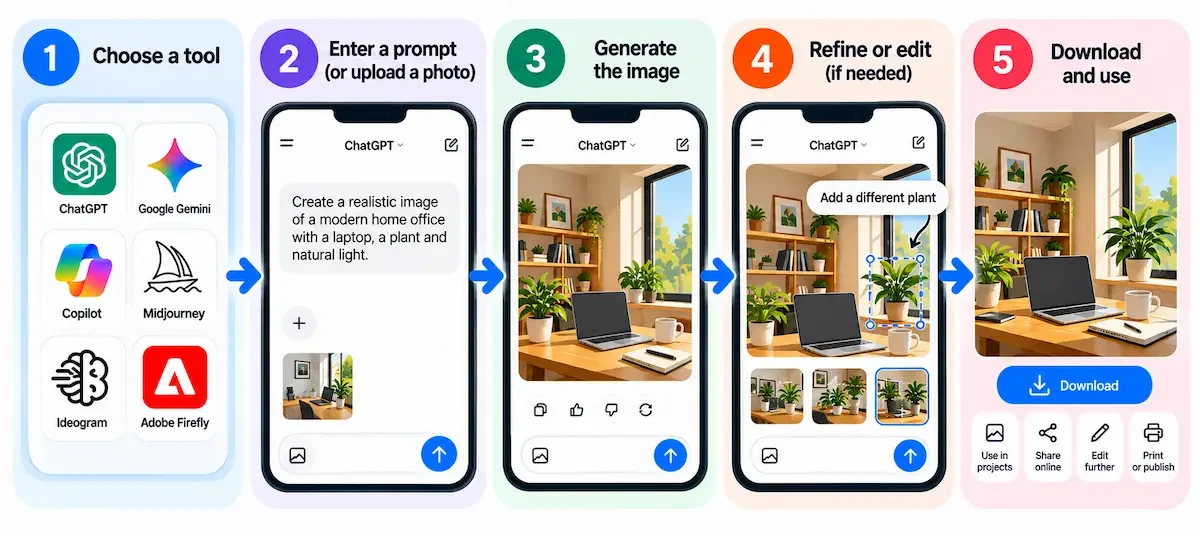
The steps in ChatGPT are simple, and they set the pattern for the chat-style alternatives. Follow these steps for AI tools like ChatGPT for image generation that work in a chat:
- Open ChatGPT on the web or in the app and sign in.
- Type a prompt that starts with the subject, for example “create an image of a lighthouse at dawn”.
- Add the style, the setting and the format, such as square or widescreen.
- Wait for the image, then ask for changes in follow-up messages, such as a new background or different colors.
- To edit your own photo, attach it to the chat and describe the change.
- Download the image and save the prompt that worked.
Free accounts have limited daily use, and Go and Plus plans raise the limits. Gemini and Copilot follow nearly the same steps.
Prompt Tips for Better AI Images
A few habits improve results in every tool:
- Start with the subject: name one clear subject and one action.
- Add style and medium: photo, watercolor, flat vector, 3D render or oil painting.
- Describe light and camera: soft morning light, close-up, wide shot or top view.
- Set the format: square for feeds, vertical for Reels and Stories, widescreen for YouTube and websites.
- Put exact text in quotes: write the headline as it should appear, and keep it short.
- Use a reference image: upload a photo when the result must match something real.
- Say what to keep: when you edit, name the parts that must not change.
- Change one thing at a time: small steps show what works.
A weak prompt says “a nice office”. A stronger one says “a bright home office with a wooden desk, a laptop and a green plant, soft window light, photo, wide shot”. The second gives the tool enough to work with and still leaves room for a good result.
How to Choose the Right AI Image Tool
Choosing among AI tools like ChatGPT for image generation starts with the job, not the model name, and the best alternative to ChatGPT for image generation changes with each task. A tool that makes great art can be a poor fit for a weekly batch of product graphics. For the same logic across other software, read how to choose AI tools for business. Compare the options on these points:
- Type of output: photo, illustration, vector or graphic with text.
- Text accuracy: check long headlines and small labels.
- Editing: image upload, inpainting and follow-up changes.
- Price and limits: credits, daily caps, watermark and export size.
- Commercial use: license terms and training data.
- Privacy: whether images are public by default.
- Speed and volume: batch tools and API access in the AI image generator you pick.
- Ease of use: a chat window or a full studio.
If you already know the job, use this shortlist:
- Quick branded graphics: Canva.
- Free chat-style tool with image upload: Google Gemini.
- Free option inside Microsoft apps: Copilot or Bing Image Creator.
- Artistic results: Midjourney.
- Commercial safety and Photoshop work: Adobe Firefly.
- Text in images: Ideogram or Nano Banana Pro.
- Vectors and brand kits: Recraft.
- Style and character consistency: Leonardo.Ai.
- Developers and self-hosting: FLUX.2.
- Native 4K and clean editing: Reve.
- Precise object placement at a low price: Seedream 5.0 Pro.
If you only care about raw quality, the Artificial Analysis image arena ranks models by user votes. The top 50 or so models are all very good, so features, price and license usually matter more than rank.
Best AI Image Tools by User Type
The best pick among AI tools like ChatGPT for image generation changes with who you are:
- Beginners and students: Gemini, Copilot or Canva, because each one works in a chat or a simple editor with a free plan.
- Designers: Adobe Firefly, Recraft and Leonardo.Ai for control, vectors and consistent styles.
- Marketers and small businesses: Canva for branded graphics, Gemini for quick ideas and Ideogram for posters and text.
- E-commerce teams: FLUX.2, Seedream 5.0 Pro and Firefly for product images that stay accurate.
- Artists: Midjourney for the most distinctive look.
- Developers: FLUX.2, Ideogram 4.0 and the Recraft API for pipelines and self-hosting.
How Much Do AI Tools Like ChatGPT for Image Generation Cost?
Pricing for AI tools like ChatGPT for image generation runs from free to over $100 per month, but most people pay $8 to $30. The guide on how much AI tools cost covers the wider budget for a full stack. For every AI image generator, credits and limits matter more than the headline price.
- Free plans: good for testing, with daily or weekly limits, watermarks and public images on some tools.
- $5 to $10 per month: Google AI Plus, Reve Lite, ChatGPT Go, Adobe Firefly Standard, Midjourney Basic and Recraft Basic.
- $15 to $30 per month: Ideogram Plus, ChatGPT Plus, Google AI Pro, Reve Pro, Adobe Firefly Pro and Midjourney Standard.
- $50 and above: Midjourney Pro, Adobe Firefly Pro Plus, Ideogram Pro and team plans.
- API per image: roughly $0.03 for FLUX.2 Pro, about $0.035 for Recraft, $0.03 to $0.10 for Ideogram, about $0.13 for Nano Banana Pro and about $0.20 for Reve.
Prices differ between review sites, and many tools discount annual billing, such as 20 percent off for Midjourney, so use monthly plans for testing and switch to annual only after you settle on one tool.
Price Per Tool at a Glance
- Canva: free plan, then about $10 to $15 per month.
- Google Gemini: free tier, then about $5 (AI Plus) to $20 (AI Pro) per month.
- Microsoft Copilot and Bing Image Creator: free with a Microsoft account.
- Midjourney: $10, $30, $60 or $120 per month, with no free plan.
- Adobe Firefly: limited free credits, then about $9.99 to $49.99 per month.
- Ideogram: about 10 free credits per week, then about $15 to $20 per month.
- Recraft: about 30 free credits per day, then about $10 to $12 per month.
- Leonardo.Ai: free daily tokens, with paid plans that vary.
- FLUX.2: pay as you go, from roughly $0.014 to $0.07 per megapixel.
- Reve: free daily allowance, then $7.99 to $19.99 per month.
- Seedream 5.0 Pro: about $0.04 to $0.08 per image.
Prices come from public pages and recent reviews and are rounded, so confirm them on the official site.
Legal, Copyright and Privacy Questions
Legal and ethical questions grow with the number of images you publish, so set a few rules early:
- Copyright: the US Copyright Office takes the position that images made entirely by AI are not protected without significant human input, and courts have sided with that view so far.
- Training data: Adobe says Firefly is trained on licensed and public domain content, while other providers face lawsuits, such as the case Disney and Universal brought against Midjourney.
- License terms: free plans can limit use to personal projects, and Midjourney asks companies above $1 million in revenue to use Pro or Mega.
- Public images: Midjourney posts images publicly by default, and free Ideogram images are public.
- Watermarks: Gemini adds a visible watermark and an invisible SynthID mark, and some tools add marks on free plans.
- Bias and accuracy: review every image for stereotypes, wrong text and misleading details.
- Privacy: check where uploads go, how long they stay and whether they train models. The guide to AI data privacy for business lists the questions to ask a vendor.
Do not upload photos of clients, employees or children to a tool your company has not approved, and keep a record of the tool, the plan and the prompt for each published image.
Content Rules and Filters
Tools differ in what they allow. ChatGPT, Gemini and Copilot block many requests, while Grok has looser rules and has drawn criticism for how its image tool is used. Open-weight models such as FLUX.2 can run with fewer filters, and some partner sites that host them carry content that is not safe for work. If you create images for a brand, choose a tool with clear rules and keep unsafe content out of your workflow.
Ethics and Disclosure
Artists and photographers argue that training on their work without consent is unfair, and the lawsuits against some providers show the question is still open. Do not create images that copy a real person or mislead viewers, and label realistic AI images where a platform or a client asks for it. Honest labels build more trust than a quiet hope that nobody notices.
Benefits of AI Tools Like ChatGPT for Image Generation
The first gain is speed. A concept that took a designer hours can appear in seconds, which lets you test several ideas before you pick one. Cost drops as well, since you can skip stock photos and many photo shoots for simple visuals.
- Speed: images in seconds and edits in follow-up messages.
- Variations: many versions of one idea for ads and social posts.
- Lower skill barrier: no design software or drawing skills needed.
- Editing: change a background, an object or a style without a full redesign.
- Consistent branding: brand kits and locked styles keep a set of images matching.
Limits and Common Mistakes
AI image tools are fast, but they are not always right. Watch for these problems:
- Hands and faces: fingers, teeth and small details can still look wrong.
- Text errors: long headlines and small labels can contain wrong letters, even in the best tools.
- Style drift: a set of images can lose its look from one prompt to the next.
- Watermarks and limits: free plans add marks, queues and daily caps.
- No vectors: most tools return raster files that do not scale like a logo.
- Public images: some tools publish your free images by default.
- Vague prompts: crowded prompts produce messy results, so name one subject and one action.
- No review: check every image, caption and claim before you post.
AI Image Generation Trends in 2026
Five trends show up in almost every recent review of AI tools like ChatGPT for image generation:
- Chat assistants caught up: ChatGPT Images 2.5, Gemini and Copilot now edit only the part of an image you ask to change.
- Reasoning before drawing: models such as Nano Banana Pro plan the layout and check facts first.
- Open weights: FLUX.2 Klein and Ideogram 4.0 let teams run models on their own hardware.
- Vectors and brand tools: Recraft and Firefly focus on editable files and locked styles.
- Hubs with many models: Adobe Firefly and Leonardo.Ai host several models in one account.
Model names and prices change every few months, so check release notes before you buy a yearly plan.
Conclusion
AI tools like ChatGPT for image generation now cover almost every job, and the right tool depends on the task. Start with Canva for quick branded graphics, try Gemini or Copilot for a free chat-style tool, pick Ideogram or Nano Banana Pro for text, choose Recraft for vectors, and use Adobe Firefly when licensing matters. Whichever of the AI tools like ChatGPT for image generation you pick, test it on a free plan first, check every image and save the prompts that worked. To plan AI across more than images, read how to use AI in business.
Frequently Asked Questions
What Is the Best Alternative to ChatGPT for Image Generation?
There is no single best alternative. Google Gemini with Nano Banana is the closest chat-style swap, Midjourney leads on artistic results, Ideogram on text, Recraft on vectors and Adobe Firefly on commercial safety. Pick the tool that matches your job and test it on a free plan first.
What Are the Best AI Tools Like ChatGPT for Image Generation?
The strongest picks in 2026 are Canva, Google Gemini, Microsoft Copilot, Midjourney, Adobe Firefly, Ideogram, Recraft, Leonardo.Ai, FLUX.2, Reve and Seedream 5.0 Pro. Gemini and Copilot work like ChatGPT in a chat, while the rest are dedicated image tools with more control.
Is There a Free ChatGPT Alternative With Image Upload?
Yes. Google Gemini has a free tier that accepts image uploads and creates images without a credit card, and Microsoft Copilot also works for free. Both have daily limits, and free images from Gemini carry a visible watermark.
Is ChatGPT Image Generation Free?
Partly. Free users get limited access, and ChatGPT Go at about $8 per month and Plus at $20 raise the limits. Reports differ on how much free use you get, so check the current limits in the app.
Which AI Image Generator Is Best for Text in Images?
Ideogram is the usual pick for logos, posters and labels, and Nano Banana Pro is strong for long text in several languages. Reve and ChatGPT Images also handle text well. Always check spelling before you publish.
Which AI Image Generator Is Best for Product Photography?
Use a tool that keeps the item accurate from a reference photo, such as FLUX.2, Seedream, Nano Banana Pro or Adobe Firefly. Midjourney gives strong lifestyle shots but offers less control over exact product details.
Which Apps Are Similar to ChatGPT for Images?
Google Gemini, Microsoft Copilot and Grok are the most similar, because they combine chat with image upload, generation and editing. Dedicated apps such as Midjourney, Firefly, Ideogram, Leonardo.Ai and Canva focus only on images and give more control.
Which AI Software Like ChatGPT Can I Use to Upload Pictures?
Gemini and Copilot accept uploaded pictures and let you ask questions or request changes in the same chat. Adobe Firefly, Reve, Ideogram and Leonardo.Ai also accept reference images. Midjourney uses image prompts for style but is less suited to analysis.
What Is Better Than ChatGPT for Image Generation?
It depends on the task. Midjourney and FLUX.2 often win on photorealism and style, Ideogram on text, Recraft on vectors and Firefly on commercial safety. ChatGPT is still very good at following instructions and editing parts of an image.
Can I Use AI-Generated Images Commercially?
Often yes on paid plans, but read the terms. Free plans can limit use, Midjourney asks larger companies to use Pro or Mega, and Adobe positions Firefly as commercially safe. Copyright protection for purely AI-made images is limited.
Which Alternative Is Best for Commercial Design Work?
Adobe Firefly suits brands that need licensed training data and Photoshop tools, Recraft suits teams that need vectors and a locked brand style, and Leonardo.Ai suits teams that need production features and private assets.
What Is the Cheapest ChatGPT Alternative for Developers?
FLUX.2 Pro at about $0.03 per megapixel and Recraft at about $0.035 per image are among the cheapest hosted options. Open-weight models such as FLUX.2 Klein and Ideogram 4.0 can run on your own hardware for the cost of compute.
Can AI Image Tools Make Vector Graphics?
Yes. Recraft exports SVG, and Adobe Firefly can recolor vector artwork. ChatGPT and most other generators output raster images such as PNG or JPG, so logos that must scale need a vector tool or a manual trace.
How Do I Make ChatGPT Generate Images?
Log in to ChatGPT, start a chat with a prompt such as “create an image of a lighthouse at dawn”, add the details you want and download the result. Ask for changes in follow-up messages, for example a new background or different colors.
Are AI-Generated Images Copyrighted?
In the United States, images made entirely by AI are not protected, according to the Copyright Office, and courts have agreed so far. Work with significant human input can qualify. Rules differ by country, so ask a lawyer for important projects.
Do AI Tools Like ChatGPT for Image Generation Add Watermarks?
Some do. Gemini adds a visible watermark and an invisible SynthID mark, free plans on other tools can add marks, and paid plans often remove them. Check the plan terms for watermarks and commercial use before you publish.
What Is the Best Free AI Image Generator in 2026?
Gemini, Copilot and Bing Image Creator are the easiest free starts, and Canva, Leonardo.Ai, Ideogram, Recraft and Reve offer small free allowances. The best choice depends on whether you need text, editing or vectors.
Are There Free Apps Like ChatGPT That Create Images?
Yes. The Gemini and Copilot apps create images for free with daily limits, and Canva, Leonardo.Ai and Picsart have free plans with limited AI use. Free images can carry a watermark or be public, so check the terms.
Is ChatGPT Images 2.5 Better Than Nano Banana Pro?
Neither wins every job. ChatGPT Images 2.5 follows instructions and edits parts of an image well, while Nano Banana Pro is strong at text in many languages, grounding in Google Search, up to 14 reference images and 4K output. Test both on your own prompt.
Which AI Image Generator Is Best for Beginners?
Gemini, Copilot and Canva are the easiest to start with, because they work in a chat or a simple editor and need no settings. Move to Ideogram, Recraft or Midjourney when you need more control.
Can I Use AI Image Tools on My Phone?
Yes. Gemini, ChatGPT, Copilot, Canva and Picsart have mobile apps, and web tools such as Ideogram and Midjourney work in a mobile browser.
Can ChatGPT Edit Photos I Upload?
Yes. Upload a photo and describe the change, such as a new background or different colors, and ChatGPT edits the part you name. Check faces, hands and text in the result, and ask for one change at a time.










