Short answer: write a script, turn it into a voice, edit the audio, add show notes and publish through a podcast host. A tool such as NotebookLM can produce a first version of the whole episode in minutes, and a show recorded in your own voice can use AI only for the slow parts. This guide explains how to make a podcast with AI, which tools fit each step, what it costs and what the platforms expect you to tell your listeners.
Most guides mix two different jobs. One is an AI podcast, where software writes and voices the whole episode. The other is a normal show where you talk and AI helps with editing, notes and clips. Both are covered below, with the steps, limits and rules that apply to each.
What is an AI podcast? Three ways to make one
Before you learn how to make a podcast with AI, pick the type of show you want. The type decides the tools, the cost and how much work is left for you. Most shows fall into one of three groups.
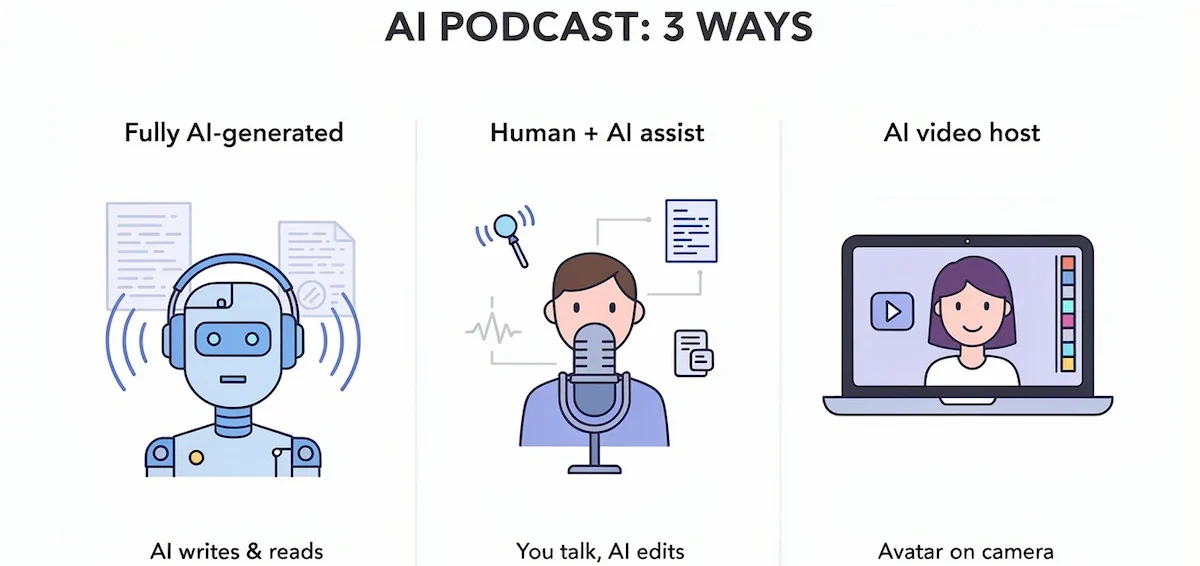
| Type | What AI does | Best for | Watch out for |
|---|---|---|---|
| Fully AI-generated episode | Writes the script from your sources and reads it in AI voices | Turning notes, articles or PDFs into audio | Little control over voices and length |
| Human-hosted show with AI help | Cleans audio, edits from a transcript, writes show notes and clips | Interviews and solo shows in your own voice | AI only saves time, you still record |
| AI host or video podcast | Creates a talking host or avatar and a short video | Faceless channels and short clips | Short free limits, trust drops if overused |
Fully AI-generated episodes
NotebookLM and Wondercraft are the usual starting points. You add a topic, a document or a link, the tool writes a script and two voices read it with text-to-speech. This is the fastest route, and it is also the type most platforms ask you to label. It works well for explainers, study notes and audio versions of articles.
A human-hosted show with AI help
You record yourself or a guest, and AI covers the slow work. A transcript editor lets you remove filler by deleting words, a cleanup tool takes out noise, and a writing tool drafts the title, show notes and chapters. This keeps your own voice, which is the main reason people subscribe to a show.
AI hosts and video podcasts
Some tools create an AI host that talks to the camera, which suits short videos and faceless channels. HeyGen, PodcastorAI and Clout offer this, mostly for clips of a minute or less. The guide on AI video creation covers the video side in more detail.
AI podcast vs traditional podcast: benefits and trade-offs
AI saves time and money, but it changes what you control. The table shows where each approach is stronger.
| Area | Traditional podcast | AI podcast |
|---|---|---|
| Time per episode | Hours of recording and editing | Minutes to generate, plus time to review |
| Equipment | Microphone and a quiet room | A laptop and a voice tool |
| Cost | Gear, studio time or an editor | Subscription credits |
| Voice | Your own, fully natural | AI voice or clone, can sound flat |
| Guests | Real interviews | Needs real people or clearly labeled AI voices |
| Languages | One, unless you record again | Several, through dubbing and multilingual voices |
| Consistency | Depends on your schedule | Same routine every week |
| Trust | Strong personal bond | Needs a label and your own point of view |
Four benefits come up in most guides: speed, consistency, lower cost and reach in more languages. Anyone can start without a studio, and niche topics become worth covering because each episode costs little.
The main trade-off is the human element. A listener notices flat pacing and generic opinions quickly, which is why the steps below keep you in charge of the script, the facts and the final listen.
What you need before you start
- A topic and a clear audience.
- Source material you have the right to use: notes, an article, a report or links.
- A chat tool for the script and a voice tool or generator for the audio.
- An editor for cleanup, and a podcast host for the RSS feed.
- Headphones to check the audio.
- A microphone, only if you want your own voice or guests in the show.
Free plans are enough to test the whole process, so plan an afternoon for the first episode and pay only after you know which step limits you.
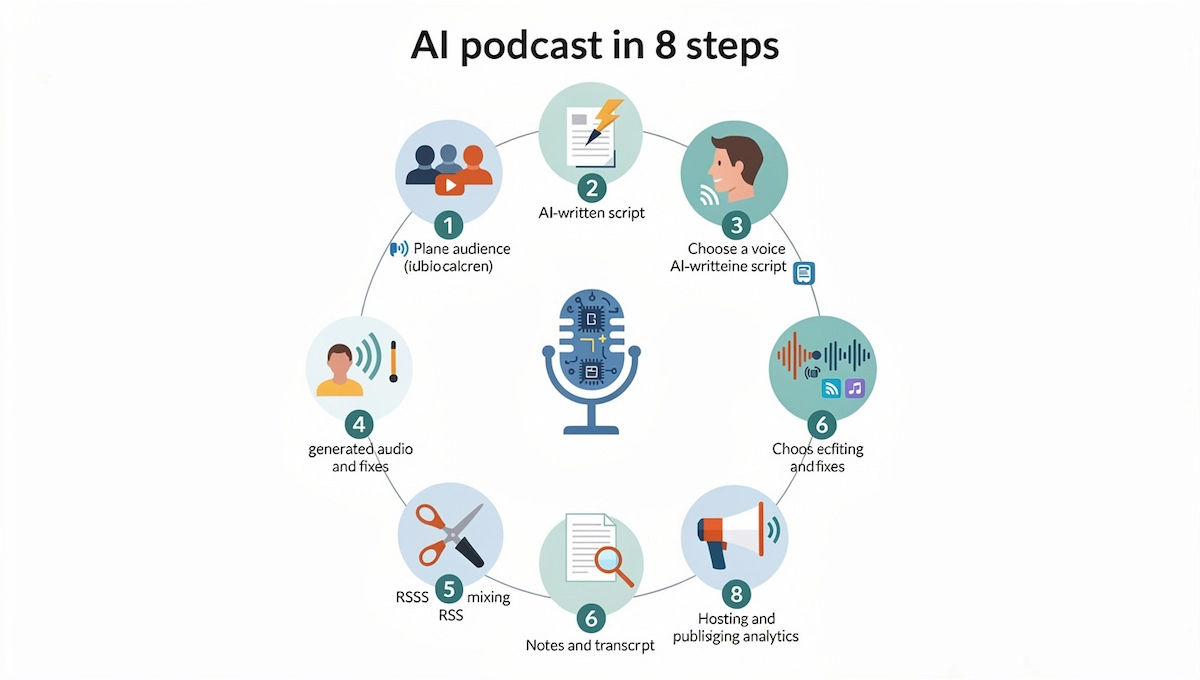
How to make a podcast with AI in 8 steps
This is how to make a podcast with AI in eight steps, from the first idea to a published episode. The steps work for a fully generated show and for a normal show with AI help, and each step says where the two differ.
Step 1: Pick a format, length and audience
Decide who the show is for and what one episode gives them. A narrow topic works best, for example a weekly summary of one industry or a short audio version of your blog. Then choose a format: solo narration, two voices in conversation or an interview.
For length, 5 to 10 minutes suits news and tips, 20 to 30 minutes suits stories, and 45 minutes or more suits interviews. Pick a posting rhythm you can keep, such as one episode a week, and a tone that matches your listeners.
Also decide early whether your AI podcast will be fully generated or a normal show with AI help. That choice sets how much script work, recording and editing sit ahead of you, and it changes the label you add when you publish.
Step 2: Write the script with AI
Ask a chat tool such as ChatGPT or Claude for an outline first, then for the script one part at a time. Give it the topic, the audience, the length, the tone and your own source material. A good podcast script has a short hook, two or three main points, one example for each and a clear ending. Write for the ear: short sentences and plain words.
The guide on prompt engineering for business shows how to write prompts that give a usable first draft. These two work well as a start:
- Outline prompt: Write an outline for a 10-minute solo podcast episode about [topic] for [audience]. Include a hook, three points and one closing step.
- Script prompt: Turn this outline into a spoken script of about 1,300 words. Use short sentences, plain words and one example per point. Mark every fact I should check.
- Repurpose prompt: Turn the article below into a 5-minute spoken script. Keep the three main points, drop tables and links, and end with one question for the listener.
Check each number, name and quote against a real source before you record. A tool can state a wrong fact in a confident voice, and a listener cannot see a source note.
Step 3: Choose a voice
Pick a voice that fits the tone: calm for explainers, warm for stories. ElevenLabs, Wondercraft and Podcastle let you preview voices, and some tools can clone your own. Cloning needs consent, so only clone your own voice or the voice of a person who agreed in writing.
For two voices, assign one to each speaker in the script and keep the same voices from episode to episode so the show sounds consistent. A good AI podcast voice does not need to be perfect, but it must stay the same across episodes, because regular listeners notice a change quickly. NotebookLM does not let you pick voices, which is one reason some creators move to a separate voice tool. If terms such as text-to-speech or voice cloning are new, the AI terms glossary explains them in plain language.
Step 4: Generate the audio and fix a robotic sound
Paste the script into the voice tool and generate the audio. Listen to the whole file before you edit anything. A robotic sound usually comes from the script, not from the voice.
Fixes that work: shorten long sentences, add commas and periods where a person would pause, spell hard names the way they sound, and slow the speed a little if the voice rushes. Generate again only the sentences that failed, not the full episode.
A name such as Nguyen or Wrocław is a common problem. If the voice says it wrong, write it as it sounds in the script, for example Win for Nguyen, and listen again. Keep a small list of these spellings so the next AI podcast episode starts with the fixes already applied.
Step 5: Edit, clean and mix
Descript lets you edit audio by editing the transcript, so removing a filler word means deleting it from the text. Auphonic and Adobe Podcast Enhance clean noise and level the volume. Add an intro, an outro and light background music, and keep the music low enough that speech stays clear. Use music and sound effects from a royalty-free library or from the tool itself, and read the licence if you plan to run ads.
A common loudness target for podcasts is about minus 16 LUFS, a number to confirm in your host or editor settings. Export a WAV or MP3 file once the mix sounds right.
Step 6: Add show notes, a transcript and chapters
Give the finished transcript to a writing tool and ask for a title, a two-sentence description, show notes with timestamps and chapter markers. Read and fix the result, since tools tend to invent details. A transcript also helps people find the episode in search and gives readers a text version.
If you already publish articles, the guide on how to write blog posts with AI shows how to reuse the same material for the show notes and the script.
Step 7: Host and publish
A podcast host gives you an RSS feed, and that feed is what Apple Podcasts, Spotify and other apps read. Upload the file to a host such as Transistor or the Podcastle hosting hub, add the title, description and cover art, then submit the feed once to each directory. After that, every new episode appears on its own. A host treats an AI podcast like any other show, so the feed, the cover art and the description follow the same rules.
For YouTube, upload the audio with a still image or a short video. Add an AI label where the rules ask for one, which the rules section below explains.
Step 8: Promote with clips and review the results
Cut two or three short clips from each episode and add captions. Opus Clip and Headliner turn a clip into a vertical video or an audiogram for social media. Share the episode link in your newsletter and on one social channel you already use.
After four episodes, review downloads, listening time and the point where listeners stop, then change the length or topic that loses people. The guide on AI marketing automation covers tools that repeat this kind of promotion on a schedule.
How to make a podcast with NotebookLM
NotebookLM is the free option from Google that turns your own documents into a two-voice conversation called an Audio Overview. It is the quickest way to try an AI podcast, because you do not write a script yourself.

The steps, from sources to download
- Open NotebookLM and create a new notebook.
- Add sources such as PDFs, web links, Google Docs or pasted text. A notebook accepts up to 50 sources.
- Review the sources and remove anything off topic.
- Open the Audio Overview section and generate the episode, then wait for the file.
- If the customize option is available, tell the hosts what to focus on and how detailed to be.
- Listen to the result, download the audio and publish it through your host.
The same method turns a blog post, a report or lecture notes into audio. Add the article as a source, ask for a focus on the three main points and publish the result as a short episode.
Limits to know before you publish
- Length. One guide reports a cap of 30 minutes, while another says episodes usually run 5 to 15 minutes.
- Voices. You cannot choose the voices or the number of speakers.
- Language. Audio Overviews were English only in the guides we read. Check the current language list.
- Accuracy. The hosts can say things the sources do not contain, so listen with the sources open.
- Rights. Check the current terms for commercial use before you add ads or sponsors.
These limits change often, so check the app and the Google terms before you build a show on it.
How to turn an episode into a video podcast
YouTube is a podcast platform too, so many shows publish a video version of each episode. You do not need a camera for it, and an AI podcast with a still image or a talking host can work as a video.
- Start from the finished audio file.
- Create cover art or a few images with an image tool, one for each part of the episode.
- Choose a look: a still image with a waveform, an animated audiogram or an AI host that speaks the lines on screen. HeyGen and Hedra offer talking hosts, and Wavve and Headliner offer audiograms.
- Add captions in the editor and check that they match the audio.
- Export the video and upload it to YouTube with the same title and description as the audio episode.
Free plans on video tools usually allow a few minutes a month and add a watermark, so plan the length before you start. If a talking host is the main format, label it clearly, since viewers may take an AI host for a real person.
How to make a podcast in other languages
Voice tools such as ElevenLabs, Wondercraft and Noiz can read a script in several languages or dub an existing episode. Write or translate the script first, have a native speaker check names and tone, then generate the audio in each language.
Publish each language as its own feed so listeners find the right show, and label translated voices as AI in the same way as the original. Language lists and accents differ by tool, so check what each one supports before you commit.
Best AI podcast tools and free generators
There is no single best tool, because each step needs a different one. The guide to choosing AI tools for business gives a simple way to compare options before you pay. The table lists the names that come up most for an AI podcast, with prices from third-party reviews that you should confirm on the vendor page.
| Step | Tool | Good for | Free plan or starting price |
|---|---|---|---|
| Script | ChatGPT, Claude | Outline and first draft | Free plans, paid about 20 USD per month |
| Full episode | NotebookLM | Two-voice episode from your sources | Free with a daily limit |
| Voice | ElevenLabs | Voices and cloning | About 10 minutes of speech free per month, paid from about 6 USD |
| Script, voice and timeline | Wondercraft | Producing an episode in one place | 150 free credits, Creator plan about 25 USD per month |
| All-in-one | Podcastle | Voices, cleanup, transcripts and hosting | Free plan available |
| Editing | Descript | Editing audio by editing text | Free plan, paid from about 24 USD per month |
| Cleanup | Auphonic, Adobe Podcast Enhance | Noise and loudness | Free tiers |
| Clips | Opus Clip | Short clips from long episodes | Free minutes, paid from about 15 USD per month |
| Hosting | Transistor | RSS feed and distribution | About 19 USD per month |
Free AI podcast generators and their limits
Dupple tested eight free AI podcast generators and found that only four publish a clear free allowance. ElevenLabs offers 10,000 credits a month, which is about 10 minutes of speech. Wondercraft gives 150 credits and removes the watermark only on a paid plan. NotebookLM is free with a daily limit, and HeyGen allows three short videos a month.
Free plans often add a watermark, cap the length or block commercial use. Read the terms before you publish a free episode.
How much does it cost to make an AI podcast?
You can make your first AI podcast for nothing. NotebookLM, a free voice allowance and a free editor cover a few short episodes. Costs start when you need longer episodes, more voices, no watermark or commercial rights.
- Free start, 0 USD. NotebookLM, free voice credits and free cleanup tools.
- Light creator, about 20 to 60 USD per month. A chat tool, one voice plan and a podcast host.
- Regular show, about 100 to 160 USD per month. Add an editor, a clip tool and a larger voice plan. One 2026 workflow guide lists a full stack at about 110 USD per month, though its own table adds up closer to 140 to 160 USD.
For one 20-minute episode, Dupple estimates about 1.80 USD of voice usage on a pay-as-you-go plan. Hidden costs matter more than the subscription:
- Your time for fact checks, which is the slowest part of the work.
- Extra credits spent on repeated generations.
- A paid plan that includes commercial rights and no watermark.
- A microphone, if you also record your own voice.
For price ranges across other AI products, see how much AI tools cost.
AI podcast rules: disclosure, voice rights and monetization
An AI podcast raises three questions that a normal show rarely does: do you tell listeners, whose voice is it and can you earn money from it. Rules differ by platform and change often, so read the current terms before you publish. These are the points that come up most.
- Disclosure. Apple Podcasts asks creators to disclose synthetic voices and AI hosts in the content and in the metadata of each episode, and a note in the description alone may not be enough, according to the Speechactors disclosure checklist. Acast asks for it in the file and the metadata when AI generates a material part of the show. The guides we read do not describe a Spotify rule, so check its policy directly.
- Where to say it. Use a spoken line near the start, a line in the description and the AI field in your RSS settings if your host offers one.
- Voice rights. Clone only your own voice or a voice with written consent. Disclosure does not replace permission.
- Commercial use. Free plans may limit commercial use or add a watermark, so check the plan before you take sponsors.
- Copyright. Rules for AI voices and generated text vary by country and by tool. Keep a record of the tools and sources you used.
- Data. Do not upload private or client files to a tool before you check its data terms. The guide on AI data privacy for business lists what to check.
Short wording helps. Use one of these as a starting point and adjust it to your show:
- AI-narrated episode: This episode was written with AI help and narrated with an AI voice.
- AI host and guest conversation: The voices in this episode are AI generated and based on the sources listed in the notes.
- AI-assisted production: I recorded this episode myself and used AI for editing, noise cleanup and show notes.
Keep a short note for each episode: which tools you used, where AI was used, which sources fed it and when you checked the rules.
What to automate and what to keep human
| Fine to automate | Keep a person in charge |
|---|---|
| Outline and first draft | Facts, numbers and quotes |
| Voice for narrated episodes | Opinions and your own stories |
| Noise cleanup and loudness | The final listen to the whole file |
| Show notes, titles and chapters | Medical, legal and money advice |
| Clips and captions | Real names, sponsors and ad claims |
Listeners follow a show for a voice and a point of view. If AI writes and reads everything with no personal touch, the episode sounds like every other one. Add your own example, your own opinion or a short recorded intro to each episode. The same review habit applies to AI content creation in general.
Common mistakes and how to avoid them
- Publishing the preview. Listen to the complete export, not only the first minute.
- Skipping the fact check. One wrong number can cost the trust of a new audience.
- Using one flat pace. Add commas, short sentences and pauses so the voice does not rush.
- Leaving out the label. Add a spoken line and a metadata note where the platform asks for it.
- Paying before testing. Make one episode on free plans, then upgrade only the step that limits you.
- Changing every tool at once. Swap one step at a time so you can see what improved the result.
Fix the script first, since most audio problems start there. A weak AI podcast usually has a weak script, a flat pace or no label, and each of those is cheap to repair before you publish.
Checklist before you publish
- Every fact, number and quote is checked against a source.
- You listened to the complete file, not only the start.
- Names and hard words are pronounced correctly.
- The loudness and the music level sound even on headphones and on a phone speaker.
- Music and sound effects have a licence that covers your use.
- The AI label is in the audio, the description and the feed settings.
- Title, description, cover art and chapters are filled in.
- The feed was tested in at least one podcast app.
Where AI podcasting is heading
Editing from text, AI hosts and translation into more languages already exist in tools such as Descript, Wondercraft and Jellypod, and they change every few months. Expect more tools to add automatic labels for AI content, which will make disclosure easier. The skills that stay useful are choosing a topic and checking the facts. For a wider view of how this technology works at a company level, see generative AI for business.
Where to start
Pick one source, such as a blog post or a report you know well, and turn it into a five-minute episode. Generate it, listen to the whole file, fix the script and publish it privately to test the feed.
That is the shortest way to learn how to make a podcast with AI: one small episode, one tool per step and a checklist you reuse. If the first episode holds up with a few listeners, add a clip tool, a better voice and a regular posting day.
Frequently asked questions
Can I make a podcast with AI for free?
Yes, and an AI podcast can start at zero cost. NotebookLM is free with a daily limit, ElevenLabs gives about 10 minutes of speech a month, and Descript, Podcastle and Auphonic have free plans. Free plans often add a watermark or limit commercial use, so check the terms before you publish.
Do I need experience to make a podcast with AI?
No. The tools handle voice and editing, so you need a clear topic, a script you can judge and the patience to listen to the full file. Experience helps most with fact checking and with the pacing of the script.
How long does it take to make a podcast with AI?
A short AI podcast episode from a document can take 30 to 60 minutes, including the time to listen and fix the script. A scripted episode with editing, show notes and clips takes an hour or two. Interview shows take longer because you record. The fact check is the slowest part.
Is an AI podcast allowed on Spotify and Apple Podcasts?
Apple Podcasts accepts an AI podcast with synthetic voices but asks creators to disclose them in the content and the metadata. The sources we read do not state a Spotify rule, so read its current policy before you submit the feed.
Do I have to disclose an AI voice in my podcast?
Often yes. Apple Podcasts and Acast both ask for a label when AI voices or hosts are a material part of an AI podcast episode. Add a spoken line near the start, a line in the description and any AI field your host offers.
Can I monetize an AI podcast?
It is possible to earn from an AI podcast, but the plan and the platform decide. Free plans may block commercial use or add a watermark, and sponsors may ask how the audio was made. Check the terms of every tool in your workflow and keep the AI label in place.
Will AI replace human podcasters?
Not completely. AI can write, voice and edit an episode, but listeners still follow people for stories, opinions and real guests. Shows that mix AI speed with a personal voice tend to hold attention better than fully generated ones.
Which AI voice sounds the most natural?
It depends on the script and the tone. ElevenLabs and Wondercraft are named most often in the guides we read. Test the same script in two or three tools and choose by listening, then fix pacing in the script before you blame the voice.
Can I turn a blog post or PDF into a podcast?
Yes. Add the post or PDF as a source in NotebookLM, or paste the text into Wondercraft or Podcastle. Ask the tool to focus on the main three points. Only use content you own or have permission to use.
Can I make a podcast in another language with AI?
Yes, with tools that offer multilingual voices or dubbing, such as ElevenLabs, Wondercraft and Noiz. Have a native speaker check the script, and publish each language as its own feed with an AI label.
Can I make a podcast with NotebookLM?
Yes. Create a notebook, add your sources, generate an Audio Overview and download the file. You cannot choose the voices, episode length varies, and the hosts can add details the sources do not contain, so listen carefully before you publish.










