AI content creation is the use of artificial intelligence to plan, draft, edit, and repurpose content such as blog posts, social captions, emails, images, video, and audio. You describe what you need in plain language, get a first draft in seconds, and spend the saved time on strategy, fact-checking, and editing. According to HubSpot, about 94% of marketers planned to use AI in their content process in 2026.
Most teams have already started. What separates good results from weak ones is the process around the tool. This guide explains how AI content creation works, which AI tools for content creation are worth testing, a seven step workflow, prompts you can copy, and the SEO and legal questions that come with publishing machine assisted text.
What is AI content creation?
AI content creation means using AI tools to generate, edit, or optimize digital content from a prompt, a brief, or existing material. The result can be text, images, video, audio, or a mix of them. In practice the work follows three steps: research and ideation, drafting, and human review for accuracy and brand voice.
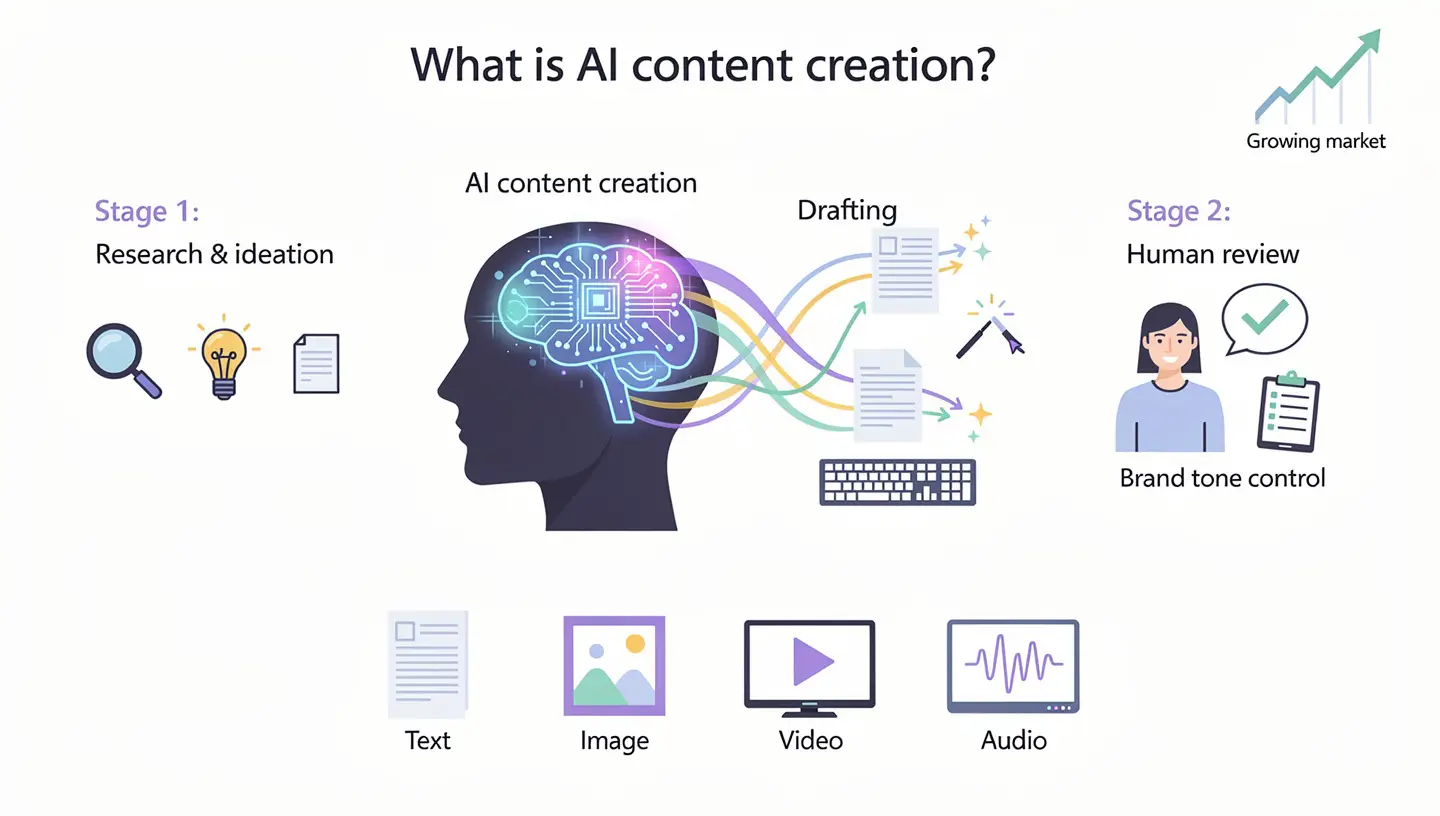
Early tools for AI content generation only wrote short copy. Most platforms are now multimodal, so one workspace can produce a caption, a matching graphic, and a short video from the same brief. The market has grown with that shift: Grand View Research valued generative AI content creation at about $14.8 billion in 2024 and projects roughly $80 billion by 2030.
How AI content creation works
Most tools run on large language models (LLMs), which learn patterns in how people write from huge text collections. You send a prompt, meaning a short instruction with context such as audience, tone, and length, and the model predicts a draft from those patterns. Image and video models follow the same logic with pictures and clips instead of sentences.
Because the model predicts rather than checks, it can state wrong facts with full confidence, which is usually called hallucination. That is why every workflow for AI content creation needs a review step before anything goes live. If terms like token, model, or fine-tuning are new to you, the AI terms glossary explains them in plain language.
Types of content AI can create
AI content creation now covers far more than blog writing. The table shows the main categories and where each one fits best.
| Type | Examples | Best for |
|---|---|---|
| Text | Blog posts, ad copy, email campaigns, product descriptions | SEO, email, social captions |
| Images | Product photos, social graphics, thumbnails | Ecommerce listings, ads, social media |
| Video | Short clips, product demos, text-to-video ads | Reels, Shorts, TikTok, product pages |
| Audio | Voiceovers, podcast intros, narration | Explainers, audiobooks, ads |
| Multimodal | Full campaigns with copy, images, and video | Launches, seasonal promotions |
Text is still the largest category, but visual formats are growing fastest, because product photos and short video have a direct effect on conversions. For a wider view of how these models are used inside companies, read generative AI for business.
What AI can do at each stage of content production
AI content creation is not a single step. It touches the whole path from idea to report, and the tool you need changes at each stage.
| Stage | What the tool does | Example |
|---|---|---|
| Research and ideas | Suggests topics, angles, and related questions | Twenty blog topics for one keyword |
| Outline | Builds a structure from your brief | H2 and H3 headings with short notes |
| First draft | Writes text from a prompt and context | A 1,200 word draft of a guide |
| Editing | Fixes grammar, tightens wordy lines, adjusts tone | A formal draft rewritten in a friendly voice |
| Headlines and titles | Generates several options to test | Ten subject lines for one email |
| Translation and localization | Adapts text for other languages and markets | A product page in French and Spanish |
| Repurposing | Turns one asset into several formats | A blog post becomes a thread, a script, and captions |
| Optimization and reporting | Flags missing terms and summarizes performance | A list of keywords the draft does not cover |
A few tools add a humanizing option that smooths stiff wording. It helps, but a manual rewrite in your own voice still gives the best result.
Benefits of AI content creation
The clearest benefit of AI content creation is time. In a 2025 Shopify survey, content generation was the most common AI use among store owners, at 69%, and the Content Marketing Institute reports that 87% of marketers using AI for content say productivity improved. The main gains look like this:
- Faster first drafts. Outlines, intros, and variations that used to take an hour arrive in minutes, so editing starts earlier.
- Idea generation. When a topic stalls, a few prompts return angles, headlines, and questions to answer.
- Repurposing. One approved blog post becomes a thread, a video script, an email, and a set of captions.
- Consistent brand voice. Tone guidelines loaded into the tool keep several writers sounding alike.
- Lower cost per piece. A small team can cover more channels without hiring for each one.
- SEO support. Many tools suggest keywords, subheadings, and structure based on what already ranks.
None of this replaces an editor. The hours you save only pay off if they go into checking facts and adding your own experience.
Best AI content creation tools in 2026
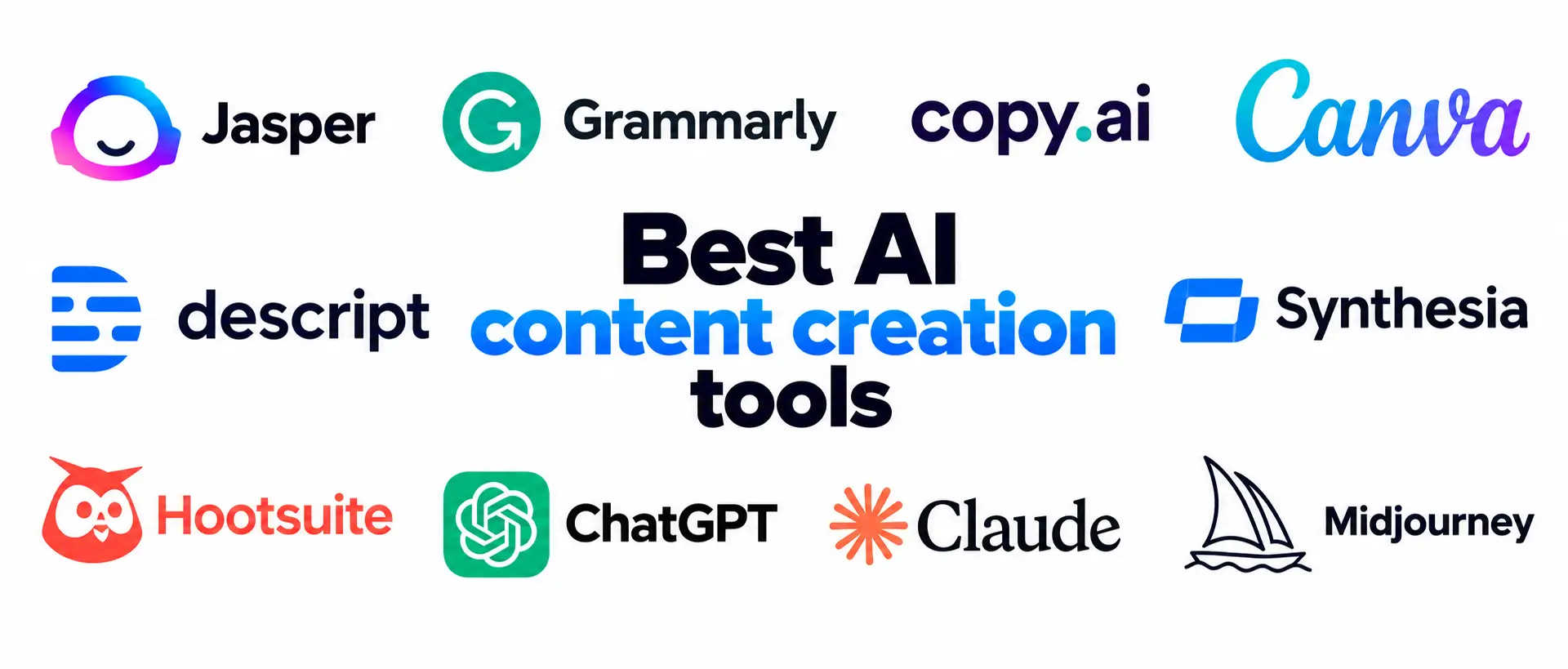
No single product covers every format, so most teams combine two to four tools. The best AI content creation tools are grouped below by job: writing, design, video and audio, social media, and research.
Prices are public starting prices at the time of writing and change often, so confirm them on the vendor page. For a budget breakdown, see how much AI tools cost.
AI content creation tools compared
| Tool | Best for | Free plan | Starting price |
|---|---|---|---|
| Jasper | Brand voice at volume | Free trial | About $39 to $59 a month |
| Grammarly | Editing and proofreading | Yes | About $12 a month |
| Copy.ai | Sales and marketing copy | No | About $29 a month |
| Canva | On-brand graphics | Yes | Pro about $15 a month |
| Descript | Video and audio editing from a transcript | Yes | From $16 a month billed annually |
| Synthesia | Presenter style video with avatars | Yes | From $14 a month billed annually |
| Hootsuite | Social planning, publishing, approvals | Free trial | $99 per user a month |
| ChatGPT | Drafting and brainstorming | Yes | Plus $20 a month |
| Claude | Long documents and research | Yes | Pro about $17 to $20 a month |
| Midjourney | Stylized images | No | Paid plans from about $10 a month |
AI writing and copy tools
Among AI writing tools, Jasper is built around brand voice. You load style guidelines and past content once, and every draft follows them, which suits teams where several people write for the same brand. It also offers templates for ads, blog outlines, and emails. The tradeoff is price, and for high stakes pages a human writer should still own the final text.

Grammarly is strongest after a draft exists. It catches spelling and grammar slips that tired eyes miss, and it flags tone and wordy passages. It can also write a first draft from a prompt, but many editors use it mainly as a proofreader.
Copy.ai targets sales and go to market work, such as outreach messages, account research, and campaign copy, so it is a weaker pick for long articles. Writesonic focuses on blog articles with a clear structure. ChatGPT, Claude, and Gemini are general assistants. ChatGPT is popular for outlines and brainstorming, Claude handles long documents and research well, and Gemini adds image generation and a drafting canvas. All three need fact-checking. If articles are your main goal, the guide on how to write blog posts with AI walks through the full process.
AI image and design tools
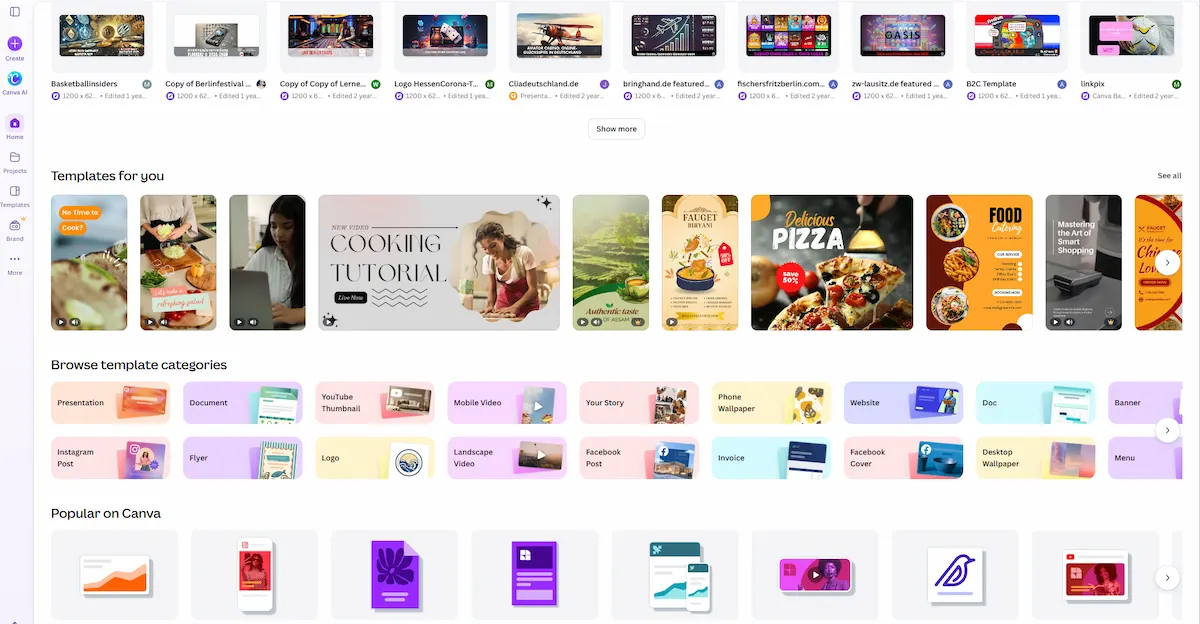
Canva is the easiest choice for people without design training. Its AI features suggest layouts from a rough idea, remove backgrounds in one click, and keep graphics consistent through a brand kit, though a full brand identity from scratch still calls for a human designer. Adobe Firefly suits teams already working in Adobe, and it was trained on licensed material, which makes the copyright question simpler.
Midjourney produces the most distinctive images but needs paid access and some practice with prompts. Nano Banana Pro, available through Gemini, helps when an image needs readable text, such as a poster or an infographic.
AI video and audio tools
Descript edits video and audio by editing the transcript: delete a sentence and the matching clip disappears. It also removes filler words and cleans background noise. It edits footage you already have, so you still need a recording to start. Synthesia turns a script into a presenter style video with an avatar and dubs it into more than 30 languages, which fits training material and product explainers better than quick casual clips.
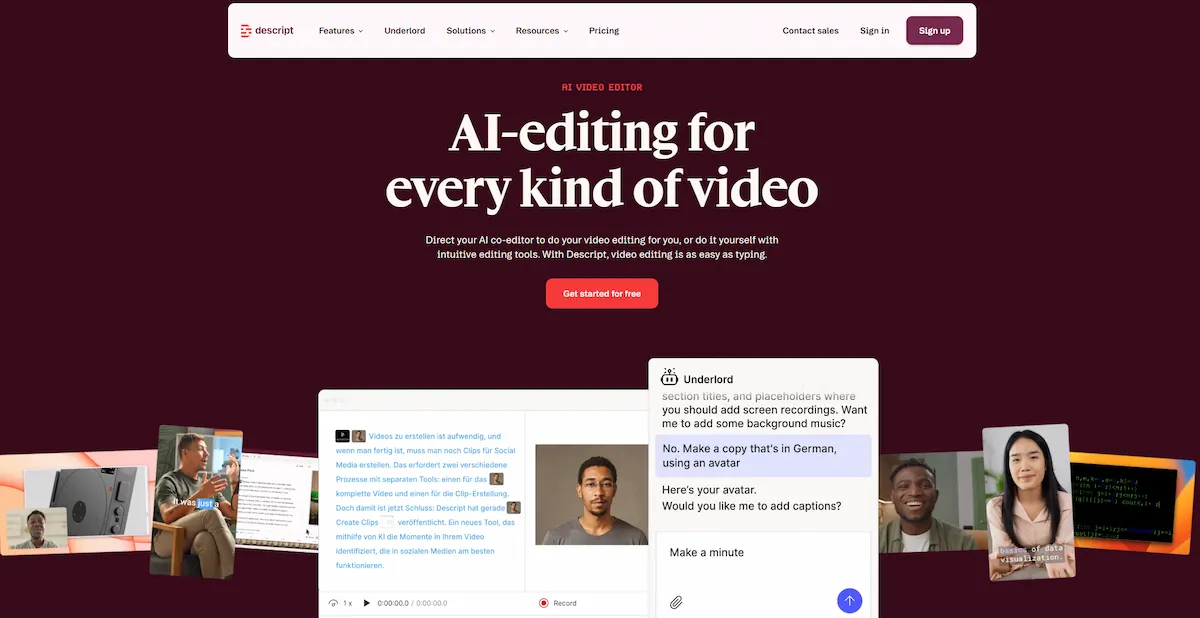
For more on this format, see the guide to AI video creation.
InVideo builds short videos from a text prompt. HeyGen adds avatars and translation that keeps your own voice. CapCut is a free, beginner friendly editor for short clips, OpusClip cuts long recordings into vertical clips, and ElevenLabs covers voiceovers and voice cloning.
Social media and ecommerce tools
Hootsuite connects drafting to scheduling, approvals, and analytics, which suits teams that run several accounts. Its writing tool turns a prompt or a link into captions and post ideas. It is built for social content, so it is a poor fit for long blog drafts. The Buffer assistant generates several variations of a rough idea and repurposes one post for different platforms.
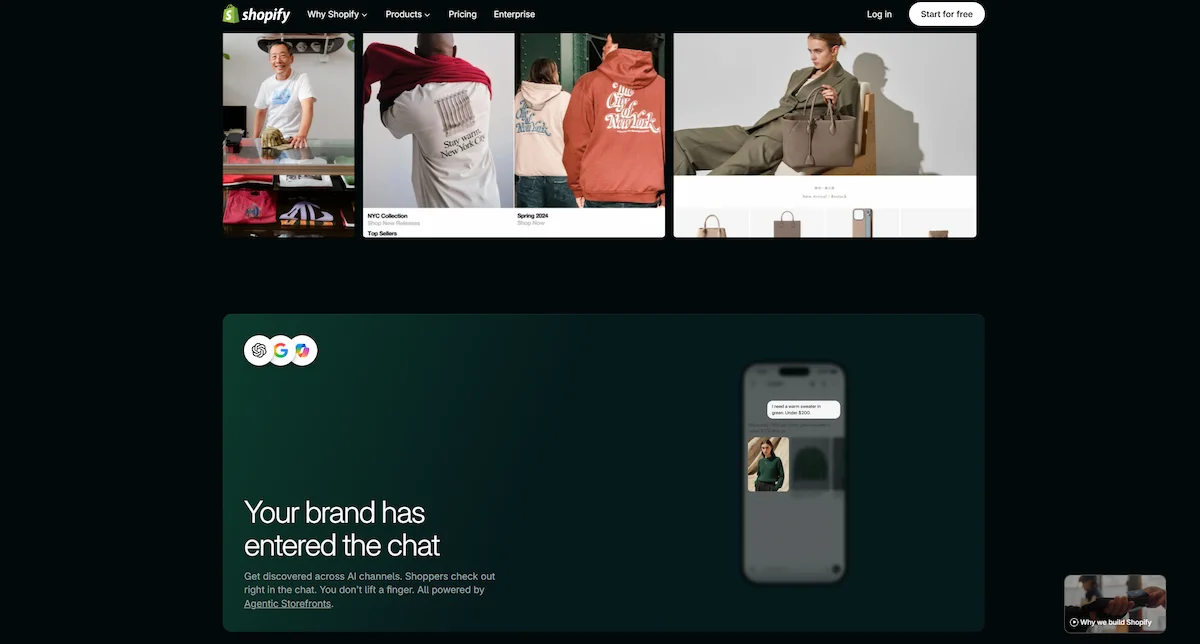
Shopify Sidekick sits inside the Shopify admin and writes product descriptions, email campaigns, and social posts from your product data, in several languages. Once these pieces work, you can chain them into routines with the help of AI marketing automation.
Research, SEO, and automation tools
Clearscope checks whether a draft covers the terms searchers expect. Perplexity answers research questions and shows its sources. Gemini Notebook, formerly NotebookLM, works only from the documents you upload and links each claim back to the passage it used, which speeds up verification.
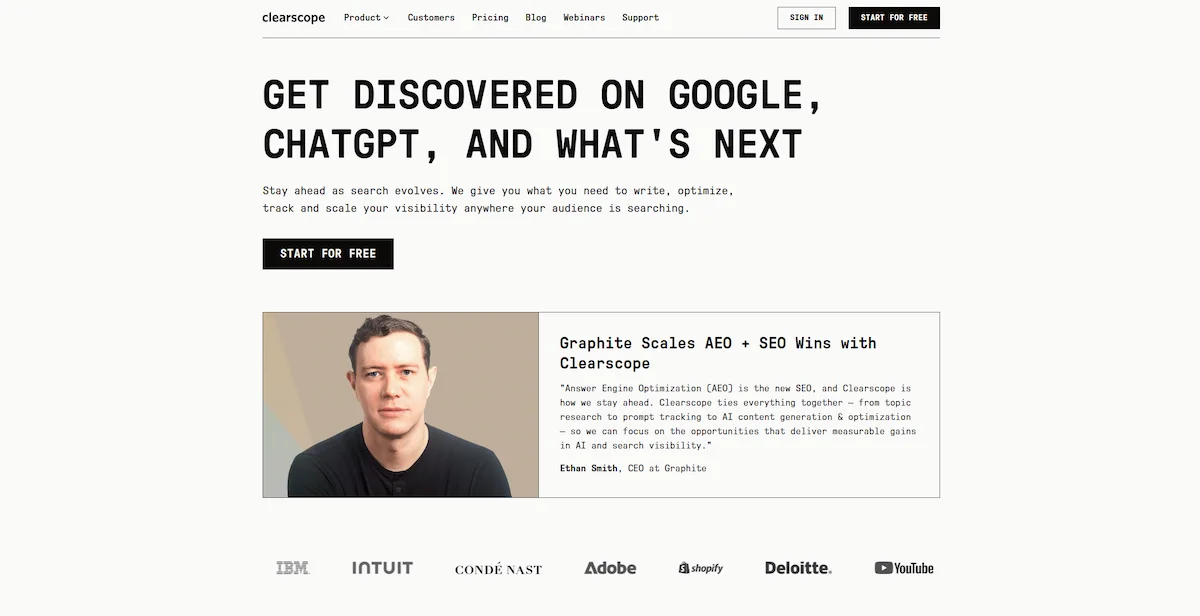
Zapier and n8n connect your apps, so a finished post can trigger social drafts and a spreadsheet update without manual copying.
Idea capture, voice, and meeting tools
Wispr Flow turns speech into text in almost any app, which speeds up first drafts for people who think out loud. Granola records a conversation and converts it into structured notes, so a rambling voice memo becomes an outline. Notion AI searches your own notes and old drafts, which turns your archive into source material. HubSpot Breeze summarizes meetings and builds reports inside HubSpot.
Free AI content creation tools
Most tools above have a free tier, which is enough to test a workflow. Free AI content creation tools usually limit usage, add watermarks, or lock team features. Good starting points:
- ChatGPT and Claude are free AI writing tools for drafting, outlines, and research questions.
- Grammarly free plan for grammar, spelling, and clarity checks.
- Canva free plan for graphics and basic AI edits.
- CapCut and Descript free plans for short video and transcript editing.
- Hootsuite free caption and hashtag generators, which need no account.
Test two or three of them on a real task before you pay for anything.
How to use AI for content creation in 7 steps
A repeatable workflow beats clever prompts, and using AI for content creation works best as a fixed routine. This AI content creation process works for blog posts, product copy, emails, and social posts.
1. Define your goal, audience, and channel
Decide what the piece must do: inform, collect leads, or sell. Write down who reads it and where it will appear. A product description and a paid social ad need different prompts even when they describe the same product.
2. Write a clear prompt
Include the content type, topic, audience, tone, length, and any facts the tool must use. A good example: write a 300 word product description for a reusable water bottle, aimed at eco conscious shoppers, in a friendly tone. Specific briefs return drafts that sit much closer to final. For a full method, read prompt engineering for business.
3. Generate a first draft
Start with one piece, not a full batch. Adjust the prompt until the draft is close, then scale up to the rest of the catalog or calendar. Content creation with AI goes faster in short rounds, so expect two or three before the text is usable.
4. Edit and add your own expertise
Trim filler, fix awkward phrasing, and check that the text sounds like your brand. Then add what the tool cannot supply: examples from your work, numbers you collected, and opinions you hold. This step is what makes your page different from every other page on the topic.
5. Fact-check and run quality checks
Verify every statistic, date, quote, and product claim against a primary source. Remove numbers the tool gave without a source. Publishing AI content creation output without verification is the fastest way to put an error online. Run a plagiarism check when originality matters.
6. Format, publish, and repurpose
Add headings, links, images, and a call to action. After approval, turn the piece into a short social caption, an email, and an ad headline, keeping one core message across all of them.
7. Measure and improve
Track clicks, conversions, or engagement for pieces made with AI and compare them with pieces written by hand. Feed what works back into your prompts and templates.
AI content creation prompts you can copy
These AI content creation prompts are starting points, not finished text. Replace the brackets with your own details.
- Blog outline: Act as an SEO editor. Create an outline for a 1,500 word article on [topic] for [audience]. Include H2 and H3 headings, one question per section, and a short FAQ.
- Product description: Write a 120 word product description for [product], aimed at [buyer]. Mention [three features], use a friendly tone, and end with one reason to buy.
- Email sequence: Draft three emails announcing [launch] to existing customers. Keep each under 150 words and finish each with one clear action.
- Social posts: Turn this blog post into five LinkedIn posts. Each needs a strong first line and fewer than 120 words.
- Video script: Write a 30 second script about [product]. Open with a problem, show the solution, and close with a call to action.
Always give the tool your own facts. A prompt with real product details and a sample of your past writing returns better text than a generic request.
AI content creation for ecommerce
Online stores need a large volume of content: descriptions, photos, ads, emails, and social posts for every product. That volume is why AI content creation took off in ecommerce first. In a 2025 Shopify survey, 75% of store owners said they use AI tools to generate content for their stores.
Product descriptions and listings
Give the tool the specs, the target customer, and the channel, then ask for one description first. Check materials, sizes, ingredients, and claims against the real product before you publish, because a wrong spec costs more than a slow draft. After one description is approved, repurpose it into a shorter social caption, an email line, and an ad headline. The how-to guide on writing product descriptions with AI shows the full process.
Product photos and short video
Photo quality drives sales. According to ElectroIQ, more than 67% of online shoppers rate it above descriptions and reviews, and BlendNow reports a 33% higher conversion rate for high resolution images. One product photo can become lifestyle shots, white background catalog images, and a short motion clip for social, with no new photoshoot. Canva, Adobe Firefly, and Shopify Sidekick handle jobs like these.
Seasonal campaigns and platform formats
A photo taken in January can be placed in a spring sale, summer, or holiday setting without reshooting. The same base asset can be resized for square Instagram posts, vertical 9:16 video for TikTok and Shorts, and marketplace listing rules. Always check that the final image still shows the real product accurately.
AI content creation for teams and business documents
Teams add problems a solo writer does not have: several authors, approvals, and brand rules. The fix is simple. Keep one shared document with voice, tone, and banned phrases, load it into every tool, and name a review owner for each channel. Platforms such as Jasper and Hootsuite offer brand voice profiles, approval flows, and audit trails for this reason. Train the team on prompting, keep an editorial calendar that mixes pieces made with AI and pieces written by hand, and track which drafts needed the most edits.
Business documents AI can draft
Not all AI content creation is marketing. Companies also use it for internal and client documents, and tools that read your own files can ground drafts in real data. Common examples:
| Document | Prompt idea |
|---|---|
| Executive summary | Summarize the main risks and opportunities in this annual report |
| Sales proposal | Draft a proposal for [client] based on these meeting notes |
| Job description | Write a role description from our competency framework |
| Press release | Draft an announcement using these milestones and quotes |
| Case study | Build challenge, solution, and result sections from interview notes |
| Meeting minutes | Turn this transcript into action items with owners and dates |
| Training manual | Create a five step onboarding guide from our handbook |
Tools that answer only from the files you provide, such as Box AI or Gemini Notebook, reduce wrong facts because every statement traces back to a source. Set clear rules on which tools are approved: a 2025 LayerX report found that 77% of employees had shared sensitive company data through public AI tools.
How to build an AI content strategy and measure results
A strategy keeps AI content creation tied to business goals instead of output volume. Start with topic discovery: ask the tool to cluster keywords, summarize what competitors cover, and flag gaps on your site. Then segment the audience by need, since a beginner and a buyer comparing tools want different pages. Build a calendar that gives each topic a format, a channel, and an owner.
Track a small set of numbers for every piece:
- Time per piece from brief to publish.
- Edit rate, meaning how much of the draft you had to rewrite.
- Cost per piece, including tool fees and editing hours.
- Organic traffic and rankings for the target keyword.
- Conversions or revenue per page.
- Engagement, such as time on page and shares.
Compare pieces made with AI against pieces written by hand over at least a month. If drafts need long edits or underperform, change the brief or the tool before adding volume.
AI content creation and SEO
Search engines do not rank text by how it was produced. The Google guidance on generative AI content says that using AI is not against its rules, but publishing large volumes of unedited pages made to manipulate rankings is. Used well, AI content creation can rank like any other text.
Does Google penalize AI-generated content?
Not for the tool alone. Pages are judged on usefulness, accuracy, and expertise. Thin, repetitive, or wrong pages perform badly whether a person or a model wrote them, and mass produced pages made only to climb rankings can run into spam policies.
How to make AI-generated content rank
- Match the search intent before you write: check whether the first page shows guides, lists, or comparisons.
- Add original data, screenshots, quotes, or results that only your team has.
- Cite sources for every number.
- Use headings that answer real questions, and keep paragraphs short.
- Update dates, prices, and statistics on a schedule.
- Never publish in bulk without a review step.
Treat AI content creation as drafting help, and add the proof that only you can provide.
Keyword research and search intent with AI
Tools can group keywords, suggest related questions, and compare your outline with the top results. Use them for the first pass, then read the first page of results yourself. You will see quickly whether searchers expect a how-to, a list of tools, or a price comparison.
Is AI-generated content legal and safe to use?
Using AI for content creation is legal, but several risks deserve a check before you publish. Clear rules for AI content creation protect readers and brand alike.
- Copyright. A model can produce phrases or images close to existing work. Compare drafts against competitors and prefer image tools trained on licensed material.
- Accuracy and claims. Wrong specs, ingredients, or guarantees create legal exposure, especially in regulated industries.
- Disclosure. Some platforms and regions require labels on AI assisted content. In a KPMG and University of Melbourne survey, 70% of respondents said they find it hard to trust online information because they cannot tell what is machine made.
- Privacy. Do not paste customer data, contracts, or private files into public tools. The guide on AI data privacy for business explains which setups keep data inside your account.
A short checklist for responsible use covers six points: a named person is accountable for each piece, readers are told about AI help where rules require it, outputs are checked for bias, the tool behaves reliably, personal data stays protected, and the content works for readers with different needs. Teams that apply AI content creation rules like these avoid most disputes later.
Challenges of AI content creation
The limits of AI content creation are predictable, which makes them manageable. These are the problems teams meet most often:
- Hallucination. Confident but wrong statements, including invented statistics and quotes.
- Generic output. Without a strong brief, drafts converge on the same phrasing as everyone else.
- No original insight. A model cannot interview a customer, run a test, or report what happened in your last campaign.
- Brand voice drift. Output varies between writers and sessions unless guidelines are loaded into each tool.
- Privacy and bias. Public tools may store prompts, and training data carries bias.
- Reader trust. AI-generated content that sounds machine made loses readers quickly.
Each of these has the same fix: clear inputs at the start and human review at the end.
Best practices for AI content creation
These habits separate useful AI content creation from filler:
- Start with strong inputs. Give the tool facts, a sample of your style, and the target reader. Vague prompts return vague drafts.
- Iterate in steps. Ask for one change at a time, such as “shorter” or “warmer”, instead of starting over.
- Document brand guidelines. Write down voice, banned phrases, and approval rules, then load them into every tool the team uses.
- Decide what AI may touch. Keep pillar pages, sales material, and sensitive topics with a human author.
- Add your own examples. Real cases, numbers, and screenshots cannot be generated.
- Keep SEO basics in place. Use one clear keyword focus, descriptive headings, and a short meta description.
- Build review into the workflow. Treat AI content creation like any other production step, with an owner and a deadline.
- Test before scaling. Compare pieces made with AI against hand written ones, then expand what performs.
In a HubSpot survey, 56% of marketers said they significantly revise AI-generated content or rewrite it completely before publishing. Plan your schedule with that editing time included.
The human role in AI content creation
Tools handle speed and volume. People handle direction, accuracy, and taste. Writers choose the angle, interview sources, collect original data, and decide whether a paragraph deserves space on the page. Editors keep the voice consistent and catch errors. The strongest teams let AI draft and reformat, then spend the saved hours on research and distribution.
Will AI content creation replace writers? It replaces some tasks, such as formatting, first outlines, and repetitive variations. It does not replace experience, judgment, or the trust a brand builds with its audience over time. Writers who use the tools well produce more and better work than those who ignore them.
How to choose the right AI content creation tool
Pick based on fit, not feature count. Run every tool on your shortlist through these checks:
- Use case. Does it cover the content type you produce most: text, images, video, or presentations?
- Integrations. Does it work inside the apps your team already uses, or does it add another login?
- Brand voice controls. Can you load a style guide and a list of banned words?
- Governance. Are approvals, permissions, and audit trails available?
- Price at scale. What happens to the cost with more seats, brands, or languages?
- Output quality. Run the same brief through two or three tools and compare how much editing each draft needs.
It also helps to choose by bottleneck. If ideas stall, test research and note taking tools. If drafting is slow, pick a writing assistant. If production is the slowdown, compare design and video tools. If posts reach only one platform, add repurposing and automation. The right AI content creation tool is the one that removes your slowest step.
Most teams end up with three to five tools, not fifteen. Start where you lose the most time and add another only when you outgrow the first. For a step by step method, see how to choose AI tools for business.
The price of AI content creation varies widely. Many tools offer free plans, most individual plans sit between $12 and $25 a month, and team platforms such as Hootsuite start at $99 per user a month. One creator who tested a full stack put the cost of a working setup at roughly $50 to $100 a month.
The future of AI content creation
Two trends stand out. First, AI agents that run a whole workflow, from brief to formatted assets to revisions, are moving from demos to daily use. HubSpot reports that about 19% of marketers already use them to automate marketing from start to finish. Second, search is changing, so pages need clear structure, cited facts, and specific answers that answer engines can quote. Neither trend removes the need for an editor.
Final thoughts on AI content creation
AI content creation works best as a fast first pass inside a process you control. Choose tools by job, write specific briefs, check every claim, and add what only you know. Teams that do this publish more without losing trust, and readers can tell the difference.
Frequently asked questions
Which AI tool is best for content creation?
It depends on the job. Jasper suits brand voice at volume, Grammarly suits editing, Canva suits graphics, Descript suits video and audio, and ChatGPT or Claude suit drafting and research. The best AI content creation tool is the one that removes your biggest bottleneck, so test two or three before paying.
Can you do AI content creation for free?
Yes. ChatGPT, Claude, Canva, CapCut, Grammarly, and Descript all have free plans, and Hootsuite offers free caption and hashtag generators. Free plans limit usage or add watermarks, but they are enough to test a workflow.
Is AI-generated content good for SEO?
Yes, when it is accurate, edited by a person, and built around search intent. Google does not penalize AI use on its own, but it treats mass produced, unedited pages as spam.
Is AI-generated content legal?
Using AI tools to help with marketing content is legal. The risks are copyright overlap, wrong claims, disclosure rules in some markets, and sharing private data with public tools. Treat every output as a first draft.
Can AI replace human content writers?
Not fully. AI content creation speeds up drafting and repetitive tasks, while people supply strategy, original insight, and editorial judgment. The best results come from using both.
How do you keep AI content on brand?
Write down your voice, tone, and banned phrases, then load them into the tool. Use the brand voice features in Jasper or the brand kit in Canva, and keep a human review step before publishing.
What is the best AI tool for blog writing?
ChatGPT and Claude are common choices for outlines and long first drafts, Jasper helps keep tone consistent across writers, and Grammarly polishes the result. Whatever you use, add your own examples and verify the facts.
How much does AI content creation cost?
Free plans cover basic use. Individual paid plans usually run about $12 to $25 a month, and team platforms start higher, such as $99 per user a month for Hootsuite. A small working stack often costs $50 to $100 a month.
Can AI create social media posts and product descriptions?
Yes. Tools such as Shopify Sidekick, Hootsuite, and Buffer generate captions and descriptions from a prompt or from product data. Each draft still needs a check for accuracy, tone, and claims before it goes live.
How do you make AI content sound human?
Add your own examples, cut generic phrases, vary sentence length, and rewrite openings and endings in your voice. Reading the text aloud helps. If it reads like everyone else, it needs more of your experience.
Are free AI content tools good enough for professional use?
They handle drafts, captions, hashtags, and brainstorming well. Paid plans add brand voice controls, team collaboration, approval workflows, and higher limits, which matter once several people work together.
How can companies scale AI content creation without losing quality?
Use AI for drafts, outlines, and repetitive tasks, keep people responsible for editing and approval, and load brand guidelines into every tool. Track edit time per piece to see whether quality holds as volume grows.
Do you need more than one AI tool?
Often yes, because no single tool is best at text, images, video, and publishing. Most teams use three to five, chosen by the step that costs them the most time.
What is the difference between an AI agent and a regular AI tool?
A regular tool completes one task, such as writing text or generating an image. An agent plans a multi step job, picks the right tools, keeps context across the conversation, and revises based on your feedback.