Wan AI is a family of video and image generation models built by Alibaba, and it is also the name of the website where people use them. You type a prompt or upload a photo, and the model returns a short clip. Older versions are open source, newer ones are not, and the free plan comes with limits, so the word free needs some care.
This review explains what the models do, which version to pick, what you can really get for free, how credits and plans are priced, and how Wan compares with Kling, Veo and Seedance. Every figure was checked against public sources in October 2026. Where sources disagree, the text says so.
Wan AI at a Glance
Here is the whole Wan AI review in one table for readers who only want the answer. The sections below explain each row.
| Question | Answer |
|---|---|
| What it is | A family of text-to-video and image-to-video models, plus the wan.video website |
| Made by | Alibaba, through its Tongyi Lab |
| Latest version | Wan 3.0, launched on August 24, 2026 |
| Free | Limited daily credits, watermark on downloads, older models only |
| Open source | Only up to Wan 2.2 and a few special models such as Wan Animate |
| Paid plans | Pro from about $5 per month, Premium from about $20 per month, billed yearly |
| Biggest complaint | Too many versions, slow queues and a confusing local setup |
What Is Wan AI?
Wan AI is a video generation model family from Alibaba that turns text, images and reference clips into short videos. The name works in two ways, and mixing them up is the most common mistake in reviews. The first meaning is the group of models, such as Wan 2.1, Wan 2.2 and Wan 3.0. The second meaning is the hosted tool at wan.video, where you log in, spend credits and download clips without installing anything.
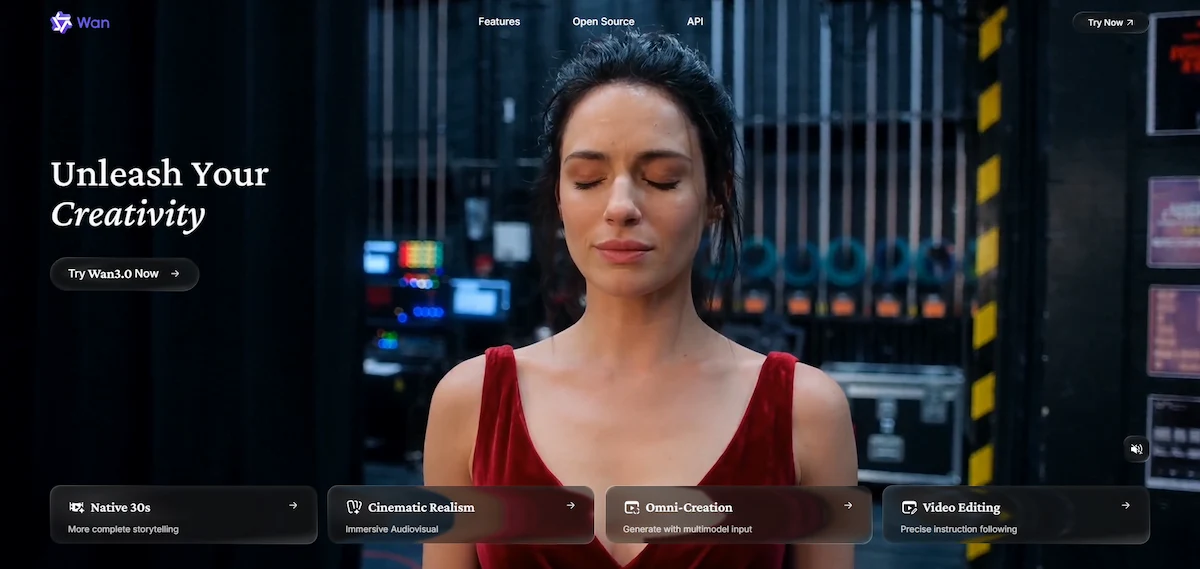
Most readers use the hosted tool, and developers run some of the models on their own GPU. The models handle text-to-video, image-to-video and reference-to-video, and the newer ones add sound. If the technical words are new to you, the AI terms glossary explains them in plain language.
Wan as a Model Family and as a Website
A model is the engine, and a website is a car built around it. The same Wan model can run on wan.video, on a partner platform such as fal.ai or Pollo, or on your own computer. Prices, limits and watermarks belong to the platform, not to the model. That is why one review can say Wan is free while another says it costs money, and both can be right.
Who Created Wan AI?
Wan was created by Alibaba, and the research team is the Tongyi Lab inside Alibaba Cloud. Alibaba released Wan 2.1 and Wan 2.2 under the Apache 2.0 license, which allows commercial use. After that, the main versions moved to online-only access. Wan is not the same as Qwen, which is the Alibaba language model family used for chat and text.
Wan AI Versions: From Wan 2.1 to Wan 3.0
The version list confuses almost every new user, because Alibaba has shipped a new model every few months. This table shows what each one is and whether you can download it.
| Version | Date | Access |
|---|---|---|
| Wan 2.1 | February 25, 2025 | Open weights, Apache 2.0 |
| Wan 2.2 | July 28, 2025 | Open weights, Apache 2.0 |
| Wan 2.5 Preview | September 24, 2025 | Online only |
| Wan 2.6 | December 16, 2025 | Online only |
| Wan 2.7 (image and video) | April 2026 | Online only |
| Wan Dancer 14B | July 17, 2026 | Open weights, Apache 2.0 |
| Wan 3.0 | Public beta August 6, launch August 24, 2026 | API and online only |
| Wan Animate 2 | August 7, 2026 | Open weights, Apache 2.0 |
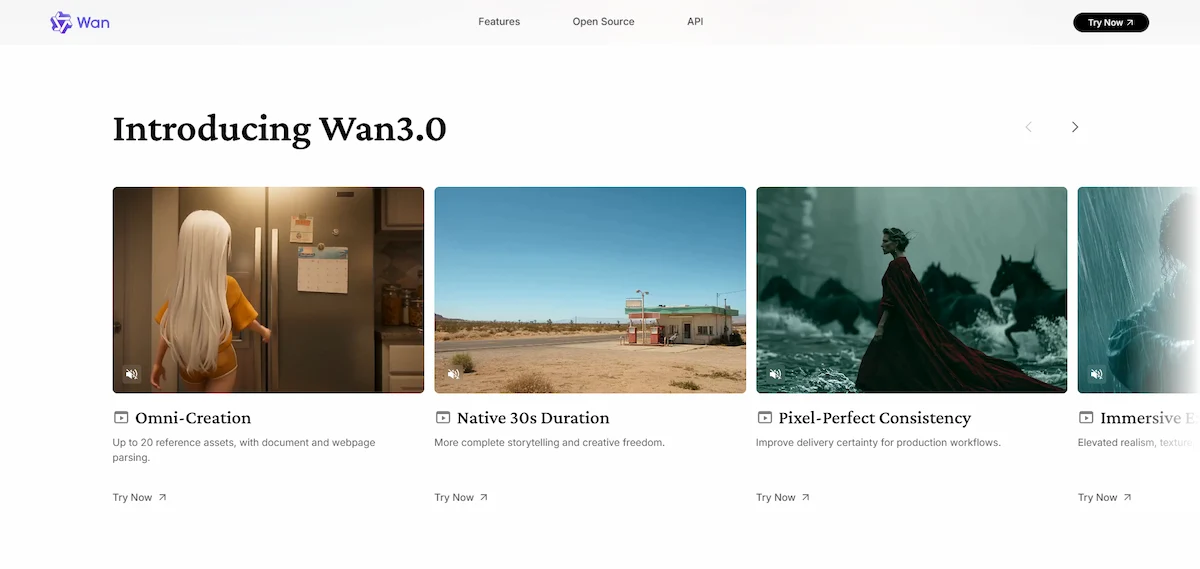
Wan 2.2 uses a mixture-of-experts design and creates silent five-second clips at 480p or 720p. Wan 2.5 added sound and clips up to 10 seconds at 1080p. Wan 2.6 brought multi-shot scenes and longer clips, and Wan 3.0 reaches 30 seconds with audio by default and accepts documents such as PDF, PPT and Markdown as input. The Wan AI video generator changes with every version, and sources disagree on the exact length for Wan 2.6, with some saying 10 seconds and others up to 15.
Which Wan Version Should You Use?
Pick Wan 2.2 if you want to run the model on your own computer for free. Pick Wan 3.0 if you want the longest clips, sound and the best prompt following, and you accept paying through credits or an API. Wan 2.5, 2.6 and 2.7 sit in between and are mostly useful on platforms that have not added Wan 3.0 yet.
How Wan AI Works: The Technology Behind the Models
Wan AI is a diffusion model built on a transformer design. Three parts matter for a normal reader. A video encoder called Wan-VAE compresses the footage so the model can work on longer clips. A umT5 text encoder reads your prompt, including Chinese and English text. Wan 2.2 also uses a mixture-of-experts design with about 27 billion parameters in total and around 14 billion active at a time, which keeps the cost of a generation lower than a dense model of the same size.
Benchmark Claims
Some guides quote a VBench score of 86.22 percent for Wan 2.2 against 84.28 percent for Sora. These numbers come from the article that published them and were not independently verified, so treat them as marketing, not proof. A better test is to run your own prompt on the free plan and compare the result with Kling or Veo.
Key Wan AI Features
Text-to-Video and Image-to-Video
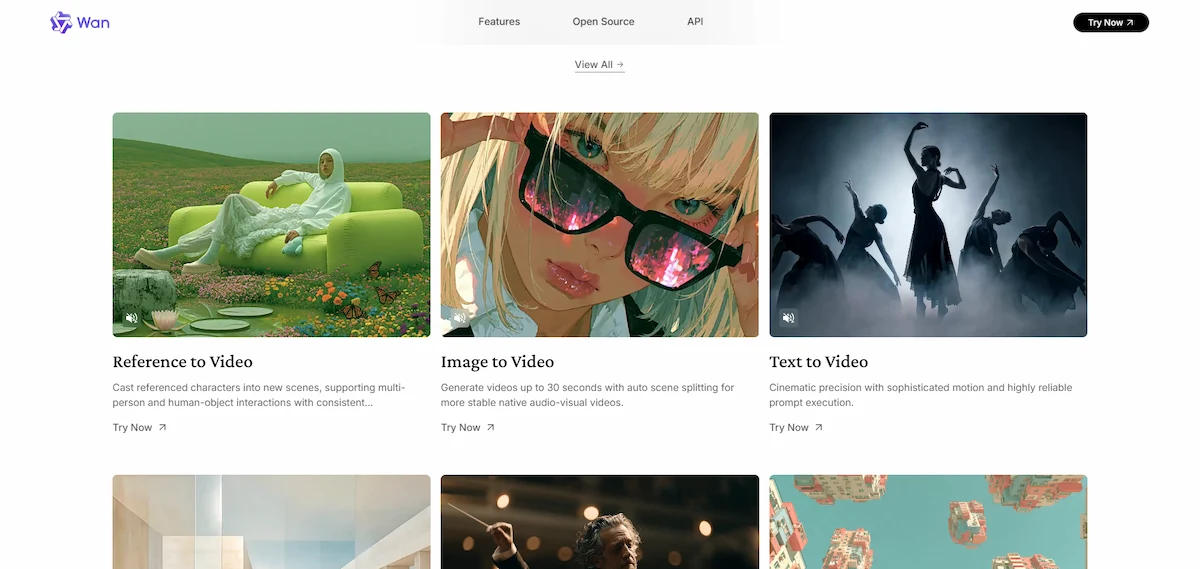
The Wan AI video generator has two main modes. Text-to-video turns a written prompt into a clip. Image-to-video takes a photo and animates it, which is the feature reviewers praise most, because the result stays close to the starting image. Both modes work on the hosted site and in the open models, with quality depending on the version and on how detailed your prompt is.
Reference-to-Video and Wan Animate
Reference-to-video keeps a person, object or style from a reference file across the clip. Wan Animate is an open model that moves a character using a driving video, which works well on short takes of up to about 15 seconds. It has trouble with hands and clothing, and it drifts when the character looks very different from the person in the reference video.
Native Audio and Long Clips in Wan 3.0
Wan 3.0 generates native audio with the video, including music, effects and speech, at 480P, 720P or 1080P. It also accepts a document or a link and turns it into a video, which no earlier version could do. Audio quality is still described as weaker than Veo.
Camera Control, Text Rendering and Prompt Adherence
Reviewers rate Wan highly for cinematic camera moves and for following long, detailed prompts. It also renders text inside the picture better than many older models, although on-screen text is still not perfect, and Alibaba admits it. Multilingual prompts work, and results can vary by language.
Image Generation and Video Editing
Wan is not only a video tool. The hosted site also creates images from text, edits images and edits finished videos. Listings for Wan 2.7 report first-and-last-frame generation, a nine-grid image input, voice cloning and instruction-based editing, where you describe the change in plain words. Filmora groups these tools as create AI image, create AI video, edit your AI video and reference to video.
For the bigger picture of how these tools fit into content work, see the guide to AI video creation.
Wan AI Use Cases
The Wan AI video generator is mostly used for short clips where a full shoot would cost too much. The common uses are listed below.
- Ad clips: short product and brand videos for paid campaigns.
- Social content: vertical clips for YouTube Shorts, TikTok and Reels.
- Product and service presentations: a photo of a product turned into a moving shot with image-to-video.
- Concepts for film, games and design: quick mood clips before a real production starts.
- Character animation: moving a character with Wan Animate and a driving video.
- Explainer videos: Wan 3.0 can build a clip from a document or a link.
Short clips are the sweet spot. A single generation is only a few seconds long, so longer videos are built from several shots joined in an editor. That is why many creators pair the generator with a separate editing tool.
When to Pick Wan for a Shot
invideo describes the sweet spot well: use Wan for volume work, drafts and image-to-video shots where speed and cost matter. For a hero shot that needs top realism or the best sound, a stronger model such as Veo is the safer pick.
Where to Use Wan AI: Official Site, Partner Platforms and API
You can reach Wan in several places, and the price and limits change with each one.
| Where | Best for | Note |
|---|---|---|
| wan.video and the Android app | Beginners | Credits, daily free plan, watermark on free clips |
| Partner platforms such as fal.ai, Pollo and ImagineArt | Trying several models in one place | Their own credits and limits |
| Alibaba Cloud Model Studio and providers such as SiliconFlow | Developers | Pay per second through the API |
| Your own computer | Developers with a strong GPU | Wan 2.2 and special open models only |
How to Use Wan AI Step by Step
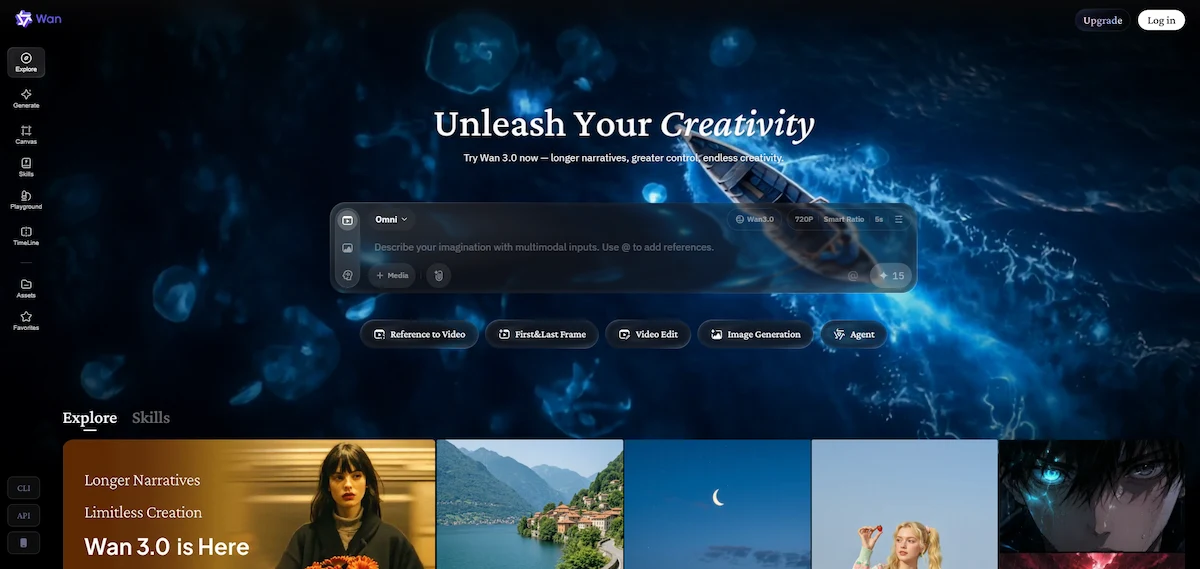
The easiest way to start with the Wan AI video generator is the hosted website. Here is the short path from a new account to a downloaded clip.
- Open wan.video in your browser or install the Android app. There is no working iOS app at the time of writing.
- Create an account and claim the daily free credits.
- Choose text-to-video or image-to-video and pick a model version.
- Write your prompt, or upload a photo and describe the motion you want.
- Set the length and aspect ratio, then start the generation and wait in the queue.
- Preview the clip, regenerate if needed and download it. Free downloads carry a watermark.
How to Write a Good Wan AI Prompt
Wan follows detailed prompts, so short prompts waste credits. Alibaba recommends covering seven blocks in this order:
- Intent of the video, such as an ad, a tutorial or a story.
- Shot breakdown, with a length for each shot if you need it.
- Framing and camera movement.
- Subjects and their actions, in order.
- Setting, foreground and lighting.
- Sound, covering music, effects and spoken lines.
- The ending, for example a freeze frame or a camera pullback.
One action per shot gives the cleanest result. The guide to prompt engineering for business shows the same method on other tools.
Does Wan AI Work in Other Languages?
Wan reads prompts in more than one language, and readable Chinese and English text inside the picture is one of its stated strengths. For other languages and local scenes, results are less predictable. Write your first prompt in English, then test your own language and compare.
Is Wan AI Free?
Partly. Wan AI is a free AI video generator in three different ways, and each has a catch.
| Way to use it | What you get | The catch |
|---|---|---|
| Free plan on wan.video | Small daily credits, older models | Credits expire after one day, watermark, one video at a time |
| Open weights on your computer | Wan 2.1 and 2.2 with no per-clip fee | Needs a strong GPU and setup time |
| Partner platforms such as fal.ai | Five Wan 3.0 text-to-video clips a day at 720p with sound | Account with a card on file, text-to-video only |
The Free Plan on wan.video
The free plan gives a small amount of credits every day, and they cannot be saved because they expire after one day. Reviewers describe it as enough for a few seconds of video per day. Downloads carry a watermark, and the free plan runs one video at a time and only older models. Pro and Premium remove the watermark and add 1080p.
Open Source Stops at Wan 2.2
Many articles call Wan AI fully open source, and that is wrong. Alibaba published the weights for Wan 2.1 and Wan 2.2, and later for special models such as Wan Animate 2 and Wan Dancer. Wan 2.5, 2.6, 2.7 and 3.0 are online only, with no weights on Hugging Face and no repository on GitHub. So the newest model you can download and run yourself is still Wan 2.2.
Other Free Ways to Try Wan
fal.ai offers five free Wan 3.0 text-to-video generations per day, in a rolling 24 hour window, at 720p with sound and a length of 5, 10 or 15 seconds. This was valid on August 25, 2026, so check it before relying on it. Aggregators such as Pollo also let you try Wan for free before you pay.
Wan AI Pricing: Credits, Plans and Cost Per Video
The Wan AI pricing below comes from third party sources, because the official page loads through scripts and could not be read directly. Prices also differ between sources, so confirm them on wan.video before you pay. The wider picture of tool costs is in the guide to how much AI tools cost.
| Plan | Price | Credits per month | Videos | Videos at once |
|---|---|---|---|---|
| Free | $0 | Small daily amount | Limited | 1 |
| Pro | About $5 per month, billed yearly | 300 | Up to 60 | 3 |
| Premium | About $20 per month, billed yearly | 1,200 | Up to 240 | 8 |
Monthly billing costs more. Filmora lists $6.5 and $26 per month, and Jedha lists $10 and $40. One-time credit packs run from $1.50 for 30 credits to $100 for 3,900 credits, and they stay valid for two years. That works out to about $0.08 per video on a membership and $0.13 to $0.25 per video with packs.
The API charges per second. Wan 3.0 costs 0.3, 0.6 and 1.2 yuan per second for 480P, 720P and 1080P. Other sources quote $0.068 to $0.15 per second, which means a 30 second clip costs roughly $2 to $4.50. A launch discount of 30 percent on selected platforms ended on September 23, 2026.
Running Wan AI Locally: Hardware You Need
Running the model on your own computer avoids a fee per clip, but it needs a strong graphics card. The small Wan 2.2 TI2V 5B model fits a card with 24 GB of VRAM and takes about nine minutes for a five-second clip. The A14B models need at least 80 GB of VRAM on a single GPU, and the Wan Animate tool can need eight professional cards. There is no consumer path at all for Wan 2.5 to 3.0.
ComfyUI, LoRA and Community Workflows
Most local users run Wan through ComfyUI, often with LoRA files that add a style or a character. Community builds in the GGUF format also make the A14B models fit smaller cards. The trade-off is that workflows can break after an update and need fixing.
Download the weights only from the official GitHub and Hugging Face pages. Local users also report slow generation, confusing setup and ComfyUI workflows that break after updates.
Where Wan AI Falls Short
Even fans agree on the model limits. These are the weak spots that show up again and again in reviews.
- Sudden cuts or fades in the middle of a shot that should be continuous.
- Hands in fast motion, and clothing in Wan Animate.
- On-screen text, which is better than before but still imperfect.
- Audio that sounds weaker than Veo.
- Queues, because Alibaba limits how many videos run at once.
- Local scenes: one reviewer got unreadable French signage and invented metro entrances in Paris prompts.
Wan AI Pros and Cons
The pros and cons below come from reviews, user reports and the facts above.
| Pros | Cons |
|---|---|
| Strong prompt adherence and cinematic motion | Too many versions and unclear naming |
| Open weights for Wan 2.1 and 2.2 | Newest models are closed |
| Image-to-video stays close to the photo | Hands, on-screen text and sudden cuts |
| Wan 3.0 reaches 30 seconds with audio | Audio weaker than Veo |
| Low cost per clip on a membership | Free clips carry a watermark and credits expire daily |
| Wide access through partner platforms | Queues and limited concurrent videos |
Wan AI Review: What Users Say
Reddit and Community Feedback
Every Wan AI review shows the same pattern. Community feedback is positive on prompt adherence and on the freedom the open models give. Users say Wan 2.1 follows long prompts well and that LoRA style workflows can look very good. Some compare it with Kling and say Kling animates a reference image better, while Wan needs a more detailed prompt to reach the same result.
Ratings and Where They Fall Short
There is no reliable rating average to quote. G2 pages for Wan have few or no ratings, and the Trustpilot page that appears in search belongs to an unofficial domain. For that reason the written comments tell you more than any star score.
Common Complaints
- Slow generation on normal GPUs and long queues online, including reports of 10 to 20 minutes for a mediocre clip of three to five seconds.
- Confusing versions, which makes it hard to know which model to choose.
- Documentation that is missing, outdated or written for a high end card.
- Sudden cuts in a shot that should be continuous, and weak hands in fast motion.
- Limited concurrent videos, which slows large projects.
Wan AI Scorecard
These scores are my estimate based on public reviews and sources, not a result of my own testing. They show where Wan is strong and where it is weaker.
| Category | Score | Reason |
|---|---|---|
| Video realism | 4.5 out of 5 | Strong motion, lighting and camera work |
| Prompt adherence | 4.4 out of 5 | Follows long and detailed prompts |
| Character consistency | 3.8 out of 5 | Better each version, still not perfect across scenes |
| Ease of use | 3.5 out of 5 | Simple on the website, hard locally |
| Value | 4.2 out of 5 | Cheap per clip, but free output is limited |
Wan AI vs Kling, Veo, Sora and Seedance
| Tool | Best for | Strength | Weakness |
|---|---|---|---|
| Wan AI | Cinematic video, open weights | Prompt adherence and flexibility | Version confusion, technical setup |
| Kling | Camera control and character motion | Filmmaker friendly controls | May need retries |
| Veo | Visual quality with native audio | Realism, motion and sound | Premium price |
| Sora | Prompt following and realism | Complex scenes | Access and price depend on plan or region |
| Seedance | Fast API video | Motion and speed | Closed model |
Jedha sums up the split this way: Wan suits character consistency, staying close to the starting image and physics, Seedance suits imaginary scenes, Veo suits realism and sound, and Kling suits action and choreography. One API provider lists Wan 2.6 at $0.07 per second against $0.022 for Seedance 2.0, $0.03 for Veo 3.1, $0.126 for Kling 3.0 and $0.15 for Sora 2. Treat these as the prices of that provider, not as a general rule. For a closer look at the Google model, read the Veo review.
Wan AI vs Kling
Kling is the usual rival, and users split on it. Kling is praised for animating a reference image and following a prompt with little fuss, and for camera control. Wan needs a more detailed prompt, but it rewards that effort with strong cinematic motion and gives you open weights in the older versions. If you want the fewest retries, pick Kling. If you want control and the option to run a model yourself, pick Wan.
Wan AI vs Veo, Sora and Seedance
Veo leads on realism and sound, but it costs more. Sora is strong on complex scenes, and access depends on plan and region. Seedance is fast and works well through an API, but it is a closed model. Wan sits in the middle: lower cost per clip, strong prompt following and a larger choice of platforms, with weaker audio than Veo.
Best Wan AI Alternatives
The best Wan AI alternatives depend on what you need from a clip.
- Kling: camera control and character motion.
- Veo: realism and native audio.
- Runway: editing workflows and creative control.
- Hailuo: stylized video and motion.
- Seedance: fast API video generation.
- HunyuanVideo and LTX: open models for developers who want local control.
- DomoAI: anime and style transformation for beginners.
If you only need to edit a clip after generating it, a video editor is a better next step than another generator.
Picking among them depends on budget, quality and how much control you need, and the guide on how to choose AI tools for business lists the questions to ask first.
Is Wan AI Safe? Commercial Use, Watermark and Fake Sites
Can You Use Wan AI Videos Commercially?
Open models under Apache 2.0, such as Wan 2.1 and 2.2, can be used commercially. For hosted tools the answer depends on the plan, and commercial rights are often limited to paid tiers. Read the terms of the platform you use before you publish client work.
Wan AI Watermark
Videos from the free plan on wan.video carry a watermark, and removing it requires Pro or Premium. On the API the watermark is off by default. Tools that promise to strip watermarks are not part of the official offer.
Fake Wan AI Download Sites
Many unofficial sites copy the Wan name, such as wan26.ai, wan2.ai and similar domains, and several describe themselves as having no connection to Alibaba. Only the official GitHub and Hugging Face pages are safe for model downloads. Before you give an unknown site your email or card, read the guide to AI data privacy for business.
Content Filters and Responsible Use
Wan models are described by some users as having looser filters than Kling or Sora, and some sites advertise unrestricted output. That is a claim from sellers, not a feature to rely on. Filters, rules and account bans depend on the platform you use, and you are responsible for the videos you publish, especially when a clip shows a real person or a brand.
What Comes Next for Wan AI
The pattern is clear. Alibaba keeps its main video models closed and keeps releasing open, specialized models such as Wan Dancer and Wan Animate 2. No change of this policy has been announced. Older articles that promise a 60 billion parameter Wan 3.0 with 4K output by mid 2026 are outdated, because the real Wan 3.0 launched in August 2026 with 30 second clips and a top output of 1080P.
Who Should Use Wan AI?
- Creators who want cinematic short clips and strong prompt following, and are ready to write detailed prompts.
- Developers and hobbyists who want open weights they can run locally with Wan 2.2 and who have a strong GPU.
- Marketers who make short ads and social clips on a membership budget and can check the result before publishing.
- Teams that already use another editor and only need a generator for the first draft of a shot.
It is a weaker choice for people who want one simple tool with no version choices and no queue. Content teams that mix video with text and images can see how Wan fits in the guide to AI content creation.
Final Verdict: Is Wan AI Worth It?
Wan AI is worth trying, mainly because the entry cost is low and the prompt following is strong. It is not fully free, and it is not fully open source, so judge it as a paid tool with a limited free trial. Use the website for quick clips, run Wan 2.2 locally if you have the hardware, and pick Wan 3.0 when you need long clips with sound. The honest summary of this Wan AI review is simple: strong output, a confusing version list, and a free plan that is best treated as a trial.
Before you commit, estimate how many clips you will make and what that costs, as the guide on AI ROI for business explains. Then test one real prompt on the free plan.
Wan AI FAQs
What Is Wan AI?
Wan AI is a family of video and image generation models from Alibaba, and also the website wan.video where you use them. It creates short clips from text, images and reference files.
Who Created Wan AI?
Alibaba created it, through the Tongyi Lab in Alibaba Cloud.
Is Wan AI Free?
Only partly. The free plan gives a small daily amount of credits with a watermark, Wan 2.1 and 2.2 can be run locally for free, and partner platforms offer limited free generations.
Is Wan AI Open Source?
Only the older models. Wan 2.1, Wan 2.2 and special models like Wan Animate 2 have open weights under Apache 2.0. Wan 2.5, 2.6, 2.7 and 3.0 are online only.
What Can Wan AI Do?
It can generate a video from text, animate an image, follow a reference file, animate a character from a driving video and, in newer versions, add sound and edit clips.
Does Wan AI Generate Audio?
Newer versions do. Wan 2.5 and later add sound, and Wan 3.0 generates audio by default. The open Wan 2.2 models output silent clips.
How Long Can Wan AI Videos Be?
Wan 2.2 makes about five seconds. Wan 2.5 reaches 10 seconds, Wan 2.6 reaches 10 to 15 seconds depending on the source, and Wan 3.0 reaches 30 seconds.
What GPU Do You Need for Wan AI?
The small 5B model of Wan 2.2 runs on a card with 24 GB of VRAM. The larger A14B models need at least 80 GB.
Is Wan AI Safe to Use?
The official site and the official GitHub and Hugging Face pages are safe. Many copycat domains exist, so avoid unknown sites that offer downloads or free unlimited access.
Can You Use Wan AI Commercially?
Open models under Apache 2.0 allow commercial use. For the hosted tools it depends on your plan, so read the terms before you publish work for clients.
Does Wan AI Add a Watermark?
Yes, on the free plan. Pro and Premium remove it, and the API has it off by default.
What Is the Difference Between Wan 2.2, 2.5 and 3.0?
Wan 2.2 is open, silent and short. Wan 2.5 added sound and 1080p and is online only. Wan 3.0 adds clips up to 30 seconds, audio by default and document input.
Is Wan AI Better Than Kling?
It depends on the job. Wan is strong on prompt following and on staying close to the starting image, while Kling is often preferred for camera control and character motion.
Does Wan AI Work on Mobile?
There is an Android app on Google Play with more than 100,000 downloads, and the website works in a mobile browser. There is no working iOS app at the time of writing.
Why Is Wan AI Slow?
Online, the cause is the queue and the limit on concurrent videos, which is stricter on the free plan. Locally, the cause is the graphics card, since a 24 GB card needs about nine minutes for five seconds of video.
Is Wan AI Good for Beginners?
The website is simple, but the choice of versions and the need for detailed prompts make it harder than most beginner tools. Local setup is not for beginners.
Can You Run Wan AI Locally?
Yes, but only the open models. Wan 2.1 and 2.2 run on your own computer, and the small 5B model of Wan 2.2 fits a 24 GB card.
Can Wan AI Create 1080p Videos?
Yes. Wan 2.5 and later support 1080p, and Wan 3.0 offers 480P, 720P and 1080P. Wan exports are capped at 1080p, even on the top plan.
Why Are There So Many Wan AI Versions?
Alibaba ships a new model every few months and keeps older ones available, so Wan 2.1, 2.2, 2.5, 2.6, 2.7 and 3.0 all exist at once. Special models such as Wan Animate add to the list.
Does Wan AI Support Multiple Languages for Prompts?
Yes, but quality changes by language. English and Chinese are the safest choices, so test your own language before a real project.
How Do You Remove the Wan AI Watermark?
Upgrade to Pro or Premium, which download without a watermark. Tools that claim to strip it are not part of the official offer.
Is Wan AI Better Than Sora or Veo?
Not across the board. Veo leads on realism and sound, Sora on complex scenes, and Wan on cost per clip, prompt following and the option of open weights.
What Is the Difference Between Wan and Qwen?
Wan is the video and image model family. Qwen is the Alibaba language model family used for text and chat.










