An AI tools website helps you find, compare, or use AI tools without testing hundreds of them yourself. Some sites are directories with thousands of listings. Others are the tools themselves, such as ChatGPT or Gemini. Both types matter, and mixing them up is why many people waste hours on the wrong site.
This guide covers the best AI tools directories, the best AI websites by task, how free plans work, and how to check if a site can be trusted. It also includes a five-step method for picking a tool and a short section for founders who want to list their own tool.
The Short Answer
If you only need a quick pick, start here. The best AI tools websites depend on what you want to do:
- Find any AI tool: There’s An AI For That (TAAFT) or Toolify, the two largest directories
- Learn while you browse: Futurepedia, which also has courses and tutorials
- Get a short, checked list: ToolDirectory.ai, where editors review the listings
- Do everyday work: ChatGPT, Gemini, or Claude, depending on the apps you already use
- Research with sources: Perplexity or NotebookLM
- Read reviews from real users: Product Hunt, G2, or Capterra
Directories help you find tools. The AI websites further down help you finish tasks. Most people need one of each.
Why Finding AI Tools Is Hard
New tools launch every day, and old ones close just as fast. Counts range widely, from a few thousand to more than 50,000, depending on the directory and the date. That is too many to test, and many search results are lists that earn affiliate commissions instead of comparing tools. Many pages also show closed tools, old prices, and free plans that no longer exist.
The result is app fatigue: too many tabs, too many logins, and too many subscriptions that nobody uses. A good site cuts this down by sorting tools by task and checking that each one still works.
What Is an AI Tools Website?
An AI tools website is a site built around AI tools. It can be a directory that lists tools by task, a review site that ranks them, or a platform where you use the AI directly.
The number of tools is the main reason these sites exist. TAAFT counted about 47,400 tools in April 2026 and about 51,000 by July, and other directories show very different totals, since each one counts in its own way, as this breakdown of AI tool counts explains. Nobody can test that many tools, so a good site filters them for you.
If a term on these sites is unclear, such as agent, prompt, or model, the AI terms glossary explains it in plain words.
AI Tools Directory vs AI Website vs AI Platform
The three types do different jobs, so the right site depends on whether you want to find a tool or use one.
| Type | What It Is | Example | Best For |
|---|---|---|---|
| AI tools directory | A searchable catalog of tools by task or category | TAAFT, Toolify, Futurepedia | Finding new tools |
| AI review or list site | Ranked picks with tests and comparisons | Zapier, G2 | Comparing options |
| AI website or platform | A tool you use directly | ChatGPT, Gemini, Perplexity | Finishing a task |
A tool does one job, such as removing a background or writing captions. A platform covers many jobs, like ChatGPT, which writes, analyzes, and codes in one place.
How AI Tools Directories Work
Most directories follow the same process. Tool owners submit a listing, or the team finds the tool on its own. An editor or an automated check adds a category, a short description, and a link. Users can then search, filter, upvote, or review the tool. Some directories verify every listing by hand, and others publish whatever comes in. This is why two directories can list the same tool with very different levels of detail, and why the update date matters.
How AI Tools Directories Make Money
Most directories are free to browse, so they earn money in other ways. Common sources are paid listings, where a tool owner pays to be featured, ads, newsletter sponsors, and affiliate links. None of this is wrong, but it can change the order of the results. The FTC says a material connection, such as a payment, should be clearly disclosed, as its disclosure guidance explains. Look for labels such as Sponsored or Featured before you trust a ranking.
How to Choose an AI Tools Website
Judge every site by the same criteria. Catalog size matters less than how well the catalog is kept.
| Criteria | What to Check |
|---|---|
| Catalog size | Enough tools in your category, not only a big total |
| Freshness | Update dates, and whether closed tools are removed |
| Search and filters | Search by task, price, and free plans |
| Review quality | Written reviews or tests, not only ratings and upvotes |
| Verification | A person checks the listing, and the link works |
| Sponsored labels | Paid and featured listings are clearly marked |
| Free access | Browsing does not need an account or payment |
| Privacy | A clear privacy page and no forced sign-up |
A directory with 50,000 tools and no filters is harder to use than one with 2,000 tools sorted by task. When in doubt, pick the site that answers your question in the fewest clicks. A longer checklist for choosing tools at work is in this guide on how to choose AI tools for business.
Best AI Tools Directories (Where to Find AI Tools)
The best sites for discovery are directories, and each one has a different strength. Counts below come from the directories and from review sites at the time of writing, and they change every day.
There’s An AI For That (TAAFT)
The largest catalog, with about 51,000 tools in July 2026 by its own counter. You search by task, so you can type what you want to do and get tools for it. Many listings are thin, so check the date and the official site. Best for: broad search by task.
Futurepedia
About 5,000 tools sorted into 54 categories, plus courses and lessons on how to use them. It is smaller than TAAFT but easier to browse. Best for: beginners who want to learn while they search.
Toolify
More than 26,000 tools in 450 or more categories, according to review sites, and its own counter shows a higher number. It adds rankings, trending lists, and sections for GPTs and browser extensions. Some listings are thin. Best for: trends and niche categories.
FutureTools
A smaller list of about 4,000 tools, picked by hand and updated often, with a newsletter. Best for: a short, current look at what is new.
TopAI.tools
About 19,000 tools with a search-first design and filters for free and paid tools. Best for: quick search with filters.
AIxploria
About 4,000 tools in around 50 categories, with lists and short reviews. Best for: browsing by category.
ToolDirectory.ai
An edited catalog of about 2,800 tools in 45 categories, according to its own September 2026 count, with collections built around use cases and notes on tools that have closed. Best for: checked listings and fewer dead links.
OpenTools
A directory that comes with AI news and launch coverage. Best for: following new releases.
AI Tools Directories Compared
| Directory | Size (as Reported) | Best For |
|---|---|---|
| TAAFT | About 51,000 | Search by task |
| Toolify | 26,000 or more | Trends and niches |
| TopAI.tools | About 19,000 | Quick filters |
| Futurepedia | About 5,000 | Learning |
| FutureTools | About 4,000 | New tools |
| AIxploria | About 4,000 | Category lists |
| ToolDirectory.ai | About 2,800 | Checked listings |
Best Directory by Use Case
| Use Case | Pick |
|---|---|
| Widest search by task | TAAFT |
| Learning how to use tools | Futurepedia |
| A short list of checked tools | ToolDirectory.ai |
| Trends and niche categories | Toolify |
| New launches and early reviews | FutureTools, Product Hunt |
| Checking if a tool still exists | ToolDirectory.ai, plus the official tool page |
| Listing your own tool | Start with free submissions on several directories |
More Directories Worth Knowing
Review roundups also name RankmyAI, PoweredbyAI, AITopTools, Insidr, aitools.fyi, Dang.ai, These AI Tools, and ToolPilot. For custom GPTs, use the GPT Store or a custom GPT directory. Each site has a different size, review style, and submission cost, so treat them as second stops after the main directories above.
How to Search a Directory
Type the task, not the category. A search such as summarize a PDF or remove a background returns a shorter and more useful list than a broad label like productivity. Then use the filters for free plans, price, and platform, sort by newest to avoid closed tools, and open the official page before you sign up. Compare at least two directories, since each one shows a different set of tools.
Ask an AI Assistant for Tool Ideas
You can also describe your task to ChatGPT, Gemini, or Perplexity and ask for three tool ideas. The answer is a good starting point, but the models can name closed tools or old prices, so confirm each tool on its official page.
Best AI Websites to Use by Task
The best sites for doing the work are the AI tools themselves, grouped by task. This table shows the usual picks.
| Task | Sites to Try |
|---|---|
| Everyday work | ChatGPT, Gemini, Copilot, Claude |
| Research | Perplexity, NotebookLM |
| Writing and slides | Gamma, Jasper |
| Meetings and voice | Granola, Wispr Flow |
| Images, video, and audio | Midjourney, Canva, ElevenLabs, Descript |
| Coding and apps | Cursor, Replit, Lovable |
| Automation | Zapier, n8n |
| Website building | Wix, Squarespace, Hostinger |
General Assistants: ChatGPT, Gemini, Copilot, and Claude
Start here. ChatGPT, Gemini, Microsoft Copilot, and Claude handle writing, analysis, summaries, and questions, and each has a free tier. Pick the one that fits your apps, such as Gemini with Google or Copilot with Microsoft 365. Free tiers are enough for light use, while paid plans add higher limits, newer models, and more files per chat. Use a second assistant to check important answers, since the models can give different results for the same question. If a plan or limit does not suit you, see these Gemini alternatives.
Research: Perplexity and NotebookLM
Perplexity answers questions with sources from the web, so you can click through and check each claim. NotebookLM answers questions about your own files, such as reports, notes, and PDFs, and shows where each answer comes from.
Use Perplexity to explore a topic, and NotebookLM to work with documents you already have. Both have free tiers.
Writing and Slides: Gamma and Jasper
Gamma builds slide decks from an outline or a short prompt, and you can edit each slide afterward. Jasper is aimed at marketing copy and brand voice.
Marketing teams can compare more options in this list of the best AI tools for marketing.
Meetings and Voice: Granola and Wispr Flow
Granola takes meeting notes without a bot joining the call, so the other people on the call see nothing. Wispr Flow turns speech into text in any app, which helps when typing is the bottleneck. Both work best when you review the output, since names and numbers are often wrong.
Use them for calls and notes you would otherwise type by hand, such as client calls, interviews, and stand-ups, and read the privacy page first because these tools record or process voice.
Images, Video, and Audio: Midjourney, Canva, ElevenLabs, and Descript
Midjourney makes images, Canva covers design and social graphics, ElevenLabs creates voice, and Descript edits video by editing the transcript.
For subtitles, see this guide on adding AI subtitles to videos.
Coding and Apps: Cursor, Replit, and Lovable
Cursor works as a code editor with AI built in. Replit builds and hosts apps in the browser. Lovable builds apps from a text description, so people with no coding skills can make a first version.
Automation: Zapier and n8n
Zapier connects apps without code. n8n gives more control to technical teams, and you can host it yourself.
Agents and Delegated Work
Agent tools plan steps and finish a task with little supervision, such as sorting email, updating a CRM, or running a research task. Lindy is one example, and ChatGPT, Claude, and Zapier also offer agent features. Start with a low-risk task and review the results before you give an agent more access.
Workspace and Notes: Notion AI
Notion AI adds search, summaries, and drafting to a workspace where your notes and projects already live. It fits teams that keep their knowledge in Notion, and it saves a separate subscription.

Website Building
Site builders such as Wix, Squarespace, and Hostinger include AI builders that create a first draft of a site from a short description. Treat the draft as a starting point, then edit the text, images, and pages.
Which Platform Should You Pick?
Most people need one general platform before anything else. Use this table to choose.
| Your Situation | Start With |
|---|---|
| You work in Google Workspace | Gemini |
| You work in Microsoft 365 | Copilot |
| You write long documents or analyze text | Claude |
| You need a wide range of tasks in one place | ChatGPT |
| You need sources and web research | Perplexity |
| You need answers from your own files | NotebookLM |
More Task Categories to Search
If your task is not above, search for it by name in a directory. These are common ones:
| Category | What to Search |
|---|---|
| Marketing and SEO | Ad copy, content briefs, keyword research |
| Customer support | Chatbot, ticket replies, help center articles |
| Data and spreadsheets | Excel formulas, data cleaning, charts |
| Job search | Resume writing, interview practice |
| Product photos | Background removal, product images |
| Podcasts and audio | Transcripts, noise removal, voiceover |
Free AI Tools Websites
Most of these sites offer a free way to start, but free does not always mean the same thing.

What Free Really Means
- Free tier: a permanent free plan with limits on use
- Freemium: a free base version with paid upgrades
- Free trial: full features for a short time, often with a card required
- Free credits: a fixed amount of use, then you pay
ChatGPT, Gemini, Claude, Perplexity, Copilot, Canva, and NotebookLM all have a free tier. If you want more options without paying for ChatGPT, see these free ChatGPT alternatives.
No Sign-Up and No Watermark
Some tools let you try a feature without an account, and some add a logo to the finished file. Tools with no sign-up are good for a quick test, but they often limit file size and may keep your files on a public server. For anything private, create an account and read the data terms. A watermark is common on free exports of video and image tools, so check the export settings before you spend time on a project.
How to Check a Free Plan Before You Start
Read the plan page before you sign up. These are the limits that matter most:
- How much you can use per day or month
- Export quality and whether a watermark is added
- Limits on file size or video length
- Whether a card is required
- Whether your data is used to train models
- Which features are locked behind a paid plan
A free tool that blocks the one feature you need is not free for your task. For a price breakdown, see this guide on how much AI tools cost.
How to Check If an AI Tools Website Is Trustworthy
Some AI sites exist only to collect clicks or data. Check these points before you trust a list or sign up for a tool:
- Update date: old lists show closed tools and old prices
- Pricing page: real tools show prices and plans openly
- Company info: a real company, an About page, and a way to contact it
- Sponsored labels: paid placements are marked clearly
- Affiliate disclosure: a statement that links may earn money
- Privacy policy: explains what happens to your files and prompts
- Real reviews: written by people who used the tool, not copied descriptions
- Official link: the site links to the official tool page, and the web address matches
| Check | Good Sign | Warning Sign |
|---|---|---|
| Update date | Shown on every list | Missing or very old |
| Pricing | Plans and prices shown | Hidden until you sign up |
| Company | Real name, About page, contact | No company information |
| Sponsored content | Clearly labeled | Mixed into the rankings |
| Reviews | Written by users or testers | Copied from vendor pages |
| Download | Web tool or official app store | Forced file or browser extension |
Watch for warning signs: unknown brands with big promises, forced downloads, card details requested for a free tool, and pages with no author or date. Fake sites also copy the names of real tools, so type the address yourself or open the tool from the official company profile. Never upload private files to a tool you cannot verify. More on this topic is in this guide on AI data privacy for business.
How to Find the Right AI Tool in 5 Steps
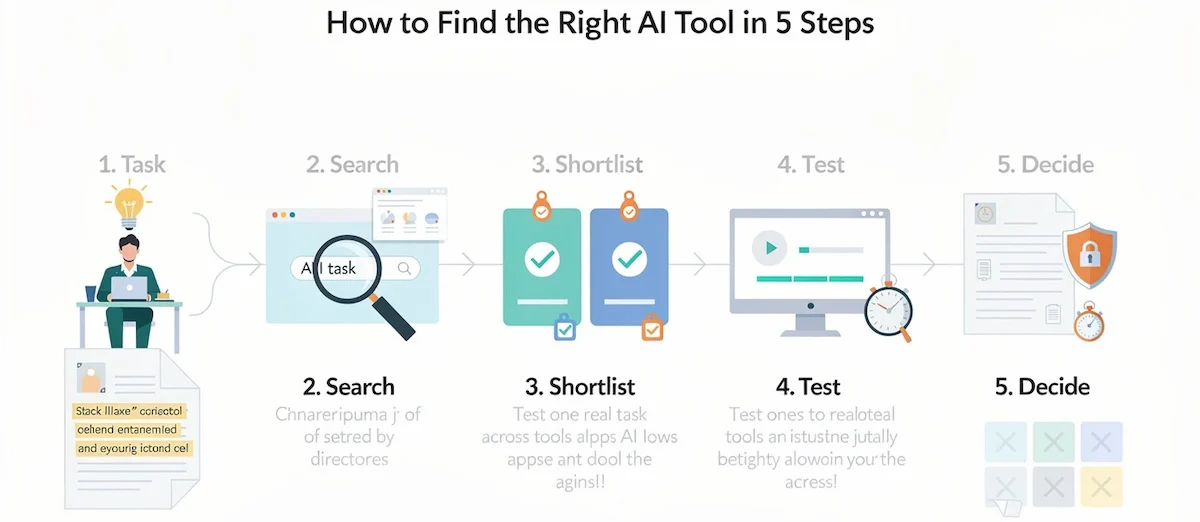
Use the same method every time, and the search gets much faster.
Step 1: Describe the Task
Write the task in one sentence, for example turn a webinar into five short clips. A clear sentence tells you what to type in a directory and what to test later.
Step 2: Search by Task
Search by task, not by category. A specific task returns a shorter and more useful list than a broad label such as AI video. Open two directories, since each one shows different tools.
Step 3: Shortlist Three Tools
Pick three tools with a free plan, a clear price, and recent updates. Drop any tool with no pricing page or no update in the last year.
Step 4: Test One Real Task
Use your own file, and note the time and the quality. Run the same task in all three tools, so the comparison is fair.
Step 5: Check Price and Privacy
Read the plan page and the data terms, then write down the result so you do not repeat the search. Cancel the tools you do not keep.
Do not page through a directory from top to bottom. That is a slow way to find the loudest tools, not the best fit.
Common Mistakes When Using AI Tools Websites
- Choosing by catalog size: a bigger number does not mean better results
- Trusting a ranking without checking who wrote it: many lists are paid or written by the tool owner
- Using old prices: plans and free tiers change often
- Signing up for five tools at once: you cannot compare them fairly, and you forget the logins
- Uploading private files to unknown tools: test with a sample file first
- Never canceling: unused subscriptions keep billing until you stop them
The fix is the same each time: one task, one test, and one note.
Are AI Tools Directories Worth Using?
Yes, if you use them as a starting point and not as a verdict.
| What You Gain | What to Watch |
|---|---|
| Hours of searching saved | Listings can be outdated or thin |
| Tools you would not find alone | Some rankings are paid |
| Filters by task, price, and free plan | Few directories run real tests |
| Free access in most cases | A big total does not mean good quality |
Treat a directory as a shortlist generator, then confirm every detail on the official tool page.
Other Places to Find AI Tools
Directories are not the only option. These sites and communities also help:
- Product Hunt: new launches with upvotes and comments
- G2 and Capterra: reviews from business users
- AlternativeTo: alternatives to a tool you already know
- Reddit and forums: honest opinions and problems
- GitHub lists: open-source tools
- GPT Store and Chrome Web Store: custom GPTs and browser add-ons
- Newsletters: short weekly roundups of new tools
AI Tools Websites for Business
A company does not need 20 tools. Use these sites to build a short list, then test with real work. Three to five tools that fit your workflow usually give more value than a long list of subscriptions. A step-by-step method for building the set is in this guide on building an AI tool stack for business.
For business use, add these checks to the list above:
| Check | Why It Matters |
|---|---|
| Data terms | Shows whether your inputs are used to train models |
| Admin controls | Decides who can add users and tools |
| Single sign-on | Makes access and removal easier |
| Cost per user | Shows how the bill grows with the team |
| Support | Tells you who answers when something breaks |
How to List Your AI Tool on a Directory
Founders use directories for exposure and backlinks. Published prices for featured listings range from about $50 to $500 per listing according to review sites, and many directories also accept free submissions with a longer wait. Follow these steps:
- Prepare a clear landing page with pricing and a short description
- Submit to five to eight directories that match your category
- Add UTM links so you can see which directories send traffic
- Check whether links are dofollow or nofollow
- Ignore any directory that promises a guaranteed ranking
Final Thoughts
The best AI tools website is the one that answers your question in the fewest clicks. A directory finds the tool, an AI website does the job, and a short checklist keeps you safe. Start with one task, test one tool, and keep it only if it saves time. For a wider view of AI at work, see this guide on how to use AI in business.
FAQ
What is the best AI tools website?
There is no single best site. Use TAAFT or Toolify to find tools, Futurepedia to learn, and ChatGPT, Gemini, or Claude to do the work. The best choice depends on the task.
What is the best website to find AI tools?
For the widest search, use TAAFT. For a short, checked list, use ToolDirectory.ai. For learning, use Futurepedia. Check the update date before you trust a listing.
How many AI tools exist in 2026?
It depends on who counts. TAAFT listed about 47,400 tools in April 2026 and about 51,000 by July. Other directories show fewer, since each one uses its own rules.
Is there a search engine for AI tools?
Yes. TAAFT, Toolify, and TopAI.tools work as search engines for AI tools. Type the task you need, and they return tools for it.
Which AI tools websites are free?
Most directories are free to browse. ChatGPT, Gemini, Claude, Perplexity, Copilot, Canva, and NotebookLM have free tiers with limits on use.
Are AI tools directories accurate?
Not always. Counts, prices, and features go out of date, and some listings are paid. Check the update date and confirm details on the official tool page.
How do I know if an AI tools website is trustworthy?
Look for an update date, visible prices, a real company page, a privacy policy, and clear labels for paid listings. Avoid sites that ask for card details on a free tool.
What is the difference between an AI tools directory and an AI platform?
A directory lists many tools, and you click through to use them. A platform, such as ChatGPT or Gemini, is a tool you use directly for many jobs.
What are the best AI websites to use in 2026?
ChatGPT, Gemini, Claude, Perplexity, and NotebookLM cover most daily work. Add Canva, Gamma, or Descript for design and video, and Zapier for automation.
Is Product Hunt an AI tools directory?
Not fully. Product Hunt is a general launch site with an AI category, so it works well for new releases, but it is not a full AI catalog.
Should I pay to list my AI tool in a directory?
Try free submissions first. Check the traffic, link type, and reviews of the directory before you pay, since a paid listing does not guarantee results.
How many AI tools do I actually need?
Most people need three to five. One general assistant, one research tool, and one or two tools for your main tasks cover a lot. More tools usually mean more subscriptions and more time lost switching between apps.
Are bigger AI directories always better?
No. A big total does not mean good quality. A directory with 50,000 listings and no filters can be harder to use than one with 2,000 tools sorted by task and checked by editors.
Which AI website is best for writing?
ChatGPT, Claude, and Gemini all write well, and each has a free tier. Claude is often chosen for long documents, and Gemini or Copilot fit teams that already use Google or Microsoft apps. Test two on the same task and compare.
How many directories should I submit my AI tool to?
Five to eight directories that match your category are enough to start. Track visits with UTM links, and drop the ones that send no traffic.
Are free AI tools really free?
Free tiers are free to use, with limits on use, quality, or features. Free trials end, and some tools ask for a card. Read the plan page before you sign up.










