AI tools better than ChatGPT exist, but only for specific jobs. Claude writes more natural long documents, Perplexity shows its sources, Gemini works inside Gmail and Docs, Microsoft Copilot works inside Word and Excel, and Cursor edits a whole codebase. ChatGPT is still a strong all-round tool, so the useful question is which tool beats it at the one job you do most.
This guide compares 12 ChatGPT alternatives by task, with prices, free plans, the main limit of each tool and what ChatGPT still does better. It also covers privacy, business use, how to choose a tool and how to switch without losing work. Prices, limits and model names change often, so check the current plan on each site before you pay.
AI Tools Better Than ChatGPT at a Glance
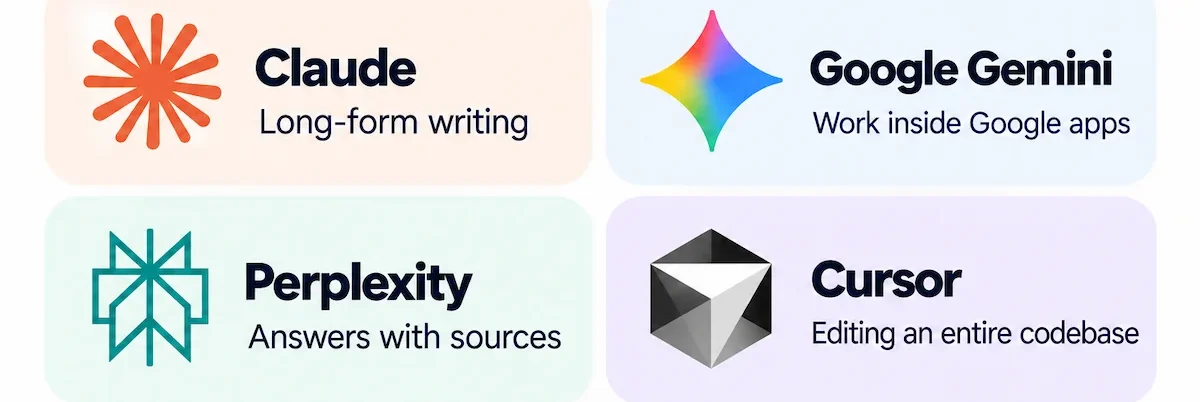
- Writing and long documents: Claude.
- Research with sources: Perplexity, plus Gemini Notebook when you want answers only from your own files.
- Google and Microsoft work: Gemini for Google Workspace and Microsoft Copilot for Microsoft 365.
- Graphics and presentations: Canva.
- Coding: GitHub Copilot for your editor and Cursor for a whole project.
- Low-cost reasoning and API: DeepSeek, with a clear privacy warning.
- Live news and social trends: Grok.
- Privacy and local use: Mistral Vibe and Jan.
- Typical cost: A free plan for testing, then about $10 to $30 per month for most paid plans.
- Main limit: Every tool can be wrong, so check facts, numbers and code before you use them.
Quick Comparison of AI Tools Better Than ChatGPT
Use this table to compare the 12 ChatGPT alternatives before you read the full reviews. Prices are rounded and change often.
| Tool | Better than ChatGPT at | Free plan | Paid from | ChatGPT still better at |
|---|---|---|---|---|
| Canva | Branded graphics and slides | Yes, limited AI | About $10 to $15 per month | Reasoning and long text |
| Claude | Long documents and natural writing | Yes, strict limits | About $17 to $20 per month | Images and voice |
| Google Gemini | Google Workspace tasks | Yes | About $5 to $20 per month | Creative consistency |
| Perplexity | Research with citations | Yes, basic search | About $17 to $20 per month | Writing and creative work |
| Microsoft Copilot | Work inside Microsoft 365 | Yes, free chat | About $10 to $30 per month | Use outside Microsoft apps |
| Gemini Notebook | Answers from your own sources | Yes | Through Google AI plans | Open-ended chat |
| DeepSeek | Cost of reasoning and API | Yes | Usage-based API | Polish and trust for sensitive data |
| Grok | Live X and web trends | Yes, limited | About $30 per month | Sourced and careful answers |
| Mistral Vibe | European data residency | Yes | About $15 per month | Features and integrations |
| GitHub Copilot | Coding in your editor | Yes, monthly limits | About $10 per month | Anything outside code |
| Cursor | Whole codebase edits | Limited trial | About $8 to $30 per month | Anything outside code |
| Jan | Private local AI | Yes, free | Free | Quality of top models |
Which AI Tool Should You Pick?
Use this table to choose among AI tools better than ChatGPT by the problem you have, not by the brand name. Each row shows what to prioritize and which ChatGPT alternatives to shortlist.
| If this is the problem | What to prioritize | Tools to shortlist |
|---|---|---|
| Drafts keep moving between a chat window and Word | Work inside your apps | Microsoft Copilot, Gemini |
| Answers come without sources | Citations | Perplexity, Gemini Notebook |
| Long documents get cut off or forgotten | Long context | Claude |
| You need finished designs, not descriptions | Editable output | Canva |
| Code lives in many files | Project context | Cursor, GitHub Copilot |
| Data cannot leave your control | Local or private hosting | Jan, Mistral Vibe |
| Costs grow with every seat | Free plans and low prices | Gemini, DeepSeek, free tiers |
| You need live news | Real-time data | Grok, Perplexity |
Are There AI Tools Better Than ChatGPT?
Yes, for specific tasks. No single AI wins every test, because results change with the task, the prompt and the model version. Claude can be stronger for long-form writing, Gemini for work inside Google apps and Perplexity for answers with sources.
ChatGPT still leads on the range of features in one app, so AI tools better than ChatGPT are better at a job, not at everything.Words such as context window, hallucination and open-weight appear often in this guide, and the AI terms glossary explains them in plain language.
Where ChatGPT Still Wins
Before you switch, it helps to know what ChatGPT does well. Its free plan includes chat, limited uploads, images, voice and deep research, and the plan details are on the official ChatGPT pricing page.
- Range of features: writing, images, voice, files, data analysis and research in one app.
- Versatility: it handles drafting, summaries, strategy and coding without switching tools.
- Work tools: a Canvas editor, Deep Research mode and Custom GPTs.
- Familiarity: the largest user base and the most guides, so teams adopt it fast.
- Media: image generation and, on higher plans, video.
ChatGPT is a good default. The ChatGPT alternatives win when one job matters more than breadth. Custom GPTs are also being phased out in stages, with Enterprise workspaces reaching the end on December 11, 2026, according to a recent ClickUp review, so check the current status before you build a workflow on them.
Why People Look for Something Better Than ChatGPT
People look for AI tools better than ChatGPT for a handful of repeated reasons:
- Long chats lose context: after many messages, answers drift or forget earlier instructions.
- Features behind a paywall: the best models and limits sit on paid plans.
- Heavy filtering: some legitimate research and creative requests get refused or softened.
- Specialization: a dedicated tool for research, code or design often beats a general chatbot at that one job.
- Inconsistent answers: the same prompt can return very different quality.
- Privacy: some teams want local or European data handling.
- Cost at scale: per-seat and API prices add up across a team.
- Product changes: features such as Custom GPTs are being phased out.
What to Look For in an Alternative to ChatGPT
Five points decide whether an alternative to ChatGPT will work for you, and they matter more than a benchmark score:
- Access to your context: can it read your files, mail, calendar and project data, or only what you paste?
- Ability to finish work: does it only answer, or can it create files, edit documents and run steps?
- Data handling: storage, retention, training rules and admin controls.
- Cost at scale: seats, usage limits, add-on licenses and API prices.
- Cost of leaving: how hard it is to move prompts, projects and memory to another tool.
A tool that scores high on all five is rare, so decide which one matters most for your work first.
Best AI Tools Better Than ChatGPT in 2026
The 12 AI tools better than ChatGPT below are grouped by what they do best, starting with Canva and the writing and research tools and ending with coding and local AI. Each review has a short description, a quick spec table with what ChatGPT still does better, and the main pros and cons. Prices are rounded and come from public pricing pages and recent reviews, so confirm them before you buy.
How the Picks Were Chosen
The picks come from public product pages, pricing pages, official documentation and recent reviews, not from a single hands-on test. Each tool was compared on six points:
- Strength at one job: writing, research, code, design or work inside an app.
- Accuracy and sources: whether answers show citations and how often they go wrong.
- Free plan: what you can do without paying.
- Price: the starting price for a paid plan.
- Privacy: data handling, storage and training rules.
- Integrations: whether it works inside the apps you already use.
1. Canva: Better Than ChatGPT for Graphics and Presentations
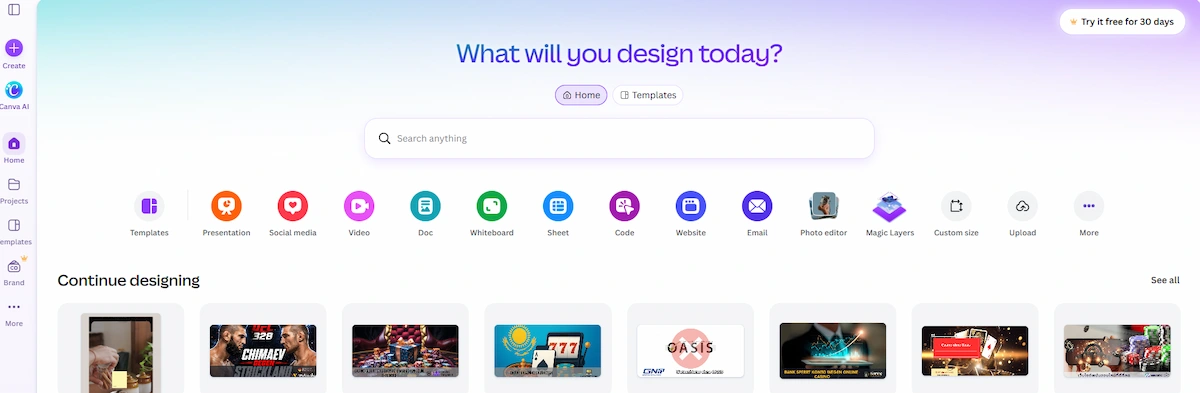
Canva is better than ChatGPT when the result must be a finished design. The AI tools sit inside the editor, so you can write a headline, generate an image, drop it into a template, apply the brand kit and resize it for each platform without leaving the page. ChatGPT can describe a layout or make an image, but it cannot hand you an editable social post, flyer or slide deck. Canva is a weaker pick for research, long documents or data work.
| Detail | Info |
|---|---|
| Best for | Marketers and small teams making social posts, flyers and slides |
| Free plan | Yes, with limited AI use |
| Paid plans from | About $10 to $15 per month depending on billing |
| ChatGPT still better at | Reasoning, long text and research |
| Main limit | AI quotas on lower plans and fewer prompt controls |
Pros:
- Templates, brand kit and resize in one editor
- AI images and text inside the design
- Free plan to test
Cons:
- Not built for research or long documents
- AI usage limits on lower plans
- Less control than a dedicated image generator
2. Claude: Better Than ChatGPT for Long Documents and Writing
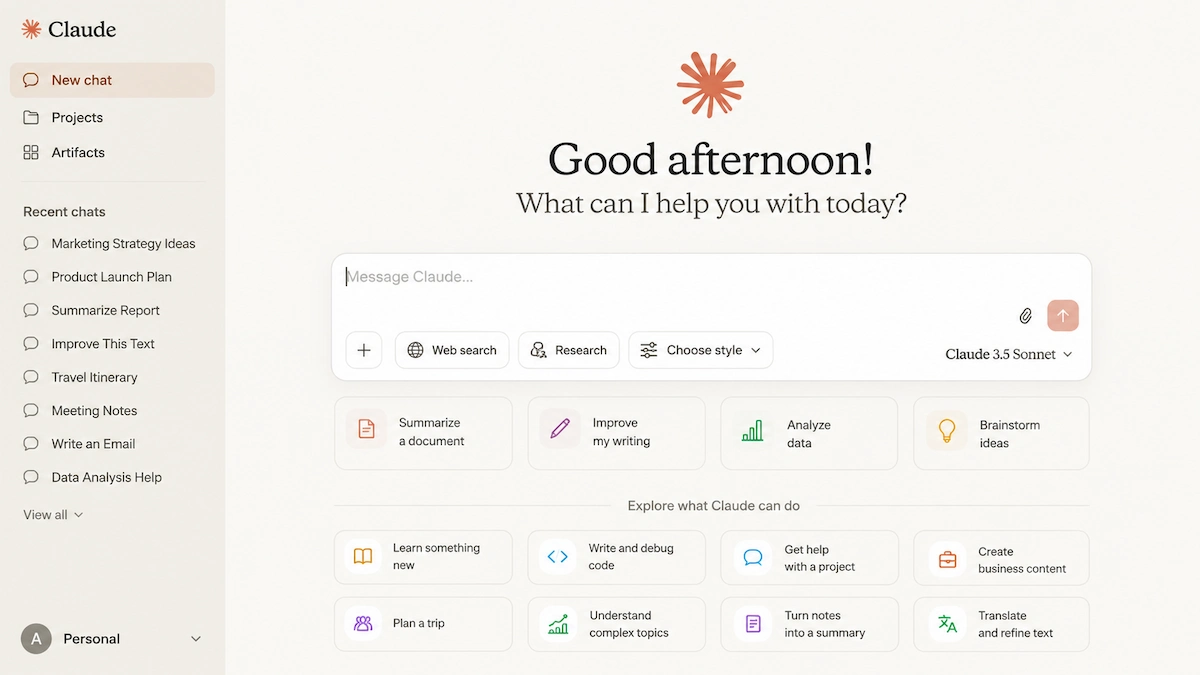
Claude is the pick for people who read, draft and revise a lot. Many users find its writing more natural and less robotic, it handles long files, contracts and reports, and higher plans offer a context window of up to 1 million tokens. Projects and Artifacts help when one assignment spans several chats, and Claude Code covers terminal-based coding. It does not generate images, its web search is weaker than Perplexity, and the free plan has strict message limits.
| Detail | Info |
|---|---|
| Best for | Writers, analysts and developers working with long text |
| Free plan | Yes, with strict message limits |
| Paid plans from | About $17 per month on annual billing or $20 monthly, Max from about $100 |
| ChatGPT still better at | Image generation, voice and the range of features |
| Main limit | No image generation, and limits run out on file-heavy work |
Pros:
- Natural writing and careful reasoning
- Very long context for big documents
- Claude Code for developers
Cons:
- No built-in image generation
- Free tier runs out quickly
- Web search is less strong than dedicated search tools
3. Google Gemini: Better Than ChatGPT for Google Workspace
Google Gemini is the natural choice when your files, mail and calendar already live in Google apps. It works inside Gmail, Docs, Sheets, Drive and Meet depending on the account and plan, handles text, images, audio and video, and offers Deep Research and Gemini Live voice chat. The free version is enough for everyday use. Some features and limits vary by plan and country, and the value drops if you do not use Google apps.

| Detail | Info |
|---|---|
| Best for | Google Workspace users and students |
| Free plan | Yes |
| Paid plans from | About $5 per month (Google AI Plus), about $20 (AI Pro), about $100 and above (Ultra) |
| ChatGPT still better at | Consistency in creative writing |
| Main limit | Features vary by plan and region |
Pros:
- Works inside Gmail, Docs, Sheets and Drive
- Strong multimodal and video analysis
- Capable free version
Cons:
- Less useful outside Google apps
- Can be overly cautious
- Privacy concerns for some users
4. Perplexity: Better Than ChatGPT for Cited Research
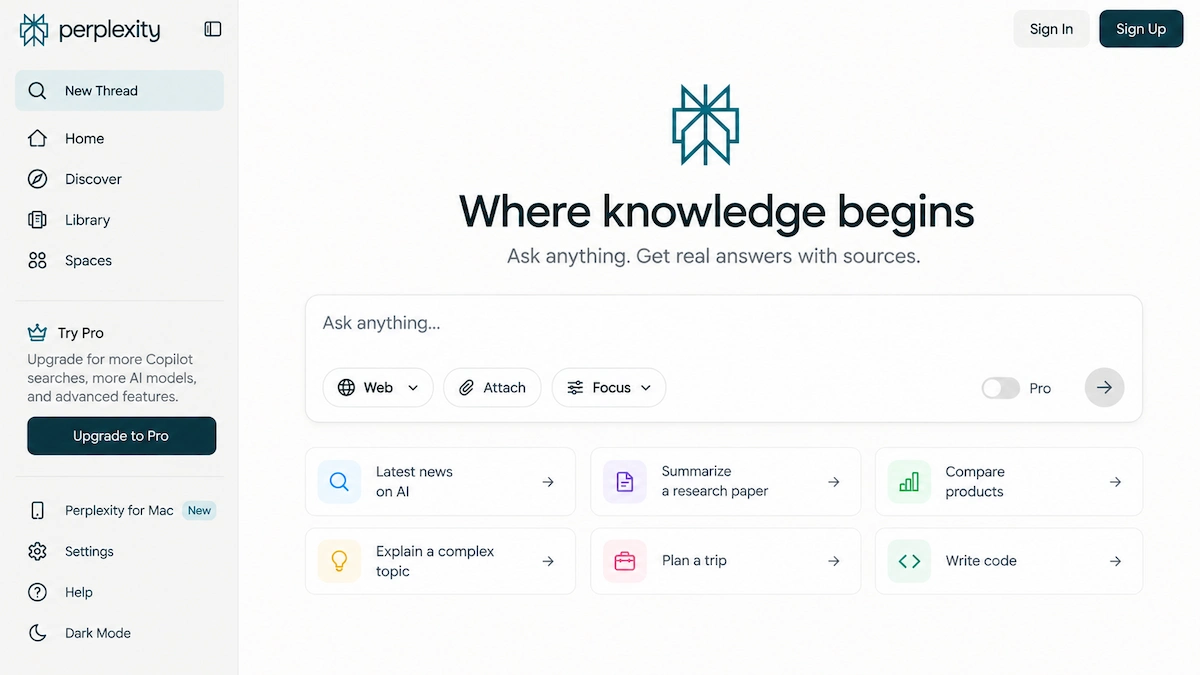
Perplexity starts from the sources. Every answer is built from live web pages and shows inline citations, so you can check a claim before you use it in an article, a report or an assignment. Follow-up questions continue the same research thread, and Pro adds Deep Research, file analysis, Projects and a choice of models. A citation does not prove that the source is correct, so open the links. It is also less creative than Claude or ChatGPT for long writing.
| Detail | Info |
|---|---|
| Best for | Researchers, students, journalists and market analysis |
| Free plan | Yes, basic search |
| Paid plans from | About $17 per month on annual billing or $20 monthly, Max about $200 |
| ChatGPT still better at | Creative and long-form writing |
| Main limit | A busy interface and limited free Pro search |
Pros:
- Citations on every answer
- Live web data
- Choice between several models
Cons:
- Less creative than general chatbots
- Free plan is limited
- Sources still need checking
5. Microsoft Copilot: Better Than ChatGPT for Microsoft 365
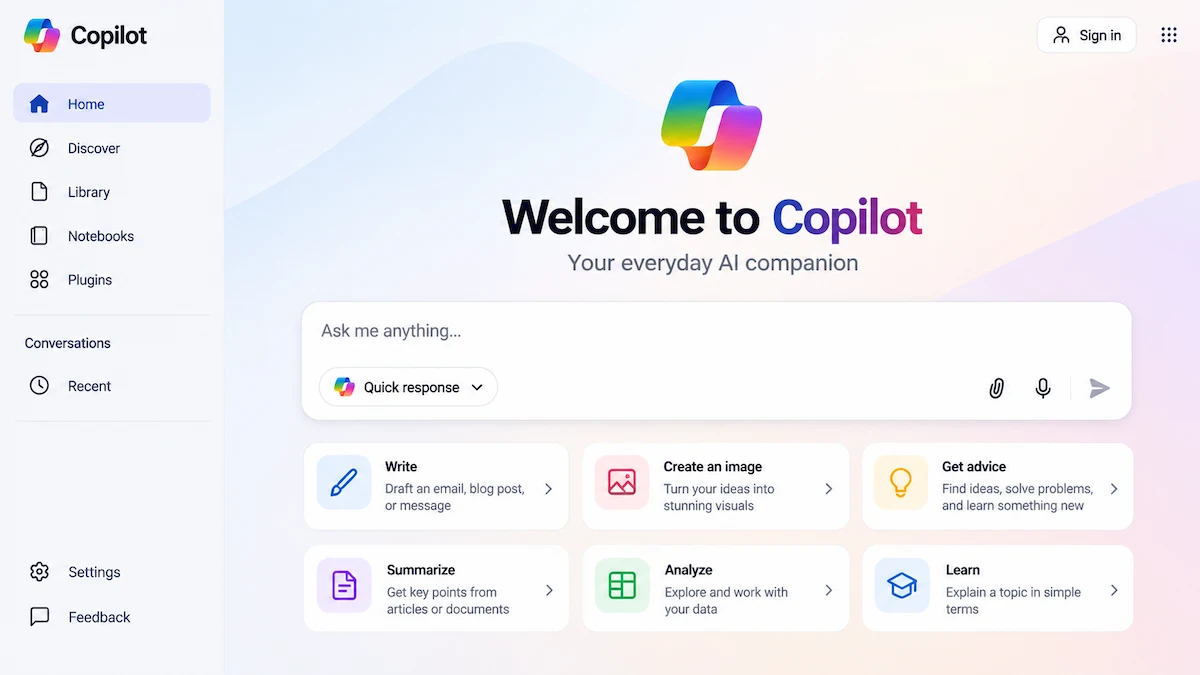
Microsoft Copilot earns its place by location. It works inside Word, Excel, PowerPoint, Outlook and Teams, so a draft becomes a formatted document, a data question stays in the spreadsheet and a missed meeting becomes a summary with action items. A free Copilot chat exists, while the full in-app experience needs a Microsoft 365 plan or a business Copilot license. It loses most of its advantage when your work lives in Google apps or stand-alone tools.
| Detail | Info |
|---|---|
| Best for | Teams that live in Microsoft 365 |
| Free plan | Yes, free Copilot chat |
| Paid plans from | About $10 per month (Microsoft 365 Personal), about $20 (Premium), about $21 to $30 per user for business |
| ChatGPT still better at | Use outside Microsoft apps |
| Main limit | Cost on top of Microsoft 365, and value outside Microsoft apps |
Pros:
- Works inside Word, Excel, PowerPoint, Outlook and Teams
- Meeting summaries and action items
- Business data protection options
Cons:
- Full features need a paid license
- Interface can feel fragmented
- Weak outside the Microsoft stack
6. Gemini Notebook: Better Than ChatGPT for Your Own Sources
Gemini Notebook, formerly NotebookLM, answers questions from the documents, links and notes you upload instead of the open web. That makes it a good fit for studying, reports and research projects where every claim has to trace back to a source you provided. It can summarize a stack of papers, build study guides and answer follow-up questions with references to your files. It is not a general chatbot, so it will not help much when you need a quick answer outside your sources.
| Detail | Info |
|---|---|
| Best for | Students and researchers working from their own documents |
| Free plan | Yes |
| Paid plans from | Through Google AI plans |
| ChatGPT still better at | Open-ended chat beyond your sources |
| Main limit | Limited to the sources you upload |
Pros:
- Answers tied to your own files
- Good for study guides and summaries
- Free to start
Cons:
- Not a general chatbot
- The product name changed, so older guides use NotebookLM
7. DeepSeek: Better Than ChatGPT for Low-Cost Reasoning
DeepSeek is popular with developers and technical users who want strong reasoning and coding at a low price. The web and mobile chat are free, the API is billed per million tokens at rates well below most competitors, and open-weight models are available for teams that want to run them on their own hardware. The big warning is privacy: its policy says personal data is processed and stored in China, so avoid confidential, regulated or client material. The interface is basic, and creative writing and business features are limited.
| Detail | Info |
|---|---|
| Best for | Developers and technical users on a budget |
| Free plan | Yes, web and mobile chat |
| Paid plans from | Usage-based API pricing per million tokens |
| ChatGPT still better at | Polish, multimodal features and trust for sensitive data |
| Main limit | Data is processed and stored in China |
Pros:
- Very low API prices
- Strong reasoning and coding
- Open-weight models available
Cons:
- Privacy concerns for business data
- Basic interface and fewer features
- Free use can change, so it is not unlimited
8. Grok: Better Than ChatGPT for Live X and Web Trends
Grok is most useful when the question depends on what is happening right now. It searches the live web and X, supports voice and can create images and video, which makes it a practical way to follow breaking stories and public reactions. The free plan has limits, and SuperGrok costs about $30 per month. Popularity on a social platform is not proof of accuracy, so check sources before you rely on a post. It is also a weaker fit for sourced business work.

| Detail | Info |
|---|---|
| Best for | Social listening, trend tracking and breaking news |
| Free plan | Yes, with limits |
| Paid plans from | About $30 per month (SuperGrok) |
| ChatGPT still better at | Sourced and careful answers |
| Main limit | Social data is fast but noisy |
Pros:
- Live X and web data
- Direct, fast answers
- Voice and image tools
Cons:
- Less suited to formal research
- Few business integrations
- Top plans are expensive
9. Mistral Vibe: Better Than ChatGPT for European Data Residency
Mistral Vibe, formerly Le Chat, comes from a European company and combines chat, web search, research, documents and coding in one service. Mistral also offers open-weight models and private deployment options, which gives technical teams more control than a consumer chat window. The free plan covers basic chat and search, and Pro adds higher limits. The feature set and integrations are smaller than ChatGPT or Gemini, and a hosted consumer service is not the same as a self-hosted setup.
| Detail | Info |
|---|---|
| Best for | Teams that prefer European providers and flexible deployment |
| Free plan | Yes, with limits |
| Paid plans from | About $15 per month (Pro) |
| ChatGPT still better at | Features and integrations |
| Main limit | Smaller feature set and fewer business integrations |
Pros:
- European provider with open-weight options
- Fast responses and good multilingual support
- Free plan covers basic use
Cons:
- Fewer features than the largest assistants
- Product name changed in 2026
- Self-hosting needs technical work
10. GitHub Copilot: Better Than ChatGPT for Coding in Your Editor
GitHub Copilot does not try to replace every part of ChatGPT. It sits inside your editor and GitHub, suggests code as you type, explains a repository, reviews pull requests and runs agent tasks, which is faster than copying snippets back and forth from a chat window. The free plan includes 2,000 code completions per month, and Copilot Pro costs about $10 per month. It is the clearest everyday coding pick, and it is the wrong tool for essays, general research or images.

| Detail | Info |
|---|---|
| Best for | Developers who want help inside the editor |
| Free plan | Yes, about 2,000 completions per month |
| Paid plans from | About $10 per month (Pro), higher for Business and Enterprise |
| ChatGPT still better at | Anything outside code |
| Main limit | Narrow focus, and less project context than Cursor |
Pros:
- Works in popular editors
- Reliable and well supported
- Pull request reviews and agents
Cons:
- Limited to coding work
- Can suggest outdated patterns
- Subscription needed for heavy use
11. Cursor: Better Than ChatGPT for Full Codebase Work
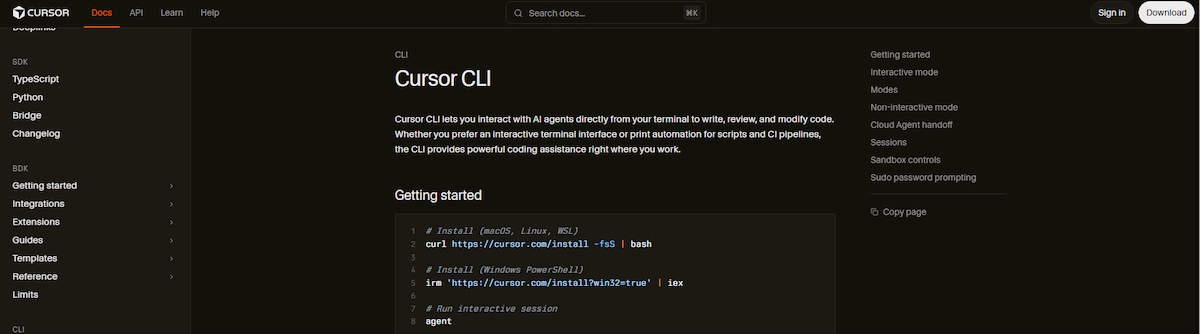
Cursor is a code editor built around AI, based on VS Code. It indexes your whole project, so you can ask it to find where a variable is used or to refactor a folder, and it edits several files in one pass. That project context is the main reason developers pick it over a chat window. It costs more as you move up the tiers, it needs a subscription for full power, and it has a steeper learning curve for beginners.
| Detail | Info |
|---|---|
| Best for | Professional developers working across many files |
| Free plan | Limited trial |
| Paid plans from | About $8 to $30 per month for individuals, higher tiers up to about $200 |
| ChatGPT still better at | Anything outside code |
| Main limit | Subscription cost and heavy resource use on some computers |
Pros:
- Understands the whole codebase
- Edits several files at once
- Familiar for VS Code users
Cons:
- Not useful for non-coding tasks
- Higher tiers are expensive
- Steeper learning curve
12. Jan: Better Than ChatGPT for Private Local AI
Jan is a free open-source app that runs open models on your own computer, so prompts and files stay on your device and the tool works offline. That makes it a good option for privacy-sensitive work, drafts you do not want to send to a cloud service and experiments with open-weight models. The trade-off is setup and hardware: the quality depends on the model your computer can run, and updates, security and backups are your job. It will not match the top hosted models on hard tasks.
| Detail | Info |
|---|---|
| Best for | Privacy-minded users who want offline AI |
| Free plan | Free and open-source |
| Paid plans from | Free, plus the cost of your hardware |
| ChatGPT still better at | Quality of the top hosted models |
| Main limit | Hardware limits and setup work |
Pros:
- Prompts stay on your device
- Works offline
- Free and open-source
Cons:
- Quality depends on your hardware
- You handle updates and security
- Weaker than the top hosted models
Other AI Tools Worth Testing
Several other AI tools deserve a look. Meta AI is free inside WhatsApp, Instagram and Messenger and suits casual chat and image tasks. Pi focuses on warm, conversational talk with a strong voice mode. Jasper targets marketing copy, Notion AI works inside Notion pages and ClickUp Brain works inside project tasks. Duck.ai offers private chat without an account, and Ollama and LM Studio run open models locally. Poe gives access to many models in one place, and Kimi, QwenWork, ChatGLM and Manus round out the list of newer assistants and agents.
Best Free AI Tools Better Than ChatGPT
Many AI tools better than ChatGPT have a free plan, but the limits are small and they differ a lot. Before you pay, start with the free plan of one tool, and for a wider list read the guide to free ChatGPT alternatives.
- Google Gemini: a capable free version for daily tasks, with more limits and features on paid plans.
- Claude: a free plan with strict message limits, best for short writing and analysis.
- Perplexity: free basic search with citations, and limited Pro searches.
- Microsoft Copilot: free chat with a Microsoft account.
- Canva: a free plan with limited AI features.
- Meta AI: free inside Meta apps, depending on your account and region.
- Mistral Vibe: a free plan with limits for chat, search and basic coding.
- GitHub Copilot: a free plan with about 2,000 completions per month.
- Duck.ai: free private chat with no login.
- DeepSeek: free chat, with the privacy warning above.
- Jan: free and open-source, with your own hardware.
ChatGPT itself still has a free plan, so a paid tool should fix a problem that the free tools cannot. Free plans work for testing and light use, and they run out fast on daily work.
Best AI Tools Better Than ChatGPT by Task
If you already know the task, this section is faster than reading every review.
Writing and Long Documents
Claude is the usual pick for drafts, reports and contracts, and Gemini and ChatGPT work well for quick copy. For a full workflow on articles, captions and emails, see the guide to AI content creation.
Research With Sources
Perplexity shows citations for every answer, and Gemini Notebook answers only from the files you upload. Open the sources before you use a claim in a report.
Google Workspace Work
Gemini works inside Gmail, Docs, Sheets and Drive, which is faster than copying text between a chat window and your files.
Microsoft 365 Work
Microsoft Copilot works inside Word, Excel, PowerPoint, Outlook and Teams, with meeting summaries, document drafts and formula help.
Coding
GitHub Copilot suits editor suggestions, Cursor suits whole-project edits, Claude Code suits terminal work and DeepSeek suits low-cost API use.
Graphics and Presentations
Canva turns AI text and images into editable designs with templates and a brand kit. For a longer list of picture tools, read the guide to ChatGPT alternatives for image generation.
Live News and Social Trends
Grok searches the live web and X, which suits breaking stories and public reactions, as long as you check the sources.
Privacy and Local Use
Jan and Ollama run open models on your own computer, Mistral Vibe offers a European provider, and Duck.ai gives private chat without an account.
Studying
Gemini Notebook builds study guides and summaries from your notes, and Perplexity helps with background research and sources.
Low-Cost API Use
DeepSeek and open-weight models cost far less per million tokens than most hosted competitors, which matters for apps that make thousands of requests.
Images and Video
Midjourney and Adobe Firefly lead on image quality and licensing, Ideogram on text in images, and Veo, Runway and Pika on video. ChatGPT and Gemini make quick images inside the chat.
Marketing Copy
Jasper is built for marketing copy and brand voice, while Claude and ChatGPT cover most drafts with a good prompt.
Notes and Productivity
Notion AI works inside Notion pages, and ClickUp Brain and GoodDay AI work inside project tasks, which helps when your work lives in those tools.
Casual and Social Use
Meta AI is free inside WhatsApp, Instagram and Messenger, and it suits quick answers and image edits without a new app.
Conversation and Voice
Pi focuses on warm, natural conversation with a strong voice mode, and Gemini Live and Copilot offer voice chat too.
ChatGPT vs Gemini vs Claude
When people compare AI tools better than ChatGPT, three names come up first. They overlap, but they feel different in daily use.

| Choose | When this describes your work | Why it fits |
|---|---|---|
| ChatGPT | You want one general assistant for writing, images, voice, files, data analysis and research | It has the broadest mix of features in one product, including a free plan with limits |
| Gemini | Your files, email and calendar already live in Google apps | Its advantage grows when supported Google apps are part of the task |
| Claude | You spend more time reading, drafting, revising or coding than creating media | Its document-focused workflow and writing quality suit long, careful work |
None is the most accurate for every prompt. A current web question, a spreadsheet formula, a contract summary and a piece of code test different strengths, so run the same small set of tasks through the free versions and compare the errors, not only the best-looking answers.
Best AI Tools Better Than ChatGPT for Business
Business teams should compare ChatGPT alternatives on control and context, not only on answers. The guide on AI in the workplace covers the wider rollout. Ask these five questions:
- Where does the context come from? Files, email, calendar and tickets decide how useful an answer is.
- What admin controls exist? Look for roles, single sign-on, audit logs and permissions.
- What happens to our data? Check retention rules and whether prompts train models.
- Can it act or only answer? Agents that run workflows save more time than a chat window.
- How does the cost grow? Seats, usage limits and add-on licenses change the final bill.
Microsoft Copilot fits Microsoft 365 teams, Gemini fits Google Workspace teams, and Claude fits teams that work with long documents. Tools such as ClickUp Brain and GoodDay AI place AI inside project tasks, which helps when the work lives in a project tool and not in documents.
What Enterprise Teams Should Check
Large teams should add a security review to the five questions above:
- Data residency: whether data stays in your region, for example in the European Union.
- Certifications: SOC 2, ISO 27001 and GDPR support.
- Access controls: single sign-on, roles and permissions.
- Audit logs: a record of who used the tool and what it changed.
- File access: which drives, mailboxes and apps the assistant can read.
- Retention and training: how long data stays and whether it trains models.
- Cost per seat: licenses on top of the base software add up quickly.
Best AI Tools Better Than ChatGPT by Business Use Case
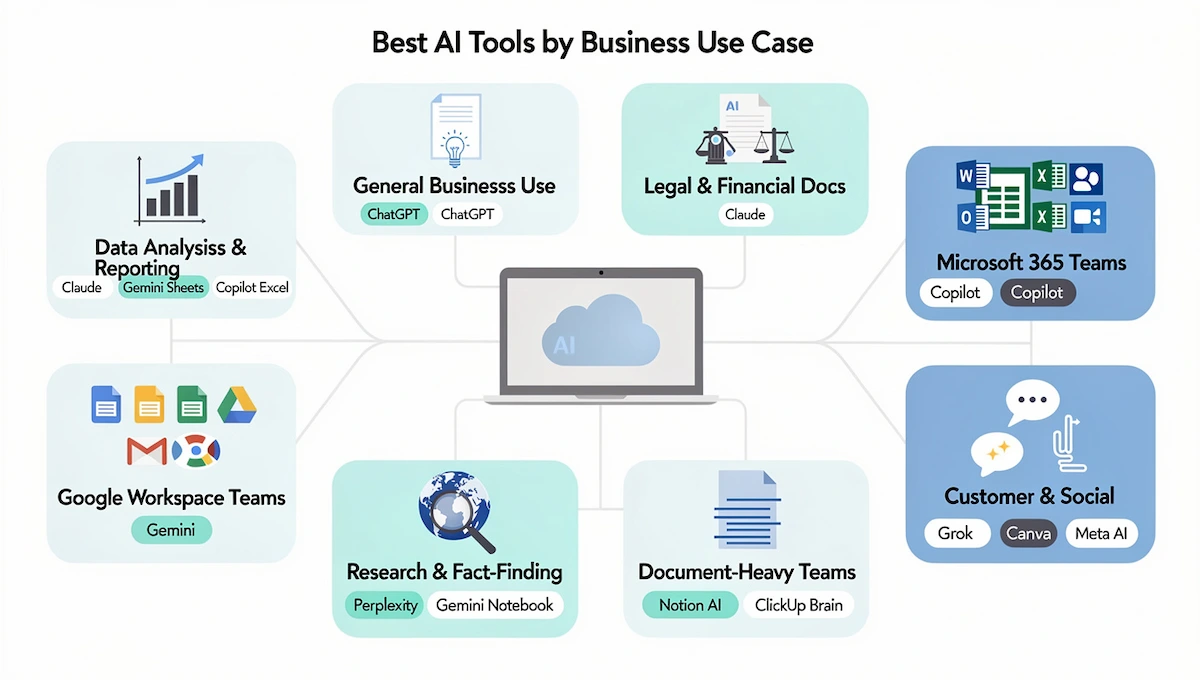
Data Analysis and Reporting
Claude, Gemini inside Sheets and Copilot inside Excel handle formulas, summaries and charts. Check totals by hand, since a wrong number is the biggest risk.
General Business Use
ChatGPT stays a strong all-round choice for drafting, summaries, strategy and coding, and many teams keep it next to a specialist.
Long-Form, Legal and Financial Work
Claude suits contracts, policies and long reports because of its long context and careful writing, but a human reviewer must sign off.
Microsoft 365 Teams
Microsoft Copilot gives meeting summaries in Teams, drafts in Outlook, formulas in Excel and edits in Word without switching apps.
Google Workspace Teams
Gemini works inside Docs, Sheets, Gmail and Meet, and it fits teams whose daily work already lives in Google apps.
Research and Fact-Finding
Perplexity gives cited answers for market and competitor research, and Gemini Notebook keeps answers tied to your own documents.
Document-Heavy Teams
Notion AI and ClickUp Brain remove the need to copy text between tools, but they only pay off when the team already works in those apps.
Social Media and Brand Monitoring
Grok tracks live conversation on X, and Canva turns the findings into posts and visuals.
Customer-Facing Messaging
Meta AI inside WhatsApp, Instagram and Messenger reaches customers where they already chat. It is not a workflow platform, so it will not replace tools for internal operations.
Best AI Tools Better Than ChatGPT by User Type
- Solo creators and bloggers: Claude for drafts, Canva for visuals and Perplexity for facts.
- SEO and content teams: Perplexity for research, Claude for drafting and Gemini inside Google Docs.
- Students: Gemini Notebook, Perplexity and the free version of Gemini.
- Researchers: Perplexity and Gemini Notebook, with a source check on every claim.
- Developers: GitHub Copilot, Cursor, Claude Code and the DeepSeek API.
- Small business owners: Canva, Gemini or Copilot, and one writing tool.
- Enterprise teams: Microsoft Copilot, Gemini with Workspace, Claude Enterprise or Mistral, after a security review.
Privacy and Data Questions
Check privacy before you upload client files, financial data or product plans. The guide to AI data privacy for business lists the questions to ask a vendor.
- DeepSeek: its privacy policy says personal data is processed and stored in China.
- Meta AI: chat interactions have been used to personalize ads since December 2025.
- Mistral Vibe: a European provider, but a hosted service is not the same as a self-hosted model.
- Local models: Jan, Ollama and LM Studio keep prompts on your device.
- Duck.ai: removes identifying details before it sends a request to the model provider and does not store chats by default.
- Business plans: most vendors offer stricter data handling on Team and Enterprise tiers, so confirm the tier first.
Mainstream AI services all enforce usage rules, and no tool is fully unrestricted. A locally run open-weight model gives the most control over behavior, but it can still be inaccurate or unsafe and it keeps its license terms.
Open-Source and Self-Hosted AI Tools Better Than ChatGPT
An AI chat service and the model behind it are not the same thing. DeepSeek, Qwen and Mistral Vibe are hosted services, and related models are available as open weights, but the license, training disclosure and commercial rights vary by model. Open-weight does not always mean fully open-source.
For local use, Ollama and LM Studio run supported open models on your computer, and Jan adds a simple chat app on top. This keeps prompts on your device and works offline, but you take on hardware limits, model updates, security and backups. Check the license of the exact model before you use it in a commercial product.
How to Choose the Right Alternative to ChatGPT
Choosing among AI tools better than ChatGPT starts with the bottleneck, not the brand. If fact-checking takes the longest, try Perplexity. If drafts keep moving between a chat window and Word, Copilot may remove the handoff. For the same logic across other software, read how to choose AI tools for business.
A simple exercise helps: ask ChatGPT for your seven most common tasks, then test two or three candidates on the same prompts. Compare errors, missing steps, citations and the number of edits needed, not only the best-looking answer. Then answer four questions:
- What output do you need most? Text, files, code, graphics or cited research.
- Who will use it? A non-technical team needs a chat or an app, while developers want an API or an editor.
- How sensitive is the data? Regulated data rules out some tools.
- Which apps do you already use? Microsoft 365, Google Workspace, Notion or a code editor.
If you already know the job, use this shortlist:
- Graphics and slides: Canva.
- Long documents and writing: Claude.
- Google Workspace: Gemini.
- Microsoft 365: Microsoft Copilot.
- Cited research: Perplexity.
- Your own sources: Gemini Notebook.
- Low-cost reasoning: DeepSeek, for non-sensitive data only.
- Live trends: Grok.
- Editor and project coding: GitHub Copilot or Cursor.
- Privacy and offline use: Jan or Mistral Vibe.
How to Test AI Tools on Your Own Prompts
Do not rely only on feature lists or reviews. Give each tool the same prompts your team would use in daily work, and compare the results:
- “Write a 150-word product description for a stainless steel water bottle in a friendly tone.”
- “Summarize this 20-page PDF in five bullet points and list three risks.”
- “What changed in this topic in the last six months? Give sources.”
- “Explain what this function does and find the bug.”
- “Find the three biggest changes in this sales table and explain them.”
- “Draft a polite reply to this customer email about a late delivery.”
Run the same prompts in two or three tools, score each answer on accuracy, missing steps, sources and the edits needed, and keep a short note of the results.
How to Switch From ChatGPT Without Losing Work
Switching to one of the ChatGPT alternatives is not only a pricing decision. Teams build habits around how they prompt, what they expect back and where results land, so a tool that looks better on paper can slow you down during the change. Save your best prompts, projects and custom instructions first, and plan for the Custom GPT changes mentioned above. To combine several tools in one setup, see how to build an AI tool stack for business.
- Week 1: use the new tool for one recurring task, such as a weekly report or a client summary, and keep ChatGPT for everything else.
- Week 2: add two or three task types and a second team member, and note where the new tool saves time or creates friction.
- Decision: keep the tool if it shortens the path to a usable result, if people use it without reminders and if the output needs little editing.
Three mistakes derail most switches: picking by benchmark score instead of workflow, picking by brand name, and choosing a tool that needs IT help for a team that has none. Many people end up keeping one general assistant and adding one specialist for a recurring task.
Why Switching AI Tools Does Not Always Fix the Problem
A new tool does not fix a problem that comes from missing context. If your answers are weak because the assistant cannot see your documents, emails and project history, a different model will give you the same weak answers in a different style. Teams that get better results usually fix the context first: they connect files, keep notes in one place and give the assistant access to the work it needs. Before you switch, ask what the new tool can see that the old one could not.
You Probably Do Not Need One ChatGPT Replacement
Many people now use several tools instead of replacing ChatGPT with one. A common setup is one general assistant for everyday work, one research tool with citations, one assistant inside the office suite and one specialist for code or design. That keeps costs lower, since each paid plan solves a specific job, and it lowers the risk of depending on one vendor.
Do You Need the Smartest Model for Every Task?
No. Routine work such as summaries, formatting and simple drafts runs well on cheaper and faster models, while hard reasoning, long contracts and complex code justify a stronger one. Many tools now let you choose the model per task, and prices for the same level of ability have dropped quickly. Pay for the strongest model only where an error would be costly.
How Much Do AI Tools Better Than ChatGPT Cost?
Pricing for AI tools better than ChatGPT runs from free to over $100 per month, but most people pay $10 to $30. The guide on how much AI tools cost covers the wider budget for a full stack. For Gemini, check the official Google Gemini subscriptions page, since plans and limits change.
- Free plans: good for testing, with message, search or completion limits.
- $5 to $15 per month: Google AI Plus, Microsoft 365 Personal, Mistral Vibe Pro, GitHub Copilot Pro, Canva Pro and the entry plans of Cursor.
- $17 to $30 per month: Claude Pro, Perplexity Pro, Google AI Pro, Microsoft 365 Premium, ChatGPT Plus and SuperGrok.
- $100 and above: Claude Max, Perplexity Max, Google AI Ultra and the top Cursor tiers.
- Business seats: about $20 to $30 per user per month for Copilot, Claude Team and similar plans, often on top of an existing license.
- API: billed per million tokens, with DeepSeek far below most hosted competitors.
Prices differ between review sites, and annual billing is often cheaper, so use monthly plans for testing and switch to annual only after you settle on one tool.
What Do You Get for $20 per Month?
Most tools reach a first paid plan near $20 per month, but what that buys differs. ChatGPT Plus, Claude Pro, Perplexity Pro, Google AI Pro and Microsoft 365 Premium sit around that price, yet one offers broad features, another long-context writing, another cited research and another work inside office apps. Business seats cost more on top of an existing license. Before you pay, ask three questions: does it return files or only text, is the free plan real or only a trial, and what does the next tier add?
Price Per Tool at a Glance
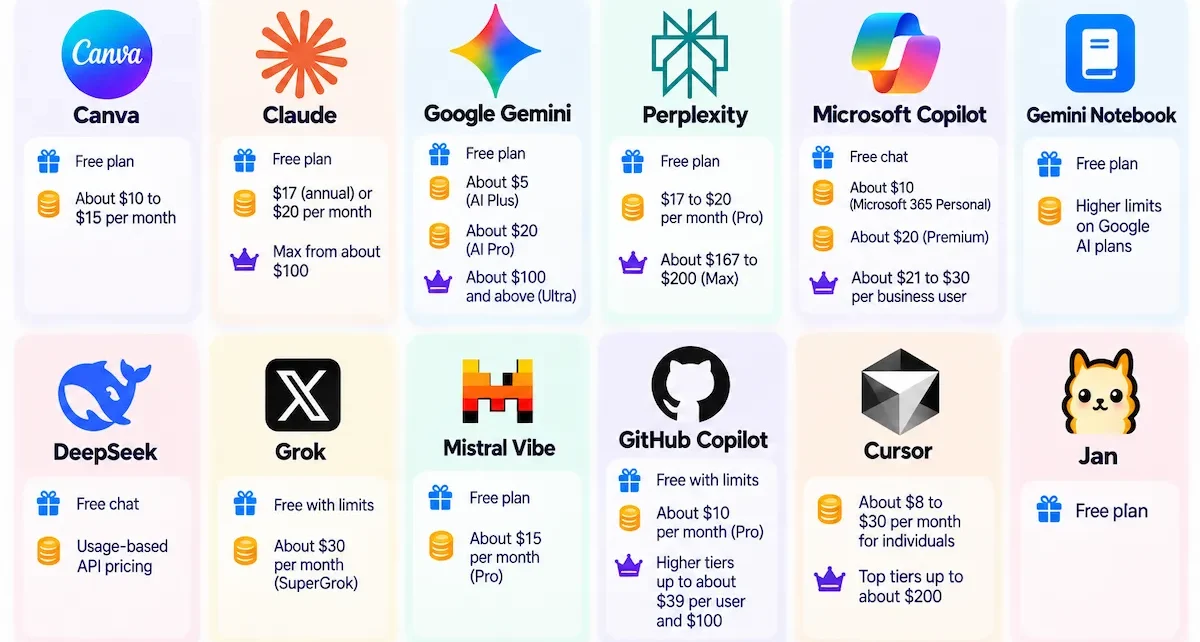
- Canva: free plan, then about $10 to $15 per month.
- Claude: free plan, then $17 (annual) or $20 per month, with Max from about $100.
- Google Gemini: free, then about $5 (AI Plus), about $20 (AI Pro) and about $100 and above (Ultra).
- Perplexity: free, then $17 to $20 per month (Pro) and about $167 to $200 (Max).
- Microsoft Copilot: free chat, about $10 (Microsoft 365 Personal), about $20 (Premium) and about $21 to $30 per business user.
- Gemini Notebook: free, with higher limits on Google AI plans.
- DeepSeek: free chat and usage-based API pricing.
- Grok: free with limits, then about $30 per month (SuperGrok).
- Mistral Vibe: free, then about $15 per month (Pro).
- GitHub Copilot: free with limits, then about $10 per month (Pro), with higher tiers up to about $39 per user and $100.
- Cursor: about $8 to $30 per month for individuals, with top tiers up to about $200.
- Jan: free.
Prices come from public pages and recent reviews and are rounded, so confirm them on the official site.
Limits and Risks
Even the best ChatGPT alternatives can fail in predictable ways:
- Wrong answers: every model can invent facts, so check names, numbers, dates and code.
- Source quality: a citation does not prove the source is correct.
- Usage limits: free and entry plans run out on heavy work.
- Product changes: NotebookLM became Gemini Notebook and Le Chat became Mistral Vibe, so older guides use old names.
- Lock-in: prompts, projects and memory are hard to move between tools.
- Benchmark claims: published test scores often come from the vendor.
AI Chatbot vs AI Agent
A chatbot answers a question and stops. An AI agent sets a goal, plans steps, uses tools and finishes a task on its own, such as opening a spreadsheet, running an analysis and sending the report. 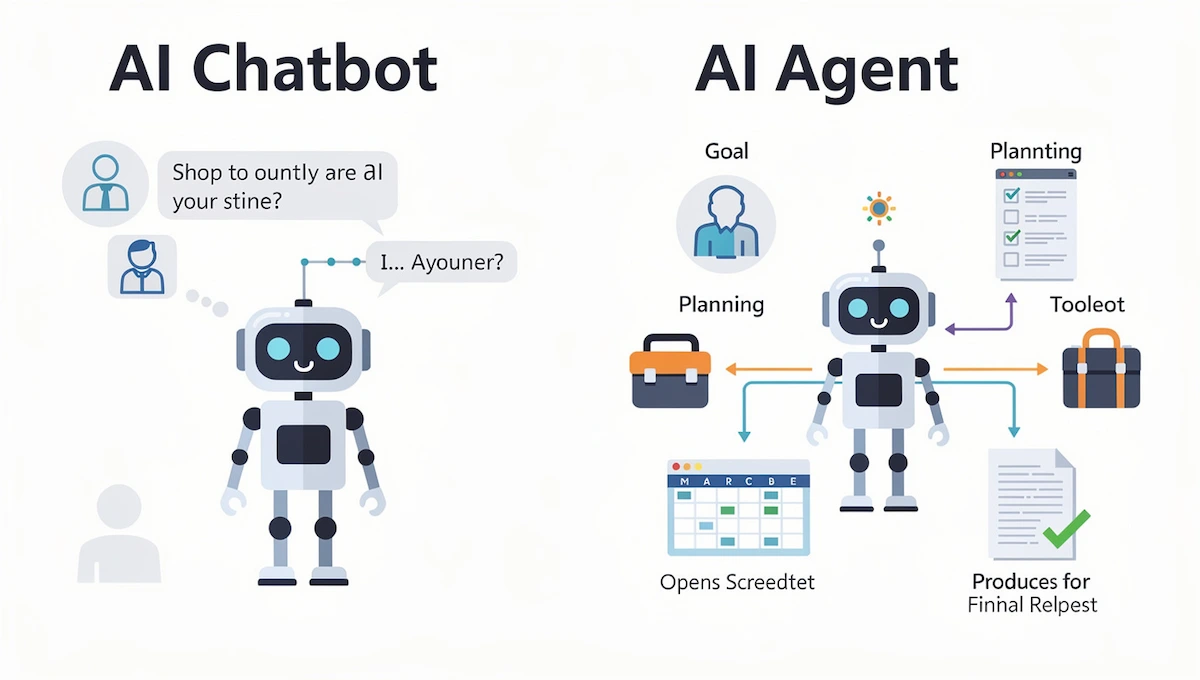 Many tools in this guide mix both, and features such as Copilot Agent Mode, Claude Code and Cursor agents go beyond chat. When you compare tools, check whether the work ends with a finished file or action, or only with advice.
AI Tools Better Than ChatGPT in 2026: Trends
Five trends show up in almost every recent review of AI tools better than ChatGPT:
- Assistants inside the apps you use: Copilot in Microsoft 365 and Gemini in Google Workspace.
- Agents that act: tools plan steps and finish tasks instead of only answering.
- Connectors and MCP: assistants connect to project tools, files and data sources.
- Open-weight and local models: DeepSeek, Mistral and local apps give teams more control.
- Many models in one tool: Perplexity, Poe and Notion AI let you pick a model per task.
Model names and prices change every few months, so check release notes before you buy a yearly plan.
Conclusion
AI tools better than ChatGPT are not a single winner but a set of specialists. Use Canva for graphics, Claude for long documents, Gemini or Copilot inside your work apps, Perplexity for cited research, Cursor or GitHub Copilot for code, and Jan or Mistral Vibe when privacy matters. Whichever of the AI tools better than ChatGPT you pick, test it on a free plan, check every answer that matters and keep the prompts that worked. To plan AI across more than chat, read how to use AI in business.
Frequently Asked Questions
Are There AI Tools Better Than ChatGPT?
Yes, for specific jobs. Claude is stronger for long writing, Perplexity for cited research, Gemini for Google apps, Microsoft Copilot for Microsoft 365 and Cursor for code. ChatGPT still leads on the range of features, so pick by task and test on a free plan first.
What Is Better Than ChatGPT and Free?
Google Gemini, Microsoft Copilot, Perplexity, Meta AI and Duck.ai all have free plans that cover everyday use. Claude has a free plan with strict limits, and DeepSeek is free with a privacy warning. Free plans are best for testing and light work.
What Is Like ChatGPT but Better?
No tool is better in every way. Gemini and Copilot are the closest in style, Claude writes more naturally and handles longer files, and Perplexity adds citations. Choose the one that fixes the problem you have with ChatGPT.
What AI Is Smarter Than ChatGPT?
No single AI is always smarter, because benchmark results change and different models win different tests. Claude can be stronger on long-form writing and complex questions, Gemini on image and data work, and Perplexity on sourced answers. Verify important answers yourself.
What Can I Replace ChatGPT With?
Use Gemini if your work is in Google Workspace, Microsoft Copilot if you use Word, Excel and Outlook, Claude for writing, Perplexity for research and Cursor or GitHub Copilot for code. Many people keep ChatGPT and add one specialist.
What Should I Use Instead of ChatGPT?
Start from the task. Claude for documents, Perplexity for research with sources, Canva for designs, Gemini or Copilot for work apps, and a local tool such as Jan for private use. Test two options on the same prompts before you switch.
What Other AI Platforms Are There Besides ChatGPT?
The main ones are Claude, Google Gemini, Microsoft Copilot, Perplexity, Grok, Meta AI, Mistral Vibe, DeepSeek and Pi. Specialist tools include GitHub Copilot and Cursor for code, Canva for design and Gemini Notebook for study and research.
What Is the Best AI Tool for Research?
Perplexity is the most used for research because it shows live citations. Gemini Notebook is better when you want answers only from your own documents. Always open the cited pages, since a link does not guarantee a correct claim.
What Is the Best AI Tool for Writing?
Claude is often praised for natural long-form writing and careful editing. ChatGPT and Gemini are good for quick drafts and variations, and Canva suits short copy inside a design. Edit the result so it sounds like you.
What Is the Best AI for Coding?
GitHub Copilot suits suggestions in your editor, Cursor suits changes across a whole project, Claude Code suits terminal work and DeepSeek suits low-cost API use. Review and test all generated code, since it can contain bugs or outdated patterns.
Which AI Is Best for Students?
Gemini Notebook builds study guides from your own notes, Perplexity helps with background research and sources, and Gemini and Copilot have capable free plans. Check facts against course material and follow your school rules on AI use.
What Is the Best AI Tool Better Than ChatGPT for Business?
It depends on your stack. Microsoft Copilot suits Microsoft 365 teams, Gemini suits Google Workspace teams, Claude suits teams with long documents and ClickUp Brain suits teams that work in project tasks. Compare admin controls, data handling and cost before you roll out.
Is There a ChatGPT Alternative That Does Not Require a Login?
Yes. Duck.ai lets you chat with several models without creating an account, and it removes identifying details before it sends a request. Local apps such as Jan run on your computer and need no account. Meta AI and others usually need an account.
Which AI Is the Most Private?
A self-hosted or local model gives the most control, because your prompts stay on your device or server. For hosted tools, read the policy on storage, retention and training, and use business tiers for sensitive data.
Is DeepSeek Safe to Use for Business?
Not for sensitive data. Its privacy policy says personal data is processed and stored in China, and security researchers have flagged risks for regulated data. It is competitive on price and reasoning, so use it only for non-sensitive tasks you have reviewed.
Which AI Is the Most Unrestricted?
No mainstream AI is free of rules. Hosted services enforce safety policies, rate limits and usage caps. A local open-weight model gives developers the most control over behavior, but it can still be inaccurate or unsafe and it follows its own license.
Which AI Has the Best Memory?
Memory differs by tool and plan. Claude and ChatGPT offer projects and saved instructions, and Notion AI and ClickUp Brain use your workspace as context. Check the current plan, since memory features and limits change often.
Which AI Is Best for Images and Video?
ChatGPT, Gemini and Meta AI create images in chat, Midjourney and Adobe Firefly lead on image quality and licensing, and Veo, Runway and Pika are strong for video. Compare clip length, resolution, audio and commercial rights before you publish.
What Is the Difference Between an AI Chatbot and an AI Agent?
A chatbot answers a question and stops. An AI agent sets a goal, plans steps, uses tools and finishes a task on its own. Many assistants now mix both, so check what a tool can actually do without your help.
Can I Use an AI Alternative to ChatGPT Offline?
Yes. Jan, Ollama and LM Studio run open models on your own computer without an internet connection once the model is downloaded. Quality depends on your hardware and the model, and you handle updates and security.
Which AI Model Has the Largest Context Window?
Some models reach up to 10 million tokens, such as Llama 4 Scout, while Claude offers up to 1 million tokens on higher plans. Real performance on very long inputs varies by model and task, so test with your own documents.
Is ChatGPT Still Worth Using?
Yes. It remains one of the best all-round tools, with a free plan, images, voice, files and research in one app. Add a specialist when one job matters more than breadth, and keep the tool that needs the least editing.
Is ChatGPT Free?
Partly. ChatGPT has a free plan with limited access to chat, uploads, images, voice and deep research, while Go, Plus and higher plans raise the limits. Check the current limits on the official pricing page.
Who Are the Big 5 in AI?
There is no official list. In generative AI the companies most often named are OpenAI, Google, Microsoft, Anthropic and Meta. If chips and cloud are included, Amazon and Nvidia also matter.
Who Is the AI Leader Now?
OpenAI, Google DeepMind, Anthropic, Microsoft and Meta each lead in different areas. OpenAI leads in consumer chat reach, Google in search and multimodal tools, Anthropic in writing and reasoning, and Microsoft in business software. The leader changes with the task.
Which AI Is the Strongest Right Now?
Strength depends on the job. Multimodal tools that handle text, files, images and code, such as Gemini, Claude, ChatGPT and Copilot, lead for large documents and work tasks, but the strongest choice depends on whether you need reasoning, automation, coding or content creation.
Which AI Can Act Like My Personal Assistant?
Copilot works as an assistant inside Microsoft apps, Gemini inside Google apps, and agents in tools such as Claude, Perplexity and ClickUp Brain can complete multi-step tasks. For personal use, Gemini and Copilot are the easiest to start with.
What Is the Best AI Real-Time Search Engine?
Perplexity combines live web search with citations and short summaries, and Gemini uses Google Search grounding. Grok searches the live web and X. Open the sources for anything important.
Is There a Free ChatGPT Alternative From China?
Yes. DeepSeek and Qwen offer free consumer chat services. Read their privacy and data-handling terms before you share personal, business or regulated information.
Which AI Is the Most Accurate?
Accuracy changes with the task, the model, the prompt and access to current sources. Test tools on your own questions and verify important claims against primary sources instead of trusting one ranking.
Can AI Chatbots Replace Human Workers?
No. Current AI tools speed up specific, repeatable tasks such as drafting, summarizing, analyzing data and research, while judgment, relationships and strategy still need a person. The practical gain is time saved per task.
Which ChatGPT Alternative Is Best for Enterprise?
Enterprise teams should compare admin controls, data residency, certifications such as SOC 2, file access and audit logs, along with cost per seat. Microsoft Copilot, Gemini with Workspace, Claude Enterprise and Mistral are common shortlists.
What Is the Best AI Chatbot in 2026?
There is no single best one. Claude suits long writing, Perplexity research, Gemini and Copilot work apps, and ChatGPT remains the broadest all-rounder. Test two or three on the same prompts and keep the one that needs the least editing.