Learning how to write blog posts with AI is now a normal part of content work. The Orbit Media 2026 survey of 1,042 content marketers found that 92% use AI for blogging, and the average post still takes 3 hours and 20 minutes to finish. The tool is rarely the problem. The hard part is a process that gives you a draft you can trust, in your own voice, that readers and search engines will find useful.
This guide walks through that process in ten steps, from the brief to the update after publishing. It also covers prompts you can copy, the tools worth trying, what Google says about AI content, the mistakes that make a post sound generic, and ways to write blog posts faster without losing quality. Use it as a checklist the next time you open a blank page.
What does it mean to write blog posts with AI?
To write blog posts with AI means using an AI writing tool such as ChatGPT, Claude or Gemini for part of the work: finding topics, building the outline, writing a first draft, suggesting edits, or drafting the meta description. A person still sets the goal, supplies the facts and the experience, and decides what gets published. The tool is the assistant and you are the editor.

In practice there are two ways to work. In the first, you write the post yourself and use AI for research, headlines and proofreading. In the second, the tool writes a first draft from a detailed brief and you rewrite it. Most teams mix both, depending on the topic. If you want the wider picture of text, image and video tools, read the guide to AI content creation.
How does AI blog writing work?
AI writing tools are built on language models trained on very large amounts of text. When you send a prompt, the model predicts the most likely next words based on the patterns it learned, one piece at a time, until the answer is complete. It does not look up facts the way a search engine does, which is why the output reads well and can still be wrong.
This has two practical effects for anyone who wants to write blog posts with AI. First, the quality of the answer depends on the context in your prompt, so a detailed brief gives a much better draft than a short request. Second, every fact needs a check, because the tool produces what sounds likely and not what has been verified.
Can AI write a good blog post?
Yes, but not on its own. A modern AI tool produces a clean, readable draft in a few minutes, and it handles structure well. What it cannot do is add experience. It predicts the most likely next words, so the text tends to sound general, and it can state a wrong number or a made-up source with full confidence.
The Orbit Media survey points the same way. Marketers who use AI and marketers who do not were equally likely to report strong results, so the tool alone does not decide the outcome. People who use AI to write blog posts and then add original examples, check the facts and edit hard get the benefit. People who publish the raw output usually do not.
Can AI tools write long-form content?
Yes, but not in one go. A long answer from a single prompt tends to lose focus, repeat points and drift away from the outline. A better method is to write long-form posts section by section, with the outline and the brief pasted at the start, and then read the whole piece to remove repeated ideas. With this method, a tool can help you build a guide of 3,000 words or more, and your editing time goes into the parts that matter.
Benefits of using AI to write blog posts
The main reason to start using AI to write blog posts is speed on the parts of the job that slow people down. The gain is real when the process is clear and a person stays in charge of the final text.
- No blank page. A first draft or an outline gives you something to react to, which is easier than starting from nothing.
- Faster research. AI can summarize a topic, list subtopics and suggest questions readers may ask.
- More ideas. It can brainstorm headlines, angles and examples in seconds, even when you feel stuck.
- Consistent structure. Headings, intros and conclusions follow the same pattern across posts, which helps readers and editors.
- Easier repurposing. One post can become an email, a short social post or a summary with a single prompt.
- Time for expertise. The hours saved on typing can go into interviews, data and examples that no tool can invent.
Limitations of AI blog writing
Before you write blog posts with AI, it helps to know where the tools fall short. The same survey from Orbit Media lists accuracy, originality, tone, ethics and search penalties as the top concerns of marketers who use AI, and each one maps to a real weakness. Terms such as language model and prompt are explained in the AI terms glossary.
- Wrong facts. A tool can state a number, a quote or a source that does not exist, and it sounds sure about it.
- General text. Without your input, drafts follow predictable sentence patterns and read like thousands of other posts.
- No personal experience. The tool has no stories, no opinions earned from real work and no unique point of view.
- Old information. Models learn from text up to a certain date, so anything that depends on recent changes needs a manual check.
- Bias. Output can repeat stereotypes or one-sided views that exist in the text the model learned from.
- Weak brand voice. Without samples, the tone changes from one post to the next.
- Sameness in search. When many sites publish similar drafts on one topic, none of them gives the reader a reason to choose it.
These limits are the reason the human steps in the process below are not optional. The tool saves time on structure and wording, and you supply accuracy, experience and judgment.
How to write blog posts with AI step by step
Follow these ten steps in order the first time. After a few posts you will know which ones to shorten and which ones deserve more time. The goal of the whole process is a first draft that is accurate and original enough that editing it is faster than writing it from nothing.

1. Prepare the blog post brief
A blog brief is the document that tells the tool, and any human editor, what the post must do. Without one, the draft will be generic. Write it before you open any AI tool and keep it to one page.
- The topic and the main keyword.
- The reader: who they are and what they already know.
- The search intent: what the reader wants after typing the keyword.
- The goal: sign up, learn, compare or buy.
- Length, tone and point of view.
- Sources, examples and data you want included.
- What to avoid, such as claims you cannot support.
The same brief helps you later when you edit, because you can check the draft against it line by line.
2. Find ideas and run keyword research with AI
Ask the tool for 20 topic ideas around a subject and an audience, then cut the list to the few that match what your readers need. AI is good at brainstorming blog topics, questions and angles. It is weak at search data, because it does not see current search volume or competition.
For that reason, treat AI keyword research as a way to build a long list and use a keyword tool to check it. Look at what already ranks for each phrase, note the headings those pages use, and choose a keyword where you can add something new. Then add the keyword and the search intent to your brief.
3. Choose an AI writing tool
Pick the AI writing tool that fits the job. A general chatbot such as ChatGPT, Claude or Gemini works well for outlines, drafts and edits, and you control every instruction. A dedicated blog tool adds templates, SEO scoring, brand voice settings or a publishing workflow, which saves time when you publish often.
Start with one tool and learn it before you add another. If you are comparing options for a team, the guide on how to choose AI tools for business lists what to check before you commit.
4. Build the blog outline with AI
The outline decides the quality of the draft, so spend time here. Give the tool your brief and ask for an outline with H2 and H3 headings, a short note under each heading and the questions each section should answer. A blog outline with AI takes a minute, but the review takes longer, and that is the part that matters.
Compare the result with the top pages for your keyword. Add the sections that every competitor covers, remove anything that repeats, and add one or two sections that nobody covers. Then reorder the headings so the answer to the main question comes early.
5. Write a strong prompt
A weak prompt gives a weak draft. A good one has the same parts every time: the role, the task, the reader, the tone, the format and the limits. If you want to go further, the guide to prompt engineering for business explains how to structure instructions so the output is easier to control.
Sample prompt: You are a content writer for small business owners. Write the section titled Benefits of a content calendar for a blog post about content planning. The reader is a beginner. Use a direct tone, short paragraphs and one practical example. Write about 200 words, do not use filler phrases, and mark any number that needs a source.
The best ChatGPT prompts for blog posts are specific. They name the section, the reader and the limits, and they ask the tool to flag claims that need checking. Paste your brief and the approved outline into the same conversation so the tool keeps the context.
6. Generate the first draft
There are two ways to get the draft. With one long prompt, you ask for the full post at once, which is fast but gives the least control. With several prompts, you ask for one section at a time, which takes longer and gives you much better text, because each answer stays focused.
For most posts, section by section is the better choice. You can write a blog post with AI in the same conversation by pasting the outline, asking for the intro first, then moving through each heading. Do not edit while the draft is being generated. Get all the sections down, then switch to editing, because mixing the two slows you down.
Write the introduction last, so that it matches what the post really says, and keep it short: state the problem, promise the answer and tell the reader what comes next. Ask for the conclusion in the same way, with a short summary and one clear next step. For the FAQ, ask the tool for the questions readers ask about the topic, answer each one in two or three sentences, and compare the answers with the top results before you keep them.
7. Add your expertise, examples and brand voice
This step is what separates a useful post from a generic one. Read the draft and mark every place where a reader would ask for proof or an example. Then add what only you can add: a case from your work, a number from your own data, a short story, a quote from a customer or a colleague, or an opinion you can defend.
Your brand voice belongs here too. If you have a style guide, paste the key rules into the prompt. If you do not, paste two or three paragraphs you wrote and ask the tool to describe the style, then use that description in later prompts. Even with that help, expect to rewrite the intro and the conclusion by hand, because they carry the most personality.
Add sources and data in the same pass. Ask the tool to list the claims in the draft that need support, then find the original source for each one yourself, add the statistic and link to it. One or two external links to trusted sources show readers where the information comes from and make the post easier to trust.
8. Fact-check and edit the draft
Treat every claim in an AI draft as unverified until you have seen the source. Fact-check each number, name, date, quote and link, and open every source yourself. Tools sometimes invent studies or link to pages that do not exist, so this step cannot be skipped. Google gives the same advice and says to review AI output for accuracy before publishing.
After the facts, edit for clarity and flow. Read the post out loud and mark every sentence where you stumble. Cut filler, merge short repeated points and vary the sentence length so the rhythm does not feel flat. Remove any paragraph that could appear in a thousand other posts. Run a grammar tool such as Grammarly for the final proofread, and then read the post once more on screen as a reader would.
Look for three more problems during the edit: statements that say the same thing twice, wording that is biased or relies on stereotypes, and claims that sound certain but have no source behind them. Fix each one by cutting it, rewriting it or adding the missing evidence.
9. Optimize the post for SEO and add media
Check the basics: one H1 with the main keyword, clear H2 and H3 headings, a short intro that answers the question, and a title tag and meta description that match the content. AI can draft several versions of each, but you pick the one that is accurate and keeps the keyword near the start.
Add internal links to related posts, and one or two external links to sources that support your claims. Then add images, charts or screenshots with clear alt text. Google notes that the same review applies to title elements, meta descriptions and image alt text, since these can show up in search results.
Use this short checklist before you move on:
- The main keyword appears in the H1, the title tag and the first paragraph.
- Headings follow a clear order, with H2 for main sections and H3 for steps or questions.
- Paragraphs are short, and lists or tables are used where they make the text easier to scan.
- Every image has alt text that describes what it shows.
- The FAQ answers the related questions readers ask.
If you create images with AI, check them for errors and label them clearly, and make sure charts and screenshots show real data. AI can also suggest where to place images, but you decide which ones help the reader.
10. Publish, track and update the post
Before you publish, compare the final text with the brief. Does it answer the search intent, include the examples you planned and meet the length? After it goes live, add the post to your tracking sheet and check its impressions, clicks and ranking in Google Search Console after a few weeks.
Plan an update every few months. Replace old numbers, add new sections that competitors added, and fix links that broke. A post that is kept current usually does better than a new post on the same topic, and AI makes the update quick, because you can paste the old text and ask what has changed.
Best prompts for writing blog posts with AI
Good prompts follow the stage of the work. Copy the examples below, replace the words in brackets and add your brief. The table is a starting point, not a script, so change the wording until the output matches your voice. Prompts are also the easiest part of how to write blog posts with AI to reuse, which is why teams keep a shared list.
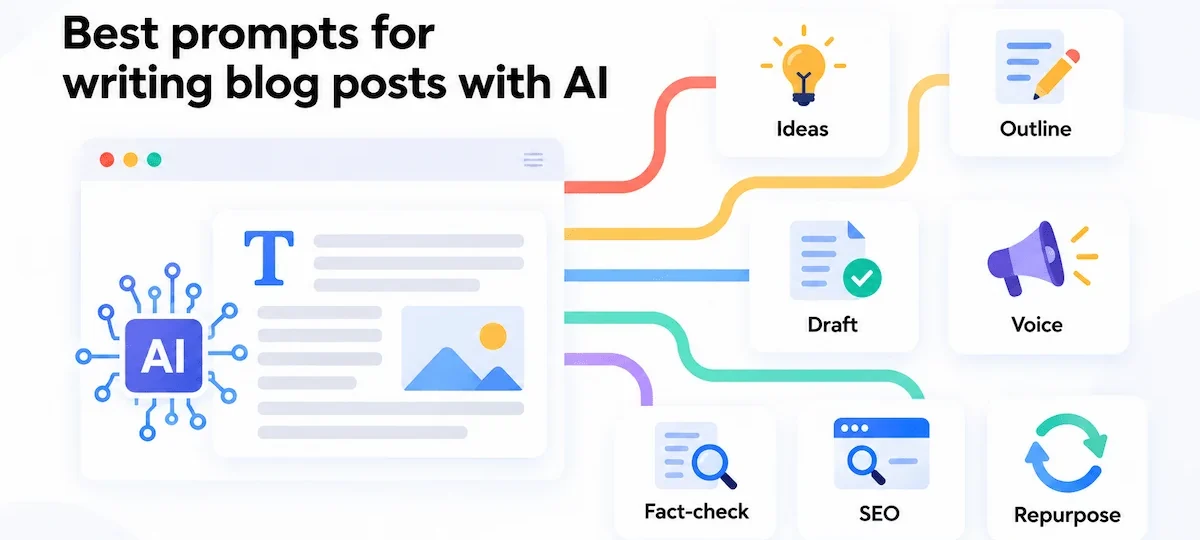
| Stage | Prompt example |
|---|---|
| Ideas | Give me 20 blog post ideas about [topic] for [audience]. Group them by search intent and mark the ones a beginner would search for. |
| Outline | Create an outline for a blog post about [keyword] with H2 and H3 headings. Add one line under each heading with the question it answers. |
| Draft | Write the section [heading] in about 200 words. Reader: [audience]. Tone: direct. Include one example and flag any claim that needs a source. |
| Voice | Rewrite this paragraph so it matches the style of the sample below. Keep the facts the same and shorten long sentences. |
| Fact-check | List every statistic, name and date in this draft as a table, with a column for the source I should verify. |
| SEO | Write five title tags under 60 characters and five meta descriptions under 160 characters for this post. Use the keyword [keyword] once in each. |
| Repurpose | Turn this post into a short email with a subject line and three key points, and into three social posts. |
AI tools for writing blog posts
You do not need many tools. Most writers get through the whole process with one chatbot, one SEO tool and one grammar checker. Prices change often, so check the current plans on each site, or read the guide on how much AI tools cost before you pay for anything.

| Tool | Best use |
|---|---|
| ChatGPT, Claude, Gemini | General drafting, outlines, rewrites and edits, with full control over the prompt. |
| Jasper | A blog post template that works from a short form, plus integrations with Copyscape, Grammarly and Surfer. |
| Copy.ai, GrowthBar | Marketing copy and blog drafting tools. |
| Frase, Surfer | SEO optimization and content briefs for posts you plan to rank. |
| Semrush ContentShake AI | Brainstorming, drafting and publishing in one tool from Semrush. |
| HubSpot AI | Generating a post from a short description, choosing a title and reviewing the outline inside the CMS. |
| Shopify Sidekick | Drafting posts for a store blog inside Shopify. |
A tool is only useful when it fits the rest of your work. Think about where drafts are stored, who approves them and how they get published. The guide to building an AI tool stack for business shows how to connect these pieces without paying for overlapping features.
Is AI-generated content bad for SEO?
No, AI content is not against the rules by itself. Google guidance on generative AI content says these tools can be useful for researching a topic and adding structure to original content. The problem starts when someone uses them to produce many pages without adding value for users. That may violate the scaled content abuse policy.
In practice, this means search engines judge the page and not the tool. A post that is accurate, original and helpful can rank, and a pile of thin pages will not. Google also asks you to check AI output for accuracy before publishing, and suggests explaining how automation was used when the content is generated automatically. For a normal blog post that you edit and fact-check, the safest approach is simple: write for the reader, add something new and keep a person responsible for the final text.
How to make AI writing sound human
Readers notice when a post sounds like every other post. The fix is not a trick or a tool that rewrites the text. It is a set of edits you can apply to any draft.
- Add personal experience. A short story or a lesson from your own work does more than any style prompt.
- Use specific examples. Replace general statements with a name, a number or a situation the reader can picture.
- Vary the rhythm. AI drafts often use sentences of the same length. Mix short and long ones, and break up paragraphs that run past four sentences.
- Cut stock phrases. Delete the opening line about how fast the world is changing, the empty transition words and the lists of three adjectives. These are the typical AI-isms that readers skip.
- Take a position. Say what you recommend and why. A draft that lists options without choosing one feels written by nobody.
- Read it out loud. If you would not say a sentence to a colleague, rewrite it in plain words.
Common mistakes when you use AI to write blog posts
Most problems with AI posts come from skipped steps and not from the tool. If you use AI to write blog posts regularly, check this list before each publish.
- Publishing the first draft. Raw output is general, repeats itself and often contains errors.
- Writing a vague prompt. One line such as write a blog post about email marketing gives you a post that fits any website.
- Skipping the fact-check. A single wrong number or invented source damages trust in the whole post.
- Ignoring search intent. A post that explains a concept when readers want a comparison will not rank, however well it is written.
- Using the same structure every time. If every post has the same headings, readers and search engines see a template.
- Copying competitors. Use their headings to see what readers expect, then write your own text and add your own examples.
- Forgetting the brand voice. Posts that sound different from the rest of your site confuse readers.
- Publishing at volume without value. More posts do not help when each one says the same thing as the others.
- Never updating. A post with old numbers loses trust and traffic.
Best practices for using AI to write blog posts
The habits below separate teams that get good results from teams that publish weak drafts. The table sums them up as simple do and do not pairs, and the human editor is the one who applies them.
| Do | Do not |
|---|---|
| Write a brief before every post. | Start with a one-line prompt. |
| Work section by section. | Publish the full output of a single prompt. |
| Add your own data, examples and quotes. | Rely on general statements. |
| Check every fact and open every source. | Trust numbers or links you have not seen. |
| Keep one style guide and reuse it. | Let the tone change from post to post. |
| Focus on value, not volume. | Publish many similar posts to fill a calendar. |
| Update posts on a schedule. | Leave old numbers in live posts. |
Human editing is the step that decides the quality of an AI post. The editor checks the facts, protects the brand voice, removes repeated points and adds the experience the tool cannot supply. If you skip that step, you have a draft and not a finished post.
When should you use AI to write blog posts?
AI fits some posts better than others. It works well when the topic is well documented and the facts are easy to verify, and it works poorly when the value of the post is your own experience or original research. Use the table as a quick guide.
| Good fit for AI | Better to write yourself |
|---|---|
| How-to guides and step-by-step tutorials | Opinion pieces and thought leadership |
| Glossaries and definitions | Case studies from your own work |
| Summaries of long material you provide | Original research and survey results |
| Outlines, headlines and meta descriptions | Topics where a wrong claim can harm readers, such as health, legal and money advice |
| Updates of older posts | Personal stories and interviews |
Even in the good-fit column, a person should review the post. On sensitive topics, use AI only for structure and ideas, and have an expert check the final text. For a wider view of where text generation fits in a company, read the guide to generative AI for business.
Other ways to use AI for blogging
Writing the draft is only one use. Many teams get more value from the smaller jobs around it.
- Improve existing posts. Paste an older post and ask what is missing, what is outdated and which sections can be shortened.
- Test headlines. Ask for ten versions of a title or of a section heading, then choose the one that is clear and accurate.
- Analyze data. Paste an export of page performance and ask for patterns, then verify anything that looks surprising.
- Write microcopy. Meta descriptions, social posts and email subject lines are short and easy to review.
- Suggest images and alt text. Ask for ideas for visuals and for short descriptions you can check.
- Suggest internal links. Give the tool a list of your URLs and ask where each one fits, then keep only the links that are relevant.
- Stay current. Ask for a summary of recent news in your field to find new topics, and verify each item at the source.
- Run a quality check. Ask the tool to review the final draft for repeated ideas, unclear sentences and missing sources before a person reads it.
How to write blog posts faster with AI
Once the process works, the next goal is to write blog posts faster without cutting the steps that protect quality. Most of the time you save comes from preparation and reuse, not from a faster draft.
- Keep a content calendar. Ask AI to group your keyword list by topic and plan a month of posts, then adjust the order by priority.
- Reuse templates. Save your brief, your outline format and your best prompts, so each new post starts from a tested setup.
- Dictate the first version. Speaking is faster than typing, and a transcript gives AI your real wording to clean up.
- Write the draft without stopping to edit. Finish the whole draft, then edit once, which is quicker than fixing as you go.
- Repurpose every post. Turn a finished article into an email, a short summary and social posts. The guide on how to write marketing emails with AI shows how to adapt a post for the inbox.
If you publish often, you can also connect your tools so that a new idea in a spreadsheet, a chat message or a task board starts a draft automatically. Tools such as Zapier can send a prompt to ChatGPT when a record is added and save the answer in a document for review. Good candidates for automation are idea capture, brief creation and moving the draft to the editor. The fact-check, the edit and the final read should stay manual, because an automated draft still needs a person. The same logic is covered in the guide to AI marketing automation.
Ethics, plagiarism and AI detectors
Three questions come up in every team that starts to write blog posts with AI: is the text original, who owns it, and should readers be told.
For originality, run the final text through a plagiarism checker such as Copyscape, and rewrite any passage that matches an existing page. AI tools learn from existing text, so similar phrasing can appear by accident. An AI detector gives a score, but it is a signal and not proof, so do not rely on it to judge the quality of a post. A better check is to ask if the post contains anything that only you could have written.
On privacy, do not paste confidential customer data, internal numbers or unreleased plans into a public tool. The guide to AI data privacy for business explains what to check in a tool before you share sensitive material. Read the terms of each tool for rules on ownership and commercial use of the output. On disclosure, there is no single rule, so decide on a policy and apply it the same way every time. Some publishers add a short note that AI helped with the draft and a person reviewed it, and Google suggests explaining how automation was used when content is created automatically.
Conclusion
You can write blog posts with AI in a fraction of the time, but the quality still depends on the person using the tool. Start with a clear brief, build the outline, write specific prompts, generate the draft section by section, and then add your own experience, check every fact and edit until the post sounds like you.
Treat the tool as an assistant, keep the human review in every post, and update what you publish. Done this way, AI saves hours on the slow parts and leaves you more time for the ideas and examples that make a post worth reading.
FAQs about writing blog posts with AI
Can AI write a full blog post on its own?
It can produce a complete draft from a single prompt, but the result is usually general and needs work. For a post you are willing to publish, add original examples, check the facts and edit the text so it matches your brand voice.
Is it OK to use AI to write blog posts?
Yes. Google does not ban AI content, and most marketers already use AI for blogging. The condition is that the post is accurate, helpful and reviewed by a person, and that you do not produce large numbers of low-value pages.
Is AI-written content bad for SEO?
Not by itself. Search engines look at how much the page helps the reader, and not at how it was written. Thin or repetitive pages made in bulk can be treated as spam, while a well-edited post with original input can rank like any other.
How do you write blog posts with AI without plagiarizing?
Give the tool your own notes, data and examples, ask for a rewrite in your words, and run a plagiarism checker on the final text. Always cite your sources and do not copy sentences from competitor pages into your prompts and outputs.
What is the best AI tool for writing blog posts?
There is no single best option. ChatGPT, Claude and Gemini are flexible for outlines and drafts, Jasper and Copy.ai add templates, and Frase or Surfer help with SEO. Pick the tool that fits your workflow and try it on one real post before you commit.
How long does it take to write a blog post with AI?
The Orbit Media survey found that the average blog post takes 3 hours and 20 minutes, with an average length of 1,312 words. A first draft from AI takes minutes, but research, fact-checking and editing still take time, so most posts end up taking an hour or more.
How can you tell if a blog post was written by AI?
Common signs are general statements, repeated sentence patterns, a flat rhythm and a lack of personal examples or sources. Detectors can give a score, but they are not reliable proof, so judge the text by what it adds that is new.
Should you tell readers you used AI?
There is no universal rule, but a short note builds trust when AI wrote a large part of the text. Choose one policy for your site, state it clearly, and make sure a named person is responsible for what is published.
Can ChatGPT write a blog post?
Yes. ChatGPT can write an outline, a full draft or single sections from a prompt. The result improves when you give it a brief, the reader, the tone and the limits, and it still needs a fact-check and an edit before you publish.
What are the disadvantages of using AI to write blog posts?
The main ones are wrong facts, general wording, no personal experience, weak brand voice and the risk of publishing many similar pages. All of them can be reduced with a brief, section-by-section prompts and a careful human edit.
Can AI replace human writers?
Not for posts that need to be accurate and original. AI is good at structure, speed and first drafts, while people provide experience, judgment and responsibility for what is published. The best results come from the two working together.










