Most support teams that buy AI customer service software can show a dashboard full of closed tickets. Fewer can show customers who walked away happy with the result. That gap explains why opinions on this topic split so sharply, and why some companies report big savings while others quietly bring human agents back.
A Gartner survey of 5,728 customers found that 64% would rather a company did not use AI in service at all, and a later Gartner survey found that 87% want a clear route to a person whenever it is used. At the same time, the Gladly 2026 report found that 88% of people who used AI support got their issue resolved, yet only 22% said the experience made them prefer that brand.
This guide sorts the work into two piles: the tasks where AI customer service pays off and the ones where it does damage. It also covers rollout, metrics, tools, privacy and the questions buyers ask most often.
Key Takeaways
- AI customer service works best on repetitive questions with known answers, such as order status, returns and password resets.
- It fails when it invents policies, traps customers in loops or runs on a weak knowledge base.
- Customers accept automation when a person stays easy to reach.
- Track satisfaction and reopen rate next to deflection, and review conversations every week.
What Is AI Customer Service?
AI customer service is the use of machine learning, natural language processing and automation to answer, route and support customer requests across chat, email, voice and messaging apps. The software reads what the customer wrote, works out the intent, pulls an answer from a knowledge base or a connected system, and either resolves the request or passes it to a person.
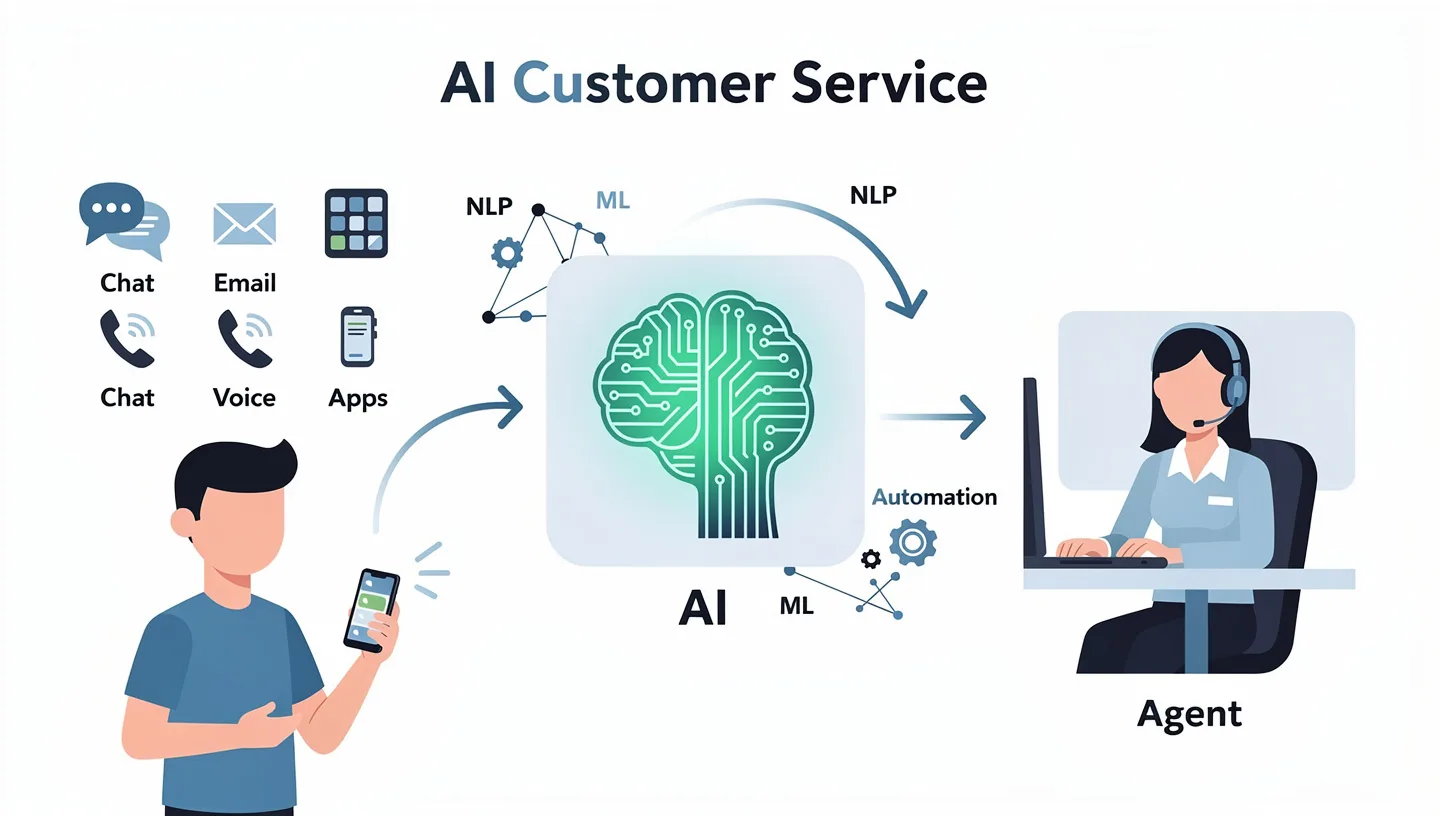
Several technologies work together behind the scenes. Natural language processing reads the message and recognizes that “where is my stuff” and “track my order” mean the same request. Machine learning improves routing and answer selection as more conversations pass through. Generative models write the reply in natural language, and automation carries out tasks such as updating a shipping address once the customer confirms. Together they make customer service AI far more flexible than the scripted bots of a few years ago, which broke as soon as someone phrased a question in an unexpected way.
The term covers several different products, and mixing them up is the first source of disappointment.
AI Chatbot vs AI Agent vs Copilot
| Type | What it does | Best fit |
|---|---|---|
| Rule-based chatbot | Follows a fixed script or decision tree | Short, predictable FAQs |
| AI chatbot | Understands intent and answers from approved content | High-volume questions with clear answers |
| AI agent | Answers, looks up records, takes actions such as refunds, and escalates | Requests that need more than one reply |
| Copilot (agent assist) | Suggests replies and writes summaries for a human agent | Complex or sensitive cases |
A chatbot only replies, while an agent can check an order, change it and confirm the result. Many tools sold as agents still behave like chatbots, so ask for a live demo on your own tickets before you buy. For a wider look at how these agents are used outside support, read this guide to AI agents for business.
How AI Customer Service Works Step by Step
A simple case shows the full chain. A customer of a clothing store writes that the polo shirts arrived in the wrong size.
- Intent recognition: the system classifies the message as a post-purchase issue, an exchange or a return.
- Context lookup: it pulls the order history and notices that the delivered size differs from the size the customer usually buys.
- Action: it offers an exchange and sends a prepaid return label.
- Escalation: if the customer sounds angry or asks for compensation, the conversation moves to a human agent together with the full history.
- Learning: the result is logged, and a spike in sizing complaints during a sale can change future routing and messages.
The same chain applies on voice, where speech recognition turns the call into text first and the system checks caller ID, recent orders and prior contacts before it answers. In any AI customer service setup, each step depends on connected data, which explains why integrations matter as much as the model itself.
Benefits of AI Customer Service
The benefits of AI in customer service show up in cost, speed and capacity, and they hold only when the content and the handoff are in place.

Lower Cost per Contact
Routine requests no longer need a person, so the cost per contact falls and the same team handles more volume. Vendor reports put savings at up to 30% of operating cost, though results vary with scope and content quality. Adoption plans are covered in this guide on how to use AI in business.
Faster Answers at Any Hour
Instant replies remove the queue for simple questions, and customers in other time zones get help outside office hours. Databricks attributes a 15% gain in satisfaction scores largely to faster first responses.
Scaling Through Peaks
Black Friday, product launches and seasonal sales create spikes that would otherwise need temporary hires. An agent answers the thousandth order-status question the same way it answers the first, so peaks stop forcing emergency staffing.
Consistent Answers Across Channels
Pulling from one approved source keeps pricing, return rules and tone the same in chat, email and voice. It also removes mistakes caused by fatigue or outdated notes.
Less Repetitive Work for Agents
With routine tickets removed, agents spend their day on complex cases, and summaries and drafted replies cut the admin after each contact. That lowers burnout, which matters because turnover is expensive in support.
Insight From Every Conversation
Conversations show what customers keep asking and where the documentation fails. Teams can pass those patterns to product and operations and fix the root cause instead of answering the same question forever.
Where AI Customer Service Works
The cases below show where AI customer service has the most evidence behind it. They share one trait: the question has a known answer, and a wrong answer costs little.
Repetitive Questions With Known Answers
Order status, password resets, return policies and billing dates fill most queues. Unity connected an AI agent to its knowledge base and deflected about 8,000 tickets in a year, saving an estimated $1.3 million, according to Zendesk. Jumia trained an agent on its documentation and placed it on WhatsApp, where its sales agents already worked, and Chatbase reports that 80% of requests handled this way close without a person.
The pattern is the same in both cases. The documentation already existed, and the agent made it easy to reach.
Agent Assist and Conversation Summaries
Here the customer still talks to a person, and the software works in the background. It suggests replies, surfaces policy articles, writes the summary after the call and fills in the ticket fields. Databricks cites about 14% more cases resolved per hour once the tool sits inside the daily workflow.
Routing and Triage
Sorting tickets by topic, language, urgency and sentiment is slow work for people and quick work for software. Verizon uses generative models to predict why customers are calling, reportedly for about 80% of incoming calls, so agents open the conversation with context. Better routing also means fewer blind transfers and fewer customers repeating account details.
Round-the-Clock Coverage for Small Teams
A team of five cannot staff nights and weekends. An agent can answer the repeat questions at any hour and hold harder ones for the morning. Opal, a focus app with more than four million users, runs support this way, with automated answers for recurring questions and people for anything that needs judgment. Smaller companies new to the topic can start with this guide to AI for small business.
Billing and Account Tasks
Payment updates, invoice lookups and subscription changes follow fixed rules, so an agent can handle them without a queue. Anything unusual, such as a failed payment or a disputed charge, should go to a person quickly.
Lead Qualification Before Sales Gets Involved
Pre-sale conversations suffer from the same slow replies. Aplazo, a Mexican buy-now-pay-later provider, placed an agent on its merchant landing page to explain the offer, collect details and qualify leads. Chatbase reports a 2.2x lift in closed-won rate, with half of the closed inbound merchants coming through the agent. The same logic applies to AI marketing automation flows that hand warm leads to sales.
Help Center Articles From Solved Cases
When an agent resolves a new issue, the system can draft a help article from the case notes, so the knowledge base stays current without a dedicated writer. A person should review each draft before it goes live.
Fraud and Abuse Detection
Software can spot repeat offenders, spam calls and inappropriate content within minutes, instead of leaving it to post-call analysis when the damage is done.
Voice AI Instead of Phone Menus
Voice agents take first inquiries without forcing callers through menu trees or pressing zero for help. Phone is still the first choice for many customers with complex issues, so voice deserves the same handoff rules as chat.
Sentiment Detection and Early Escalation
Sentiment analysis reads tone and word choice, so frustration shows up even when the customer never states it. A conversation that turns negative can jump the queue and reach a human agent before the customer gives up. Airlines and retailers also use it on social mentions, not only on chat.
Multilingual Support
Built-in translation lets one team serve customers in many languages without hiring for each one. Airbnb applies it so hosts and guests read each other in their own language, and the same approach works for AI customer support in help centers and email. A native speaker should still spot-check the output, especially for policy wording.
Quality Checks Across Every Conversation
Manual review samples a small share of tickets. Automated scoring covers all of them, flags compliance gaps and points to conversations worth coaching. Supervisors spend their time on the cases that need attention instead of on random samples.
AI Customer Service Examples by Industry
Large companies publish results that show where the technology fits. The list below comes from a compilation by Nextiva of company announcements, so treat the numbers as vendor-reported.
| Industry | Company | Use |
|---|---|---|
| Retail | H&M | Style recommendations and order tracking around the clock |
| Finance | DNB Bank | About 20% of support traffic automated with a chat-first approach |
| Travel | Lufthansa | Flight rebookings and baggage claims in several languages |
| Telecom | Verizon | Predicting call intent for about 80% of its annual calls |
| Insurance | Lemonade | Claims processed and paid in as little as three seconds |
| Healthcare | Ontrak Health | Flagging patients who need urgent mental health support |
Retail and ecommerce use the technology mainly for order tracking and recommendations. Banks and insurers use it for fraud checks, claims and account questions. Telecom and travel firms rely on it to absorb heavy request volumes, and healthcare providers use pattern detection to reach patients earlier. Each example works because the task is narrow, the data is connected and an escalation path exists.
Where AI Customer Service Breaks Down
Most AI customer service problems trace back to a short list of causes. They are predictable, and most of them are visible before launch.
Invented Answers and Policies
Models write fluent text even when they lack the facts. In 2024 the Air Canada chatbot told a grieving passenger that he could buy a full-price ticket and claim the bereavement discount afterward. The policy said otherwise, and a British Columbia tribunal ruled that the airline was responsible for what its chatbot said. The risk comes from generative AI filling gaps in the content with a confident guess.
Bots With No Way Out
The loudest complaint is the loop. The bot repeats the same suggestion, the customer types “agent” five times, and nothing changes. Gartner named difficulty reaching a person as the top concern among customers. Every flow needs a visible exit, plus a rule that sends the conversation to a person when confidence drops, when the customer asks, or when sentiment turns negative.
Missing Context Between Messages
A customer writes that the portal link failed, and the bot replies by explaining what the portal does. Each message is treated as new. Without memory of earlier replies, order history and account status, even a correct answer feels disconnected. The human agent who finally joins then starts from zero.
Weak Knowledge Bases and Messy Data
An agent is only as accurate as the content behind it. Outdated articles, conflicting policies and answers that live only in the heads of two senior agents all produce wrong replies. Many teams spend the first weeks after launch fixing content instead of improving the service. Terms such as hallucination, grounding and confidence score come up constantly in this work, and the AI terms glossary defines them.
Broken Integrations and Stale Data
Even correct logic fails when the data is old. One documented bot told a customer that the order would ship tomorrow because the order-status connection returned stale information. Platforms with graceful degradation handle this better: when a connection fails, the agent says so and escalates instead of guessing. Monitor integration health as part of daily operations.
One Bot Loaded With Everything
Feeding one model the entire knowledge base produces an agent that knows a little about everything and handles nothing well. A shipping question does not need cancellation rules loaded next to it. Narrow agents built for one use case, each with its own content, give cleaner answers and are easier to test.
AI on Top of Messy Operations
Automation scales whatever it is placed on. Inconsistent procedures, outdated macros and undocumented edge cases produce unreliable replies at higher speed. Clean up the process first, then automate it.
Bot Fatigue and Trust Erosion
Customers who met several poor bots arrive at the next one expecting failure. A single bad experience can lower trust in the whole brand, and the damage repeats because frustrated customers tell others. Chatbase describes a widening CSAT gap between AI-handled and human-handled conversations in teams that ignore this.
Failures by Industry
AI customer support in ecommerce fails when bots give generic answers while the customer needs live data from the order system. In fintech a wrong answer is a financial and regulatory problem, not only a service issue. In healthcare, emotional awareness is required, and a flat reply to a worried patient does real harm. Tolerance for error shrinks as the stakes rise.
Emotional and High-Stakes Cases
A death in the family, fraud on an account and a cancellation after a bad experience are not moments for a quick automated reply. Customers rate these interactions lower even when the information is correct. Route such cases to a person early, and let the software prepare the summary.
Cutting Staff Too Fast
In early 2024 Klarna announced that its assistant handled about 75% of chats, roughly 2.3 million conversations in its first month, and did the work of 700 agents. In 2025 its CEO told Bloomberg that cost had been too dominant a factor and that quality suffered, and the company began hiring human agents again. Klarna did not drop the technology. It moved to a hybrid model with AI on simple requests and people on the moments that matter.
Pressure to Push Automation Higher
Once a bot is live, management often asks for a higher automation rate. The easy way to raise it is to lower the confidence threshold, which sends more cases to the software and fewer to people. Resolution numbers may climb while wrong answers climb with them. Set a floor for confidence and for satisfaction before anyone touches the target, and treat a drop in either as a reason to roll back. It is one of the quieter AI customer service failures, because the dashboard looks better exactly when quality slips.
Measuring the Wrong Numbers
Deflection rate is the number most teams track first, and it can mislead, because a bot can close a conversation without solving anything. The Gladly findings reported by eMarketer show the gap: high resolution, low loyalty. A high deflection rate paired with a low CSAT score means conversations are being closed, not solved.
Warning Signs Your Bot Frustrates Customers
Several signals appear well before complaints reach social media.
- Dead-end answers: the bot repeats a suggestion after the customer said it did not work.
- No human path: customers cannot reach a person or do not know how to ask.
- Missing memory: customers repeat details they already shared.
- Weak numbers: reopen rate rises and CSAT falls on bot-handled chats.
AI Customer Service Bias, Job Concerns and Trust
Biased training data can lead to unfair results in AI customer service, such as different treatment of customers by language or accent. Use varied data, test across groups and keep monitoring after launch.
Agents worry about their jobs, and 52% of U.S. workers say they are concerned about how AI will be used at work, according to Pew Research. Teams that feel threatened tend to ignore suggestions or route around the tool. Explain what the system takes over, what stays with people and how performance will be judged. Customers need the same honesty. Salesforce research shows trust in ethical AI use falling, so disclosure and a clear route to a person do more for trust than any claim about accuracy.
What Customers Think About AI Customer Service
Customers are not against AI customer service as such. They are against automation that blocks a person.
AI Customer Service Statistics Worth Knowing
| Finding | Source |
|---|---|
| 64% would prefer companies did not use AI for service, and 53% would consider switching to a competitor | Gartner, 5,728 customers (fieldwork December 2023, published July 2024) |
| 87% say an option to reach a human agent is essential when generative AI is used | Gartner, 3,566 customers, 2026 |
| 50% say interactions are easier when companies use generative AI | Gartner, 3,566 customers, 2026 |
| 88% had the issue resolved, yet only 22% prefer the company afterward | Gladly, 2026 Customer Expectations Report |
| 42% trust businesses to use AI ethically, down from 58% in 2023 | Salesforce, State of the Connected Customer |
| Only 14% of service issues are fully resolved in self-service | Gartner, 2024 |
The figures look contradictory until they are read together. Customers accept AI that is quick and honest about its limits, and they punish AI that hides the human option.
What Customers Accept and What They Reject
- Accept: fast answers to simple questions, a clear label that they are talking to a bot, an easy path to a person, no need to repeat details.
- Reject: loops, a bot-first rule for every issue, confident wrong answers, a hidden or slow route to a human agent.
Gladly found that 59% prefer to start with AI, but 45% like it only when reaching a person is easy. Gartner analyst Eric Keller advises service leaders against making generative AI a mandatory first step for every issue.
AI vs Human Customer Service: Who Should Handle What
The split is not about which side is better.
It is about which type of request goes where.
| Situation | Better handled by | Reason |
|---|---|---|
| Order status, password reset, FAQ | AI | Known answer, high volume |
| Neutral, transactional request | AI | No emotion or judgment needed |
| Billing dispute or policy exception | Human with an AI summary | Needs judgment |
| Frustrated or upset customer | Human, fast-tracked | Empathy and authority |
| High-value or enterprise account | Human | Relationship comes first |
| Issue that spans several products | Human with AI assist | Context and decisions |
This is the hybrid model Klarna landed on. AI in customer service takes the routine work, and people take the conversations where trust is at stake. The human handoff decides whether it works. The agent should pass along the transcript, the customer profile and a short summary, so the person never asks the customer to start again.
Where AI Fits in the Support Process
Teams usually start with one of three models, and many combine them.
- Autonomous self-service: chatbots and voice bots handle structured tasks such as password resets, provisioning and FAQs, which shortens queues for everyone else.
- Autopilot with a human handoff: the AI verifies identity, collects account details and qualifies the problem, then passes the case to the right agent with full context.
- Copilot for live agents: during a call or chat the AI transcribes, suggests next steps and surfaces policy reminders or articles, so agents rely less on memory.
Customers also like having a choice between resolving a simple matter alone and moving to a person when the situation calls for it. Match the model to the task: autonomy for simple, predictable work, and assist for anything with stakes.
How to Roll Out AI Customer Service Without Losing Customers
Most failed rollouts are launch decisions, not technology failures: too much scope, thin content, no exit. A rollout of AI customer service goes better when these steps come in order, and the best practices below cover the usual causes.
Start With One Use Case
Pick the question your team answers every day where answers already exist in documentation, such as order tracking, returns or password resets. Choose one channel where those questions already arrive, since AI customer support works best where customers already ask for help. Test with real customer messages before going live, and expand only after the first use case holds steady.
Fix the Knowledge Base First
Audit the articles, remove outdated ones and resolve conflicts between policies. Build a separate source that holds only approved, customer-facing content, and keep internal notes out of it.
Build the Human Handoff Before Launch
Write the triggers in advance: the customer asks for a person, sentiment drops, confidence is low, or the topic is a billing dispute or account access. Then test that the context travels with the conversation.
Design Conversation Flows and Fallbacks
Map the highest-volume questions into explicit flows, each with a resolution path and a point where it hands off to a person. Every flow also needs a fallback for the moment the system cannot answer. A good fallback does not just apologize and end the chat. It offers a next step, such as connecting the customer to a specialist or booking a callback. Escalate early for multi-product issues, disputed charges and policy exceptions, because repeated failed attempts are what produce frustration. Keep the brand voice consistent between AI and human replies, since robotic phrasing weakens trust even when the answer is right.
Set Limits on What the AI Can Do
Decide which actions an agent may take alone, such as an order lookup, and which need approval, such as a refund above a set amount or a change to an account. Agents that act outside their scope create costly problems that are hard to reverse.
Review Conversations Every Week
Read a sample, note the gaps and update the content. Rocksteady Corp had its integration live in 48 hours, and credits the weekly review for the results that followed.
Tell Customers They Are Talking to a Bot
Label the assistant clearly and say what it can and cannot do. People forgive a bot that admits its limits faster than one that pretends to be human. A short line at the start, naming who is answering and how to reach a person, sets expectations and reduces anger when the handoff happens.
Prepare Your Support Team
Bring agents in early. Show them what the system reads, how it helps and when to override it. Teams that see AI customer support as a threat tend to ignore its suggestions.
How to Measure AI Customer Service Performance
Track a small set of numbers for AI customer service and read them separately for AI-resolved and human-resolved conversations. For the cost side of the equation, see this guide to AI ROI for business.
Set targets before launch and write them down. A pilot that resolves requests at a rate close to human agents while holding satisfaction steady justifies expansion. If quality drops, the knowledge base or training data usually needs work before the agent takes on more volume. Review the numbers monthly with support leads, product and operations, since many spikes in contacts point to a product or policy problem that AI customer service only exposes.
- First response time: how fast the customer gets an initial answer.
- Resolution rate: the share of issues actually solved.
- Escalation rate: a high number points to gaps in the knowledge base.
- Reopen rate: customers returning with the same issue.
- CSAT: satisfaction, tracked for AI and humans apart.
- Average handle time and customer effort score: speed and ease of the whole interaction.
- Cost per resolution: total spend divided by solved issues.
If escalation climbs, improve the content. If CSAT falls, check whether the bot blocks access to people. If the reopen rate spikes, the answers may be correct but not useful.
Best AI Customer Service Tools and Platforms
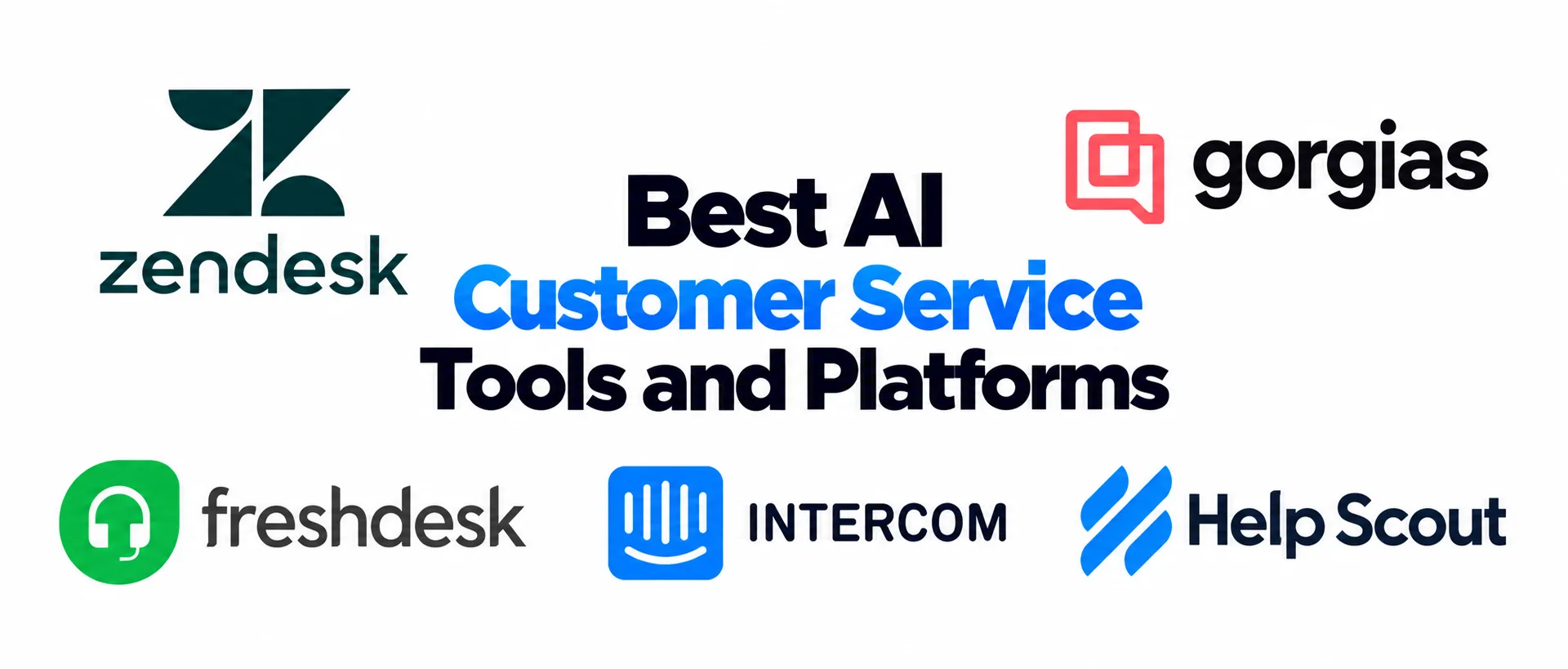
Vendors of customer service AI differ by size, channels and pricing model. Zendesk lists five leading AI customer support platforms in its own comparison, with entry prices of $19 per agent per month for Zendesk and Freshdesk, and $0.99 per resolution for Intercom Fin when billed annually.
Check current pricing before you decide.
| Platform | Best for |
|---|---|
| Zendesk | Enterprise and omnichannel support |
| Gorgias | Ecommerce and Shopify stores |
| Freshdesk | Mid-market and growing teams |
| Intercom Fin | Conversational support and chat |
| Help Scout | Small teams focused on email |
How to Evaluate a Platform
- Goals and use cases: faster first response, fewer repeat tickets, or better answers from agents. Each goal needs different features.
- Integration depth: the tool should connect to your CRM, helpdesk and knowledge base, not sit beside them.
- Transparency: look for confidence scores, explanation fields and audit trails for automated decisions.
- Language quality: run historical tickets through the system and test slang, typos, several languages and industry jargon.
- Security and data ownership: check SOC 2 and GDPR compliance, encryption, deletion options and who owns the training data.
- Pilot: test on one product line or one ticket tier, with success metrics set in advance.
- Total cost: compare per-ticket, per-session and per-resolution pricing, how the bill grows with usage, and any premium features behind a paywall.
A step-by-step method for comparing options is in this guide on how to choose AI tools for business.
Which Businesses Benefit Most From AI Customer Service
Any organization with large volumes of repeat contacts gains from AI in customer service, and the biggest effects show up in retail, ecommerce, financial services, telecom, travel and healthcare, where rules are strict and requests repeat. Small businesses can start with a simple chatbot and a handful of documented answers, then add agents as volume grows. Entry-level plans and pay-per-resolution pricing keep the upfront spend low. The limit for a small team is time, because someone must own the content and read conversations weekly.
Data Privacy and Compliance in AI Customer Service
Support conversations hold names, addresses, payment details and sometimes health information. Decide what data the AI can access, which topics always go to a person, and who reviews sensitive chats. GDPR gives people the right not to be subject to fully automated decisions without meaningful human involvement, CCPA requires disclosure about data use, and the EU AI Act adds transparency and oversight duties for high-risk systems. Tell customers when they are talking to a bot. Retention matters as well, so decide how long transcripts are stored, who can export them, and how a deletion request reaches every connected system in an AI customer service setup. Practical steps are in this guide to AI data privacy for business.
The Future of AI in Customer Service
Vendors are moving from chatbots to agents that take actions, and from text to voice. Predictive systems try to catch problems before the customer writes in. Gartner expects half of organizations to drop plans to cut support staff because of AI, which suggests the hybrid model is becoming the default. Expect more rules on disclosure and human oversight as well.
Voice agents are moving past scripted phone menus, and some firms already use them for opening calls, after-hours support and bookings. Several specialized agents, one for intent, one for account data and one for drafting the reply, are replacing single general-purpose bots. Proactive outreach based on behavior, such as a stuck checkout or an unfinished onboarding, is the next step beyond waiting for tickets. In every version, AI in customer service keeps its value only when a person stays reachable.
AI Customer Service FAQ
What Is an Example of AI in Customer Service?
A customer asks where an order is, and the agent finds the tracking number, reads the carrier status and replies within seconds. If the package is late, it offers a replacement or passes the case to a person with a summary. Unity, Verizon and Jumia use variations of this pattern.
Will AI Replace Customer Service Agents?
Not in the way most headlines suggest. AI absorbs repetitive, time-sensitive questions with known answers, while agents keep complaints, exceptions, negotiation and anything emotional. The realistic outcome is fewer routine tickets for people and more time on complex cases.
What Is the Difference Between an AI Chatbot and an AI Agent?
A chatbot answers a question from trained content or a script. An agent goes further: it looks up records, takes actions such as processing a refund, and escalates when a request falls outside its scope. Many products marketed as agents still work like chatbots.
Can AI Customer Service Handle Complex Issues?
It can help by retrieving data and summarizing context, but it struggles with sensitive cases that need empathy or judgment. Most organizations route complex requests to human agents who receive AI support rather than full automation.
How Much Does AI Customer Service Cost?
Pricing runs per seat, per conversation or per resolution. Entry plans for helpdesk tools start near $19 per agent per month, and per-resolution pricing sits close to $1 per solved case in some products. Add the cost of content cleanup, integration, training and weekly review. For typical ranges across tools, see how much AI tools cost.
What Are the Pros and Cons of AI in Customer Service?
The gains are 24/7 coverage, lower cost per routine request, faster replies and consistent answers. The costs are wrong answers when content has gaps, frustration when the human option is hidden, upfront integration work and ongoing maintenance. The balance tips positive when scope stays narrow and a person stays reachable.
Why Do AI Customer Service Projects Fail?
The usual causes are an incomplete knowledge base, no clear handoff to a person, an agent with too many permissions, and a launch treated as the finish line. Teams that review conversations weekly and expand slowly avoid most of them.
Is AI Customer Service Safe for Customer Data?
It depends on the platform and its configuration. Check certifications such as SOC 2, define which data the AI may read, set retention and deletion rules, and confirm who owns the training data, you or the vendor.
How Do You Measure Whether AI Customer Service Is Working?
Compare CSAT, resolution rate, escalation rate and reopen rate for AI-handled and human-handled conversations. Deflection alone does not prove success, because a closed conversation is not always a solved one.
Can Small Businesses Afford AI Customer Service?
Yes, if the scope stays narrow. Free and low-cost plans exist, and some vendors charge only for resolved conversations. Start with one channel and one use case, such as order status or appointment booking. The real cost is the time needed to maintain content.
Which Industries Benefit Most From AI Customer Service?
Retail, ecommerce, banking, insurance, telecom, travel and healthcare see the largest effect, because they handle many similar requests under regulatory or time pressure. The common factor is repeat questions with documented answers.
How Does AI Customer Service Connect to a CRM?
Through APIs or built-in connectors that share data in real time. That lets the agent read order history, prior tickets and account status, and write updates back, so a human agent who joins later sees the full record.
What Skills Do Support Teams Need to Work With AI?
Agents need to spot AI errors, handle escalated cases, keep empathy on hard conversations and understand what the system can and cannot do. Supervisors need to read quality reports and update content.
What Should You Compare Before Choosing AI Customer Service Software?
Compare ease of setup, maturity of the automation, integrations, reporting, governance controls, pricing and ongoing effort. Do not choose on the longest feature list. Pick the tool that speeds up resolution and fits current workflows.
The Bottom Line
AI customer service works on questions with known answers, in channels customers already use, with a visible route to a person. It fails when it invents answers, traps people in loops, replaces staff before the content is ready, or is judged only by closed tickets. Start small, fix the content, build the handoff, and read satisfaction numbers next to deflection numbers.










