AI tools are software applications that use artificial intelligence to carry out tasks that normally need a person, such as writing text, answering questions, sorting data, creating images or turning speech into text. You already meet them every day, in a phone keyboard that finishes your sentence, in a spam filter, in a map app that picks the fastest route and in chatbots such as ChatGPT.
This guide explains what AI tools are, how they work, which types exist and what we use them for in our own work. We also cover free and paid plans, how to choose a tool, how to start as a beginner and where the risks are. We wrote it for readers who are new to the topic, so we begin with plain definitions and move toward practical examples.
Key Takeaways
- AI tools are apps that use artificial intelligence to do tasks such as writing, analyzing data, making images and answering questions.
- They work by learning patterns from large amounts of data and applying those patterns to your request.
- The main groups are writing, image, video, chatbot, automation, coding, data and research tools.
- Most AI tools have a free plan, and paid plans add higher limits and more features.
- Every result needs a human check, because AI tools can state wrong facts with confidence.
What Are AI Tools?
AI tools are programs and apps built on artificial intelligence. Instead of following only fixed rules written by a developer, they learn patterns from large amounts of data and use those patterns to produce an answer, a prediction or a piece of content. A spell checker that only compares words with a list is ordinary software. A writing assistant that rewrites a paragraph in a friendlier tone is an AI tool.
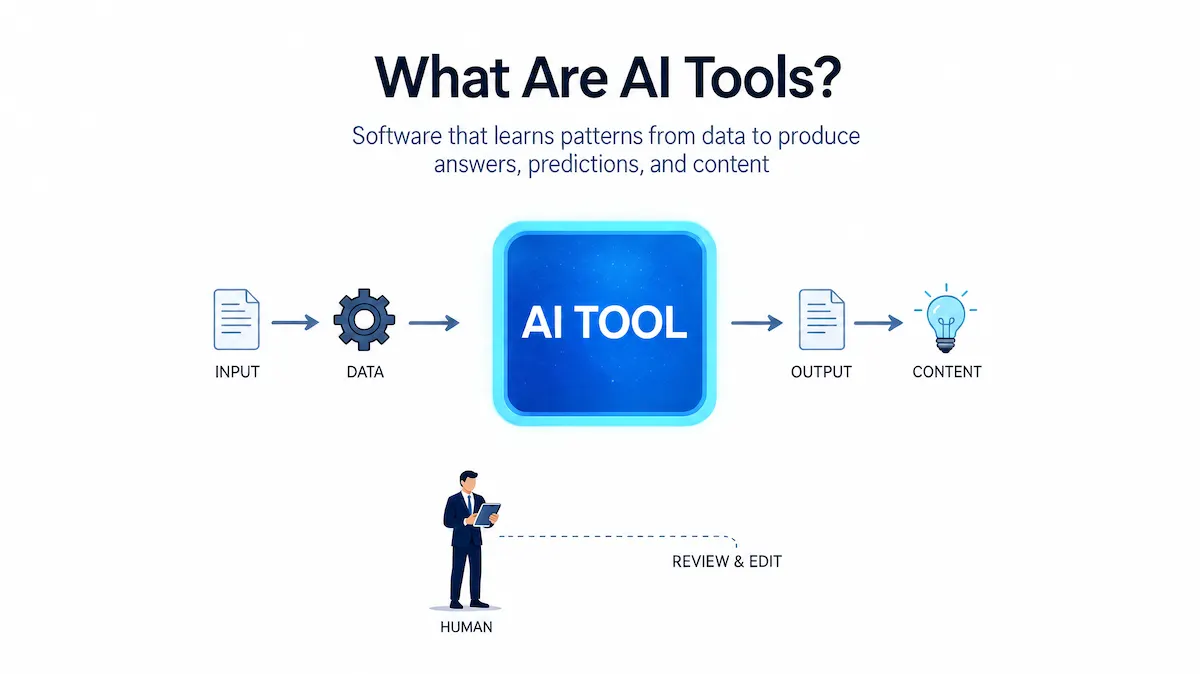
In our own work we think of an AI tool as a helper for one clear job. We give it an input, such as a question, a file or a short brief, and it returns a first result that we then check and edit. That simple picture fits almost every AI tool we have used, from chatbots to image generators. If someone asks us what is an AI tool in one sentence, we say it is software that does a human-type task faster, but still needs a human to review the result.
What Is Artificial Intelligence?
Artificial intelligence, or AI, is the ability of a computer system to do things that normally need human thinking, such as understanding language, recognizing a face, solving a problem or making a decision. Modern AI learns from data instead of following only fixed instructions, and this learning is what makes AI tools so flexible.
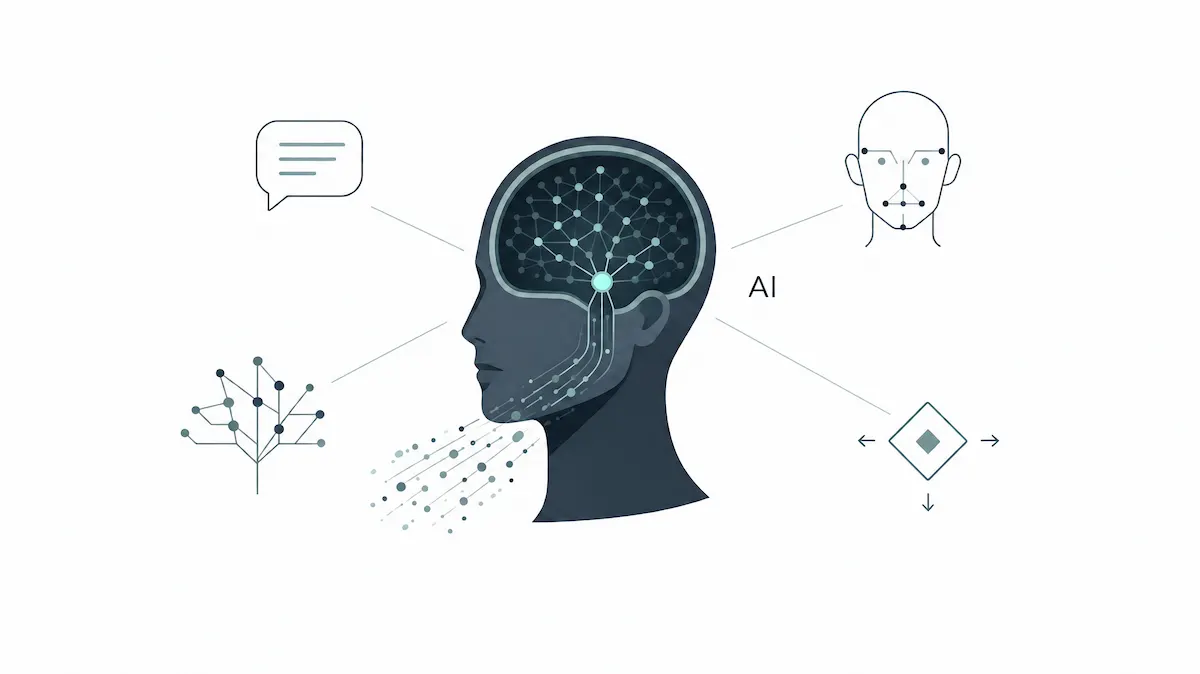
One system can write a short poem, summarize a report and explain a math problem. AI is the field, and AI tools are the finished products that put it in your hands.
AI Tools vs AI Models vs AI Agents
These three terms get mixed up often, so we keep them apart. An AI model is the engine, the trained system that does the actual predicting or generating. An AI tool is the app or website built around a model, with a screen, buttons and a way to type or upload. ChatGPT is a tool, and the language model behind it is the engine. AI technology is the wider field of methods and research behind all of them.
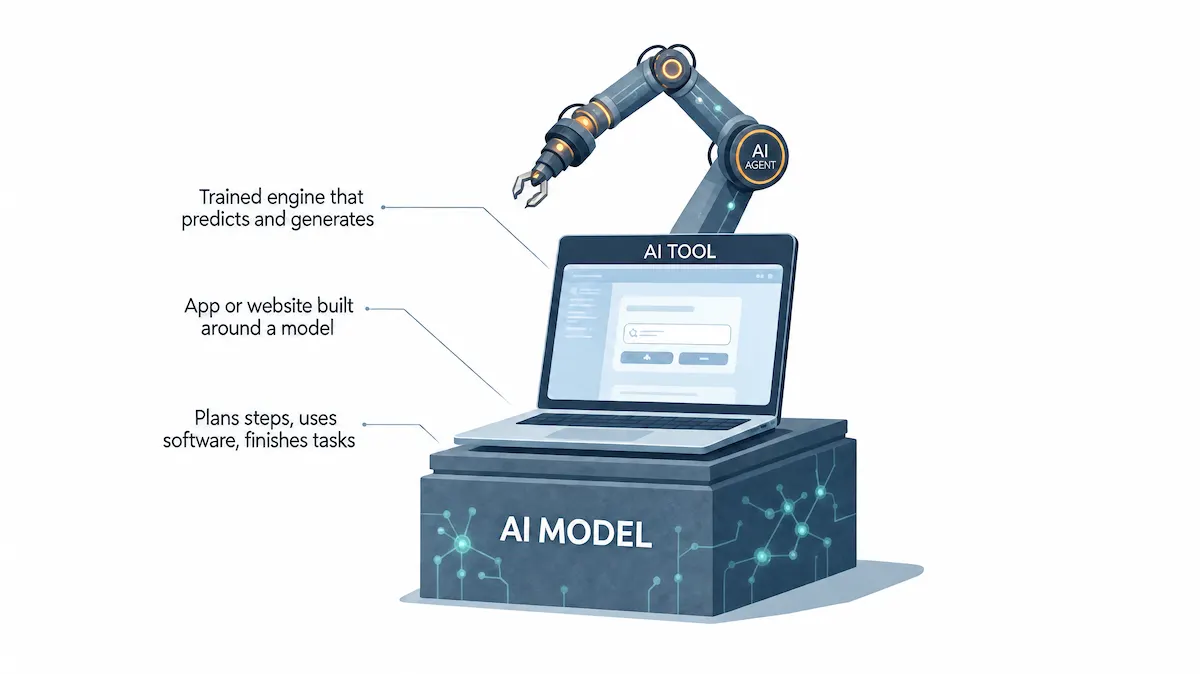
An AI agent goes one step further. It can plan several steps, use other software and finish a task with little input from you. If a word in this guide is new to you, the AI terms glossary explains it in plain language. Most readers only need tools, since agents are newer and need more care.
AI Tools vs Traditional Software
Traditional software follows rules that a developer wrote in advance. Give it the same input and you get the same output every time. AI tools work on probability, so the same question can return slightly different answers.

This is why we always read the result before we use it.
| Feature | Traditional Software | AI Tools |
|---|---|---|
| Logic | Fixed rules written by a developer | Patterns learned from data |
| Output | Same result every time | Can change from one request to the next |
| Improvement | New version from the developer | Better models and new training data |
| Examples | Calculator, spreadsheet, word processor | ChatGPT, Canva AI, Grammarly |
Generative AI Tools vs Analytical AI Tools
Most AI tools fall into one of two groups. Generative AI tools create new content, such as text, images, video, audio or code. ChatGPT, Midjourney and ElevenLabs are common examples. Analytical AI tools study data that already exists and then sort it, predict from it or flag problems in it, which is what fraud alerts, sales forecasts and recommendation engines do.
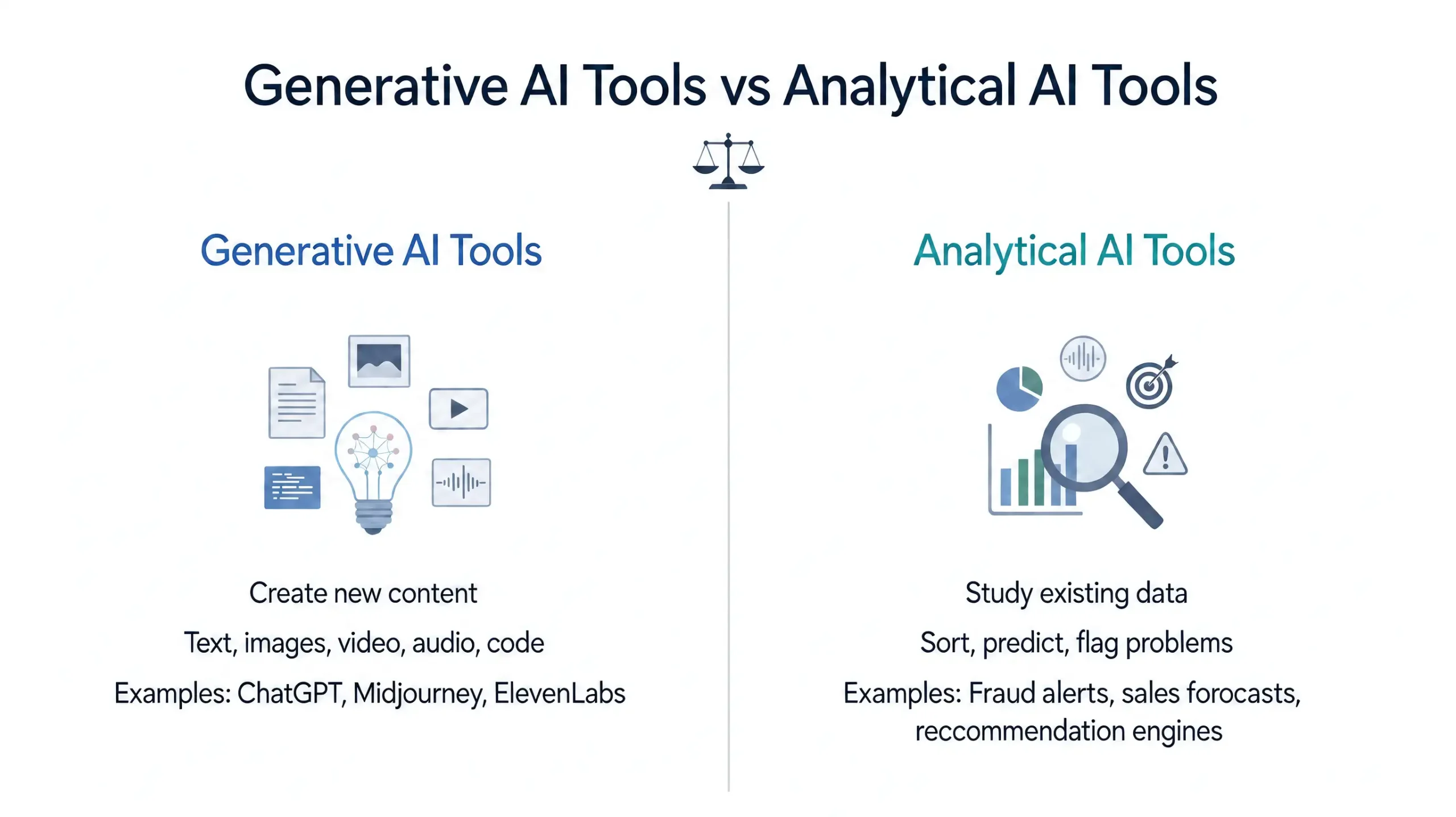
Many apps now mix both. A marketing platform, for instance, can analyze past campaigns and then write the next email. When we compare AI tools, we first ask which of the two jobs the tool is really built for, because that tells us where it will be strong and where it will fall short.
General-Purpose vs Task-Specific AI Tools
General-purpose AI tools, such as ChatGPT, Gemini and Claude, can handle many different jobs in one place. Task-specific AI tools are built for one main job, such as editing photos, transcribing meetings or checking grammar. In our experience, general tools are the better place to start because one account covers many needs.
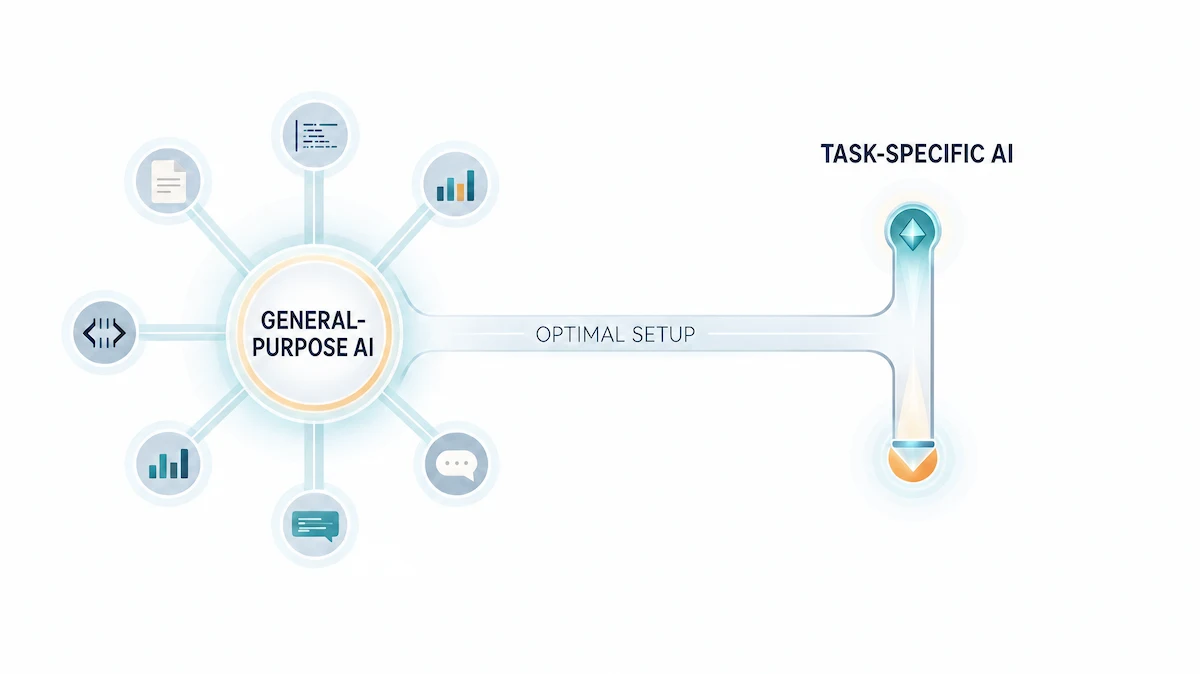
Specific tools win once you know exactly what you need and want better quality for that one job. A good setup for most people is one general chatbot plus one or two specific tools.
How Do AI Tools Work?
Every tool works a little differently, but the basic path is the same. You give it something, it processes that input, and it gives something back.
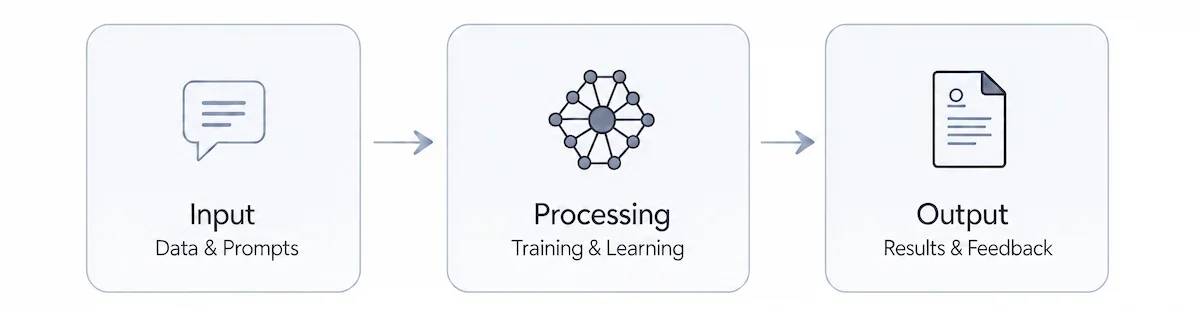
Here is how AI tools work, step by step.
Data and Prompts as Input
The input can be text, a file, an image, a voice recording or a spreadsheet. In chatbots the input is called a prompt, which is simply your question or instruction. Clear prompts give AI tools more to work with, so we usually add the goal, the audience and the format we want. Behind the screen, machine learning is the method that lets the tool find patterns in data.
Training and Learning
Before you ever open an AI tool, its model went through training. Developers feed the model a very large set of examples, such as books, web pages, photos or audio samples with matching text. A voice tool might learn from thousands of recordings paired with written transcripts. Large language models, the type of model behind chatbots, learn how words tend to follow each other, and deep learning, a method that uses layered artificial neural networks, helps them pick up complex patterns. After training comes inference, the stage where the finished model handles your new request.
Output and Feedback
The AI tool then returns text, an image, a chart, a forecast or an action. Natural language processing lets it read and write human language, while computer vision lets it understand pictures. Generative AI tools create new content, and analytical tools sort or predict from data that already exists. Many AI tools let you rate or correct the answer, and some use that feedback to improve. We treat every output from AI tools as a draft, and knowing how AI tools work makes it easier to see why they sometimes make mistakes.
Key Components of an AI Tool
Every AI tool is built from a few parts, even when the screen looks simple. Knowing them helps you judge what a tool can and cannot do.
- Data: the examples the model learned from, such as text, images, audio or records. Better data usually means better answers.
- Algorithms: the mathematical methods that find patterns and make predictions.
- Machine learning models: the trained systems that turn your input into an output and can be updated with new data.
- Natural language processing: the part that lets AI tools understand and write human language.
- User interface: the chat box, buttons and settings that let you use the model without any code.
- Integrations: connections to other software, such as email, spreadsheets or cloud storage.
On top of these parts, most AI tools share a small set of features: text generation, summaries, translation, image creation, speech to text, search with sources and charts. When you compare AI tools, look at which of these features you really need and ignore the rest.
Types of AI Tools by Technology
One way to sort the types of AI tools is by the technology inside them. This view is useful when you read technical articles or compare vendors, because the same few technologies power thousands of AI tools, and most of them rest on machine learning.
| Technology | What It Does | Examples |
|---|---|---|
| Natural language processing | Reads, writes and translates text | Chatbots, translators, grammar checkers |
| Computer vision | Understands images and video | Photo tagging, face recognition on phones, medical imaging |
| Machine learning platforms | Build, train and run custom models | TensorFlow, cloud machine learning services |
| Robotic process automation | Repeats routine steps in digital systems | UiPath, invoice and data entry bots |
| Speech recognition | Turns spoken words into text | Voice assistants, meeting transcription |
| Recommendation engines | Suggests products or content | Shopping and video suggestions |
| Predictive analytics | Forecasts from past data | Sales forecasts, fraud alerts |
For a wider look at the main kinds of artificial intelligence itself, this overview of AI types is a useful reference.
Types of AI Tools by Task With Examples
In practice we sort AI tools by the job we want done. We start from the task, then pick a tool for it. The groups below show the most common examples of AI tools and what each one is good at. These examples of AI tools are the ones we meet most often.
AI Writing Tools
AI writing tools help with drafts, rewrites, grammar and tone. Grammarly checks and improves sentences, Jasper focuses on marketing copy, and Notion AI adds writing help inside notes and documents. We use these tools for outlines, first drafts and shortening long paragraphs, then we rewrite in our own voice.

These AI tools save time on a blank page, but the final text still needs a person who knows the topic. For a full workflow, read our guide to AI content creation.
AI Image and Design Tools
These tools create or edit pictures from a text description. Canva AI helps non-designers make social posts and banners, Midjourney and DALL-E generate images from prompts, and Adobe Firefly is built into Adobe apps.

These AI tools are fast for mockups and blog graphics. Check the license and usage terms before you use any generated image for a client or a product.
AI Video and Audio Tools
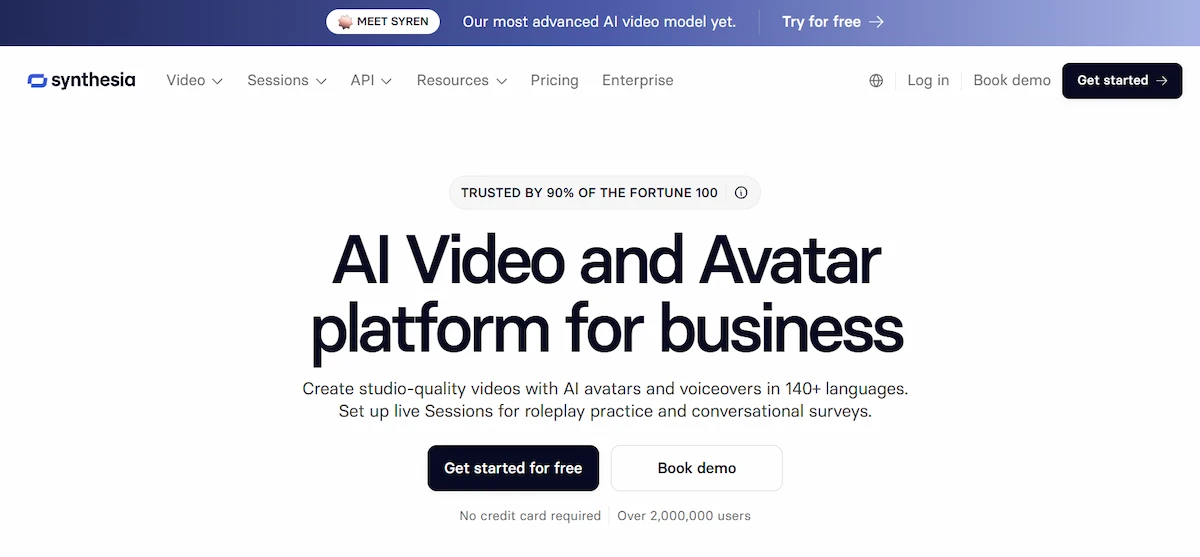
Video tools turn a script into a clip with an avatar, add subtitles or cut a long recording into short pieces. Synthesia creates presenter videos, Descript edits video by editing the transcript, and ElevenLabs produces realistic voiceovers.
Audio tools also transcribe meetings and clean noisy recordings. For more detail, see our guide to AI video creation.
AI Chatbots and Assistants
AI chatbots are the easiest place to start. ChatGPT, Gemini, Claude and Microsoft Copilot run on large language models and answer questions, explain topics, summarize documents, translate and help brainstorm ideas. Virtual assistants such as Siri and Alexa use speech recognition to do the same through your voice.

We use these AI tools every day for quick questions and first drafts, and we compare answers across two tools when the topic is important.
AI Productivity and Automation Tools
These AI productivity tools take over routine work, and they are the AI tools that save the most clicks.
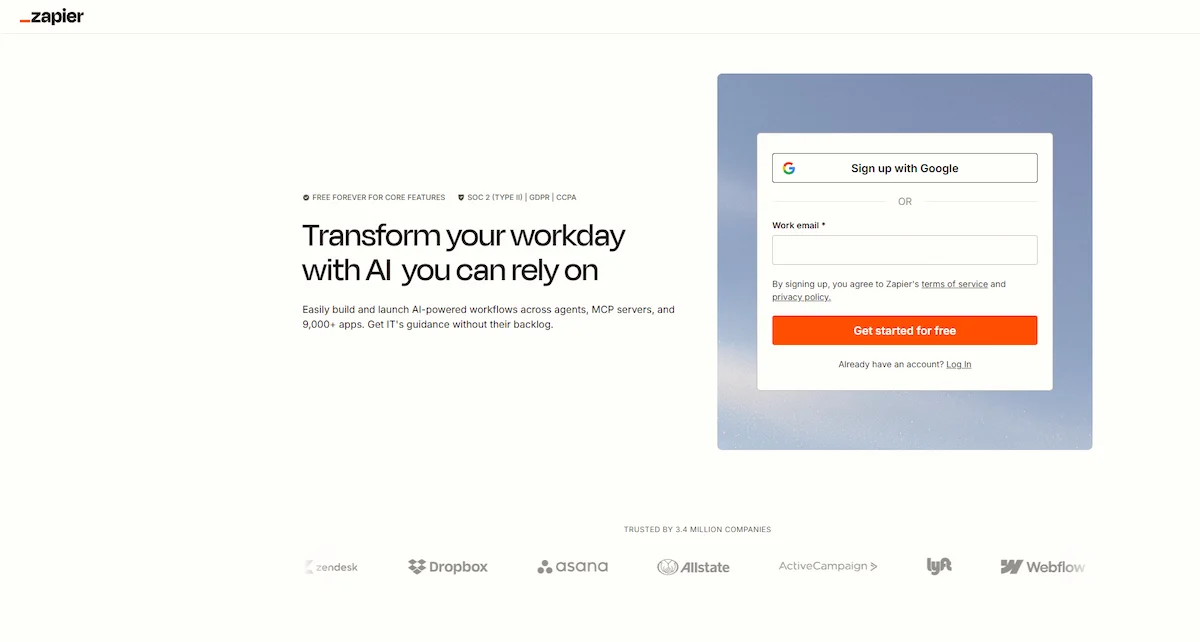
Zapier connects apps with plain-language rules, so a new form entry can create a task and send an email. Notion AI organizes notes, and Microsoft Copilot sits inside Word, Excel and Outlook. AI automation is most useful for repeated jobs such as sorting messages, moving data between apps and scheduling.
AI Coding Tools
AI coding tools such as GitHub Copilot and Cursor suggest code, explain error messages and write simple tests.

These AI tools help beginners understand what a piece of code does and help experienced developers work faster. We still review and run every suggestion, because generated code can contain mistakes that look correct.
AI Data Analysis Tools
Data tools let you upload a spreadsheet and ask questions in plain words. Julius AI returns charts and summaries, while Tableau AI and Power BI Copilot add similar features to dashboards.
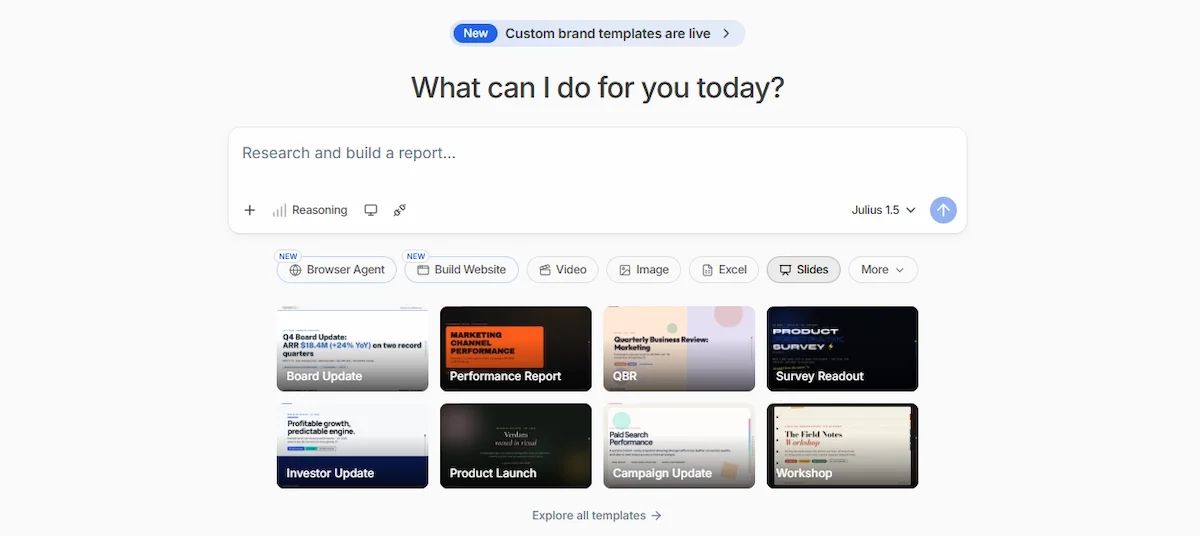
These AI tools are handy for quick data analysis, and the predictions behind them come from machine learning on your own data, when you do not write code, but you should still check that the numbers match your source file.
AI Research Tools
Research tools search, read and summarize sources. Perplexity gives short answers with links, Elicit searches scientific papers, and Gemini Notebook, formerly called NotebookLM, answers only from the documents you upload.

These AI tools save hours of reading, and we still open the original source before we rely on a fact.
Most Popular AI Tools Right Now
These are the AI tools people mention most when they start. We list the job each one does best and whether a free plan exists. Free plans and limits change often, so check the official page before you rely on one.
| Tool | Best For | Free Plan |
|---|---|---|
| Canva AI | Social posts, banners and quick design | Yes, with limits |
| Grammarly | Editing, grammar and tone | Yes, with limits |
| Notion AI | Notes, summaries and documents | Limited use |
| Jasper | Marketing copy at scale | Trial only |
| Synthesia | Presenter videos from a script | Limited |
| Zapier | Connecting apps and automating tasks | Yes, with limits |
| ChatGPT | General questions, writing and ideas | Yes, with limits |
| Gemini | Answers inside Google tools | Yes, with limits |
| Claude | Long documents and careful writing | Yes, with limits |
| Microsoft Copilot | Word, Excel and Outlook help | Yes, with limits |
| Perplexity | Short answers with sources | Yes, with limits |
| GitHub Copilot | Code suggestions | Free tier available |
| Midjourney | Artistic images from prompts | No regular free plan |
For a longer ranking, see our list of the most popular AI tools.
Benefits of AI Tools
The benefits of AI tools are easiest to see in daily work. These are the ones we notice most.
- Time saved: a first draft, a summary or a chart appears in seconds, so we spend our time on checking and improving.
- Less repetitive work: routine steps such as sorting, renaming, formatting and copying data can be automated.
- Better use of data: AI tools find patterns in large files that would take a person hours to review.
- Personalization: shopping, learning and video apps adjust suggestions to what you did before.
- Always available: AI tools such as chatbots answer at any hour, which helps with simple questions and first-line support.
- Better decisions: AI tools sort large amounts of data and show trends, so choices rest on more than a feeling.
- Lower cost for small jobs: a task that once needed an outside service can often be done in minutes on a free or low-cost plan.
- Easy to scale: the same tool can handle ten requests or a thousand without extra staff.
These gains are real, but they depend on a person who reviews the result. A tool that saves one hour and creates a hidden mistake is not a good deal.
How We Use AI Tools in Our Own Work
Our daily work involves research, writing, planning and a lot of small repeated jobs, and AI tools now sit in the middle of most of them. We do not hand a whole task to a tool. We split the task into steps and decide which steps a tool can do safely.
- Research and outlines: we ask a chatbot for a first outline or a list of questions on a topic, then we check each point against reliable sources.
- Drafts and rewrites: we use writing tools to get past the blank page and to shorten long paragraphs, then we rewrite in our own words.
- Images and graphics: we use design tools for quick banners and mockups, and we read the license before anything goes live.
- Spreadsheets and numbers: we upload a file to a data tool, ask for a summary and then compare the result with the original cells.
- Checking: we run important claims through a second tool, because two different answers tell us where to look closer.
The pattern is always the same. The tool gives us speed on the first version, and a person gives the final version its quality. This habit has saved us time without lowering the standard of what we publish, and it is the main reason we trust AI tools for routine work but not for final decisions.
Free vs Paid AI Tools
Most popular AI tools offer a free plan with limits and one or more paid plans. Free plans of AI tools are enough to learn and to finish small tasks. Paid plans of AI tools give higher limits, better models and extra features. To compare prices in more detail, see how much AI tools cost.
| Plan | Usually Includes | Good For |
|---|---|---|
| Free | Limited messages or credits, basic features | Learning, small tasks, testing a tool |
| Paid | Higher limits, stronger models, file uploads, exports | Daily work and client projects |
| Business | Admin controls, data protection, shared workspaces | Teams and companies |
Good free AI tools to start with are ChatGPT, Gemini, Claude, Canva and Grammarly, since all of them have a free plan. Our habit with free AI tools is simple: finish one real task on the free plan first. If the free plan cannot solve the problem, a paid plan rarely fixes it, and if you hit the limit every day, an upgrade starts to make sense. Free AI tools also change often, so check the limits on the official page.
How AI Tools Are Used in Different Industries
AI tools for business now appear in almost every sector. These are common examples of AI tools at work.
- Healthcare: reading scans, summarizing notes and booking appointments.
- Finance: spotting fraud, scoring credit risk and answering customer questions.
- Retail: product suggestions, stock planning and support chatbots.
- Manufacturing: predicting machine failures and checking product quality with cameras.
- Education: tutoring, lesson plans and quick feedback on writing.
How to Choose the Right AI Tool
Start with the job, not the tool. Our broader guide on how to choose AI tools for business goes deeper, and these are the steps we follow whenever we compare the best AI tools for a task.
- Define the task. Write one sentence about the result you want, such as a summary, a logo or a forecast.
- Check ease of use. A tool you can learn in ten minutes beats a stronger one that needs a course.
- Check integrations. Make sure it works with the apps you already use, such as Google Docs, Word or Slack.
- Compare the free plan and the price. Look at limits first, then at paid plans.
- Read the data policy. Find out what happens to the files and prompts you upload.
- Test with one real task. Use your own work, not a demo, and judge the result honestly.
The right AI tool is the one that solves your task with the least fixing afterwards.
How to Start Using AI Tools as a Beginner
The best AI tools for beginners are the ones with a simple screen and a free plan. A chatbot is the usual first step, and these five steps keep the start easy.
- Pick one tool and one task. For example, ask a chatbot to explain a topic you are learning.
- Write a clear prompt. Say what you want, who it is for and how long it should be. This guide to prompt engineering for business shows how to ask better questions.
- Read the answer slowly. Look for names, dates and numbers that need checking.
- Ask a follow-up. Tell the tool what to change, shorten or explain again.
- Keep what works. Save the prompts that gave good results and reuse them.
In your first hour with AI tools you can already do things like these:
- summarize a long article in a few lines
- outline an essay or a project
- draft an email and change its tone
- create study notes from a lesson
- plan a weekly schedule
- brainstorm ideas for a post or a product
Within a week of small daily tasks, most beginners feel comfortable with AI tools and ready to try other AI tools for beginners, such as image or note-taking apps.
Which AI Tools Should You Learn First?
The right starting tools depend on your work. This is the short path we suggest, with one free tool first and one extra tool for when you need more.
- Students and researchers: start with a chatbot such as ChatGPT or Claude, then add Gemini Notebook for your own notes and Grammarly for editing.
- Marketers and writers: start with a chatbot, add Canva AI for visuals and Grammarly for editing, then Jasper when you need copy at scale.
- Business owners: start with a chatbot, then add Notion AI for notes and Zapier for repeated tasks.
- Developers: start with GitHub Copilot or Cursor and use a chatbot for code review and explanations.
- Designers and creators: start with Canva AI, then try Midjourney or Adobe Firefly for images and Descript for video.
The idea is to build a small stack, not a long list. One research tool, one writing tool, one editing tool and one automation tool cover most needs. Learn each one well before you add another, because people who know three or four AI tools in depth get more from them than people who try twenty.
Risks and Limits of AI Tools
AI tools are useful, but they are not perfect, and a few risks come up again and again.
Data Privacy and Security
Do not paste passwords, client data or private documents into a tool before you read its data policy. Many AI tools store prompts and some use them for training. Our guide to AI data privacy for business explains what to check. In Europe, the rules for AI systems are set in the EU AI Act, which companies that serve European users need to know.
Bias and Wrong Answers
AI tools can state a wrong fact with full confidence. These errors are called hallucinations. An AI tool can also reflect bias from the data it learned from, which leads to unfair or one-sided results. Any AI-generated name, number, quote or link should be checked against a reliable source before you publish it.
Lack of Transparency and Complexity
Many AI tools work like a black box. They give an answer, but they cannot always show why. This makes errors harder to spot, and it is why rules for high-risk uses, such as hiring or credit decisions, ask for more transparency. Using AI tools well also takes some skill, since prompts, settings and checks all affect the result, so expect a short learning curve.
Jobs and Skills
AI tools automate tasks, not whole careers, but some jobs will change. People who learn to work with these tools and who can judge their output tend to gain the most. We see AI as an assistant that raises the value of knowing your field.
Common Mistakes People Make With AI Tools
Most problems with AI tools come from habits, not from the tools themselves. These are the mistakes we see most often, and we have made a few of them ourselves.
- Treating the first answer as final. AI tools produce an average first version that can include hallucinations, so it needs editing and checking.
- Writing vague prompts. A short, unclear request gives a short, unclear result. Add the goal, the audience and the format.
- Using one tool for every job. A chatbot is a good general helper, but a specialized tool for images, data or research usually does that job better.
- Paying before testing. Free plans of the main AI tools are generous enough to show whether a tool fits your work.
- Sharing private data. Passwords, client files and unpublished documents should stay out of tools you have not checked.
- Copying output without changes. Text that goes online unchanged reads flat, and it can repeat mistakes from the tool.
If you avoid these six, your results with AI tools will improve quickly, and you will spend less time fixing errors afterwards.
The Future of AI Tools
We expect three changes in AI tools. AI agents will finish longer tasks on their own, and our guide to AI agents for business explains where they fit today. Multimodal tools will handle text, images, audio and video in one place. Better explanations of how a tool reached its answer will help people trust the result. Until then, human review stays part of the process.
Conclusion
So, what are AI tools? They are software applications that use artificial intelligence to help with writing, images, video, data, research, coding and routine tasks. The best way to learn is to pick one free AI tool, give it a real task and check every answer. Start small, keep your own judgment in the loop, and add a second tool only when the first one clearly falls short.
Frequently Asked Questions
What Is an AI Tool?
An AI tool is a software application that uses artificial intelligence to perform tasks that normally need human thinking, such as writing, analyzing data, recognizing images or answering questions. ChatGPT, Canva AI and Grammarly are common examples.
What Are the Main Types of AI Tools?
The main types are writing tools, image and design tools, video and audio tools, chatbots, productivity and automation tools, coding tools, data analysis tools and research tools. By technology, they run on natural language processing, computer vision, machine learning and speech recognition.
Are AI Tools Free to Use?
Many AI tools have a free plan with limits on messages, credits or features. Paid plans add higher limits and extra features. Check the official pricing page, because plans change often.
Is ChatGPT an AI Tool?
Yes. ChatGPT is a generative AI chatbot that writes text, answers questions and helps with ideas. If you want other options, see these AI tools better than ChatGPT for specific tasks.
Can AI Tools Replace Human Jobs?
AI tools automate tasks, so some roles will change. They work best as assistants, and a person is still needed to check results, make decisions and take responsibility.
Are AI Tools Safe for Personal Data?
It depends on the tool. Read the data policy, avoid uploading passwords or private files, and choose business plans with data protection when you work with client information.
How Are AI Tools Different From Regular Software?
Regular software follows fixed rules and gives the same output every time. AI tools learn patterns from data, so their answers can vary and must be reviewed.
Do I Need Coding Skills to Use AI Tools?
No. Most AI tools work through a chat box or simple buttons. Coding skills help only if you build your own tools or connect them to other software.
What Is the Difference Between AI and an AI Tool?
AI is the broad field of building systems that can learn, reason and create. An AI tool is a finished product that puts one of those systems into an app or website you can use.
How Many AI Tools Should I Use?
Most people do well with two or three: one general chatbot, one tool for their main task and one for checking or editing. Add more only when a clear gap appears.
Which Is the Best AI Tool?
There is no single best AI tool, because the best one depends on the job. ChatGPT, Gemini and Claude suit general questions, Canva AI suits design, Grammarly suits editing and GitHub Copilot suits code. Pick by task and test on one real project.
How Accurate Are AI-Generated Responses?
They are only as accurate as the data and training behind them. AI tools can sound sure and still be wrong, so check names, numbers and sources before you use an answer.
Do AI Tools Learn From My Conversations?
Some do and some do not. Many AI tools use conversations to improve unless you switch that off or use a business plan, so read the privacy settings and keep sensitive data out.
Are AI Tools Good for SEO?
They help with keyword ideas, outlines, titles and meta descriptions. The final text still needs a real writer, correct facts and original points, because search engines reward useful content, not filler.
How Can Small Businesses Use AI Tools?
Small businesses use AI tools for customer replies, product descriptions, social posts, bookkeeping help and meeting notes. Start with one repeated task and measure the time it saves.
What Industries Benefit Most From AI Tools?
Healthcare, finance, retail, manufacturing, education and marketing see the most use, because they handle a lot of data and many repeated tasks.










