Udio AI is a music generator that turns a short text description into a full song with vocals, lyrics and instruments. You type something like “dreamy synth pop with a female vocal about a night drive”, wait about half a minute and get two versions of a track that often sounds like it came from a studio. That sound quality is the reason Udio became one of the best known names in AI music.
The tool also changed a lot in the last year. Since October 2025, Udio has not allowed users to download their songs, and that single fact affects almost everything people want to do with it. This Udio AI review explains what the tool is, who built it, how it works, what the features do, what each plan costs in 2026, what happened with the lawsuit and the label deals, and where it still falls short. It also compares Udio with Suno and a few other options, so you can decide if it is worth your time or your money.
Quick Verdict
Udio is one of the best AI music makers when it comes to vocals and detailed editing, and the free plan is enough to try it properly. The big problem is that you cannot export your songs, so it works as a place to create, listen and share inside the platform, not as a tool for releasing music. Users who want files for videos, podcasts or streaming should read the download section before paying anything.
- Made by: Udio, operating as Uncharted Labs, founded in 2023
- Best for: experimenting with songs, vocals and ideas inside the app
- Free plan: 10 credits a day plus 100 credits a month
- Paid plans: Standard $10 a month, Pro $30 a month
- Downloads: turned off for audio, video and stems on every plan since October 2025
- Biggest drawback: no way to get your songs out of the platform
What Is Udio AI?
Udio AI is a browser based and mobile AI music generator. You describe the song you want, add your own lyrics or let the tool write them, choose a few style tags and Udio returns two versions of the track. It is a text-to-music model, which means it learned from a very large collection of recordings and their descriptions, and the best AI terms explained in plain language can help if the technical words are new to you.
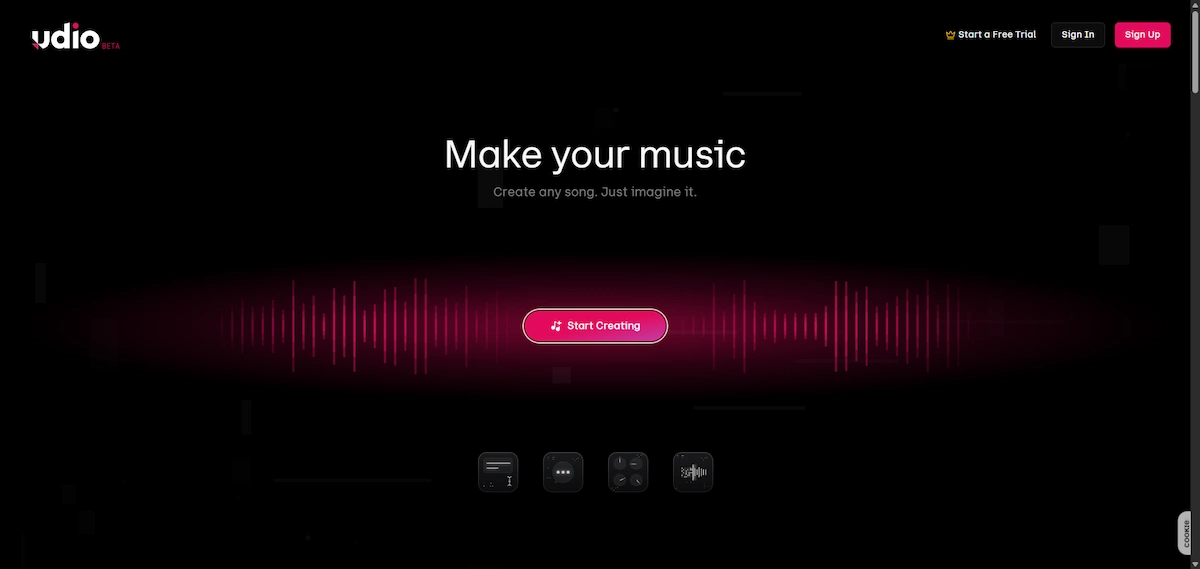
What made the Udio AI music generator stand out from the start was the vocals. Earlier tools produced music that sounded flat or robotic as soon as someone started singing, while Udio delivered voices with breath, tone and a believable sense of timing. That reputation is why many reviews still call it the one that sounds best, even though the rules around it have changed.
Who made Udio
Udio was founded in December 2023 by a group of former Google DeepMind researchers, among them David Ding, Conor Durkan, Charlie Nash, Yaroslav Ganin and Andrew Sanchez. The company works under the name Uncharted Labs and opened its public beta on April 10, 2024. A $10 million seed round followed, backed by Andreessen Horowitz, UnitedMasters and a few well known musicians including will.i.am and Common. You can read the company background on the Udio page on Wikipedia.
Model versions in short
Udio has released few public model versions, and these are the ones that matter:
- Udio v1.5: released in July 2024 with better audio quality
- Udio v1.5 Allegro: released in March 2025, faster and cheaper to run
- Udio Playground: introduced in October 2025 as a new creative space
Some sites mention newer version numbers, but they do not appear in Udio published material, so treat claims about a v2 or v5 with caution.
What makes it different
Most AI music tools give you one finished track and little control. Udio lets you work on a song in pieces. You can regenerate one section, extend the track, change the style while keeping the melody and start from your own audio. People who like to shape a song step by step find this far more useful than a button that gives a random result.
What the songs sound like
Reviewers describe the output as polished, with believable singing, clear genre feel and good instrument balance. The weak points are just as consistent. Some tracks come out with garbled or unclear words, repeated structures or vocals that drift off pitch, and results tend to ignore very detailed instructions. A short, focused prompt and a few retries usually give a better song than one long request.
What Udio is not
Udio is not a full music studio, it is not a place to download finished files, and it is no longer a fully independent product, because its future depends on deals with major labels. It also does not replace a producer for work that needs exact control over every instrument and mix.
How Udio Works
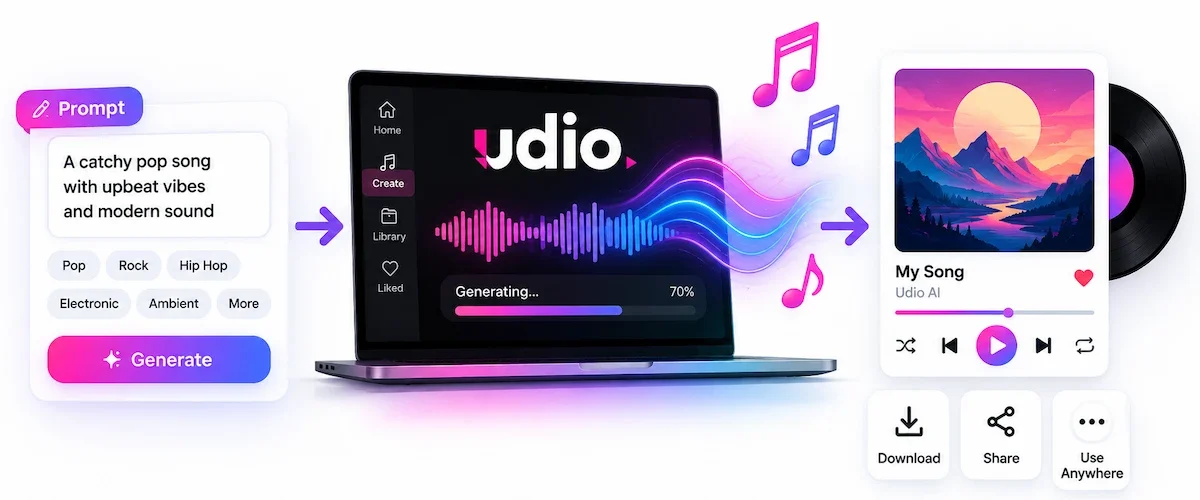
Making a first song takes a few minutes. The steps are the same on the website and in the iPhone app.
Create an account
Sign up on the Udio site with your email or a social account. The free plan starts right away and your daily credits appear in the account.
Write a prompt or add lyrics
In the prompt box, describe the song in plain English. You can name a genre, a mood, a tempo and the kind of voice. If you want your own words, paste the lyrics in the lyrics field and mark verses and choruses. A clear, specific description works better than a long one. The guide on prompt engineering for business has useful habits that apply here too.
Pick styles
Udio uses style tags such as genre names, instruments and moods. You can add them one by one and also use negative tags to keep unwanted sounds out. Combining two or three tags usually gives a cleaner result than a pile of ten.
Generate and choose a take
Each generation gives you two versions. A short clip is about 32 seconds and a longer one runs up to roughly 130 seconds. Listen to both, keep the one you like and discard the other. Every generation costs credits, so it pays to choose carefully before you move on.
Edit and extend
When a take is close, you can extend it to build the rest of the song, remix it or regenerate a chosen section. Trimming a clip is free, while extending and remixing use credits in the same way as a new generation.
Udio Features
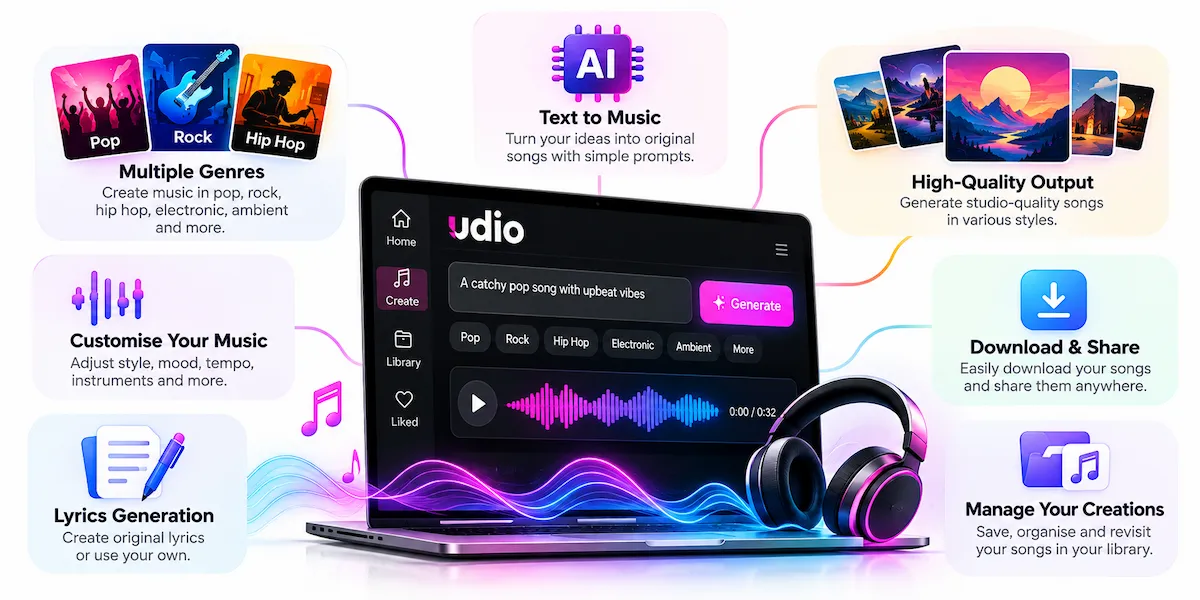
The base idea is simple, but the Udio feature list is the reason serious users stay with it. These are the tools that matter most.
Inpainting
Inpainting lets you select part of a song and regenerate only that part. If the second verse is wrong or one line is sung badly, you fix it without touching the rest. This is the feature most reviewers praise, and several sources list it as a paid tool.
Extend and Remix
Extend adds new sections to the end or the beginning of a track so a short clip becomes a full song. Remix changes the style of an existing track, for example from rock to jazz, while keeping the main melody. Both work on songs made in Udio and, according to several sources, on audio you upload.
Sessions timeline editor
Sessions is a timeline view that looks a bit like a digital audio workstation. It is available on Standard and Pro, and you can compare takes, keep the best ones and build a song section by section.
Voices and saved voices
The Voices feature, added in September 2025, lets you pick a vocal character and on paid plans save it for later songs. If you also work with narration or spoken audio, the guide on how to create AI voiceovers covers tools for that side.
Styles and audio references
You can guide Udio with style tags, negative styles and, on paid plans, a reference track. Pro users can also run more generations at once, which speeds up work when you are testing many ideas.
Mobile app
An iPhone app has been available since May 2025. Users report that it covers generating and listening well, while the full editing tools are still easier to use on the website.
Sharing and discovery
Songs can be published inside the platform, shared with a link and found by other users through the community pages. Cover art can be generated or uploaded for each track. Since files cannot leave the platform, sharing happens through Udio itself, which is where most of the community activity stays.
What Can You Make With Udio?
People use Udio for demos, background tracks, jingles, birthday songs, parody songs and concept music for projects. Podcast makers use it for intros and short themes, and the guide on how to make a podcast with AI shows where music fits in a production. The limit is what you can do with the result, because with downloads off, a song made in Udio stays in Udio, and that rules out many common uses such as video soundtracks and releases on streaming services.
Can You Download Songs From Udio?
No. At the time of writing, Udio does not let any user download audio, video or stems, including people on paid plans. This is the most important fact about Udio in 2026, and many older articles still describe downloads and HD export as if they work.
What changed in October 2025
After the settlement with Universal Music Group at the end of October 2025, Udio switched off downloads for everyone. The company moved toward a closed platform, often called a walled garden, where songs can be created, played and shared inside the service but not taken out of it. Several reviews report that the change also applies to songs made before the switch.
The 48-hour window
Udio opened a short window of 48 hours, starting on November 3, 2025, when users could download what they had made. That window has closed and has not opened again. Files saved during that time remain with the user, and reports say the earlier terms of use still apply to them.
What you can still do
You can still generate songs, listen, remix, extend, edit and share them within Udio. Some users record audio while a song plays, but that is a workaround of poor quality and it may conflict with the terms of the service, so it is not a reliable way to get usable files.
Will downloads return?
Udio has said it plans to launch a new subscription platform with its label partners, and some reports say downloads could return after it goes live. No date has been announced, and as of October 2026 the new platform had not launched. Until that changes, treat Udio as an in-app tool.
Udio Lawsuit and Label Deals Explained
The download change makes more sense when you know the legal background.
The 2024 RIAA lawsuit
In June 2024, the Recording Industry Association of America sued Udio and Suno on behalf of Universal, Sony and Warner. The labels said the companies trained their models on copyrighted recordings without permission, and they asked for damages that could reach $150,000 per work.
Universal and Warner settlements
Universal Music Group announced a settlement with Udio on October 29, 2025, together with new licence agreements. The two companies said they would build a subscription service where users can customize, stream and share music in a licensed environment, and the announcement was covered by Music Business Worldwide. Warner Music Group followed with its own settlement in November 2025.
What about Sony?
Sony is the label that did not settle. One report says Sony filed a new suit against Udio in July 2026 over more than 30,000 tracks, so the legal situation is not fully closed. Check recent news before you rely on this point.
Is Udio legal and safe to use?
Making songs inside Udio is what the service is built for, and the settlements with Universal and Warner show the company is working with the labels and not against them. The risk sits in what you do with the result, for example publishing a song that sounds too close to a real artist or using it commercially under unclear terms. The other risk is money, because reviews mention billing problems and slow support. Read the terms, set a reminder before renewal and keep your payment records.
The licensed platform
The new Udio platform is meant to use music that labels have licensed, and artists are supposed to get a share of the revenue. It was announced for 2026 but, according to reviews from September and October 2026, it has not launched yet.
Udio Pricing
Udio pricing runs on credits, and many websites still show numbers from before the change. The table below follows the prices that three recent sources report, checked in October 2026. Udio own pricing page could not be read in full, so confirm the final price at checkout.
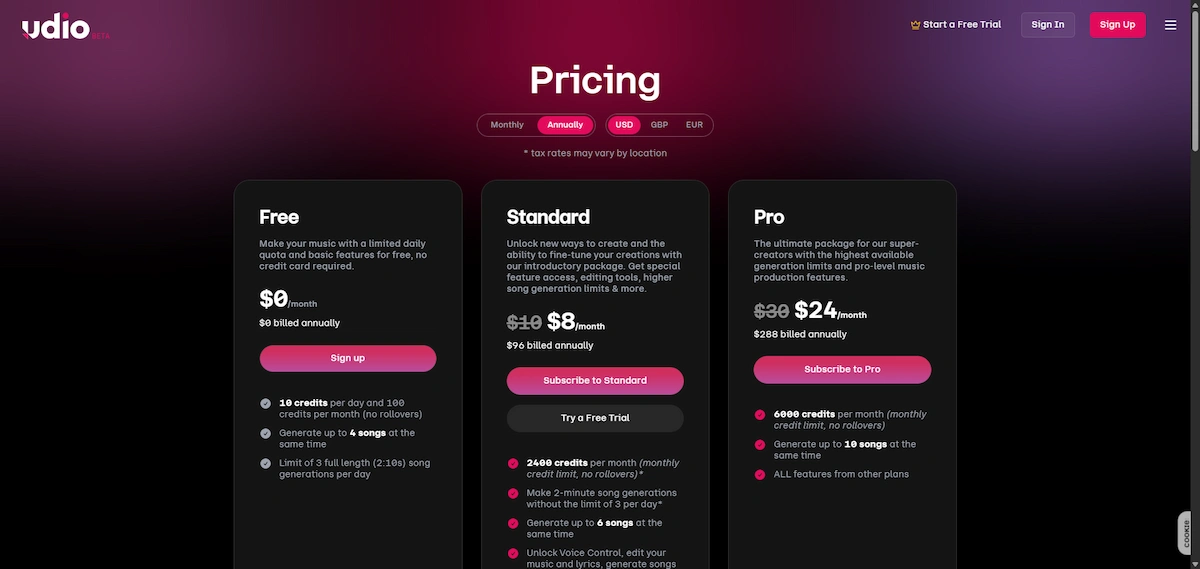
| Plan | Monthly price | Annual price (per month) | Credits | Limits |
|---|---|---|---|---|
| Free | $0 | $0 | 10 per day plus 100 per month | Up to 3 full songs a day, 4 at once |
| Standard | $10 | $8 | 2,400 per month | Up to 6 at once, no daily song limit |
| Pro | $30 | $24 | 6,000 per month | Up to 10 at once, no daily song limit |
For a wider look at what AI software costs in practice, the guide on how much AI tools cost compares typical price ranges.
Is Udio free?
Yes. The free plan gives you 10 credits every day plus 100 credits each month, which is enough for roughly one to three songs a day. Free songs can be up to 130 seconds long. Unused daily credits do not carry over, and according to one source the free plan does not include commercial use.
How credits work
A pair of 32 second clips costs 2 credits, and a pair of full length songs costs 4 credits. Extending, remixing and inpainting cost the same as a new generation, while trimming is free. In practice a finished song often takes 10 to 20 credits, because most people generate several versions before they are happy. On Standard and Pro, monthly credits do not roll over.
What a song costs in credits
Here is a simple example. You write a prompt and generate two short clips, which costs 2 credits. You keep the better one and extend it twice, and each extension costs credits again. After a remix and one inpaint to fix a weak line, the song may have used somewhere between 10 and 20 credits. On the free plan, with 10 daily credits, that is roughly one finished song a day, and on Standard with 2,400 credits it is a few hundred drafts a month if you are careful.
Free vs paid plans
The paid plans mostly add volume and speed. Standard and Pro remove the daily song limit, let you run more generations at once and give access to tools such as Sessions and saved voices. Since downloads are off on every plan, a paid plan does not change what you can take out of Udio.
Which plan is right for you
Start on the free plan, because it shows you the sound and the editing tools without a payment. Move to Standard if you make songs every week and want Sessions, saved voices and more generations at once. Pro only makes sense for heavy users who run out of 2,400 credits, since it adds credits and room for up to 10 generations at the same time. Paying yearly lowers the monthly price by about a fifth on both plans. None of the plans brings back downloads, so do not pay for that reason.
Credit packs
When your credits run out, you can buy more. The reported prices are 100 credits for $3 or 1,000 credits for $25, and these purchased credits do not expire according to one review.
Old prices still online
If you have seen Standard with 1,200 credits and Pro with 4,800, those numbers belong to the older plans. The current allowances are 2,400 and 6,000, and the free plan used to give far more songs in the first months after launch. Always check the date of the article you read.
How to cancel Udio
You can cancel from the account or subscription settings in the app or on the site. Some users on review sites report being charged after they cancelled, so cancel a few days before the renewal date and keep the confirmation email.
Can You Use Udio Music Commercially?
This is the part nobody can answer with full confidence right now. Older Udio marketing and several older reviews say that paid plans came with commercial usage rights, and that the user owned the songs. More recent reviews point out that those rights are hard to use while exports are blocked, because you cannot put a song in a video, upload it to a streaming service or deliver it to a client without a file.
The current Udio Terms of Service could not be checked for this article, so what they allow is not stated here. Read the latest terms yourself before you use a song in a paid project, and keep in mind that the question of who owns purely AI generated music is still open in many countries. Companies that handle customer or client material should also read the guide on AI data privacy for business before they upload anything.
Who owns an AI song
Ownership is a separate question from the terms of the service. According to current United States Copyright Office guidance as described in several articles, music made fully by AI without human authorship is not protected by copyright, while human parts such as your own lyrics or arrangement can be. If you plan to build a brand or a release around a track, keep a record of your prompts, dates and your own contributions, and ask a lawyer for advice on your case.
What Users Report
Outside the marketing pages, the picture is less friendly. On Trustpilot, Udio AI has a score of 1.5 out of 5 from 59 reviews, and 76% of them are one star. Trustpilot also notes that the company does not invite customers to review, so the sample leans toward people who have a complaint.
What people like
- Impressive and realistic sound on many tracks
- Easy interface for beginners
- Some users report that refunds were processed after a failed attempt
What people complain about
- No downloads, including for people who pay
- Vocals that sound robotic or off key on some tracks
- Results that ignore detailed style instructions
- Credits spent on songs that never arrived
- Charges after cancelling and slow replies from support
- Unclear terms about owning and using the songs
The pattern is clear. People like what Udio makes and dislike what they can do with it, and most of the anger is about downloads and billing.
Udio Pros and Cons
Pros
- Some of the most realistic AI vocals available
- Inpainting and Sessions give real control over the song
- A free plan that is enough to try the tool
- Style tags, negative tags and audio references
- Voices and saved voices on paid plans
- An iPhone app
Cons
- No downloads on any plan
- Credits run out fast when you edit a lot
- Unclear commercial rights while exports are off
- Mixed quality and complaints about support
- The future depends on a platform that has not launched
Where Udio Falls Short
No downloads
Everything else in the product has to be judged against this limit. If you need a file for a video, a podcast, a client or a release, Udio cannot give you one today.
Credits go fast when you edit
Each extension, remix and inpaint uses credits like a new song. A single track that goes through many edits can take far more credits than the headline plan numbers suggest.
Vocals and song structure can miss
Even with the best voices in the field, some songs come out with garbled words, odd phrasing or a structure that does not fit the prompt. You may need several tries, and each try costs credits.
Support and billing
Users report slow answers and cases of billing after cancellation. This does not apply to everybody, but it appears often enough in reviews to deserve a warning.
Who Should Use Udio
Good fit
- Hobbyists who want to make songs and enjoy the process
- Songwriters who want to hear a demo of their lyrics
- Producers who want fast ideas to react to
- Anyone happy to share and listen inside the app
Skip it if
- You need audio files for video work, which the guide on AI video creation explains better than any music generator can
- You plan to release songs on streaming services
- You deliver finished music to clients
- You want a stable tool whose rules will not change next quarter
Verdict by user type
| User | Fit today | Why |
|---|---|---|
| Hobbyist | Good | Free plan, easy interface, strong vocals |
| Songwriter with lyrics | Good | Hear a demo of your own words and fix sections with inpainting |
| Producer who needs stems | Poor | Stems and audio downloads are off |
| Creator who needs music for videos or podcasts | Poor | No file to put in an editor |
| Agency or freelancer delivering music | Poor | No export and unclear commercial terms |
Udio vs Suno and Other Alternatives
The main alternative is Suno, and the biggest difference today is exports. Suno still lets paying users download songs, while Udio does not. Prices and rules change often on both sides, so check each site before you subscribe.
| Tool | Best for | Exports |
|---|---|---|
| Udio | Vocals and detailed editing inside the app | Turned off |
| Suno | Full songs you can take out of the app | Available, expected to become metered |
| AIVA | Music you may need to read as notation | Check the current plan |
| Soundraw | Background music with simple licensing | Check the current plan |
Udio vs Suno
In the Udio vs Suno comparison, Udio is usually praised for vocal quality and editing, and Suno for easy exports and a larger community. Suno also settled with Warner and is expected to limit downloads on paid plans, so its rules are changing too. Many creators try both, using Udio for ideas and Suno when they need a file. A broader look at the field is in the guide on generative AI for business.
Free plans compared
Both tools let you start for free, but the limits differ. Udio gives 10 credits a day plus 100 a month, and songs stay inside the app. Suno was reported in early 2026 to offer 50 credits a day on its free plan, with personal and non commercial use only, and paid plans starting around $10 a month. Those numbers move often, so check both sites before you compare.
Other options
AIVA is usually mentioned when the result has to be read as sheet music and not only heard, and Soundraw for background music with simple licence terms. Stable Audio and several other generators also appear in 2026 lists. If your goal is a clean file for a project, any of these may serve you better than Udio today.
Prompt Tips for Better Songs
- Name the genre and the mood first. Something like “warm indie folk, soft female vocal, slow tempo” gives a stronger start than a long story.
- Keep the style tags few. Two or three tags usually beat a long list.
- Use negative tags. If the track keeps adding drums or autotune, exclude them.
- Mark your lyrics. Label verse, chorus and bridge so the song follows your structure.
- Start with short clips. A 32 second clip costs fewer credits, and you can extend the one you like.
- Change one thing at a time. Small edits to a working prompt waste fewer credits than starting over.
Is Udio AI Worth It?
For people who enjoy making songs and do not need files, Udio AI is worth trying, and the free plan lets you judge the sound without paying. A paid plan makes sense only if you use it every week and are comfortable with the download limit. If you need music for videos, podcasts or releases, pick a tool that exports, and use the guide on how to choose AI tools for business to compare your options.
In short, Udio AI is a music maker with some of the best vocals in its class and a very real limit on what you can do with the result.
Udio AI FAQ
What is Udio AI and what is it used for?
Udio AI is a text-to-music generator that creates songs with vocals and instruments from a written prompt. People use it for demos, ideas, background tracks and fun projects inside the app.
Is Udio AI free?
Yes. The free plan gives 10 credits a day plus 100 credits a month, enough for a few songs a day. Free songs are limited to 130 seconds and may not include commercial use.
How much does Udio cost?
Standard costs $10 a month, or $8 a month billed yearly, and Pro costs $30 a month, or $24 a month billed yearly. Extra credits are sold in packs, and prices can change.
Can you download songs from Udio?
No. Udio turned off downloads of audio, video and stems for all plans in late October 2025. A 48-hour window in November 2025 has closed, and no new date has been announced.
Why did Udio disable downloads?
It followed the settlement with Universal Music Group, which moved Udio toward a licensed, closed platform where songs stay inside the service.
When will the new Udio platform launch?
It was announced for 2026, but reviews from September and October 2026 say it has not launched. No firm date has been given.
Can you use Udio music commercially?
Older plans promised commercial rights to paying users, but the current terms should be read before any paid project. With downloads off, using a song outside Udio is not practical anyway.
Is Udio better than Suno?
It depends on the goal. Udio is stronger on vocals and editing, while Suno is easier if you need to export files. Many users try both.
What is a credit in Udio?
A credit is the unit Udio charges for generating and editing songs. A pair of short clips costs 2 credits and a pair of full songs costs 4.
Do Udio credits roll over?
Monthly credits on Standard and Pro do not roll over, and unused daily free credits do not carry over either. Purchased credit packs are reported to last longer.
Does Udio have an app?
Yes. There is an iPhone app that has existed since May 2025. It handles generating and listening well, while the deeper editing is easier on the website.
Do I need musical skills to use Udio?
No. You only need to describe the song in words. Knowing basic terms such as genre, tempo and verse or chorus helps you get closer to what you hear in your head, but it is not required.
How long does it take to generate a song?
Reviews report about half a minute for a short clip, and a full length song can take a little longer. Speed also depends on your plan and on how many generations you run at once.
How long can a Udio song be?
A single generation on the free plan runs up to about 130 seconds. Longer songs are built by extending the track, and each extension costs credits.
Does Udio have a free trial?
Udio has a free plan that does not expire. One source says Standard also comes with a trial, so check the checkout page before you pay.
Do record labels own Udio?
The reports describe settlements and licence agreements with Universal and Warner, not a takeover. Udio is still presented as its own company, although its future product depends on those deals.
Is Udio shutting down?
No. Udio is still running and building a licensed platform with its label partners, but its rules have changed a lot, and more changes are likely.










