What is Luma AI? It is a California company that builds generative video, image and audio tools, and it began by turning phone videos into 3D models. Most people met it through Dream Machine, the text-to-video tool that went viral in June 2024. That name is now mostly history. Luma AI moved everything into one workspace called the Luma app, where its own Ray video models sit next to Veo, Kling and Seedance.
This guide covers what Luma AI is, how it got here and what each feature does. It also lists current prices, shows what the free trial gives you and explains who gets the most from it. If you found an older tutorial that mentions 30 free generations a month or a 9.99 dollar Lite tier, read the pricing section first, because those details no longer match the live plans.
The facts below come from Luma documentation and from reviews published in 2026. Plans and credit costs change often, so check the plan page before you pay.
Luma AI at a Glance
This table holds the main facts. The sections after it explain each point.
| Item | Detail |
|---|---|
| Company | Luma AI, also called Luma Labs |
| Founded | 2021 |
| Headquarters | Palo Alto, California |
| CEO | Amit Jain |
| Main products | Luma app, Luma Agents, Ray video models, UNI image models, Luma API |
| Current video model | Ray3.2 |
| Current image model | UNI-1.1 |
| Platforms | Web, iOS and API |
| Starting price | Plus at 30 dollars a month, or 25 dollars on yearly billing |
| Free option | Limited free trial with watermark, personal use only |
| Commercial use | Plus plan and above |
What Is Luma AI?
Luma AI, also called Luma Labs, is a private company based in Palo Alto, California. It builds generative video, image, audio and 3D tools and sells them through a subscription app and a developer API. Luma AI reports more than 30 million users, and its models also run inside products from other companies, including Adobe Firefly and Amazon Bedrock.
A creator can type a text prompt, upload a photo or drop in a video clip, and the tool returns a short cinematic video, an image or a restyled version of the footage. Studios use it for previsualization, marketers use it for short social clips and developers plug the models into their own apps.
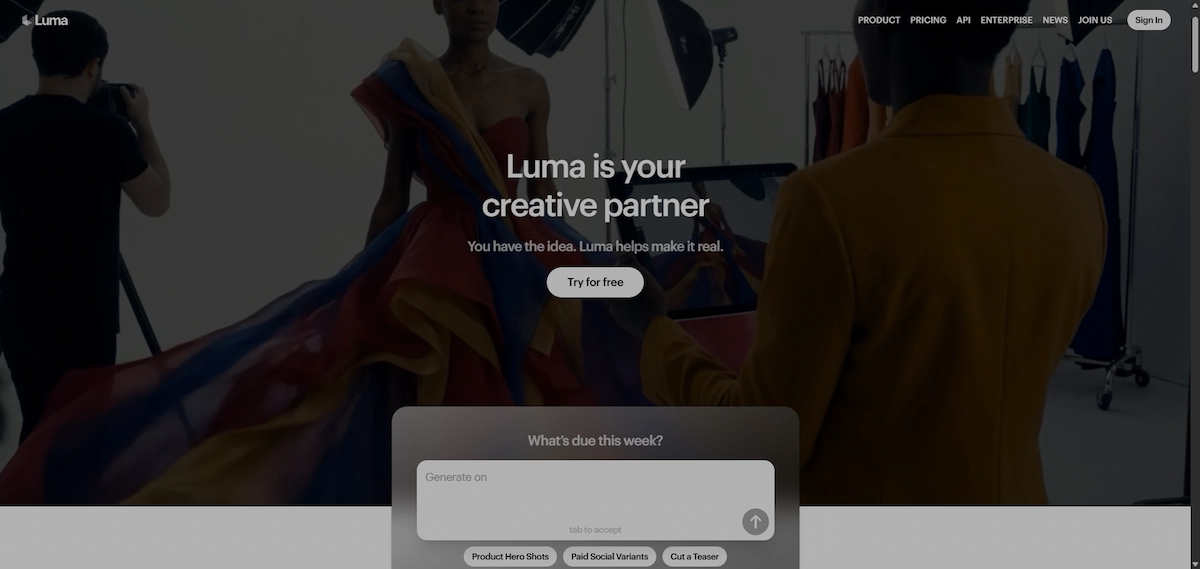
The simplest way to picture it today is a workspace with three layers. The bottom layer is the set of models Luma built itself: the Ray family for video and UNI for images. The middle layer is the Luma app, where you generate, edit and organize clips on boards. The top layer is Luma Agents, a chat assistant that plans the job and picks a model for each step.
Who Founded Luma AI, Who Owns It, and Where Is It Based?
Luma AI was founded in September 2021 by Amit Jain, Alex Yu and Alberto Taiuti. Jain is the CEO and worked at Apple before, Yu is the CTO and comes from graphics and neural rendering research. The team works out of Palo Alto, with additional offices in Seattle and London.
The company is private, so founders, employees and investors own it. In November 2025 it closed a 900 million dollar Series C round led by HUMAIN, a company backed by the Saudi Public Investment Fund. AMD Ventures, Andreessen Horowitz, Amplify Partners and Matrix Partners also took part, and press reports put the Luma AI valuation at about 4 billion dollars, and the investors list includes several large venture funds. The deal also made Luma AI a customer of a planned 2 gigawatt compute cluster in Saudi Arabia.
What Is Luma AI Trying to Build?
Luma AI describes its mission as building multimodal models that can see, hear and generate the world, and not only clips for social media. The video tools are the visible part. Behind them sits research on world models, meaning systems that learn how objects, light and motion behave so they can simulate whole scenes. In June 2026 the company opened the Open Physical AI Lab, an open research effort focused on generalization, robotics and world models.
The Series C money points the same way, since Luma AI said it would expand into simulation, design and robotics. The company also set up Dream Lab LA to work with entertainment studios, which shows that Hollywood is a target customer and not only an audience.
How Luma AI Grew From 3D Capture to Creative Agents
The product line looks very different from the one that launched in 2021. The table shows the main steps, and the paragraphs after it explain why older articles describe a different company.
| When | What Luma AI released |
|---|---|
| 2021 | Company founded, first app scans objects with an iPhone and builds 3D models |
| Before 2024 | Genie for text-to-3D, interactive scenes and flythroughs |
| June 2024 | Dream Machine launches with text-to-video and image-to-video |
| Late 2024 | Photon image model arrives |
| Early 2025 | Ray2 replaces the first video model |
| September 2025 | Ray3 adds native 16-bit HDR and a reasoning approach to video |
| November 2025 | 900 million dollar Series C |
| January 2026 | Ray3.14 adds native 1080p at lower cost |
| March 2026 | Luma Agents launches with new plans |
| June 2026 | Ray3.2, the Luma API for it and Luma Skills |
For the first two years Luma AI was a 3D capture company. You walked around an object with a phone, uploaded the video and received a 3D model built with neural radiance fields, exportable as GLB, OBJ or USDZ. Genie later let people type a prompt and get a 3D object. Tutorials from sites like GeeksforGeeks and PlusClouds still describe only this period, which is why they never mention video.
Dream Machine changed the picture in June 2024. Demand was so high that Luma AI had to add a queue, and clips of animated memes spread across social media within days. Photon followed as a separate image model, Ray2 improved realism and motion, and Ray3 became the first Luma video model to generate native 16-bit HDR. Ray3 also launched inside Adobe Firefly, which gave the company a wider audience.
The latest step is the move from single tools to agents. Luma Agents research, generate and refine work across video, image, audio and text, and Luma Skills turn a finished workflow into something you can run again or share with a team.
What Technology Powers Luma AI?
Three technologies matter for this product. The first is neural rendering. The early Luma AI app used neural radiance fields, which estimate how light travels through a scene, to rebuild an object from a phone video. That is why old tutorials talk about angles, lighting and depth.
The second is the Ray family, video models trained on large amounts of footage so they learn how things move. Luma AI says Ray3 was the first video model built to reason about a scene. In practice that means more believable physics, objects that stay put when the camera moves and the ability to output 16-bit HDR.
The third is the image side. Photon was built on what Luma calls its Universal Transformer architecture, and UNI-1 extends the idea to models that read references and instructions together. Luma AI has not shared which video it trained on, a point that comes up in reviews and in the wider debate about copyright in generative video.
Is Luma Dream Machine Still Available?
Not under the old name. Luma AI documentation for assistants lists Dream Machine and Ray2 as deprecated, and reviewers who tested the old Dream Machine address in October 2026 found that it redirects to the Luma app. The current pricing page does not mention Dream Machine at all.
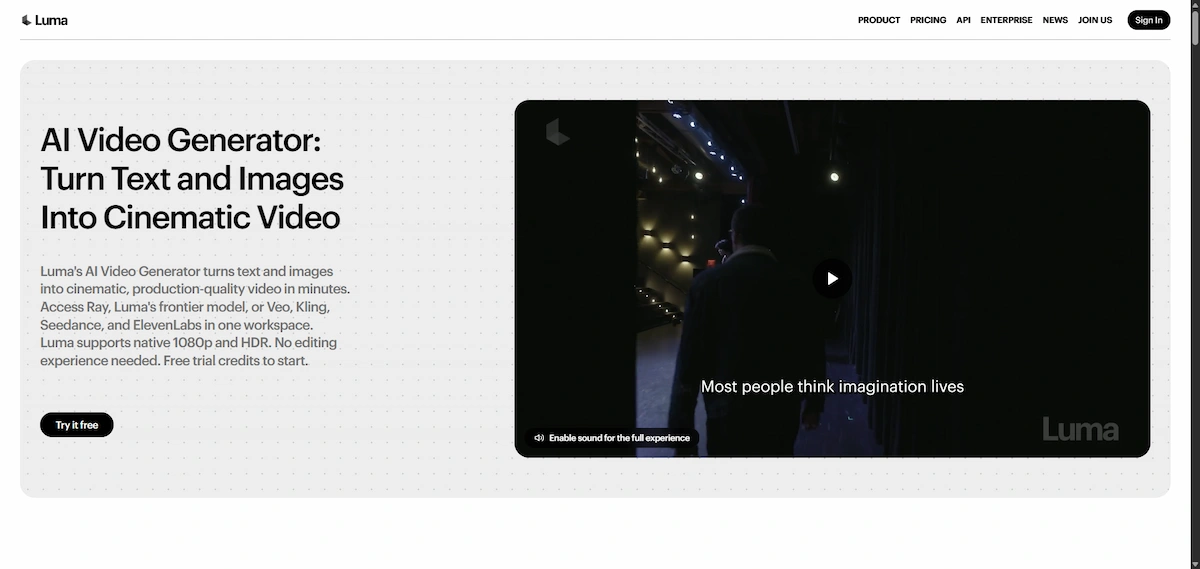
The tools behind the name did not disappear. Text-to-video, image-to-video, keyframes, extend and loop all live in the Luma app now. What changed is the interface, the plan names and the prices. Luma AI help pages still document the classic Dream Machine plans, so you can see two price lists in one afternoon of reading. That mismatch causes most of the confusion in older reviews.
If you follow a tutorial from 2024 or 2025, expect buttons in different places and a different free tier. Use it for ideas about prompts and settings, and take plan details only from the live pricing page.
How Does Luma AI Work?
The process has three steps. First you give the model an input, either a text description, a still image or an existing video. Second you choose a model and settings such as resolution, aspect ratio and length. Third the platform generates the clip, and you review it, change the prompt and run it again until it looks right. For a wider look at how this fits into a content workflow, see the guide on AI video creation.
Every generation costs credits. Cheap drafts use fewer credits and final 1080p renders use many more, so most creators test an idea at low quality before they pay for a full render. Luma AI credits reset every billing cycle and do not roll over.
With Luma Agents you can skip most of that. You describe the project in plain language, the agent splits it into steps, picks models and generates assets in parallel. You then answer in plain language, for example asking for a warmer light or a different ending, and it iterates while keeping the project context.
How to Use Luma AI Step by Step
- Open the Luma AI app on the web or on iOS. For Luma AI login, use Google or email.
- Choose whether you want to make a video or an image.
- Write a prompt or upload a photo or video clip.
- Pick the model, aspect ratio and length.
- Start with a 360p draft or 540p to test the idea cheaply.
- Generate the clip and watch the whole result, including hands, faces and text.
- Refine with a new prompt, keyframes or an edit tool.
- Upscale or render at 1080p, then download the file.
How Long Does Luma AI Take to Generate a Video?
At the Dream Machine launch Luma AI quoted about two minutes for a five-second clip, and later reviews report between two and five minutes. The wait depends on the model, the resolution and how busy the servers are. Draft renders finish sooner, and Ray3.14 was built to run about four times faster than Ray3.
If Luma AI feels slow, check the queue and your plan first. Free accounts have always waited longer at peak hours, and paid plans have usually had faster queues. Reviewers also report that failed generations still use credits, so look at your balance before you send the same prompt again.
Luma AI Features
The feature list is long, but most of it falls into five groups: video generation, video editing, images, agents and audio. Here is what each one does and where it has limits.

Text-to-Video
You describe a scene and the model returns a short clip, usually five or ten seconds. A good prompt names the subject, the action, the camera move and the light. Luma AI models handle water, cloth, hair and body movement better than many rivals, which is why reviewers keep praising the motion. Clips longer than ten seconds need the extend tool or several shots edited together.
Image-to-Video and Keyframes
Upload a still image and the model animates it. This is one of the most reliable uses because the picture gives the model a fixed starting point, and it works well for product shots, posters and concept art. With keyframes you set a start image, an end image or both, and the model fills in the movement between them. That gives you control over how a shot begins and ends.
Video-to-Video and Modify
Ray3.2 is built mainly around video-to-video. You upload a clip, write a prompt that describes the final look, and the model returns the same clip with a new environment, new materials or a new style. Timing, camera motion and structure come from your footage. According to the Luma learning center, you can supply up to 64 keyframes, and output length always matches the source clip, up to 20 seconds.
Two dials decide how far the result drifts from the original. Motion and Structure controls use a scale from 1 to 9, where 9 keeps the most of the source. Character controls hold a face or a body in place during the change. Resolution options are 360p draft, 540p, 720p and 1080p, and the practical advice is to stay low until the look is approved.
One point needs care. Early Luma documentation said Ray3.2 is not a text-to-video model, while newer Luma pages and API partners list text-to-video and image-to-video next to video-to-video. Check which workflows the model picker shows in your account before you plan a job around it.
Extend, Loop, and Reframe
Extend adds seconds to the front or the end of a clip, and loop builds a clip that repeats without a visible jump, which suits website backgrounds and logo animations. Reframe converts a 16:9 video into 9:16 or another shape, so one shot can serve YouTube and short-form feeds. After reframing, most teams still need captions for sound-off viewing, and the how-to on adding AI subtitles to videos covers that step.
Brainstorm, Inpainting, and Character Reference
Brainstorm mode is a chat planner. You describe a direction and it suggests scenes, reference images and prompt variations before you spend video credits. Inpainting lets you select one region of a generated frame and redo only that part. Character reference keeps a person or an animal recognizable across shots, although the faster Ray3.14 model does not support it, so identity-locked work goes back to the heavier Ray3. Replying to a clip keeps the earlier context, which usually gives steadier results than starting from a blank prompt every time.
Ray3 HDR and EXR Output
Ray3 was the first Luma model to render 16-bit HDR and export EXR files. Most AI video tools output flat 8-bit clips that fall apart when a colorist pushes the curves. HDR footage keeps highlight and shadow detail, so it survives a real color grade. That is why the Ray models show up in professional post-production and not only on social feeds.
Ray3.14 is the faster sibling. It renders native 1080p and, by company figures, about four times faster and three times cheaper than Ray3, but it drops some extras such as character reference. It suits quick iteration, while the heavier model suits final shots.
UNI-1 and Photon for Images
Photon was the first image model, and UNI-1 with its update UNI-1.1 is the current one. UNI reads instructions, reference images and composition, so you can keep a character or a brand style across a set of pictures. Creators often generate a perfect first frame with UNI and then animate it. Teams that sell physical goods can pair this with the walkthrough on creating product photos with AI.
Luma Agents and Luma Skills
Luma Agents are the biggest change of 2026. The agent plans the work, routes each task to a fitting model, generates several assets at once and keeps your feedback attached to the project. Boards hold references and outputs together, so a campaign does not turn into a pile of loose files. Luma Skills, added in June 2026, save a workflow so you can repeat it on the next brief or share it with colleagues.
The agent can also call models from other companies. A single subscription reaches Veo 3.1, Kling 3.0, Seedance, Nano Banana and other image and video models, each with its own credit price.
Does Luma AI Have Audio?
Early Dream Machine clips were silent, and many older reviews still say Luma has no audio. That is outdated. Luma AI added an audio button in February 2025 that matched sound to a finished clip, and the current app offers speech, sound effects and music through integrated providers such as ElevenLabs. Lip sync is available for matching a character to a voice track.
Native sound inside the video model itself is still a point where Veo and Kling are stronger. If you want a clean narration, a separate recording is often better, and the guide on creating AI voiceovers shows how to build one.
Genie and 3D Capture
Genie and the 3D capture app still exist, but they sit on a separate product surface with separate accounts and files. They are not the focus of the current app. If your goal is a 3D asset for a game or a store listing, check that product page directly instead of the main video workspace.
Luma AI Pricing and Plans
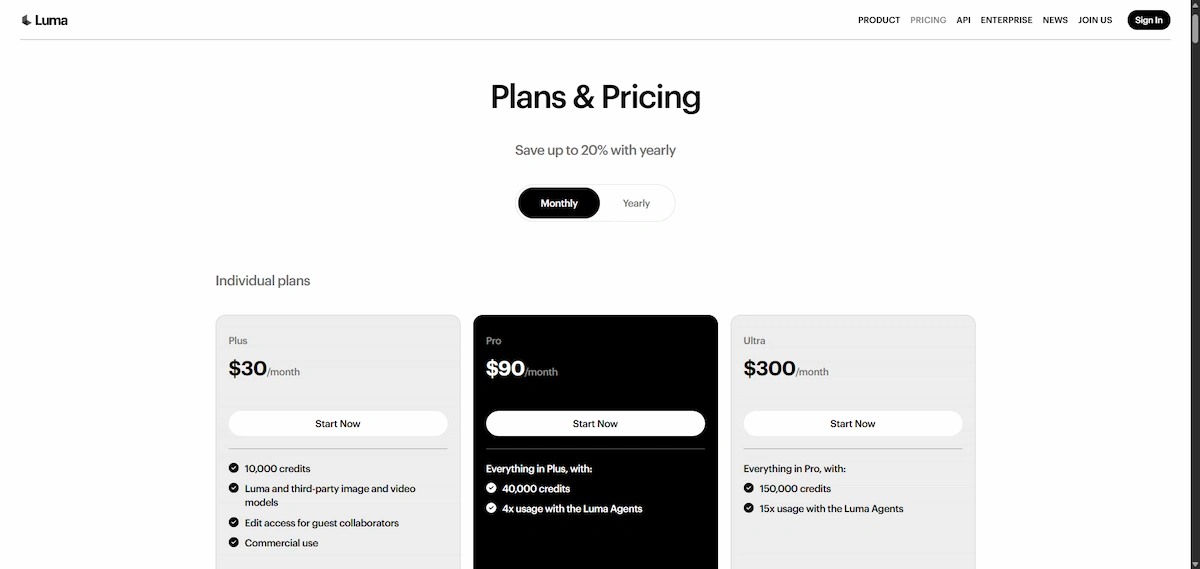
Two Luma AI pricing lists circulate online, and that is the main reason articles disagree. The newer one belongs to the Luma Agents app and uses the names Plus, Pro and Ultra. The older one belongs to the classic Dream Machine and used Free, Lite, Plus and Unlimited. To compare these Luma AI plans with other subscriptions, the overview of how much AI tools cost helps.
Current Plans: Plus, Pro, and Ultra
| Plan | Monthly | Billed yearly | Credits per month | Extra |
|---|---|---|---|---|
| Plus | $30 | $25 per month | 10,000 | Commercial use, guest editors |
| Pro | $90 | $75 per month | 40,000 | 4x Agent usage |
| Ultra | $300 | $250 per month | 150,000 | 15x Agent usage |
| Team | Contact sales | Contact sales | Shared pool | Projects, analytics, SSO |
| Enterprise | Contact sales | Contact sales | Custom | Training, custom fine-tuning |
Prices above match what several reviewers recorded on the live page, and you can confirm them on the official Luma pricing page. Pro costs three times as much as Plus for four times the credits, so the per-credit price drops by about a quarter. Ultra gives fifteen times the credits for ten times the price, which suits studios and agencies with daily output.
Annual vs Monthly Billing
Luma AI advertises up to 20 percent off for yearly billing, but the published prices work out to about 17 percent. Plus drops from 360 to 300 dollars a year, a saving of 60. Pro drops from 1,080 to 900, a saving of 180. Ultra drops from 3,600 to 3,000, a saving of 600. Yearly billing makes sense after you have run one real project and know your credit use. Check the refund terms first, because reviewers note that unused months are not paid back.
Is Luma AI Free?
Partly. Luma AI runs a free trial with a limited number of monthly credits and access to Ray3.2. Clips carry a watermark and are meant for personal use only. The pricing page itself lists no permanent free plan, and several reviewers call that the weakest point for beginners, since the cheapest paid plan is 25 dollars a month on yearly billing.
Sources disagree on how much the trial includes. Some mention around 30 generations a month, others about 250 credits a day for the classic plan, and others a single short 720p clip per day. Treat these as rough guides and look at your own account for the real number.
How Many Credits Does a Clip Cost?
The credit table matters more than the headline price. According to published tables, a five-second Ray3.2 clip at 720p costs about 100 credits, and the same clip at 1080p costs about 400. On Plus, 10,000 credits cover roughly 25 clips at 1080p. Ray3.14 at 720p costs about 20 credits per second, which stretches the same balance to around 500 seconds.
Third-party models cost more. Veo 3.1 at 1080p with audio runs about 280 credits per second, so Plus buys only around 35 seconds of it. Seedance at 4K can use roughly half of a monthly Plus balance on one five-second clip.
Reviewers also report that failed generations still use credits, and that you need three attempts for every keeper on complex scenes. Plan for that waste when you pick a plan.
Old Dream Machine Plans: Free, Lite, and Unlimited
| Plan | Monthly price | What it gave |
|---|---|---|
| Free | $0 | Draft quality, watermark, personal use |
| Lite | $9.99 | 3,200 credits, watermark, no commercial use |
| Plus | $29.99 | 10,000 credits, no watermark, commercial use |
| Unlimited | $94.99 | 10,000 fast credits plus unlimited relaxed mode |
If you see these numbers in a review, the article is describing the classic tool. Some legacy accounts may still have them, but new buyers see Plus, Pro and Ultra.
Luma AI Commercial Use and Watermarks
Commercial rights start with the Plus plan. Free and Lite generations are personal use only, and the watermark on them is permanent, even if you upgrade later. The licensing guide ties each clip to the plan that was active when you made it, so a video created on a free account cannot be cleaned up afterwards. If a client will see the result, generate it on a paid plan from the start.
Luma API Pricing
The Luma API is billed on its own. It has separate keys, credits and a separate model list, and your app credits do not pay for API calls. It covers Ray3.2 and the UNI image models, and it lets developers add video and image generation to their own products and pipelines. Check the API documentation for current per-generation prices before you build anything on it.
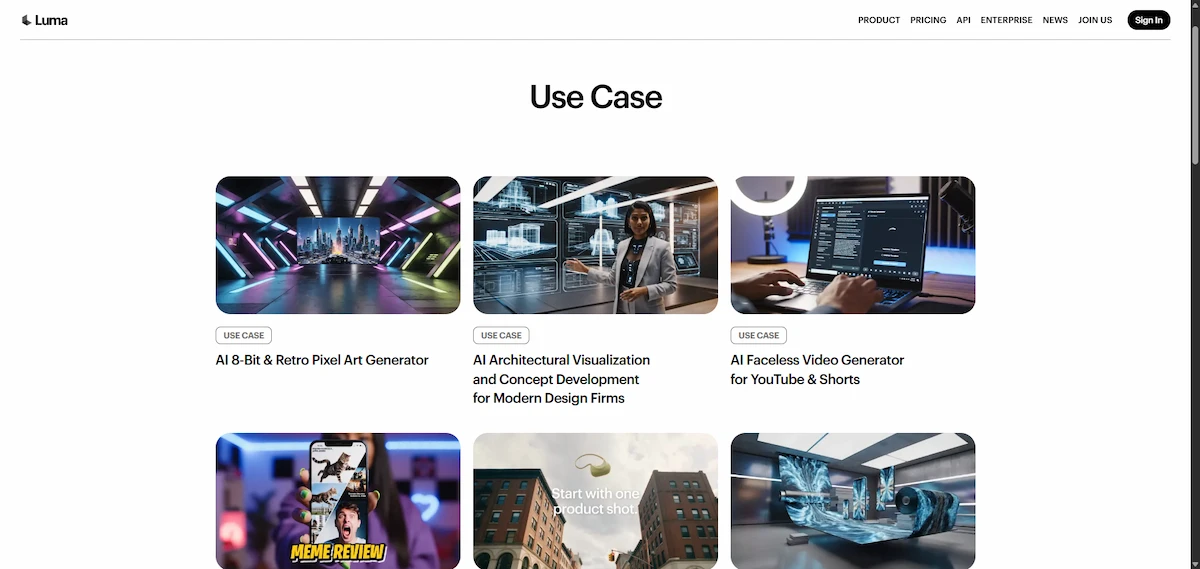
Luma AI Use Cases
The same tools serve very different jobs. These are the use cases that show up most often in reviews and in Luma AI material.
Social Media and Marketing Clips
Short vertical clips, product teasers and ad variants are the most common use. A cafe promoting a new blend can ask for steam rising from a cup on a wooden table in morning light and have a dozen clips ready for Instagram and TikTok within minutes. Pair the footage with copy from the how-to on writing ad copy with AI and you have a full campaign draft without a shoot.
Previsualization and Film
Directors test action scenes, camera moves and fantasy worlds before the real shoot, which saves time and money in preproduction. Ray3 Modify, released in December 2025, lets filmmakers change how a performance looks while keeping the original footage. HDR and EXR output means the clips can go into a normal color pipeline.
Product and E-Commerce Visuals
Online shops animate product photos, change backgrounds and build short promo clips from a single image. The older 3D capture app also created interactive models for sneakers and furniture, which store owners used for 360-degree views.
Game Development and 3D Assets
Studios use video generation for concept previews and Genie for quick props and blockout pieces. The meshes export in standard formats for Blender, Unity and Unreal, but hero assets still need a human modeler.
Education and Training
Teachers and course creators turn dense topics into animated diagrams and short explainer visuals. A moving diagram usually explains a process faster than a page of text.
Real Estate and Virtual Tours
Agents build flythrough style tours from a phone walkthrough. This work runs through the separate 3D product and not through the main video workspace, so check which one your account uses.
Luma AI Integrations and Partners
Luma AI connects to other platforms in three ways. First, partner products: Ray3 launched inside Adobe Firefly in September 2025, and Luma AI models are available on Amazon Bedrock for companies that build their own video apps. Second, the API comes with software kits for Python, JavaScript, TypeScript and Go, plus a command line tool. Third, inside the app one subscription reaches outside models such as Veo 3.1, Kling, Seedance, Nano Banana and ElevenLabs audio.

Team plans add shared credits, projects, usage analytics and single sign-on. What is missing is a classic connector layer. Reviewers found no documented export into editing suites such as Premiere Pro or DaVinci Resolve, so most teams download files and import them by hand.
Who Should Use Luma AI?
Luma AI fits people who need short, good-looking clips quickly and who are willing to pay per credit. The strongest groups are:
- Marketers and agencies who need social ads, product teasers and campaign variants without a film shoot
- Filmmakers and game studios who test shots, camera moves and worlds before real production
- Designers and artists who turn concept images into moving previews
- Video teams who restyle existing footage with Ray3.2 and keep the original performance
- Developers who build creative tools on the API
Small businesses can get results too, but the monthly cost needs a plan. A shop that publishes three short product videos a week uses far fewer credits than an agency, so Plus is usually enough. Teams comparing several tools for ads and social content can start with the list of AI tools for marketing.
Is Luma AI Good for Beginners?
Yes, with one warning about cost. The agent picks the model and structures the prompt, so a first-time user can type a sentence and get a usable clip on day one. No 3D skills or editing background are needed. The risk is credit burn. Beginners tend to render at 1080p too early and use up a month of credits in an afternoon, so start with drafts and write specific prompts.
Who Should Skip Luma AI?
Luma AI is not the right fit in these cases:
- You need dialogue and sound generated inside the same clip
- You want a permanent free plan
- You need a fixed cost for every clip
- You plan long story scenes with the same characters in a single generation
- You need a full timeline editor with compositing
- Your budget is below the Plus price
Luma AI Pros and Cons
Across every Luma AI review published in 2026, the same strengths and weak points repeat.
Pros
- Natural motion for water, fabric, hair and people
- Camera moves that follow a real sense of space
- HDR and EXR output for professional grading
- Keyframes, extend, loop and reframe in one place
- One subscription reaches Luma models and several outside models
- Commercial use is included from the first paid plan
Cons
- No permanent free plan on the pricing page
- Credit costs differ by more than ten times between models
- Team and Enterprise prices are not published
- On-screen text and hand movement still produce errors
- Regenerating the same scene rarely gives an identical shot
- Old tutorials and reviews show outdated plans
How to Write Better Luma AI Prompts
Luma AI prompts decide the keeper rate more than any setting. A vague line such as a beautiful sunset gives random results. A specific line such as slow push-in on a rooftop terrace at golden hour, warm backlight, city skyline in soft focus gives the model a subject, a camera move and a light source. The general rules in the guide on prompt engineering for business apply here as well.
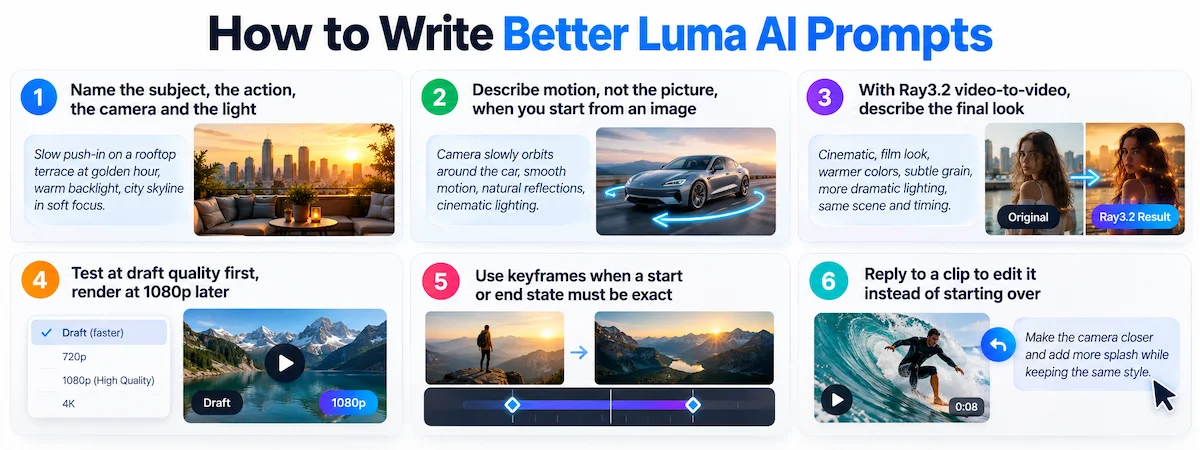
- Name the subject, the action, the camera and the light in that order
- Describe motion, not the picture, when you start from an image
- With Ray3.2 video-to-video, describe the final look and leave out the timeline, because the source clip already sets timing
- Test at draft quality first and render at 1080p only when the idea works
- Use keyframes when a start or end state must be exact
- Reply to a clip to edit it instead of starting over, so the model keeps the earlier context
A Practical Luma AI Workflow for Client Projects
Teams that deliver paid work get better results from a fixed routine than from random tests.
- Define the deliverable. Set the length, aspect ratios, usage rights and credit budget before you generate anything.
- Choose the model for the job. Use Ray3.2 to transform existing footage, UNI for images and a text or image model when there is no source clip.
- Prepare clean inputs. Use licensed references, short prompts and exact keyframes where the composition matters.
- Test cheap. Run 360p or 540p drafts and adjust adherence and strength before you pay for 1080p.
- Check every frame. Look for identity drift, odd hands, unwanted objects and broken text.
- Finish in an editor. Cut, grade, mix sound, add captions and export in your normal tools.
Common Mistakes When Using Luma AI
- Rendering at 1080p too early. A full render can cost four times a draft, so test the idea cheaply first.
- Writing vague prompts. A short line with no camera or light direction gives random results.
- Using the free trial for client work. The watermark is permanent and the rights are personal only.
- Ignoring failed generations. They can still use credits, so keep a buffer in the monthly budget.
- Starting over instead of replying. Editing an existing clip keeps its context and saves credits.
- Expecting the same character in every project. Save references and use character controls for repeat work.
- Pushing video-to-video too far. Style changes work well, but swapping a person or a whole location often fails.
- Choosing a plan from an old review. Plan names, prices and free access changed in 2026.
Luma AI Alternatives
Luma AI is one of four serious names in AI video. Which one fits depends on whether you value realism, sound, control or price. Because the Luma app also reaches Veo and Kling, the choice is partly between using those models directly or through one subscription.
| Tool | Best at | Weak spot |
|---|---|---|
| Luma AI | Photorealism, HDR, camera control, many models in one app | No permanent free plan, credit costs vary widely |
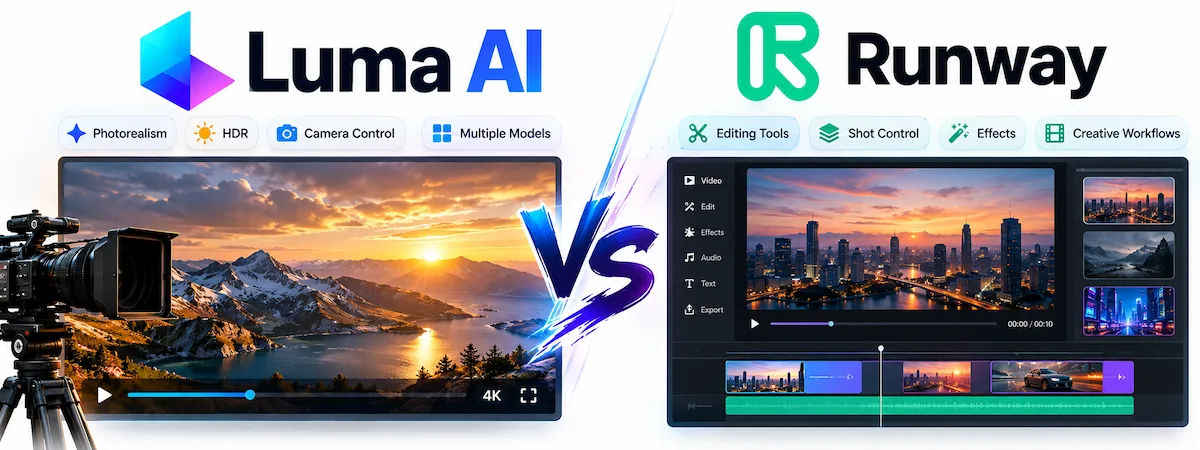
| Runway | Editing tools and shot-level control | Less raw realism than Luma in side-by-side tests |
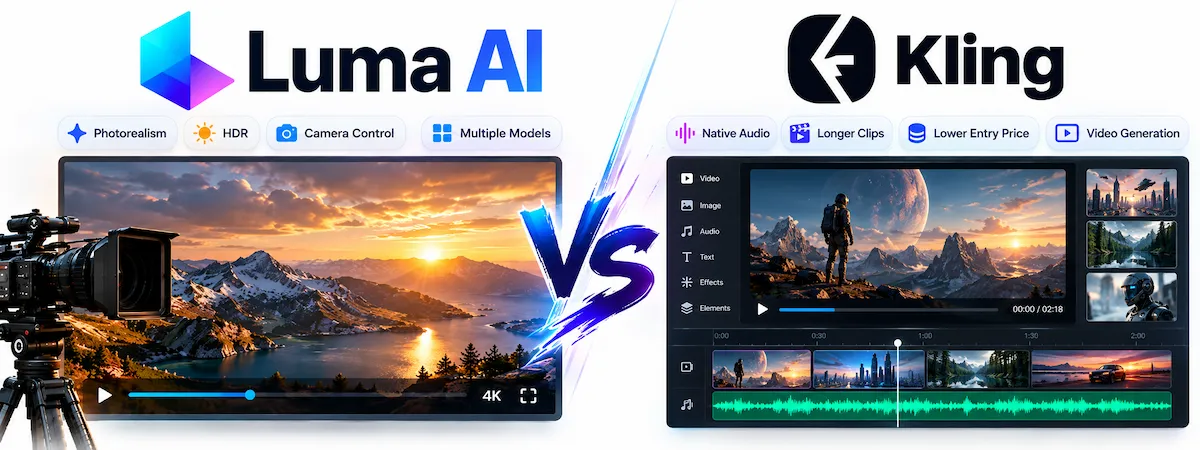
| Kling | Native audio, longer clips, lower entry price | Behind Luma on HDR and grading |
| Google Veo | Native dialogue and sound, Google plan bundles | Tied to Google products |
Luma AI vs Runway
Runway offers a deeper editing surface, including motion tools and finer direction over a shot. Luma AI tends to win on photorealism and HDR, while Runway suits creators who want to shape each frame by hand.
Luma AI vs Kling
Kling generates synced audio, supports longer native clips and has a lower entry price. Luma AI keeps the edge on camera control and HDR. If sound and length matter more than grading, Kling is the cheaper route.
Luma AI vs Veo
Google Veo pairs strong quality with native dialogue and sound effects, and it is bundled into Google AI plans. Luma counters with Ray3 HDR, keyframe control and the ability to compare several models in one workspace.

Is Luma AI Safe and Legit?
Luma AI is a real company with large investors, a published API and partnerships with Adobe and Amazon, so legitimacy is not the issue. Privacy and rights deserve more attention. The older licensing guide says content from free and Lite plans can be used by Luma AI to improve its services, while paid plans grant narrower rights. Some reviewers add that opting out of training is reserved for Enterprise accounts, so read the current terms before you upload client footage or private material. For a wider checklist, see the guide to AI data privacy for business.
You also need the rights to every source file. Faces, voices, music, brand logos and reference images all need permission, and some platforms require a label on synthetic video. Keep a note of which model and settings produced each approved clip.
Final Verdict: Is Luma AI Worth It?
Luma AI is worth it if you make short cinematic clips on a regular basis and value realistic motion, camera control and HDR. It is also a good pick for teams that like to switch between models inside one subscription. The agent and boards make it easier to run a project than a single-clip generator.
It is a weaker choice if you want a permanent free plan, predictable per-clip costs or native sound in every generation. In that case try Kling or Veo first, or use the Luma free trial for a week and measure how many credits your usual clips need. If you are still comparing several platforms for your team, the how-to on choosing AI tools for business gives a simple way to decide.
Luma AI FAQ
What Is Luma AI Used For?
Luma AI is used to create short videos, images, audio and 3D content from text prompts, photos and existing footage. Marketers use it for social clips and ads, filmmakers for previsualization, designers for animated concepts and developers for apps that need generated video.
Is Dream Machine the Same as Luma AI?
Dream Machine was the name of the consumer video tool from Luma. Luma AI is the company. The Dream Machine name has been replaced by the Luma app, which keeps the same core features under new plans.
Is Luma AI Free?
There is a free trial with limited monthly credits, a watermark and personal use only. The pricing page lists no permanent free plan, and the cheapest paid plan is Plus at 30 dollars a month or 25 dollars on yearly billing.
How Much Does Luma AI Cost?
Plus costs 30 dollars a month, Pro 90 dollars and Ultra 300 dollars, with about 17 percent off on yearly billing. Team and Enterprise prices are quoted by sales. A single clip can cost from a few cents to several dollars depending on the model and resolution.
Can I Use Luma AI for Commercial Work?
Yes, from the Plus plan upward. Clips made on free accounts stay personal use only and keep a watermark, even if you upgrade later. You are still responsible for the rights to your source footage, voices, music and brand assets.
Does Luma AI Generate Audio?
Yes, Luma AI audio comes through the app. It offers speech, sound effects and music from integrated providers, plus lip sync. Native sound inside the video model is not as strong as in Veo or Kling, so many creators add their own audio.
Who Owns Luma AI?
Luma AI is a private company owned by its founders, employees and investors. The latest major round was a 900 million dollar Series C led by HUMAIN in November 2025, with Andreessen Horowitz, AMD Ventures, Amplify Partners and Matrix Partners taking part.
Is There a Luma AI App for iPhone?
Yes. Luma AI works in a web browser, and the Luma AI app is also available on iOS. Prices inside the iOS app are usually higher than on the web because of Apple fees, so many users subscribe on the website instead.
How Long Can a Luma AI Video Be?
Text and image generations run five or ten seconds. Ray3.2 video-to-video follows the length of your source clip, up to 20 seconds. Longer sequences come from extending clips or editing several shots together.
Do Luma AI Credits Roll Over?
No. Monthly credits reset at renewal and unused ones are lost. Top-up credits and API credits follow separate rules, so check the plan page before you buy more.
Can I Remove the Luma AI Watermark?
Not on content made under free plans. The licensing guide says the watermark stays on those clips even after an upgrade. Generate again on a paid plan and the new clip comes without it.
Why Is Luma AI Taking So Long?
Most delays come from server demand, the chosen model and the resolution. Free accounts wait longer at busy hours. Try a lower resolution draft, or run the job at a quieter time.










