What is Krea AI and is it worth paying for? Krea AI is a browser-based creative suite that puts image generation, video generation, upscaling, editing, LoRA training and 3D into one account. Instead of jumping between five different sites, you pick a model, type a prompt, and send the result straight to an enhancer or an editor. This review covers what the platform does, which models it runs, what every plan costs, how compute units really work, how to cancel, and where it falls short. All prices and limits were checked on the official pricing page on 23 October 2026.
Krea at a Glance
- What it is: a browser-based suite for images, video, upscaling, editing, LoRA training and 3D.
- Free plan: yes, 100 units per day with limited models.
- Paid plans: from $9 a month, or about $5 a month billed yearly.
- Own models: Krea 1, Krea 2 and Krea 3, plus a large list of partner models.
- Best for: designers, marketers and video makers who want many tools under one login.
- Main weak spots: text inside images, unit cost of video, no rollover and slow support.
What Is Krea AI?
Krea AI is an AI creative platform that lets you generate, edit and enhance images and videos in the browser, with no install and no GPU on your side. The company hosts its own models, such as Krea 1, Krea 2 and Krea 3, and also gives access to a large list of third-party models, so one subscription covers many different looks. Krea says more than 40 million creators use it, a figure that comes from the company itself.
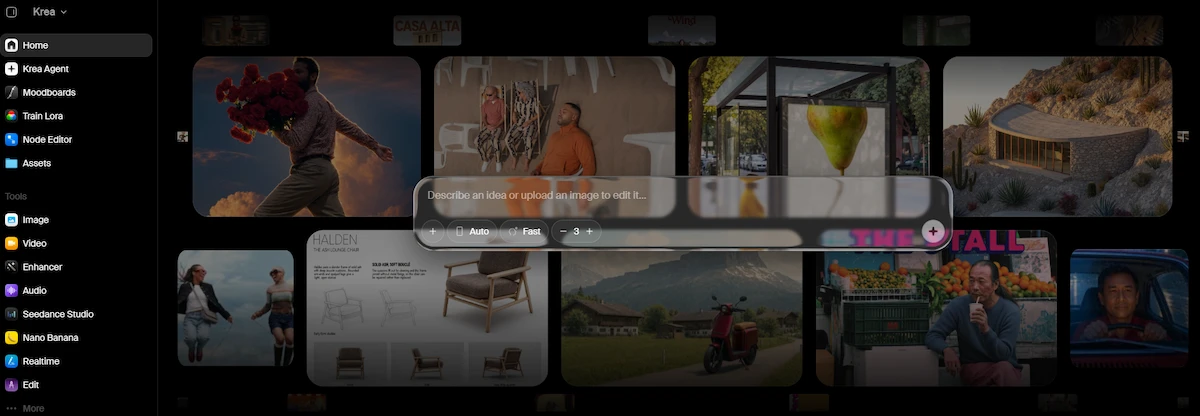
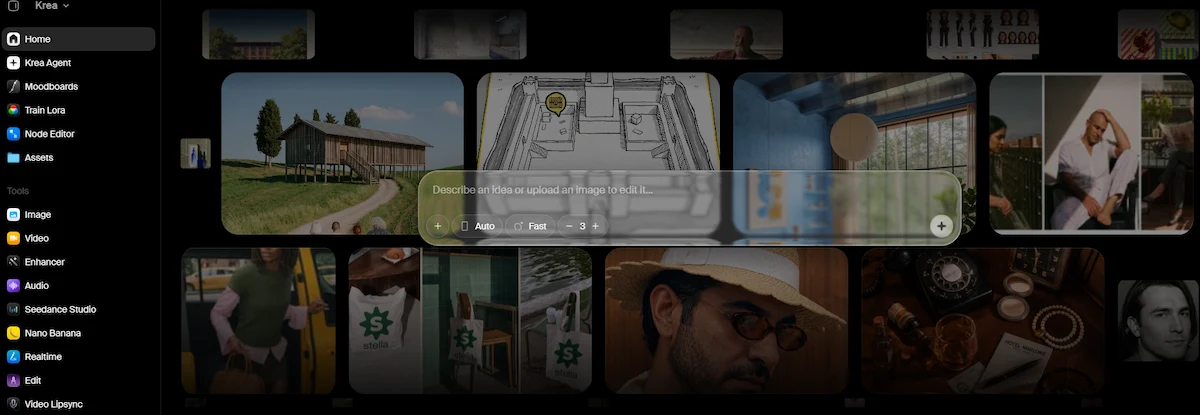
The product started with a simple idea: let people see an image change while they type. That real-time generation is still part of the platform, but today Krea AI is closer to a full studio. It covers text to image, image to video, upscaling, inpainting, style training, node-based workflows, 3D object generation and a chat assistant called Krea Agent.
What Krea AI Is Used For
Most people use Krea AI for four jobs. Designers and marketers generate concept art, ad creatives and mood boards. Photographers and e-commerce sellers upscale and clean up images. Video makers animate stills into short clips. Studios train a LoRA on their own style or product so the output stays consistent from one image to the next.
Brands named on the Krea site include Lego, Samsung, Nike, Microsoft, Shopify and Pixar. If you sell physical goods, the same tools can be applied to catalog work, and our guide on how to create product photos with AI shows the workflow step by step.
Who Is Behind Krea AI
Krea was founded by Víctor Pérez and Diego Rodríguez. The company has raised about $83 million in total, including a $47 million Series B in April 2025 led by Bain Capital Ventures, with a16z and Abstract among the backers. Sources disagree on whether the company started in 2022 or 2023, so it is safer to avoid quoting a founding year. The team also works with Black Forest Labs, which matters for the first model on the list below.
Krea AI Models: Krea 1, Krea 2, Krea 3 and Third-Party Options
The Krea AI models list is split in two groups. The first group is built by Krea. The second group is third-party models that you can run inside the same interface and pay for with the same units. The official documentation now claims more than 150 hosted models, while many older reviews still say 64 or more, so treat any exact count with caution.
Krea 1 and Krea 2
Krea 1 opened in public beta on 31 July 2025 and was built with Black Forest Labs. It was designed to avoid the plastic, over-smooth look that many generators produce, and it has an open-weight sibling called FLUX.1 Krea [dev], which you can find on Hugging Face.
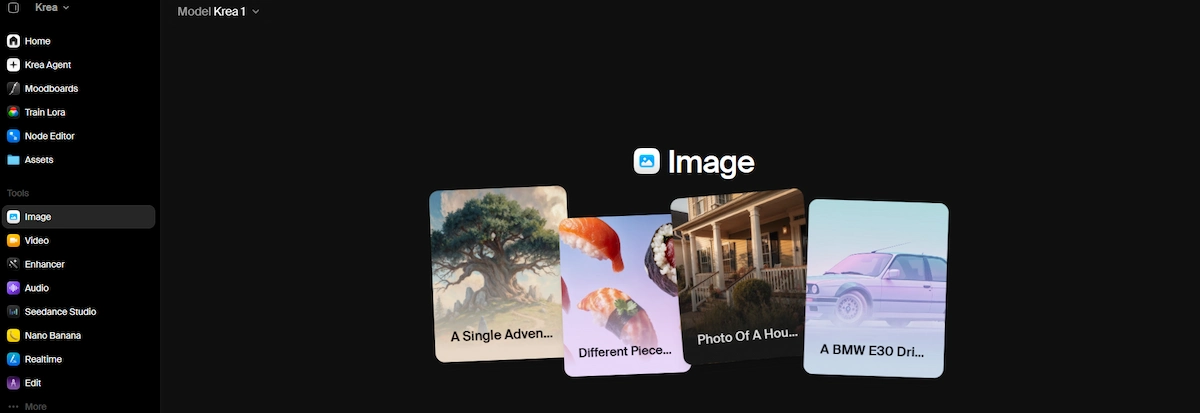 Krea 2 followed as a style and aesthetic model, now open to all users, with a faster Krea 2 Turbo version released in June 2026.Turbo is the cheapest way to generate on the platform, which is why it is used for most drafts.
Krea 3 for Image Editing
Krea 3 is an image-editing model that opened in beta on 15 October 2026. According to Krea, one edit takes under 8 seconds, output is native 2K and can reach 4K, and it supports regional edits and several reference images at once.
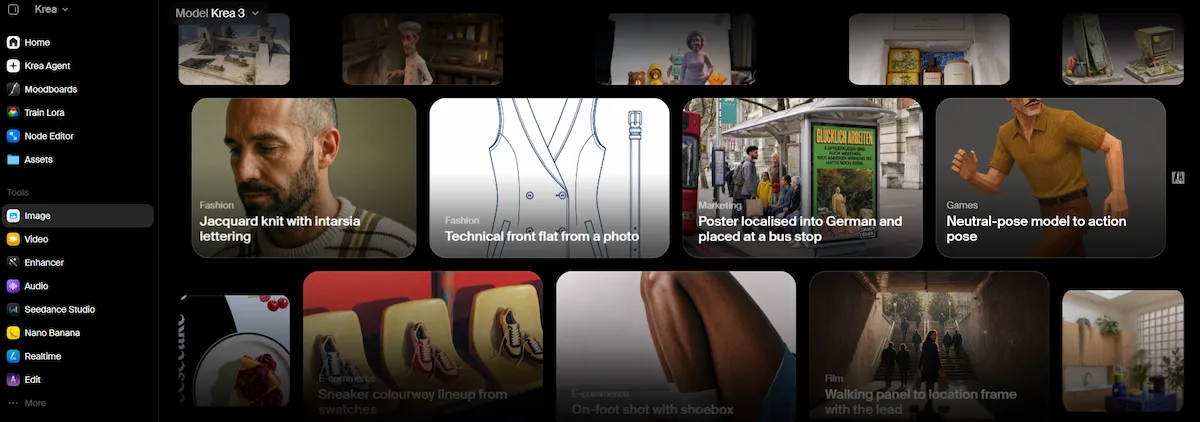
API pricing is listed at $0.03 per image at 1K and $0.06 at 2K, and the model ranked fourth on the Arena multi-image edit board with a score of 1,435. These numbers come from Krea, and independent testing is still thin, so check results on your own images before relying on them. Krea 3 Ultra needs a Max plan or above.
Krea Realtime 14B and Partner Models
Krea Realtime 14B is a 14 billion parameter video model distilled from Wan 2.1, and Krea reports about 11 frames per second on a single B200 GPU. Beyond its own models, the platform hosts Nano Banana, Nano Banana 2, Flux, Veo 3.1, Kling, Seedance 2.5 and many more. Seedance 2.5 requires a Pro plan or higher. Video quality in particular depends on the partner model you choose, not on Krea itself.
Krea AI Features and Tools
The Krea AI features are grouped as separate tools in the left menu. Each one uses the same compute units, so you can move an image from generation to upscaling to video without a new purchase.
Image and Video Generation
The image tool takes a text prompt or a reference image and returns four results at a time on small plans.

Concurrency grows with the plan: Basic runs 4 images at once, Pro runs 8, and Max has no limit. Video works the same way with 2, 4 and 8 parallel jobs. You can animate a still, restyle a clip, transfer motion from one video to another, or add lip sync.
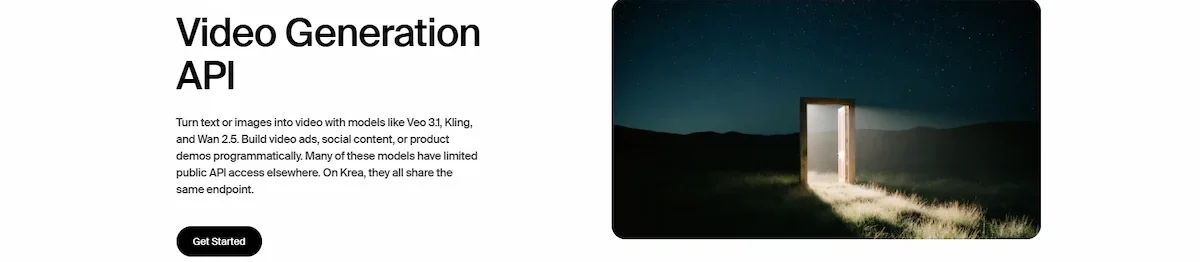
Since the models differ in length and quality, the guide to AI video creation helps you pick the right style before you spend units.
Krea Enhancer for Upscaling
The Krea Enhancer upscales and adds detail to low-resolution images, and it is one of the most used tools on the site. Basic includes about 625 enhancer images per month, Pro about 2,500 and Max about 5,000. It has a known weakness: at strong settings it can warp straight lines in architecture and push colors toward yellow.
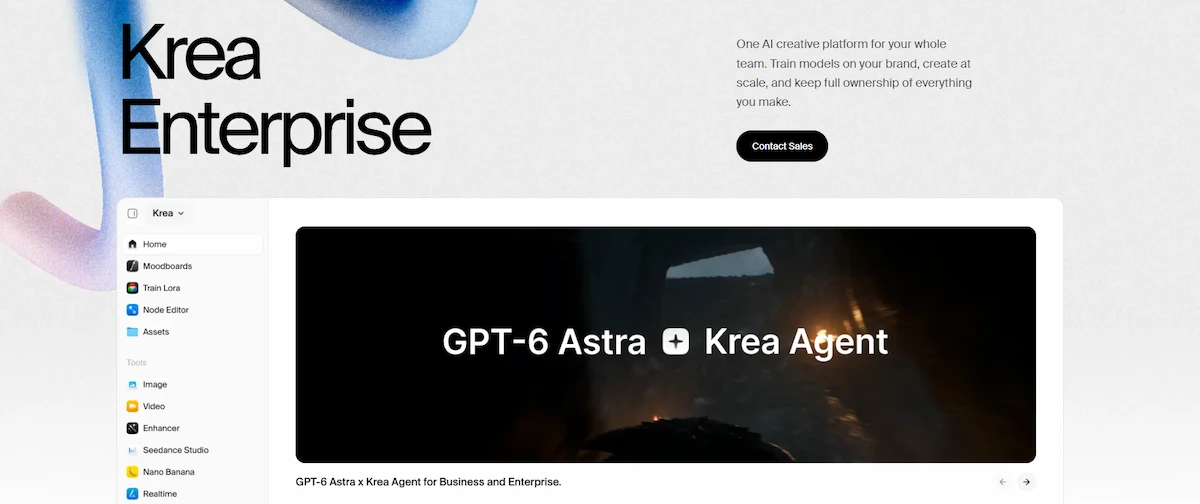
Keep the strength low for buildings and portraits. If upscaling is your main need, compare it against dedicated photo editors and upscalers, and test the same image in each one.
Edit, LoRA Training and Nodes
The edit tool handles inpainting, outpainting and object changes. LoRA training lets you upload a set of your own images and train a small model on a style, a character or a product. The yearly limits differ a lot: Basic and Pro allow 50 LoRA images, while Max and Business allow 2,000.

Krea Nodes is a visual workflow builder where you connect models and tools in a graph, which is useful when you repeat the same pipeline many times.
Krea Agent and 3D
Krea Agent is a chat interface that can call every Krea tool for you. It has been open on all plans since 10 September 2026 and works on the web, on iOS, in Slack, through the Krea MCP in Claude, Codex or Cursor, through a command line tool, and inside ChatGPT.
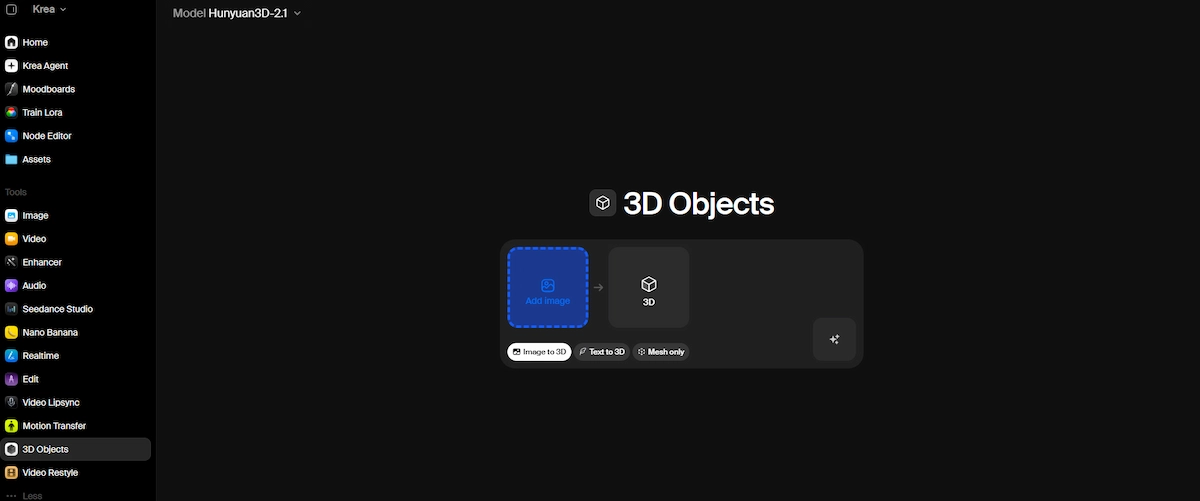
At the moment the web agent cannot generate 3D models or run Nodes graphs. The separate 3D tool turns an image or prompt into a model, with about 100 models per month on Basic, 400 on Pro and 800 on Max, but one reviewer rated its quality as weak compared to the image tools.
How to Use Krea AI Step by Step
Getting a first result takes less than five minutes, and the free plan is enough to test the workflow.
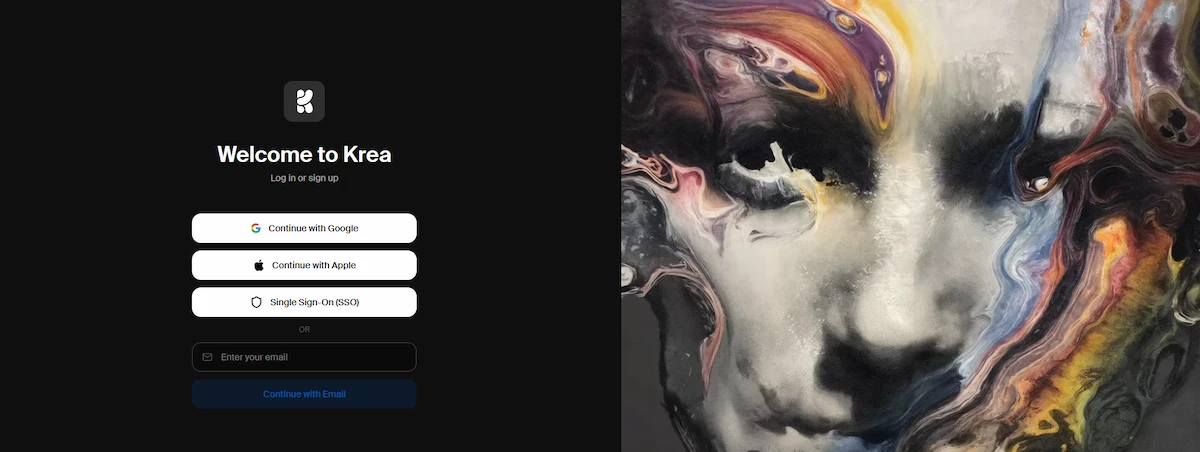
- Create an account at krea.ai with Google, Apple or an email address.
- Open the Image tool and choose a model. Krea 2 Turbo is the cheapest for drafts.
- Write a prompt that names the subject, the style, the light and the camera angle, or drop in a reference image.
- Generate, pick the best result, and send it to the Enhancer or the Edit tool.
- Use the Video tool to animate the final image if you need motion.
- Download the file, and check the unit balance in your account before the next batch.
Prompt quality changes the result more than the model does. Short, concrete prompts with a clear subject work better than long lists of adjectives, and our guide on prompt engineering for business explains how to structure them.
Prompt Examples That Work in Krea AI
A good prompt names the subject, the setting, the light and the camera. These three examples show the structure and can be changed to fit your own work.
- Product shot: matte black water bottle on a wet slate surface, soft window light from the left, shallow depth of field, 85mm photo.
- Portrait: elderly fisherman mending a net at sunrise, warm side light, film grain, natural skin texture.
- Social graphic: flat vector illustration of a laptop on a desk, pastel colors, clean shapes, plenty of empty space for text.
Because the model struggles with text, leave blank space in the image and add the words later in a design tool, as shown in our guide on how to create social media graphics with AI.
Krea AI Pricing
The Krea AI pricing model is built on compute units, not on a fixed number of images. Every action consumes units, and the cost depends on the model, the resolution and the length of the video. You can confirm the current numbers on the official pricing page.
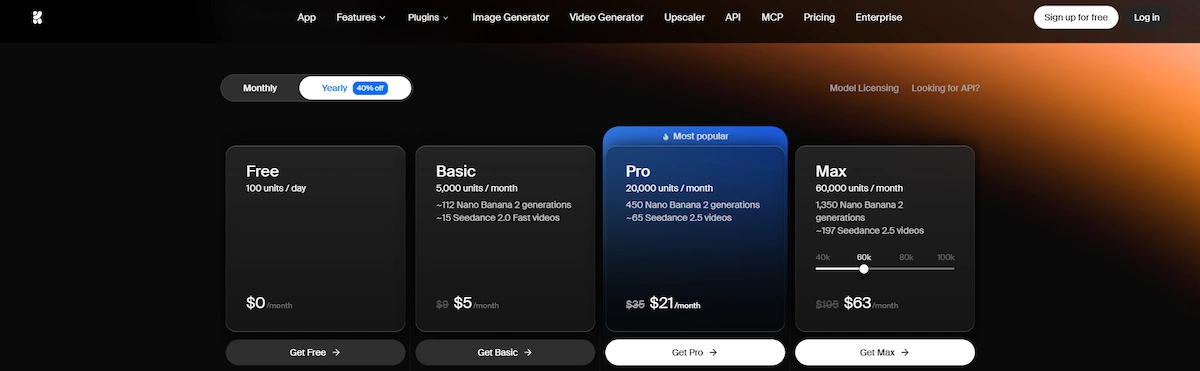
Krea AI Plans Compared
| Plan | Monthly | Yearly (per month) | Units | Notes |
|---|---|---|---|---|
| Free | $0 | n/a | 100 per day | Limited models and features |
| Basic | $9 | about $5 | 5,000 per month | 4 image jobs at once |
| Pro | $35 | $21 | 20,000 per month | Most popular, Seedance 2.5 |
| Max | $105 | $63 | 60,000 per month | Slider from 40,000 to 100,000 |
| Business | $200 | $160 | 80,000 per month | Up to 50 seats, rollover |
| Enterprise | Custom | Custom | Custom | Contact sales |
Yearly billing gives 40% off on Basic, Pro and Max, and 20% off on Business. If you only need a short project, monthly billing avoids locking in a year.
Is Krea AI Free?
Yes, Krea AI is free at the entry level. The free plan gives 100 units per day, which Krea describes as roughly 50 Krea 2 Turbo images, or about 18 Krea 1 images, or about 5 Krea 3 images a day. Older articles still say 50 units per day, so the number has changed. The free plan has fewer models and features, and unused units do not carry over to the next day. Free is good for testing, but heavy work needs a paid plan. Whether free-plan images can be used commercially is not stated clearly in the pricing page, so check the terms before selling anything made on Free.
Compute Units Explained
Compute units are the currency of the platform. A cheap image costs few units and a long video costs many. Units on Free, Basic, Pro and Max do not roll over, so anything left at the end of the month is lost. If you run out, you can buy a compute pack of 2,000 to 50,000 units that stays valid for 90 days. Once your plan units are gone, Krea also allows unlimited relaxed generations with its in-house image models, which are slower but do not cost extra.
What Things Actually Cost
The simplest way to judge price is to see how many generations each plan covers.
| Tool or model | Basic | Pro | Max |
|---|---|---|---|
| Krea 2 Turbo images | 2,500 | 10,000 | 20,000 |
| Krea 1 images | about 900 | about 3,600 | about 7,200 |
| Nano Banana images | 173 | 692 | 1,384 |
| Enhancer images | 625 | 2,500 | 5,000 |
| Realtime images | 45,000 | 180,000 | 360,000 |
| 3D models | 100 | 400 | 800 |
Video is far more expensive than images, and the price varies by partner model, length and resolution. Check the unit cost shown before pressing generate, and compare it with other tools through our breakdown of how much AI tools cost.
Krea AI Basic vs Pro
Basic costs $9 a month and gives 5,000 units, 4 image jobs at once and 2 video jobs at once. Pro costs $35 and gives 20,000 units, 8 image jobs, 4 video jobs and access to Seedance 2.5. That is four times the units for about 3.9 times the price, so the real gain of Pro is speed and model access, not a cheaper unit.
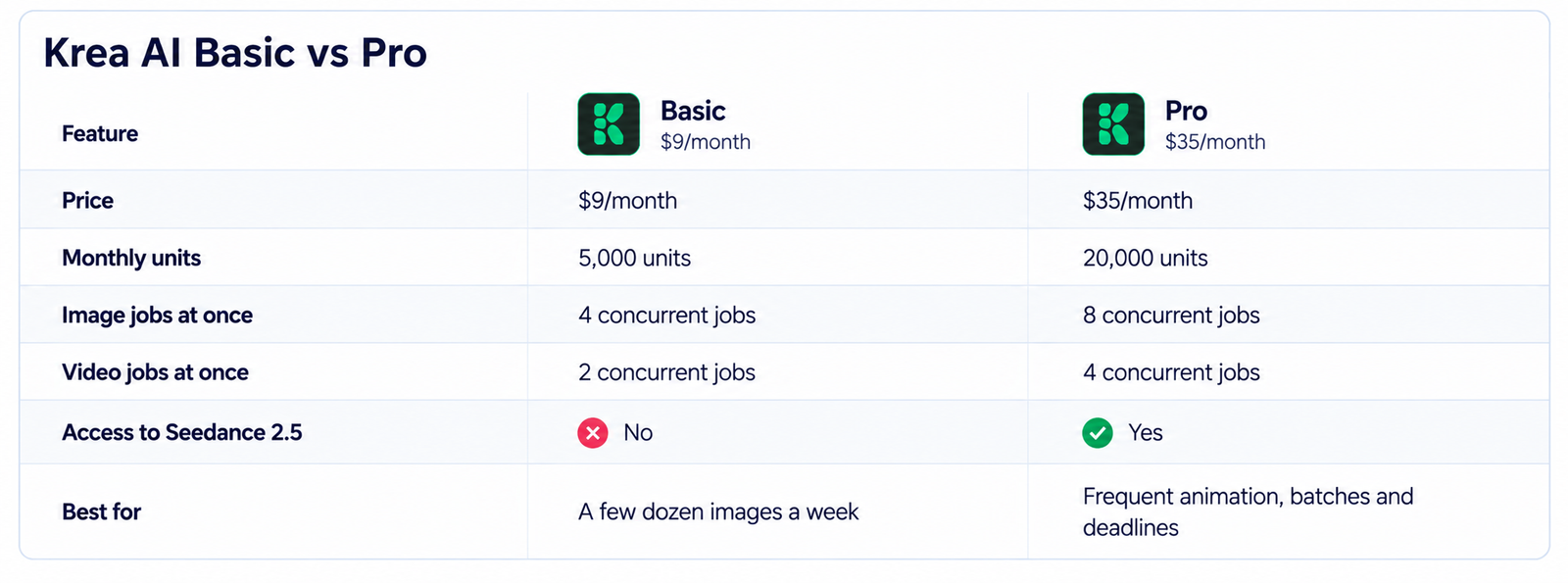
Basic is enough for a few dozen images a week. Pro makes sense when you animate images often, run batches, or work on deadlines where waiting for a queue costs more than the subscription.
Is Krea AI Worth It for Teams?
Business costs $200 a month, or $160 on yearly billing, and includes up to 50 seats and unit rollover. Buying separate Pro seats at $21 each on yearly billing reaches the same price at roughly eight people. Below that number, separate Pro seats are cheaper. Above it, Business gives more units and shared management. A single freelancer rarely needs more than Pro, and a user who generates mostly with Krea 2 Turbo can stay on Basic.
Krea AI Commercial Use, Privacy and Safety
Paid plans include a commercial license, so images and videos made on Basic, Pro, Max and Business can be used in client work and ads. The legal status of AI output still depends on the model you picked and on your country, since some partner models carry their own terms. For a business that handles customer data or brand assets, read the privacy policy and the data settings first, and our guide on AI data privacy for business lists the questions to ask before uploading anything sensitive.
On safety, Krea AI is a real company with public funding and named founders, so it is not a scam. The bigger risk is third-party downloads. There is an official iOS app, rated 4.1 out of 5 from 97 reviews, but no official Android app was found. Sites that offer an APK or a mod APK are unofficial and should be avoided.
How to Cancel Krea AI and Get a Refund
Cancelling is done inside the account and takes about a minute.
- Open the Billing page in your Krea account.
- Click Manage Subscription, which opens the Stripe billing portal.
- Choose cancel and confirm.
Plans renew automatically by default, there are no partial refunds, and unused units expire. A refund is possible only if you used fewer than 650 units and made fewer than 20 generations in the current month. If you were charged after cancelling, write to help@krea.ai with your invoice, and keep a screenshot of the cancellation. Billing after cancellation is one of the most common complaints in user reviews.
Krea AI Limitations Worth Knowing Before You Pay
Krea is strong in range, but it is not flawless, and a few problems come up in almost every review. Text inside images is still unreliable, and long words or logos often come out misspelled. Hands and faces improve with newer models but still fail in crowded scenes. The Enhancer can change straight lines in buildings and add a yellow tint at high strength. Video quality depends on the partner model you pick, so the same prompt can look very different from one model to another. The 3D tool is weaker than the image tools according to one reviewer.
Billing is the other weak point. Units are hard to predict before you press generate, they expire at the end of the month on most plans, and Krea Agent cannot yet run 3D or Nodes graphs from the web. Test the free plan with your real prompts first, and only then pay.
Krea AI Pros and Cons
| Pros | Cons |
|---|---|
| Images, video, upscaling, editing and 3D in one place | Units are hard to predict, especially for video |
| Free plan with 100 units per day | Units do not roll over on most plans |
| Own models plus a large list of partner models | Text inside images and hands are still unreliable |
| Fast Turbo and Realtime generation | Enhancer can warp architecture and tint images yellow |
| Commercial license on paid plans | Video quality depends on third-party models |
| Plugins for Photoshop, Blender and more | Support is slow according to several users |
What Users Say About Krea AI
Public ratings are mixed and depend on when you look. One Trustpilot listing shows 2.5 out of 5 from 82 reviews, another shows 3.5 out of 5 from 129 reviews, so read the dates before trusting a single number. Praise usually focuses on the quality of the Enhancer, the speed of Realtime and the range of models. The complaints are more repetitive: charges after cancellation, slow replies from support, units that disappear faster than expected, and no rollover. Creators who generate every day tend to be satisfied, while occasional users feel the monthly expiry more.
Who Should Use Krea AI and Who Should Skip It
Krea fits freelancers, small agencies and in-house marketers who produce visuals every week and want upscaling, video and editing next to generation. It also suits anyone who wants to test many models without paying for each one separately. A small shop with a limited budget can start on Basic, and the guide to AI for small business shows where visuals fit among other tools.
It is a poor fit for people who need accurate text in images, who generate only a handful of pictures a month, or who want fixed monthly costs with no unit math. For those cases a simpler tool with a flat limit is easier to budget.
Krea AI vs Midjourney
The Krea AI vs Midjourney comparison comes down to one question: do you want one model with a strong look, or a toolbox?
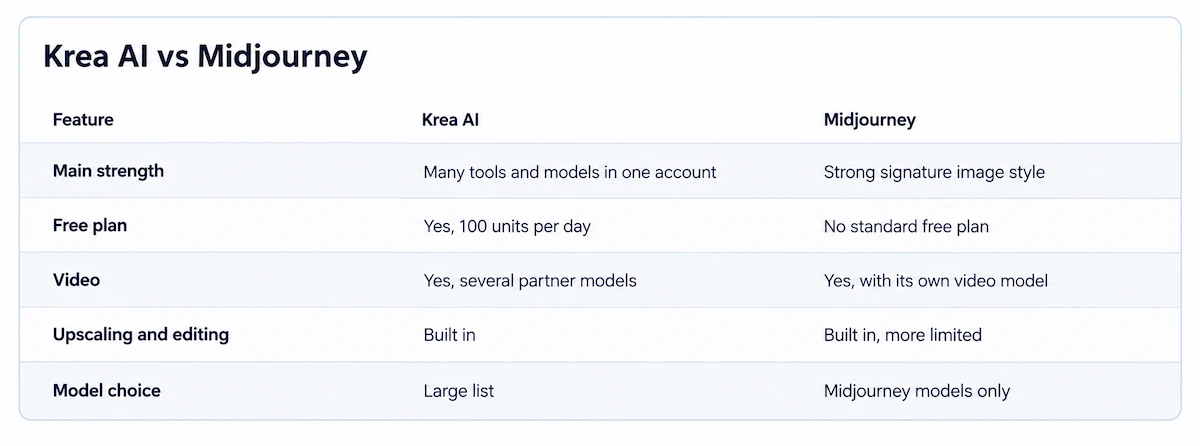
Midjourney is known for a distinctive, polished style and a community-driven workflow. Krea gives you many models, an upscaler, video, editing and training under one subscription.
| Feature | Krea AI | Midjourney |
|---|---|---|
| Main strength | Many tools and models in one account | Strong signature image style |
| Free plan | Yes, 100 units per day | No standard free plan |
| Video | Yes, several partner models | Yes, with its own video model |
| Upscaling and editing | Built in | Built in, more limited |
| Model choice | Large list | Midjourney models only |
If you want a specific art direction with little effort, Midjourney is often the faster path. If your work mixes images, video and post-production, Krea saves tool switching.
Best Krea AI Alternatives
The right Krea AI alternatives depend on what you need most. Leonardo and Freepik are close in structure, with several models and a free tier. Runway is stronger for video. Magnific and Topaz focus on upscaling. Adobe Firefly suits teams that already work in Adobe apps and want clear commercial terms. ChatGPT image generation is enough for simple graphics and needs no new account. For a wider comparison of tools that create images, see the list of ChatGPT alternatives for image generation.
- Midjourney: best for a consistent artistic style.
- Leonardo: good for game assets and a similar multi-model setup.
- Runway: better for longer and more controlled video.
- Magnific or Topaz: specialist upscaling.
- Adobe Firefly: clear licensing inside the Adobe suite.
Krea AI vs Leonardo, Runway and Freepik
Leonardo and Freepik are the closest in structure, because both bundle several models, an upscaler and some video in one subscription. Krea stands out with Realtime generation, Nodes and its own model line.

Runway is a video-first product, so if clips are your main output, test Runway beside Krea using the same prompt and compare the unit or credit cost per second. Always run the same test on each free tier before choosing.
Krea AI App, Plugins and API
There is an official Krea AI app for iPhone, and the web version works on any phone browser. Plugins exist for Photoshop, Illustrator, After Effects, Premiere Pro, DaVinci Resolve and Blender, so you can generate inside the tool you already use.
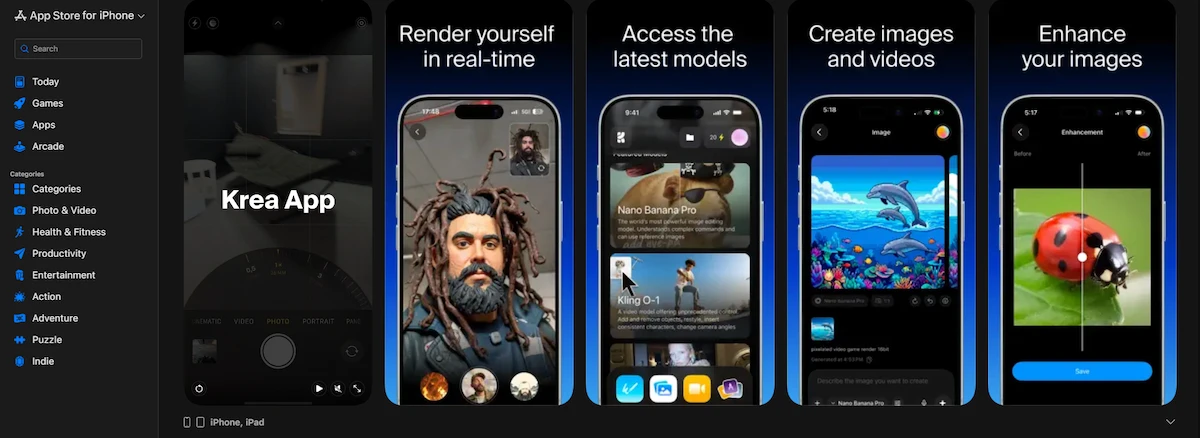
Developers can reach the models through the Krea API and the MCP server, and Krea 3 is also offered through partners such as fal, Replicate, Together AI and OpenRouter.
Final Verdict: Is Krea AI Worth Using?
Krea AI is worth using if you create images and video regularly and want one account for generation, upscaling and editing. Start on the free plan, move to Basic for light use, and choose Pro if you need Seedance 2.5, more parallel jobs or heavier video. Pick monthly billing first, track how many units you spend in the first thirty days, and only then switch to yearly. It is a weaker fit for people who need reliable text in images or who generate only a few pictures a month. To compare it with other options before you commit, read how to choose AI tools for business.
Krea AI FAQ
What is Krea AI used for?
Krea AI is used to generate and improve images and videos in the browser. Common uses are concept art, ad creatives, product images, upscaling old photos, animating stills and training a LoRA on a custom style.
Is Krea AI free to use?
Yes. The free plan gives 100 units per day with limited models and features. Units do not carry over, and paid plans start at $9 a month, or about $5 a month on yearly billing.
Can I use Krea AI images commercially?
Paid plans include a commercial license. For the free plan, read the current terms before using images in paid work, because the pricing page does not state it clearly.
Is Krea AI safe and legit?
Yes, Krea is a funded company with named founders and an official iOS app. The main risks are billing complaints in user reviews and unofficial APK sites, which you should not download from.
How do I cancel Krea AI and get a refund?
Open Billing, click Manage Subscription and cancel in the Stripe portal. A refund is possible only if you used under 650 units and made fewer than 20 generations in the current month.
Does Krea AI have an Android app?
No official Android app was found. Use the website in a mobile browser, or the official iOS app on iPhone, and avoid APK downloads.
What is a compute unit in Krea AI?
A compute unit is the credit Krea charges for each action. Cheap images use few units, while video and 3D use many, and the price shown before generating depends on the model and the settings.
Do Krea AI compute units roll over?
No on Free, Basic, Pro and Max, where unused units expire. Business includes rollover, and compute packs bought separately stay valid for 90 days.
How many models does Krea AI have?
The official documentation claims more than 150 hosted models, while many reviews still list 64 or more. The number keeps changing as new models are added, so check the model picker inside your account.
Is Krea AI better than Midjourney?
It depends on the job. Midjourney gives a strong signature style with little effort, while Krea gives more tools, more models and a free plan, which suits mixed image and video work.










