How to do keyword research with AI starts with a real audience problem and ends with a page decision. The AI takes the slow parts, such as expanding a seed list, sorting search intent and grouping keywords, while you bring the data and make the final call. Used that way, a day of spreadsheet work shrinks to a morning.
The catch is accuracy. A chatbot with no connection to a keyword database will happily invent search volume, difficulty scores and trends, then present them as facts. This guide to AI keyword research covers the full workflow in 8 steps, 13 copy-paste prompts, a free setup, a tool comparison, a worked example and the mistakes that waste the most time.
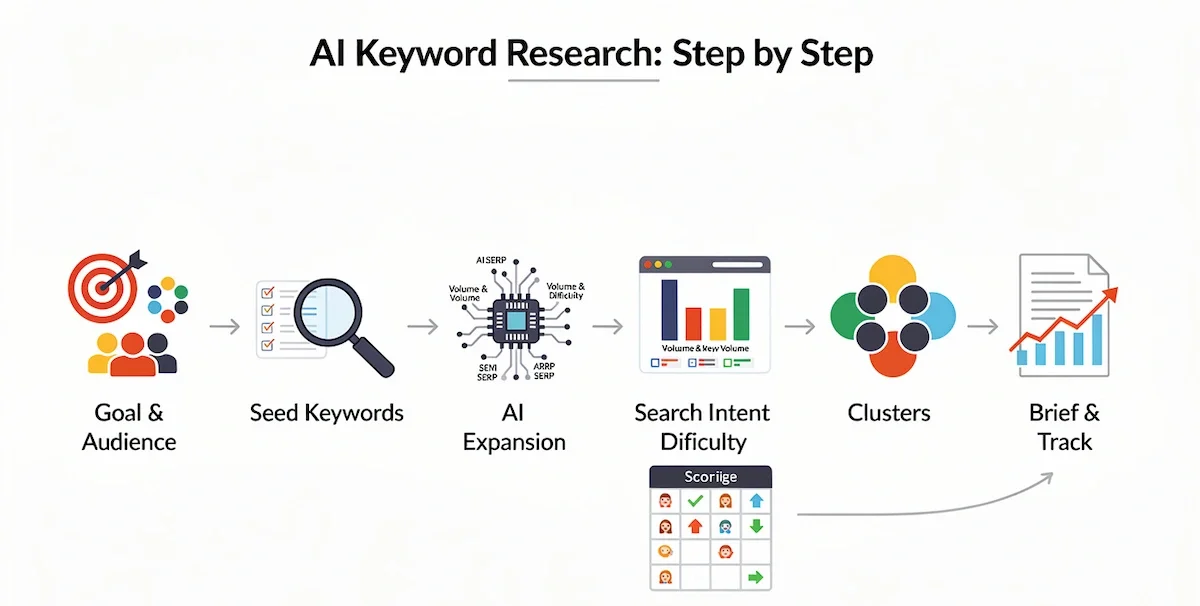
How to Do Keyword Research With AI in 8 Steps
- Define the goal, the audience and the decision you want for each page.
- Collect seed keywords from real sources: customers, support tickets, Search Console and communities.
- Expand the list with AI, and mark every suggestion as unverified.
- Validate volume and difficulty with a real keyword tool, not with the chatbot.
- Check search intent by reading the results for each priority query.
- Cluster keywords by intent, so one page answers one search task.
- Prioritize and map keywords to pages, after checking what you already publish.
- Write the brief and track results, then repeat the cycle.
What Is AI Keyword Research?
AI keyword research means using AI for the work that is slow, repetitive or hard to scale: generating ideas from a seed topic, grouping hundreds of terms, sorting them by intent and spotting gaps against competitors. Three setups are worth knowing, and the difference between them is the data behind the AI.
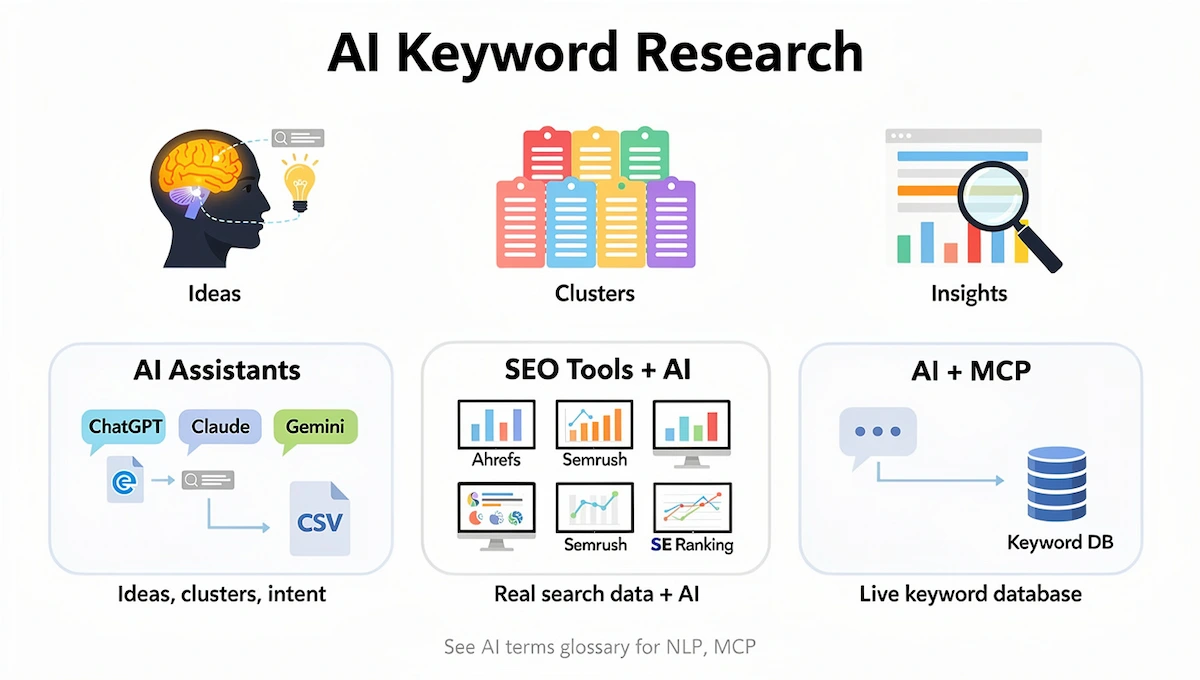
- AI assistants such as ChatGPT, Claude and Gemini. General chat models you prompt directly. Good for ideas, clustering and intent, but they have no keyword data of their own. You can upload a CSV export and ask for analysis.
- SEO tools with built-in AI, such as Ahrefs, Semrush and SE Ranking. You get real volume, difficulty and SERP data plus AI features in one place.
- AI connected to a keyword database through MCP (Model Context Protocol). The chat model queries real search data mid-conversation and reasons over it in the same pass.
Unfamiliar terms such as NLP or MCP are explained in this AI terms glossary.
What AI Does Well in Keyword Research
In AI keyword research, idea generation is the first strength. Give an assistant a seed topic and ask for 50 variations, and it will surface long-tail phrases, question formats and angles you would never type into a tool. A couple of minutes of prompting can double the size of a starting list.
The second strength is grunt work on large sets: removing duplicates across four exports, scoring each keyword from 0 to 3 for how naturally your product fits, grouping terms by meaning, and spotting outliers in a 500-row sheet. Intent sorting and SERP summaries also belong here. Tasks that eat an afternoon by hand take minutes.
What AI Keyword Research Gets Wrong Without Real Data
Anything that needs real SEO data is where a plain chatbot fails. It may return a volume, a difficulty score, a list of SERP features and a trend line, all built from training data and none of it checked against search results. Its keywords can also look plausible while nobody searches for them, and ambiguous queries often get the wrong intent.
The fix is simple. Connect the model to a live keyword database, use an SEO tool that already includes one, or paste an export and let the AI work only on what you gave it.
What You Still Have to Decide
The data part can be automated, but the judgment part cannot. AI keyword research can hand you 200 prioritized keywords. It cannot tell you which ones fit your business, which ones your team can write well, or which ones deserve effort over something else. You set the goal, define what relevant means and decide what to cut. Cutting 180 of the 200 suggestions is the hardest and most valuable choice. Treat the AI as a fast research analyst, not as a content director.
How AI Finds Keyword Opportunities Humans Miss
Four abilities explain why AI keyword research surfaces terms that a manual search overlooks.
- Semantic relationship mapping: the model understands that “remote work software”, “virtual team tools” and “distributed collaboration platform” describe the same need, even when the words differ.
- Intent clustering: it separates a visitor who wants to learn from one who wants to compare or buy, then groups terms by that task.
- SERP pattern analysis: given a set of results, it spots the formats, subtopics and questions that keep repeating.
- Long-tail discovery at scale: it generates hundreds of specific variations in minutes, including the phrasing real customers use.
Benefits of AI Keyword Research
The gains from AI keyword research are real, but they come from speed and coverage, not from replacing data.
- Saves time: expanding, deduplicating and grouping a list moves from hours to minutes.
- Finds long-tail keywords: specific phrases often convert better, because the searcher already knows what they need.
- Reads intent faster: classification by wording gives you a first pass that you confirm in the results.
- Handles large lists: grouping 500 or 5,000 keywords by meaning is practical, which is not true by hand.
- Exposes gaps and trends: comparing your list with competitors and recent queries shows what you are missing.
The limits matter just as much. AI has no real traffic data of its own, it can state wrong facts with confidence, and it knows little about your business unless you tell it. Keep the checks from the next sections and the benefits of AI keyword research stay real.
What You Need Before You Start
- A clear goal for your keyword research: traffic, signups, product sales or brand searches.
- Three to five seed topics from your business.
- An AI assistant (ChatGPT, Claude, Gemini or similar).
- A source of real data for volume and difficulty: Google Keyword Planner, Ahrefs, Semrush or a CSV export.
- Google Search Console access, if your site already exists.
- A spreadsheet, so every keyword keeps its source and date.
- Permission to use any customer data you plan to paste into a chat.
Small teams new to the topic can start with this guide to AI for small business.
How to Do Keyword Research With AI Step by Step
Each step of AI keyword research ends with something you can check, so you never move forward on a guess.
Step 1: Define the Goal, the Audience and the Page Decision
Write down what you offer, who needs it, the market and language, and what decision the visitor is trying to make. A sentence such as “help a small retail team decide whether this stock tool fits its daily work” is enough. Then decide the output for every keyword group: improve an existing page, create a new one, or wait until you have enough evidence. Doing this before you import thousands of terms keeps the spreadsheet from growing faster than the goal.
Step 2: Collect Seed Keywords From Real Sources
Seed keywords are the starting phrases of your keyword research. Gather them from product names, customer emails, support tickets, sales calls, your own site search, Search Console queries and communities such as Reddit. Add Google autocomplete, related searches and People Also Ask boxes. Ask the AI to fix spelling and suggest synonyms, but keep the original wording and the source next to each term so you can see what changed. Support logs and forums are also where low-volume phrases show up first.
Step 3: Expand the List With AI
Give the assistant context before the task: your site, your audience, the topic and your limits. Then ask for 30 to 50 variations by type, such as long-tail phrases, questions, comparisons, problem descriptions, industry terms and common misspellings. Paste the result into your sheet and label every row as unverified. At this point the AI keyword research list is raw material, not a plan.
Step 4: Validate Volume and Difficulty With Real Data
Run the list through a keyword research tool and copy the numbers beside each term. Remember what the numbers mean: Google Keyword Planner normally reports a 12-month average that includes close variants and rounds the figures, and its competition label describes advertisers, not organic difficulty. The Google Ads metric definitions explain each field. Record the source, country, language and date in the sheet, because a seasonal phrase can show a moderate average and a very different peak month.
Then run a quick audit of the AI. Pick ten keywords it suggested and check how many have measurable volume. If most do not, tighten the prompt before you continue.
Step 5: Check Search Intent in the Results
Keyword research depends on search intent, the task the searcher is trying to complete. Similar wording does not prove the same intent, so open the results for every priority query and note the main page type, the repeated subtopics, the visible features (People Also Ask, video, shopping) and the ranking URLs. A query that returns tools may need a tool, while one that returns guides needs a guide.
| Intent | Typical words | Page that fits |
|---|---|---|
| Informational | how to, what is, guide, examples | Guide, tutorial, explainer |
| Commercial | best, review, vs, alternative | Comparison, listicle, review |
| Transactional | buy, pricing, demo, trial | Product, pricing or landing page |
| Navigational | brand name plus login, support | Homepage or key brand page |
AI classifies intent well from wording, but it can misread ambiguous queries, so confirm the dominant format in the results before you commit.
Step 6: Cluster Keywords by Intent
Group keywords by the task one page can satisfy. AI keyword research groups by meaning rather than shared words, so it can place “team task tracker”, “work assignment app” and “project management software” in the same cluster. For each cluster, record a label, the primary keyword and the intent. Do not let it create too many clusters, because several thin pages for the same need compete with each other. If two small clusters share the same results, merge them. Sorting hundreds of rows is easier with a spreadsheet assistant, and these AI tools for Excel can help.
Step 7: Prioritize and Map Keywords to Pages
A keyword research list becomes useful once every cluster has a score. Score each cluster on business fit, evidence, realistic competition and the next action of the reader. Volume alone is not enough, since a high-volume keyword with low relevance often loses to a smaller one that targets your ideal customer. Before you plan a new page, search your site for existing titles, URLs, headings and sitemap entries. Refresh or consolidate when a page already answers the task, because duplicates split internal links and blur the results.
A simple scoring table keeps the choice consistent. The weights below are an example, so adjust them to your goals.
| Factor | Question to ask | Example weight |
|---|---|---|
| Business fit | Does it lead to a product, a signup or a qualified reader? | 35% |
| Evidence of demand | Is there volume, a trend or a clear need in real sources? | 25% |
| Realistic competition | Can you rank, given your site and the current results? | 25% |
| Effort | How long will the page take to research and write? | 15% |
Score each cluster from 1 to 5 on every factor, multiply by the weight and rank the totals. Ask the AI to fill a first draft of the table, then correct the numbers where you know better.
Check the canonical too. Google assigns most Search Console data to the canonical URL, so a duplicate with little traffic may be credited elsewhere, as the Search Console page data explanation describes. Use URL Inspection before you decide to replace content.
Step 8: Write the Brief and Track Results
A usable brief names the user task, the primary keyword and supporting questions, the preferred URL and page type, the decision to refresh or create, the required sources, an outline and the internal links. Add the target keywords to a rank tracker on the day you publish. Once the brief is ready, this guide shows how to write blog posts with AI.
Build Topic Clusters and Pillar Pages From Your Keyword Groups
A topic cluster is a pillar page on a broad subject, linked with several pages on narrower questions. The keyword groups that AI keyword research produced in Step 6 are the raw material. Pick the broadest group in a theme as the pillar, and turn the smaller groups into supporting pages that link up to it and across to each other.
Ask the AI to propose the structure: group these clusters under three pillar topics, name the pillar page for each, and list the supporting pages with their primary keywords. Then compare the result with the search results, because some pillars may need a different format than the AI assumes. This setup helps readers move from a broad question to a detailed answer, and it shows search engines how your pages relate.
How to Check Whether a Keyword Is Winnable
Keyword research with AI is not finished until you check this. In AI keyword research, a keyword with attractive volume is worthless if the first page is out of reach. Before you commit, run each priority keyword through these checks.

- Confirm volume and trend direction: a rising or steady line beats a spike or a decline.
- Look at who ranks: big brands, publishers and marketplaces own some queries, while forums and small sites take the top spots for others.
- Compare content type and depth: if every top page is a long guide with original data, a thin article will not break in.
- Check freshness: old pages in the top five are an opening, recent ones are a warning.
- Confirm the intent match: your planned page must fit what the results already show.
Paste the titles and headings of the top five results into your assistant and ask what they have in common, what is missing and what you could add. The summary is a starting point only. You decide, and rank tracking closes the loop afterward by showing whether you were right.
How to Use Keywords in Your Content
Once the keyword research is done, place the primary keyword where it helps readers and search engines understand the page: the title, the H1, the first paragraph, at least one subheading, the meta description, the image alt text and the URL.
Use supporting questions and related phrases as subheadings and in natural sentences. Avoid stuffing, since repeating a phrase until it reads badly hurts both the reader and the page. A simple test is to read the page aloud, and if a keyword sounds forced, rewrite the sentence. Add internal links from related pages with descriptive anchor text, and keep the brief from Step 8 open so nothing gets lost between the keyword research and the draft.
AI Keyword Research Prompts You Can Copy
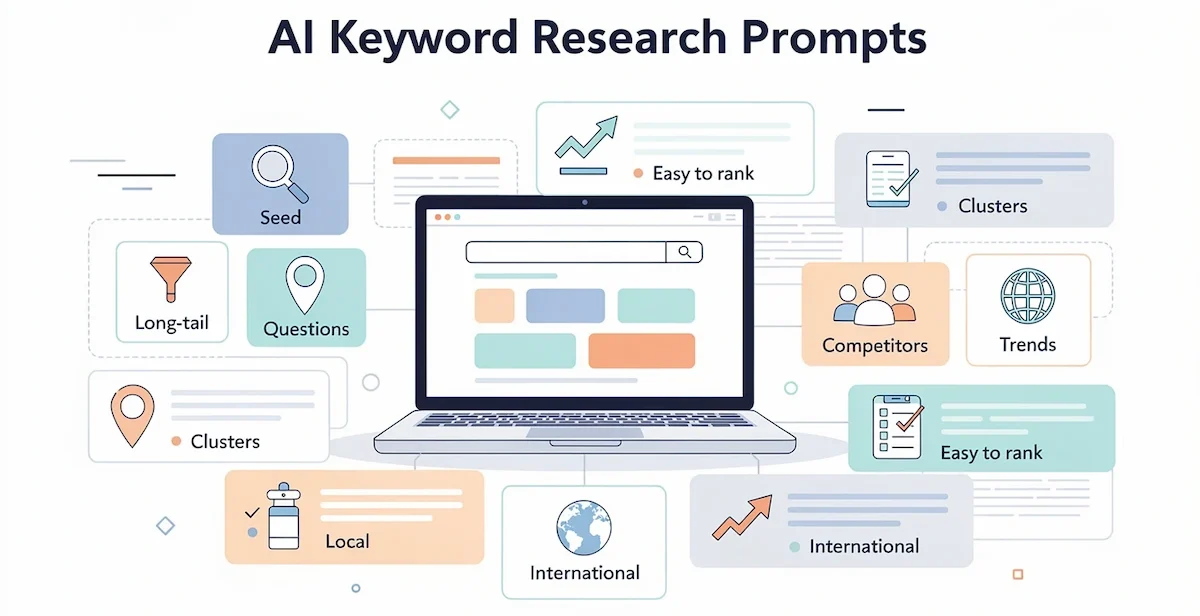
Replace the brackets with your own details. These AI keyword research prompts work better when it includes your site, audience, limits and the format you want back.
Seed Keyword Expansion Prompt
Prompt: I run [describe site]. My audience is [describe audience]. My seed topic is [topic]. Generate 30 keyword variations grouped by intent: informational, commercial, transactional and navigational. Do not estimate search volume.
Long-Tail Keyword Prompt
Prompt: Give me 30 long-tail phrases of 4 to 7 words for [topic], aimed at [audience]. For each, name the problem the searcher is trying to solve. Return a table with keyword, problem and content idea.
Question Keyword Prompt
Prompt: List 30 questions people ask about [topic] at three stages: just learning, comparing options and ready to act. Group them by stage and name the intent behind each.
Search Intent Classifier Prompt
Prompt: Classify each keyword below as informational, commercial, transactional or navigational. Return a table with keyword, intent and one sentence of reasoning. Keywords: [paste list].
Keyword Clustering Prompt
Prompt: Group the keywords below into clusters where one page could satisfy every query. For each cluster give a label, a primary keyword, the intent and a note on whether it needs a new page or an update. Keywords: [paste list].
Competitor Gap Prompt
Prompt: Below are keywords that [competitor 1] and [competitor 2] rank for, and keywords my site ranks for. List topics they cover that I do not, topics I cover better and topics neither covers well. Group by theme and rank by fit with [my business]. Export the competitor data from an SEO tool first, because the AI cannot see real rankings on its own.
Local Keyword Prompt
Prompt: Generate keyword variations for [service] in [city or region], including neighborhood names, near me phrases and common alternative terms. Mark any variation that looks too narrow to have search volume.
Buyer Persona Prompt
Prompt: My ideal customer is [role, problem, goals and how they search]. Brainstorm 30 phrases this person would type or ask a chatbot, including problem-aware and solution-comparison queries. Flag the ones likely to show zero volume in a keyword tool.
Traffic Decay Prompt
Prompt: Below is a table of pages with their clicks for two periods. Identify the pages with the largest drop, group them by likely cause (outdated content, new competitors, intent shift) and suggest whether to refresh, merge or retire each one. Table: [paste data].
Branded Keyword Prompt
Prompt: List keyword variations that include my brand name [brand], common misspellings, brand plus product, brand plus review, brand vs competitor and brand plus pricing. Mark the ones my site probably does not target yet.
International Keyword Prompt
Prompt: I sell [product] in [country 1]. Suggest keyword variations for [country 2] in [language], using local wording instead of direct translation, and flag terms where the meaning changes by region. I will validate volume in a keyword tool for each market.
Trending Keywords Prompt
Prompt: For the topic [niche], list 20 emerging or seasonal queries that could grow in the next three months and explain why. Mark the ones that need verification in Google Trends.
Easy-to-Rank Keyword Prompt
Prompt: From the list below, pick 20 keywords that look achievable for a new site with low authority. Use this one for beginner keyword research. Explain each pick in one sentence, and mark any where the results are likely held by large brands. Keywords: [paste list].
How to Improve Any Prompt
- Set site context first: domain, audience and topic area, or the AI decides what relevant means.
- Assign a role, such as an SEO analyst for a small online store.
- Name the data source: organic keywords, not paid, and the target country.
- Use negative instructions: exclude branded terms and keywords you already rank first for.
- Show the format by pasting one example row of the table you want.
- Ask for a one-sentence reason behind each top pick, which exposes weak logic.
- Iterate in the same chat instead of rewriting the prompt from scratch.
For a broader method, read this guide to prompt engineering for business.
Turn the Workflow Into a Repeatable Process
Store your best prompts in a shared document with notes on what each one returns. Save your site context, audience and rules as custom instructions or a project, so every new chat starts with the same background. Keep the spreadsheet template and the checklist from this guide next to them. A repeatable setup means a new topic takes a morning instead of a day, and a teammate can repeat your keyword research and get comparable results.
How to Do Keyword Research With ChatGPT
You can do keyword research with ChatGPT, as long as you use it for ideas and organization and leave the numbers to a keyword tool. The same applies to keyword research with AI assistants such as Claude and Gemini.

What ChatGPT Does Well
ChatGPT is quick at brainstorming seed ideas, producing long-tail variations, simulating the questions people ask, classifying intent and clustering a pasted list. Its output makes natural headings for an article and good questions for an FAQ block. These jobs rely on language, and language is what the model is trained on. The idea behind this is covered in this guide to generative AI for business.
Where ChatGPT Fails
The base version cannot give accurate search volumes at all. It sometimes returns keywords that sound high-volume, while keyword tools have no data on them. It also has a training cutoff and no live search results unless search is turned on. Every metric it produces without your data should be treated as made up until a real tool confirms it, because AI keyword research without data is guesswork.
Claude, Gemini and Perplexity
Gemini is often used for intent analysis, and Perplexity for live search insight into emerging topics. Claude and ChatGPT can query real keyword data when connected to a database such as Ahrefs or Semrush through MCP, which removes the manual export step.

A custom GPT is another option. Give it your niche, audience and preferred keyword format as instructions, add starter prompts like “generate seed keywords for [topic]” and “cluster these keywords”, upload your existing keyword list, and include a rule against inventing metrics.
How to Do Keyword Research With AI for Free
You can do keyword research with AI for free by running the whole workflow without paying for an SEO suite, as long as you accept lower volume accuracy and limits on exports. Free tiers change often, so check current limits before you rely on them.
A Free Tool Stack
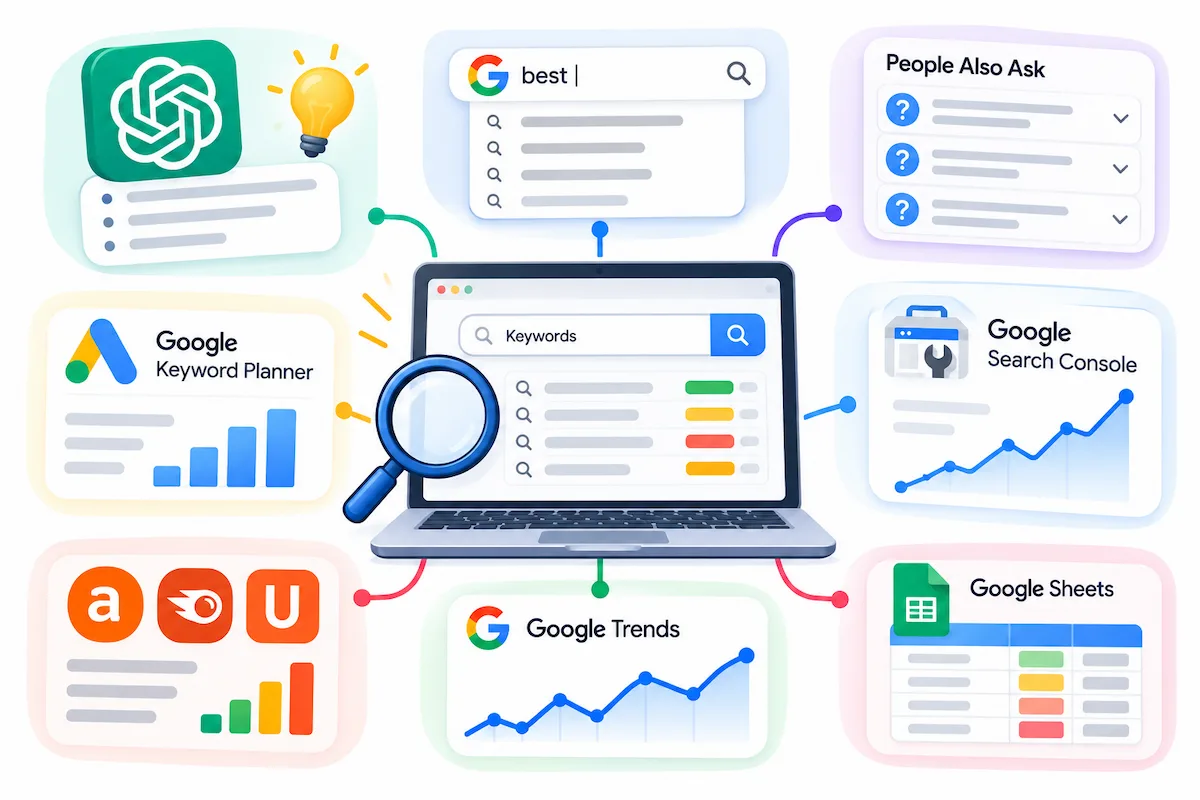
| Task | Free option |
|---|---|
| Seed ideas and questions | ChatGPT free plan, Google autocomplete, People Also Ask |
| Search volume ranges | Google Keyword Planner (needs a Google Ads account) |
| Your own rankings and queries | Google Search Console |
| Difficulty and competition | Free tiers of Ahrefs, Semrush and Ubersuggest, plus Ahrefs Webmaster Tools for your own site |
| Trends and seasonality | Google Trends |
| Sorting and notes | Google Sheets |
A 90-Minute Free Workflow
- 15 minutes: collect seeds for your keyword research from autocomplete, People Also Ask, Keyword Planner and a ChatGPT brainstorm.
- 20 minutes: expand and clean the list in a sheet, removing duplicates and off-topic terms.
- 20 minutes: add volume ranges from Keyword Planner and your own queries from Search Console.
- 20 minutes: open the results for your top five keywords and note the page type and intent.
- 15 minutes: cluster, pick three pages to write or refresh, and save the sheet.
When you outgrow the free tiers, see how much AI tools cost for typical price ranges.
Best AI Keyword Research Tools Compared
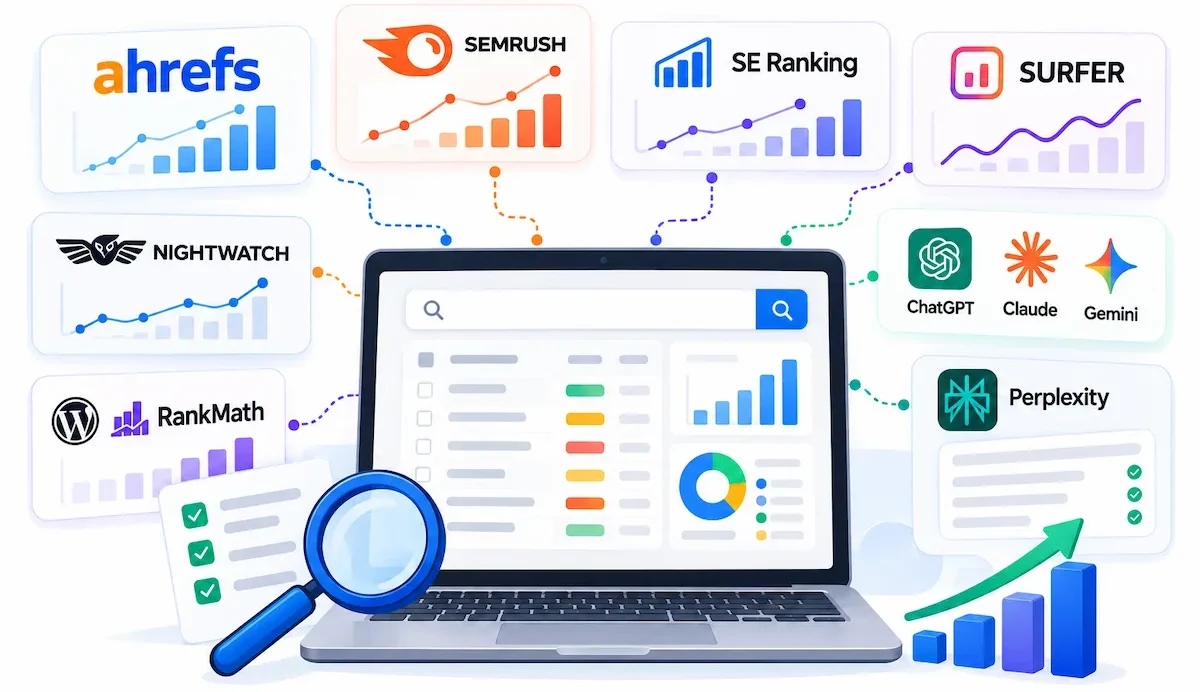
AI keyword research tools fall into two groups: SEO suites with AI built in, and general assistants that need your data.
| Tool | What the AI adds | Data behind it |
|---|---|---|
| Ahrefs | Brainstorming in Keywords Explorer, AI search intent labels, agent for gap and decay analysis | Own keyword and SERP database |
| Semrush | Keyword Magic Tool, Keyword Gap, strategy builder for topic clusters | Own keyword database |
| SE Ranking | Intent detected from results, content briefs, check of which keywords trigger AI Overviews | Own keyword database |
| Surfer | Topical maps and outlines from competitor pages | Own SERP data |
| Nightwatch | AI agent for discovery, clustering, gap analysis and rank tracking | Search Console, Keyword Planner and live SERPs |
| Rank Math | RankBot prompts for ideas and clusters inside WordPress | Model output, validate elsewhere |
| ChatGPT, Claude, Gemini | Ideas, clustering, intent from your pasted list | None unless you upload a CSV or connect MCP |
| Perplexity | Live search insight for emerging topics | Live web results |
What to Look For in an AI Keyword Research Tool
- Data source and freshness: where volume and difficulty come from, and how often they update.
- Intent and clustering quality: does it use real SERPs, or only the wording?
- Export options: CSV, API or MCP, so you can feed an assistant.
- Pricing model: per seat, per query or per credit.
- Privacy and data handling: what happens to the keyword lists and site data you upload.
A step-by-step method for comparing software is in this guide on how to choose AI tools for business.
How to Find Competitor Keyword Gaps With AI
In keyword research, a keyword gap is a topic your competitors rank for and you do not, and AI keyword research speeds up finding them. These terms are proven, since real people search for them and someone in your space already ranks.
- Pick three to five organic competitors. These are the sites that rank for your keywords on Google, which may differ from your business rivals.
- Export their keywords from an SEO tool.
- Filter for gaps: keywords where at least two competitors rank in the top 20 and your site is outside the top 50.
- Ask AI to group the gaps by theme, which shows systematic holes in your coverage instead of random misses.
- Score each theme by business fit, difficulty and effort.
- Map the winners to your calendar and tag each as create, update or optimize.
How to Find Low-Hanging Fruit and Pages to Refresh
In keyword research, low-hanging fruit are queries where you already rank between positions 4 and 20. Google already treats you as relevant, so a refresh, better internal links or tighter on-page work can move them toward the top. Pull your organic keywords from Search Console, exclude branded queries, and sort by the traffic you would gain from reaching the top three. An assistant can sort the sheet in seconds.
Look for queries on page two that have no dedicated page, which are the easiest wins. Compare traffic between two dates to find pages in decline, and treat the biggest drops as refresh candidates. AI can suggest why a page lost traffic, but check the reasons against the results before you rewrite.
How to Find Trending and Seasonal Keywords With AI
Some topics peak at fixed times, such as holidays, tax season or back to school, and others rise with news or new products. Keyword research for seasonal topics is mostly about timing, because catching a trend early lets you publish before competition builds. Start in Google Trends, which shows interest over time and related rising queries. Compare the last five years to see when a keyword starts to climb, then count back the weeks you need to research, write and get the page indexed.
Ask the assistant to propose seasonal angles for your niche as part of your AI keyword research, and use the Trending Keywords Prompt above. Check every suggestion against Trends data, because the model can mistake a trend for a one-time event. For fast-moving news topics, set up alerts and run the research again often.
Keyword Research for AI Search
People now type full questions into chatbots, and many of these queries show little or no volume in classic tools. Use the buyer persona prompt to brainstorm them, then check which have measurable volume and flag the rest as zero-volume keywords worth a dedicated answer. Classic AI keyword research tools often show no volume for these. Support logs, community threads and People Also Ask boxes are good sources.
Some tools also show which keywords trigger AI Overviews, which helps you decide where a standard page is enough and where a direct, quotable answer matters more. A short, direct answer placed under a question heading serves both readers and answer engines. Keep expectations modest, since the evidence on what gets cited is still thin.
Worked Example: From Seed Topic to Page Decision
The example below is illustrative. It shows how to compare rows and decide, not what any live results look like. Imagine an online store that sells standing desks.
| Keyword group | Intent | What the results should show | Decision |
|---|---|---|---|
| best standing desk for a small apartment | Commercial | Comparison lists | Create a comparison page |
| how to set up a standing desk | Informational | Step-by-step guides | Refresh the existing guide |
| standing desk converter vs full desk | Commercial | Side-by-side comparisons | Merge with the comparison page |
| buy electric standing desk | Transactional | Product and category pages | Improve the category page |
| standing desk health benefits | Informational | Health articles and studies | Wait until claims are verified |
In AI keyword research, the decisions follow the evidence, not the volume. Two groups share one page because their results match. One group waits, because the page would rely on health claims nobody on the team has checked.
Common Mistakes in AI Keyword Research
- Treating AI suggestions as final. They are hypotheses until volume, intent and competition are confirmed.
- Trusting volume from a chatbot. Without a connected database, numbers are guesses.
- Ignoring search intent. A blog post will not rank where the results are product pages.
- Over-clustering. Many clusters for one audience need create thin pages that compete with each other.
- Chasing volume over relevance. A smaller keyword that fits your customer often beats a large one that does not.
- Skipping tracking. Without rank tracking, you never learn which keywords worked.
- Pasting private data into a chat. Customer emails and tickets need cleaning first.
- Stuffing AI keywords into the text. Use them where they fit and keep the writing natural.
Privacy and Data Safety When Using AI
Support tickets and customer emails are strong keyword sources, but they contain names, addresses and sometimes payment details. Remove personal data before you paste anything into a chat, and avoid uploading client lists. Safe AI keyword research starts with clean data. Read the data policy of each tool to see whether your inputs are stored or used for training. A practical checklist is in this guide to AI data privacy for business.
How to Measure Whether the Research Worked
Keyword research does not end at publishing. Track impressions, clicks and average position for your target queries in Search Console, and add each keyword to a rank tracker on the day you publish. If a keyword has not moved after three to four months, improve the content or question whether it was worth targeting. Keep a short log with the date, the page and what you changed. A simple table with date, page, keyword, position and clicks is enough for most small teams, and a monthly review stops reports from piling up unread. Linking organic results to cost is covered in this guide to AI ROI for business.
Before You Publish: A Short Checklist
Use this list each time you learn how to do keyword research with AI for a new site or topic.
- Every number has a source, a date, a country and a language.
- Ten AI-suggested keywords were spot-checked against real volume.
- Search intent was confirmed in the results, not guessed from wording.
- Each cluster maps to one page, and existing pages were checked first.
- The brief lists the task, the keyword, the outline and the internal links.
- No private customer data was pasted into a chat.
- Target keywords were added to rank tracking.
AI Keyword Research FAQ
What Do I Need to Get Started?
To start keyword research with AI you need an AI assistant, a source of real keyword data (Keyword Planner, an SEO tool or a CSV export), Search Console if your site already exists, and a spreadsheet. Add a short note about your business and audience, so the AI works with context instead of guessing.
Can You Do Keyword Research With AI?
Yes. AI keyword research is good at expanding a seed list, sorting search intent and grouping keywords. It cannot supply real search volume or difficulty on its own, so pair it with a keyword tool or your own exported data.
Can ChatGPT Do Keyword Research?
ChatGPT can brainstorm keywords, classify intent and cluster a list you paste in. It has no keyword database of its own, so any volume or difficulty it gives without data is made up. Validate every term in a real tool.
Is AI Keyword Research Accurate?
It depends on the setup. A chatbot with no data connection is only directional. An AI connected to a live keyword database, or working on a real export, is far more reliable. Spot-check ten suggestions before you trust the rest.
How Do You Do Keyword Research With AI Step by Step?
For keyword research with AI, define the goal, collect seed keywords from real sources, expand the list with AI, validate volume and difficulty with a tool, check intent in the results, cluster keywords, map them to pages and write a brief. Then track the results and repeat.
Can I Do Keyword Research With AI for Free?
Yes. For free keyword research with AI, combine a free chatbot plan, Google autocomplete, Keyword Planner, Search Console and Google Trends in a spreadsheet. Expect rougher volume ranges and limits on exports compared with a paid suite.
What Is the Best AI Tool for Keyword Research?
There is no single best tool for AI keyword research. Ahrefs, Semrush and SE Ranking give real data with AI features built in, and an assistant connected through MCP gives the most flexible setup. Pick the one that matches your budget, data needs and workflow.
Is AI Keyword Research Better Than Traditional Keyword Research?
A combined keyword research workflow beats either alone. AI handles the analysis and organization that are slow by hand, while a keyword tool provides the data AI cannot generate. Together they remove most manual steps.
Will AI Replace Keyword Research Tools?
No. AI without a keyword database is guessing, because it cannot know what people actually search for or how hard a term is to rank for. What changes is how you work with the tool: AI does the filtering, clustering and summarizing.
How Do You Validate AI Keyword Suggestions?
Run every suggestion through a keyword tool for volume and difficulty, open the results to confirm intent, and check whether a competitor of similar strength already ranks. Add each kept keyword to a rank tracker and review it after a few months.
How Do You Cluster Keywords With AI?
Paste your validated keyword list and ask the AI to group terms that one page could satisfy, with a label, a primary keyword and an intent for each group. Then compare the results for two clusters and merge any that share the same pages.
What Should a Keyword Research Prompt Include?
Include your site or business, your audience, the topic, any limits such as the country or difficulty range, and the format you want back. Add instructions to exclude branded terms and not to estimate volume.
How Often Should You Update Your Keyword Research?
Review your keyword research every few months, and sooner after a product launch, a Google update or a drop in traffic. Search behavior and the results change, so old keyword lists go stale.
Does Using ChatGPT for Keyword Research Save Time?
Yes, mainly in expansion, grouping and intent sorting. It does not save time on validation, which still needs a real keyword tool, so spend part of the time you saved on checks.
What Are the Benefits of AI Keyword Research?
The main benefits of AI keyword research are faster expansion and grouping, more long-tail ideas, quicker intent sorting, practical clustering of large lists and a faster view of gaps and trends. The cost is checking everything against real data.
Is It Okay to Rely Entirely on AI for Keyword Research?
No. AI keyword research has no real traffic data of its own and can state wrong facts with confidence. Use it as an assistant, confirm numbers in a keyword tool and keep the final decision with a person.
What Is Answer Engine Optimization?
Answer engine optimization shapes content so chatbots and AI search features can find, understand and cite it. In practice that means clear question headings, short direct answers, accurate facts and sources. It supports normal SEO and keyword research for AI search, and it does not replace them.










