VidRush AI is a tool that turns one brief into a long-form YouTube video, with research, script, narration, footage, music and an editor in one place. People ask what is VidRush AI, what it costs and whether it is worth it, because plans start at $99 a month and there is no free plan. This review covers how it works, features, pricing, credits, user reports, pros and cons, and the alternatives, based on the official site and reviews from other sources.
VidRush AI quick facts
| Topic | What the sources say |
|---|---|
| Type of tool | Browser-based AI video generator for long-form YouTube videos |
| Best for | Faceless documentary, explainer and Top 10 channels |
| Video length | 6 to 40 or 60 minutes, depending on the source |
| Language | English, with German reported as experimental |
| Output | Horizontal 1080p MP4 with an editable timeline |
| Starting price | $99 a month (Starter plan) |
| Free plan | None reported |
| Access | Waitlist or invitation reported by several sources |
| Company | VIDRUSH AI STUDIOS LLP |
| App | Browser only, no separate mobile app found |
What is VidRush AI?
VidRush AI is a browser-based video platform at vidrush.ai built for faceless, long-form YouTube channels.
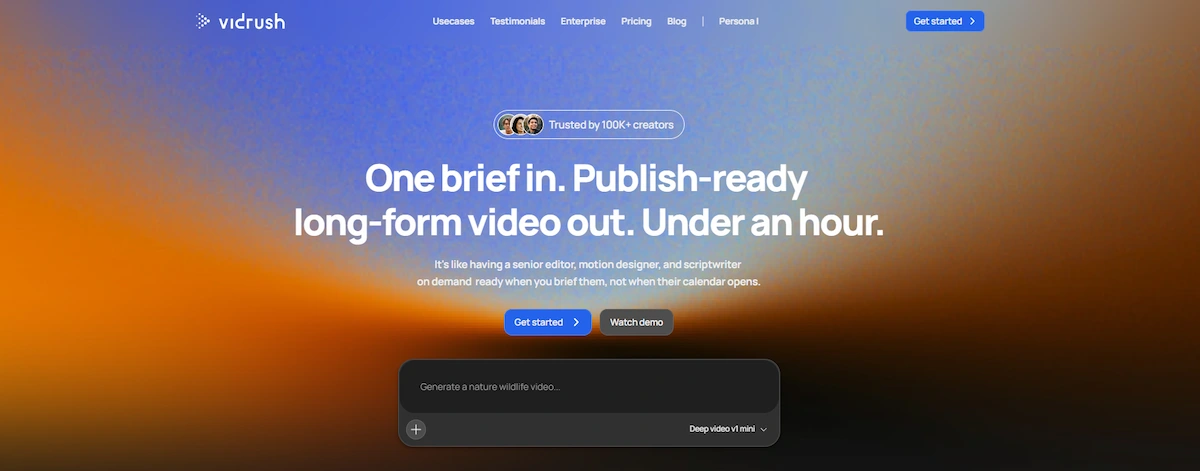
You give it a topic, a script, raw footage or a voiceover, and it researches, writes, narrates and edits a video in a single project. According to the official site, the result is publish-ready in under an hour, and the review sources describe it more modestly as a first draft that is about 80 percent done. For a wider look at the topic, read the guide to AI video creation.
What VidRush AI does
As a VidRush AI video generator, it is built for long videos and not for short clips. The site says VidRush AI works like a small production team. It lists five parallel roles: a researcher, a scriptwriter, a motion designer, an editor and a sound designer. The tool finds real footage from licensed, public domain, stock and web sources, adds music and motion graphics, and builds an editable timeline. It focuses on Documentary, Explainer, Breakdown and Top 10 videos.
Who is behind it and when it launched
The site names VIDRUSH AI STUDIOS LLP as the legal entity, and TopAI.tools lists it as a company registered in England and Wales. One competitor page says VidRush launched publicly on July 16, 2026 with a waitlist. That date comes from a competitor and I could not confirm it on the official site.
Not the same as vidrushai.com
Several sites use a similar name, and they are not the same product. The site vidrushai.com presents an all-in-one generator for video, images and music with third-party models. G2 lists vidrush-ai.com as a free-to-start generator for short social clips. Neither page mentions vidrush.ai, so this article covers only vidrush.ai, the long-form YouTube tool. If a review talks about free credits or short clips, check which site it describes.
How VidRush AI works
If you want to know how to use VidRush AI, the workflow is the same for every video: write a brief, approve the plan, let the tool generate, then edit and publish.
Step 1: Write a brief
You start with a paragraph about the topic, a full script, your own footage or a voiceover file. A short brief is enough, but a clear one gives better results. One reviewer notes that the tool needs at least 20 minutes of existing online source material on the topic, so very new or niche subjects can be a problem.
Step 2: Review the plan and the cost
Before generating, VidRush AI shows a plan with the script, footage, voice, style and an estimated cost in credits. AiMiracle calls this the Quote Statement. You approve or change the plan, which means you see the price before credits are spent.
Step 3: Let it generate
After approval, the tool researches the topic, writes the script, records the narration, picks footage, adds music and builds the video. Essoaishow reports that a draft took a little under 45 minutes. Generation time depends on the length of the video and the model you choose.
Step 4: Edit and polish
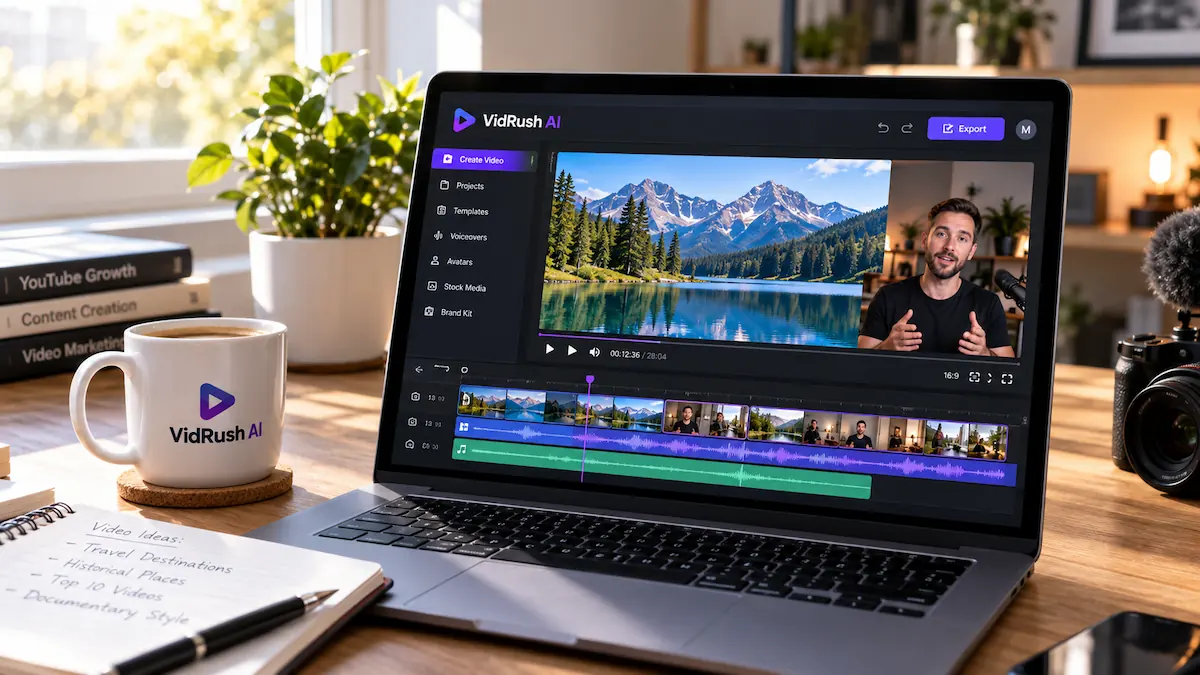
The result opens in an editor with a timeline, a media library and text overlays. You can cut, replace or retime clips without regenerating the whole video, fix captions and swap audio. For subtitle options outside the tool, see how to add AI subtitles to videos. The Rush Agent, a chat-based editing tool, lets you ask for changes in plain language, although sources disagree on whether it is live or still in beta.
Step 5: Export and publish
When the edit is done, you export the video and upload it to YouTube. MagicLight reports horizontal 1080p MP4 files at 30 frames per second. Check the captions before you publish.
How AI long-form video generators work
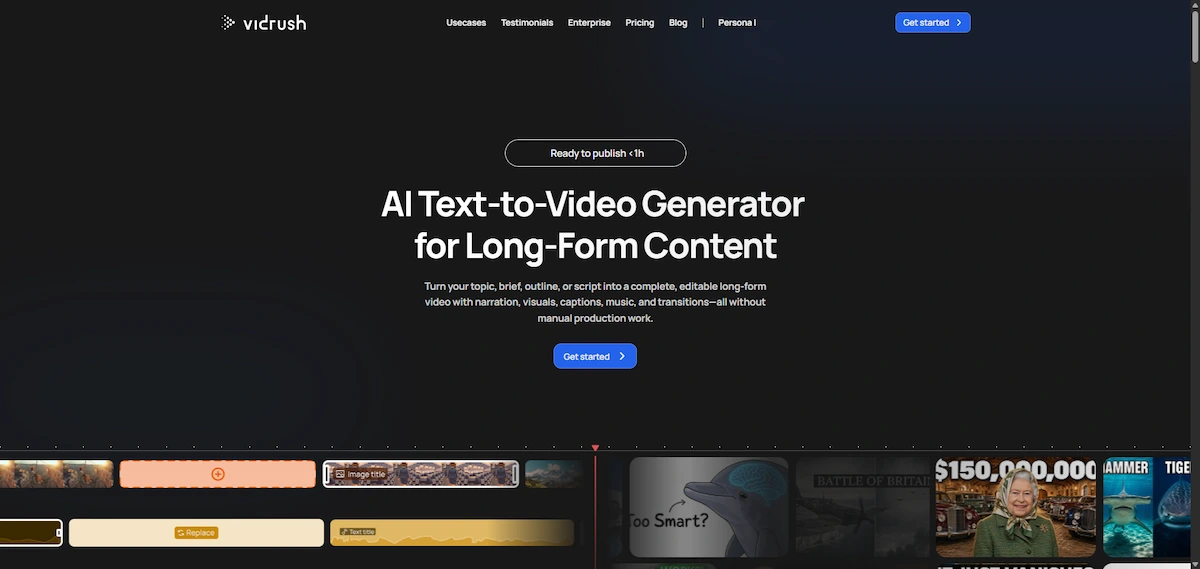
VidRush AI is one tool in a wider group, so it helps to know what happens behind the screen and what other types of AI video tools exist.
The pipeline behind a long-form generator
A long-form generator chains several jobs. It reads your brief and researches the topic, writes a script, turns the script into narration with a synthetic voice, matches footage to each part of the script, adds music and captions and assembles everything on a timeline. VidRush AI describes these jobs as five parallel specialists, and a good result depends on every link in the chain.
Types of AI video tools
- Long-form generators: build a documentary or Top 10 video from a brief, such as VidRush AI.
- Text-to-video models: create short clips from a prompt, often a few seconds each.
- Avatar tools: a digital presenter reads your script on screen.
- Short-form clip makers: produce vertical videos for Shorts, Reels and TikTok.
- All-in-one studios: bundle video, image and music models in one workspace.
Benefits and limits of AI video generation
The benefits are speed, lower cost per video and the ability to publish more often without filming. The limits are just as clear: quality can be uneven, footage can repeat, scripts can contain errors and licenses can carry duties. Use AI when you need a fast draft at volume, and use a human editor when the story, the tone or the legal risk matters more than speed.
VidRush AI features
These are the main features, as described by the official site and the review sources.
Production models: Deep Video v1 mini, Pro and Persona I
VidRush AI offers three production modes. Deep Video v1 mini is the base model, and Deep Video v1 Pro adds Storyblocks B-roll footage according to MagicLight. Persona I adds an AI avatar host, and the site says avatars start at $0.53 per minute. If you want more on this format, read how to make AI avatar videos.
Research depth: Low, Medium and Experimental
You can set how deep the research goes. The options are Low, Medium and Experimental, and a deeper setting costs more credits and takes longer. Some reviewers report claims stated with more confidence than the sources support, so check facts on any setting.
Real footage and licensing
Unlike tools that generate every scene, VidRush AI assembles real footage. The site says it uses licensed, public domain, commercial stock and web sources. MagicLight notes that Creative Commons clips can come with attribution duties, and that narrow topics can produce repetitive visuals. Read the license terms before you monetize a video.
Voices and voiceovers
MagicLight lists more than 100 ElevenLabs voices, Cartesia voices and 25 exclusive voices. You can also upload your own MP3 or WAV voiceover, but the site says this does not lower the credit cost. For tips on narration, see the guide to creating AI voiceovers.
Editor and Rush Agent
The built-in editor has drag and drop, a media library, text overlays and a timeline. The Rush Agent handles edits by chat. MagicLight and AiMiracle describe it as an early beta feature, while TubeGen says it is on the roadmap, so treat it as new.
Brand profiles and style matching
Brand profiles save a channel style, and the tool can study your YouTube channel to match pacing, motion and editing rhythm. MagicLight adds that a profile can hold up to five whitelisted sources. Cliptude says VidRush can also match a reference video, and that channel modeling is marked as coming soon, so confirm this on the site.
Your own script, voiceover or footage
You do not have to start from a topic. The site says you can bring a script up to 60 minutes long, your own voiceover or your own footage. This is useful if you already write your scripts and only need production.
Thumbnails
VidRush AI generates a thumbnail with the video, according to Essoaishow. Cliptude says the thumbnail feature is in beta. Check the result against your channel style before you upload.
Exports and project files
MagicLight reports horizontal 1080p MP4 output. Cliptude says VidRush does not list a project export on its site, while its own product offers a ZIP export with a timeline file for editors such as Final Cut. This comes from a competitor, so confirm it on the official site if you want to finish videos in Premiere Pro or DaVinci Resolve.
VidRush Atlas for enterprise
The site announces VidRush Atlas as an enterprise product that is coming soon. It connects to a company footage archive and turns it into finished videos, and the page lists SOC 2, separate workspaces and audit trails. It is not part of the standard plans.
What kind of videos can VidRush AI create?
VidRush AI is a specialist tool, so it is better to know what it does well before you pay.
Documentary, explainer, breakdown and Top 10
The site lists four formats: Documentary, Explainer, Breakdown and Listicle or Top 10. Reviews add news style videos and faceless channels about history, finance, true crime, science, geopolitics and education. Media.io and AiMiracle both say the tool works best for these long, research-based formats.
Video length and language
Sources give different limits. The site and AiMiracle say 6 to 60 minutes, while MagicLight, Media.io and TubeGen say 6 to 40. The site FAQ says English, and TubeGen adds that German is experimental. The hero text on the site mentions English, German and Spanish briefs. If you work in another language, test a short project first.
What VidRush AI is not built for
The site says VidRush AI is not made for vlogs, gaming, reactions, software tutorials or vertical video. That means no YouTube Shorts, Reels or TikTok in the native format. If you want to cut a long video into short clips, use another tool, such as the one in the guide on how to turn long videos into shorts with AI.
VidRush AI use cases
Reviewers describe a small set of cases where VidRush AI makes sense.
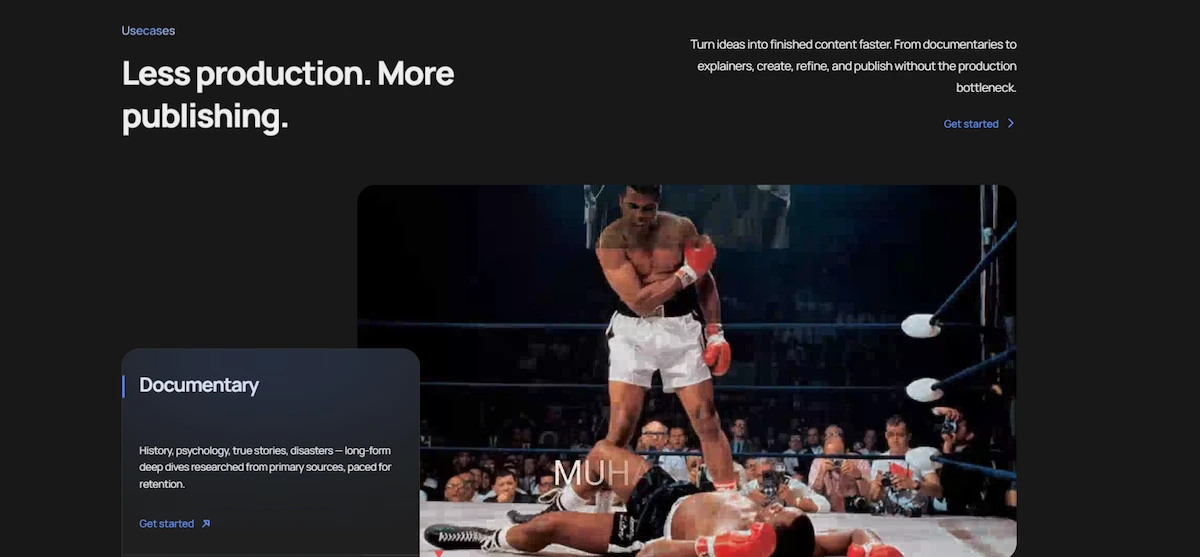
Faceless documentary channels
This is the main case. Channels about history, finance, true crime, science and geopolitics use the tool to turn a topic into a researched documentary with real footage and narration, then polish it in the editor.
Top 10 and explainer content
Listicle and explainer videos follow a clear structure, which suits an automated pipeline. The tool writes the script and matches footage, and you adjust the order, the clips and the facts.
Research-to-video automation
Media.io points to research-to-video as a core use. You give a topic and the tool collects sources, writes the script and builds the video, which saves the first hours of any project. You still check the facts.
Custom script and voice workflows
If you already write your scripts or record your own voice, you can bring them in and use VidRush AI for footage, music and editing. The site says your own voiceover does not lower the credit cost.
Studio and team scaling
Some reviewers use the name VidRush Studio for the platform or for the top plan. Higher plans add team seats and more generations at once, which suits studios that publish at volume.
One channel or many channels
Sources disagree here. Noodle Tomato says the tool is built for one channel at a time, with no portfolio view. Media.io lists multi-channel production as a use case, and a Trustpilot reviewer says they run several channels alone. Brand profiles help keep each channel style apart.
VidRush AI pricing
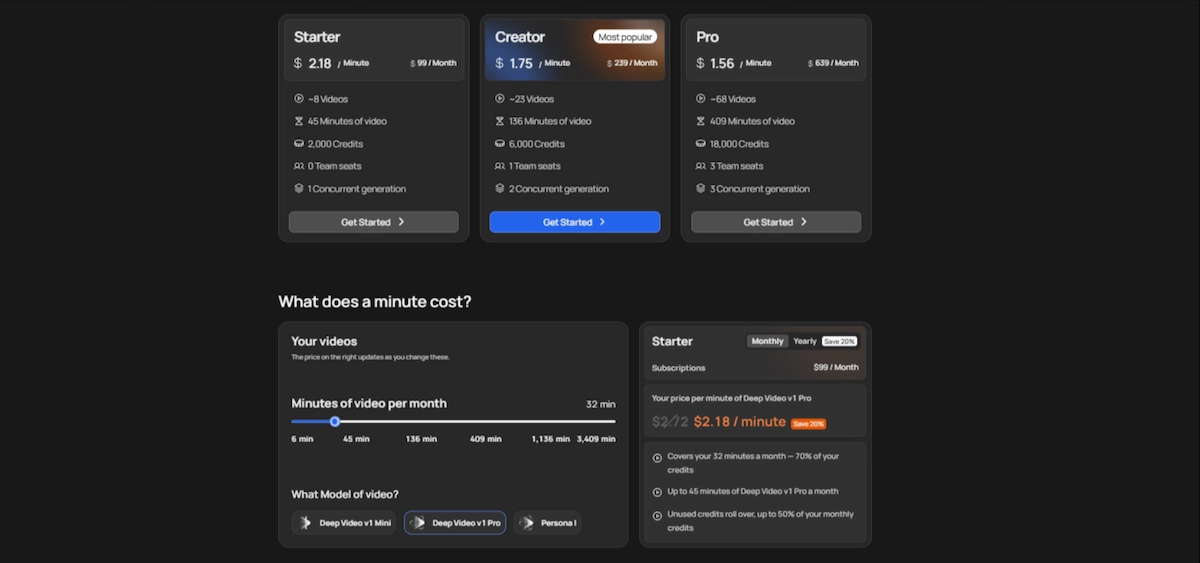
VidRush AI uses a monthly credit system. Each plan includes a fixed number of credits, and credits are spent when you generate a video. Plans are built around credits and not around a flat fee.
Plans and prices
The official pricing page lists three plans. Reviews also mention two larger plans, Scale at $1,750 and Studio at $4,990 a month, which I did not find on the pricing page, so check them before you rely on them.
| Plan | Monthly price | Credits | Video minutes | Videos | Team seats | Generations at once | Cost per minute (monthly / yearly) |
|---|---|---|---|---|---|---|---|
| Starter | $99 | 2,000 | 45 | about 8 | 0 | 1 | $2.27 / $2.18 |
| Creator | $239 | 6,000 | 136 | about 23 | 1 | 2 | $2.72 / $1.75 |
| Pro | $639 | 18,000 | 409 | about 68 | 3 | 3 | $2.72 / $1.56 |
The page says yearly billing saves 20 percent. Other sources give different figures, so check the checkout page for the final price and the currency.
How credits and cost per minute work
The official docs say usage is counted per second at 55 credits per minute of final video. At that rate, 2,000 credits would cover about 36 minutes, which is the number MagicLight and Aireiter give for Starter. The pricing page says 45 minutes, and AiMiracle and TubeGen use that figure too. The difference comes from the model and the number of renders, because the minutes are estimates. Aireiter puts the cost of a finished minute between $1.83 and $2.72, and TubeGen between $1.93 and $2.72.
Re-renders, pay-as-you-go and yearly billing
If you run out of credits, you can turn on pay-as-you-go in your billing settings. It lets you keep generating at a higher cost per minute. Aireiter reports top-ups in $100 steps, and both Aireiter and TubeGen say a re-render costs about 10 percent of the original credits. Yearly billing is cheaper per month, but credits are tied to the plan, so only choose it after a test month. For a wider view of other costs, read how much AI tools cost.
Do credits roll over?
Sources disagree. The pricing page says unused Starter credits roll over, up to 50 percent of the monthly credits, and AiMiracle reports a limit of 1.5 times the monthly allowance. Aireiter, TubeGen and Media.io say credits do not roll over, and the terms quoted by Autotube say credits expire at the end of the billing cycle. Plan as if they will not roll over, and ask support before you count on it.
Is VidRush AI free? Free trial and referral code
There is no permanent free plan. MagicLight, AiMiracle and Aireiter say there is no free trial, and the pricing page does not mention one. Noodle Tomato says new accounts get a limited trial, so it is possible that promotions appear from time to time. Searches for a free VidRush AI referral code are common, but Media.io found no clear public referral program. Cliptude says a founder posted a code to skip the waitlist, and it also says it cannot confirm that the code still works. Treat codes with caution and use only official channels.
Access: waitlist and invite code
AiMiracle, Aireiter and Trustpilot replies describe access through a waitlist or invitation. The company says it grants access in batches and that following up does not move you up the queue. Check whether signup is open before you plan a project around it.
Refunds and cancellation
Refund rules differ by source. AiMiracle says refunds are limited to technical failures. Autotube says the site offers a 14 day refund after a first purchase if no credits were used. The pricing page does not describe a refund policy, so read the terms and send a question to support before you pay. Some Trustpilot reviewers call cancellation confusing.
Terms and currency
Autotube reports that the terms of service mention pounds sterling while the pricing page shows dollars. Check the currency and any tax at checkout, and read the terms before you pay, since they can differ from the marketing pages.
How much does a finished video really cost?
The cost depends on length, model and how many times you render. Using the cost per minute from the pricing page, between $2.18 and $2.72, a 10 minute video costs about $21.80 to $27.20, a 20 minute video about $43.60 to $54.40 and a 30 minute video about $65.40 to $81.60. These are estimates, since credits vary with the model and with research depth.
- A Starter month covers 45 minutes by the page, for example four videos of about 10 minutes, with a little left over.
- A re-render adds about 10 percent of the original credits, according to two reviews.
- Using the Pro model and deeper research can use more credits, and the page example shows 32 minutes on Starter using about 70 percent of the monthly credits.
What moves the real cost
- Re-renders: about 10 percent of the original credits each time, according to two reviews.
- Model and research depth: the Pro model and a deeper research setting can use more credits.
- Your own voiceover: it does not lower the cost, according to the site.
- Expiring credits: if credits do not roll over, unused ones are lost each month.
- Pay-as-you-go: it works at a higher cost per minute than your plan.
The site compares this to freelance editors at $50 to $150 per video, but that figure counts editing only, not research or script. To judge whether the cost makes sense for your channel, see how to calculate the ROI of AI for business.
VidRush AI review: what the evidence says
I did not test VidRush AI myself, so this review is based on the official site, user reviews and other reviewers. Where a source sells a competing tool, I say so.
What users say on Trustpilot
On Trustpilot, VidRush has a score of 4.3 out of 5 from about 55 reviews, with around 80 percent five star and 7 percent one star. Positive reviews mention ease of use, speed, good output for documentary channels and fast, friendly support. Negative reviews mention irrelevant or repeated footage, buffering in the editor, high price, slow support, a waitlist for access and cancellation or refund problems. Trustpilot says it does not check reviews, and the profile was merged with other listings, so treat the numbers with care.
What other reviewers report
AiMiracle gives a score of 4.1 out of 5 and calls the output an 80 percent first draft that needs polish. Essoaishow found the draft quick and the research mostly accurate on a familiar topic, but spent close to an hour fixing clips and script sections. MagicLight and Media.io are published by competing tools, so their verdicts lean toward their own products.
Pros
- One brief covers research, script, voice, footage, music and editing.
- The plan and credit estimate appear before you spend credits.
- Real, licensed footage instead of generated scenes.
- Brand profiles that match the style of your channel.
- A full editor, so you can fix problems without starting over.
- Support is praised in many Trustpilot reviews.
Cons
- No free plan, and prices start at $99 a month.
- Access through a waitlist or invitation, according to several sources.
- Narrow scope: long horizontal videos, mainly in English.
- Repeated or irrelevant footage on narrow topics.
- Output needs real review and polish, and facts need checking.
- Unclear rules on credit rollover and refunds.
Why paying users leave
Aireiter collects reasons from users who left, and Trustpilot shows the same themes. The common ones are price, the waitlist, clunky editing, credits spent on footage that was not usable and doubts about relying on one platform. One user wrote that a $100 minimum just to try the tool felt steep.
VidRush AI scorecard
AiMiracle gives an editorial score of 4.1 out of 5. The table below is my summary of what the sources report, not a measured test.
| Criterion | Rating from the sources | Why |
|---|---|---|
| Fit for long-form YouTube | Strong | Built for documentary and Top 10 videos |
| Ease of use | Strong | Praised on Trustpilot, one brief starts the process |
| Output quality | Mixed | Described as an 80 percent draft that needs polish |
| Value for money | Mixed | Good for volume, hard to justify for small channels |
| Access | Weak | Waitlist or invite reported, no free plan |
| Support | Mixed | Praised often, criticized as slow in some reviews |
| Pricing clarity | Mixed | Sources disagree on rollover, refunds and minutes |
Is VidRush AI legit and safe?
VidRush AI looks like a real, working product with a registered company, a public pricing page, documentation and active support. That does not mean every claim is checked.
Company and reviews
The company is listed as VidRush AI Studios LLP, and Trustpilot shows around 55 reviews, mostly positive. The company replies to negative reviews and asks users to write to support. No source I read points to a scam, but several reviewers complain about price, access and billing.
Data, billing and cancellation
TopAI.tools says VidRush states GDPR compliance in its documents, and it also says the site has not verified that claim. If you upload your own scripts, footage or voice, read the privacy policy and the terms, and see the guide on AI data privacy for business. Check the billing terms, the currency and how to cancel before you subscribe.
Claims you should verify yourself
The site claims 3 billion long-form views, 50 percent average retention and more than 40,000 videos produced. These numbers come from the company and I found no independent check. Test the tool on a topic you know well, and compare the result with your own standards.
How accurate are the scripts?
Essoaishow found the research mostly accurate on a topic the author knew well, with no obvious inventions, but also noted some claims stated more confidently than the sources support. MagicLight reports repetitive visuals on narrow topics. Read every script, check names, dates and numbers against a source and rewrite weak lines before you export.
Support
The site says chat support runs around the clock, with most issues solved in two to three hours. On Trustpilot, the company says requests are answered within 48 hours. Many reviewers praise support by name, while others report slow answers, so expect mixed experiences.
Who should use VidRush AI?
VidRush AI fits a narrow type of creator. For everyone else, another tool will cost less and fit better.
A good fit
- Faceless channels about history, finance, true crime, science or news.
- Creators who publish long-form documentaries or Top 10 videos in English at volume.
- Teams and studios that can budget $99 a month or more and want a consistent style.
- Channels that already have scripts and need production.
Not a good fit
- Creators who make Shorts, Reels, vlogs, reactions, gaming or tutorials.
- Anyone who wants a free plan or a cheap trial.
- Beginners still testing whether long-form video works for their channel.
- Channels in languages other than English.
VidRush AI vs alternatives
Many tools compete with VidRush AI, and most of the pages that compare them are published by one of the tools. Prices change often, so check the current plan page. In a VidRush AI vs InVideo AI comparison, the first is a specialist for long documentaries and the second is a general video tool, and in a VidRush AI vs Pictory comparison, Pictory is cheaper but limits the length of each video. For a wider list of tools people use, see the most popular AI tools.
Comparison table
| Tool | Starting price (as listed by reviews) | Best for | Note |
|---|---|---|---|
| VidRush AI | $99 a month | Long-form documentary and Top 10 videos | No free plan, waitlist or invite reported |
| InVideo AI | About $20 to $25 per seat | General video creation | Reviews disagree on the free plan |
| Pictory | About $25 to $29 a month | Turning scripts and text into videos | 30 minute cap per video, 14 day trial |
| Fliki | About $28 a month | Voice and language coverage | Small free tier, export caps |
| Revid AI | About $39 a month | Short-form videos and scheduled posting | No free plan |
| Cliptude | From $49 a month (promo) | Long-form with open signup | Project export |
| Noodle Tomato | $149 a month | Running several channels | No free tier |
VidRush AI vs InVideo AI
InVideo AI is a general video tool, listed by Aireiter at about $20 per seat a month with a choice of models. It is cheaper and more flexible, but it does not build a researched long documentary from one brief the way VidRush AI does.
VidRush AI vs Pictory
Pictory turns scripts and text into videos, and Aireiter lists 200 minutes for about $25 a month billed yearly or $29 monthly, with a 30 minute cap per video and a 14 day trial. It costs less per minute, but you bring more of the script and the structure yourself.
VidRush AI vs StoryShort
TopAI.tools lists StoryShort AI as a subscription from $39. It is usually grouped with tools for short videos, so it solves a different problem from VidRush AI, which targets long horizontal videos.
VidRush AI vs MagicLight AI
MagicLight publishes one of the most detailed VidRush reviews and recommends its own tool for original animation, vertical formats and free starter credits. Its verdict leans toward its own product, so use its facts about VidRush and treat its conclusion with care.
VidRush AI vs TubeGen, Autotube and Cliptude
TubeGen compares the tools on six points: formats and niches, languages and voice, the pipeline before and after the video, visuals, editing and output, and pricing model. Autotube advertises videos of up to three hours, credits that roll over under one policy and up to ten channel presets. Cliptude advertises open signup and project exports. All three are competitors, so verify their claims before you switch.
| Topic | VidRush AI | What competitors claim |
|---|---|---|
| Signup | Waitlist or invite reported | Cliptude: open signup |
| Video length | 6 to 40 or 60 minutes | Autotube: up to three hours |
| Credit rollover | Sources disagree | Autotube: one clear rollover policy |
| Project export | Not listed on the site, per Cliptude | Cliptude: ZIP export with timeline |
| Footage | Real, licensed and web footage | Autotube: real footage |
| Team seats | On higher plans | Autotube: team seats on the edit |
The cheapest alternative for long-form videos
Aireiter and Noodle Tomato place Cliptude, InVideo AI and Pictory among the cheapest options for long-form work, but their results differ by niche. Compare the number of minutes you get, the maximum length per video and whether you can export the project. Run the same short topic through two tools before you commit.
Free VidRush AI alternatives
Searches for a VidRush AI alternative free are common, and a few tools offer a free tier or a trial. Fliki lists a small free tier with export limits, Pictory lists a 14 day trial and Agent Opus lists a free tier with 60 credits a month, according to the reviews. Free plans usually add watermarks, limits or shorter videos, so read the terms. A free chat tool can also help you write scripts, for example a free chat assistant.
VidRush AI vs a freelance editor
The site cites freelance editors at $50 to $150 per video. At about $22 to $27 for a 10 minute video in credits, VidRush AI can cost less per video, but an editor delivers a finished, checked result and you do not spend an hour polishing. Pick the editor when the story matters more than volume, and the tool when you publish often.
Switching or running both
TubeGen describes three ways to move: start fresh on a new tool, switch from VidRush, or run both. Running both for one month is the safest test, since you can compare cost, quality and editing time on the same topic before you cancel anything.
When you need research, not a video
Sometimes the real problem is the topic and not the video. If you need niche research, keyword ideas or script outlines first, a research tool can work better than a video generator. Make the video tool the last step, after you know what you want to say.
How to decide before you pay
Use this checklist before you subscribe. The guide on how to choose AI tools for business has more questions to ask.
- Do you publish long-form documentary, explainer or Top 10 videos in English?
- Can you afford $99 a month, plus extra credits for re-renders?
- Is signup open, or will you wait for an invite?
- Do you know the refund, cancellation and rollover rules?
- Do you have time to edit and fact-check about 20 percent of each video?
- Have you compared at least two alternatives on the same topic?
A simple test plan
- Pick one topic you know well, with plenty of sources online.
- Read the plan and the credit estimate before you generate.
- Generate one video of about 10 minutes and note the minutes spent editing.
- Count the credits used, including any re-render.
- Run the same topic through one alternative.
- Compare the cost per finished minute and the time to publish.
Tips to get better results
These tips come from the weak points reviewers report.
- Pick topics with plenty of sources. The tool works best when at least 20 minutes of online material exists.
- Write a specific brief. Name the audience, the angle, the length and the tone.
- Test on a topic you know. You will spot wrong claims faster.
- Check the plan before you generate. Fix the script and the cost estimate first, since changes after rendering cost credits.
- Replace weak clips. Swap repeated or off-topic footage in the editor.
- Read the footage licenses. Add attribution when a clip requires it.
- Read Reddit threads with care. Searches for VidRush AI review Reddit and free codes are common, but threads are opinions and codes may be out of date.
- Watch the credits. Track how many credits each video uses before you plan a month.
Common problems and how to fix them
| Problem | How to fix it |
|---|---|
| Footage does not match the topic | Replace clips in the editor or narrow the brief |
| Visuals repeat | Choose a wider topic, add your own clips or edit the timeline |
| A fact in the script is wrong | Check against a source and rewrite the line before you export |
| Credits run out early | Check the estimate first, avoid extra re-renders and compare plans |
| The editor buffers | Try another browser or a shorter project, and contact support |
| You cannot get access | Check the waitlist status and wait for the invite batch |
| Support is slow | Use the chat in the app first, then email the support address |
Can you make money with VidRush AI videos?
The tool does not guarantee growth. One Trustpilot reviewer who did not monetize the channel reported limited growth, and the company replied that growth depends on factors outside the platform. AiMiracle says the footage is cleared for monetization, but footage licenses are only one part of the question. YouTube policies on repeated or mass-produced content also apply, so read the current rules before you publish at volume. Videos that add your own research, script and voice are safer than videos used as they come out. Long-form videos and Shorts are also paid differently on YouTube, so compare the earnings per thousand views in your own analytics and not in a review.
Also compare cost with earnings. A 10 minute video costs about $22 to $27 in credits, and you still spend time on edits. If your channel earns little, the monthly plan can cost more than the videos bring in.
What is coming next for VidRush AI
The site and the reviews point to several features that are new or still in progress. VidRush Atlas is an enterprise product marked as coming soon. The Rush Agent is described as an early beta by some sources and as a roadmap item by TubeGen. Channel modeling is marked coming soon by Cliptude, and thumbnails are called a beta feature. Treat all of these as unconfirmed until you see them in your own account.
How this review was put together
This review is built from the official site, the official pricing page and documentation, the Trustpilot profile and reviews from AiMiracle, Essoaishow, MagicLight, Media.io, TopAI.tools and comparison pages from Aireiter, Cliptude, TubeGen, Autotube and Noodle Tomato. Several of these sell competing tools, and I say so where it matters. Prices and plans were read in October 2026 and can change.
Things I could not verify: any hands-on result, the exact minutes in the Starter plan, the rollover and refund rules, the status of the Rush Agent and project export, and the marketing claims about views and retention. Confirm these on the official site before you pay.
Verdict: is VidRush AI worth it?
VidRush AI is worth a look if you run a faceless, English, long-form YouTube channel and want one tool for research, script, footage and editing. The credit estimate before generation, the real footage and the editor are strong points. It is a poor fit if you want Shorts, a free plan, other languages or a quick test, since the price, the access rules and the editing still need attention. Treat the output as a draft, check every fact, and confirm credits, refunds and access on the official site before you pay.
VidRush AI FAQ
What is VidRush AI?
VidRush AI is a platform that turns a brief, script or footage into a long-form YouTube video. It handles research, script, narration, footage, music and editing, and focuses on documentary and Top 10 videos.
What does VidRush AI do?
It researches a topic, writes the script, records narration, finds real footage, adds music and builds an editable video. You approve the plan and cost first, then edit and export the result.
Is VidRush AI free?
No. Plans start at $99 a month and there is no permanent free plan. Most sources report no free trial, though one review says new accounts may get a limited trial.
How much does VidRush AI cost?
The pricing page lists Starter at $99, Creator at $239 and Pro at $639 a month. A finished minute costs about $1.56 to $2.72 depending on the plan and billing.
Does VidRush AI have a free trial?
The pricing page does not mention one, and several reviews say there is none. Check the signup page, since promotions can change.
Is there a VidRush AI referral code?
No clear public referral program was found. A competitor page mentions a code that reportedly skipped the waitlist, but it could not confirm that it works. Use only official channels.
Is VidRush AI legit and safe?
It appears to be a real product from a registered company, with a public pricing page and mostly positive Trustpilot reviews. Some reviewers complain about price, access and cancellation, so read the terms first.
Do VidRush AI credits roll over?
Sources disagree. The pricing page mentions rollover for Starter, while other reviews and the quoted terms say credits expire. Ask support before you rely on it.
What videos can VidRush AI make?
It makes long-form documentary, explainer, breakdown and Top 10 videos, usually 6 to 40 or 60 minutes long, in a horizontal format. It does not make Shorts, vlogs, gaming or tutorials.
Does VidRush AI work in other languages?
The site FAQ says English. TubeGen reports German as experimental, and the hero text mentions German and Spanish briefs, so test a short project before you rely on it.
Can I monetize VidRush AI videos on YouTube?
You can publish them, but monetization depends on YouTube policies and your channel. Read the footage licenses, add your own value and check the current YouTube rules.
Is there a VidRush AI app?
No separate mobile app was found. VidRush AI runs in the browser, according to AiMiracle.
What is the best VidRush AI alternative?
It depends on your goal. InVideo AI, Pictory and Fliki are common general options, Cliptude and Noodle Tomato target long-form work and Revid AI is for short-form. Test two on the same topic.
Is VidRush AI worth it?
It can be worth it for faceless, English, long-form channels that publish at volume. It is a poor fit for Shorts, small budgets and quick tests, so test one topic before you commit.
Is VidRush AI good for faceless YouTube channels?
Yes, that is its main use. Reviewers point to history, finance, true crime, science and news channels, with real footage and narration, though every video still needs editing and fact-checking.
Will the output be ready to publish immediately?
Usually not. The site says it gets about 80 percent of the way, and reviewers needed an editing pass for clips, script lines and facts before publishing.
What is the minimum realistic budget?
The Starter plan costs $99 a month, which covers about 45 minutes of video on the pricing page. Add credits for re-renders and your own editing time when you plan a month.
How long does it take to generate a video?
One reviewer got a draft in a little under 45 minutes, and the site says under an hour. Time depends on the length, the model and the research depth.
Do I need technical skills to use VidRush AI?
No. You write a brief, approve the plan and edit in a drag-and-drop editor. Editing and fact-checking take the most time, so some video experience helps.
Can I use my own script, voiceover or footage?
Yes. The site says you can bring a script up to 60 minutes, your own MP3 or WAV voiceover or your own footage. Your own voiceover does not lower the credit cost.
Does VidRush AI auto-renew or offer refunds?
TopAI.tools says subscriptions auto-renew. Refund rules differ by source, from technical failures only to a 14 day window, so read the terms and ask support before you pay.
Who made VidRush AI?
The site names VIDRUSH AI STUDIOS LLP, and TopAI.tools lists it as a company registered in England and Wales. Check the legal pages on the official site for details.
What does VidRush AI do with my data?
TopAI.tools says VidRush states GDPR compliance in its documents but has not verified it. Read the privacy policy and terms before you upload scripts, footage or voice recordings.
Do I need an invite code for VidRush AI?
Several sources report a waitlist or invite batches, and the company says following up does not move you up the queue. Check whether signup is open on the official site.
What is the cheapest VidRush AI alternative for long-form video?
Reviews point to InVideo AI, Pictory and Cliptude as lower-priced options, but results differ by niche. Compare minutes, maximum length and export options on one test topic.
Which VidRush AI alternative has a free plan?
Fliki lists a small free tier with export limits, Pictory lists a 14 day trial and Agent Opus lists a free tier, according to reviews. Check each tool, since free plans change often.
What if I need niche research, not video generation?
Use a research or script tool first, then make the video. A video generator works best when you already know the angle and the sources.
How accurate are the scripts from VidRush AI?
One reviewer found the research mostly accurate on a familiar topic but saw some claims stated too confidently. Check every name, date and number against a source before you export.
What is VidRush Studio?
Some reviewers, such as Media.io, use VidRush Studio as a name for the platform or the top plan. On the official site the product is called VidRush.
Why do people search for VidRush AI free codes and Reddit threads?
Because there is no free plan and plans start at $99 a month, people look for discounts and honest opinions. Treat codes with caution and use official channels.
Which tool should I start with for a channel I plan to keep?
Test VidRush AI and one alternative on the same topic for a month. Choose the one with the best mix of cost per finished minute, editing time and access for your channel.
Does VidRush AI make YouTube Shorts?
No. The site says it is not built for vertical video, so Shorts, Reels and TikTok are outside its focus. Use a different tool to cut long videos into short clips.