Writing marketing emails takes more time than most teams plan for. A single promotion needs a subject line, a preheader, a body, a call to action and a few rounds of edits, and then the same work starts again next week. This guide shows how to write marketing emails with AI so you can get a solid first draft in minutes and spend your time on the parts that need a person.
You will find a five step process, a prompt formula, ready to use prompts for fourteen types of email, subject line ideas, a checklist for making a draft sound like you, and the legal basics. Every AI email example below works in ChatGPT, Claude or Gemini, and the same prompts can be pasted into the AI tools built into most email platforms.

The goal is not to let a tool send emails for you. The goal is to write emails with AI faster, keep your own voice, and still send messages that readers want to open. Anything that involves facts, prices, dates or promises stays with you.
How to Write Marketing Emails With AI in 5 Steps
Here is the short version. Each step is explained in detail in the sections below.
- Write a brief. Define the goal, the audience, the offer and the call to action in a few lines.
- Write the prompt. Paste the brief into your AI tool and add the tone, the length and the format.
- Edit the draft. Fix the facts, cut the filler and rewrite lines until the email sounds like your brand.
- Test subject lines. Generate several options and run an A/B test on the best two.
- Check and send. Preview on mobile, confirm the links and the legal footer, then send.
Once you have a saved prompt, a full cycle for one promotional email fits into a short work block, because the drafting step is the one AI shortens the most. The checking step stays the same, and it should.
What AI can and cannot do for marketing emails
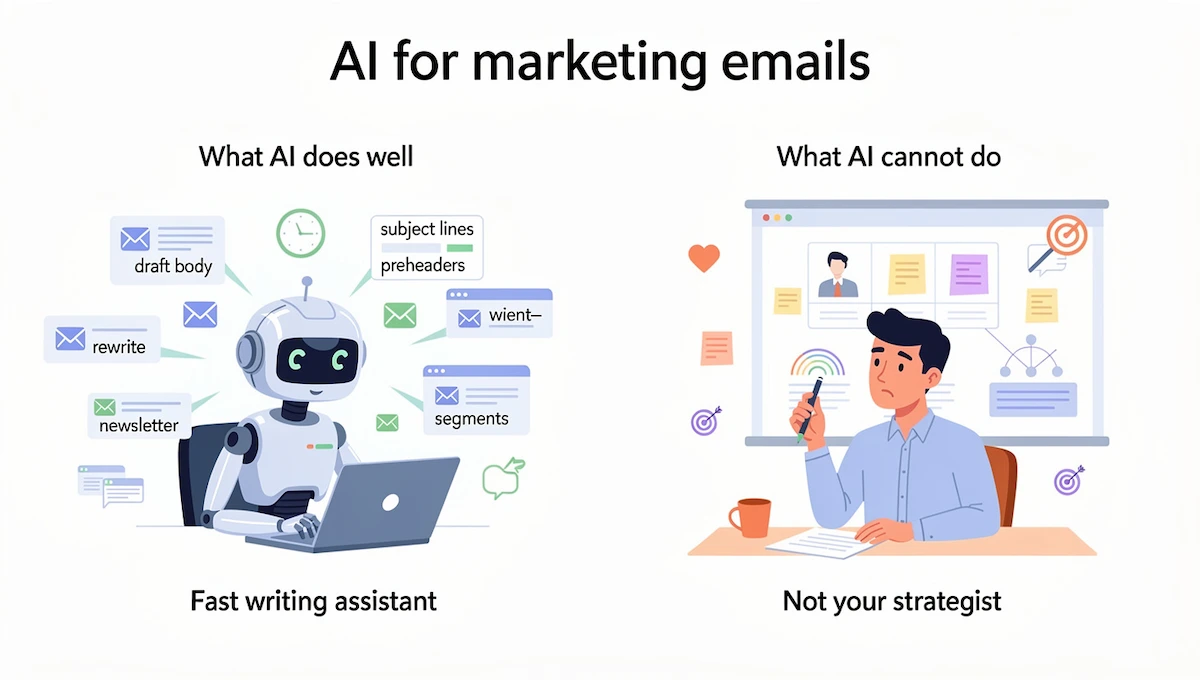
AI is a fast writing assistant, not a marketing strategist. Knowing where it helps and where it fails keeps your marketing emails accurate and saves you from rewriting everything by hand.
What AI does well
Large language models such as ChatGPT, Claude and Gemini predict text from patterns, which makes them quick at producing drafts in different tones and lengths. For email marketing, the tasks below are where they save the most time.
- Writing a first draft of the body from a short brief
- Producing many subject lines and preheaders at once
- Rewriting the same email shorter, longer or in a different tone
- Turning a blog post, report or announcement into a newsletter section
- Adapting one email for different audience segments
Many email platforms now include an AI writing assistant inside the email builder, including Mailchimp, Klaviyo, MailerLite, Squarespace and Wix. The features and limits differ by plan, so check what your own plan includes before you rely on them.
Where a person still decides
AI does not know your prices, your stock levels or your deadlines unless you tell it. It can also produce a hallucination, which means a confident statement that is wrong, such as an invented discount or a wrong date. Every fact, number and promise in a draft needs a human check.
A person also decides the strategy. AI can write ten versions of a re-engagement email, but it cannot tell you whether this is the right week to send one, which segment should get it, or whether the offer fits your margins. Brand voice and legal compliance belong to you as well. AI changes the work of an email marketer more than it replaces it: the job moves from writing every line to directing, editing and testing.
Step-by-step: how to write a marketing email with AI
This is how to write marketing emails with AI from brief to send, in full. It follows the same order every time, which is what makes it easy to repeat and to hand over to a teammate.
Step 1: Write a short brief
Before you open an AI tool, write a brief of four to six lines. It should state the goal, the audience, the offer, the deadline, the call to action and the tone. Here is an example: “Goal: sell out the spring collection. Audience: customers who bought in the last 12 months. Offer: 20% off until Sunday. Call to action: shop the collection. Tone: friendly and direct.”
The brief takes about three minutes to write. It matters because vague input produces vague output, and most disappointing AI drafts trace back to a brief that was missing the audience or the offer.
Step 2: Write the prompt
Turn the brief into a prompt by adding the email type, the length and the format. Good prompts follow a pattern, and our guide to prompt engineering for business explains the method in more detail.
Here is a prompt built from the brief above: “Write a 120 word promotional email for customers who bought from us in the last 12 months. The offer is 20% off the spring collection until Sunday. Use a friendly and direct tone. Start with the benefit, not a greeting. End with one call to action: shop the collection.”
Step 3: Edit the draft in your own voice
Treat the AI email draft as a rough draft. Read it aloud and mark every line that sounds like it could appear in any brand email. Replace those lines with something specific, such as a customer detail, a real number or a product name.
Check each fact against your own sources, cut any opening that only repeats the subject line, and keep one idea per paragraph. If the draft does not sound like your past emails, paste two of your best ones into the chat and ask the tool to match their style.
Step 4: Write and test subject lines
Ask for ten subject lines in five different styles, then pick the two strongest. Keep them short enough to read in full on a phone, and make sure they match what is inside the email. A subject line that promises more than the email delivers will cost you clicks and trust.
Run an A/B test with the two finalists on a part of your list, and send the winner to the rest. Test one change at a time so you know what made the difference.
Step 5: Check, preview, and send
Send a test email to yourself and open it on a phone and on a desktop. Click every link, confirm that the price and the dates are right, and make sure the unsubscribe link and your postal address are in the footer. Then schedule the send for the time your audience usually reads email. Never send an AI email draft that nobody has read from top to bottom.
How to write a good AI email prompt
The prompt decides the quality of the draft. A strong prompt gives the tool enough context to understand the outcome you want while leaving room for the wording.
A prompt formula for marketing emails
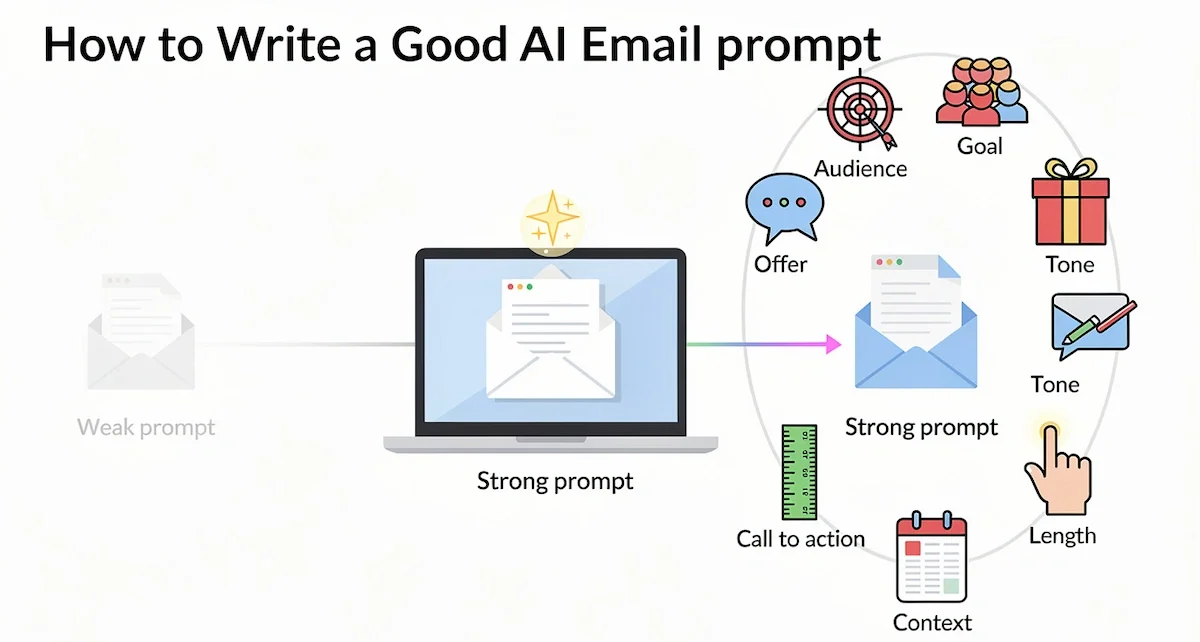
Use the same seven parts every time and you will rarely get an off target draft.
- Goal: what the email should achieve, such as a sale, a signup or a reply
- Audience: who receives it and what they already know about you
- Offer: the product, discount or news, with exact details
- Tone: friendly, formal, playful or direct
- Length: a word count for the body
- Call to action: the one step the reader should take
- Context: past purchases, season, campaign or anything else relevant
As a template: “Write a [length] [type of email] for [audience]. The goal is [goal]. The offer is [offer]. Use a [tone] tone. End with this call to action: [call to action]. Context: [extra details].”
A weak prompt versus a strong prompt
A weak prompt looks like this: “Write an email about our sale.” The tool has to guess the audience, the discount, the tone and the length, so the draft will be generic and you will rewrite most of it.
A strong prompt looks like this: “Write a 100 word email for subscribers who joined in the last 30 days. We sell handmade candles and the autumn range launches Friday. Offer free shipping on orders over 40 dollars for 48 hours. Tone: warm and a little playful. End with a button text of three words or fewer.” The second prompt gives the tool a clear target, so the first draft is usually close to final.
Ask for variations and length versions
Do not accept the first answer. Ask for three versions in the same chat: one at 80 words, one at 120 words and one at 200 words. You can also ask for the same email in two tones and compare them.
Often the best email is a mix of two versions, with the opening from one and the closing from another. Variations cost almost nothing, and they give you more material to test.
Add brand voice instructions
To keep your brand voice consistent, give the tool a short style guide in the prompt. List the words you never use, say how long your sentences usually are, and paste two or three past emails that performed well with the instruction to match their style.
Save this block in a document and paste it at the start of every email prompt. Some tools let you store it as a custom instruction, which saves the step.
Give the tool a role and a funnel stage
Start the prompt with a role, such as “You are an email marketer for a small online store.” A role sets the style of the answer. Also state the funnel stage, for example awareness, consideration or purchase, because the same product needs a different email for a new subscriber than for someone who is ready to buy.
Ask for deliverability and format checks
Add a line asking the tool to avoid spam style habits, such as all capital letters, repeated exclamation marks and misleading claims, and to keep the email readable in plain text. The tool cannot test deliverability for you, but it can follow these rules while it writes.
Write prompts for other languages and markets
Most tools write well in many languages. Ask for a translation first and an adaptation second, because a literal translation often misses local habits, date formats and currency. Have a native speaker read the final email before it goes out.
Build a prompt library
Keep every prompt that gives a good result in one shared document, with the email type, the date and the results next to it. After a few months you will have a library your whole team can reuse, which saves time and keeps the voice consistent.
Example: from first AI draft to final email
Here is what the edit step looks like in practice. The first draft came straight from a short prompt: “Subject: Spring sale. Hi there, we are excited to announce our spring sale. Enjoy 20% off our entire collection. Do not miss out on this great opportunity. Shop now.”
It is correct, but it could belong to any store. After editing, the same AI email reads: “Subject: Your spring pick, 20% off until Sunday. Hi Maria, the linen shirts you looked at last month are back in two new colors. Until Sunday night the whole spring collection is 20% off. Last year the olive and stone shades sold out in three days, so check your size soon. Shop the collection.”
Four changes made the difference. The subject line now holds a real deadline, the greeting uses a name, the body mentions a product the reader actually viewed, and there is one clear call to action. The stock opener and the empty phrases are gone. That pattern is what to look for every time you edit marketing emails written with AI.
AI email prompts for every type of marketing email
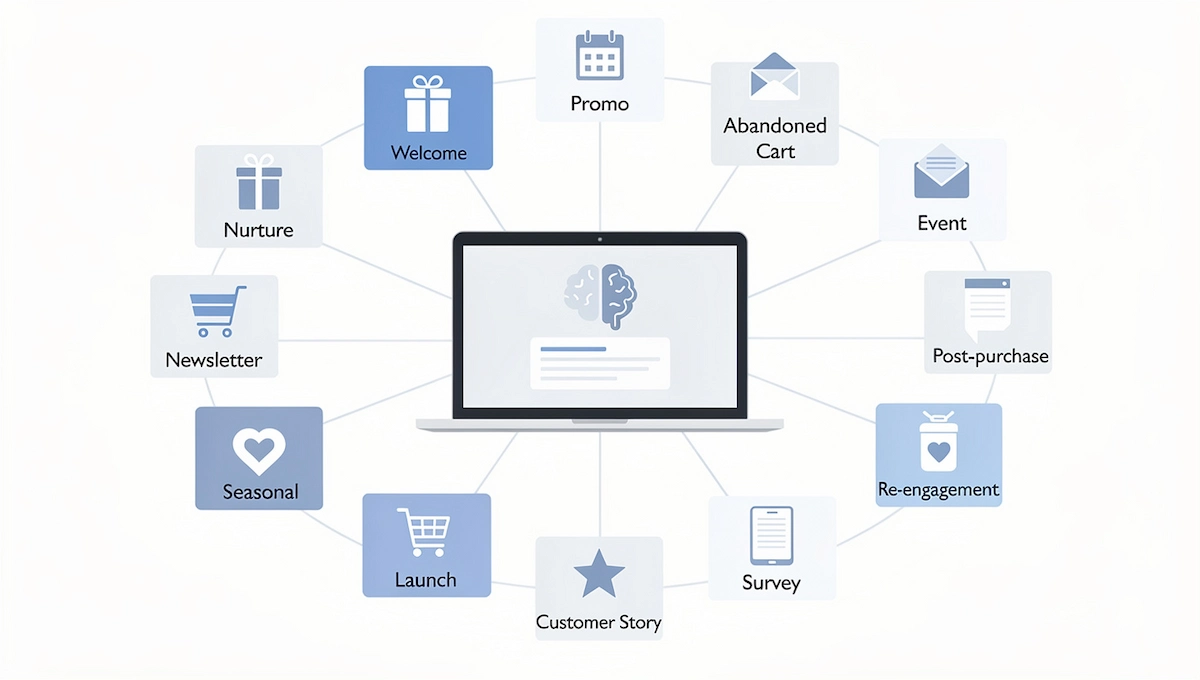
These prompts are starting points. Replace everything in brackets with your own details, and always run the output through the edit step before it goes anywhere near your list.
Welcome emails
Prompt: “Write a 100 word welcome email for new subscribers of [brand], which sells [product]. Thank them, say what they will receive and how often, and point to one first action: [action]. Tone: warm and clear.” Send the welcome email within minutes of signup, while the reader still remembers why they joined.
Promotional and sale emails
Prompt: “Write a 120 word promotional email for [audience]. Offer: [discount] on [product] until [date]. Lead with the main benefit, add one line of social proof, and end with the call to action [button text].” If the email features products, you can draft the product lines first with the how-to on writing product descriptions with AI and paste them into the prompt.
Abandoned cart emails
Prompt: “Write a 90 word abandoned cart email for a customer who left [product] in their cart. Be helpful, mention one benefit of the product, and offer [incentive or support]. Do not invent urgency or stock levels.” A series of three emails, sent over a few days, usually works better than a single reminder.
Re-engagement emails
Prompt: “Write a friendly 100 word email for subscribers who have not opened our emails in 90 days. Ask if they still want to hear from us, offer [incentive], and make it easy to stay or to unsubscribe.” Subscribers who do not respond can be removed, which also protects your sender reputation.
Newsletter emails
Prompt: “Summarize the article below into a 100 word newsletter section with a short headline and one line that invites the reader to continue. Article: [paste text].” This is a fast way to turn blog posts written with AI or any other content into a regular newsletter.
Event and webinar emails
Prompt: “Write a 120 word invitation for a webinar titled [title] on [date]. Name the speaker, list two things attendees will learn, and end with a registration button.” Use the same structure for a reminder the day before and for a thank you email with the recording link after the event.
Post-purchase and review request emails
Prompt: “Write a 90 word email for a customer who received [product] three days ago. Thank them, ask for a short review, and include one tip for getting the most from the product.” Timing matters here, so send the request after the product has had time to arrive and be used.
Follow-up and nurture sequences
Prompt: “Write a four email nurture sequence for people who downloaded [resource]. Email 1 on day 1 delivers the resource. Email 2 on day 3 shares one tip. Email 3 on day 6 answers a common objection. Email 4 on day 10 invites them to [next step]. Keep each email under 120 words.” Review the whole sequence together so the emails do not repeat each other. For B2B sales, ask for a follow-up after a demo that mentions one point from the call and proposes one next step.
Seasonal and holiday emails
Prompt: “Write a three email sequence for our Black Friday sale. Email 1 is an 80 word teaser sent a week before. Email 2 is the 120 word launch. Email 3 is an 80 word last day reminder. Offer: [offer]. Tone: [tone].” Use the same pattern for New Year, back to school and other dates, and keep every claim true.
Product launch and feature announcement emails
Prompt: “Write a 120 word announcement email for [new product or feature]. Explain the problem it solves in one sentence, list two benefits in plain language, and end with the call to action [action]. Audience: [audience].” Describe what changes for the reader, not only the name of the feature.
Customer story and testimonial emails
Prompt: “Turn the customer story below into a 150 word email. Start with the customer problem, describe the result using only the numbers I gave, and end with an invitation to [action]. Do not add facts that are not in the story. Story: [paste].” Get permission from the customer before you use a name or a quote.
Survey and feedback emails
Prompt: “Write a 70 word email asking customers to complete a two minute survey about [topic]. Explain how the answers will be used and offer [thank you gift]. Tone: respectful and brief.” Readers are more likely to start when they know how long it takes, so state the time.
Free trial and onboarding emails
Prompt: “Write a five email onboarding sequence for new free trial users of [software]. Email 1 on day 1 helps them finish setup. Email 2 on day 3 highlights one feature. Email 3 on day 5 answers a common doubt. Email 4 on day 10 shares a customer result. Email 5 on the last day explains the paid plans. Keep each under 120 words.”
Loyalty and early access emails
Prompt: “Write a 100 word email for our best customers offering early access to [product or sale] 24 hours before everyone else. Thank them for their loyalty, state the offer and the start time, and end with [call to action].” A message that treats loyal customers as the first to know tends to feel personal.
How to adapt AI email prompts to your industry
The same prompt gives different results in different sectors, because the buying cycle and the reader are different. Add the details that matter in your field before you send the prompt.
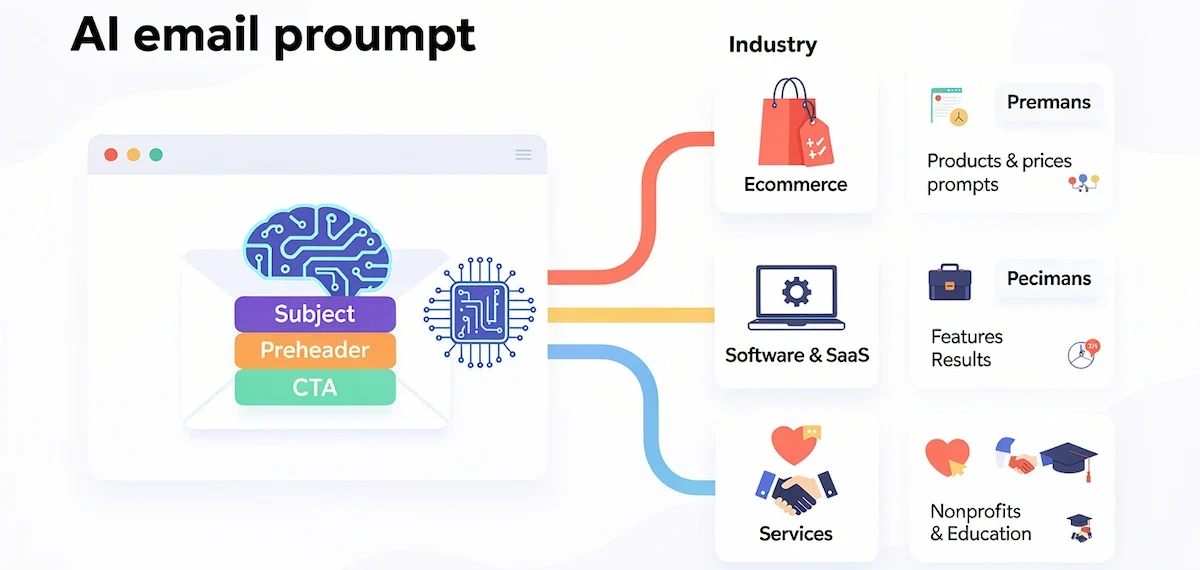
| Industry | What to put in the prompt | Email types that work well |
|---|---|---|
| Ecommerce | Products, prices, shipping terms, stock and season | Abandoned cart, promotions, post-purchase |
| Software and SaaS | The problem solved, trial length and feature names | Onboarding, feature announcements, demo follow-ups |
| Services and consulting | The result for clients, proof and how to book | Nurture sequences, case studies, event invitations |
| Nonprofits and education | Mission, impact and deadlines | Newsletters, appeals, event reminders |
Add two or three facts specific to your sector, such as the usual order size or how long customers take to decide, and the draft will read as if a person in your industry wrote it.
AI subject lines, preheaders, and CTAs
The subject line decides whether the email gets opened, so it deserves its own prompt and its own test.
Subject line prompts that get opened
Ask for several styles at once, so you can compare them side by side.
- Curiosity: hints at value without giving it away
- Pain point: names a problem the reader already has
- Social proof: uses a number, a result or a customer
- Benefit: states what the reader gains
- Deadline: uses a real end date, never a fake one
Prompt: “Write 10 subject lines for the email below, two for each style: curiosity, pain point, social proof, benefit and deadline. Keep each under 50 characters. No clickbait and no false urgency. Email: [paste].” Use the AI subject lines as raw material, and rewrite the best one in your own words.
Preheader and CTA prompts
The preheader is the short line of text shown next to the subject line in the inbox. Prompt: “Write five preheaders for the subject line [subject line]. Each should add new information and stay under 90 characters.”
For the call to action, ask for button texts: “Write five button texts of two to four words for an email that invites people to [action].” Keep one main call to action per email, because a second one splits attention and lowers clicks.
Using AI to improve emails you already wrote
AI is not only for blank pages. It is just as useful for fixing, shortening and reusing emails you already have.
Rewrite, shorten, and proofread a draft
Prompt: “Shorten the email below to 100 words without changing the offer. Keep my tone. Mark every sentence you changed.” For proofreading, use: “Proofread the email below for spelling, grammar and unclear sentences. Do not change the meaning. List every change you made.” Reviewing the list of changes takes less time than rereading the whole email.
Repurpose a blog post, webinar, or report into an email
Prompt: “Turn the content below into a marketing email for [audience]. Goal: [goal]. Tone: [tone]. Include the three most useful points and one call to action. Content: [paste].” The same prompt works for webinar transcripts, product updates and long reports, and it keeps your emails and your content in step.
How to personalize and segment marketing emails with AI
One email sent to everyone is ignored by much of the list. Segmentation and personalization fix that, and AI makes the writing part cheaper, because a single brief can become several versions in minutes.
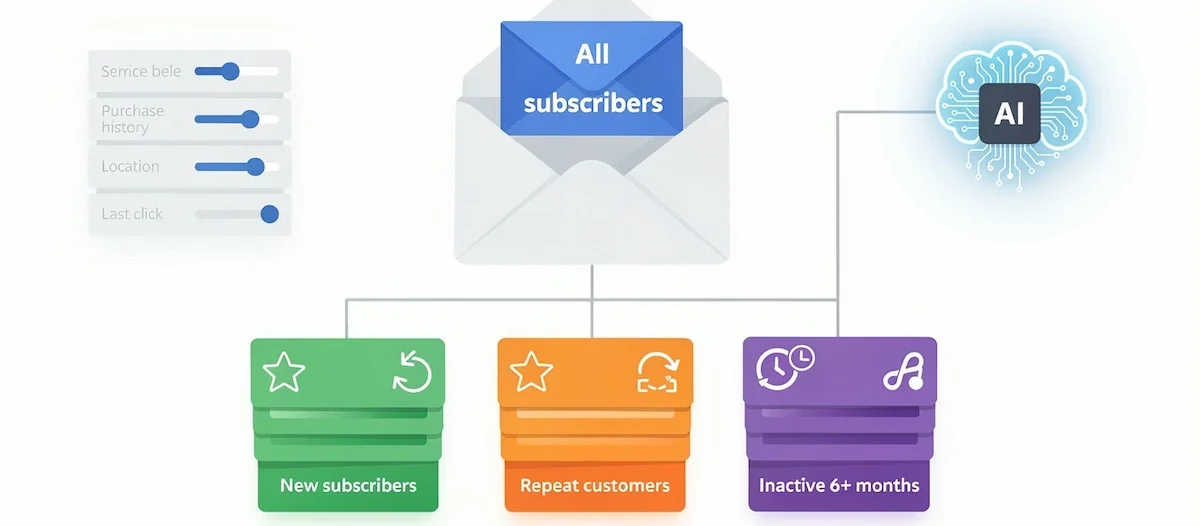
Start with the segments
A segment is a group of subscribers who share something useful, such as a past purchase, a location, a signup source or the number of days since their last click. Your email platform builds segments from your own data, and some platforms suggest them with built-in AI. You decide which groups deserve their own message.
Write one email for each segment
Write the main email first, then ask for adapted versions. Prompt: “Rewrite the email below for three segments: new subscribers, repeat customers and customers who have not bought in six months. Keep the offer and the deadline the same. Change the opening line, the example and the call to action for each group. Email: [paste].” Check that each version still states the offer correctly, because small changes can alter a detail.
Personalize beyond the first name
A name in the greeting is the weakest form of personalization. Stronger signals are the product the reader viewed, the date of the last order, the city of an event or the stage in your funnel. Add them as merge fields in your email platform and tell the AI where each field goes. Do not ask the tool to guess personal details. Use only data your subscribers gave you, and keep sensitive data out of the prompt.
How to make AI emails sound human
Readers notice when an email could have been sent by any brand. The fix is editing, not a different tool, and the checklist below takes only a few minutes per email. The same habits apply to longer pieces, and the guide to AI content creation covers them in more depth.
- Replace stock openers such as “we are excited to announce” with the actual news
- Add one real detail only you know, such as a customer quote, a date or a number
- Vary the sentence length, and cut sentences that repeat the previous one
- Remove claims you cannot back up, such as “the best” or “guaranteed”
- Read the email aloud and rewrite every line that you would not say to a customer
- Compare it with a past email that performed well, and check that the voice matches
Legal and deliverability basics for AI marketing emails
Using AI does not change the law. The sender is responsible for every email, whether a person or a tool wrote the first draft.
Email marketing rules differ by country. In the United States, the CAN-SPAM Act compliance guide from the Federal Trade Commission sets the rules for commercial email. The main requirements are:
- Header information must be accurate and identify who sent the message
- Subject lines must not mislead readers about the content
- The message must be clearly identified as an advertisement
- The email must include a valid physical postal address
- The email must explain how to opt out of future messages
- Opt-out requests must be honored within 10 business days
- Hiring another company to send your email does not transfer your responsibility
If you email people in the European Union, the GDPR applies as well, and you need a lawful basis such as consent to send marketing messages. The GDPR.eu overview of email rules explains consent, security and retention in plain terms. California residents are covered by the CCPA, which adds rules on how you collect and use personal data.
Keep private data out of your prompts. Do not paste customer lists, email addresses or order details into a public AI tool without checking how that tool stores and uses your input. Our guide to AI data privacy for business explains what to look for.
For deliverability, keep your list clean, remove people who never open, and set up sender authentication with your email provider. Subject lines and content that match what you promise also help, because misleading emails lead to spam complaints.
More ways AI helps with email marketing beyond writing
Drafting is the best known use, but AI also supports the work around the email.
Send time and sending frequency
Many platforms use AI to pick a send time for each subscriber based on when they usually open email. Treat the suggestion as a test, and compare it with your own fixed send time over a few campaigns. Frequency matters too. If unsubscribes rise after you send more, send fewer emails.
List cleanup and email validation
AI tools can flag addresses that bounce, find duplicates and spot subscribers who never open. A clean list protects your sender reputation and gives you more honest open rate numbers, because you stop sending to people who do not read.
Reports and test ideas
Paste your campaign numbers into a chat tool and ask what stands out, which segment responded best and what to test next. Question the answer, because the tool sees only the numbers you give it and not the context behind them.
Email images and accessibility
AI image tools and Canva can produce banners, product scenes and seasonal graphics. Useful prompts include a feature image of a product on a simple background, a festive banner with seasonal elements and a banner that points toward the call to action button. Always add alt text, keep the text inside images short and send a plain text version, so the email works for readers who use screen readers or block images. AI can draft the alt text, but check that it describes the image correctly.
Best AI tools for writing marketing emails
The right tool depends on where your list lives and how much you write. You can use a general chat tool or an AI email generator built into your email marketing platform, and many teams use both.

| Tool | Best for | Note |
|---|---|---|
| ChatGPT | Drafts, subject lines and rewrites | Works with any email platform by copy and paste |
| Claude | Longer drafts and matching a tone | Handles long pasted examples of your past emails |
| Gemini | Teams that work in Gmail and Google Workspace | Fits into Google tools you may already use |
| Mailchimp, Klaviyo, MailerLite | Drafting inside the email builder | AI features differ by plan |
| Squarespace, Wix | Small sites that send email from the same place | Guided AI email builder with templates |
| Canva | Email banners and graphics | Useful for images, not for copy |
Plans and features change often, so check each provider before you decide. The how-to on choosing AI tools for business explains how to compare options before you commit. A general chat tool is usually enough to start, and you can move to a built-in assistant later if you want the draft and the send in one place.
Common mistakes when writing marketing emails with AI
These mistakes show up again and again, and each one is easy to fix once you spot it.
- Being vague about the audience. A prompt without an audience produces a generic email for nobody in particular.
- Giving no tone guidance. Without a tone, the draft defaults to a bland corporate style.
- Asking for too much in one prompt. Ask for the subject line, the body and the images in separate steps.
- Accepting the first draft. The first answer is a starting point, so edit it or ask for a new version.
- Ignoring the subject line. A strong body is wasted if nobody opens the email.
- Skipping the fact check. A wrong date or price in a sent email is hard to take back.
- Sending automated sequences without review. Have a person approve each automated email before it goes live, and recheck it whenever the offer changes.
How to measure results
Track the usual email marketing numbers, which are open rate, click rate, conversions, unsubscribes and spam complaints, and compare AI assisted emails with your own past average. If the numbers match or beat it while the work takes less time, the process is paying off. To judge the time saved against the cost of tools, use the method in the guide to AI ROI for business.
Use A/B tests to learn what works for your audience. Change one thing at a time, such as the subject line or the call to action, and send each version to a large enough group so the result means something. Wait until most opens and clicks have come in before you pick a winner. When one version wins, save the prompt that produced it in a shared document, and build a library of prompts your team can reuse.
When a prompt works well, you can place it inside automated flows such as a welcome series or an abandoned cart sequence. See the guide to AI marketing automation for how that setup works.
Frequently asked questions
How do you write marketing emails with AI?
Write a short brief with the goal, the audience, the offer and the call to action. Turn it into a prompt, edit the draft in your own voice, test subject lines, and check the facts and the legal footer before you send. The process stays the same for every type of email.
What is the best AI tool for writing marketing emails?
There is no single best tool. ChatGPT, Claude and Gemini all write good drafts from a clear prompt, and built-in assistants in Mailchimp, Klaviyo, MailerLite, Squarespace and Wix keep the writing and sending in one place. Choose by where your list lives and which tool your team already uses.
Can ChatGPT write marketing emails?
Yes. ChatGPT can write welcome emails, promotions, abandoned cart reminders, newsletters and follow-ups from a brief. It does not know your prices, dates or customers unless you supply them, so every draft needs a human check before sending.
How do you write a good prompt for a marketing email?
Include the goal, the audience, the offer, the tone, the length, the call to action and any context. Add a short example of your brand voice if you have one. A prompt with these parts gives a draft that is much closer to final than a one line request.
Will my emails sound like AI?
They can if you send the first draft unchanged. Add specific details, cut generic openers, vary your sentence length and read the email aloud. Giving the tool two or three past emails to match also helps the draft sound like your brand.
Can AI write subject lines that get opened?
AI can produce many subject lines quickly, in styles such as curiosity, pain point, social proof and benefit. It cannot know which one your audience prefers, so test the best two with an A/B test and keep the one that wins.
Is it legal to use AI for marketing emails?
Yes, but the same laws apply as for any marketing email. In the United States, CAN-SPAM requires accurate headers, honest subject lines, a postal address and a working opt-out. In the European Union, the GDPR requires a lawful basis such as consent. You remain responsible for the content.
Can AI write a whole email sequence?
Yes. Describe the goal, the audience, the number of emails and the timing, and ask for the full sequence in one prompt. Then edit each email separately and read the whole series together, so the emails support each other and do not repeat the same points.
How can AI help increase email open rates?
AI can write many subject line options, suggest send times and help you segment your list, and each of those can raise opens. It cannot promise a result. Test the options with an A/B test and keep the version that wins with your own audience.
What are the downsides of using AI for marketing emails?
The main risks are generic copy, wrong facts, privacy mistakes and too much trust in the first draft. Emails from different brands can also start to sound alike. Editing, fact checking and a clear brand voice instruction reduce all of these risks.
Can AI rewrite or proofread an email I already wrote?
Yes. Ask the tool to shorten, change the tone or proofread, and ask it to list every change it made. That list lets you accept the useful edits and reject the ones that change your meaning.
Should I use AI for every email?
No. AI is most useful for routine emails such as promotions, reminders and newsletters. Personal messages, sensitive announcements and anything with legal or financial weight are better written by a person. If you run a small team, the guide to AI for small business shows where to start.
Is there a free AI email generator?
Yes. The free plans of ChatGPT and Gemini can draft marketing emails, and some email platforms include limited AI writing on their free plans. Limits on length, daily use and features change often, so check the current terms of each tool.
How long does it take to write a marketing email with AI?
With a saved prompt and a clear brief, drafting takes only a few minutes. Editing, testing the subject line and checking the facts take longer, and they are the steps that decide whether the email performs, so do not skip them.










