If you want to learn how to use AI for SEO, start with the idea that AI speeds up the slow parts of the job and leaves the decisions to you. It can suggest keywords, group them by intent, draft a content brief, write meta descriptions and produce schema markup in minutes. It cannot check its own facts, know your customers or decide what is worth publishing.
This guide walks through nine steps, from keyword research to reporting, with a copy ready prompt for the main ones. You will also find the rules Google sets for AI content, a section on AI search, a table of tools and a short list of mistakes to avoid. Every step ends with a check you do yourself, because that part decides whether AI helps your rankings or hurts them.
How to use AI for SEO: the short version
The workflow is the same on most sites. You collect data, ask AI to do the first pass, check the result, and publish only what you can stand behind. The table shows the nine steps with the tool you can use and a rough time for one page. The times are estimates based on a normal workflow, so your own numbers will differ.
| Step | What AI does | Tools to use | Rough time |
|---|---|---|---|
| 1. Keyword research | Suggests seed and long tail keywords, groups them by intent | ChatGPT, Claude, Semrush, Ahrefs | 20 minutes |
| 2. Clusters and briefs | Builds topic clusters and content briefs | ChatGPT, Claude, Surfer | 20 minutes |
| 3. Competitor analysis | Summarizes what the top pages cover | Perplexity, Gemini, Semrush | 15 minutes |
| 4. Writing and editing | Drafts from an outline, tightens text | ChatGPT, Claude | 45 minutes |
| 5. On page SEO | Writes title tags, meta descriptions, FAQ and link ideas | ChatGPT, Surfer, Clearscope | 15 minutes |
| 6. Technical SEO | Writes schema, robots.txt and redirect maps | ChatGPT, Screaming Frog | 20 minutes |
| 7. Content refresh | Finds outdated parts and gaps in old pages | ChatGPT, Search Console | 20 minutes |
| 8. Links, local and programmatic | Drafts outreach and location page text | ChatGPT, Claude | Varies |
| 9. Reporting | Summarizes Search Console data | ChatGPT, Gemini | 10 minutes |
What AI for SEO means
AI for SEO means using a chatbot, a writing assistant or a built in AI feature of an SEO tool to do tasks that used to be manual. Most people mean one of two things. The first is using AI to do SEO work faster, such as keyword research or meta descriptions. The second is optimizing a site so it shows up in AI answers, such as Google AI Overviews. This guide covers both, and the sections are labeled so you can tell which is which.
A few terms come up often. A model is the engine behind a tool, for example GPT or Gemini. An assistant is the app built around a model, such as ChatGPT. An AI SEO tool is software like Semrush, Surfer or Clearscope that adds AI features to keyword and content work. If a term is new, the AI terms glossary explains it in plain words.
Behind these tools sit three technologies. Machine learning finds patterns in large sets of data, such as which pages tend to rank. Natural language processing lets a tool read and write text and work out what a query means. Predictive analytics estimates trends from past data, for example a rise in searches before a season. You do not need to know how they work, but it helps to remember that every one of them works from patterns and not from facts.
Traditional SEO and AI assisted SEO
The goals do not change. You still want pages that match search intent, load fast and earn links. What changes is how long the repeat tasks take, and where the new risks sit.
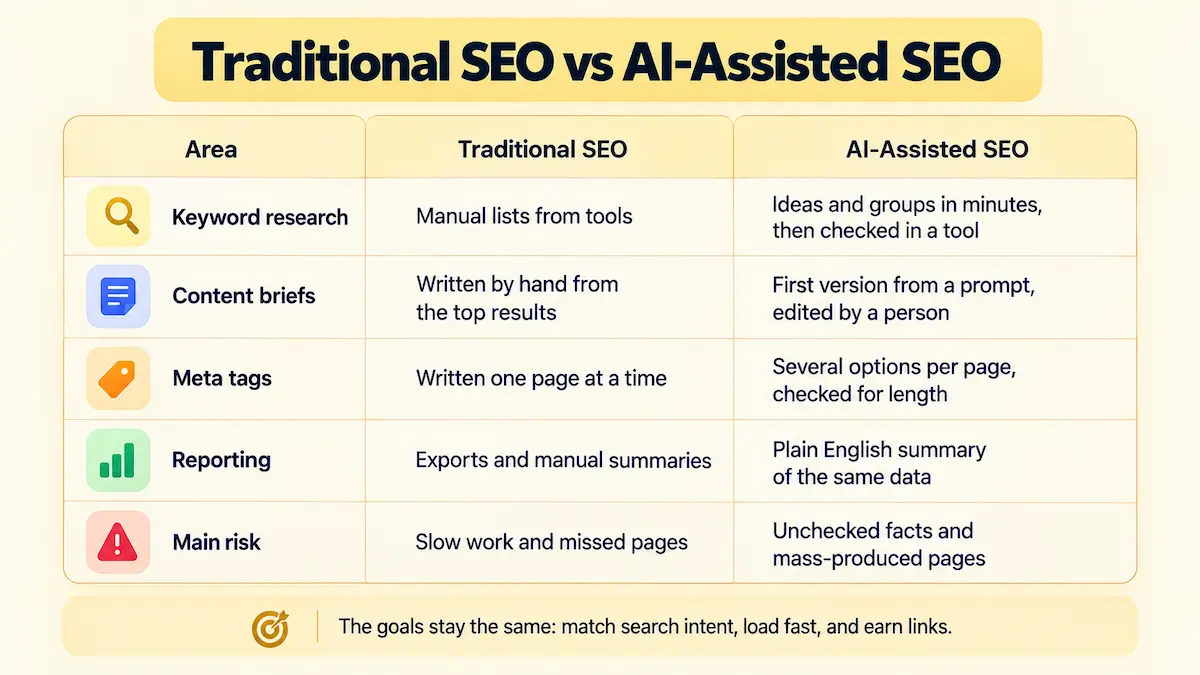
| Area | Traditional SEO | AI assisted SEO |
|---|---|---|
| Keyword research | Manual lists from tools | Ideas and groups in minutes, then checked in a tool |
| Content briefs | Written by hand from the top results | First version from a prompt, edited by a person |
| Meta tags | Written one page at a time | Several options per page, checked for length |
| Reporting | Exports and manual summaries | Plain English summary of the same data |
| Main risk | Slow work and missed pages | Unchecked facts and mass produced pages |
What AI can do in SEO and what it cannot
The split below saves a lot of trouble. Let AI do the first pass on anything repetitive, and keep every judgment call for a person.
| Task | AI can do | A person must do |
|---|---|---|
| Keyword research | Suggest ideas, long tails and groups | Check volume and difficulty in a keyword tool |
| Content planning | Build clusters and briefs | Pick topics that match the business |
| Writing | Draft and rewrite from an outline | Add experience, check facts, set the voice |
| Meta tags | Write several options fast | Check length and accuracy |
| Schema and technical files | Produce the first version | Test it before it goes live |
| Reporting | Summarize data in plain English | Decide what to do next |
One rule runs through the whole guide: AI predicts likely words, it does not look up facts. Google says this directly in its own guidance, which is covered in the section on Google rules below.
Benefits of using AI for SEO
The main gain is time. Tasks that took an hour, such as sorting a keyword list or writing meta tags for ten pages, take a few minutes with a good prompt. That time goes back into the work that AI cannot do: talking to customers, testing ideas and writing from experience.
- Faster first drafts: briefs, outlines, FAQ and meta tags are ready to edit in minutes.
- More consistent work: one prompt template gives the same format for every page.
- Easier data work: a chatbot can summarize a Search Console export in plain English.
- Cheaper testing: you can try five title tags or three outlines at almost no cost.
- Lower entry cost: solo owners and small teams can do work that used to need an agency.
These gains are real only when a person checks the output. A team that saves two hours and then publishes unchecked text has traded time for risk, and the sections on Google rules and common mistakes below show where that risk sits.
Before you start: set up your AI SEO workflow
Good results depend on what you feed the tool. Before you open ChatGPT or Claude, collect four things: the goal of the page, the target audience, your top keywords from Google Search Console, and two or three competitor pages that already rank. Without these, the output is generic and sounds like every other page.
Then write your prompts in a fixed pattern. A prompt that works well has six parts:
- Role: tell the tool who it is, for example an SEO specialist for an online shop.
- Task: say exactly what you want, such as five title tags.
- Inputs: paste the keyword, the URL, the audience and any data.
- Constraints: set length, tone and words to avoid.
- Goal: name the result you want, for example a higher click rate.
- Output format: ask for a table, a list or two columns.
Save the prompts that work in one document and add a note on what you changed. After a few weeks you will have a prompt library that fits your site. For more on how to write prompts, see the guide to prompt engineering for business.
Step 1: use AI for keyword research
This is the easiest place to start when you learn how to use AI for SEO, because the cost of a mistake is low. AI gives you ideas fast, and you check them against real data afterward.
Generate seed keywords and long tails
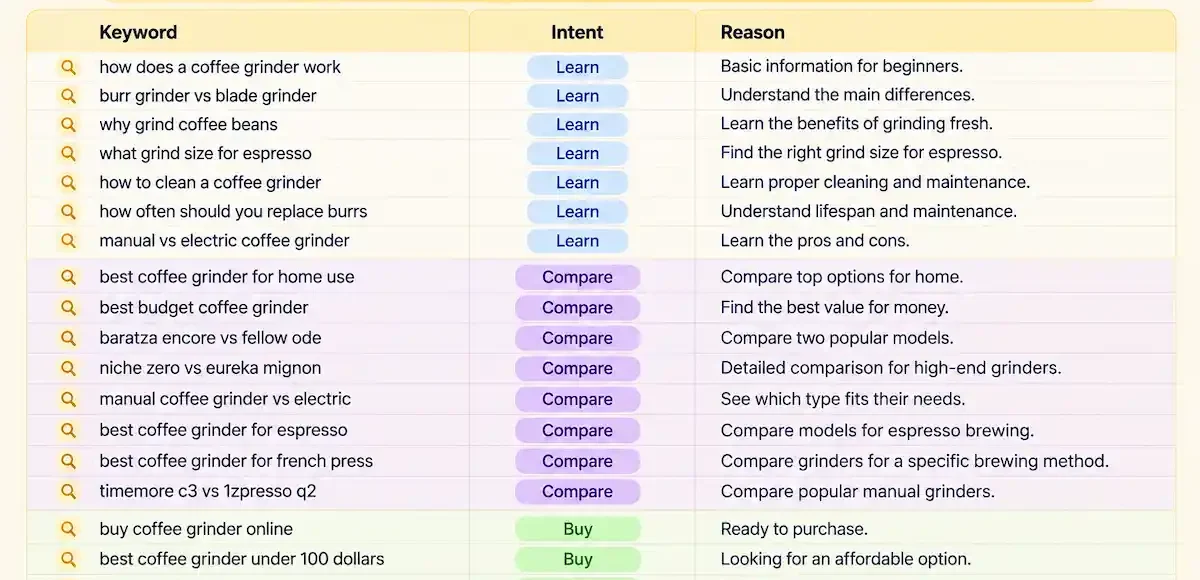
Give the tool your topic, your audience and your product, and ask for ideas in groups. A person who sells coffee grinders will get different keywords than one who writes a coffee blog, so the more context you add, the better the list.
Prompt: You are an SEO specialist for an online shop that sells coffee grinders. Give me 20 long tail keywords a beginner would search before buying a grinder. Group them by intent: learn, compare, buy. Return a table with the keyword, the intent and a one line reason.
Group keywords by search intent
Intent decides what kind of page you should write. A person who types how to grind coffee for a french press wants a guide, and a person who types best burr grinder wants a comparison. Paste your keyword list into the chatbot and ask it to sort each term as informational, commercial or transactional. Then check the top results yourself, because the pages Google shows tell you the real intent.
Check volume and difficulty in a keyword tool
AI does not know search volume. If a chatbot gives you a number, treat it as a guess. Run the final list through Semrush, Ahrefs or Google Keyword Planner and keep only the terms with real demand. This check also removes keywords the model invented.
Step 2: plan topic clusters and content briefs
A topic cluster is one main page and several supporting pages that link to each other. AI is good at building the first version of a cluster, because it can list the questions around a topic in a few seconds.
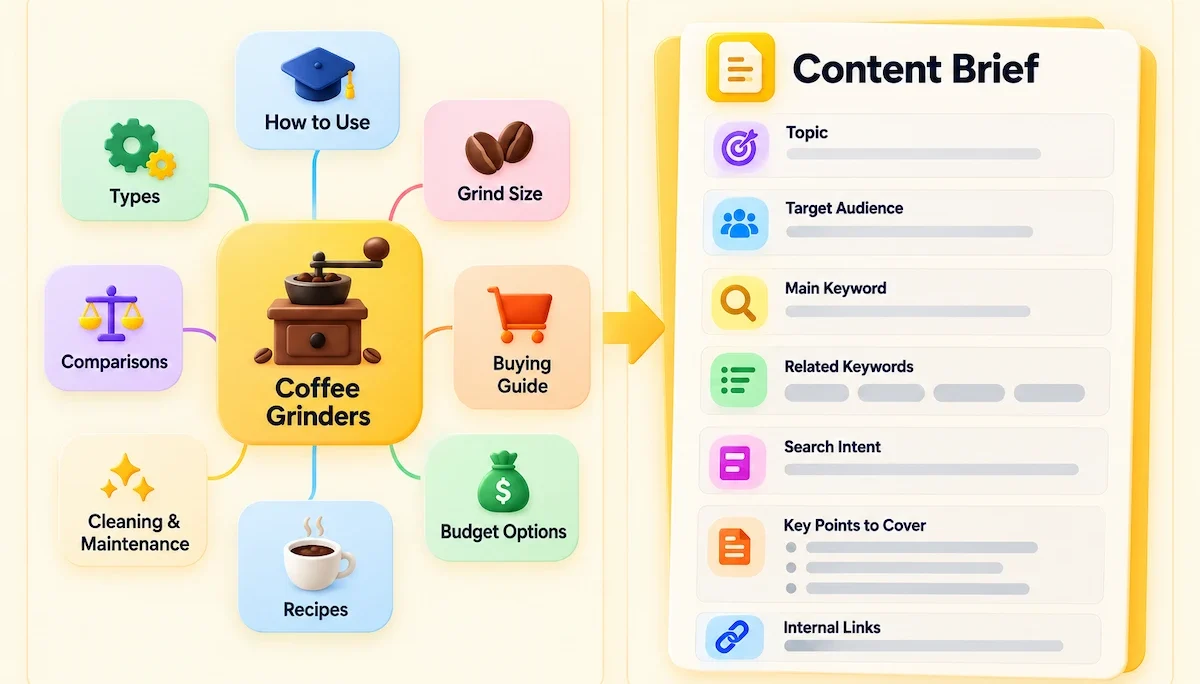
Prompt: Build a topic cluster for the main topic how to brew coffee at home. Give me one pillar page and five cluster pages. For each page add the main keyword, the search intent and the link to the pillar page. Return a table.
| Page | Main keyword | Intent |
|---|---|---|
| Pillar | how to brew coffee at home | Informational |
| Cluster 1 | best coffee grinder for beginners | Commercial |
| Cluster 2 | french press ratio | Informational |
| Cluster 3 | burr vs blade grinder | Commercial |
| Cluster 4 | how to clean a coffee grinder | Informational |
| Cluster 5 | coffee beans for espresso | Commercial |
Once the cluster is set, ask the tool for a content brief for each page. A brief lists the keyword, the intent, the headings, the questions to answer and the pages to link to. Ask for the brief in a fixed format, so every writer on your team gets the same layout. Review each brief and remove headings that do not fit the page or the business.
Step 3: analyze competitors and search results
Open the top five results for your keyword and note what they cover. Then paste the headings, or the URLs if the tool can browse, into the chatbot and ask for a gap analysis. Perplexity and Gemini work well here because they can read the web and show sources.
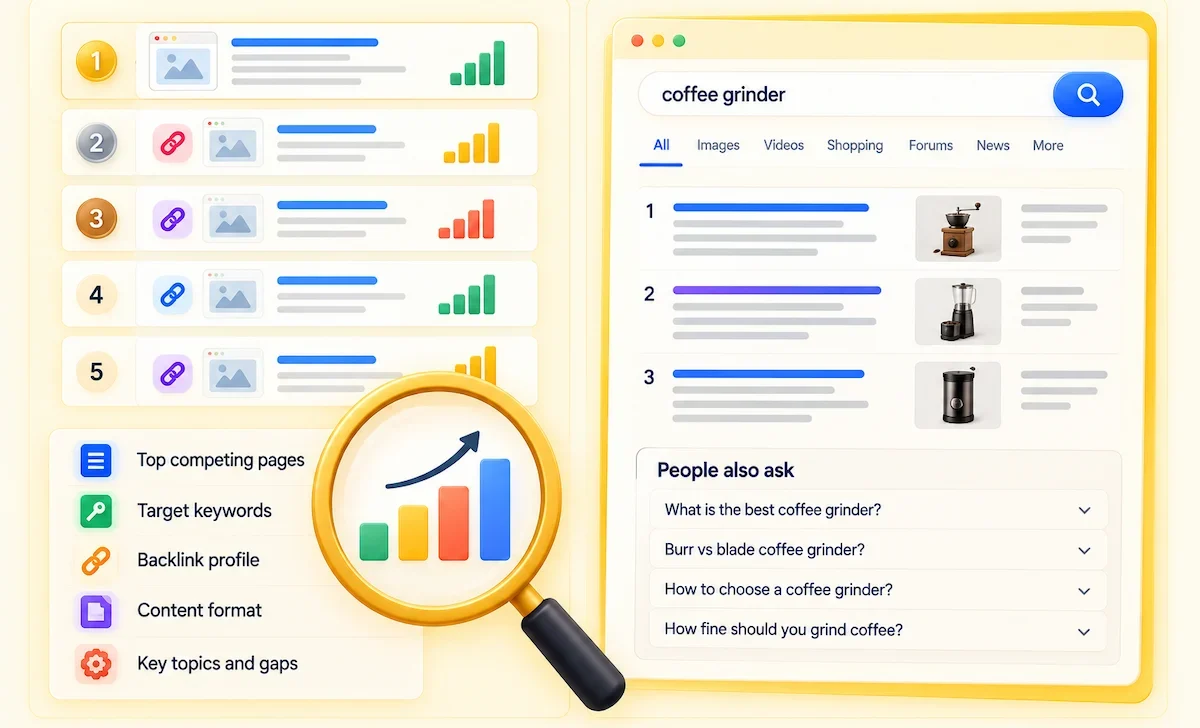
Prompt: Here are the headings of the top five pages for the keyword best burr grinder. List the topics all five cover, the topics only one or two cover, and the questions none of them answer. Return three lists.
The topics every page covers are the minimum for your page. The questions nobody answers are your chance to add something new. Open the pages yourself to confirm, because a summary can miss a section or misread a table. If you want to see where AI search results link, run the same keyword in Google and check whether an AI Overview appears and which pages it cites.
Be careful with what you paste into a public chatbot. Client names, internal data and unpublished plans should stay out, and the guide on AI data privacy for business lists what to check in a tool before you share anything sensitive.
Step 4: write and edit content with AI
This is the step where most sites go wrong, so go slowly. Ask AI for an outline first, not a full article. Edit the outline, add your own examples and data, and only then ask for a draft of one section at a time. A draft written in one go reads like every other page on the topic.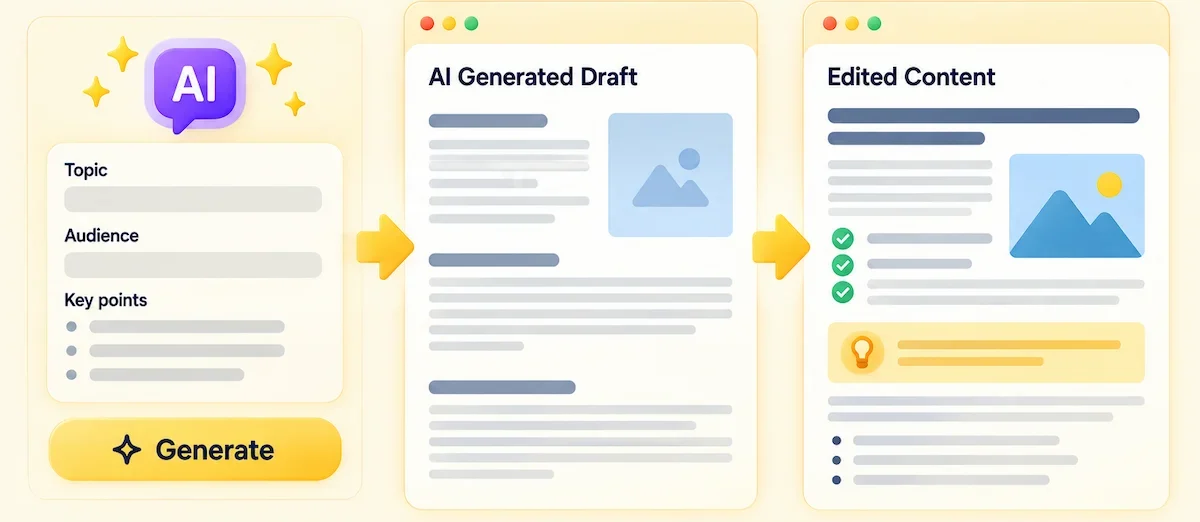 Use this order for each page:
- Write the outline from the brief and fix it by hand.
- Ask for a draft of one section, with your facts and examples pasted in.
- Check every number, name, date and quote against a primary source.
- Add what only you know: your own tests, photos, prices, customer questions and mistakes.
- Edit the tone so it matches your brand, and cut filler.
- Add the author name and credentials, and link to your sources.
A simple prompt for a section draft looks like this.
Prompt: Using the outline below and the facts I pasted, write the section on how to choose a burr grinder. Keep sentences under 20 words, write for a beginner, do not invent numbers or brand claims, and mark anything you are unsure about with the word check.
The last instruction helps, because the tool will flag the parts you should verify first. This also covers E-E-A-T, which stands for experience, expertise, authoritativeness and trust. AI has no experience, so first hand details have to come from you. Do not ask a chatbot to invent a personal story, and do not add a fake author. For a full walkthrough of the writing process, read how to write blog posts with AI.
Step 5: optimize on page SEO
On page work is repetitive, which makes it a good job for AI. You still need to read every line, because titles and descriptions are what people see in the results.
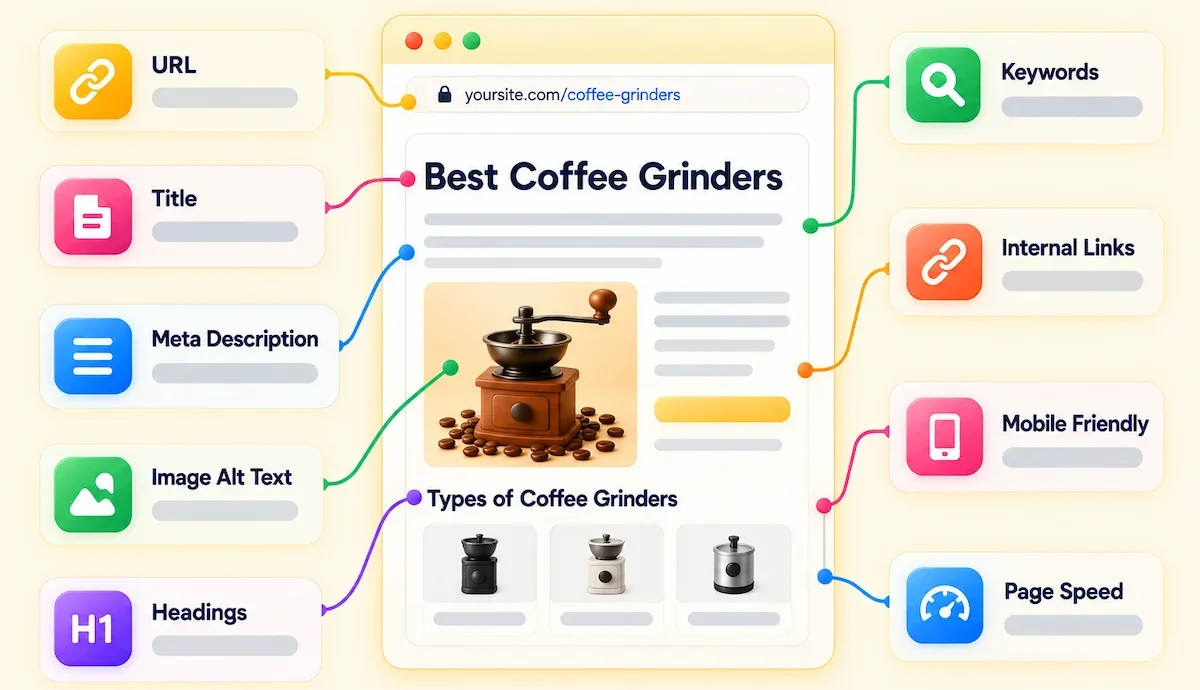
Title tags and meta descriptions
Ask for several options and pick the best. Give the tool the keyword, the page summary and the length limit. A title should stay near 60 characters and a description near 155 characters, or the end can be cut off in the results.
Prompt: Write five title tags under 60 characters and five meta descriptions under 155 characters for a page about how to clean a coffee grinder. Put the main keyword near the start of each title. The tone is helpful and direct. Return a table with the character count for each line.
Count the characters yourself, because chatbots often get the length wrong. Check that each line says what the page really contains.
Headings and FAQ sections
Paste your draft and ask the tool to review the headings for clarity and search intent. You can also ask for the five questions people ask most about the topic, and answer them in a short FAQ at the bottom of the page. Write the answers from your own knowledge or from checked sources, and keep each answer short and direct.
Topical coverage and entities
A page ranks better when it covers the subject fully, not only the main keyword. Paste your draft and the top three competitor pages into the chatbot and ask which subtopics, terms and named things such as brands, tools or standards they mention that you do not. Entities are the people, places, products and concepts a page is about, and covering them clearly helps search engines understand the page. Add only what is relevant, since forcing in every term makes the text worse.
Images and alt text
AI can suggest image ideas and write alt text for each picture. Describe what the image shows and give the keyword only if it fits. Keep alt text short and literal, for example a hand pouring water into a french press. Google lists alt text among the things you should review by hand, because it can appear in search results. Use your own photos where you can, and label AI generated images when readers would expect it. For a wider view of text, image and video workflows, see the guide to AI content creation.
Tone and calls to action
Ask the tool to rewrite a paragraph for a beginner, in a friendlier tone or in your brand voice, and give it two paragraphs you wrote as an example. For calls to action, ask for five short options per page and choose the one that fits the intent: learn more for guides, compare for lists, buy for product pages.
Internal linking suggestions
Give the chatbot the list of your page titles and URLs, plus the new article, and ask for the five best pages to link from and to. Then check each suggestion yourself. The anchor text should describe the target page, and a link should only be placed where it helps the reader.
Step 6: use AI for technical SEO
AI can write the first version of technical files, but a wrong file can block a whole site from search. Always test before you publish.

- Schema markup: ask for JSON-LD for an article, product, FAQ or local business. Paste the result into Google Rich Results Test or the Schema Markup Validator, and make sure the markup matches the text on the page.
- Robots.txt, sitemap and canonical tags: ask for a draft, then compare it with your current file and test it in Search Console. One wrong line can block pages you want indexed, and a wrong canonical tag can drop a page from the results.
- Redirect maps: paste old and new URLs and ask the tool to match them. Check each pair by hand, and test a sample.
- Crawl issues: export a report from Screaming Frog or Search Console and ask for a summary sorted by impact. Fix the biggest issues first.
- Page experience: paste the results from PageSpeed Insights and ask for a list of fixes sorted by effort and gain. Large images, heavy scripts and layout shifts are the usual causes.
- Project specs for developers: turn each finding into a clear task with the problem, the steps to fix it and a way to test it. A good task saves a week of back and forth with the dev team.
The rule from Google is clear that schema must match the visible content. A schema block that describes something not on the page can lose its rich result.
Step 7: refresh existing content
Updating old pages is often faster than writing new ones. Export the pages that lost clicks in Search Console and paste the text of one page into the chatbot together with the top three competitor pages. Ask which sections are outdated, which questions are missing and which facts need a new source.
Prompt: Here is my page and here are the top three pages for the same keyword. List the sections of my page that are outdated or thinner than the competitors, and the questions they answer that I do not. Give me a short list of changes ordered by impact.
Update the facts, add new data, fix the title and meta description, and change the date only when the page has really changed. Then request indexing in Search Console and watch the page for a few weeks.
Step 8: use AI for link building, local and programmatic SEO
AI can draft outreach emails for guest posts, broken link building and link reclamation, and you only need to add the personal details. Send each message to a real person, with a reason that fits their site. Mass mail with the same text gets ignored and can harm your name.
For local SEO, AI writes Google Business Profile descriptions, location page text and replies to reviews. Add real local details such as street names, photos and staff, or the pages will look the same in every city.
Programmatic SEO builds many pages from a template and a data set, for example one page per city or product. AI can fill the template, but this is also where sites run into scaled content abuse. Google treats many pages made without adding value as spam, whether a person or a tool made them. Start with a few pages, add real data to each one and review them before you publish more. If you want to automate parts of this work, see how AI marketing automation fits into a normal marketing process.
Step 9: report and monitor with AI
Reports take time, and AI can cut that down. Export a table from Google Search Console and ask the chatbot to summarize it in plain English: which pages gained or lost clicks, which queries grew, and what changed month over month.
Prompt: Here is a Search Console export for the last 28 days and the 28 days before. List the five pages that gained the most clicks and the five that lost the most. Explain in two sentences each what may have changed, and flag anything that looks like an error in the data.
AI can point to patterns, but it cannot tell you why traffic moved. Check the cause in Search Console, in your analytics and in the change log of your site. To judge whether the work is paying off, set targets before you start. The guide to AI ROI for business shows how to compare time saved and results against the cost of the tools.
Beyond the nine steps: personalization, voice search and trends
Three more uses are worth knowing, although they matter less than the steps above.
Personalization and chatbots. A site chatbot can answer common questions and send visitors to the right page, and AI can suggest different headlines for different audiences. Test any chatbot with real questions, and do not collect personal data without a clear notice.
Voice and conversational search. People who speak a query use full questions. Writing short, direct answers under question headings helps with this, and it also helps your pages appear in featured answers.
Trend forecasting. Export Google Trends data or your own Search Console history and ask the tool to point out seasonal peaks and rising queries. Treat the output as a hint for planning, not as a prediction, because a tool cannot know about news, new products or a core update.
Example: one page from start to finish
Here is how the steps fit together for one page. The topic is a guide called best burr grinder for beginners on a shop that sells coffee equipment.
- Ask ChatGPT for 20 long tail keywords grouped by intent, then check volume in Semrush or Ahrefs and keep five.
- Pick best burr grinder for beginners as the main keyword, since the top results are comparisons.
- Paste the headings of the top five pages into Perplexity or Claude and list what all of them cover and what none covers.
- Build a brief with the keyword, the intent, the headings, the questions to answer and three pages to link to.
- Write the outline by hand, then draft one section at a time with your own test notes, photos and prices pasted in.
- Check every spec and price against the maker page, and add the author name.
- Generate five title tags and five meta descriptions, count the characters and pick one of each.
- Add a short FAQ and Product or FAQ schema, and test both in Google Rich Results Test.
- Publish, request indexing in Search Console and check clicks and queries after four weeks.
The whole process takes a few hours for one page, and most of that time goes to the checks. That is the part you should not skip when you use AI for content at scale.
How to optimize for AI search
This part covers the second meaning of AI for SEO: getting your pages shown in AI Overviews and AI Mode. Google says there are no extra technical requirements. A page needs to be indexed and eligible to appear in Search with a snippet, and normal SEO best practices still apply. You do not need new files, special markup or special schema for AI features.
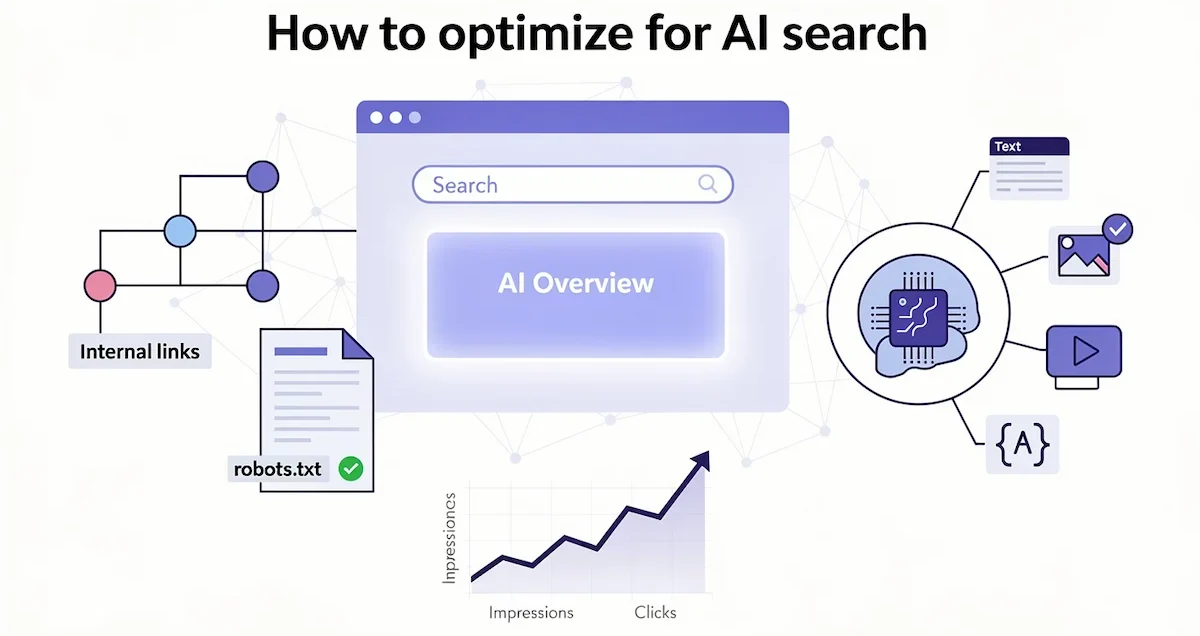
These practices help in both classic and AI results:
- Allow crawling in robots.txt and in your hosting or CDN settings.
- Make pages easy to find through internal links.
- Keep the key content as text, and support it with images and video.
- Make structured data match what the page shows.
- Keep Merchant Center and Business Profile details up to date.
- Answer questions directly, with a short answer first and the detail after it.
Some searches now end without a click, so watch impressions and brand searches as well as clicks. Traffic from AI Overviews and AI Mode is counted in the Web search type of the Performance report in Search Console, so you can follow it there. If you do not want some content to appear in AI features, you can limit it with nosnippet, data-nosnippet or max-snippet. Tools like Semrush also track how often your brand is mentioned and cited in AI answers, and that data is useful, but it is an estimate.
Google rules for AI content
Google does not ban AI content. Its guidance on generative AI content says AI can help with research and with structuring original content. The risk is using it to create many pages without adding value, which can break the spam policy on scaled content abuse.
The same guidance was updated on 1 October 2026 and now states that it is critical to manually fact check and review all AI content before you publish. It extends that review to title elements, meta descriptions, structured data and image alt text, because these can appear in search results. The page explains that models predict likely words and do not retrieve facts, so outputs can contain errors.
| Question | What the guidance says |
|---|---|
| Is AI content against the rules? | No, but mass production without added value can break the spam policy |
| Do I have to fact check? | Yes, Google calls it critical before you publish |
| Do raters set rankings? | No, rater scores do not directly influence ranking |
| Should I tell readers? | Google suggests explaining how automation was used when readers would expect it |
| Is there a special rule for online shops? | Yes, AI generated product images need IPTC metadata and AI product text must be labeled in Merchant Center |
Data from a study of about 600,000 pages by Ahrefs points the same way. In the top 20 results for 100,000 keywords, 86.5% of pages contained some AI content, only 4.6% were purely AI and the link between AI use and ranking position was close to zero (0.011). The detector used is probabilistic and can give false results, so read the numbers as a trend. The result suggests that Google ranks pages on quality, not on whether AI helped.
Best AI tools for SEO
Most teams use one chatbot, one SEO suite and one tool for content scoring. Plans and prices change often, so check each official page before you pay. The guide on how much AI tools cost gives typical ranges.
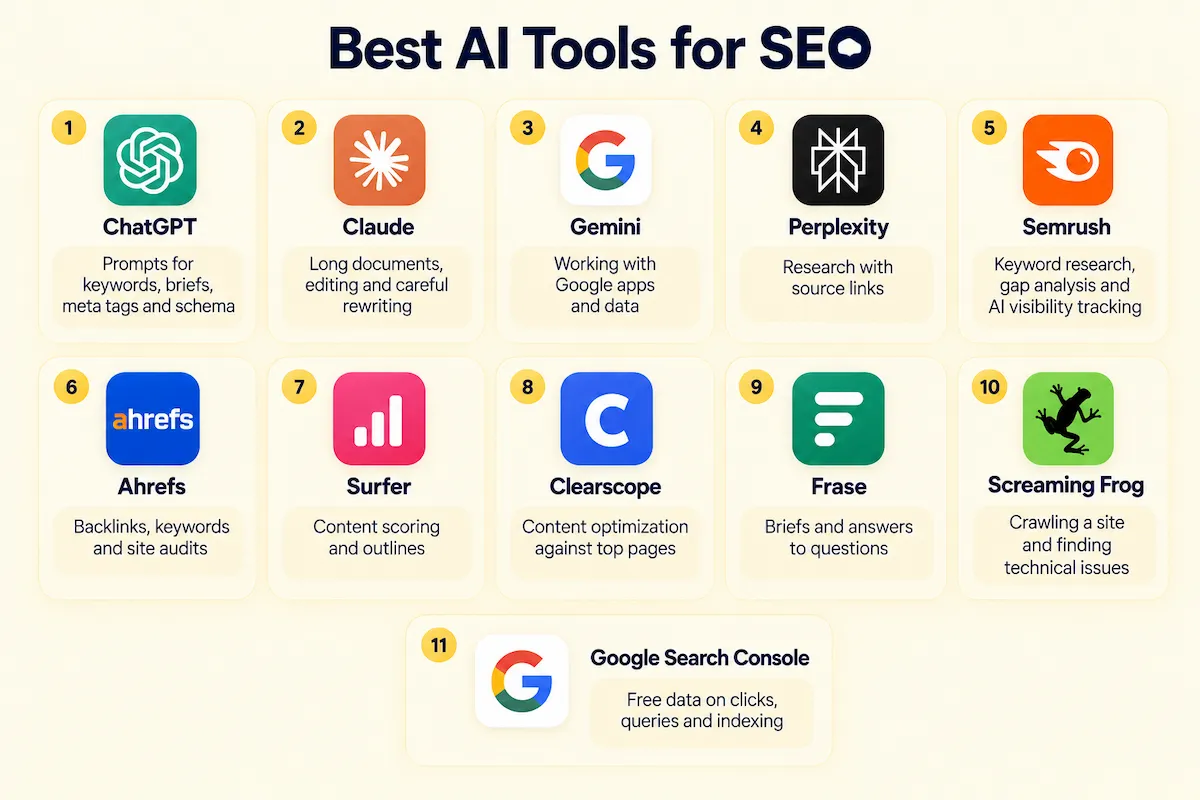
| Tool | Best for |
|---|---|
| ChatGPT | Prompts for keywords, briefs, meta tags and schema |
| Claude | Long documents, editing and careful rewriting |
| Gemini | Working with Google apps and data |
| Perplexity | Research with source links |
| Semrush | Keyword research, gap analysis and AI visibility tracking |
| Ahrefs | Backlinks, keywords and site audits |
| Surfer | Content scoring and outlines |
| Clearscope | Content optimization against top pages |
| Frase | Briefs and answers to questions |
| Screaming Frog | Crawling a site and finding technical issues |
| Google Search Console | Free data on clicks, queries and indexing |
Start with the free tools: a chatbot and Search Console. Add a paid SEO suite when you need volume data and competitor reports. If you are picking tools for a team, the guide on how to choose AI tools for business gives a method for comparing them against your own workflow.
What it costs to use AI for SEO
You can begin for free and add paid tools as the work grows. Prices below are US list prices checked in October 2026 and they change often, so confirm each one on the official page.
| Item | Typical cost | Note |
|---|---|---|
| Google Search Console | Free | Clicks, queries and indexing data |
| Free chatbot plans | Free | Daily limits on the strongest model |
| ChatGPT Plus, Claude Pro, Perplexity Pro, Google AI Pro | About 20 USD per month each | Higher limits and more features |
| Semrush | From about 117 to 139 USD per month | Cheaper when billed yearly, higher plans cost more |
| Ahrefs, Surfer, Clearscope, Frase | Paid plans | Plans differ, check each pricing page |
For a solo site or a small business, a free chatbot and Search Console are enough to start. One paid chatbot and one SEO suite is a reasonable setup for a small team, and anything beyond that should replace a task you do by hand every week.
Limitations and risks of AI in SEO
Every limitation below comes from how these tools work. They predict likely text, so they can sound sure about things that are wrong.
- Wrong facts: models invent numbers, quotes, sources and prices.
- Old information: a model may not know about a recent update, a new product or a change in Google guidance.
- Generic text: without your data and examples, output reads like every other page.
- No real data: a chatbot cannot see your traffic or reliable search volume.
- Privacy: anything you paste may be stored, depending on the plan and settings.
- Spam risk: publishing many weak pages can break Google spam policy.
You can lower these risks with a simple routine. Fact check every claim against a primary source, keep a person in charge of the final edit, publish in small batches and watch results before you scale, run a technical check before changes go live, and keep a record of which prompts and tools were used on which page.
Common mistakes when using AI for SEO
Most problems come from skipping the human step. Watch for these seven:
- Publishing unedited AI text. It reads like every other page and adds nothing new.
- Publishing in bulk. Many thin pages in a short time can trigger the spam policy.
- Ignoring search intent. A guide will not rank for a keyword where Google shows product pages.
- Trusting numbers and quotes. Models invent statistics, sources and prices.
- Optimizing too hard. Stuffing the keywords a tool recommends makes the text worse to read.
- Deploying technical files without a test. A wrong robots.txt or schema block can hurt a whole site.
- Depending on one tool. Tools change plans and features, so keep your prompts and process in your own documents.
Before you publish any page, run this short check: facts and numbers verified, sources linked, author and date added, title and meta description read by a person, schema tested, links checked, and the page useful to someone who has never heard of your brand.
Where AI and SEO are heading
Search is moving toward answers. AI Overviews and AI Mode already sit on top of the results, and more people start a search inside a chat assistant. Google says that clicks from AI Overviews tend to be higher quality, and that this traffic shows up in the regular Performance report, so it is measurable.
Two more shifts are likely to matter. AI agents will do more of the routine SEO work, such as audits, reports and first drafts, and the person will spend more time on decisions. Visitors who arrive from AI platforms will also grow, which makes clear structure, accurate facts and original information more valuable. Pages that only repeat what already exists give AI answers no reason to link to them.
Final verdict
The best answer to how to use AI for SEO is to let it do the first pass and keep control of the final one. Use it for keyword ideas, clusters, briefs, meta tags, schema and reports, and verify every fact, number and file before it goes live. Google does not penalize AI content for being AI, but it does expect pages that help people, so start with one page, follow the nine steps, measure the result in Search Console and expand from there.
FAQ
Can AI do SEO?
AI can do a large part of the routine work: keyword ideas, content briefs, meta tags, schema drafts and report summaries. It cannot replace strategy, fact checking or knowledge of your customers, so a person still has to review and decide.
Can ChatGPT do SEO?
ChatGPT can do many SEO tasks, such as keyword ideas, clusters, briefs, meta tags, FAQ and schema drafts. It cannot give reliable search volume, check its own facts or know your business, so pair it with a keyword tool, Search Console and a human editor.
How do I use ChatGPT for SEO?
Give it a role, a task, your data and a format. Use it for keyword ideas, clusters, briefs, title tags, meta descriptions, FAQ and schema. Check numbers and character counts yourself, because the tool often gets them wrong.
What are the best ChatGPT prompts for SEO?
The best prompts name the role, the task, the inputs, the limits, the goal and the output format. Good starting points are prompts for long tail keywords by intent, a topic cluster with a pillar page, five title tags under 60 characters, and a gap analysis against the top three pages.
Does Google penalize AI content?
Google does not penalize content only because AI helped create it. Its spam policy targets many pages made without adding value, and it asks you to manually fact check all AI content before you publish. A study of about 600,000 pages found almost no link between AI use and ranking position.
What are the best AI SEO tools?
The most used AI SEO tools are Semrush, Ahrefs, Surfer, Clearscope and Frase, next to chatbots such as ChatGPT and Claude. Pick one suite for data and one chatbot for prompts, and test both on a real page before you pay.
What is the best AI tool for SEO?
There is no single best tool. ChatGPT and Claude are good for prompts and writing, Perplexity for research, Semrush and Ahrefs for data, and Surfer or Clearscope for content scoring. Start with a chatbot and Google Search Console, then add a paid suite if you need more data.
Can AI replace an SEO specialist?
No. AI speeds up repeat tasks, but a specialist chooses the strategy, reads the data, checks the output and knows the business. The two work best together.
How do I optimize for AI Overviews?
Follow normal SEO best practices. Google says a page only needs to be indexed and eligible to show a snippet, and that no special files, markup or schema are required. Answer questions clearly, keep key content as text and allow crawling.
Is AI SEO worth it?
Yes, for teams and small businesses that want to save time on research, briefs and reports. The gain comes from the time saved on routine work, and it is lost if you publish unchecked text. For smaller companies the guide to AI for small business shows where to begin.
How much does it cost to use AI for SEO?
You can start for free with a chatbot and Search Console. Paid plans for chatbots are usually around 20 USD per month, and SEO suites cost more, depending on the plan. Check the official pricing page, because plans change often.
Do I have to disclose AI written content?
Google suggests explaining how automation was used when readers would reasonably wonder, and it is not required on every page. Online shops have stricter rules in Google Merchant Center for AI generated images and product text.
Can AI write meta descriptions and schema?
Yes. Ask for several options, count the characters, and check that each line matches the page. For schema, test the result in Google Rich Results Test or the Schema Markup Validator before you publish.
Can Google detect AI content?
Google guidance on generative AI content does not describe ranking pages by an AI detector score. It focuses on whether a page adds value, whether the facts are correct and whether many pages were made only to manipulate rankings. Detector tools are also probabilistic and can give false results, so quality checks matter more than a score.
Which AI tool is best for beginners?
Start with the free plan of ChatGPT or Claude together with Google Search Console. Both are easy to use, and you can add a paid SEO suite later when you need volume data and competitor reports.
Can AI do local SEO?
AI can write Google Business Profile descriptions, location page text and replies to reviews. It cannot replace real local details such as addresses, photos and customer reviews, so add those yourself before you publish.
Is AI SEO safe for a small site?
Yes, if you publish a few well checked pages instead of many thin ones. The risk comes from unchecked facts and mass produced text, not from using AI itself.
How long does it take to see results?
New pages usually need weeks to months to be indexed and ranked, and refreshed pages can move faster. Watch clicks and queries in Search Console for at least a month before you judge a change.










