Any list of AI tools ranked 2026 depends on what you measure. Some lists count visits, some count paying users, and some judge how well a tool does one job. This guide keeps those apart, so you can see which tools people open most and which ones lead their own category.
The most popular AI tools are ChatGPT, Gemini and Claude, followed by Canva, DeepSeek, Grok and Perplexity. Below you will find the order by traffic, the order by category, current prices, free plan limits and a short set of tools worth paying for. All figures were checked in October 2026. They change often, so confirm prices on the official page before you buy.
Quick answer: AI tools ranked 2026
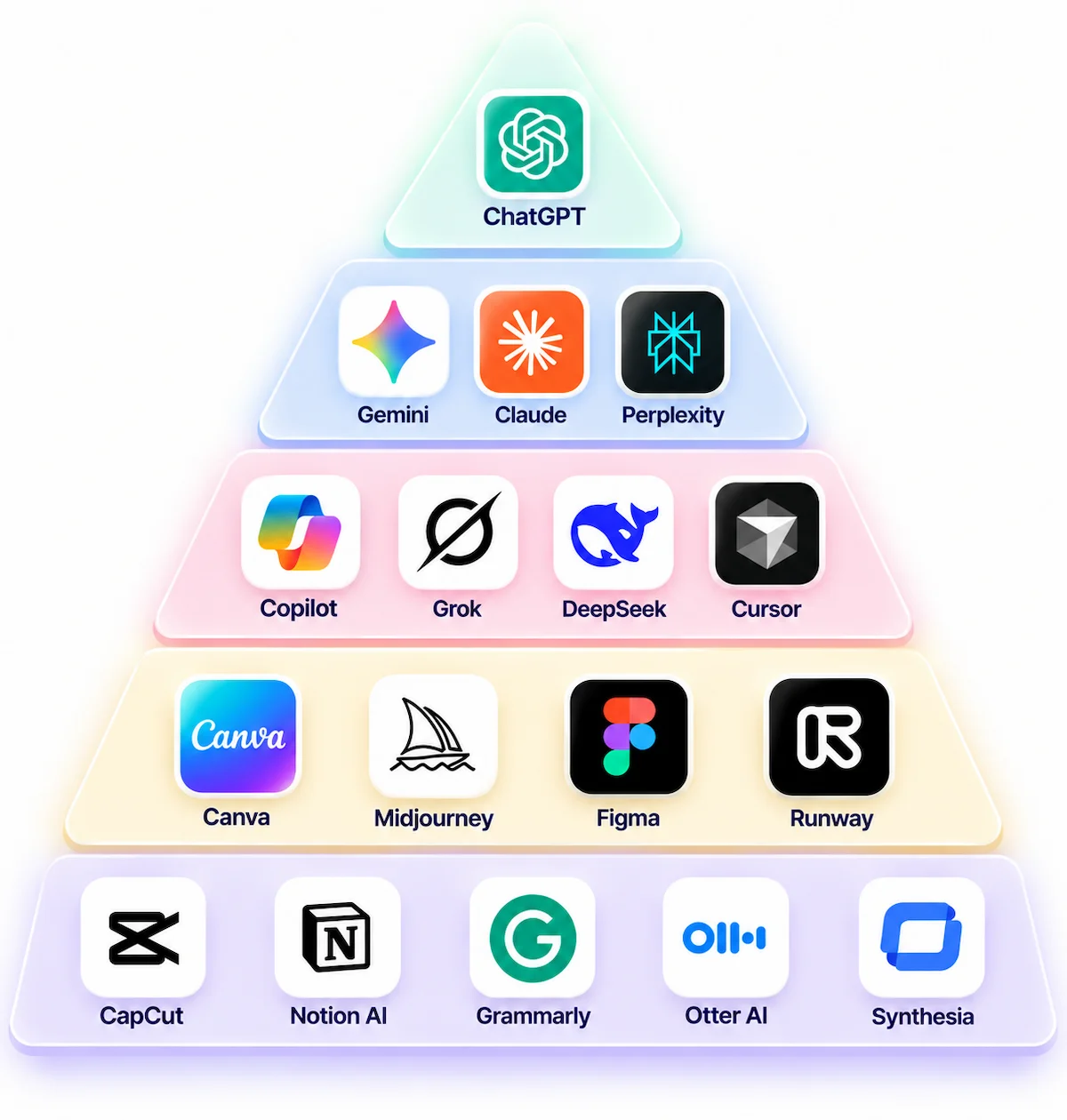
ChatGPT is first in almost every ranking, Gemini and Claude follow, and the places below them depend on whether you count only chatbots or every product with AI features. The table puts the ten best AI tools of the year on one page.
| Rank | Tool | Type | Why it ranks here |
|---|---|---|---|
| 1 | ChatGPT | General assistant | Largest audience and the widest set of features |
| 2 | Google Gemini | General assistant | Second in traffic and built into Google apps |
| 3 | Claude | General assistant | Third in traffic, strong for writing and code |
| 4 | Perplexity | Answer engine | Best source links for research |
| 5 | Microsoft Copilot | Assistant in Microsoft 365 | Works inside Word, Excel, Outlook and Teams |
| 6 | DeepSeek | General assistant | Top ten in traffic and very low API prices |
| 7 | Grok | General assistant | Live posts from X and a top ten traffic place |
| 8 | Canva | Design tool with AI | Fourth in traffic, easiest way to make images and layouts |
| 9 | Cursor | Coding tool | Most used AI code editor |
| 10 | Midjourney | Image generator | Leader for stylized images |
Best AI tool by use case
If you already know the job, this table is the fastest way to a short list.
| Job | Best pick | Runner up |
|---|---|---|
| General questions and brainstorming | ChatGPT | Gemini |
| Writing and editing | Claude | ChatGPT |
| Research with sources | Perplexity | Gemini |
| Coding | Cursor | GitHub Copilot |
| Images | Midjourney | ChatGPT images |
| Video | Runway | Google Veo |
| Voice and narration | ElevenLabs | Built in voice tools |
| Meeting notes | Otter or Granola | Microsoft Copilot in Teams |
| Presentations | Gamma | Canva |
| Automation | Zapier | n8n |
| Microsoft 365 work | Microsoft Copilot | ChatGPT |
| Google Workspace work | Gemini | Claude |
How these AI tools were ranked
This list of AI tools ranked 2026 uses three kinds of public data: web traffic estimates from SimilarWeb, Semrush and Ahrefs, official pricing pages, and published reviews and benchmarks. The author did not run a hands-on test of every tool, so the order shows how the tools compare on public information, not lab results.
| Criterion | Weight | What it checks |
|---|---|---|
| Adoption | 25% | Monthly visits and how many categories the tool covers |
| Capability | 25% | Quality of answers in the tool main job, based on published reviews |
| Value | 20% | Price against what the paid plan includes |
| Ease of use | 15% | How fast a new user gets a useful result |
| Reliability | 15% | Uptime, update pace and how stable the plans are |
The weights are an editorial choice, and another editor could pick different ones. That is why each tool below also gets a Best for line and a Weak spot line, so you can compare the tools on your own task and not only on the position in the table.
What counts as an AI tool
Reviews use these words in different ways, and the difference changes the order. A model is the engine, for example GPT, Gemini or Llama. An assistant is the app built around a model, such as ChatGPT or the Gemini app. A chatbot is any tool you talk to in a chat window. An answer engine, like Perplexity, searches the web first and then writes a short answer with sources. If a term is new to you, the AI terms glossary explains the rest.
Traffic lists also count products where AI is only one part, such as Canva, Notion or Google Translate. They sit in the traffic table because people visit them, but the category lists below keep to tools whose main job is AI. Among the most popular AI tools, the ones that are true assistants are ChatGPT, Gemini, Claude, DeepSeek, Grok, Perplexity and Copilot.
Most popular AI tools by traffic
Traffic is the easiest number to compare, and it is the one most news articles use. The table below shows monthly web visits for June 2026, taken from estimates by Semrush and Ahrefs and compiled by aitools.xyz.

| Rank | Tool | Monthly visits, June 2026 |
|---|---|---|
| 1 | ChatGPT | 5.3 billion |
| 2 | Gemini | 1.14 billion |
| 3 | Claude | 968 million |
| 4 | Canva | 760 million |
| 5 | Google Translate | 343 million |
| 6 | DeepSeek | 319 million |
| 7 | Grok | 190 million |
| 8 | Janitor AI | 173 million |
| 9 | Character AI | 165 million |
| 10 | Perplexity | 141 million |
Over a longer period the order is similar. The rolling twelve months from July 2025 to June 2026, tracked by One Little Web, put ChatGPT at about 65.9 billion visits, Canva at 10.4 billion, Gemini at 8.7 billion and Claude at 5.1 billion. DeepSeek, Grok and Perplexity follow, and Microsoft Copilot sits near twelfth place with about 1.2 billion visits.
How big is the gap at the top
The distance between first and second place is large. In June 2026 ChatGPT had about 4.6 times the visits of Gemini and about 5.5 times the visits of Claude. Over the full twelve months the gap is wider, with ChatGPT at roughly 7.5 times the visits of Gemini. Gemini and Claude are growing, but no other assistant is close to ChatGPT in audience.
What the traffic ranking misses
Visits are not the same as users. The data counts browser visits, so it leaves out mobile app use, and a person who opens a tool ten times is counted ten times. Companies with other products, such as Google and Canva, can look bigger than their AI tool alone. A tool used mostly inside a phone app can also look smaller than it is.
Why two rankings disagree
The August 2026 ranking by RankmyAI uses SimilarWeb data and reads differently from the June list. It puts ChatGPT, Gemini, Claude, Canva, Brave, DeepSeek, Grok, Google Workspace, Notion and Doubao in the top ten, and Perplexity falls to sixteenth. The tools on top are the same, but the lower places change with the data source and the month, so treat any single list below the top three as a rough guide.
Tools in the traffic list that are not assistants
Some names in the traffic tables are not general assistants. Character AI and Janitor AI are companion and roleplay chat apps, and their traffic is large because people return to them daily. Google Translate and DeepL are translation tools, Suno makes music, and Magnific and Remove.bg work on images. They are popular, but they do a single job, so they appear in the traffic tables and not in the assistant list below.
AI tools ranked by category
Traffic tells you who is popular. The sections below tell you who leads in each job. Each tool has a Best for line, a Weak spot line and a starting price, so you can compare them quickly.
General AI assistants ranked
These are the tools most people mean when they ask about the most popular AI tools. All of them answer questions, write text, explain files and help with code, and they differ mainly in connected apps, source links and price.
1. ChatGPT
ChatGPT, made by OpenAI, handles text, images, voice, file analysis, data work and web search in one app. It has the biggest set of custom assistants and connected apps, which is why it leads in traffic by a wide margin.
Best for: all round use, brainstorming and custom assistants.
Weak spot: the free plan limits the newest model to a small number of messages every few hours.
Price: free plan, Go at about 8 USD, Plus at about 20 USD, and Pro at 100 or 200 USD per month. Business plans cost about 20 to 30 USD per user.
2. Google Gemini
Gemini works inside Gmail, Docs, Drive and Android, reads very long files and handles images, audio and video in one chat. For people who live in Google Workspace it is the most convenient assistant, and it is the second most visited AI tool on the web. If you want to compare it with other options, the guide to Gemini alternatives covers the main ones side by side.
Best for: Google Workspace users and long files.
Weak spot: source links are lighter than in Perplexity, and heavy use runs into daily caps.
Price: free plan, Google AI Plus at about 5 USD in the United States, Google AI Pro at about 20 USD, and Ultra from about 100 USD per month.
3. Claude
Claude, made by Anthropic, is known for clear writing, long document analysis and careful code review. Projects keep files and instructions in one place, so you do not repeat yourself in every chat.

Best for: writing, editing, long reports and coding.
Weak spot: no built in image generation.
Price: free plan, Pro at 20 USD per month or 17 USD billed yearly, and Max at 100 or 200 USD per month.
4. Perplexity
Perplexity is an answer engine. Every answer comes with numbered sources, and you can narrow a search to academic papers or specific sites. That makes it the quickest way to check where a fact comes from.

Best for: research, news and product comparisons with sources.
Weak spot: weaker for long creative writing and for work inside your own documents.
Price: free plan with a small number of advanced searches, Pro at 20 USD, Max at 200 USD per month.
5. Microsoft Copilot
Microsoft Copilot sits inside Word, Excel, PowerPoint, Outlook and Teams. It can summarize a meeting, draft an email and build a report from files you already have, with the admin controls that company IT teams expect.

Best for: teams that already use Microsoft 365.
Weak spot: offers much less outside the Microsoft apps.
Price: a free version in the browser and Windows. For personal use Copilot comes with Microsoft 365 Premium at about 20 USD per month, and Microsoft 365 Copilot for work costs about 30 USD per user per month.
6. Grok
Grok, made by xAI, is built into X and can read live posts, which makes it useful for news reactions and public discussion as they happen.

Best for: trends and live social data.
Weak spot: less suited to formal work documents.
Price: limited free access, SuperGrok at about 30 USD per month.
7. DeepSeek
DeepSeek is a Chinese lab known for strong reasoning and coding at a very low price. The chat app is free, API prices are among the lowest on the market, and some versions are released as open models that companies can host on their own servers.
Best for: developers and cost sensitive projects.
Weak spot: the hosted app processes data on servers in China, so keep confidential files out of it. The guide on AI data privacy for business lists what to check before you share company data with any tool.
Price: free chat app and pay per use through the API.
8. Meta AI
Meta AI is the assistant inside WhatsApp, Instagram, Messenger and Facebook, and it also has its own app. It is free and good for quick questions without opening a new app.
Best for: casual questions inside chat apps.
Weak spot: not built for office work or long files.
Price: free.
ChatGPT vs Claude vs Gemini: which one to pick
These three take most of the traffic, so most people end up choosing between them. The table shows the short version.

| Question | ChatGPT | Claude | Gemini |
|---|---|---|---|
| Strongest at | All round use, add ons, voice | Writing, long documents, code | Google apps, long files, video |
| Weakest at | Limits on the free plan | No image generation | Source links |
| Image creation | Yes | No | Yes |
| Paid plan from | About 8 USD | 20 USD | About 5 USD |
| Best pick for | Most people | Writers and developers | Google Workspace users |
Choose ChatGPT if you want one tool for almost everything and a large set of custom assistants. Choose Claude when the quality of the text matters most, for example reports, editing and code review. Choose Gemini if your work already lives in Gmail, Docs and Drive. Many people keep two of them, one paid and one free, and switch depending on the task.
AI coding tools ranked
Coding tools sit either inside an editor or in the terminal, and most plans are priced per month with a usage limit on the strongest models.
| Tool | Best for | Price from |
|---|---|---|
| Cursor | Editing across many files with an AI editor | Free, Pro 20 USD, Pro+ 60 USD, Ultra 200 USD |
| GitHub Copilot | Suggestions inside the editors you already use | Free tier and Pro at about 10 USD |
| Claude Code | Tasks run from the terminal | Included with paid Claude plans |
| Windsurf | Beginners and teams | Free tier and paid plans |
Cursor leads the AI code editors, and GitHub Copilot is the cheapest way to add suggestions to an editor you already use. Claude and ChatGPT also write code in a normal chat, and DeepSeek gives a low cost option through its API.
AI image and video tools ranked
Image and video tools are billed by credits or by minutes of generation, so the real cost depends on how much you create. For a wider view of the formats and workflows, see the guide on AI content creation.
- Midjourney: the leader for stylized images, from about 10 USD per month.
- ChatGPT images: the easiest way to get a picture inside a chat.
- Canva: a free plan with templates, resize tools and AI image features, the best choice for social posts and slides.
- Runway: a video generator and editor sold by credits.
- Google Veo and Kling: video models that are also reached through other apps.
AI voice, writing and meeting tools ranked
This group covers the tools people add after the main assistant. ElevenLabs is the leader for AI voices and narration, with plans from about 5 USD per month. If you want to turn text into audio for a video or a podcast, the guide on how to create AI voiceovers shows the steps.
Notion AI works inside the notes and tasks you already keep in Notion. Gamma turns rough notes into a presentation or document. Otter, Granola and Fireflies record meetings and write the notes, and the best one for you is mostly a question of which call tool you use. Most of these have a free plan, so you can test one before you pay.
AI app builders ranked
App builders turn a written description into a working web app. Lovable is known for the fastest first version, Bolt.new runs in the browser, v0 by Vercel is strongest for interface components, and Replit suits people who want to ship an app from a plain prompt. Most charge by credits, and the code still needs a review before it goes to real users.
AI marketing, SEO and sales tools ranked
Jasper is built for consistent brand copy across many channels. Surfer and Semrush add AI to keyword research and content scoring. HubSpot AI and Salesforce put assistants inside the CRM, so they suit teams that already keep customers and deals there. Notion AI and Gamma also fit this group when the job is notes, briefs and slides. Most of these tools are sold per user, so price grows with the team.
AI automation tools ranked
Automation tools connect apps and run tasks on a schedule or when something happens. Zapier is the easiest to learn and connects the most apps. Make handles more complex flows. n8n is open source and can be hosted on your own server, which suits teams that want control over their data. For ideas on where to start, read about AI marketing automation.
AI agents ranked
Agents carry out a task for you, for example reading a folder, filling a sheet or sending a report on a schedule. ChatGPT, Claude and Grok now include agent features in their paid plans, Claude Code runs coding tasks from the terminal, and Lindy, Zapier and n8n let you build agents that act inside your other apps. Availability depends on the plan, and agents still need a person to check the result before anything is sent to a customer.
AI tools ranked side by side
This table puts the main tools in one place. Prices are US starting prices for one person, checked in October 2026.
| Tool | Category | Free plan | Paid from | Best for |
|---|---|---|---|---|
| ChatGPT | Assistant | Yes, limited | About 8 USD | All round use |
| Gemini | Assistant | Yes | About 5 USD | Google Workspace |
| Claude | Assistant | Yes, limited | 20 USD | Writing and code |
| Perplexity | Answer engine | Yes, limited | 20 USD | Research |
| Microsoft Copilot | Assistant | Yes | About 20 USD | Microsoft 365 |
| Grok | Assistant | Yes, limited | About 30 USD | Live trends |
| DeepSeek | Assistant | Yes | API by use | Low cost reasoning |
| Meta AI | Assistant | Yes | Free | Quick questions |
| Cursor | Coding | Yes, limited | 20 USD | AI code editor |
| GitHub Copilot | Coding | Yes, limited | About 10 USD | Editor suggestions |
| Midjourney | Images | No | About 10 USD | Stylized images |
| Canva | Design | Yes | Paid plans | Social posts and slides |
| ElevenLabs | Voice | Yes, limited | About 5 USD | Narration |
| Zapier | Automation | Yes | Paid plans | Connecting apps |
| n8n | Automation | Open source | Cloud plans | Self hosted flows |
AI tier list 2026
A tier list sorts the tools by overall breadth, not by one job. It is an editorial view based on traffic, features and price, so use it as a starting point.
| Tier | Tools | What it means |
|---|---|---|
| S | ChatGPT, Gemini, Claude | Cover almost every task and lead in traffic |
| A | Perplexity, Microsoft Copilot, Cursor, Canva, Midjourney, ElevenLabs | Best in a clear category or inside a work suite |
| B | DeepSeek, Grok, GitHub Copilot, Zapier, Gamma, Meta AI | Strong value or a special strength, narrower use |
| C | Companion chat apps and single feature tools | Popular, but limited to one job |
Best AI tools for business teams
Companies choose differently from individuals. Price per user, security and admin controls matter more than the position in a list. Before you pick one of the best AI tools for a team, check these points:
- Security audits: look for SOC 2 or similar reports.
- Single sign on: SAML support makes user management easier.
- Data use: confirm that business chats are not used to train public models.
- Billing: business plans are charged per user, so the cost grows with the team.
- Admin tools: user roles, audit logs and the option to restrict features.
Microsoft Copilot fits teams on Microsoft 365, Gemini fits teams on Google Workspace, and ChatGPT and Claude both offer team plans for companies that use mixed tools. Run a trial with two or three real users before you roll a tool out to everyone.
AI tools pricing at a glance
Most paid plans for AI tools ranked in this guide sit around 20 USD per month. Entry plans are cheaper in some countries, and premium tiers for heavy users cost from 100 to 200 USD. These figures come from public pricing pages in October 2026, and several of them changed during the year, so treat them as a snapshot.
Three things raise the real cost. Credits for image and video tools are billed on top of the plan. Business plans are billed per user, so five users cost five times the single price. API pricing is based on tokens, so long documents and long answers add up fast. For a full breakdown of what a team should expect to pay, read how much AI tools cost.
Free AI tools ranked: where free plans work
You can do a lot with free AI tools, and a free plan is the best way to test a tool before you commit. The best free AI tools ranked by how much they let you do are ChatGPT, Gemini, Claude, Perplexity, Microsoft Copilot, DeepSeek and Meta AI.
| Tool | What you get for free | Main limit |
|---|---|---|
| ChatGPT | Chat, file upload, web search | Few messages on the newest model every few hours |
| Gemini | Chat, files, Google app features | Daily limits on the stronger model |
| Claude | Chat and file analysis | Daily message limit |
| Perplexity | Basic searches with sources | A few advanced searches per day |
| Microsoft Copilot | Chat and image creation | Fewer features than the paid plan |
| DeepSeek | Chat with strong reasoning | Busy servers, data stored in China |
| Canva | Templates and basic AI features | Premium features need a paid plan |
The best free AI tools for most people are ChatGPT and Gemini. If you want sources with every answer, use Perplexity. A free plan is enough for light use, and a paid plan makes sense only when you hit the limit often.
Starter set: which AI tools to pay for
You do not need ten subscriptions. Most people do well with one paid assistant, one free search tool and one tool for their main job. Among the most popular AI tools, ChatGPT Plus or Claude Pro at about 20 USD covers writing, analysis and code, and the free version of Perplexity covers research.
- Writers and marketers: ChatGPT or Claude, plus Canva for images.
- Developers: Cursor or GitHub Copilot, plus Claude or ChatGPT in chat.
- Researchers and students: Perplexity for sources and Claude for long documents.
- Office teams on Microsoft: Copilot inside Microsoft 365.
- Google Workspace users: Gemini, because it already works inside the apps.
A single paid assistant and one tool for your main job usually cost 20 to 60 USD per month in total. If you are building a set of tools for a company, the guide on how to build a set of AI tools for business explains how to choose and combine them without paying twice for the same feature.
Notable mentions
These tools did not make the main ranking, but they are worth a look for a specific need.
- Mistral Le Chat: a European assistant with a free plan and a Pro plan at about 15 USD per month.
- Poe: one app with many models, useful for comparing answers side by side.
- Windsurf: an AI code editor for beginners and teams.
- Descript: edits audio and video by editing the transcript.
- Granola: meeting notes without a bot joining the call.
- Llama and other open models: free to download and run on your own computer.
What changed in the ranking
The top three have not moved. ChatGPT, Gemini and Claude held the first three places in both the June and the August 2026 data. The main changes are lower down. Perplexity was tenth in June and sixteenth in the August SimilarWeb list. Brave, Google Workspace, Notion and Doubao entered the August top ten because of brand wide traffic, and Janitor AI and Character AI dropped out of it.
These shifts come partly from the data source and not only from real changes in use, which is why the traffic order should be read together with the category tables above.
AI tool trends that change the ranking
Several changes affect how tools will be ranked next. Assistants are moving from answering questions to running tasks, so agents and scheduled work now appear in the paid plans. More people use two or three tools at once instead of one, and pricing is moving toward usage limits and credits. Open models that run on a laptop or a private server keep getting better, which matters for people who cannot send data to an outside company.
How to check AI tool rankings
Many ranking pages are written by companies that sell a tool, and a few simple checks help you spot weak ones.
- Look for the publisher own product. If the author sells a tool and ranks it high, treat the list with care.
- Check what is being measured. Visits, users, revenue and review scores are different numbers, and a good list names the one it uses.
- Look for a date. Prices and model names change several times a year, and a list without a date is hard to trust.
- Look for the method. Phrases like tested by our team mean little without the tasks, dates and scores behind them.
- Compare two lists. If two sources disagree, find out why before you pick a tool.
Benchmarks deserve the same care. They measure narrow tasks, many scores are reported by the vendor itself, and two providers often use different test methods, so a lead of a few points rarely decides which tool is better for your work. Use benchmark scores as one input and your own tasks as the final test.
If you choose tools for a company, the guide on how to choose AI tools for business gives a step by step way to compare them against your own workflow.
Final verdict
ChatGPT, Gemini and Claude lead every ranking of AI tools ranked 2026, and they are the safe starting point. Add Perplexity for sources, Copilot if your company runs on Microsoft 365, and one tool for your main job, such as Cursor for code, Midjourney or Canva for images and ElevenLabs for voice. Test two of them on your own tasks for a week, keep the one that saves the most time, and recheck prices before you pay.
FAQ
What are the most popular AI tools in 2026?
By web traffic the most popular AI tools are ChatGPT, Gemini and Claude, followed by Canva, DeepSeek, Grok and Perplexity. ChatGPT has about five billion monthly visits, far more than any other tool.
How were these AI tools ranked?
The ranking combines public traffic data, official pricing pages and published reviews. Adoption and capability count for 25% each, value for 20%, and ease of use and reliability for 15% each. It is an editorial ranking and not a hands-on lab test.
How often does this list change?
Traffic sources update every month, and prices and plan names change several times a year. A list like this should be rechecked every quarter, and the figures here reflect data checked in October 2026.
What is the best AI tool overall?
ChatGPT is the best all round choice for most people. Claude is better for writing and long documents, Gemini for Google apps, and Perplexity for research with sources.
Which are the best AI tools to try first?
Try ChatGPT, Gemini and Claude first, then add Perplexity for research. These are the best AI tools to compare on your own tasks, and all four have a free plan.
Is ChatGPT still the best AI tool?
It still leads in traffic and in the number of features. Rivals are close or ahead in single jobs, for example Claude in writing and Perplexity in sourced research, so the best tool depends on the task.
Which free AI tools are worth using?
ChatGPT, Gemini, Claude, Perplexity, Microsoft Copilot, DeepSeek, Meta AI and Canva all have free plans. Each has daily limits on its strongest features, and those limits change without notice.
Which AI tool should beginners start with?
Start with the free plan of ChatGPT or Gemini. Both are easy to use, and you can add Perplexity when you need answers with sources.
Is it worth paying for more than one AI subscription?
Usually not. One paid assistant and a free search tool cover most work. Add a second paid tool only when it does a job the first one cannot, such as image generation or coding in an editor.
Which AI tools are overrated?
No tool is overrated in every job, but traffic leaders can look better than they are. A tool with huge traffic may be a poor fit for your task, and some tools with a big brand are used mostly for a single feature. Test with your own work before you pay.
Do AI tool rankings change often?
The top three change rarely, and the places below them change from month to month with the data source. Prices and plan names change several times a year.
What is the difference between free and paid ChatGPT?
The free plan limits the newest model, uploads and image generation. Paid plans raise those limits and add features such as deeper research and custom assistants, and the highest tiers cost 100 or 200 USD per month.
What AI tools do professionals use?
Writers and analysts use ChatGPT and Claude. Developers use Cursor, GitHub Copilot and Claude. Office teams use Microsoft Copilot or Gemini inside their work apps, and researchers use Perplexity for sources.










