Ideogram AI is a text-to-image generator that turns a written prompt into a picture, and it is best known for one thing most rivals still get wrong: readable text inside the image. Ask for a poster with a headline, a logo with a brand name or a sign above a shop door, and Ideogram usually spells the words correctly instead of returning random letters.
That reputation made Ideogram a regular pick for designers, marketers and small business owners who need graphics with words on them. This Ideogram AI review explains what the tool is, who built it, how it works, what the features do, what each plan costs in 2026 and where it still falls short. It also compares Ideogram with Midjourney, DALL-E and a few other options, so you can decide if the free plan is worth a try or if a paid plan makes sense.
Quick Verdict
Ideogram AI is a strong choice if your images need words, logos or poster-style layouts. It is easy to start with, the free plan gives you 30 credits every week, and paid plans begin at about $15 to $20 a month. The main weak spots are the credit system, which runs out faster than most people expect, and the fact that images made on the free plan are public.
- Made by: Ideogram Inc., founded in 2022
- Latest model: Ideogram 4.5 (September 2026)
- Best for: posters, logos, social graphics, ads and anything with text in it
- Free plan: 30 credits per week, images are public
- Paid plans: Plus from $15 to $20 a month, Pro from $42 to $60 a month
- Biggest drawback: credits are used up quickly, especially when you edit or upscale
What Is Ideogram AI?
Ideogram AI is an AI image generator that runs in the browser and in mobile apps. You type a description, pick a style and an aspect ratio, and the model returns several images in a few seconds. Under the hood it is a text-to-image model trained on a very large set of pictures and captions, the same basic approach used by Midjourney, DALL-E and Stable Diffusion.
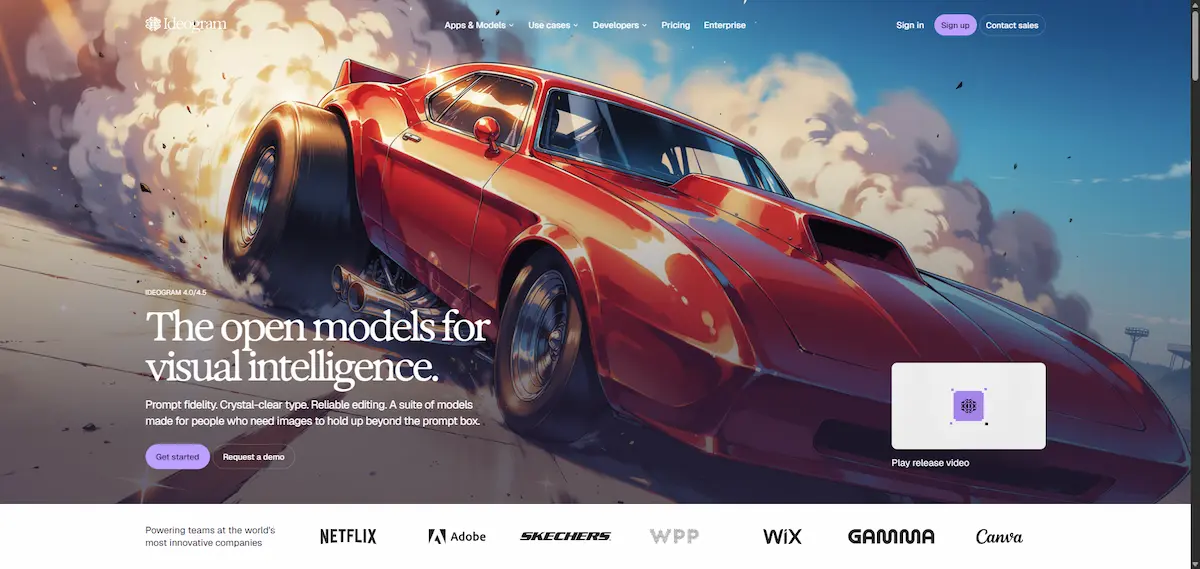
What sets the Ideogram AI image generator apart is typography. Most older models treat letters like any other shape, so words come out bent, doubled or misspelled. Ideogram was built with text rendering as a core goal from the start, and every new version has pushed that further. That is why people searching for what is Ideogram AI often end up reading about logos, posters and memes.
Who made Ideogram
Ideogram AI was founded in 2022 by Mohammad Norouzi, William Chan, Chitwan Saharia and Jonathan Ho, a team with a research background at Google Brain and several universities. The company is usually described as a startup from Toronto. In August 2023 it announced a $16.5 million seed round led by Andreessen Horowitz and Index Ventures, and in February 2024 it raised a further $80 million round led by Andreessen Horowitz. The company shares its own background on the official Ideogram company page.
Model versions in short
Ideogram AI has shipped a new model roughly every few months, and the version you pick still affects the result.
- Ideogram 0.1: the first public release in August 2023
- Ideogram 1.0: early 2024, with a large jump in text accuracy
- Ideogram 2.0: August 2024, better realism and new style options
- Ideogram 2a: February 2025, a faster and cheaper variant
- Ideogram 3.0: March 2025, sharper photorealism and style references
- Ideogram 4.0: June 2026, described in several sources as open weight
- Ideogram 4.5: September 2026, the current main model and a precise edit model
If you read an older Ideogram review, check which version it tested. Many articles still describe 2.0 or 3.0, and the gap to 4.5 is large.
What makes it different
Ideogram AI is not only a text tool. It also handles illustration, product shots, concept art and photo-style images, and it lets you steer the look with style presets and reference images. Still, the reason most people pay for it is that you can write a short phrase in quotes, describe the font mood, and get a clean result on the first or second try. With other generators the same job can take ten attempts.
What Ideogram is not
Ideogram AI is not a photo editor, a design suite or a video studio, even though it has some tools in each area. It does not replace Photoshop or Canva for layout work with many elements. It is also not the first tool to reach for if you want highly realistic portraits or complex scenes with many people, where other models can look more natural.
How Ideogram Works
Getting a first image out of Ideogram takes about two minutes. The flow is the same on the website and in the app.
Sign up and pick a model
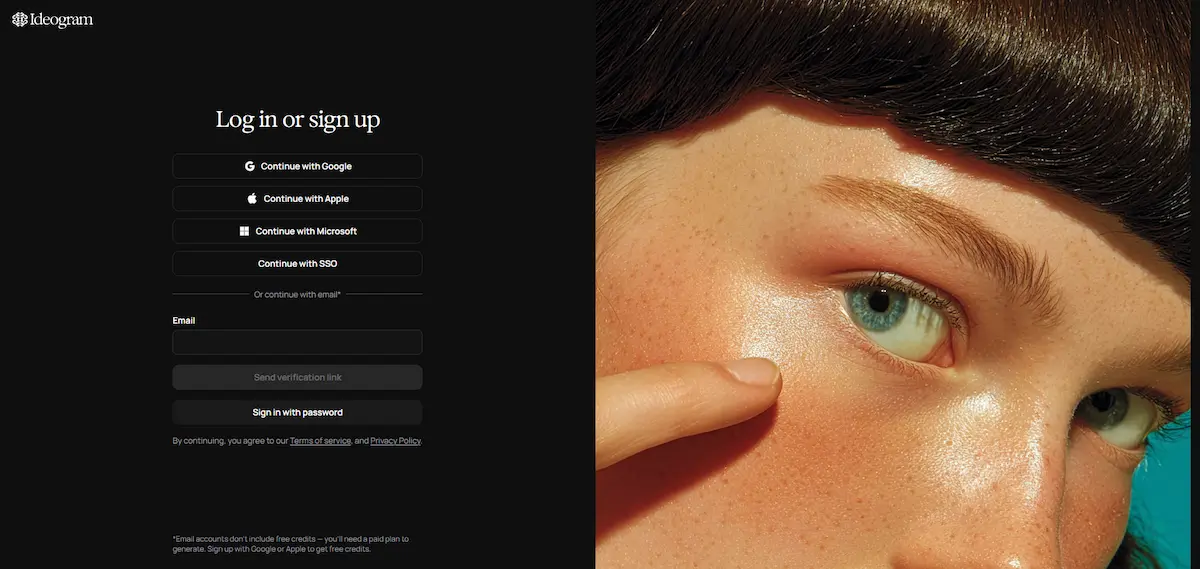
Go to the Ideogram site and sign in with a Google, Apple or Microsoft account. The free plan starts right away with your weekly credits. Open the generate page and choose the model, which is usually the newest Ideogram version by default.
Write a prompt
Describe the subject, the setting and the mood in plain English. If the image needs words, put the exact text in quotation marks and say where it should go, for example a headline at the top or a name on a sign. Short text works far better than long sentences.
Choose a style and aspect ratio
Pick a style such as Auto, Realistic, Design or a custom look, then set the ratio that matches where the image will be used: square for social posts, tall for stories and posters, wide for banners and headers. You can also upload a reference image to guide the colors and the overall feel.
Edit and download
Ideogram AI creates a set of images from each prompt. Open the one you like and you can vary it, remix the prompt, upscale it or send it to the Canvas for edits. When you are happy, download the file as a standard image. Each action that creates or changes an image uses credits, so it pays to pick the best result before you start editing.
Ideogram Features
The base tool is simple, but the list of Ideogram features has grown a lot since launch. Here are the ones that matter most in daily use.
Text rendering
Text rendering is the headline feature. Ideogram can place words, slogans, prices and names inside an image with clean letter shapes and sensible spacing. It works best with a few words and a clear font description such as bold sans serif, neon sign, hand lettering or retro serif. Long paragraphs still break, and that is a limit every image model shares. Ideogram has claimed on its own pages that text accuracy is far higher than at most rivals, but that number comes from the company and has not been confirmed by independent testing.
Style control and reference images
You can pick a preset style, paste in a style code or upload up to a few reference images so new results follow the same colors and mood. A Character option helps keep the same face or figure across several images, which is useful for brand mascots and story visuals.
Magic Prompt
Magic Prompt rewrites your short idea into a longer, more detailed prompt before the image is made. It is helpful when you are not sure how to describe a scene, and you can turn it off when you want full control over the wording. Many users leave it on for quick drafts and off for precise work.
Canvas, Magic Fill and Extend
The Canvas is an editing space where you can place several images, paint over an area and regenerate only that part with Magic Fill, or grow the picture past its original borders with Extend. It is a fast way to fix a hand, swap a background or change a word without redoing the whole image.
Layerize for editable text layers
Layerize is one of the newest tools and one that few reviews mention. It splits a generated design into separate layers so the text can be edited as real text instead of pixels. For anyone who makes posters or ads, that removes a lot of redrawing.
Explore and public images
Ideogram has a public Explore feed where community images and their prompts are shown. On the free plan, everything you generate is published there by default, which is why it works as a source of ideas and also why the free plan is not private. You can open a public image, read the prompt and remix it, which is one of the fastest ways to learn what wording gives good results.
Batch generation and upscaling
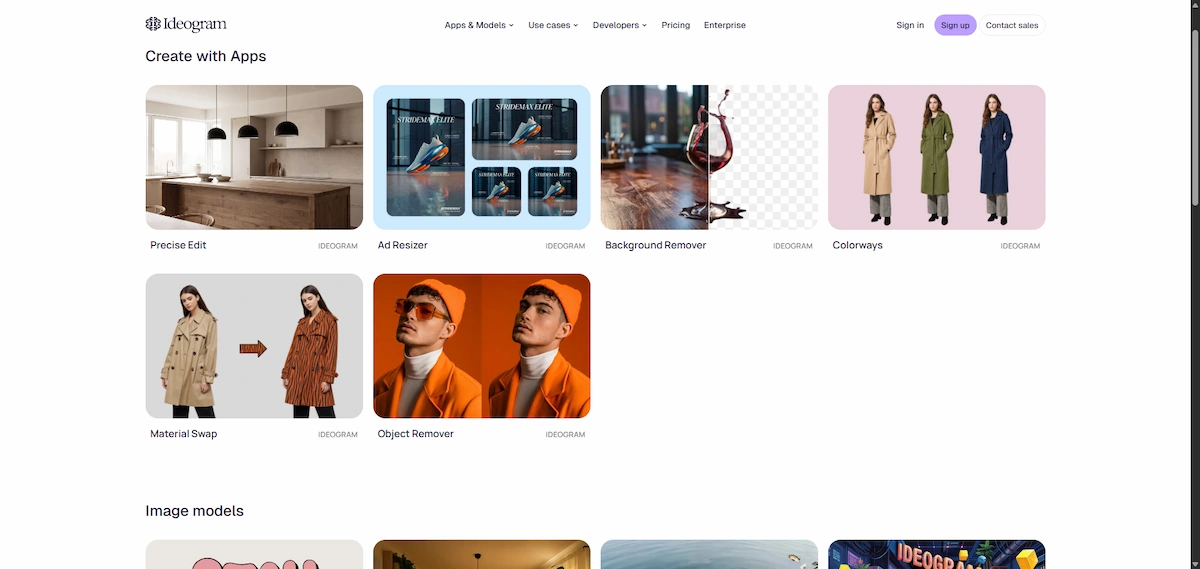
Pro users can run batch generation to create many images from a list of prompts, which suits agencies and stores with large catalogs. The upscaler raises the resolution of a finished image, and the platform also lists a background remover, an object remover and an ad resizer for common production tasks. Custom model training is available for teams that want a brand style baked in.
What Can You Make With Ideogram?
Because of the text strength, the best use cases for Ideogram AI are the ones where words and visuals have to work together.
Logos and brand marks
Many people ask if Ideogram AI is good for logos, and the honest answer is that it is good for ideas and drafts. You can test dozens of wordmarks, icon styles and color moods in minutes. The output is a raster image, so a finished logo still needs to be rebuilt as a vector file before it goes on packaging or signs. If you want a full walkthrough, this guide on how to design a logo with AI covers the process step by step.
Posters and event graphics
Concert posters, event flyers, menu boards and book cover concepts are where Ideogram feels strongest. A prompt with a title, a date and a style such as vintage print or modern minimal usually gives a usable layout on the first round.
Social media and ad graphics
Quote cards, announcement banners, memes and ad creatives all need short text on a clear background. Ideogram can produce these in the exact ratio you need, and the ad resizer helps when the same design must fit several placements.
Product mockups and packaging labels
Sellers use Ideogram to mock up bottles, boxes, mugs and shirts with a brand name on them. It will not match a studio photo, but it is quick for concept stages. When you need cleaner shots for a store page, look at how to create product photos with AI and compare the options.
Ideogram 4.5 Explained
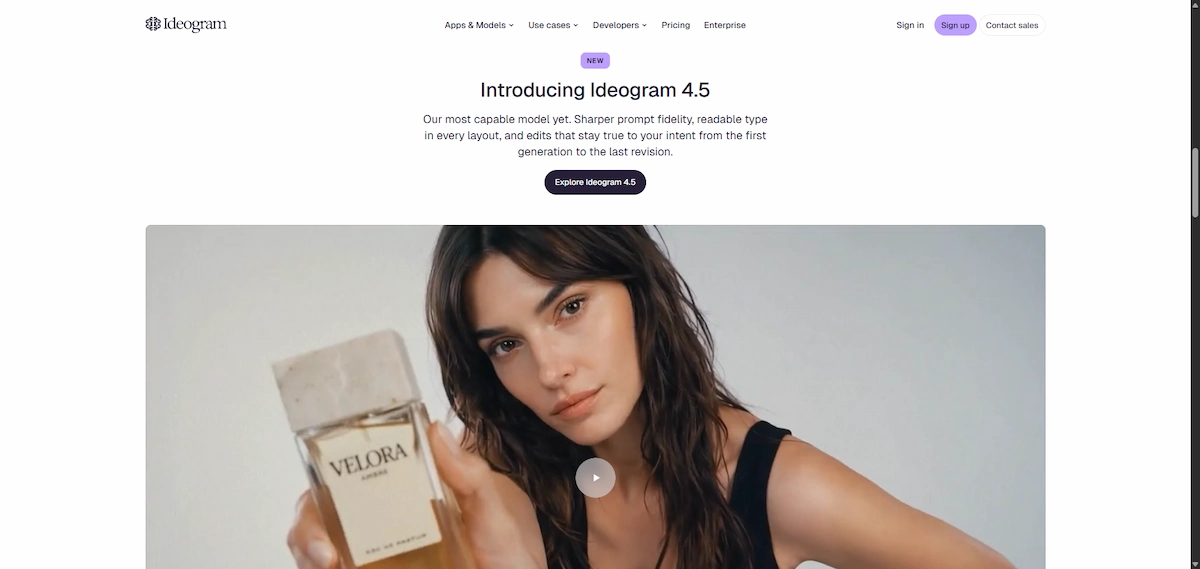
Ideogram 4.5 is the model most users meet first in 2026, and it changes a few habits from earlier versions. Text is cleaner at small sizes, styles hold together better across a set of images, and the edit model can change a chosen area of a picture while leaving the rest almost untouched. That last part matters for designers, because a fix to one word no longer rebuilds the whole layout.
Ideogram 4.0 arrived a few months earlier, in June 2026. Several sources describe it as an open weight release, which means developers can download and run it themselves. The license for those files is separate from the terms of the hosted site, so anyone planning to ship a product with them should read it line by line. Most people who simply want images should stay on the hosted 4.5 model, since it is the one that gets the newest tools first.
Older models are still listed in some menus. They cost fewer credits and can be useful for rough drafts, but for final text work the newest model is the safer pick.
Ideogram Pricing
Ideogram pricing is built around monthly credits, and the numbers have changed more than once. Many articles still show old prices, so the table below follows the plan details published on the official Ideogram plans page, last checked in October 2026.
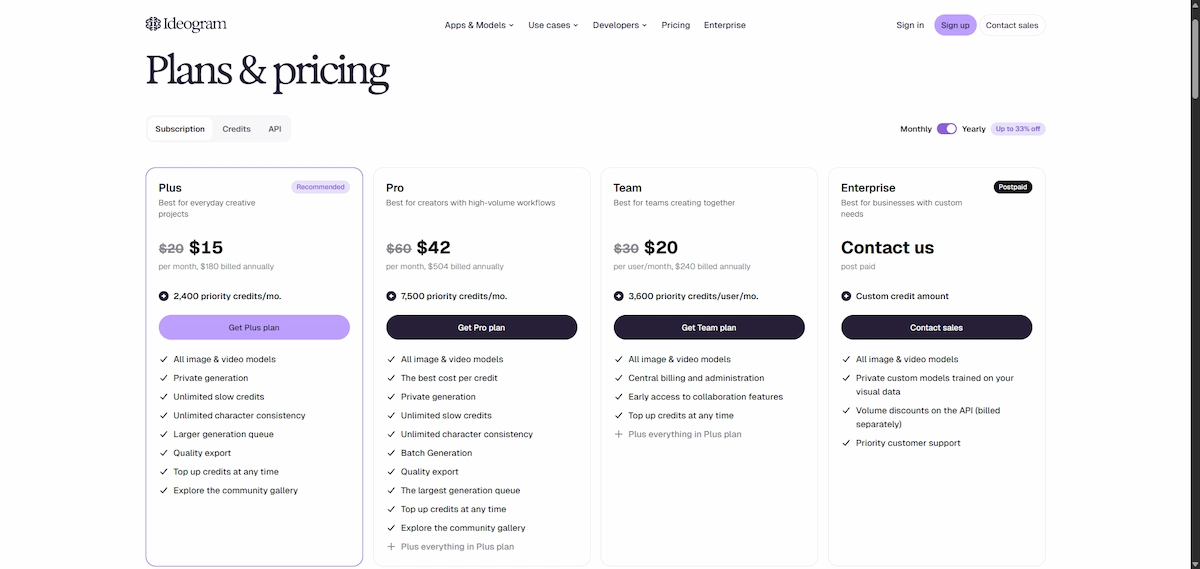
| Plan | Monthly price | Annual price (per month) | Credits | Notable extras |
|---|---|---|---|---|
| Free | $0 | $0 | 30 per week | Public images, basic generation |
| Plus | $20 | $15 | 2,400 per month | Private generation, slow queue after credits |
| Pro | $60 | $42 | 7,500 per month | Batch generation, private generation |
| Team | $30 per user | $20 per user | 3,600 per user | Minimum two users, shared workspace |
| Basic (retired) | $8 | $7 | 960 per month | No longer sold to new users |
A pay as you go option also exists for people who only need a few extra credits. For a wider look at what AI software costs in practice, see this guide on how much AI tools cost.
Is Ideogram free?
Yes, there is a free plan. Ideogram gives every free account 30 credits per week, and you sign in with a Google, Apple or Microsoft account. That is enough to try the tool and make a handful of images, but not enough for regular work. The catch is that images created on the free plan are public, so other users can see them and your prompts. Private generation starts with Plus.
How credits work
Every action in Ideogram uses credits: a new set of images, a remix, an upscale, a Magic Fill edit or a background removal. Newer models and larger outputs cost more than older and smaller ones. Monthly credits do not roll over, so unused credits are lost when the cycle resets. On Plus, Pro and Team, a slow queue stays open for Ideogram models after your credits run out, which means you can keep generating at a lower speed instead of stopping.
Free vs paid plans
The practical differences between the tiers come down to credits, privacy and speed. Paid plans keep new images private until you publish them, and Pro adds batch generation. Upscales and edits cost credits on every plan, so a paid plan does not make them free.
| Feature | Free | Plus | Pro | Team |
|---|---|---|---|---|
| Credits | 30 per week | 2,400 per month | 7,500 per month | 3,600 per user |
| Private generation | No, all images public | Yes | Yes | Yes |
| Slow queue after credits | No, wait for weekly credits | Yes | Yes, larger queue | Yes |
| Batch generation | No | No | Yes | No |
| Central billing and admin | No | No | No | Yes |
Enterprise customers get custom credits, terms and support under a separate agreement, so pricing is quoted on request.
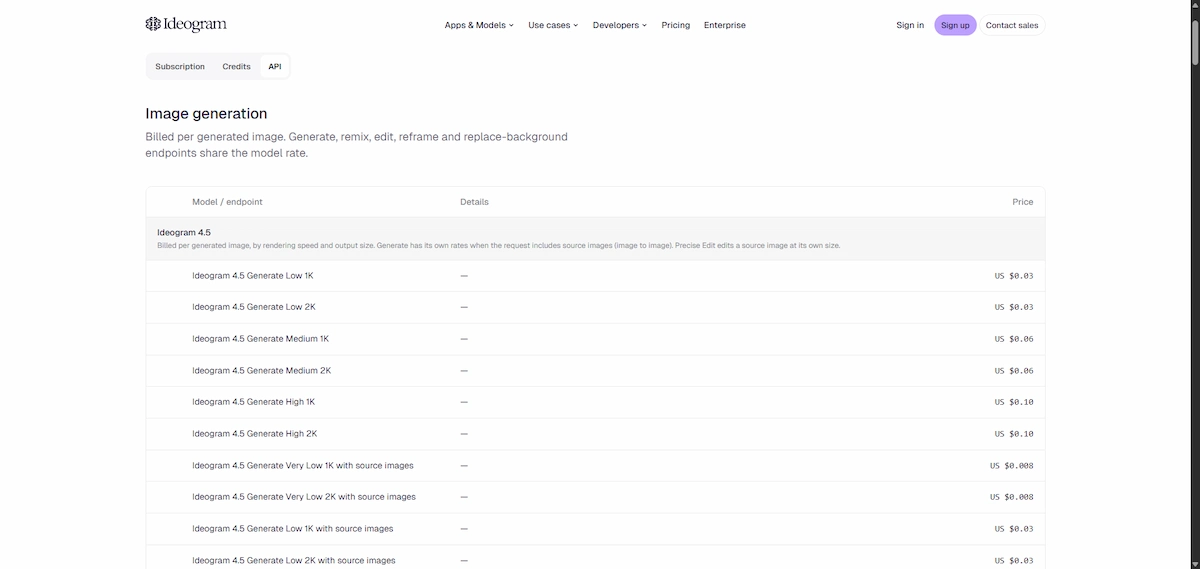
API pricing
Developers can use the Ideogram API, which is billed per image and differs by model and quality level. Third party sites list very different numbers, so check the current rates in your account before you plan a budget.
Old plans you still see online
If you have seen Basic at $7 or $8, Plus at $16 or Pro at $48, those figures come from older versions of the pricing page. The structure above is the current one, and it can change again, so confirm the price on the checkout screen before you pay.
Ideogram API, Apps and Video
Ideogram AI is not limited to the website. The company offers an Ideogram API for image generation and editing, and its documentation now lists video models as well, which answers the common question of whether Ideogram can make video. There is also an MCP server, so AI assistants and agent tools can call Ideogram directly, plus mobile apps for iPhone and Android. Developers who want to build image features into their own product will find this the most flexible way to use the platform.
Ideogram Pros and Cons
Pros
- Best in class text inside images for short phrases, names and headlines
- Clear free plan with weekly credits
- Simple interface that a beginner can use in minutes
- Style presets, reference images and Character for a consistent look
- Canvas, Magic Fill and Extend for quick edits
- Layerize for editable text in finished designs
- API, MCP server and apps for more advanced use
Cons
- Credits run out quickly, especially with edits and upscales
- Free images are public
- Monthly credits do not roll over
- Long text blocks still fail
- Portraits and busy scenes can look less natural than the top rivals
- Output is raster only, so logos need to be redrawn as vectors
What Users Report
Outside the marketing pages, the clearest picture comes from user reviews. On Trustpilot, Ideogram AI holds a score of 3.8 out of 5 from 167 reviews, and the split is sharp: 69% of reviewers give five stars and 19% give one star, with very few in between.
What people like
- Strong image quality, especially typography, realistic images and characters
- Fast and helpful support, including quick fixes for billing mistakes
- Refunds for accidental renewals in several reviews
- Good value for people who use it often enough to need a subscription
What people complain about
- Billing surprises, such as a top-up charged higher than expected
- Free credits that run out faster than the plan suggests
- Reference image and editing tools that now use more credits, which some paying users saw as a sudden change
- Prompts with fine detail being ignored and results that repeat
- Trouble with exact text placement and keeping a character consistent
- A redesigned interface that some find cluttered
Treat the score with some care. Trustpilot notes that the company has not been asking customers for reviews or replying to the negative ones, so the sample may lean toward people with strong feelings. The takeaway is that the product itself is well liked, and most of the anger is about credits and billing. Set a budget and read the checkout screen before you confirm a payment.
Where Ideogram Falls Short
Text is better, not perfect
Ideogram AI handles a headline or a name well, but three lines of small print can still come out with swapped letters. You often need two or three tries, and each try costs credits. The safest method is to keep the text short and fix the rest in an editor.
Portraits and complex scenes
When a prompt asks for a crowd, a detailed hand position or a realistic face in close-up, Ideogram can produce small errors that other tools handle more smoothly. For photo-style people, many users still prefer Midjourney or Flux, and use Ideogram only for the text work.
Credits and queue times
The credit system is the most common complaint. A single round of editing with several remixes and upscales can burn through a Plus balance in days. The slow queue on paid plans helps, but waiting times can be long at busy hours.
Free images are public
Anyone on the free plan should assume the image and the prompt can be seen by others. That makes the free plan a poor fit for client work, unreleased products or anything private.
Is Ideogram Safe and Can You Use the Images Commercially?
For ordinary use, Ideogram AI is a normal web service with account sign-in through Google, Apple or Microsoft. The main privacy point is visibility: free images are public, while Plus, Pro, Team and Enterprise plans allow private generation. If your business handles sensitive material, read this overview of AI data privacy for business before you upload client files or brand assets.
On Ideogram commercial use, the Terms of Service are fairly open. Ideogram says it does not claim ownership of your prompts or of the images you create, and it assigns you any rights it might gain in them. It also says it does not restrict you from using the output for your own purposes, including commercial ones. The terms I read make no difference between free and paid users on this point, although the free plan keeps everything public.
There are limits you should know about. Ideogram disclaims liability when you use an image commercially, and it tells users to check third party permissions first, which matters for brand names, celebrity faces and copyrighted characters. The terms also state that similar prompts can produce similar images for other users, so a generated logo is not guaranteed to be unique. In return, you give Ideogram a license to host and use your content to run, improve and promote the service. The terms can change and the open weight releases of Ideogram 4.0 have their own license, so read the current versions before you build a product on either.
Who Should Use Ideogram
Good fit
- Marketers and social media managers who need graphics with text
- Small business owners who make their own posters, menus and ads
- Designers who want fast concept drafts and logo ideas
- Bloggers and creators who need cover images and thumbnails
- Developers who want an image API with strong text output
Skip it if
- You want mainly photorealistic portraits or cinematic scenes
- You need vector logos or print-ready files without extra work
- You generate hundreds of images a week on a tight budget
- Your work must stay private and you do not want to pay for a plan
Ideogram vs Midjourney, DALL-E and Other Alternatives
Ideogram alternatives fall into two groups: tools that beat it on realism and artistic style, and tools that match it on text. The table gives a short summary. Prices change often, so check each site before you subscribe.
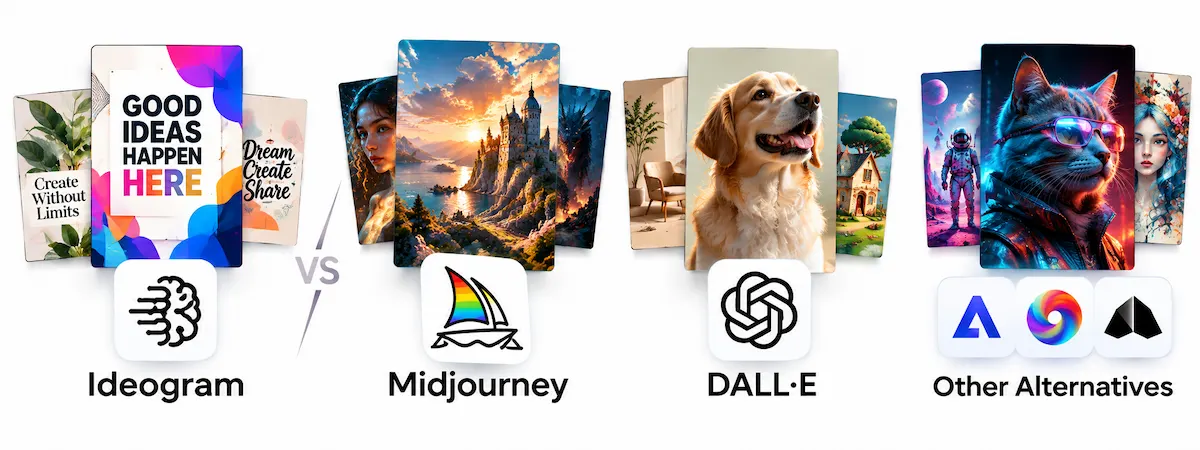
| Tool | Best for | Free plan | Text in images |
|---|---|---|---|
| Ideogram | Posters, logos, graphics with text | Yes, 30 credits per week | Very strong |
| Midjourney | Artistic and cinematic images | No | Improving, less reliable |
| ChatGPT images (DALL-E) | Quick images inside a chat | Limited | Good |
| Adobe Firefly | Brand-safe work inside Adobe apps | Limited | Fair |
| Recraft | Vectors and brand styles | Limited | Strong |
Ideogram vs Midjourney
In the Ideogram vs Midjourney matchup, Midjourney wins on mood, lighting and artistic detail, and it is the usual pick for concept art and stylized portraits. Ideogram wins when the image contains words, because Midjourney still misses letters more often.
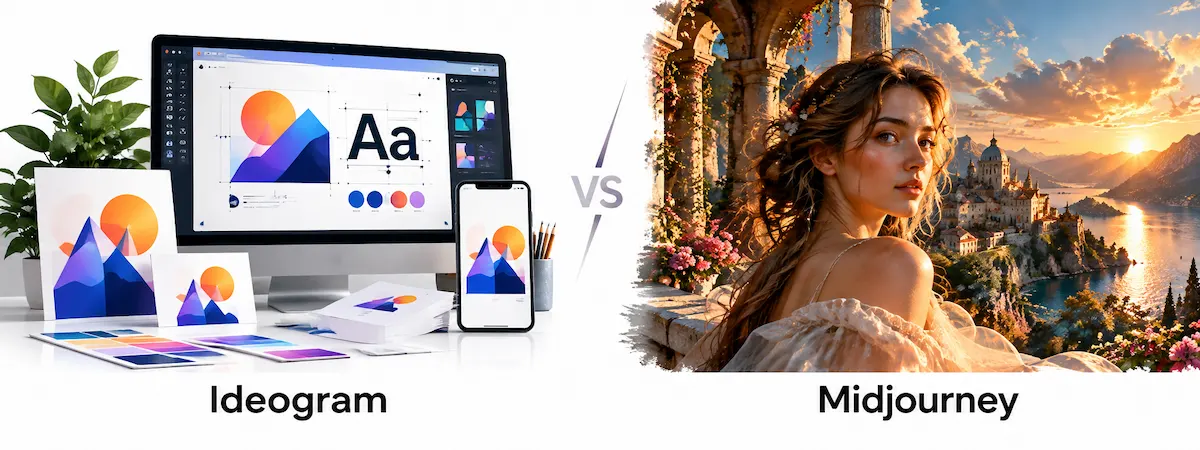
Midjourney also has no free plan, so Ideogram is the cheaper way to test. Many creators use both: Midjourney for the scene and Ideogram for anything with lettering.
Ideogram vs DALL-E and ChatGPT images
DALL-E and the image tools inside ChatGPT are convenient because you describe the image in a normal conversation and ask for changes by chat. Ideogram gives you more control over style, ratio, reference images and editing, and it keeps a stronger lead on typography in design-style work.
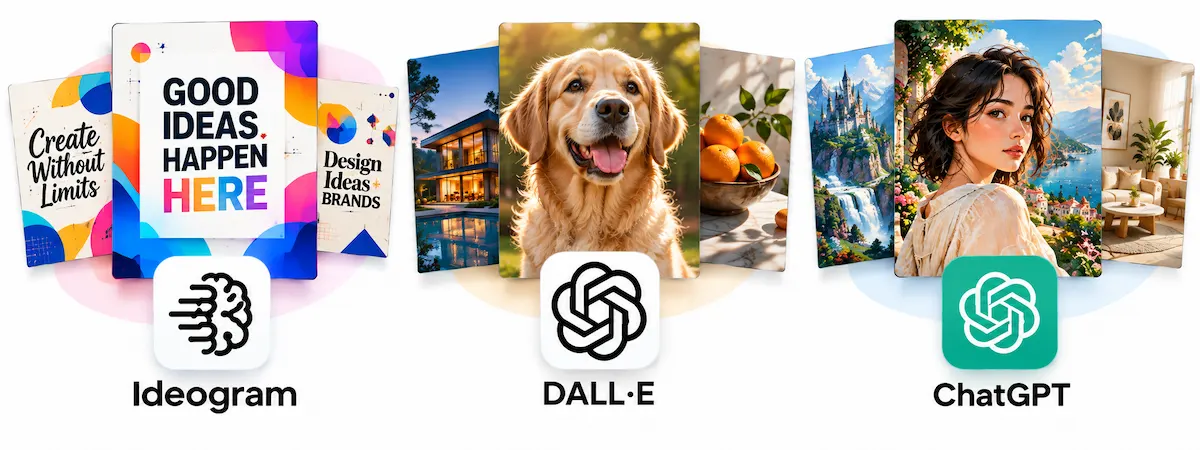
If you already pay for ChatGPT and only need occasional images, DALL-E may be enough. For a longer list of options, see these ChatGPT alternatives for image generation.
Ideogram vs Adobe Firefly
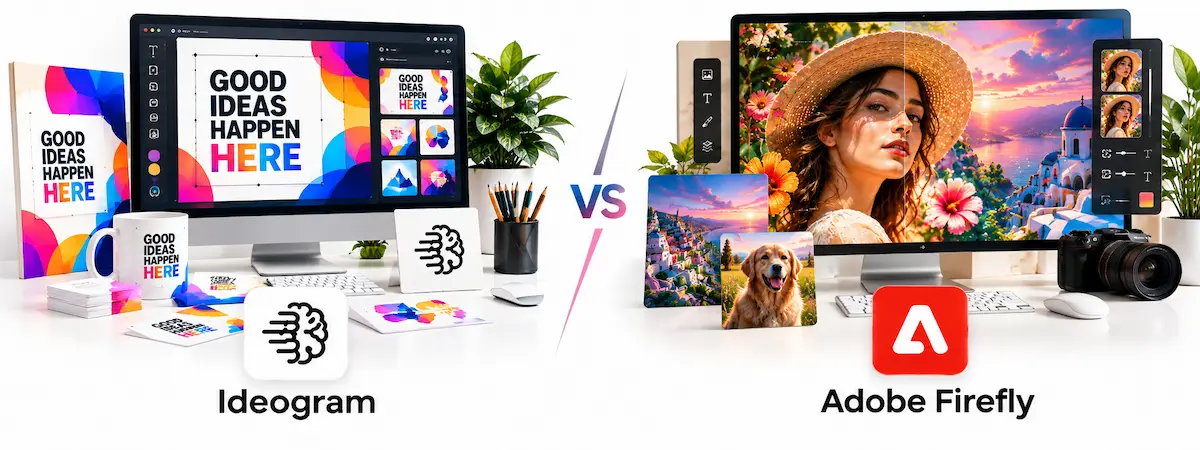
Adobe Firefly is built into Photoshop and Illustrator and is marketed as safe for commercial work because of how it was trained. That makes it attractive for companies with strict legal rules. Ideogram is more flexible for fast ideas and has the better reputation for text, while Firefly fits teams that already live in Adobe software.
Recraft, Flux and other options
Recraft is the closest rival for design work and can export vectors, which matters for logos and icons. Flux is popular for realistic images and is available through many apps. If your main goal is a clean logo file, Recraft deserves a test next to Ideogram.
Prompt Tips for Better Results
A good prompt saves credits, and a few habits make the difference. For a deeper look at the skill, read this guide on prompt engineering for business.
- Keep the text short. One to five words work best, written inside quotation marks.
- Describe the font mood. Terms like neon, embossed, serif, graffiti or handwritten give the model a clear target.
- Say where the text goes. Top center, on a banner or across the chest of a shirt avoids random placement.
- Name the style and the colors. A poster in cream and navy with a vintage print look gives more stable results than a vague request.
- Start with Magic Prompt, then switch it off. Use it for ideas, then take control once you like a direction.
- Change one thing at a time. Small edits to a working prompt cost fewer credits than starting over.
Here is a simple example: “A vintage concert poster with the words SUMMER JAZZ NIGHT in bold cream serif letters at the top, a saxophone player in navy and orange, grainy print texture, vertical format.” A prompt like this gives Ideogram the text, the position, the font mood, the subject and the style in one line.
How to Save Ideogram Credits
Credits are the main cost, so a few habits keep the balance from draining. Test the idea on a cheaper model or a smaller size, then run the final version on the newest model once the wording and layout look right. Open the image you like before you hit upscale, since upscaling every result in a set wastes most of the spend.
- Write the full prompt before you generate, and avoid re-running a vague one
- Fix a single mistake with Magic Fill instead of generating a new set
- Skip Magic Prompt when your own wording is already precise
- Use the slow queue on paid plans for work that is not urgent
- Take the yearly price if you use the tool every month, because the monthly cost drops by about a quarter
- Check the credit cost of an action before you confirm it
On the free plan, the same rules matter even more, because 30 credits per week disappear after a handful of attempts. Plan the images you need for the week and spend the credits on the ones that count.
Is Ideogram AI Worth It?
If text inside images matters to your work, this Ideogram AI review lands on a clear yes: it is worth trying, and the free plan lets you judge it without paying. Plus is a fair step up for anyone who makes graphics every week, and Pro makes sense for agencies and sellers who need batches. If your work is mostly realistic photos or you want one tool for everything, a different generator may suit you better. To compare it with the rest of your software, this guide on how to choose AI tools for business can help you make the final call.
In short, the answer to what is Ideogram AI is simple: a fast, beginner friendly image generator with the best text rendering in its class, and a credit system you need to watch.
Ideogram AI FAQ
What is Ideogram AI and what is it used for?
Ideogram AI is a text-to-image generator that creates pictures from written prompts. People use it for posters, logos, social media graphics, ads and any design where readable text has to appear inside the image.
Is Ideogram AI free?
Yes. The free plan includes 30 credits per week. Images made on the free plan are public, and private generation needs a paid plan.
How much does Ideogram cost?
Plus costs $20 a month or $15 a month billed yearly, and Pro costs $60 a month or $42 a month billed yearly. Team starts at $30 per user, with a minimum of two users. Prices can change, so check the plans page.
What is an Ideogram credit?
A credit is the unit Ideogram charges for actions such as generating, remixing, upscaling or editing an image. Credits reset each cycle and do not roll over.
Is Ideogram better than Midjourney?
It depends on the job. Ideogram is better for images with text, while Midjourney is stronger for artistic and cinematic scenes. Midjourney has no free plan.
Is Ideogram good for logos?
It is good for drafts and ideas, and it handles brand names well. The files are not vectors, so a final logo usually needs to be redrawn or converted.
Can I use Ideogram images commercially?
Yes. The Terms of Service say Ideogram does not claim ownership of your images and does not restrict commercial use. You are still responsible for third party rights such as brands and likenesses, and similar prompts can give similar results to other users.
Does Ideogram have an API?
Yes. The Ideogram API supports image generation and editing, and the platform also offers an MCP server for connecting AI assistants and agent tools.
Can Ideogram make video?
Ideogram lists video models in its API documentation, though its main product is still the image generator. Check the current docs for available models.
Is Ideogram safe to use?
It is a standard web service with sign-in through Google, Apple or Microsoft. Free images are public, so use a paid plan with private generation for anything sensitive.
Can I edit images after generating them?
Yes. Ideogram has a Canvas with Magic Fill and Extend, plus an upscaler, a background remover and Layerize for editable text layers. Each edit uses credits.
Who made Ideogram?
Ideogram was founded in 2022 by Mohammad Norouzi, William Chan, Chitwan Saharia and Jonathan Ho. The company raised a $16.5 million seed round in 2023 and an $80 million round in 2024.