Rork AI is an app builder that turns a text description into a working mobile app. You type what you want into a chat box, and Rork writes the code, shows a preview, and helps you send the finished app to the App Store or Google Play. No coding is needed to get a first version running on your phone.
That sounds simple, and in some ways it is. A first screen can appear in a few minutes. The harder parts come later, when you change small details, connect a database, or submit the app for review. This Rork AI review covers what the tool does, how its plans and usage limits work, where users run into trouble, and which kinds of apps suit it best. The numbers come from reviews and user reports published in 2026. Rork changes its plans often, so check the current prices before you pay for anything.
Quick Verdict
Rork AI is a good pick for fast mobile prototypes and for founders who want an app they can test on a real phone the same day. It is a weaker pick for apps with heavy backend logic, or for anyone who expects publishing to be a one click job. Tool directories give it around 4 out of 5, while Trustpilot shows a much lower score, between 2 and 2.9, mostly because of bugs, slow support, and usage limits that run out quickly.
- Best for: quick prototypes, client demos, and first versions of app ideas
- Price: free plan, Pro from $20 a month, Max from $200 a month
- Main strength: a working preview on your phone within minutes
- Main weakness: the monthly allowance runs out fast, and backend work and publishing still need manual effort
What Is Rork AI?
Rork AI is a chat based builder for mobile apps. You describe the app, pick iPhone, Android, or web, and the tool generates the screens, the navigation, and the code behind them.
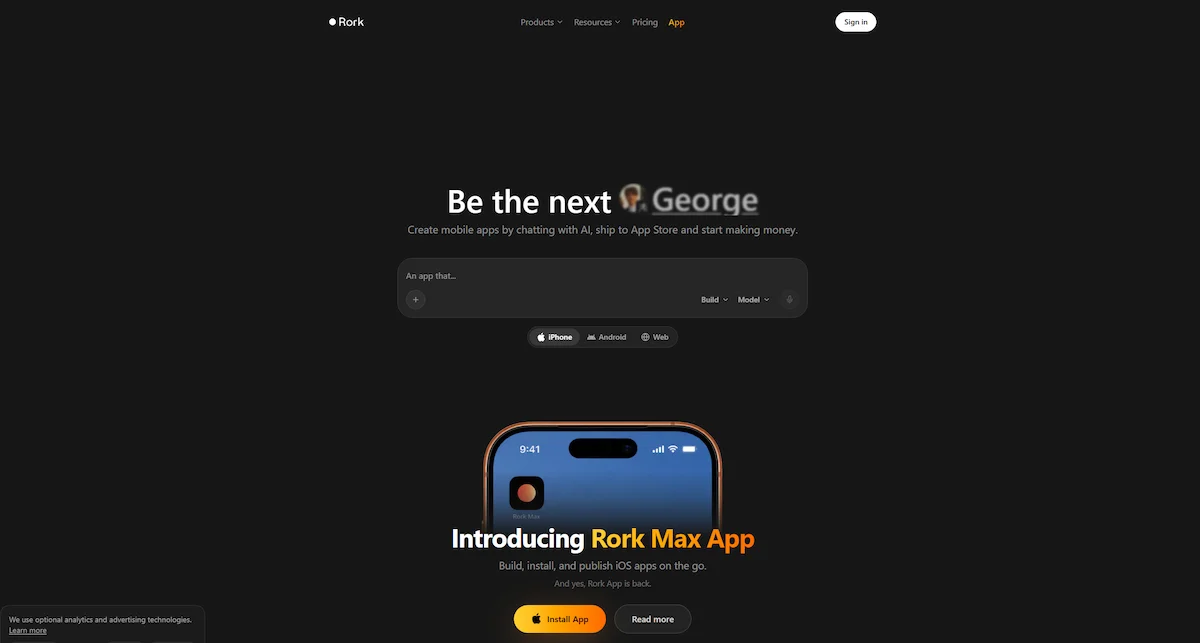
The standard version uses React Native and Expo, so one codebase can run on iOS, on Android, and in a browser. Many tools in this space, such as Lovable and Bolt, build web apps. Rork was made around phones from the start, and that is its main selling point.
Who built Rork
Rork was founded by Levan Kvirkvelia and Daniel Dhawan, and the team works from San Francisco, Tbilisi, and London. The company raised $2.8 million from a16z in 2025 after a viral post pulled attention to the product. Later reports mention a bigger round of about $15 million in 2026. Rork also shares a case study of two 18 year old founders whose app reportedly reached $240,000 in yearly revenue. That result is far from typical, so treat it as the best case, not the average one.
What native means here
The word native causes confusion, so here is the short version. A React Native app is written in JavaScript and runs as a real app on the phone, not as a website inside a frame. A Swift app is written in the language Apple uses for its own devices and gets full access to iPhone features. Standard Rork uses the first method, and Rork Max uses the second. For simple apps, most users will not notice a difference. If other terms in this space are new to you, the AI terms glossary explains words like vibe coding and no code in plain language.
Rork vs Rork Max
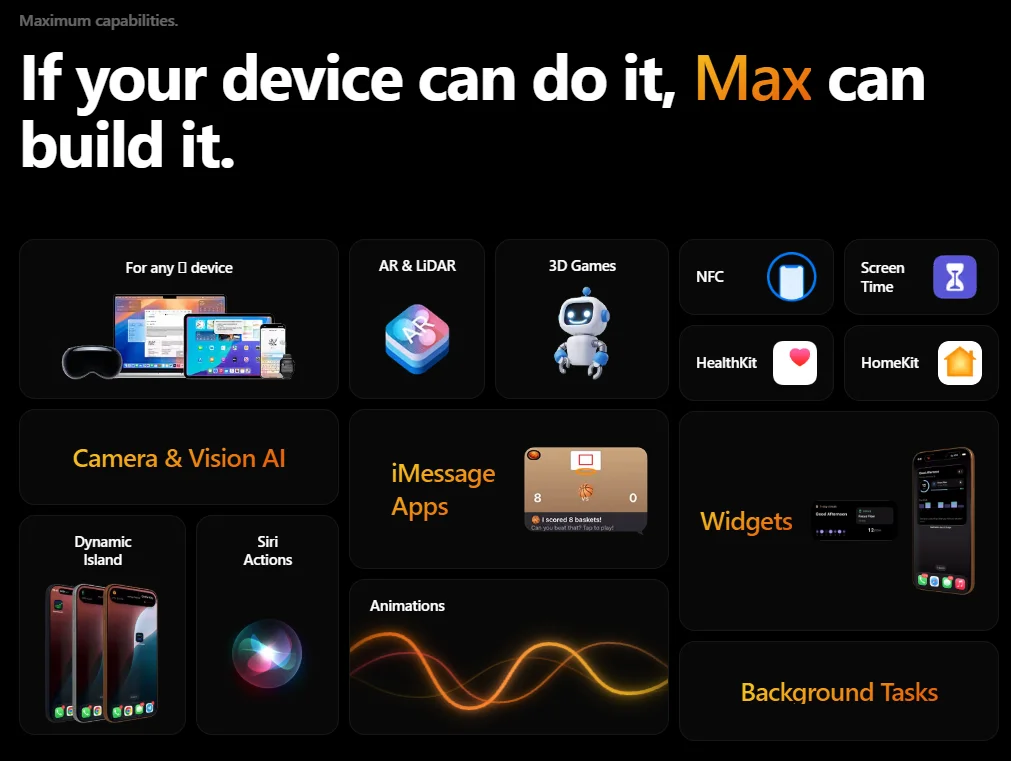
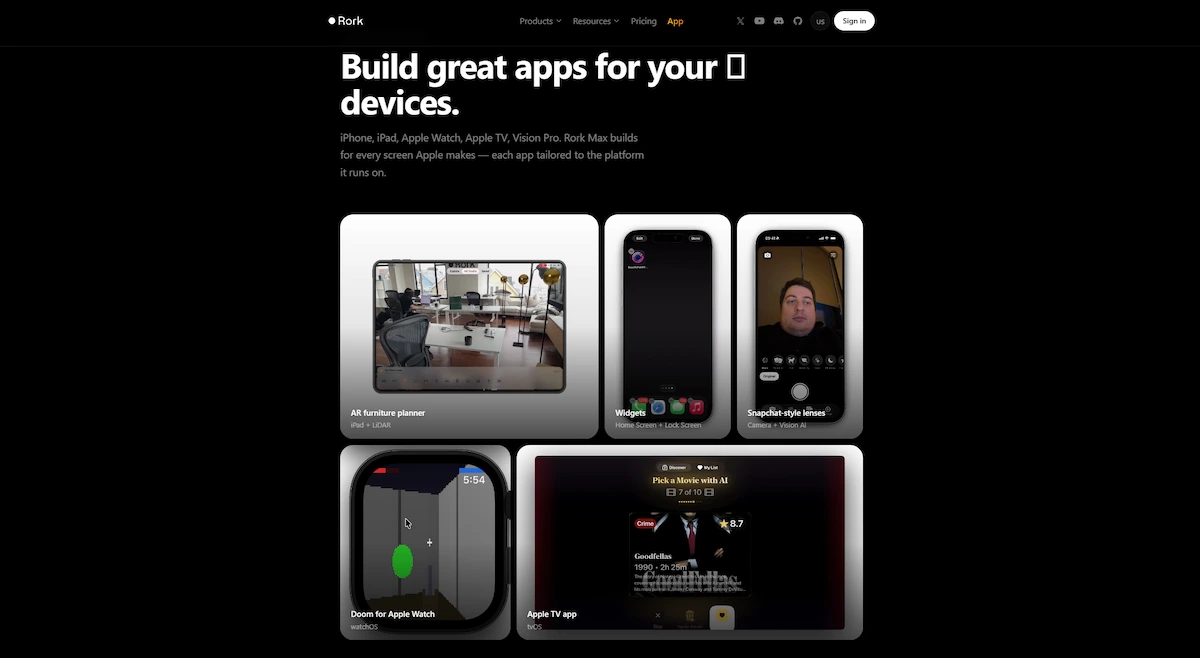
Rork Max launched in February 2026. It builds native Swift apps for iPhone, iPad, Apple Watch, Apple TV, Vision Pro, and iMessage, and it compiles them on Apple machines in the cloud, so you need no Mac and no Xcode. The standard Rork product covers iOS, Android, and web. A full section on Max comes further down.
What Rork is not
Rork AI is not a drag and drop editor. Every change goes through chat, and there is no visual layout tool. It is also not a full replacement for a developer once an app grows. Several reviewers call it a prototype tool that is still growing into a product builder. And publishing still requires your own Apple Developer account, so the store side is never fully automatic.
How Rork Works
The Rork AI workflow is short, and most reviews describe the same steps.
Describe the app
Start with a detailed prompt. Name the screens, the main actions, and what the user sees first. A vague prompt like “build a fitness app” produces a generic result. A prompt that lists a home screen, a workout log, and a weekly progress chart gives a much better first draft. You can also upload a screenshot or an image to guide the layout.
Choose a platform and model
Before you send the prompt, pick iPhone, Android, or web. The model setting can stay on Auto. Rork may then ask a few questions about layout and colors and show a design preview. Plan mode is there for brainstorming before the build starts.
Preview on your phone
After the build, scan the QR code with the free Expo Go app and the app opens on your phone in seconds. Some setups use the Rork app instead, which needs your Apple ID, a USB cable, and Developer Mode switched on. Rork Max uses a streaming simulator in the browser, plus a companion app for testing on a device.
Refine in chat
Next you ask for changes one at a time, such as a swipe to delete or a settings screen. Each request costs credits, and a change sometimes fails on the first try. Group related changes into one message to stretch your allowance.
Export or publish
When you are happy with the result, connect GitHub to export the code, or start the publishing flow for the App Store or Google Play. Rork uses Expo Application Services (EAS) to build the app files, and TestFlight handles iOS testing before release.
Rork Features
These are the features of Rork AI that come up most often in reviews.
Chat builder and templates
The chat is the main tool. Templates cover common ideas such as social feeds, fitness and habit trackers, booking apps, meditation timers, calorie trackers, and visual novel games. Starting from a template cuts the number of prompts you need to reach something usable. Rork also supports API connections to services like OpenAI, Stripe, and Gmail.
Design mode and Build mode
Work is split into Design mode and Build mode. Design mode shows how the screens will look, and Build mode produces the working app. Reviews report that the free plan covers design only, and turning a design into a real app needs a paid plan.
Rork Backend and Rork Cloud
Newer reviews mention Rork Backend, which handles sign in and data storage, and Rork Cloud, which provides a database and file storage. Older reviews say a backend had to come from Supabase or Firebase. Both statements were true at different times, so check what your plan includes today.
GitHub code export
Paid plans let you sync the project to GitHub and keep the full source code. You own that code, so you can move it to a tool like Cursor or hand it to a developer. This also protects you if you cancel, because several reviewers report that dashboard access locks right after cancellation.
App Store Reviewer and Screenshot Studio
The AI App Store Reviewer checks the app against Apple guidelines before submission and flags likely rejection reasons. In one hands on review, an app passed the safety, performance, business, and design checks but failed the legal check because it had sign in and no account deletion.
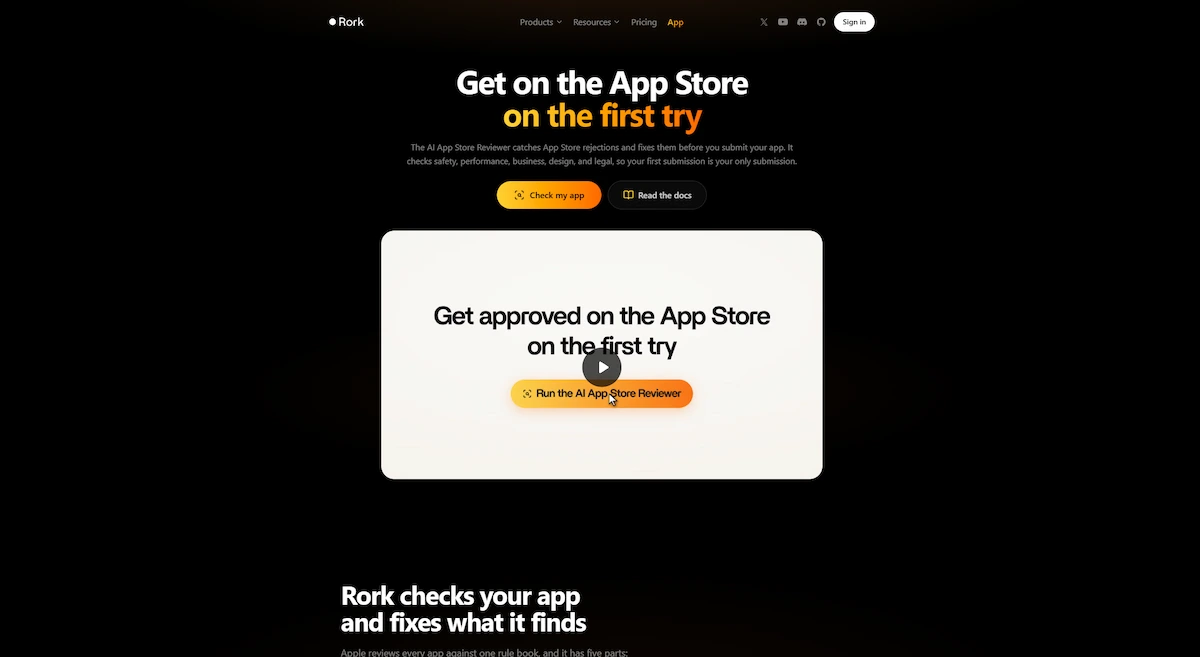
Screenshot Studio creates App Store screenshots from up to six uploaded images. Rork also offers modules for privacy policies and EULAs, plus RevenueCat for in app subscriptions.
Import from Lovable or GitHub
Rork offers a Lovable to mobile option on its homepage, plus a GitHub to mobile route. That means an existing web prototype or code repository can become the starting point for a phone version. It is a cheap way to work, since you can test the idea on the web first and bring it over once it holds up.
What Can You Build With Rork AI?
Reviews and user reports show a clear pattern. Rork handles apps built around a few screens, simple data, and standard phone features such as the camera, notifications, and location. These are the app types that come up most often:
- Habit and fitness trackers with streaks, reminders, and progress charts
- Booking apps with calendar based scheduling
- Marketplace prototypes with listings, profiles, and buyer and seller flows
- Social apps with feeds, profiles, and follows
- Education apps with quizzes and progress tracking
- Utility apps such as calculators, converters, and daily tools
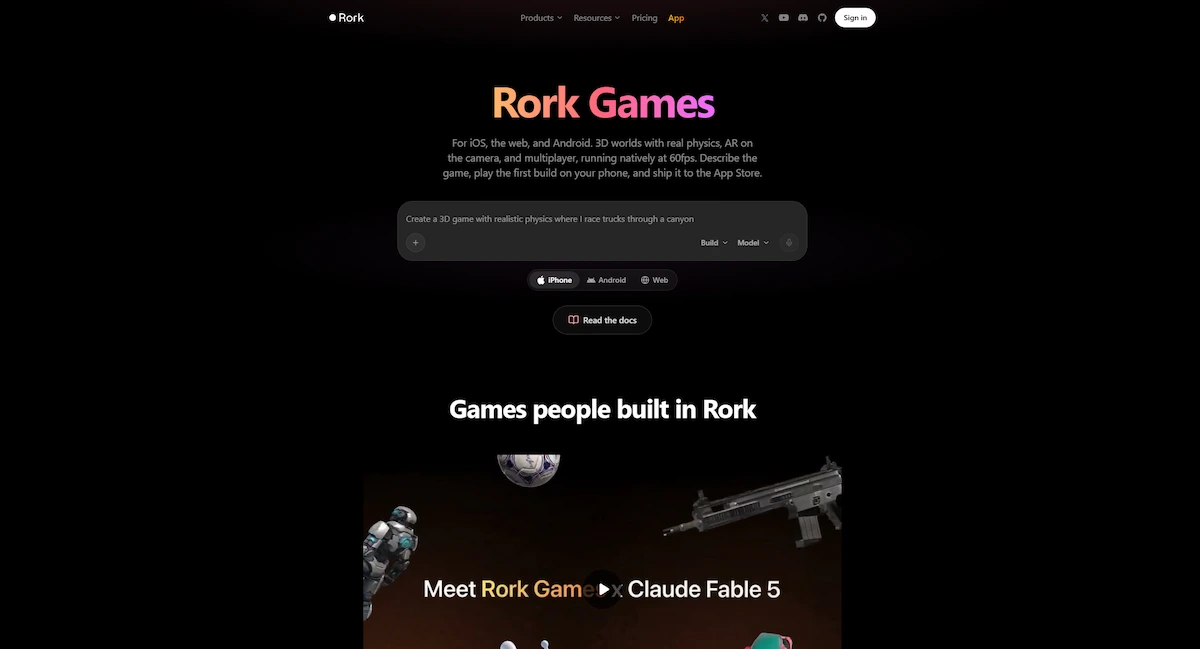
- Games, from simple story games to 3D games on Max
Trouble starts when an app reaches beyond this list. One tester who tried an invoicing app got broken code once PDF output, email sending, and offline sync came in. Keep the first version small, and add the harder parts one at a time.
Rork Max Explained
Rork Max is a separate product for people who build only for Apple devices. It writes Swift instead of React Native, and it reaches phone features that cross platform tools handle poorly.
What Rork Max builds
Reviews list these as the main uses:
- Home Screen and Lock Screen widgets
- Live Activities and Dynamic Island
- HealthKit and fitness tracking
- ARKit and LiDAR scanning
- NFC tags and Siri intents
- 3D games using Metal graphics
- Apps for Apple Watch, Apple TV, and Vision Pro
Publishing is shorter too. Rork Max handles certificates and provisioning profiles, and a two click submit sends the build to App Store Connect. Android is not supported on Max. Reviews also mention a companion app that lets you install and publish iOS builds straight from the phone.
Rork Pro vs Rork Max
| Feature | Rork Pro | Rork Max |
|---|---|---|
| Code | React Native with Expo | Native Swift |
| Platforms | iOS, Android, web | Apple devices only |
| Price | From $20 a month | From $200 a month |
| Preview | Expo Go and QR code | Streaming simulator and companion app |
| Publishing | Guided flow through EAS | Two click App Store submit |
| Best for | Cross platform prototypes | Apple only apps and games |
Do you need Max for an iPhone app?
Reviews disagree on this point. One says native iOS output in SwiftUI sits only on Max. Another says Pro already builds native iPhone apps. Expo builds on Pro also run on an iPhone. Before you pay $200 a month, confirm which output your plan gives you. Max costs about ten times as much as Pro, and reviewers explain the gap by pointing to harder work, since writing Swift for several Apple device types takes more model effort than Expo code.
Rork Pricing
Rork AI pricing is built around credits, and a credit is a unit of model work. The latest reviews show a Free plan, a Pro plan, a Max plan, and a custom plan for big teams.
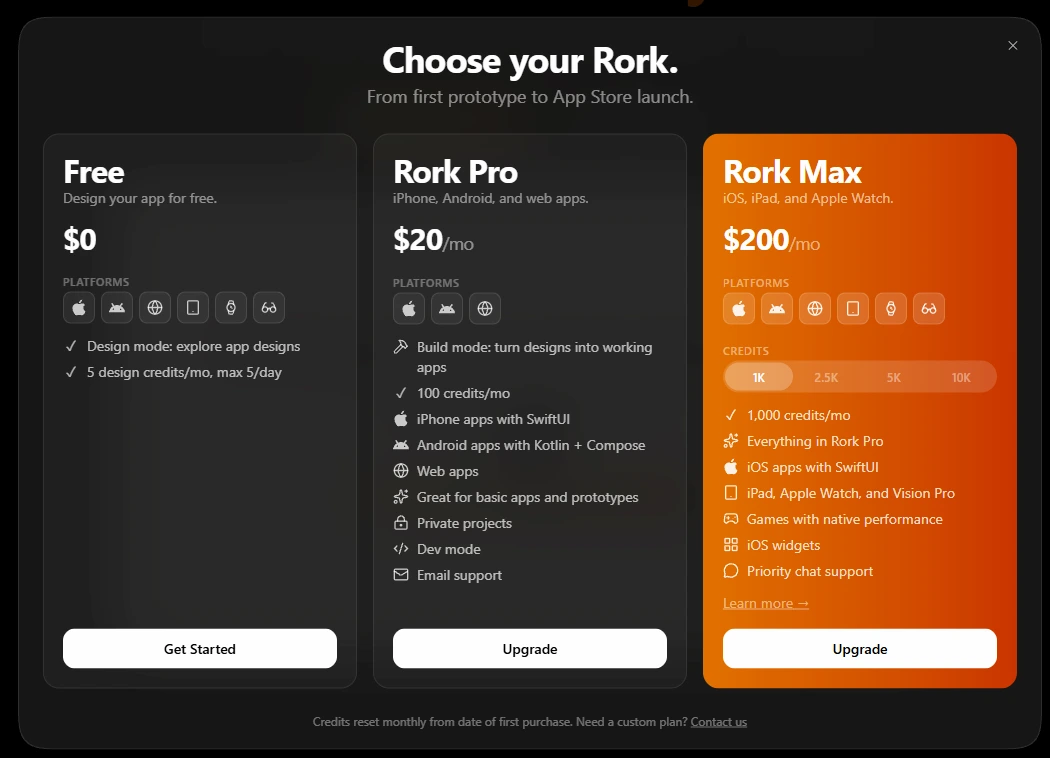
The official pricing page shows what is current.
| Plan | Price | Credits | Notes |
|---|---|---|---|
| Free | $0 | 35 a month, 5 a day | Public projects, design focused |
| Pro | $20 a month | 100 a month | Private projects, dev mode, code export |
| Max | From $200 a month | 1,000, up to 10,000 | Swift apps, Apple devices, priority chat support |
| Custom | On request | Above 10,000 | Arranged with the Rork team |
Older reviews list a different ladder: Junior at $25 for 100 credits, Middle at $50 for 250, Senior at $100 for 500, and Scale plans up to $1,800 for 10,000. Rork has changed its plans more than once, which is why pricing differs between articles.
Is Rork free?
Yes, but only in a limited way. The free plan gives 35 credits a month with a daily cap of 5, so you cannot test the tool in one long sitting. Free projects are public, and some reviews say building a real app needs Pro. One reviewer also reported that the free allowance never showed up after sign up. Treat the free plan as a way to check whether the tool understands your idea, not as a way to build an app.
How credits work
Every message that makes Rork write or change code uses credits. A clean feature that works on the first try is cheap. A layout that keeps coming out wrong can burn several credits before it is fixed. Credits reset each month and do not roll over.
- A simple app with 5 to 8 screens usually needs 20 to 40 credits.
- A larger app with many changes can reach 100 to 200 credits.
- Fixing mistakes made by the model uses the same credits as new work.
To see how this compares with other subscriptions, read how much AI tools cost for a business.
Costs outside Rork
The Rork plan is not the full bill. You also pay for the accounts and services around the app.
- Apple Developer Program: $99 a year, required for any iOS release (Apple program details)
- Google Play Console: $25 once
- Backend service: Supabase or Firebase if your plan does not cover the database
- Subscriptions inside the app: RevenueCat has its own pricing
What Users Report
Ratings for Rork AI are split. Product Hunt shows about 4.6 out of 5, while Trustpilot sits between 2 and 2.9 depending on the review. Praise is steady across sources. Users like how fast the first build appears, how easy it is to test on a real phone, and that the output is regular React Native code a developer can pick up.
Complaints are steady too. People mention bugs and failed previews, slow replies from support, an allowance that runs out fast, and a publishing button that does not always work. Threads on Reddit, including r/rorkstars and r/vibecoding, repeat the same advice: write detailed prompts first and expect to handle the App Store steps yourself.
Is Rork Legit and Safe?
Yes, Rork is a real product from a real company. The founders are named in public, a16z backed the company, and independent reviewers confirm that it produces working apps. People have also shipped apps made with it to the App Store. The complaints you find online are about stability, slow support, and credit use, not about scams.
There are practical risks. Some users report bugs, failed previews, and in a few cases lost project data. Credits do not roll over, and access to the dashboard can lock when a paid plan ends. Export the code to GitHub often, so the app never lives in only one place.
Privacy needs a quick check too. Free projects are public, and private projects need a paid plan, so do not paste customer data, passwords, or API keys into a public project. Read the privacy policy on the official site before you build anything that handles personal data, and use the guide on AI data privacy for business as a simple checklist. Developers on the Apple forums have also asked how apps built this way fit the store rules. Apple reviews every submission, so quality rules apply no matter how the app was made.
Rork AI Pros and Cons
Pros
- A working app on your phone within minutes of the first prompt
- Real native output, not a website wrapped in a frame
- No Mac or Xcode needed for iOS builds
- Full code export through GitHub on paid plans
- App Store Reviewer and Screenshot Studio save time before submission
- Free plan to test the idea before paying
- Backed by a16z funding
Cons
- Chat only editing, with no visual editor
- The monthly allowance disappears fast and does not roll over
- Bugs, crashes, and preview failures are common in user reports
- Backend and database features break down in bigger apps
- Support is slow, and priority chat sits on the $200 plan
- Native iPhone output may need the Max plan
- Store submission still needs your own accounts and paperwork
Where Rork Falls Short
Credits disappear on small design changes
Because editing happens only in chat, a spacing fix or a color change costs the same as a new feature. Some users report spending 30 to 40 credits on a margin tweak or on moving a bottom navigation bar. When the model writes a bug, the attempts to fix it draw from the same pool. One tip from reviewers is to settle the layout in a design tool first and use Rork for logic and publishing.
Backend and database are weak spots
Simple apps that store data on the device work fine. Trouble starts with shared data. One tester who connected Supabase got authentication errors and wrong table schemas, and photo uploads never saved. Payments, email sending, and offline sync were also named as problem areas. If your app needs these, plan for manual fixes. A support bot is a separate job, and you can build a chatbot without coding in another tool.
App Store submission is still your job
Even with the guided flow, you need an Apple Developer account, screenshots, a privacy policy, and accurate data disclosures. Apple often rejects apps that are thin wrappers around a website or a single feature, no matter how they were made. When the publish button fails, the fallback is to export the code through GitHub and submit by hand, which takes real technical knowledge.
No visual editor and slow support
Fine control over design is hard without code. Support replies are slow on lower plans, and documentation is thin. A small community also means fewer answers when the app crashes on a certain screen.
Who Should Use Rork AI
Good fit
- Non technical founders who want to test an app idea with real users
- Freelancers and agencies that need a working demo instead of wireframes
- Developers who want a starting point they can refine in code
- Students and hackathon teams that need a mobile demo in hours
- Apple focused makers who need widgets, Watch apps, or games through Max
Small business owners who want a simple booking or loyalty app can start with the AI for small business guide to see what else is possible before choosing a tool.
Skip it if
- You need a web product and a mobile app from one system
- Your app depends on a complex backend, payments, or offline sync
- Your plan is a thin client for an existing website
- Nobody on your side can read the generated code when something breaks
- You need guaranteed support response times
Rork AI Alternatives
The right tool depends on where your users are. Most competitors build for the web, a few build for phones, and some give you a visual editor.
| Tool | Best for | Output | Visual editor |
|---|---|---|---|
| Rork | Native mobile prototypes | React Native, Swift on Max | No |
| Lovable | Web apps with a backend | React and Supabase | Yes |
| Bolt | Fast web prototypes | Web frameworks | Limited |
| Replit | Full coding environment | Web and backend | No |
| FlutterFlow | Visual mobile apps | Flutter | Yes |
| Bubble | Complex web and mobile logic | Hosted app | Yes |
Rork vs Lovable
Lovable builds web apps with React and a Supabase backend, and it includes a visual editor that saves money on design tweaks. Rork builds apps for phones and the stores. The two can work together, since Rork lets you bring a Lovable project over as a starting point. Many founders test the idea as a web app first, then move it to mobile once it holds up.
Rork vs Bolt
Bolt, made by StackBlitz, runs in the browser and is faster for web prototypes. It shows the file system openly, which developers like. It cannot push a binary to the App Store, which is the area where Rork is strongest.
Rork vs Replit
Replit is a full coding environment with an agent, and it is better when a project needs more than a phone front end. Rork Max is more focused on Apple devices and needs fewer clicks to publish. Rork writes its own comparison guides, so read its claims as marketing and check them yourself.
FlutterFlow, Bubble, and Cursor
FlutterFlow and Bubble give you a visual editor and more control, but they take longer to learn. Cursor is a code editor with an assistant, and it suits developers who want control over every file. Most teams end up using more than one tool, and the AI tool stack for business guide shows how to combine them without paying twice for the same job.
Is there a free alternative?
For phones, almost none. Lovable, Bolt, and Base44 all have free plans, but they build web apps, so they cover only part of the job. One reviewer found no free tool that matches the full path from prompt to published mobile app. The cheapest way to stretch Rork is to plan the layout in another tool and spend your credits on logic and publishing.
Rork vs Hiring a Developer
Cost is the reason most people look at Rork. Reviews quote custom app development at anywhere from $5,000 to $150,000, and iOS developers often charge $100 to $200 an hour. Rork costs $20 to $200 a month, plus $99 a year for the Apple account.
| Option | Typical cost | Time to a first version | Control |
|---|---|---|---|
| Rork | $20 to $200 a month plus store fees | Minutes to hours | Chat only, full code export |
| Bubble or FlutterFlow | $50 to $200 a month | Days to weeks | Visual editor, limited code |
| Freelance or agency developer | $5,000 to $150,000 | Weeks to months | Full |
The comparison is not equal, because you get different things. Rork gives you a prototype or a simple app fast. A developer gives you a product that someone maintains. A sensible route is to build the first version in Rork, test it with users, export the code to GitHub, and hire a developer only for the parts that need it.
App Store Publishing Checklist
Publishing is where many first apps stall, so prepare these items before you press the publish button.
- Create an Apple Developer account ($99 a year). Add a Google Play Console account ($25 once) for Android.
- Run the App Store Reviewer and fix every flagged item, such as a missing account deletion flow when the app has sign in.
- Add a privacy policy, and an EULA if the app sells subscriptions.
- Create screenshots in the required sizes. Screenshot Studio can generate them.
- Test on a real device and invite testers through TestFlight.
- Write the store listing: name, description, keywords, and a support link.
- Make sure the app does more than show a single web page or one feature, since thin apps are a common reason for rejection.
Some reviews say Google Play publishing is still manual, so leave extra time for Android. If the publish button fails, export the code to GitHub and submit by hand.
How to Save Credits
Careful prompts are the cheapest fix. These habits come up again and again in reviews.
- Write the full brief first. List screens, actions, and sign in needs in the first message.
- Group changes. Send five related edits in one prompt, not five prompts.
- Start from a template when your idea matches one.
- Finish the design before building. A tool with a visual editor is cheaper for layout work.
- Test on a phone early. Problems that show up late cost more to fix.
- Sync to GitHub often. It keeps a backup if the allowance runs out or a plan ends.
A weak prompt says “make a fitness app.” A stronger one says “build a fitness app with a home screen for today’s workout, a log screen for sets, reps, and weight, and a chart of weekly totals.” If prompt writing is new to you, the prompt engineering for business guide covers the basics.
Is Rork AI Worth It?
For the right user, yes. Rork AI is one of the few tools that gives you a native mobile app from a text prompt, and the speed of the first build is real. A founder who wants to test an idea on real phones can get there in an afternoon for a small monthly fee. Agencies can show clients a working demo instead of static screens.
It is not a good choice for everyone. If your app needs a serious backend, a web version, or guaranteed support, you will probably outgrow it fast. If native iPhone output matters, budget for Max pricing. Before you commit, the guide on how to choose AI tools for business gives a short checklist for comparing options.
Budget matters most for apps that need many changes. A project with a lot of back and forth can use a full month of Pro credits in a few days. In that case Max pricing may look high, but it can still cost less than hiring a contractor, as long as the app is a real product and not a one time experiment.
A practical path looks like this. Start on the free plan to see whether Rork AI understands your idea. Move to Pro for one month and build a small version, such as a three screen app with sign in and one main feature. Sync it to GitHub, count how many credits it used, and write down every point where you had to fix something by hand. Those notes show how much work the tool really saves you. Then decide whether to stay on Pro, move to Max, or switch to another builder. If you want to work out whether the spending pays back, see how to measure AI ROI for business.
Rork AI FAQ
What is Rork AI and how does it work?
Rork AI is a mobile app builder that turns a text description into a working app. You describe the app in chat, choose iPhone, Android, or web, and Rork generates the screens and code. You then preview it on your phone, change it through chat, and publish it.
Is Rork free?
Rork has a free plan with 35 credits a month and a limit of 5 a day. Free projects are public. Reviews say building a full app needs a paid plan, and code export is only on paid plans. Pro starts at $20 a month.
What is a Rork credit?
A credit is a unit of model work. Each message that makes Rork write or change code uses credits, and the cost depends on how complex the change is. Credits reset every month and do not roll over to the next one.
Does Rork build native apps?
Yes. Standard Rork builds React Native apps with Expo, which run as real apps on iOS and Android. Rork Max writes native Swift for Apple devices. Neither one is a website placed inside an app frame.
Can I publish a Rork app to the App Store?
Yes, but you still need your own Apple Developer account at $99 a year. Rork guides you through the build and the TestFlight step, and Rork Max offers a two click submit. You still prepare screenshots, a privacy policy, and store details, and a failed publish may need a manual submission.
Do I need Rork Max to build an iPhone app?
Not always. Rork Pro builds apps with Expo that run on an iPhone. Some reviews say native SwiftUI output needs Max, so check your plan. Max is worth it mainly for widgets, Apple Watch, Vision Pro, and native games.
Does Rork include a backend?
Newer versions include Rork Backend for sign in and data storage. Older reviews say you must connect Supabase or Firebase. Users report that complex database work, file uploads, and payments often need manual fixes.
Can Rork build web apps and Android apps?
Standard Rork builds for iOS, Android, and web from one project. Rork Max builds only for Apple devices, so it does not support Android. Reviews that call Rork mobile only are older and no longer fully correct.
Do I own the code Rork generates?
Yes. Paid plans let you sync the project to GitHub and keep the full source code. You can edit it in any code editor or hand it to a developer without Rork.
Can Rork make games?
Yes. Simple games and story games work on standard Rork. Rork Max targets 3D games with Metal graphics, AR, and on device features, but those games run only on Apple devices.
Is Rork legit?
Yes. It is a funded company with named founders, and independent reviewers confirm that it produces working apps. The main complaints are about stability, support speed, and credit use. Free projects are public, so keep private data out of them.
What happens if I cancel Rork?
Unused credits do not carry over, and several reviews say dashboard access locks after you cancel a paid plan. Sync the project to GitHub before you cancel, so you keep the full code.
Can Rork replace a developer?
For a prototype or a simple app, often yes. For an app that needs a complex backend, payments, or long term maintenance, you will still need a developer. Many teams export the code through GitHub and hand it over once the idea is proven.
Who founded Rork?
Rork was founded by Levan Kvirkvelia and Daniel Dhawan. The company is backed by a16z, which invested $2.8 million in 2025, and the team works from San Francisco, Tbilisi, and London.










